
CogStim – Visual Cognitive-Stimulus Generator


CogStim is a small Python toolkit that produces synthetic image datasets commonly used in cognitive–neuroscience and psychophysics experiments, such as:
- Shape discrimination (e.g. circle vs star).
- Colour discrimination (e.g. yellow vs blue circles).
- Approximate Number System (Panamath) dot arrays with two colours.
- Single-colour dot arrays for number-discrimination tasks.
- Custom combinations of geometrical shapes × colours.
- Rotated stripe patterns ("lines" dataset) for orientation discrimination.
- Fixation targets (A, B, C, AB, AC, BC, ABC) with configurable colours.
All stimuli are generated as PNG files with a default size of 512 × 512 pixels (configurable via --img-size).
Installation
pip install cogstim
Documentation
- Quick Start – Installation and first steps
- User Guide – Detailed documentation for each task
- Recipes – Copy-paste commands for common goals
- FAQ – Troubleshooting and common questions
For LLM/AI Agents
- LLM Documentation – Single-file comprehensive documentation optimized for feeding to Large Language Models (Context + Architecture + API Reference)
Command-line interface
CogStim provides a simple command-line interface with task-specific subcommands:
cogstim <task> [options]
Available tasks:
shapes– Shape discrimination (e.g., circles vs stars)colours– Colour discrimination (same shape, different colours)ans– Two-colour dot arrays (Approximate Number System)one-colour– Single-colour dot arrays (quantity discrimination)match-to-sample– Match-to-sample dot array pairslines– Rotated stripe/line patternsfixation– Fixation target imagescustom– Custom shape/colour combinations
For help on a specific task:
cogstim <task> --help
Common options
Most tasks accept these options:
--train-num N– Number of training image sets (default: 10)--test-num N– Number of test image sets (default: 0)--output-dir PATH– Output directory (default:images/<task>)--img-size SIZE– Image size in pixels (default: 512)--background-colour COLOUR– Background colour (default: white)--seed SEED– Random seed for reproducible generation--demo– Generate a quick preview with 8 training images
Note:
--train-numand--test-numrefer to the number of image sets created. An image set is a group of images that combines all the possible parameter combinations. For shapes and colours, an image set is about 200 images, whereas for ANS it's around 75 images, depending on the parameters.
Note: All CLI arguments use British spelling.
Note: Use
--seed SEED(where SEED is an integer) to make generation deterministic and reproducible. Without a seed, each run will produce different random variations.
Task specification from CSV
For some tasks, you can specify exactly which stimuli to generate via a CSV file instead of using ratios or parameter ranges. You can do this with the --tasks-csv PATH to point to a CSV (find below the format of the CSV depending on the task). This method allows to create "n" copies of the tasks in the CSV (--tasks-copies N (default: 1) to repeat the distribution N times). When --tasks-csv is set, --ratios and --min-point-num / --max-point-num are ignored.
For now, this is supported only for the following tasks, with the CSV specifications
| Task | CSV columns |
|---|---|
| Match to sample | sample, match, equalized |
| Panamath | n1, n2, equalized |
Examples
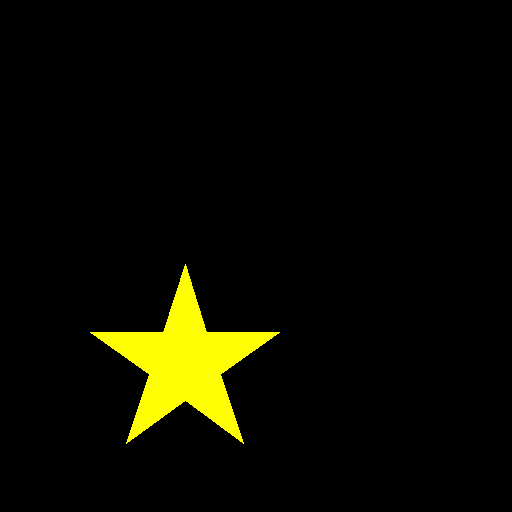
Shape recognition – circle vs star in yellow
cogstim shapes --train-num 60 --test-num 20
For reproducible results, add the --seed option:
cogstim shapes --train-num 60 --test-num 20 --seed 1234
 |
 |
Colour recognition – yellow vs blue circles (no positional jitter)
cogstim colours --train-num 60 --test-num 20 --no-jitter
|
 |
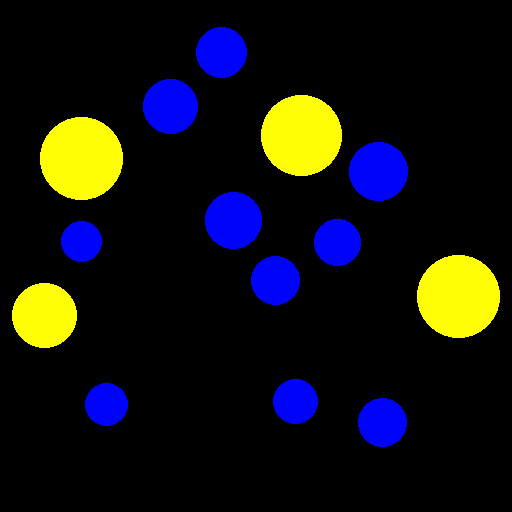
Approximate Number System (ANS) dataset with easy ratios only
cogstim ans --ratios easy --train-num 100 --test-num 40
 |
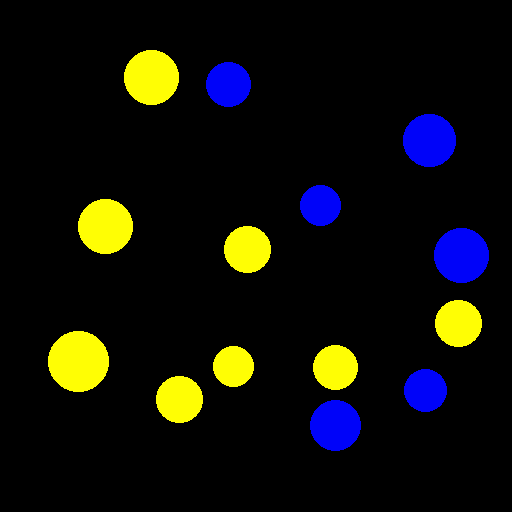 |
Note that on the left image, total surfaces are equalized, and, on the right image, dot size is random.
This is based on Halberda et al. (2008).
Separated layout
By default, dots of both colours are interleaved across the full canvas (--layout mixed). Use --layout separated to place colour 1 on the left half and colour 2 on the right half, with a configurable gap between them:
cogstim ans --ratios easy --train-num 100 --test-num 40 --layout separated --gap 40
--layout separatedconstrains each colour to its own half of the image.--gap Ncontrols the pixel-wide empty strip between the two halves (default: 40).- Area equalization still works: the
_equalizedvariants are generated as usual. - One-colour mode (
cogstim one-colour) ignores--layout separatedsince there is only one colour.
Match-to-sample (MTS) – dot arrays (sample/match) with controlled total surface
cogstim match-to-sample \
  --ratios easy \
  --train-num 50 --test-num 20 \
  --min-point-num 1 --max-point-num 10 \
  --dot-colour yellow
- Generates pairs of images per trial: match (
*_a_*.png) and sample (*_b_*.png). - For half of the trials, total dot surface is equalized between sample and match; for the other half, dot sizes are random.
- The target total surface for the match is derived from the sample image of the same trial.
- Unequal pairs are built from the same ratio set used by ANS, with both orders (n→m and m→n) included, and equal (n=m) trials added to balance labels.
- Output layout:
images/match_to_sample/{train|test}/mts_{trial_id:05d}_{r|e}_{a|b}_{n_dots}[_version].png(each image self-described; pairs share trial_id).
This task is based on Sella et al. (2013).
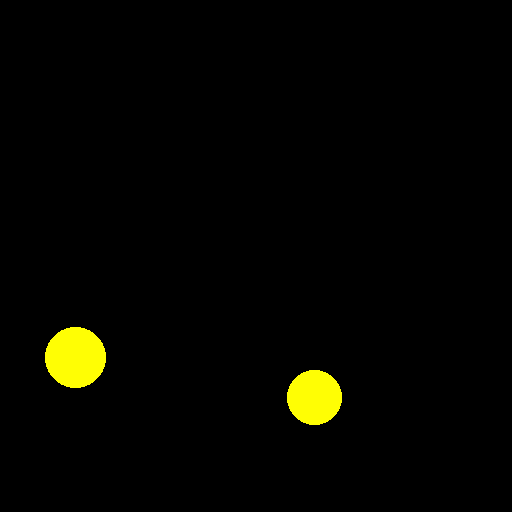
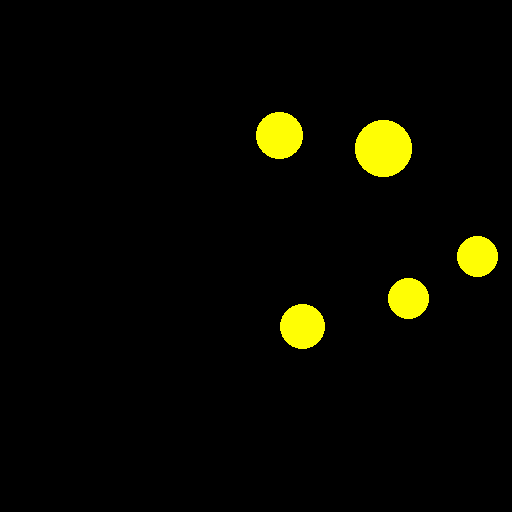
Single-colour dot arrays numbered 1-5, total surface area held constant
cogstim one-colour --train-num 50 --test-num 20 --min-point-num 1 --max-point-num 5
 |
 |
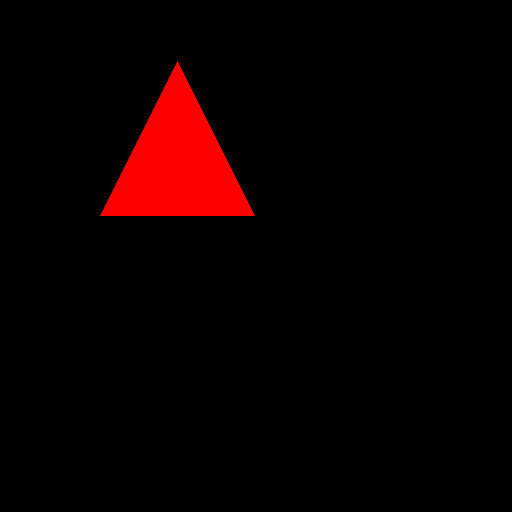
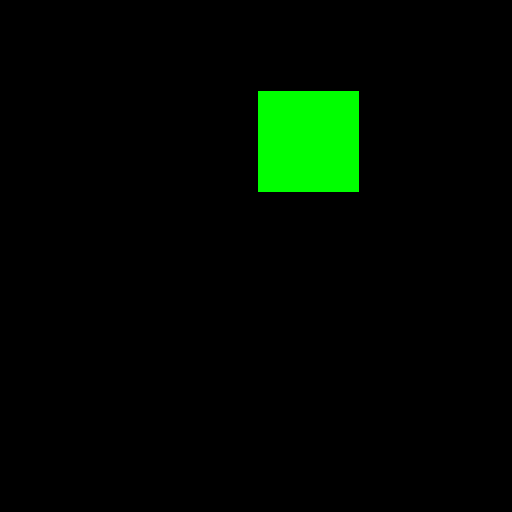
Custom dataset – green/red triangles & squares
cogstim custom --shapes triangle square --colours red green --train-num 50 --test-num 20
 |
 |
Lines dataset – rotated stripe patterns
cogstim lines --train-num 50 --test-num 20 --angles 0 45 90 135 --min-stripes 3 --max-stripes 5
 |
 |
This task is based on Srinivasan (2021).
Fixation targets – A/B/C/AB/AC/BC/ABC
cogstim fixation \
  --all-types \
  --background-colour black --symbol-colour white \
  --img-size 512 --dot-radius-px 6 --disk-radius-px 128 --cross-thickness-px 24 \
  --cross-arm-px 128
- The symbol uses a single colour (
--symbol-colour). - Composite types BC/ABC are rendered by overdrawing the cross and/or central dot with the background colour to create cut-outs, matching the figure convention in Thaler et al. (2013).
- For fixation targets, exactly one image is generated per type.
- Use
--all-typesto generate all seven types; otherwise, choose a subset via--types. - Control cross bar length using
--cross-arm-px(half-length from center), and thickness via--cross-thickness-px.
Output folder layout for fixation targets:
images/fixation/
These shapes are based on Thaler et al. (2013). They recommend using ABC.

Output
The generated folder structure is organised by phase / class, e.g.
images/two_shapes/
  ├── train/
  │   ├── circle/
  │   └── star/
  └── test/
      ├── circle/
      └── star/
License
This project is distributed under the MIT License – see the LICENCE file for details.
TODO's
- The equalization algorithm of match-to-sample could be improved.
- Extend CSV-based task specification to other tasks (ANS, one-colour, shapes, etc.).
- Check that the image is big enough for the parameters set.
References
-
Halberda, J., Mazzocco, M. M. M., & Feigenson, L. (2008). Individual differences in non-verbal number acuity correlate with maths achievement. Nature, 455(7213), 665-668. https://doi.org/10.1038/nature07246
-
Sella, F., Lanfranchi, S., & Zorzi, M. (2013). Enumeration skills in Down syndrome. Research in Developmental Disabilities, 34(11), 3798-3806. https://doi.org/10.1016/j.ridd.2013.07.038
-
Srinivasan, M. V. (2021). Vision, perception, navigation and ‘cognition’ in honeybees and applications to aerial robotics. Biochemical and Biophysical Research Communications, 564, 4-17. https://doi.org/10.1016/j.bbrc.2020.09.052
-
Thaler, L., Schütz, A. C., Goodale, M. A., & Gegenfurtner, K. R. (2013). What is the best fixation target? The effect of target shape on stability of fixational eye movements. Vision Research, 76, 31–42. https://doi.org/10.1016/j.visres.2012.10.012
1 maintainer

Download files
Download the file for your platform. If you're not sure which to choose, learn more about installing packages.
Source Distribution
Built Distribution
Filter files by name, interpreter, ABI, and platform.
If you're not sure about the file name format, learn more about wheel file names.
Copy a direct link to the current filters
File details
Details for the file cogstim-0.8.1.tar.gz.
File metadata
- Download URL: cogstim-0.8.1.tar.gz
- Upload date:
- Size: 70.5 kB
- Tags: Source
- Uploaded using Trusted Publishing? No
- Uploaded via:
twine/6.2.0 CPython/3.14.3
File hashes
| Algorithm | Hash digest | |
|---|---|---|
| SHA256 |
b22a9424a1376b517c7e58a913a0f06dff772cd27ab9fcb09ecb2ad396b4a9b6
|
|
| MD5 |
cdeced1fc2a247512ef53a32d589ae41
|
|
| BLAKE2b-256 |
e7e101eb32a08f78ed09783ac3f2d2c2d8e218e7585c8e374fb527ef006afb95
|
File details
Details for the file cogstim-0.8.1-py3-none-any.whl.
File metadata
- Download URL: cogstim-0.8.1-py3-none-any.whl
- Upload date:
- Size: 46.4 kB
- Tags: Python 3
- Uploaded using Trusted Publishing? No
- Uploaded via:
twine/6.2.0 CPython/3.14.3
File hashes
| Algorithm | Hash digest | |
|---|---|---|
| SHA256 |
533e16bffb25c1b2b91a76ce5d0642eaf0f2fc6c871b0b44b37944056f02b29a
|
|
| MD5 |
9d86ebf53c2cd67235d407f72f333581
|
|
| BLAKE2b-256 |
94050faf918126c4df2a7b92ac5cd6d75551822a078e7991e91930ee152826f9
|







