
Modern dark theme for Django Admin

Project description
ColdBlue
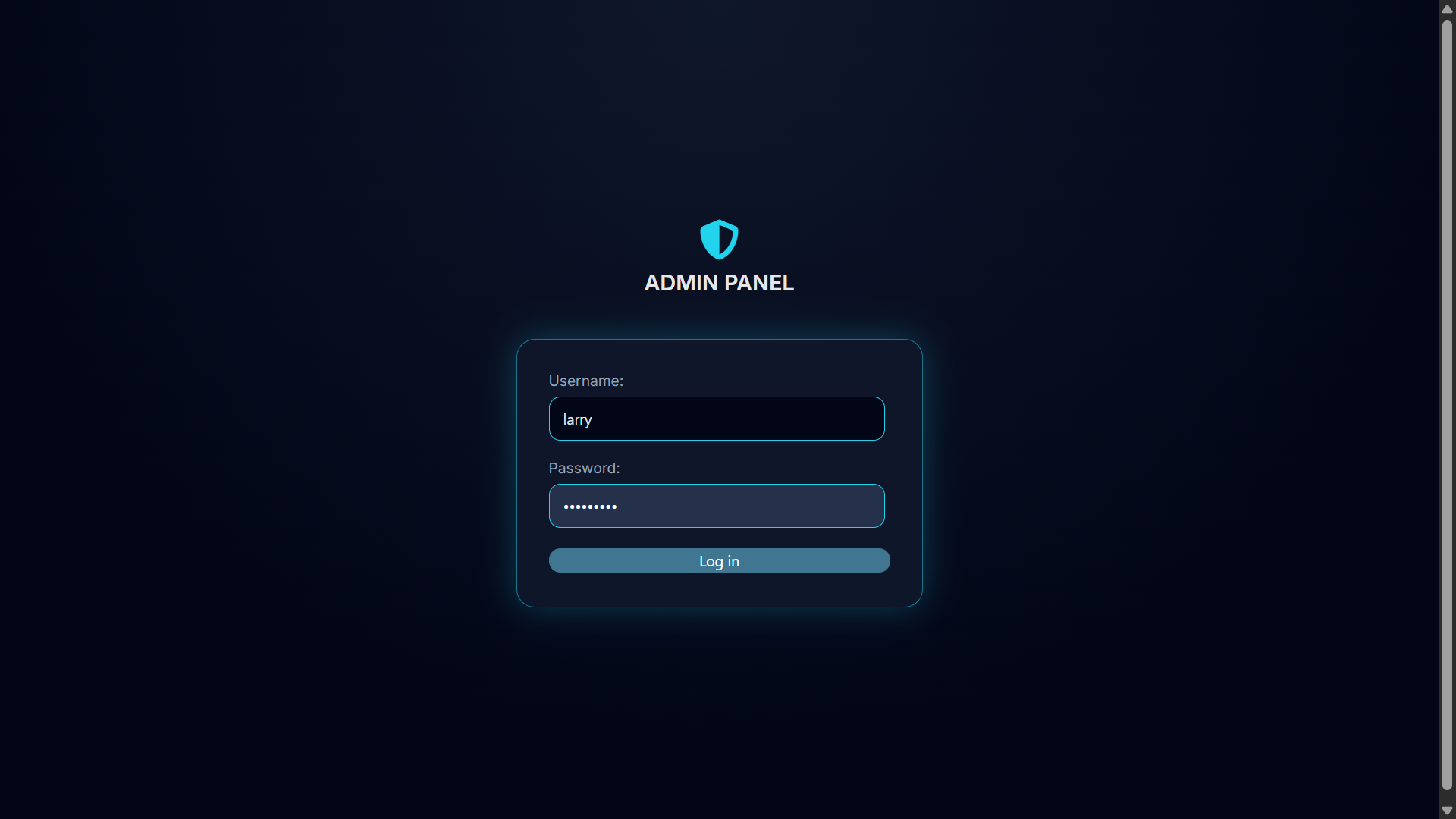
ColdBlue is a modern, minimal dark theme for Django Admin.
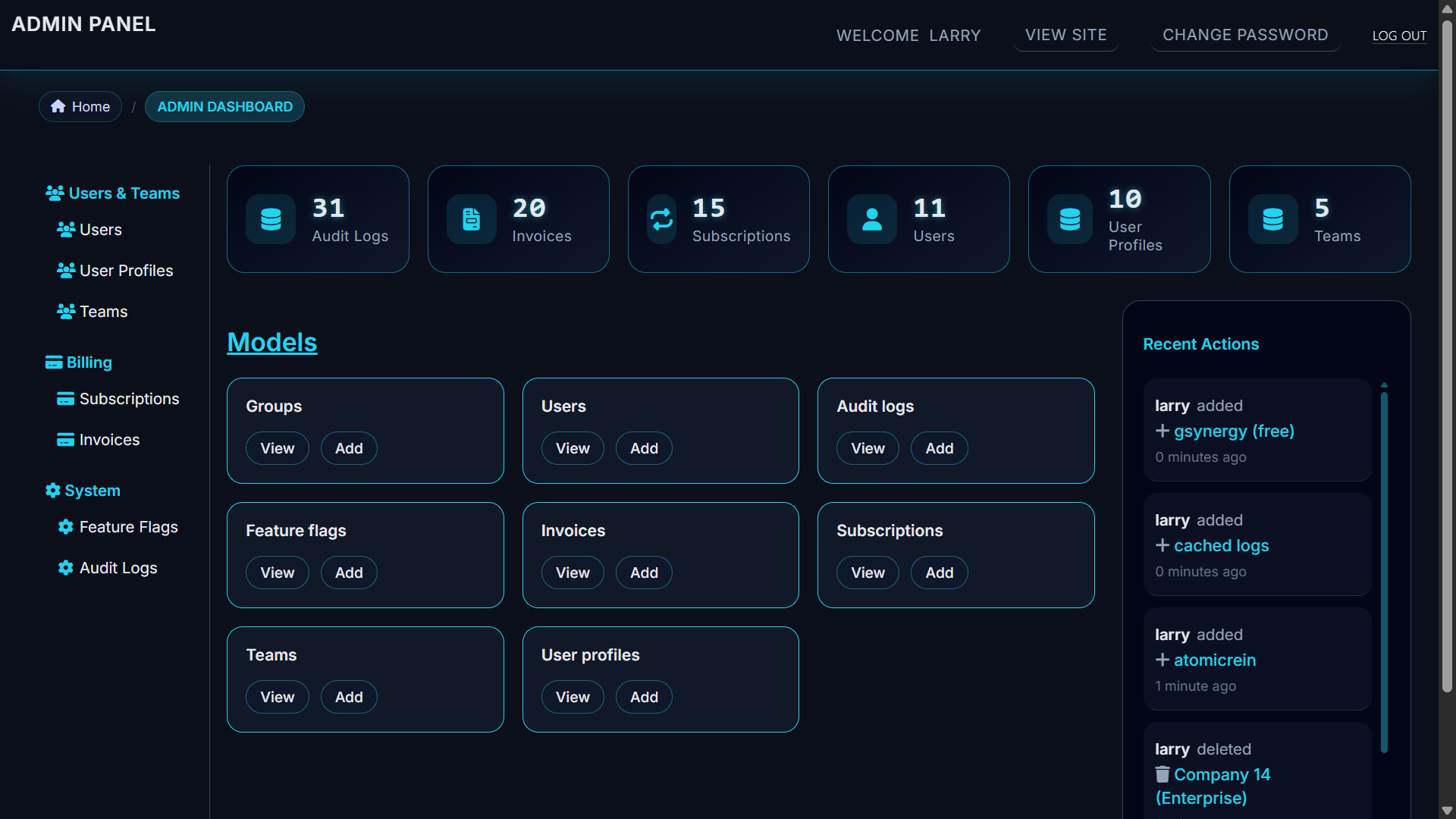
It enhances the default admin UI with a clean design, dashboard stats, optional grouped navigation, and improved mobile usability — while staying fully compatible with Django’s core admin system.
Screenshots
Login
Dashboard
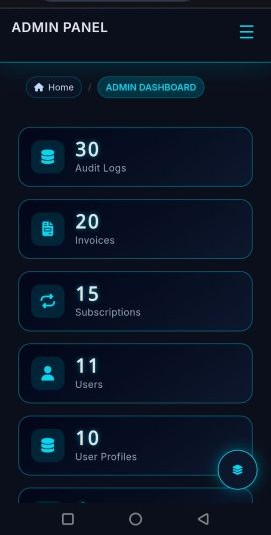
Mobile UI
Features
- Modern dark UI (no JavaScript frameworks)
- Dashboard statistics (model counts)
- Optional grouped sidebar navigation
- Mobile-friendly layout
- Respects Django admin permissions
- Drop-in app (no admin rewrites)
Installation
pip install coldblue
Add ColdBlue to your INSTALLED_APPS before django.contrib.admin:
INSTALLED_APPS = [
    "coldblue",
    "django.contrib.admin",
    "django.contrib.auth",
    "django.contrib.contenttypes",
    "django.contrib.sessions",
    "django.contrib.messages",
    "django.contrib.staticfiles",
]
Configuration
Core Theme Settings
COLDBLUE_SETTINGS = {
    "ENABLE_STATS": True,
    "STATS_LIMIT": 6,
    "STAT_SORT": "count_desc",  # or "alpha" or "count_asc"
    "SITE_HEADER": "Admin Panel",
    "SITE_TITLE": "Admin Login",
    "INDEX_TITLE": "Dashboard",
}
Sidebar Configuration (Optional)
COLDBLUE_SIDEBAR = {
    "ENABLE": True,
    "SECTIONS": [
        {
            "label": "Authentication",
            "icon": "fa-user-shield",
            "models": [
                "auth.User",
                "auth.Group",
            ],
        },
        {
            "label": "Shop",
            "icon": "fa-box",
            "models": [
                "shop.Product",  # app.Model
                "shop.Category",
            ],
        },
    ],
}
If ENABLE=True and no SECTIONS are provided, ColdBlue will automatically group models by app label.
Icon Overrides (Optional)
COLDBLUE_ICON_OVERRIDES = {
    "user": "fa-user-shield",
    "product": "fa-box-open",
}
Fallback icon: fa-database
Dashboard
ColdBlue replaces the default admin index with:
- Model cards
- Optional statistics panel
- Recent actions panel
- Clean layout optimized for large and small screens
Mobile Support
- Responsive layout
- Sidebar adapts to small screens
- No breaking admin functionality
Compatibility
- Django 4.x, 5.x
- Works with default admin templates
- Does not override admin views or permissions
What ColdBlue Does NOT Do
- No admin logic changes
- No database migrations
- No JavaScript-heavy UI frameworks
License
MIT License


Download files
Download the file for your platform. If you're not sure which to choose, learn more about installing packages.
Source Distribution
Built Distribution
Filter files by name, interpreter, ABI, and platform.
If you're not sure about the file name format, learn more about wheel file names.
Copy a direct link to the current filters
File details
Details for the file coldblue-0.1.6.tar.gz.
File metadata
- Download URL: coldblue-0.1.6.tar.gz
- Upload date:
- Size: 17.5 kB
- Tags: Source
- Uploaded using Trusted Publishing? No
- Uploaded via: twine/6.2.0 CPython/3.14.0
File hashes
| Algorithm | Hash digest | |
|---|---|---|
| SHA256 |
289c72e56ba1ff5fde0c902a18f80ff41e7d52708e4402b410b506e97cad51a6
|
|
| MD5 |
8ebce250d12846de70c00aa3fc130c61
|
|
| BLAKE2b-256 |
341eaf7ab24628fb4a3d0a001a0392e80d183647120c7c4e959deea65ab5e62b
|
File details
Details for the file coldblue-0.1.6-py3-none-any.whl.
File metadata
- Download URL: coldblue-0.1.6-py3-none-any.whl
- Upload date:
- Size: 19.8 kB
- Tags: Python 3
- Uploaded using Trusted Publishing? No
- Uploaded via: twine/6.2.0 CPython/3.14.0
File hashes
| Algorithm | Hash digest | |
|---|---|---|
| SHA256 |
56f7ddc5f9f514772df5c7dff70d5b2a3c462f4777f1ba9085c50abba4cb2de0
|
|
| MD5 |
f27c6a05ef2727ff3a462a0cbad99cbe
|
|
| BLAKE2b-256 |
35bd6af23d0cddeb3077a864e483750f393c180c838a7c46e14467ac37bb2eba
|






