
coldsheet
Recover your BTC from BTC.com and Blocktrail wallet backup sheets — offline, open-source, zero-dependency.
If you own a BTC.com or Blocktrail "Wallet Recovery Data Sheet" (the PDF
with an Encrypted Primary Seed, a Backup Seed, a Password Encrypted Secret
and a QR-coded xpub) and you want your Bitcoin back now that both services have
shut down, coldsheet reconstructs the wallet from that sheet on your own
offline machine. Give it your password and it prints the master xprv and the
wallet's Bitcoin (BTC) and Bitcoin Cash (BCH) addresses, and can check their
balances. Forgot the password? It can search for it from words you remember.
Pure Python, no dependencies, no network, no accounts — short enough to read end to end before you trust it with a seed.
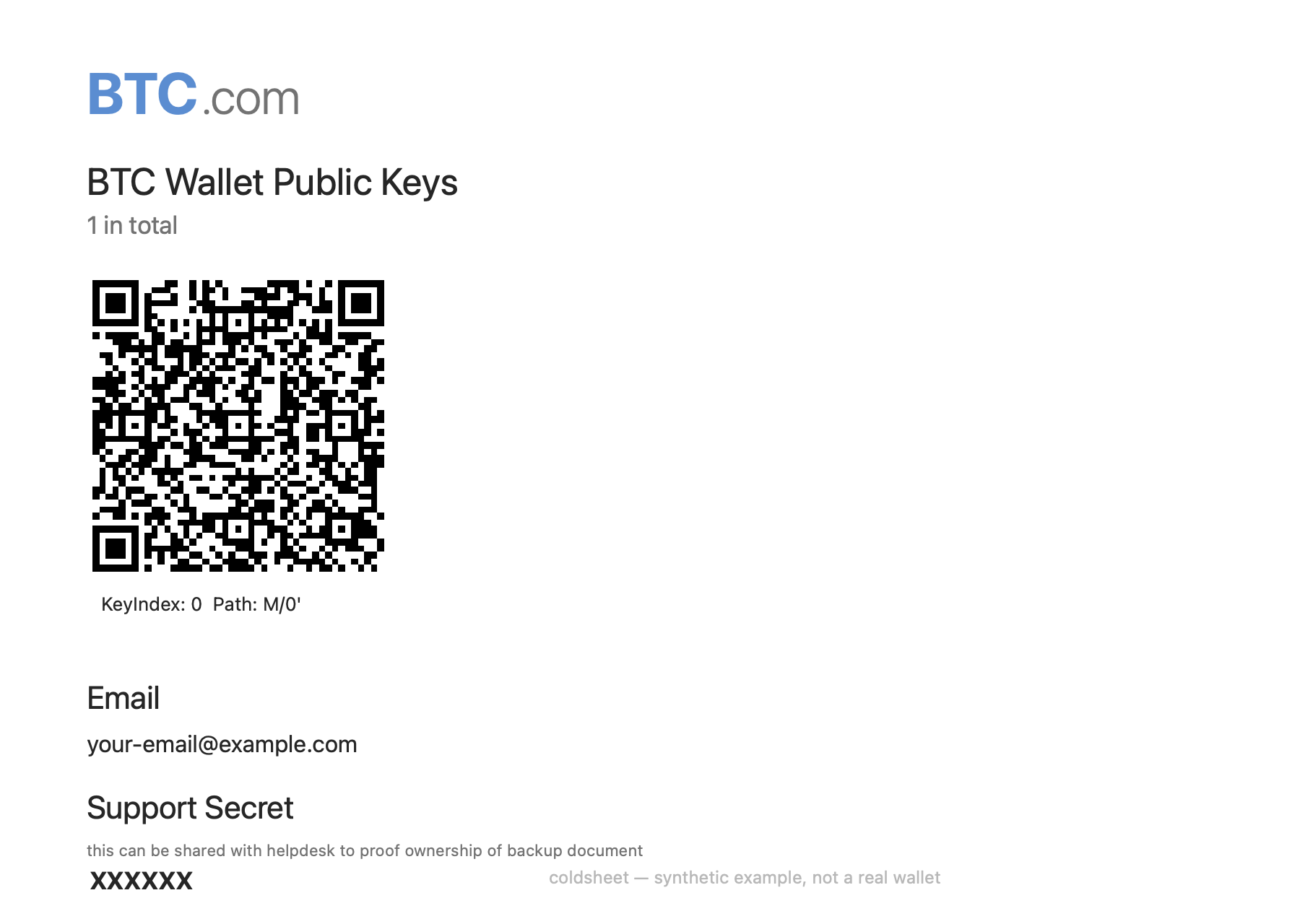
A BTC.com / Blocktrail recovery sheet (this one is a synthetic demo — not a real wallet).
Verified byte-for-byte against the original
blocktrail-sdk-nodejs(decryption) andbitcoinjs-lib3.3.2 (address derivation). See Validation.
Is this the tool for me?
Use coldsheet if any of this sounds familiar:
- You have a printed BTC.com wallet recovery sheet / Blocktrail backup sheet and can no longer log in because the service is gone.
- The old recovery.blocktrail.com page is dead, or you don't want to paste a sheet containing a plaintext seed into a website.
- The official recovery tool is a heavy, outdated Node bundle you'd rather not run.
- Your sheet says "Wallet Identifier (v3)" at the top — that's the format this tool supports.
You do not need BTC.com or Blocktrail to exist anymore. Everything is on your sheet; coldsheet does the rest offline.
Safety first
- Recover only your own wallet. This is a recovery tool, not an attack tool.
- Run it offline. Your sheet contains a plaintext backup seed. Ideally copy
the code to an air-gapped machine, recover there, then move funds with a wallet
you trust. The only command that touches the network is
recover --balance, and it sends only public addresses — never a key, seed or password. - The master
xprvis a live private key. Anyone who sees it can spend your coins.recoverhides it unless you pass--show-xprv. - No telemetry, no analytics, no phone-home. Read the code — it is short.
Requirements
Python 3.8+. Nothing else. (The BIP39 wordlist ships with the package.)
Quick start
git clone https://github.com/sporty303/coldsheet
cd coldsheet

# Try it on the bundled synthetic demo (password: Coldsheet2017!)
python -m coldsheet recover --sheet examples/example_sheet.json --password 'Coldsheet2017!'
Then do the same with your own sheet, in four steps:
1. Transcribe your sheet into a JSON file — keep it in the git-ignored
private/ folder so you never commit a seed (copy examples/example_sheet.json
and replace the values with the word blocks from your PDF):
{
  "format": "blocktrail_v3",
  "encrypted_primary_seed":    "word word word ...  (~60 words)",
  "backup_seed":               "word word ...        (24 words)",
  "password_encrypted_secret": "word word word ...  (~60 words)",
  "blocktrail_xpub":           "xpub...  (decode the page-2 QR: KeyIndex 0, Path M/0')",
  "key_index": 0
}
Field mapping from the PDF:
| Sheet label | JSON field |
|---|---|
| Encrypted Primary Seed | encrypted_primary_seed |
| Backup Seed | backup_seed |
| Password Encrypted Secret | password_encrypted_secret |
| QR on page 2 (KeyIndex/Path) | blocktrail_xpub |
To read the page-2 QR into text, any offline QR scanner works. The Encrypted Recovery Secret block is not needed — it required a key that only Blocktrail held, so recovery goes through your password instead.
2. Check that the sheet parses (no password needed):
python -m coldsheet decode --sheet private/my_sheet.json
3. Unlock it with your password. Omit --password and coldsheet prompts for
it, so it never lands in your shell history or in ps output:
python -m coldsheet recover --sheet private/my_sheet.json                # prompts for the password
python -m coldsheet recover --sheet private/my_sheet.json --show-xprv    # also print the master private key
python -m coldsheet recover --sheet private/my_sheet.json --balance      # also check balances online (see note)
Avoid
--password 'secret'on the command line for a real wallet — other users can read it viapsand it is saved to your shell history. Use the prompt (as above) or--password-file.--balancesends your addresses to public explorers from your IP, which clusters the wallet and reveals your IP; for privacy, check balances with your own node or over Tor.
4. Import the recovered wallet. Load the master xprv (from --show-xprv)
into a wallet you trust — Electrum for BTC, Electron Cash for BCH — or sweep the
listed addresses. Then move the funds to a fresh wallet you fully control.
Forgot your password?
coldsheet can search for it offline, using all your CPU cores. Give it the
building blocks you actually used (names, dates, a password you reuse) and it
generates the usual variations — capitalisation, year/symbol suffixes, leetspeak,
two-word combinations:
python -m coldsheet crack --sheet private/my_sheet.json --base 'name,dog,city,2017'
python -m coldsheet crack --sheet private/my_sheet.json --words private/mywords.txt --max-depth 2
python -m coldsheet crack --sheet private/my_sheet.json --words private/wordlist.txt --raw  # test verbatim
Every guess is checked locally against your sheet; nothing leaves your machine.
How it works
A v3 block is AES-256-GCM; its key is PBKDF2-HMAC-SHA512 of the
password/secret over a per-block salt and iteration count stored little-endian in
the block header (which is also fed to GCM as additional authenticated data). The
words are BIP39 over non-standard lengths, left-padded with 0x81.
secret       = decrypt(password_encrypted_secret, your_password)   # 35000 iterations
primary_seed = decrypt(encrypted_primary_seed,    secret)          # 1 iteration
master       = BIP32(primary_seed)                                 # HMAC-SHA512("Bitcoin seed", ...)
Addresses are 2-of-3 P2SH multisig over the primary, backup and Blocktrail public
keys (primary key index hardened, backup index not, Blocktrail xpub at the account
level M/keyIndex'), sorted lexicographically. BTC uses chain 0, Bitcoin Cash
chain 1.
Modules: crypto (AES/GCM/PBKDF2/BIP39), bip32 (secp256k1/BIP32/Base58),
formats/blocktrail_v3 (sheet parsing + recovery + addresses), passwords
(mangling + parallel search), balances (optional explorer lookups).
Validation
tests/vectors/synthetic_v3.json is a synthetic wallet generated with the
original blocktrail-sdk-nodejs and bitcoinjs-lib 3.3.2. The tests assert that
coldsheet reproduces the reference xprv and addresses exactly, and that the
crypto primitives match the FIPS-197 (AES), NIST (GCM) and BIP39 test vectors.
python tests/test_crypto.py
python tests/test_blocktrail_v3.py
# or: pytest
FAQ
Is the BTC.com / Blocktrail wallet still working? No. The consumer wallet and Blocktrail were discontinued. Your funds are still on-chain, though — your backup sheet is enough to recover them.
Can I recover without the password? The password protects the encrypted secret;
you need it (or must find it with crack). The alternative "recovery secret" on
the sheet needed a key Blocktrail held and is unusable now.
Is it safe to run? Read the code — it is small and dependency-free. Run it
offline, keep your xprv private, and move funds to a new wallet after recovery.
Which coins? The sheet's keys recover both Bitcoin (BTC) and Bitcoin Cash (BCH).
My sheet looks different / says v2 or v1. This release targets v3 ("Wallet Identifier (v3)"). Open an issue with a redacted description and it can be added.
Support / donate
coldsheet is free and open-source. If it helped you recover your coins, a tip is warmly appreciated (and never expected):

bc1qjzfq92cn2uat6v7g2j60cra4patd2fy8ujgne5
Roadmap
The formats/ layer is pluggable — other paper-backup formats (e.g. other
hardware-wallet sheets) can be added without touching the crypto or BIP32 code.
Disclaimer
Provided as-is, with no warranty. Double-check recovered addresses against your
own records before relying on them, and treat every seed and private key as
radioactive. See LICENSE.
License
MIT.
1 maintainer

Metadata
1 maintainer
Release files for coldsheet 1.0.0
For a detailed explanation of source distributions (sdists) and built distributions (wheels), please see the package formats documentation.
Source distribution (sdist)
| File | Size | Uploaded | |
|---|---|---|---|
| coldsheet-1.0.0.tar.gz | 36.9 kB | Details |
Built distribution (wheel)
| File | Interpreter | ABI | Platform | Reset |
|---|---|---|---|---|
| coldsheet-1.0.0-py3-none-any.whl | Python 3 | none | any | Details |
Total release size: 69.8 kB
Release files / coldsheet-1.0.0.tar.gz
| Download URL | coldsheet-1.0.0.tar.gz |
|---|---|
| Size | 36.9 kB |
| Tags | Source |
|
SHA-256 checksum How to use checksums |
ef8522c35dbe46a54236d55a982703f74057c17b6ca882b029947b4d1a1d6a35
|
|
BLAKE2b-256 checksum How to use checksums |
c3c0994e5d61476c3069d77a2e5c09674827b522c5ea9020738fb2c3b9150ae5
|
| Upload date | |
|
Uploaded using Trusted Publishing? What is trusted publishing? |
No |
| Uploaded via |
twine/7.0.0 CPython/3.14.6
|
Release files / coldsheet-1.0.0-py3-none-any.whl
| Download URL | coldsheet-1.0.0-py3-none-any.whl |
|---|---|
| Size | 32.9 kB |
| Tags | Python 3 |
|
SHA-256 checksum How to use checksums |
badd4cff0610b5af607508b1a5a9009b2cda3f4fc5c59bbad1fdc455d0696cc3
|
|
BLAKE2b-256 checksum How to use checksums |
589ed0edad7365c57cbf3cdc7fc3b9a77f10847c94c053e0fa20a15c6284f9c6
|
| Upload date | |
|
Uploaded using Trusted Publishing? What is trusted publishing? |
No |
| Uploaded via |
twine/7.0.0 CPython/3.14.6
|













