
Connect to Colmi R02 smart ring over BLE

Project description
Colmi R02 Client
Open source python client to read your data from the Colmi R02 family of Smart Rings. 100% open source, 100% offline.
What is the Colmi R02?
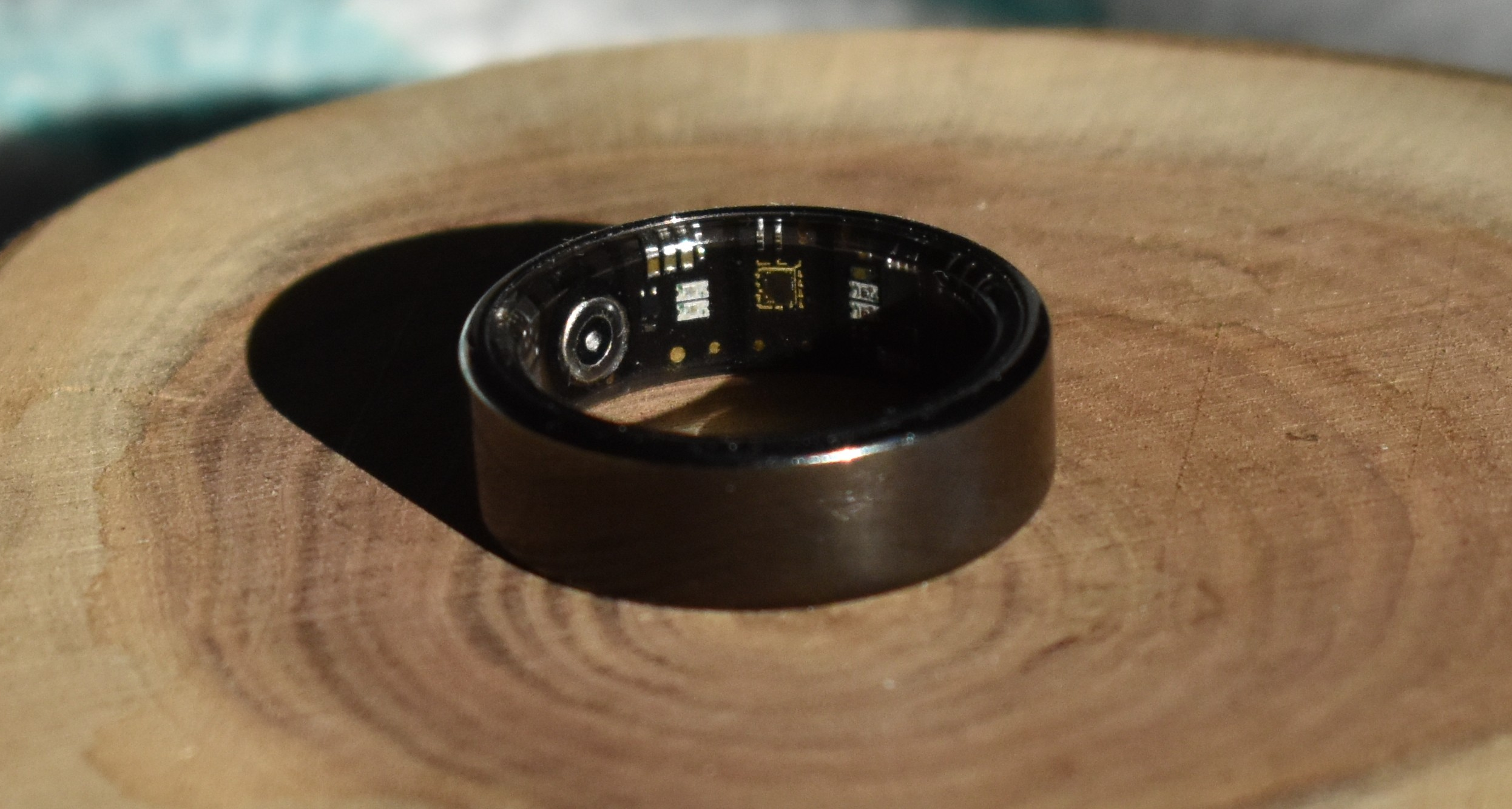
It's a cheap (as in $20) "smart ring" / fitness wearable that includes the following sensors:
- Accelerometer
- step tracking
- sleep tracking
- gestures (maybe...?)
- Heart Rate (HR)
- Blood Oxygen (SPO2)
I found out about the ring from atc1441 and his work on ATC_RF03 and the Hackaday coverage
Got questions or ideas? Send me an email or open an issue
Are you hiring? Send me an email
How to buy
You can get it on here on AliExpress. If that link is dead try searching for "COLMI R02", I got mine from "Colmi official store". It cost me $CAD 22 shipped.
Reverse engineering status
- Real time heart rate and SPO2
- Step logs (still don't quite understand how the day is split up)
- Heart rate logs (aka periodic measurement)
- Set ring time
- Set HR log frequency
- SPO2 logs
- Sleep tracking
- "Stress" measurement
Planned Feature
- add more CLI functionality
- pretty print HR and steps
- sync all data to a file or SQLite db
- simple web interface
Getting started
Using the command line
If you don't know python that well, I highly recommend you install pipx. It's purpose built for managing python packages intended to be used as standalone programs and it will keep your computer safe from the pitfalls of python packaging. Once installed you can do
pipx install git+https://github.com/tahnok/colmi_r02_client
Once that is done you can look for nearby rings using
colmi_r02_util scan
Found device(s)
                Name  | Address
--------------------------------------------
            R02_341C  |  70:CB:0D:D0:34:1C
Once you have your address you can use it to do things like get real time heart rate
colmi_r02_client --address=70:CB:0D:D0:34:1C get-real-time-heart-rate
Starting reading, please wait.
[81, 81, 79, 79, 79, 79]
The most up to date and comprehensive help for the command line can be found running
colmi_r02_client --help
Usage: colmi_r02_client [OPTIONS] COMMAND [ARGS]...

Options:
  --debug / --no-debug
  --record / --no-record  Write all received packets to a file
  --address TEXT          Bluetooth address
  --name TEXT             Bluetooth name of the device, slower but will work
                          on macOS
  --help                  Show this message and exit.

Commands:
  get-heart-rate-log           Get heart rate for given date
  get-heart-rate-log-settings  Get heart rate log settings
  get-real-time-heart-rate     Get real time heart rate.
  info                         Get device info and battery level
  set-heart-rate-log-settings  Get heart rate log settings
  set-time                     Set the time on the ring, required if you...
With the library / SDK
You can use the colmi_r02_client.client class as a library to do your own stuff in python. I've tried to write a lot of docstrings, which are visible on the docs site
Communication Protocol Details
I've kept a lab notebook style stream of consciousness notes on https://notes.tahnok.ca/, starting with 2024-07-07 Smart Ring Hacking and eventually getting put under one folder. That's the best source for all the raw stuff.
At a high level though, you can talk to and read from the ring using BLE. There's no binding or security keys required to get started. (that's kind of bad, but the range on the ring is really tiny and I'm not too worried about someone getting my steps or heart rate information. Up to you).
The ring has a BLE GATT service with the UUID 6E40FFF0-B5A3-F393-E0A9-E50E24DCCA9E. It has two important characteristics:
- RX:
6E400002-B5A3-F393-E0A9-E50E24DCCA9E, which you write to - TX:
6E400003-B5A3-F393-E0A9-E50E24DCCA9E, which you can "subscribe" to and is where the ring responds to packets you have sent.
This closely resembles the Nordic UART Service and UART/Serial communications in general.
Packet structure
The ring communicates in 16 byte packets for both sending and receiving. The first byte of the packet is always a command/tag/type. For example, the packet you send to ask for the battery level starts with 0x03 and the response packet also starts with 0x03.
The last byte of the packet is always a checksum/crc. This value is calculated by summing up the other 15 bytes in the packet and taking the result modulo 255. See colmi_r02_client.packet.checksum
The middle 14 bytes are the "subdata" or payload data. Some requests (like colmi_r02_client.set_time.set_time_packet) include additional data. Almost all responses use the subdata to return the data you asked for.
Some requests result in multiple responses that you have to consider together to get the data. colmi_r02_client.steps.SportDetailParser is an example of this behaviour.
If you want to know the actual packet structure for a given feature's request or response, take a look at the source code for that feature. I've tried to make it pretty easy to follow even if you don't know python very well. There are also some tests that you can refer to for validated request/response pairs and human readable interpretations of that data.
Got questions or ideas? Send me an email or open an issue
Release history Release notifications | RSS feed

Download files
Download the file for your platform. If you're not sure which to choose, learn more about installing packages.
Source Distribution
Built Distribution
Filter files by name, interpreter, ABI, and platform.
If you're not sure about the file name format, learn more about wheel file names.
Copy a direct link to the current filters
File details
Details for the file colmi_r02_client-0.1.0.tar.gz.
File metadata
- Download URL: colmi_r02_client-0.1.0.tar.gz
- Upload date:
- Size: 16.0 kB
- Tags: Source
- Uploaded using Trusted Publishing? No
- Uploaded via: poetry/1.8.3 CPython/3.11.2 Linux/6.1.0-23-amd64
File hashes
| Algorithm | Hash digest | |
|---|---|---|
| SHA256 |
23f40f9aa1dc6e21162c7a7ce5cf29752394668f4f33d26ea8e36a7aa50cca09
|
|
| MD5 |
95ed9f325d24590b5ebf1bf56962a7af
|
|
| BLAKE2b-256 |
1a0aa2e3f041aa9ebff883c60ecb4ab5e223ace98a248f8445a957388271f2f4
|
File details
Details for the file colmi_r02_client-0.1.0-py3-none-any.whl.
File metadata
- Download URL: colmi_r02_client-0.1.0-py3-none-any.whl
- Upload date:
- Size: 16.9 kB
- Tags: Python 3
- Uploaded using Trusted Publishing? No
- Uploaded via: poetry/1.8.3 CPython/3.11.2 Linux/6.1.0-23-amd64
File hashes
| Algorithm | Hash digest | |
|---|---|---|
| SHA256 |
a25a0f19b7bcd5197a9081d9c6e9d6b6b10ba59963f6862a154d2faa75f2aee3
|
|
| MD5 |
cb8ca1cdbcfe75c75cbfd397f287d068
|
|
| BLAKE2b-256 |
b9e451fecb2be4a1d70e723581b79bbcfbd5da7763668eba850a37bbd0bd17f7
|






