
colorgen
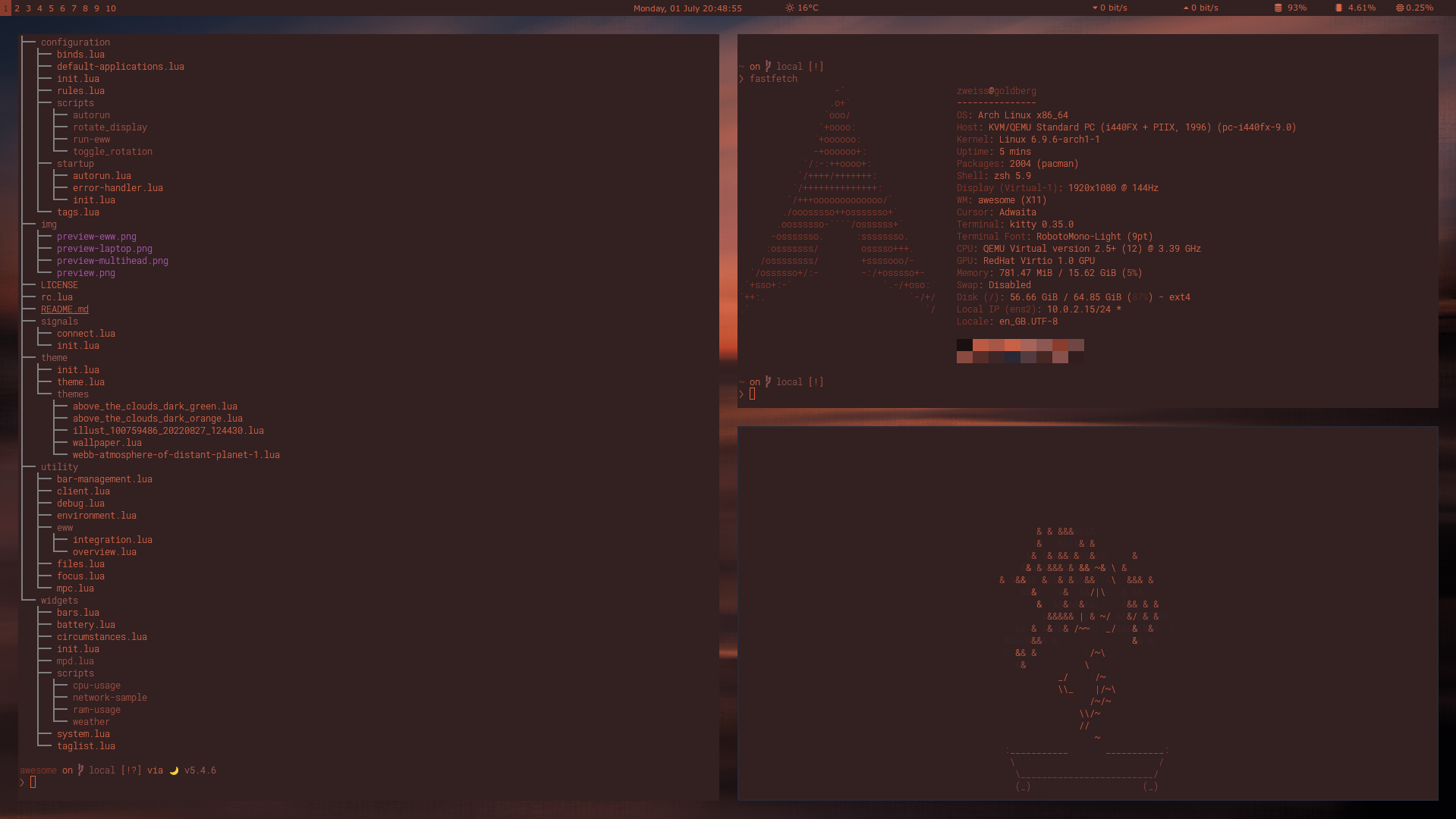
Generate terminal colorschemes from images for kitty, AwesomeWM, Waybar, dunst, and rofi.
Repo: Codeberg (primary) · GitHub (mirror)




Install
Requires Python 3.12 or 3.13.
pip install colorgen
Or from source:
git clone https://codeberg.org/piotrkrzysztof/colorgen.git
cd colorgen
make install
Usage
# Preview colors from an image
colorgen wallpaper.png --preview

# Generate and apply a kitty colorscheme
colorgen wallpaper.png --config kitty --theme dark --apply

# Multiple targets
colorgen wallpaper.png --config kitty awesome rofi --apply

# All targets
colorgen wallpaper.png --full-config --theme dark --apply
After applying - old theme gets commented out, not deleted.
How it works
Extracts 18 dominant colors from the image via K-means clustering, then maps them to a 19-color terminal palette (bg, fg, cursor, colors 0-15) based on hue diversity and luminance.
Supported targets
- kitty - terminal color config
- AwesomeWM - window manager theme (awesomewm-basileia layout)
- Waybar - status bar colors via
@define-colorCSS variables - dunst - notification daemon colors via
dunstrc.ddrop-in - rofi - launcher theme (adi1090x/rofi layout)
Development
make install   # install deps
make test      # run tests
make lint      # check code style
License
GPL-3.0-or-later. Built with Pylette.
To the only God, be honour and glory for ever and ever.
1 maintainer

Metadata
1 maintainer
Release files for colorgen 1.1.8
For a detailed explanation of source distributions (sdists) and built distributions (wheels), please see the package formats documentation.
Source distribution (sdist)
| File | Size | Uploaded | Provenance | Actions |
|---|---|---|---|---|
| colorgen-1.1.8.tar.gz | 27.4 kB | Without provenance | Details for colorgen-1.1.8.tar.gz |
Built distribution (wheel)
| File | Interpreter | ABI | Platform | Actions Reset |
|---|---|---|---|---|
| colorgen-1.1.8-py3-none-any.whl | Python 3 | none | any | Details for colorgen-1.1.8-py3-none-any.whl |
Total release size: 59.7 kB
Release files / colorgen-1.1.8.tar.gz
| Download URL | colorgen-1.1.8.tar.gz |
|---|---|
| Size | 27.4 kB |
| Tags | Source |
|
SHA-256 checksum How to use checksums |
b1298a36edff64e24db96248b26cbffefaf2ddd42f54540942165bf6526428fa
|
|
BLAKE2b-256 checksum How to use checksums |
f65bc1dd38e0810e1a0b9f92ba6c973944e52a862e7c7e44bf731a9a8fa5ad1d
|
| Upload date | |
|
Uploaded using Trusted Publishing? What is trusted publishing? |
No |
| Uploaded via |
twine/7.0.0 CPython/3.12.13
|
Release files / colorgen-1.1.8-py3-none-any.whl
| Download URL | colorgen-1.1.8-py3-none-any.whl |
|---|---|
| Size | 32.4 kB |
| Tags | Python 3 |
|
SHA-256 checksum How to use checksums |
1e55b0f6f6652a3dbd7b2203eadbf5a1ed3d40378a6e3ca7eab1430a5921d8c3
|
|
BLAKE2b-256 checksum How to use checksums |
3457bd0ff2f33f7aa52d11b83fd39729f1a7fb7ca7214e82ab3bcf9ba5aaba26
|
| Upload date | |
|
Uploaded using Trusted Publishing? What is trusted publishing? |
No |
| Uploaded via |
twine/7.0.0 CPython/3.12.13
|
Security for colorgen 1.1.8
Provenance
Provenance describes where a file came from. On PyPI, provenance is shared via attestations, which provide a verifiable record of the build or publishing details. View details, limitations and caveats.
No provenance found
None of the files in this release were uploaded with provenance metadata.
A note on package security
PyPI is a repository for distributing packages, not a service for auditing them. While third-party security researchers and our staff do their best to detect and remove malicious packages, PyPI cannot guarantee the quality, security or suitability of any given package.
To learn more about protecting yourself from malicious actors, visit our package security documentation.














