

The AI powered terminal assistant





What is comai? 🎯
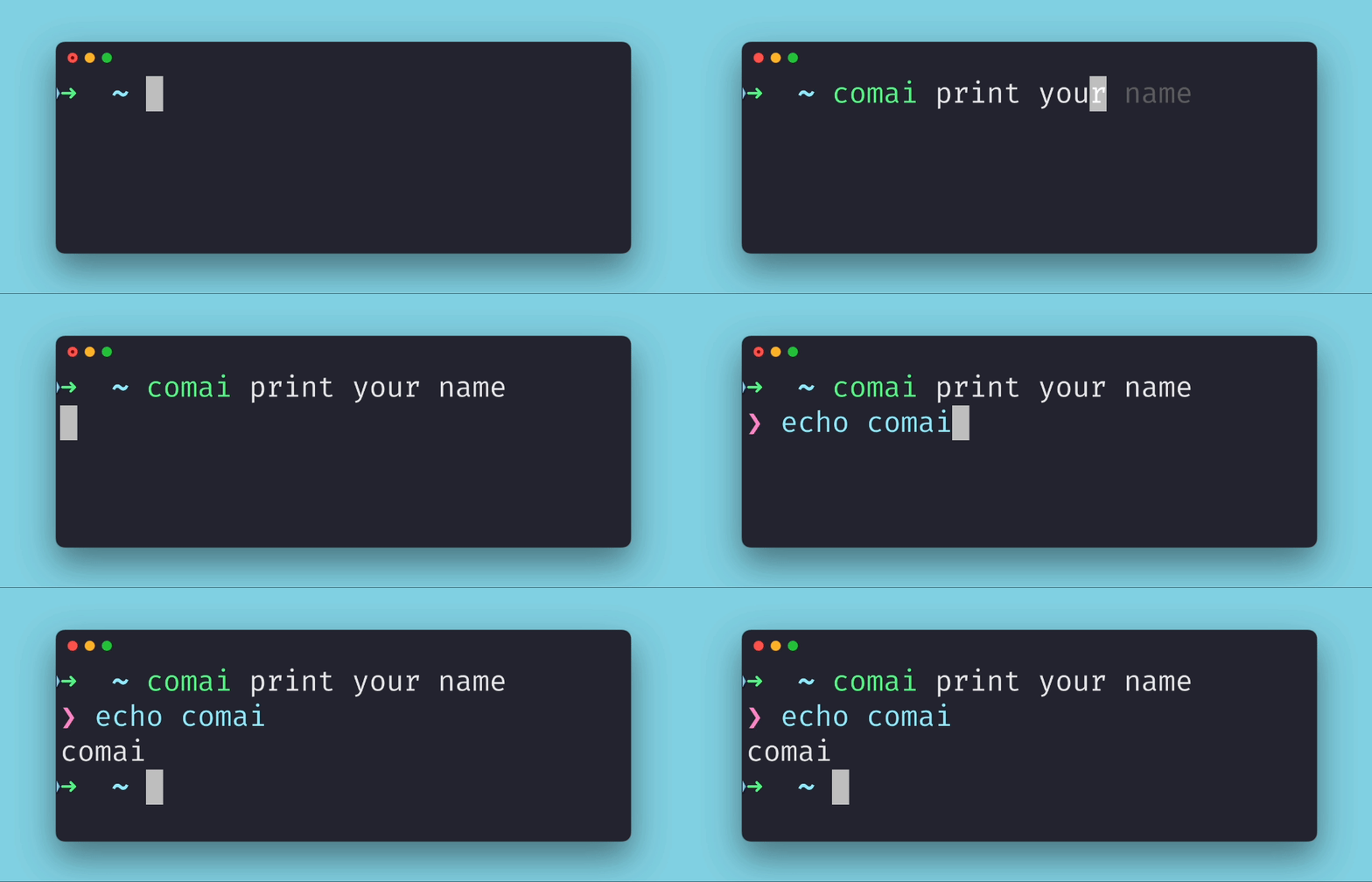
comai is an open source terminal assistant powered by OpenAI API that enables you to interact with your command line interface using natural language instructions. It simplifies your workflow by converting natural language queries into executable commands. No more memorizing complex syntax. Just chat with comai using plain English!
Installation 🚀
Getting comai up and running is a breeze. You can simply use pip to install the latest version:
pip install comai
However, if you usually work with python environments, it is recommended to use pipx instead:
pipx install comai
The first time you run it, it'll ask you for an OpenAI API key. You can create a developer account here. Once in your account, go to API Keys section and Create new secret key. We recommend setting a usage limit under Billing/Usage limits.
NOTE:
comaiuses the environment variableTERM_SESSION_IDto maintain context between calls so you don't need to repeat yourself giving instructions to it. You can check if it is available in your default terminal checking the output ofecho $TERM_SESSION_ID, which should return some type of UUID. If the output is empty, you can simply add the following to your.zshrc/.bashrcfile:export TERM_SESSION_ID=$(uuidgen)
Usage Examples 🎉
Using comai is straightforward. Simply invoke the comai command followed by your natural language instruction. comai will provide you with the corresponding executable command, which you can execute by pressing Enter or ignore by pressing any other key.
Let's dive into some exciting examples of how you can harness the power of comai:
- Manage your system like a pro:
$ comai print my private ip address
❯ ifconfig | grep "inet " | grep -v 127.0.0.1 | awk '{print $2}'
192.168.0.2

$ comai and my public one
❯ curl ifconfig.me
92.234.58.146
- Master the intricacies of
git:
$ comai squash the last 3 commits into a single commit
❯ git rebase -i HEAD~3

$ comai show me all the branches having commit c4c0d2d in common
❯ git branch --contains c4c0d2d
  chat-api
  configparser
* main
- Check the weather forecast for your location:
$ comai show me the weather forecast
❯ curl wttr.in
- Find the annoying process using the port 8080:
$ comai show me the process using the port 8080
❯ lsof -i :8080
COMMAND   PID      USER   FD   TYPE            DEVICE SIZE/OFF NODE NAME
node    36350 pedrorico   18u  IPv4 0xe0d28ea918e376b      0t0  TCP *:http-alt (LISTEN)

$ comai show me only the PID
❯ lsof -t -i :8080
36350

$ comai kill it
❯ kill $(lsof -t -i :8080)
- Swiftly get rid of all your docker containers:
$ comai stop and remove all running docker containers
❯ docker stop $(docker ps -aq) && docker rm $(docker ps -aq)
These are just a few examples of how comai can help you harness the power of the command line and provide you with useful and entertaining commands. Feel free to explore and experiment with the commands generated by comai to discover more exciting possibilities!
Contributions welcome! 🤝
If you're interested in joining the development of new features for comai, here's all you need to get started:
- Clone the repository and navigate to the root folder.
- Install the package in editable mode by running
pip install -e .. - Run the tests using
pytest. Make sure you have theOPENAI_API_KEYenvironment variable set up with your OpenAI API key. Alternatively, you can create a file named.envand define the variable there.
This project utilizes black for code formatting. To ensure your changes adhere to this format, simply follow these steps:
pip install black
black .
For users of VS Code, you can configure the following options after installing black:
"editor.formatOnSave": true,
"python.formatting.provider": "black"
License 📜
Comai is licensed under the GPLv3. You can find the full text of the license in the LICENSE file.
1 maintainer

Metadata
1 maintainer
Release files for comai 0.1.0
For a detailed explanation of source distributions (sdists) and built distributions (wheels), please see the package formats documentation.
Source distribution (sdist)
| File | Size | Uploaded | |
|---|---|---|---|
| comai-0.1.0.tar.gz | 4.2 MB | Details |
Built distribution (wheel)
| File | Interpreter | ABI | Platform | Reset |
|---|---|---|---|---|
| comai-0.1.0-py3-none-any.whl | Python 3 | none | any | Details |
Total release size: 4.2 MB
Release files / comai-0.1.0.tar.gz
| Download URL | comai-0.1.0.tar.gz |
|---|---|
| Size | 4.2 MB |
| Tags | Source |
|
SHA-256 checksum How to use checksums |
6586972fd997233a6546f38f1f31af9075add80e51b2deed1dce5aa030affb97
|
|
BLAKE2b-256 checksum How to use checksums |
35991c4e98284f4447a15f536080ded5608990b27265642c6d980b26be81f8d3
|
| Upload date | |
|
Uploaded using Trusted Publishing? What is trusted publishing? |
Yes |
| Uploaded via |
twine/4.0.1 CPython/3.11.4
|
Release files / comai-0.1.0-py3-none-any.whl
| Download URL | comai-0.1.0-py3-none-any.whl |
|---|---|
| Size | 34.2 kB |
| Tags | Python 3 |
|
SHA-256 checksum How to use checksums |
31f79b2f0020d47185d8752ca7afea1f142e30bb49697d31ed5b0cd99b9cf7f4
|
|
BLAKE2b-256 checksum How to use checksums |
089611b1eb60b45fa0421afbcba98902c97d5076dd8301ba8c4847eaf3d3cca5
|
| Upload date | |
|
Uploaded using Trusted Publishing? What is trusted publishing? |
Yes |
| Uploaded via |
twine/4.0.1 CPython/3.11.4
|














