
This release is a pre-release and may not be stable for production use.







Release Schedule
The project follows a structured release process for each minor version, consisting of three distinct phases:
-
Development Phase - 2 weeks
- Active development of new features
- Code changes merged to the development branch
-
Feature Freeze - 2 weeks
- No new features accepted
- Only bug fixes are cherry-picked to the release branch
- Testing and stabilization of the codebase
-
Publication
- Release is published at the end of the freeze period
- Version is finalized and made available to all users
Nightly Releases
Nightly releases are published daily at https://github.com/Comfy-Org/ComfyUI_frontend/releases.
To use the latest nightly release, add the following command line argument to your ComfyUI launch script:
--front-end-version Comfy-Org/ComfyUI_frontend@latest
Overlapping Release Cycles
The development of successive minor versions overlaps. For example, while version 1.1 is in feature freeze, development for version 1.2 begins simultaneously. Each feature has approximately 4 weeks from merge to ComfyUI stable release (2 weeks on main, 2 weeks frozen on RC).
Example Release Cycle
| Week | Date Range | Version 1.1 | Version 1.2 | Version 1.3 | Patch Releases |
|---|---|---|---|---|---|
| 1-2 | Mar 1-14 | Development | - | - | - |
| 3-4 | Mar 15-28 | Feature Freeze | Development | - | 1.1.0 through 1.1.13 (daily) |
| 5-6 | Mar 29-Apr 11 | Released | Feature Freeze | Development | 1.1.14+ (daily) 1.2.0 through 1.2.13 (daily) |
| 7-8 | Apr 12-25 | - | Released | Feature Freeze | 1.2.14+ (daily) 1.3.0 through 1.3.13 (daily) |
Release Summary
Major features
v1.5: Native translation (i18n)
ComfyUI now includes built-in translation support, replacing the need for third-party translation extensions. Select your language
in Comfy > Locale > Language to translate the interface into English, Chinese (Simplified), Russian, Japanese, Korean, or Arabic. This native
implementation offers better performance, reliability, and maintainability compared to previous solutions.
More details available here: https://blog.comfy.org/p/native-localization-support-i18n
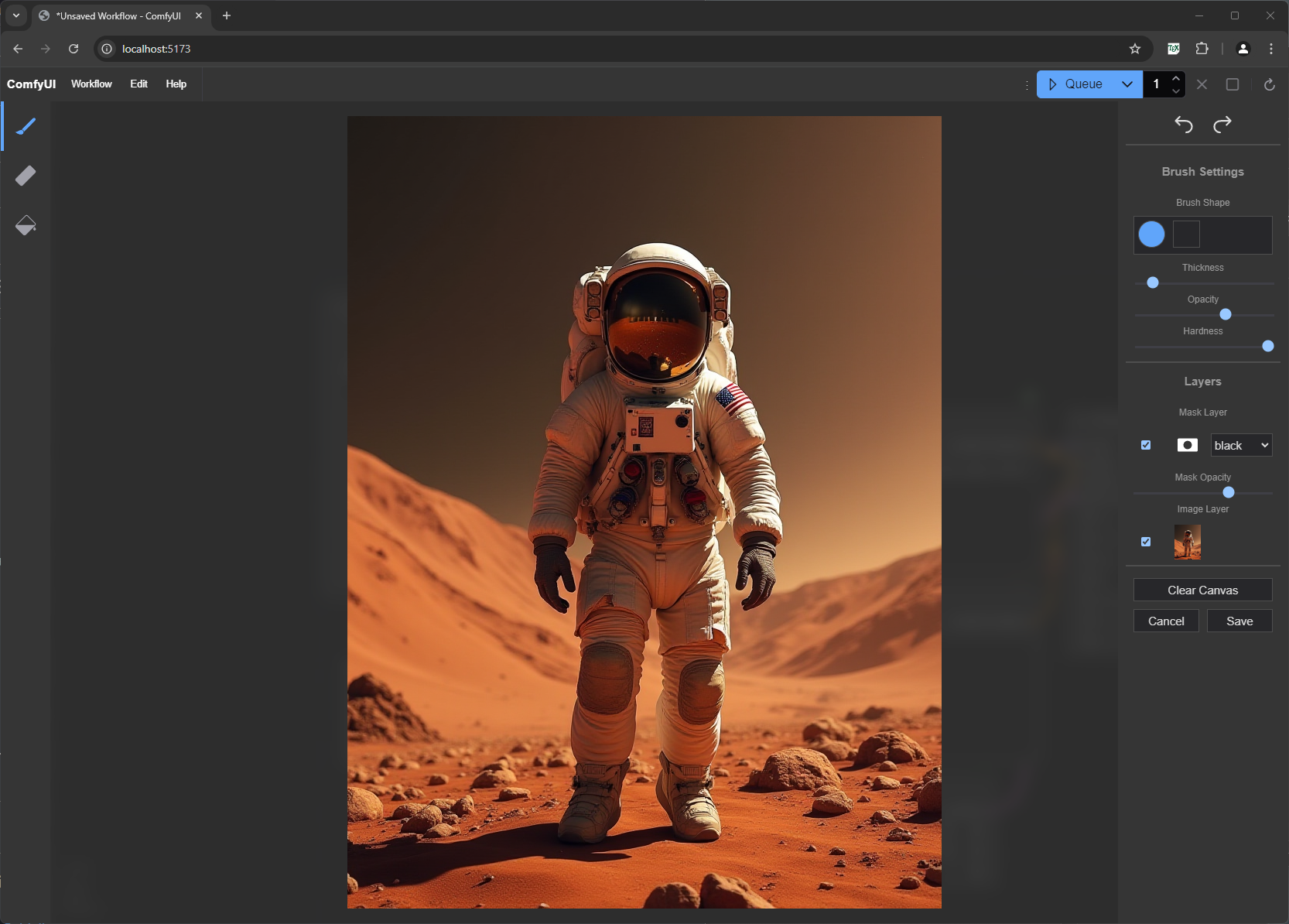
v1.4: New mask editor
https://github.com/Comfy-Org/ComfyUI_frontend/pull/1284 implements a new mask editor.
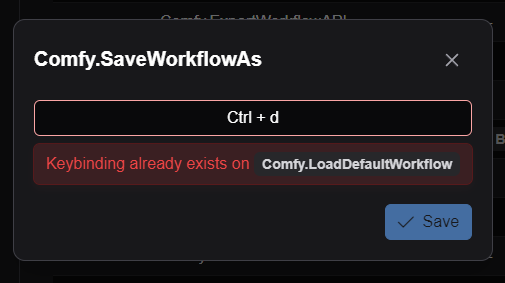
v1.3.22: Integrated server terminal
Press Ctrl + ` to toggle integrated terminal.
https://github.com/user-attachments/assets/eddedc6a-07a3-4a83-9475-63b3977f6d94
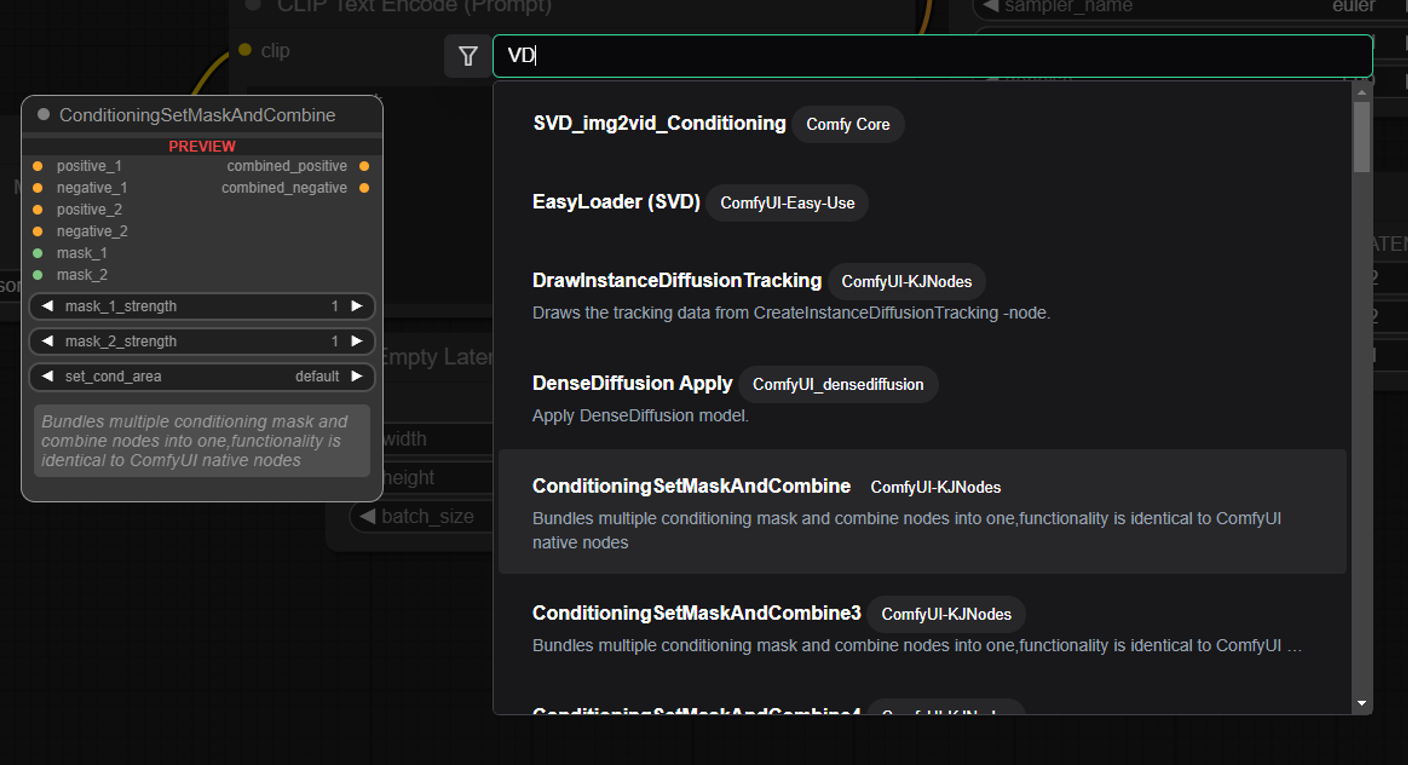
v1.1.0: Node search box
Fuzzy search & Node preview
Release link with shift
https://github.com/user-attachments/assets/a1b2b5c3-10d1-4256-b620-345de6858f25
QoL changes
v1.3.32: **Litegraph** Nested group
https://github.com/user-attachments/assets/f51adeb1-028e-40af-81e4-0ac13075198a
v1.3.24: **Litegraph** Group selection
https://github.com/user-attachments/assets/e6230a94-411e-4fba-90cb-6c694200adaa
v1.3.6: **Litegraph** Toggle link visibility
v1.3.4: **Litegraph** Auto widget to input conversion
Dropping a link of correct type on node widget will automatically convert the widget to input.
v1.3.4: **Litegraph** Canvas pan mode
The canvas becomes readonly in pan mode. Pan mode is activated by clicking the pan mode button on the canvas menu or by holding the space key.
v1.3.1: **Litegraph** Shift drag link to create a new link
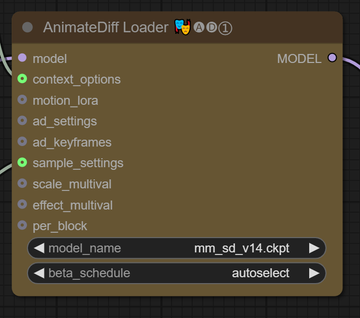
v1.2.62: **Litegraph** Show optional input slots as donuts
v1.2.44: **Litegraph** Double click group title to edit
https://github.com/user-attachments/assets/5bf0e2b6-8b3a-40a7-b44f-f0879e9ad26f
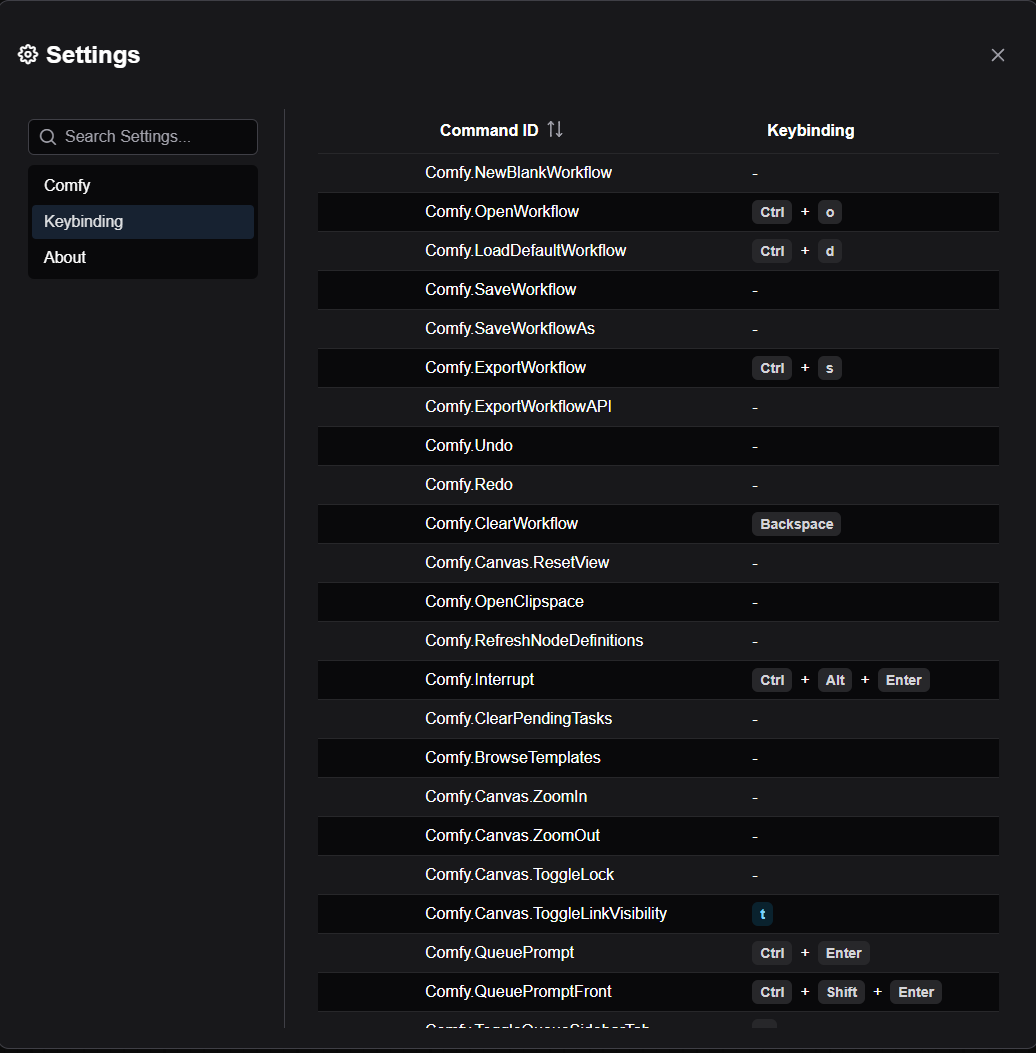
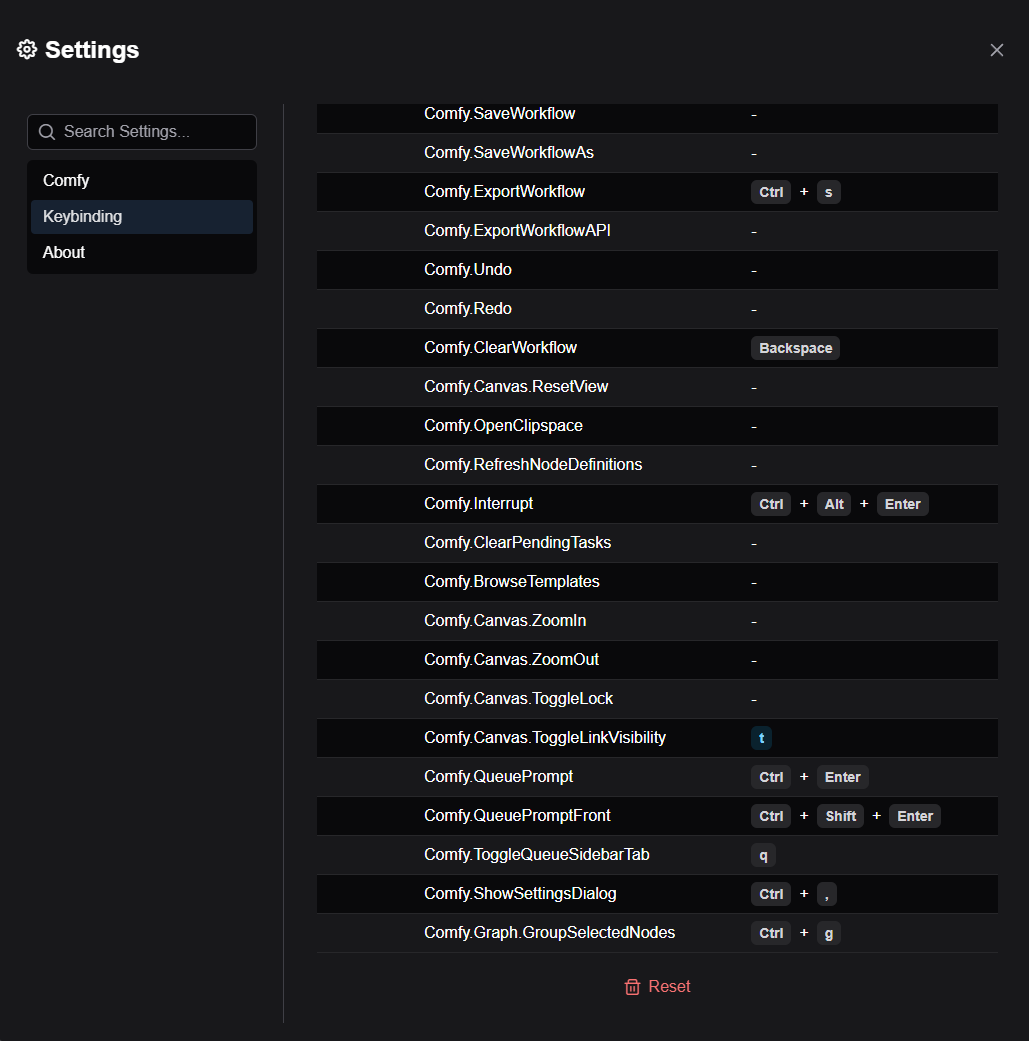
v1.2.39: **Litegraph** Group selected nodes with Ctrl + G
https://github.com/user-attachments/assets/7805dc54-0854-4a28-8bcd-4b007fa01151
v1.2.38: **Litegraph** Double click node title to edit
https://github.com/user-attachments/assets/d61d5d0e-f200-4153-b293-3e3f6a212b30
v1.2.7: **Litegraph** drags multiple links with shift pressed
https://github.com/user-attachments/assets/68826715-bb55-4b2a-be6e-675cfc424afe
https://github.com/user-attachments/assets/c142c43f-2fe9-4030-8196-b3bfd4c6977d
v1.2.2: **Litegraph** auto connects to correct slot
Before
https://github.com/user-attachments/assets/c253f778-82d5-4e6f-aec0-ea2ccf421651
After
https://github.com/user-attachments/assets/b6360ac0-f0d2-447c-9daa-8a2e20c0dc1d
v1.1.8: **Litegraph** hides text overflow on widget value
https://github.com/user-attachments/assets/5696a89d-4a47-4fcc-9e8c-71e1264943f2
Developer APIs
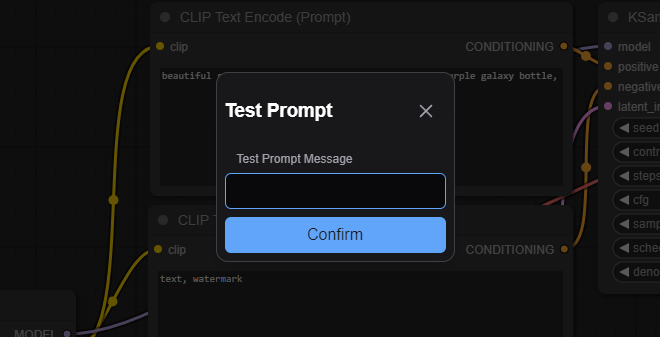
v1.6.13: prompt/confirm/alert replacements for ComfyUI desktop
Several browser-only APIs are not available in ComfyUI desktop's electron environment.
window.promptwindow.confirmwindow.alert
Please use the following APIs as replacements.
// window.prompt
window['app'].extensionManager.dialog
  .prompt({
    title: 'Test Prompt',
    message: 'Test Prompt Message'
  })
  .then((value: string) => {
    // Do something with the value user entered
  })
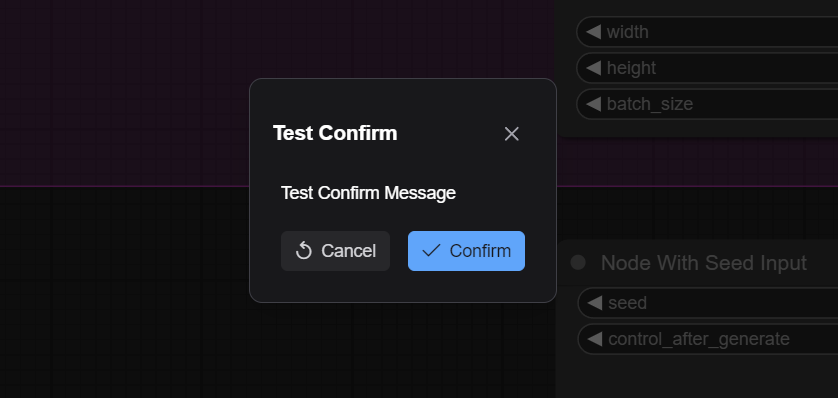
// window.confirm
window['app'].extensionManager.dialog
  .confirm({
    title: 'Test Confirm',
    message: 'Test Confirm Message'
  })
  .then((value: boolean) => {
    // Do something with the value user entered
  })
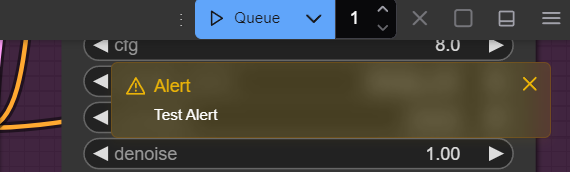
// window.alert
window['app'].extensionManager.toast.addAlert('Test Alert')
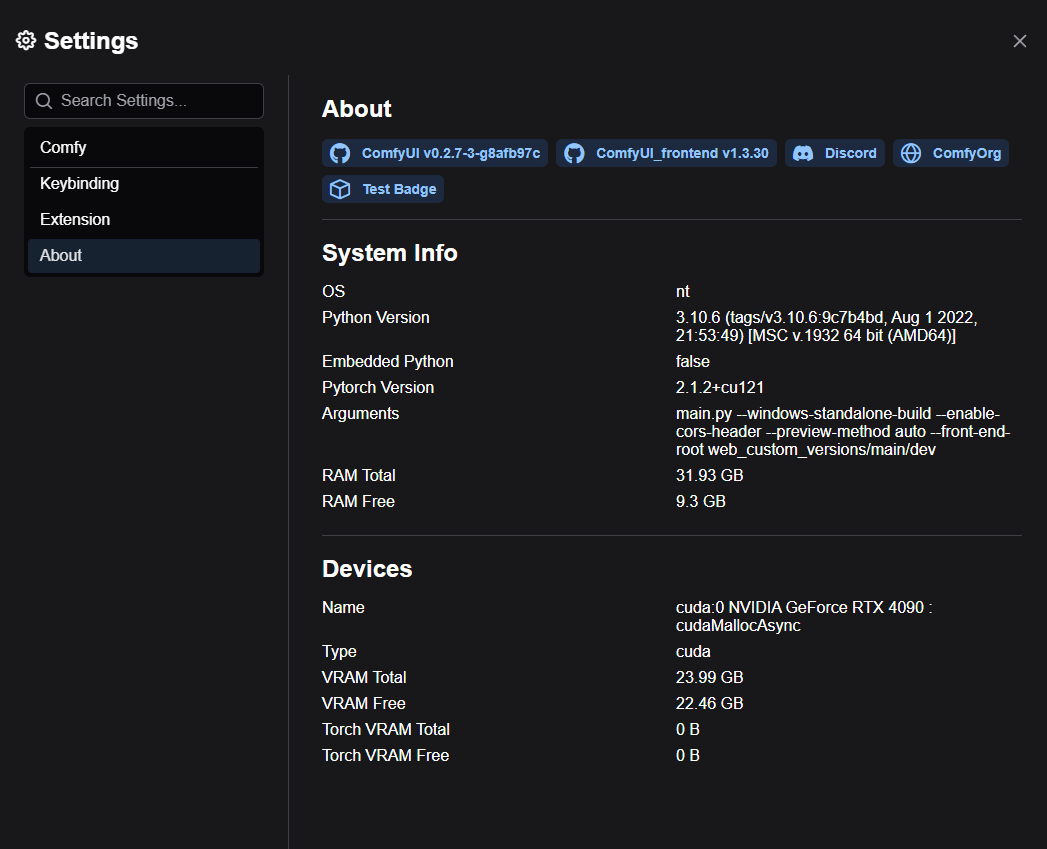
v1.3.34: Register about panel badges
app.registerExtension({
  name: 'TestExtension1',
  aboutPageBadges: [
    {
      label: 'Test Badge',
      url: 'https://example.com',
      icon: 'pi pi-box'
    }
  ]
})
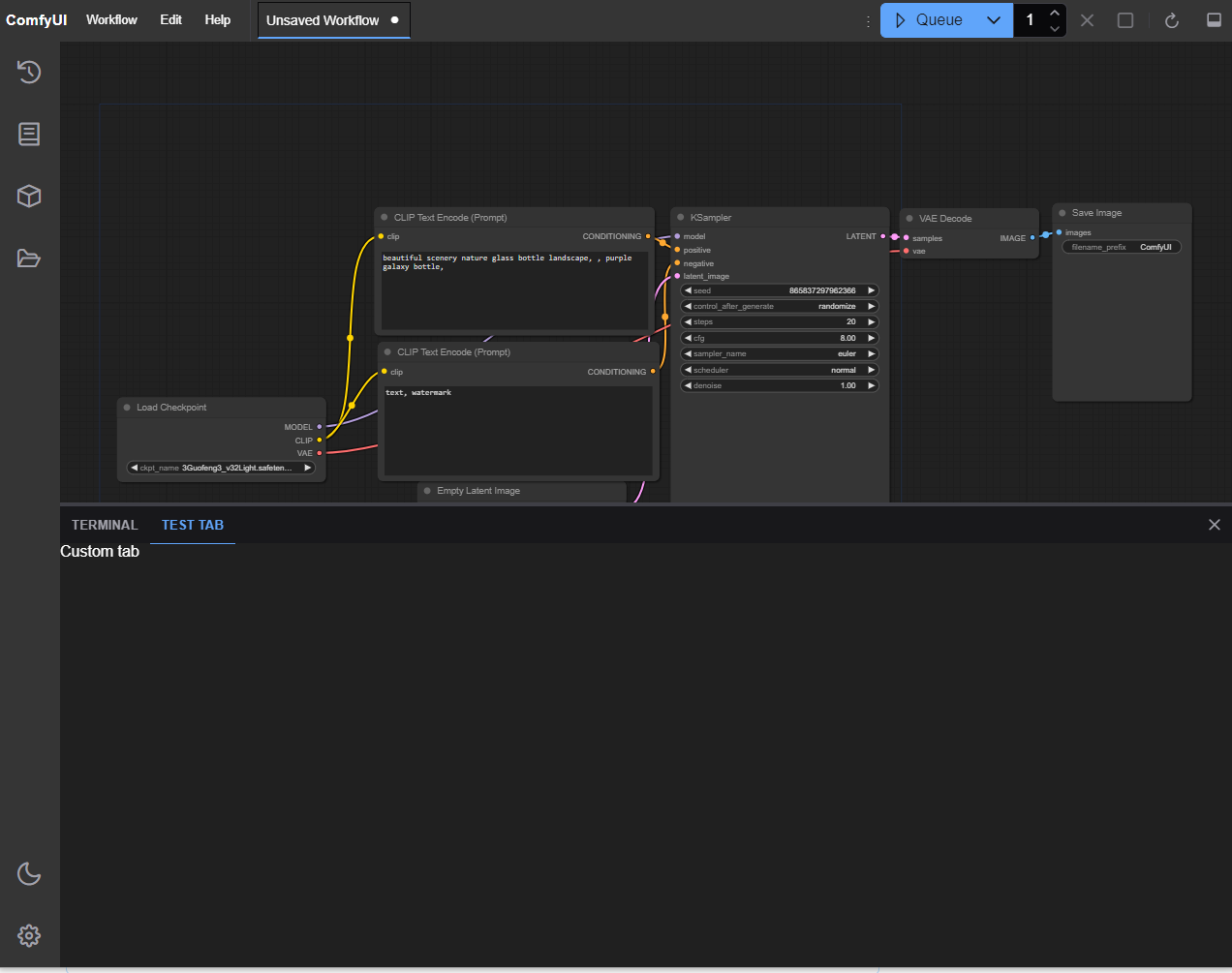
v1.3.22: Register bottom panel tabs
app.registerExtension({
  name: 'TestExtension',
  bottomPanelTabs: [
    {
      id: 'TestTab',
      title: 'Test Tab',
      type: 'custom',
      render: (el) => {
        el.innerHTML = '<div>Custom tab</div>'
      }
    }
  ]
})
v1.3.22: New settings API
Legacy settings API.
// Register a new setting
app.ui.settings.addSetting({
  id: 'TestSetting',
  name: 'Test Setting',
  type: 'text',
  defaultValue: 'Hello, world!'
})

// Get the value of a setting
const value = app.ui.settings.getSettingValue('TestSetting')

// Set the value of a setting
app.ui.settings.setSettingValue('TestSetting', 'Hello, universe!')
New settings API.
// Register a new setting
app.registerExtension({
  name: 'TestExtension1',
  settings: [
    {
      id: 'TestSetting',
      name: 'Test Setting',
      type: 'text',
      defaultValue: 'Hello, world!'
    }
  ]
})

// Get the value of a setting
const value = app.extensionManager.setting.get('TestSetting')

// Set the value of a setting
app.extensionManager.setting.set('TestSetting', 'Hello, universe!')
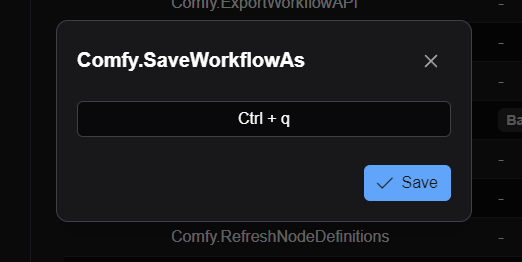
v1.3.7: Register commands and keybindings
Extensions can call the following API to register commands and keybindings. Do note that keybindings defined in core cannot be overwritten, and some keybindings are reserved by the browser.
app.registerExtension({
  name: 'TestExtension1',
  commands: [
    {
      id: 'TestCommand',
      function: () => {
        alert('TestCommand')
      }
    }
  ],
  keybindings: [
    {
      combo: { key: 'k' },
      commandId: 'TestCommand'
    }
  ]
})
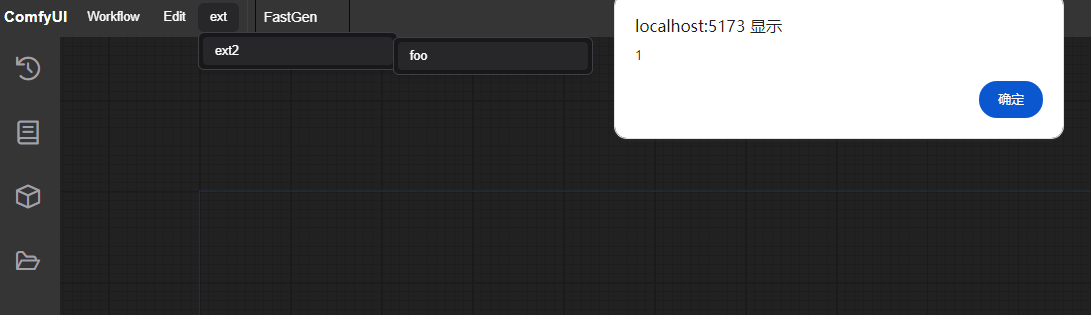
v1.3.1: Extension API to register custom topbar menu items
Extensions can call the following API to register custom topbar menu items.
app.registerExtension({
  name: 'TestExtension1',
  commands: [
    {
      id: 'foo-id',
      label: 'foo',
      function: () => {
        alert(1)
      }
    }
  ],
  menuCommands: [
    {
      path: ['ext', 'ext2'],
      commands: ['foo-id']
    }
  ]
})
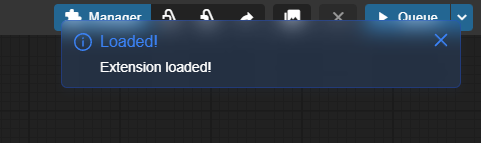
v1.2.27: Extension API to add toast message
iExtensions can call the following API to add toast messages.
app.extensionManager.toast.add({
  severity: 'info',
  summary: 'Loaded!',
  detail: 'Extension loaded!',
  life: 3000
})
Documentation of all supported options can be found here: https://primevue.org/toast/#api.toast.interfaces.ToastMessageOptions
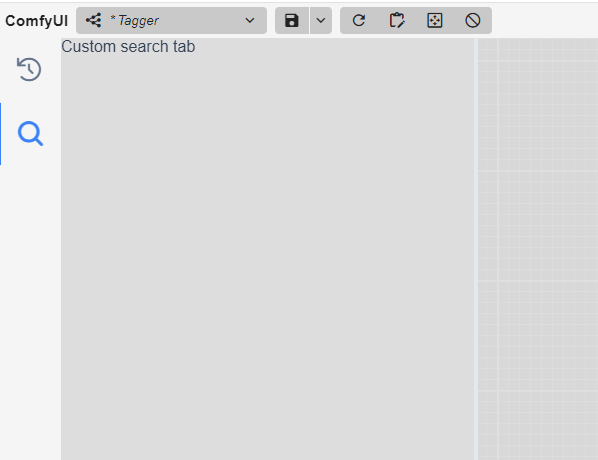
v1.2.4: Extension API to register custom sidebar tab
Extensions now can call the following API to register a sidebar tab.
app.extensionManager.registerSidebarTab({
  id: 'search',
  icon: 'pi pi-search',
  title: 'search',
  tooltip: 'search',
  type: 'custom',
  render: (el) => {
    el.innerHTML = '<div>Custom search tab</div>'
  }
})
The list of supported icons can be found here: https://primevue.org/icons/#list
We will support custom icons later.
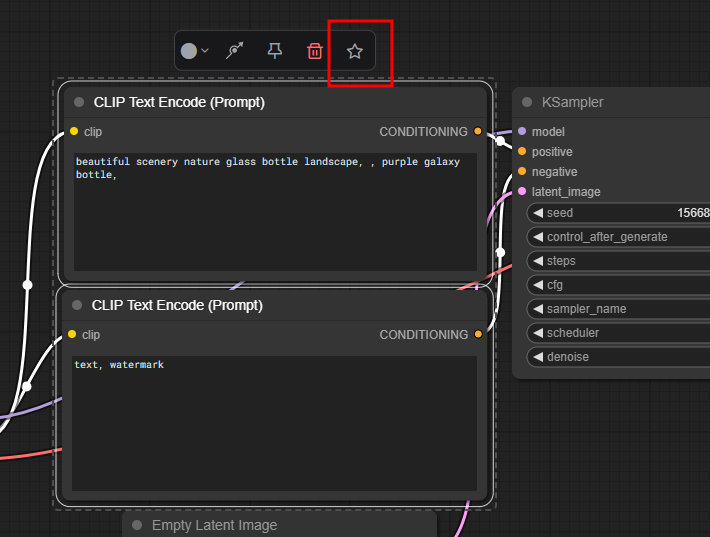
v1.10.9: Selection Toolbox API
Extensions can register commands that appear in the selection toolbox when specific items are selected on the canvas.
app.registerExtension({
  name: 'TestExtension1',
  commands: [
    {
      id: 'test.selection.command',
      label: 'Test Command',
      icon: 'pi pi-star',
      function: () => {
        // Command logic here
      }
    }
  ],
  // Return an array of command IDs to show in the selection toolbox
  // when an item is selected
  getSelectionToolboxCommands: (selectedItem) => ['test.selection.command']
})
The selection toolbox will display the command button when items are selected:
Contributing
We welcome contributions to ComfyUI Frontend! Please see our Contributing Guide for:
- Ways to contribute (code, documentation, testing, community support)
- Development setup and workflow
- Code style guidelines
- Testing requirements
- How to submit pull requests
- Backporting fixes to release branches
Development
For detailed development setup, testing procedures, and technical information, please refer to CONTRIBUTING.md.
i18n
See locales/README.md for details.
Storybook
See .storybook/README.md for component development and visual testing documentation.
Troubleshooting
For comprehensive troubleshooting and technical support, please refer to our official documentation:
- General Troubleshooting Guide - Common issues, performance optimization, and reporting bugs
- Custom Node Issues - Debugging custom node problems and conflicts
- Desktop Installation Guide - Desktop-specific installation and troubleshooting
1 maintainer

Metadata
1 maintainer
Release files for comfyui-frontend-package-ljm 1.51.1.dev20260414115713
For a detailed explanation of source distributions (sdists) and built distributions (wheels), please see the package formats documentation.
Built distribution (wheel)
| File | Interpreter | ABI | Platform | Actions Reset |
|---|---|---|---|---|
| comfyui_frontend_package_ljm-1.51.1.dev20260414115713-py3-none-any.whl | Python 3 | none | any | Details for comfyui_frontend_package_ljm-1.51.1.dev20260414115713-py3-none-any.whl |
Release files / comfyui_frontend_package_ljm-1.51.1.dev20260414115713-py3-none-any.whl
| Download URL | comfyui_frontend_package_ljm-1.51.1.dev20260414115713-py3-none-any.whl |
|---|---|
| Size | 19.5 kB |
| Tags | Python 3 |
|
SHA-256 checksum How to use checksums |
3e52831d4acb3fe4b86cbb5e21c00c5196dc38edc9e407f27da0b096e6286544
|
|
BLAKE2b-256 checksum How to use checksums |
53d3c7dcbb3ea2d8bb3b42f75fc6048c11329704eb54816611da7e1ae0a642ea
|
| Upload date | |
|
Uploaded using Trusted Publishing? What is trusted publishing? |
No |
| Uploaded via |
twine/6.2.0 CPython/3.10.20
|
Security for comfyui-frontend-package-ljm 1.51.1.dev20260414115713
Provenance
Provenance describes where a file came from. On PyPI, provenance is shared via attestations, which provide a verifiable record of the build or publishing details. View details, limitations and caveats.
No provenance found
None of the files in this release were uploaded with provenance metadata.
A note on package security
PyPI is a repository for distributing packages, not a service for auditing them. While third-party security researchers and our staff do their best to detect and remove malicious packages, PyPI cannot guarantee the quality, security or suitability of any given package.
To learn more about protecting yourself from malicious actors, visit our package security documentation.














