
commandex v1.0.0
A cross-platform library for creation, storage, management of commands and command packages. Execution of commands, parsing of files with command packages.








Description:
A cross-platform library for creation, storage, management of commands and command packages. Execution of commands, parsing of files with command packages.
- Store the required commands under a given name in a simple file with a clear structure.
- Read named command packages from a file.
- Use only the required command packages from a file using filtering.
- Execute command packages cross-platform.
How it works?
- Create a file with any name, with the extension * .cfg
- Use # as a comment, line break for convenience or separation.
- Use [package name] to specify the name of the command package.
- After the name, write the commands that you decided to combine under this name, one per line.
- To create the next batch of commands, use points 2, 3 again.
- Between commands, you can insert blank lines or comments, see point 2.
Used to create utilities for working with commands (execution, launch, autorun, storage).
You can keep your commands in simple and understandable files, collect them in one place, split into named categories (packages) and execute at any time:
The files must have the extension *.cfg, and have the correct structure:
commands.cfg:
# Comments

[package name 1]
command 1
command 2
command N

[package name 2]
command 1
command 2
command N
Help:
Install and Use:
pip install commandex
Available tools:
- Pack - storing commands.
- Command executors - command execution.
- Pack makers - create a list with objects of command packages.
- Parsers - parsers for files with command packages.
- Filters - filtering commands.
- Factories - Fabric for creating objects.
Principle of operation:
- Reading command packages from a file.
- Filter packages if needed.
- We create a list of package objects for future use.
- We execute commands from each package.
Simplest implementation:
from commandex import Commander

commander = Commander()
# Reading command packages from a file.
pack_dict = commander.parsers.cfg_parser.parse('file.cfg')
# Filter packages if needed.
packs = commander.filters.pack_filter.filter_pack_dict(pack_dict, add_list=[], exc_list=[])
# We create a list of package objects for future use.
pack_list = commander.makers.pack_maker.make_pack_list(packs)

# We execute commands from each package.
for pack in pack_list:
    print(pack.name)
    for command in pack.commands:
        print(command)
        commander.executors.os.execute(command)
Termux, Windows support:
Utilities created with use work "commandex", without problems in Termux, Windows.
For example: commandman.
Test coverage:
Run tests:
pip install pytestpytest -v
Test coverage 100%
pip install pytest-covpytest --cov
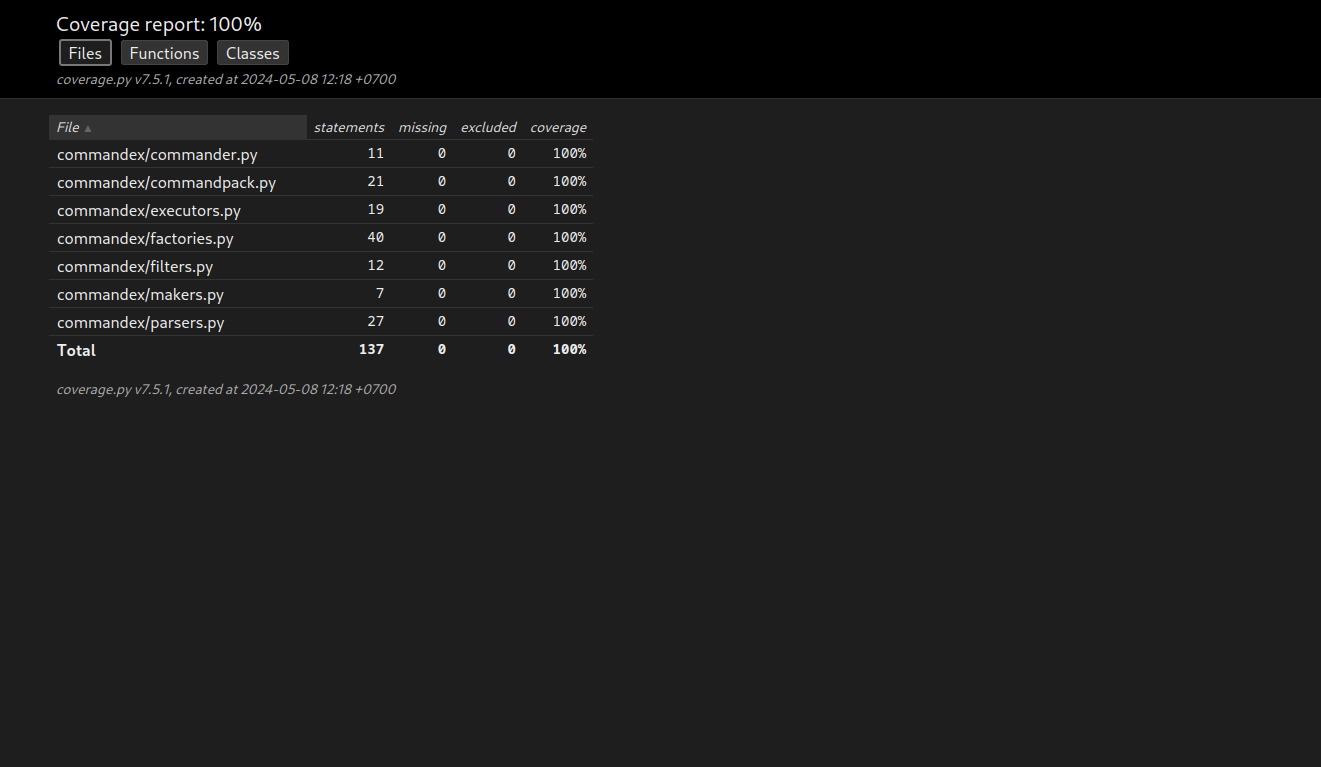
Report html:
pytest --cov --cov-report=html
⚠️ Disclaimer
By using this software, you agree to the full disclaimer terms.
Summary: Software provided "AS IS" without warranty. You assume all risks.
Full legal disclaimer: See DISCLAIMER.md
License
Copyright (©) 2026, Alexander Suvorov
1 maintainer

Metadata
1 maintainer
Release files for commandex 1.0.0
For a detailed explanation of source distributions (sdists) and built distributions (wheels), please see the package formats documentation.
Source distribution (sdist)
| File | Size | Uploaded | |
|---|---|---|---|
| commandex-1.0.0.tar.gz | 7.9 kB | Details |
Built distribution (wheel)
| File | Interpreter | ABI | Platform | Reset |
|---|---|---|---|---|
| commandex-1.0.0-py3-none-any.whl | Python 3 | none | any | Details |
Total release size: 16.3 kB
Release files / commandex-1.0.0.tar.gz
| Download URL | commandex-1.0.0.tar.gz |
|---|---|
| Size | 7.9 kB |
| Tags | Source |
|
SHA-256 checksum How to use checksums |
33d606bace51e726863eed909e5290e4e00e883616b8a1218b027cad0e8d9098
|
|
BLAKE2b-256 checksum How to use checksums |
f648dfee3cc896fc6958f7e458e9cbdd7f39aa0c2307a34e6bb75d5f73b63420
|
| Upload date | |
|
Uploaded using Trusted Publishing? What is trusted publishing? |
No |
| Uploaded via |
twine/6.2.0 CPython/3.14.3
|
Release files / commandex-1.0.0-py3-none-any.whl
| Download URL | commandex-1.0.0-py3-none-any.whl |
|---|---|
| Size | 8.4 kB |
| Tags | Python 3 |
|
SHA-256 checksum How to use checksums |
c1f53006a86064895d81888e8aa9d3e765a0764daa675a528cd20f0e165161f4
|
|
BLAKE2b-256 checksum How to use checksums |
14463bcfc8c66066103871dde216b2bb43183f7de3f87fe167dd85627b0e5410
|
| Upload date | |
|
Uploaded using Trusted Publishing? What is trusted publishing? |
No |
| Uploaded via |
twine/6.2.0 CPython/3.14.3
|














