
commandpack v1.0.0
A cross-platform library for creation, storage, management of commands and command packages. Execution of commands, parsing of files with command packages.
WARNING!!!: I recommend using my new library commandex.
A cross-platform library for creation, storage, management of commands and command packages. Execution of commands, parsing of files with command packages.
Used to create utilities for working with commands (execution, launch, autorun, storage).
You can keep your commands in simple and understandable files, collect them in one place, split into named categories (packages) and execute at any time:
The files must have the extension *.cfg, or *.json and have the correct structure:







⚠️ Disclaimer
By using this software, you agree to the full disclaimer terms.
Summary: Software provided "AS IS" without warranty. You assume all risks.
Full legal disclaimer: See DISCLAIMER.md
Author and developer: Alexander Suvorov
Supported:
- Linux: All.
- Windows: 7/8/10.
- Termux (Android).
Requirements:
commands.cfg:
[package name 1]
command 1
command 2
command N

[package name 2]
command 1
command 2
command N
commands.json:
{
  "name1":

  [
    "command1",
    "command2",
    "commandN"
  ],

  "name2":

  [
    "command1",
    "command2",
    "commandN"
  ]
}
Help:
Install and Use:
pip3 install commandpack
Available tools:
- Command executors
- Pack makers
- Parsers
- Commands
- Packs
- Factories
from commandpack.factories import Factory

os_executor = Factory.tools.get_os_executor()
sub_executor = Factory.tools.get_sub_executor()
executor = Factory.tools.get_executor()

command = Factory.tools.command_pack.create_command('pip list')
pack = Factory.tools.command_pack.create_pack('default')

cfg_parser = Factory.tools.parsers.get_cfg_parser()
json_parser = Factory.tools.parsers.get_json_parser()
parser = Factory.tools.parsers.get_parser()

pack_maker = Factory.tools.makers.get_pack_maker()
Termux support:
Utilities created with use work "commandpack", without problems in Termux.
Windows support:
- Install python.
pip install commandpack.
Utilities created with use work "commandpack", without problems in Windows:
Test coverage:
Run tests:
pip install pytestpytest -v
Test coverage 100%
pip install pytest-coveragepytest --cov
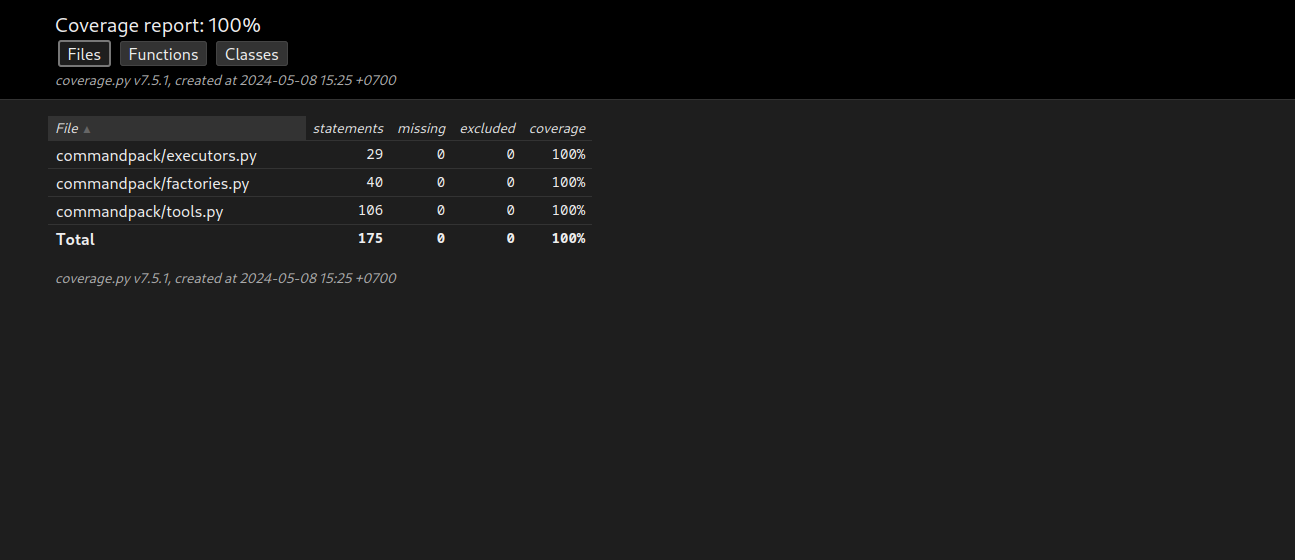
Report html:
pytest --cov --cov-report=html
License
Copyright (©) 2026, Alexander Suvorov
1 maintainer

Metadata
1 maintainer
Release files for commandpack 1.0.0
For a detailed explanation of source distributions (sdists) and built distributions (wheels), please see the package formats documentation.
Source distribution (sdist)
| File | Size | Uploaded | |
|---|---|---|---|
| commandpack-1.0.0.tar.gz | 6.6 kB | Details |
Built distribution (wheel)
| File | Interpreter | ABI | Platform | Reset |
|---|---|---|---|---|
| commandpack-1.0.0-py3-none-any.whl | Python 3 | none | any | Details |
Total release size: 13.8 kB
Release files / commandpack-1.0.0.tar.gz
| Download URL | commandpack-1.0.0.tar.gz |
|---|---|
| Size | 6.6 kB |
| Tags | Source |
|
SHA-256 checksum How to use checksums |
a632f9f8440081e99fd14a31267a71fd8d80d193bf6f5f935c6f538126430faf
|
|
BLAKE2b-256 checksum How to use checksums |
a8f99561967a81302019552b5555bcf87903785957293a941da1e0cea7f52daa
|
| Upload date | |
|
Uploaded using Trusted Publishing? What is trusted publishing? |
No |
| Uploaded via |
twine/6.2.0 CPython/3.14.3
|
Release files / commandpack-1.0.0-py3-none-any.whl
| Download URL | commandpack-1.0.0-py3-none-any.whl |
|---|---|
| Size | 7.2 kB |
| Tags | Python 3 |
|
SHA-256 checksum How to use checksums |
ba24d90f1af8772fa7349c36a687049138c96e5d502444b3bcc35b4da826ba03
|
|
BLAKE2b-256 checksum How to use checksums |
70f8c646ebc15bffa7f42c4cbd1d370c1ba6b9dce2715a8e3b88d048c9f39105
|
| Upload date | |
|
Uploaded using Trusted Publishing? What is trusted publishing? |
No |
| Uploaded via |
twine/6.2.0 CPython/3.14.3
|














