
Commentail
Self-hosted comments for Wagtail CMS
Moderated discussions, verified guests and inline replies — styled by your site.


English · Русский
Get started · Screenshots · Documentation · Wiki · Support

Commentail is a Django comments library for Wagtail 7.4 LTS and 8.0. Add a Django template tag to an article, moderate discussions inside Wagtail, and keep content, accounts and email delivery in your own application.
The widget inherits your site's typography and colors. CSS custom properties, replaceable templates and Python callbacks let you adapt it without a frontend framework or an external comments platform.
Why Commentail?
| For readers | For editors | For developers |
|---|---|---|
| Guest email verification or existing site accounts | Four moderation policies | One template tag for Pages and registered objects |
| Inline replies and author editing | Site defaults and Page overrides | CSS properties and template overrides |
| Direct-reply email with unsubscribe | Word/phrase rules and CSV import/export | Replaceable avatars, names and CAPTCHA |
| Responsive layout and plain HTML fallbacks | Site-scoped group permissions | Database outbox; no Redis/Celery requirement |
Comments are plain text with an adjustable 5000-character default. Optional clickable HTTP(S) links use safe attributes. Replies can address any visible message while keeping one visual nesting level. Moderators approve, reject, hide, restore or erase text; they never rewrite another author's words.
Published comments include Schema.org Comment microdata and JSON-LD, using the visible text and author name. Choose either format or disable output in Python. Structured-data guide →
Documented integrations follow the stable API and compatibility policy.
Screenshots
Captured from Commentail 1.1.0, installed from PyPI in an isolated Wagtail 8.0.1 / Django 6.1.2 demo. Names and conversations are sample data. The public page uses a custom host theme; the widget and admin screens are the released package, without template overrides.
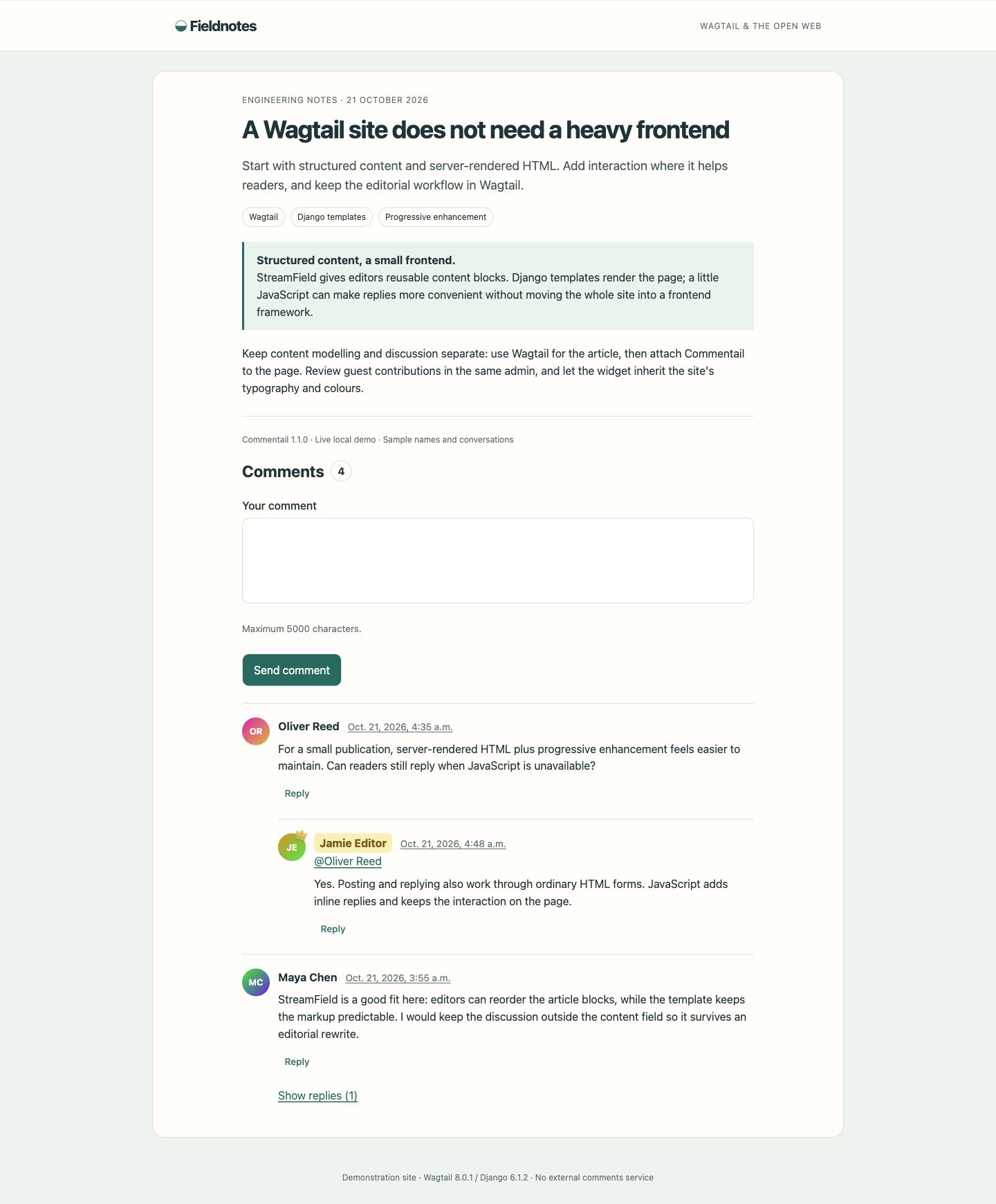
On the site: a discussion about Wagtail, Django templates and progressive enhancement, with a threaded reply and a highlighted editor.
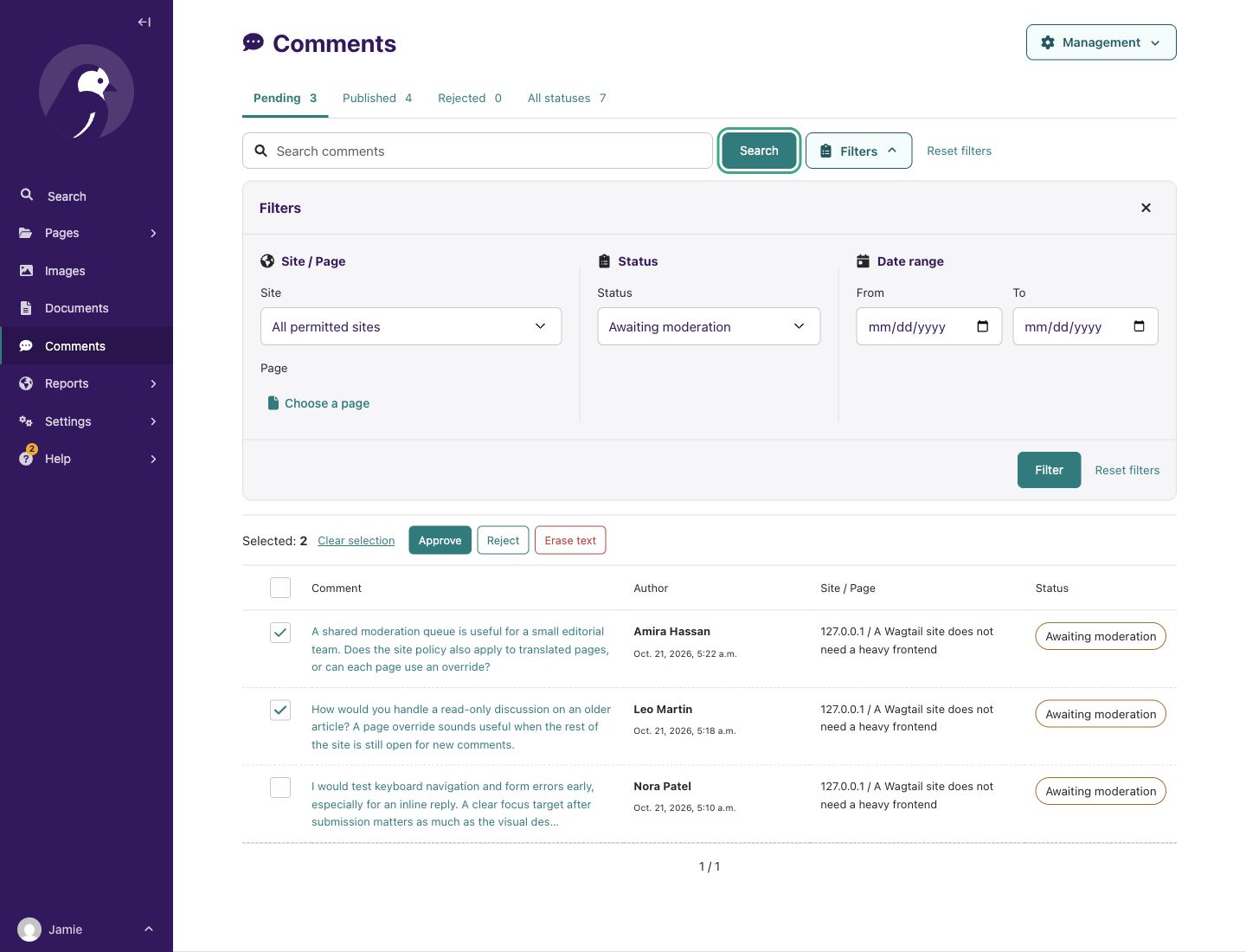
Inside Wagtail: the moderation queue, expanded site/page, status and date filters, and two comments selected for bulk actions.
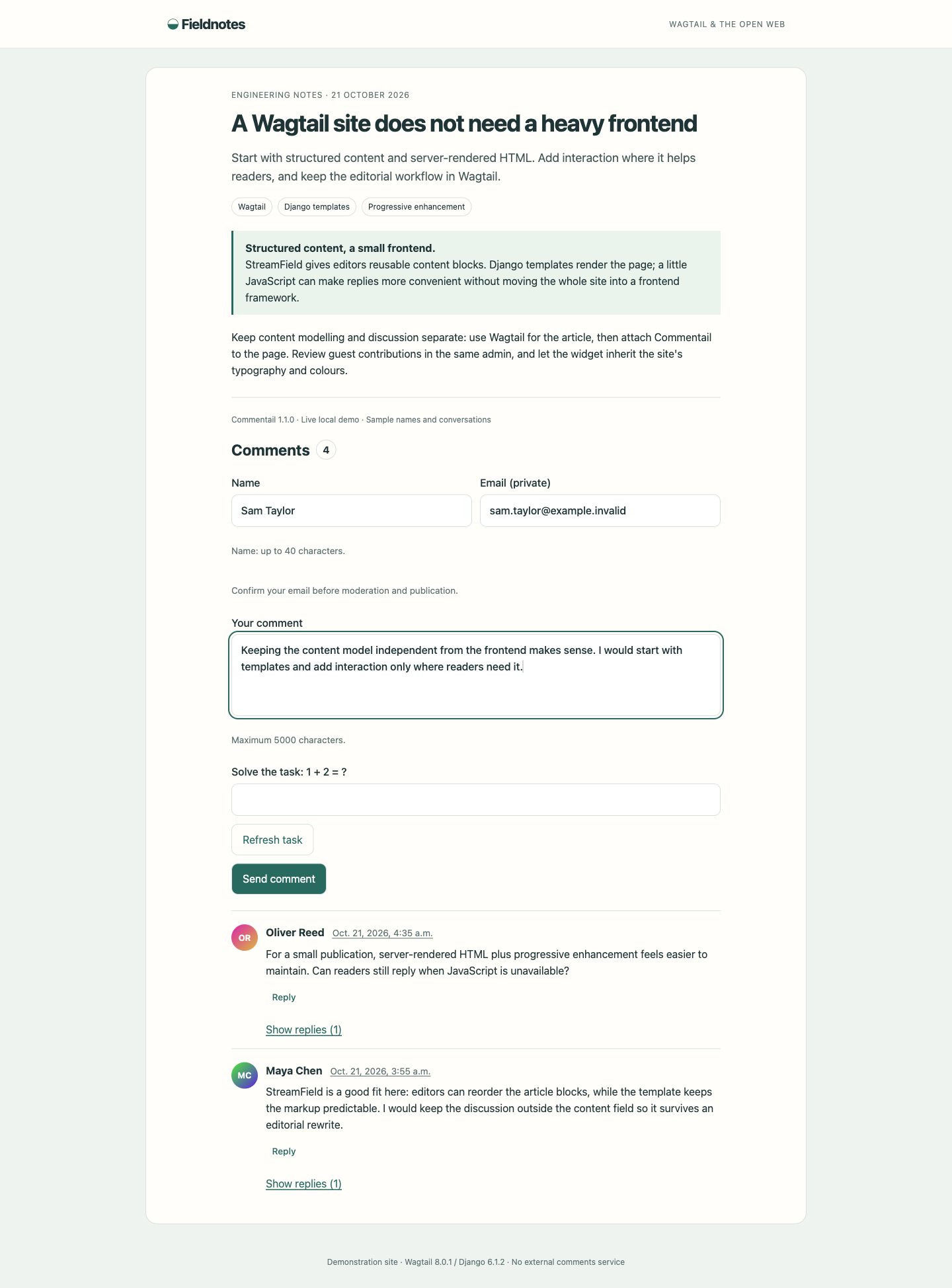
Guest form, inline reply, comment review and site/page settings
Guest form. A private email field, email-verification notice and the local arithmetic challenge. The sample is an unsent draft.
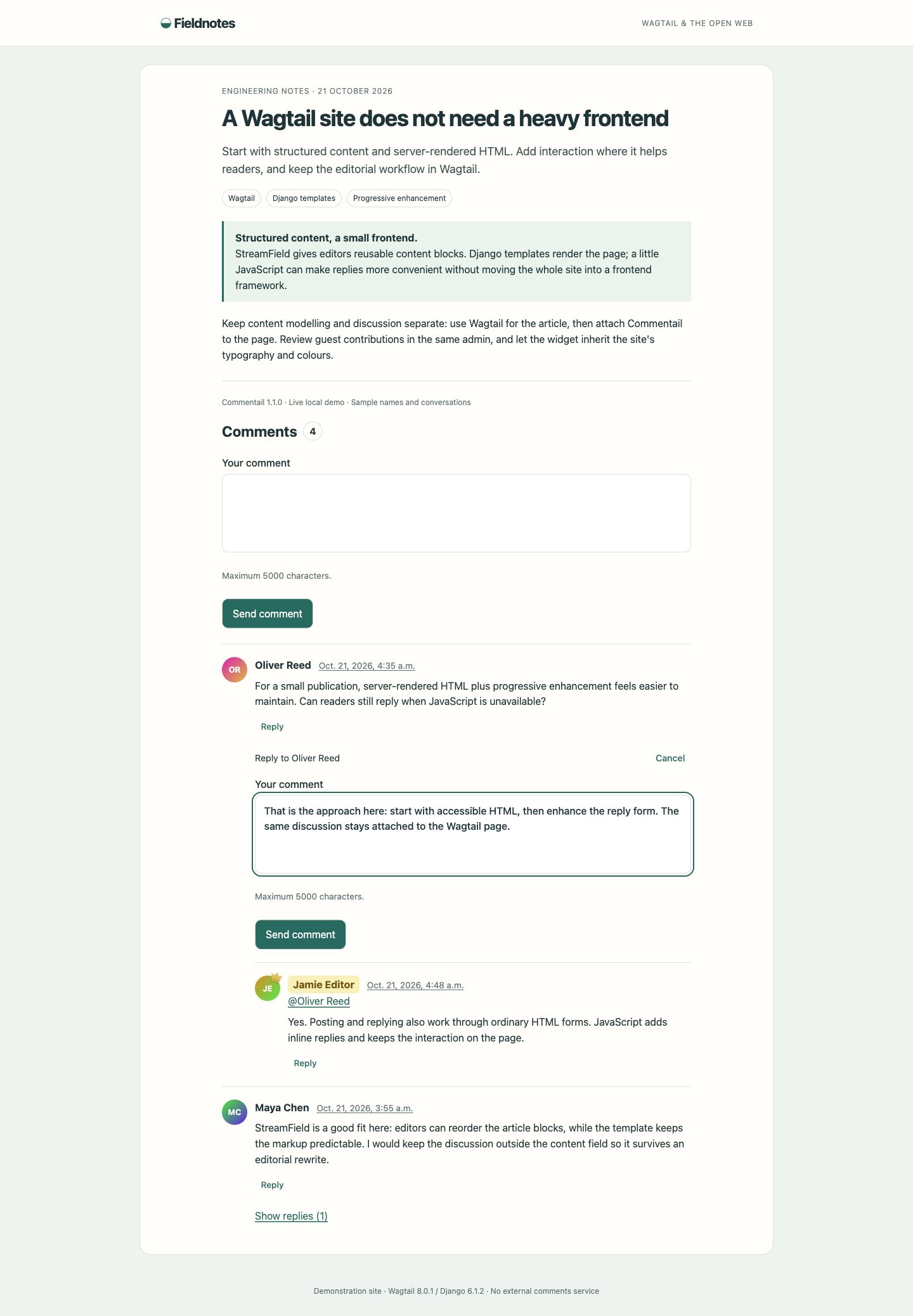
Inline reply. The reply form opens below the selected comment and keeps the recipient visible. This sample is also an unsent draft.
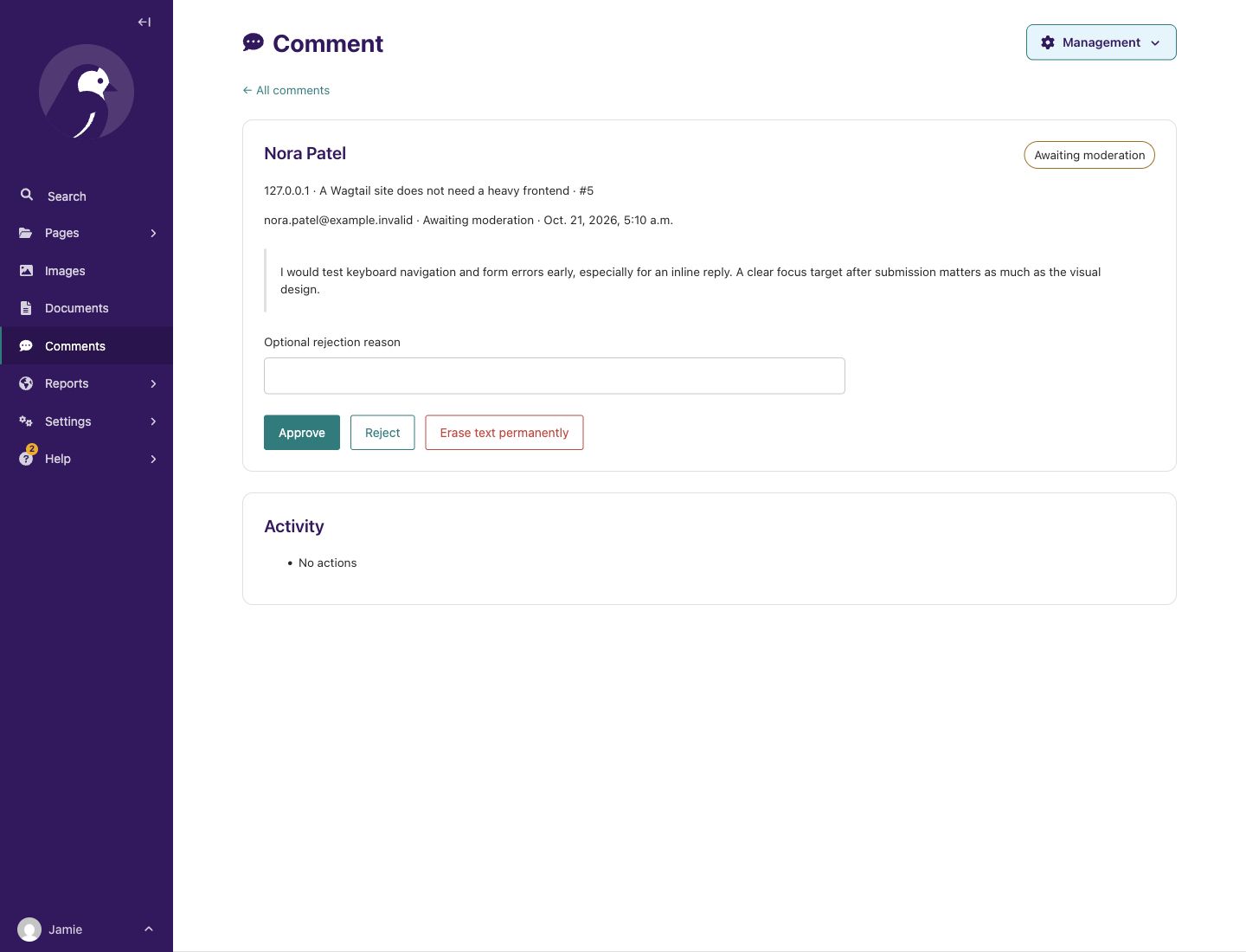
Comment review. Read the original text, choose a moderation action and inspect its activity history.
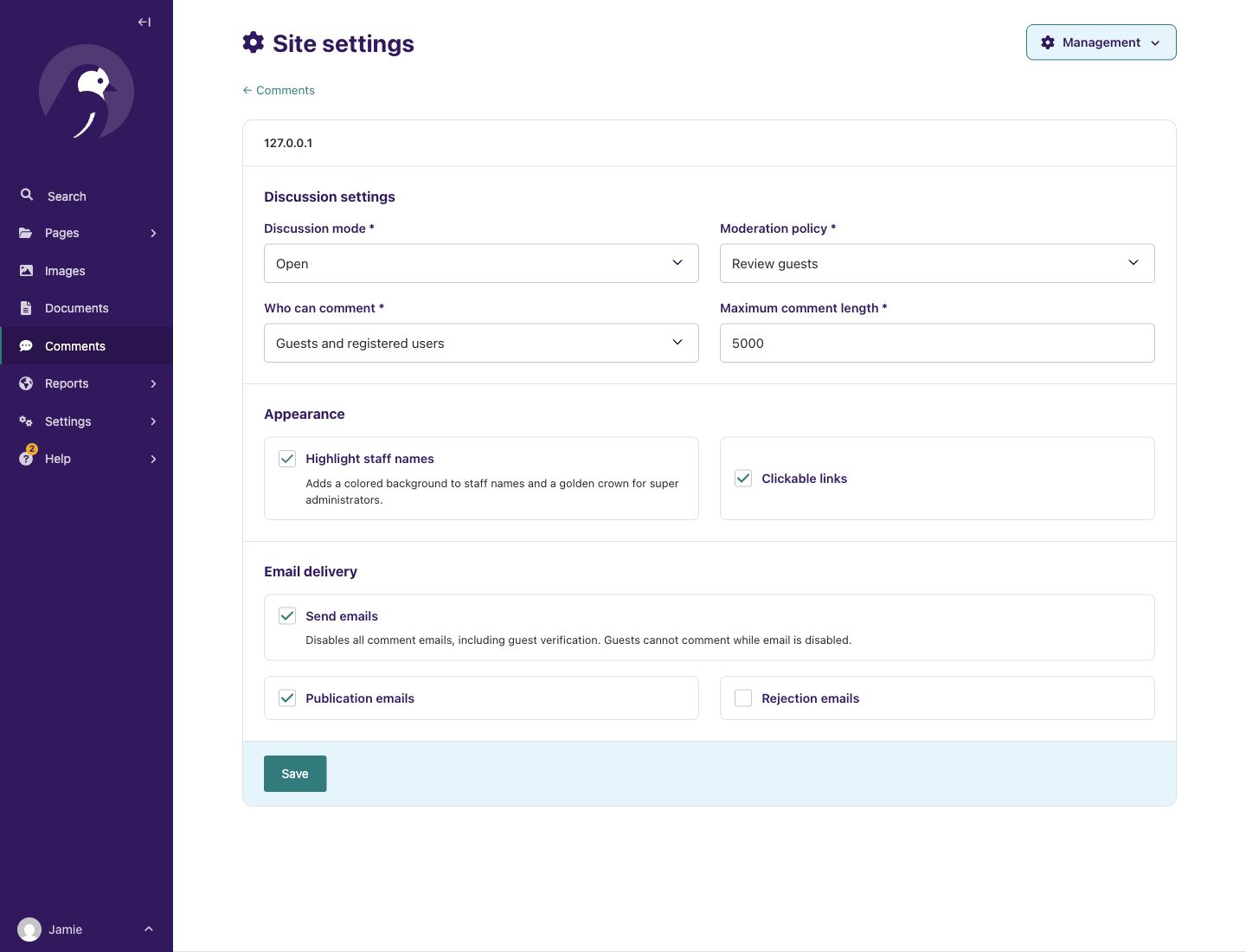
Site settings. Discussion access, moderation policy, staff highlighting, clickable links and email preferences in one place.
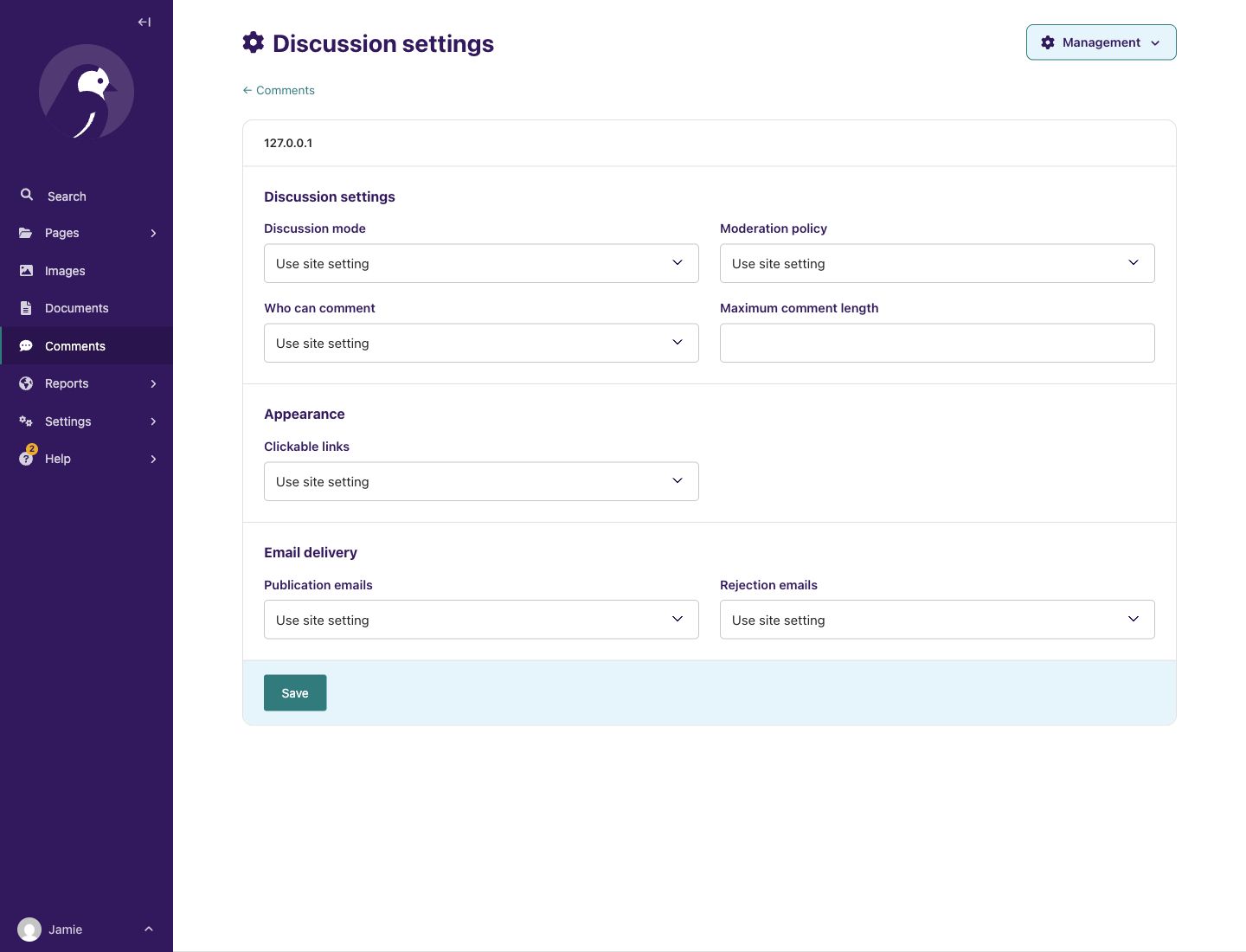
Page settings. Inherit the site policy or override it for an individual discussion.
Compatibility
| Component | Version / requirement |
|---|---|
| Python | 3.12–3.14 |
| Wagtail / Django | 7.4.3+ in 7.4 / Django 5.2 or 6.0; 8.0.x / Django 5.2, 6.0 or 6.1 |
| Database | File SQLite or PostgreSQL 16 |
| UI and email languages | English, Russian, German, French, Spanish and Brazilian Portuguese |
| Frontend | Django templates, optional progressive JavaScript |
| License | MIT |
CI defines all five framework pairs on Python 3.12, 3.13 and 3.14 with both databases (30 combinations).
Package bounds are Wagtail>=7.4.3,<8.1 and Django>=5.2,<6.2; only the pairs
listed above are supported. Wagtail 7.4 with Django 6.1 is outside this matrix.
Wagtail 8.1 and later require separate verification before support is declared.
The Wagtail 8 CI stacks select 8.0.1 or a newer patch within 8.0.
Guest comments require configured Django email delivery and scheduled background
processing. Use SMTP or another Django EMAIL_BACKEND, and schedule the command
or commentail.background.process_pending() through your existing task queue.
Registered users can comment without an email address, but receive no mail. Your
site provides login and registration. No required external CDN or CAPTCHA service.
See email setup.
Languages
English (en), Russian (ru), German (de), French (fr), Spanish (es)
and Brazilian Portuguese (pt-br) are available for the public UI,
moderation/settings and all notification emails.
The host site selects the active Django language; queued emails retain the
recipient's saved language. User comments and rejection reasons are not translated.
The guides are in English; this README is also available in Russian.
Language configuration →
Quick start
1. Install
In your existing Wagtail site's virtual environment, install the published release:
python -m pip install commentail==1.2.0
For the optional PostgreSQL driver, use
python -m pip install 'commentail[postgres]==1.2.0'.
For an existing installation, follow
the upgrade guide for your target version.
2. Connect Django and Wagtail
- Add
commentailandwagtail.contrib.settingsto your existingINSTALLED_APPS. - With PostgreSQL, also include
django.contrib.postgres(required by Django 6.x checks). - Insert
commentail.middleware.CapabilityHeadersMiddlewarebefore CSRF middleware. - Retain the host session/authentication/messages middleware and template request context processor.
- Include Commentail URLs before Wagtail's catch-all:
path("commentail/", include("commentail.urls")),
Run python manage.py migrate, python manage.py check and your normal static
collection. See the complete installation guide
for settings, URL imports, CSRF draft recovery and deployment details.
3. Add the widget
{% load commentail_tags %}
{% commentail_css %}
{% commentail_js %}
{% commentail page %}
Put the resource tags once in the base template and the widget in the article. The template controls where Page comments are available; the corresponding Page editor receives a Comments tab. Configure site defaults, then inherit or override on individual Pages. Review all is the initial moderation policy.
4. Enable email and cleanup
Configure Django's email backend and run this command once per minute:
python manage.py process_commentail
The command sends queued mail and removes expired temporary records. Guests confirm their email before moderation. Authors with email are subscribed to direct-reply notifications when mail is enabled; every reply email includes per-comment unsubscribe.
You can configure an API-based Django backend and schedule
commentail.background.process_pending() in your project's queue instead of a
separate command job. Choose one schedule. Backend acceptance does not prove inbox
delivery. Backend setup, scheduling and verification →
5. Check the integration
Submit a comment while signed in, approve it in Comments, then try a reply and an eligible edit. In a separate browser session, submit as a guest and complete email confirmation. Check the real site's theme, permissions and mail delivery. Deployment checks →
Recent comments elsewhere
Use the recent-comments tag on a home page, sidebar or another template:
{% load commentail_tags %}
{% commentail_recent limit=5 as recent_comments %}
{% for comment in recent_comments %}
  <a href="{{ comment.url }}">{{ comment.author_name }}: {{ comment.text|truncatechars:120 }}</a>
{% endfor %}
Use page=page for one Page and include_replies=False for roots only. The list
respects the current visitor's access and Site, requires a request context and
must not be shared-cached. It needs no widget CSS or JavaScript.
Fields, filters and caching →
Make it yours
The widget has a transparent surface and inherits the container's font and text color, following your site's light/dark theme. No custom properties are required for the default appearance. To customize it, load overrides after its stylesheet:
.commentail {
  --commentail-color-accent: var(--brand-link, #245a86);
  --commentail-border-radius: .5rem;
  --commentail-max-width: 100%;
}
Use GET_AVATAR to return a profile image URL, or return None for generated
initials. Register ordinary Django models through OBJECT_ADAPTERS. Technical
settings use a single COMMENTAIL dictionary with default and hostname overrides.
Documentation by task
The Wiki and the versioned guides cover the same topics. Start with the task you need:
| Area | Guides |
|---|---|
| Connect | Installation · Runnable example |
| Configure | Site, Page and Python settings · Moderation · CSV rules |
| Reader behavior | Guests · Replies and editing |
| Customize | CSS and themes · Templates and email · Python callbacks · Django model adapters |
| Operate | Email and background processing · Deployment · Security and privacy |
| Diagnose | Troubleshooting / FAQ · Example and testing · Performance and load checks |
Verification and limits
See the changelog and release/upgrade guides for version-specific changes. The source distribution includes the runnable Wagtail example, tests and guides; the wheel includes the runtime, translations, templates and static assets.
The CI workflow defines 30 framework/Python/database combinations, JavaScript, lint, migration drift, translations and source/wheel installation. Local checks and hosted CI are separate; inspect the workflow for the revision you use. Browser/accessibility coverage and its limits are documented in Example and testing.
There is no separate REST API, rich-text editor, uploads, likes, reports or live updates. Mail retries can duplicate delivery after an uncertain backend result. Host-specific themes, access rules and email delivery need their own acceptance checks.
Support Commentail
If Commentail helps your project, you can support maintenance, documentation and compatibility work. Contributions are optional.

For questions and reproducible bugs, check the FAQ then open a GitHub issue. Do not include credentials, private comments or protected email links.
1 maintainer

Metadata
1 maintainer
Release files for commentail 1.2.0
For a detailed explanation of source distributions (sdists) and built distributions (wheels), please see the package formats documentation.
Source distribution (sdist)
| File | Size | Uploaded | Provenance | |
|---|---|---|---|---|
| commentail-1.2.0.tar.gz | 1.7 MB | With provenance | Details |
Built distribution (wheel)
| File | Interpreter | ABI | Platform | Reset |
|---|---|---|---|---|
| commentail-1.2.0-py3-none-any.whl | Python 3 | none | any | Details |
Total release size: 1.9 MB
Release files / commentail-1.2.0.tar.gz
| Download URL | commentail-1.2.0.tar.gz |
|---|---|
| Size | 1.7 MB |
| Tags | Source |
|
SHA-256 checksum How to use checksums |
f21b1b8ed50038fa375653871826c9467d9886ccb8dfb1926c311c9ba4ca46a4
|
|
BLAKE2b-256 checksum How to use checksums |
97f0a0edf05c6505a4018cf18ed44bc81467bc7c2d5ce6c3086ac2b26e0a2ed9
|
| Upload date | |
|
Uploaded using Trusted Publishing? What is trusted publishing? |
Yes |
| Uploaded via |
twine/7.0.0 CPython/3.13.14
|
Provenance
Provenance describes where a file came from. On PyPI, provenance is shared via attestations, which provide a verifiable record of the build or publishing details. View details, limitations and caveats.


PyPI Publish Attestation
PyPI verified that this artifact, at this checksum, originated from the publisher listed below.
Signed by GitHub Actions, verified by PyPI on Oct 21, 2026.
Transparency logRelease files / commentail-1.2.0-py3-none-any.whl
| Download URL | commentail-1.2.0-py3-none-any.whl |
|---|---|
| Size | 239.9 kB |
| Tags | Python 3 |
|
SHA-256 checksum How to use checksums |
5cc33d870a4b44608e5ac67f779980a72650d96307fd9f3c4b6118fcd96b13b9
|
|
BLAKE2b-256 checksum How to use checksums |
7869958e6497c5dc7668eff4fa747414523ad7db8ba732aed1a3abdba38eb6dc
|
| Upload date | |
|
Uploaded using Trusted Publishing? What is trusted publishing? |
Yes |
| Uploaded via |
twine/7.0.0 CPython/3.13.14
|
Provenance
Provenance describes where a file came from. On PyPI, provenance is shared via attestations, which provide a verifiable record of the build or publishing details. View details, limitations and caveats.
PyPI Publish Attestation
PyPI verified that this artifact, at this checksum, originated from the publisher listed below.
Signed by GitHub Actions, verified by PyPI on Oct 21, 2026.
Transparency logSecurity for commentail 1.2.0
Provenance
Provenance describes where a file came from. On PyPI, provenance is shared via attestations, which provide a verifiable record of the build or publishing details. View details, limitations and caveats.
Full provenance
All 2 files in this release have been uploaded with provenance metadata.
Attestation for commentail-1.2.0.tar.gz
PyPI Publish Attestation
PyPI verified that this artifact, at this checksum, originated from the publisher listed below.
Signed by GitHub Actions, verified by PyPI on Oct 21, 2026.
Transparency logA note on package security
PyPI is a repository for distributing packages, not a service for auditing them. While third-party security researchers and our staff do their best to detect and remove malicious packages, PyPI cannot guarantee the quality, security or suitability of any given package.














