

Commit Helper






What does it do?
The commit-helper do exactly what it's name suggest: helps you create and maintain your commit policy by tailoring your commit message into a commit convention.
Why should I use this?
Keeping a commit policy may sound like an easy thing to do, but in reality we both know that it isn't.
Sometimes we, the developers, go full-loco while programming and make mistakes when commiting. That's fine, everyone makes mistakes. But, what if those mistakes could be avoided?
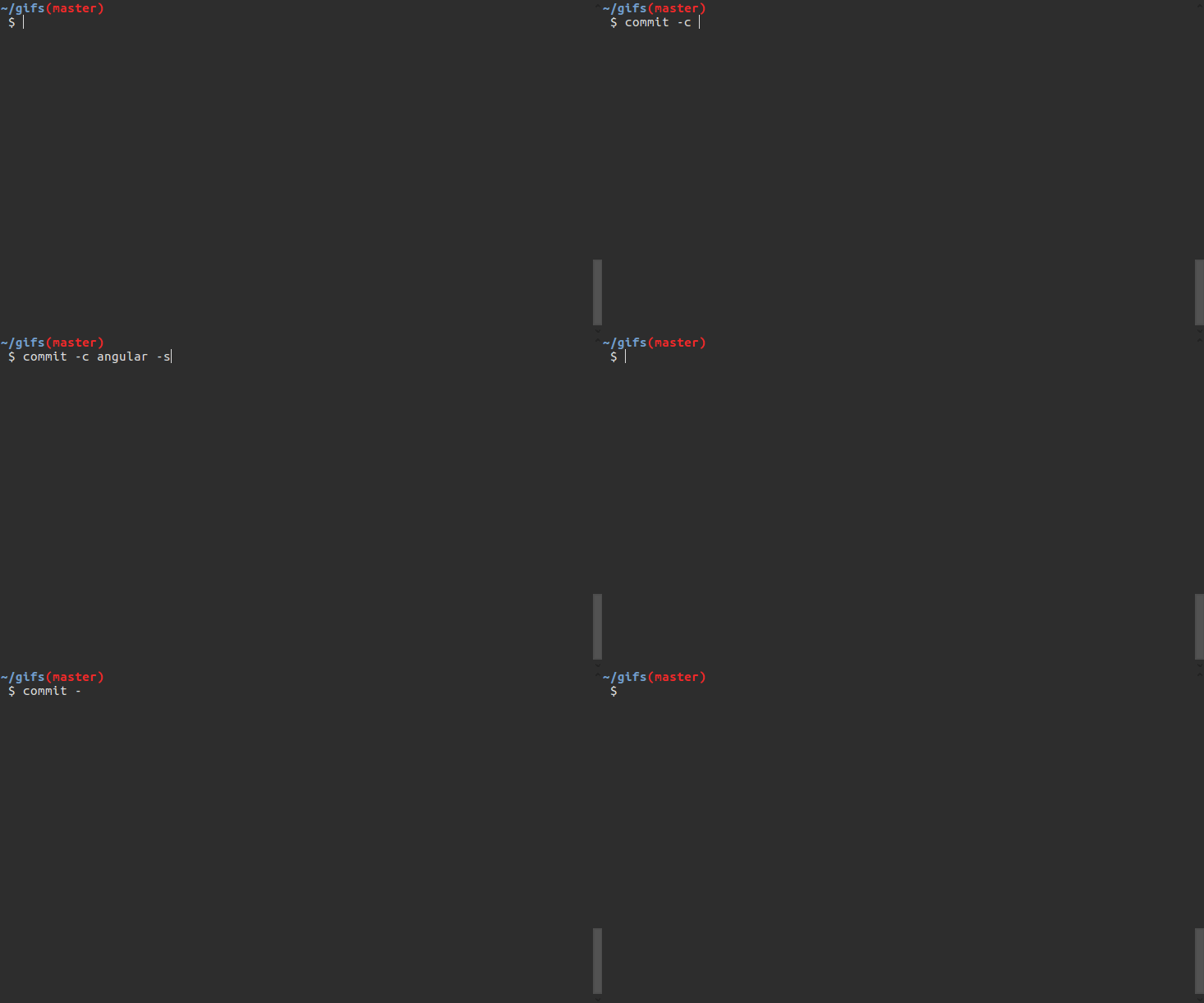
Screenshots
Initial commit
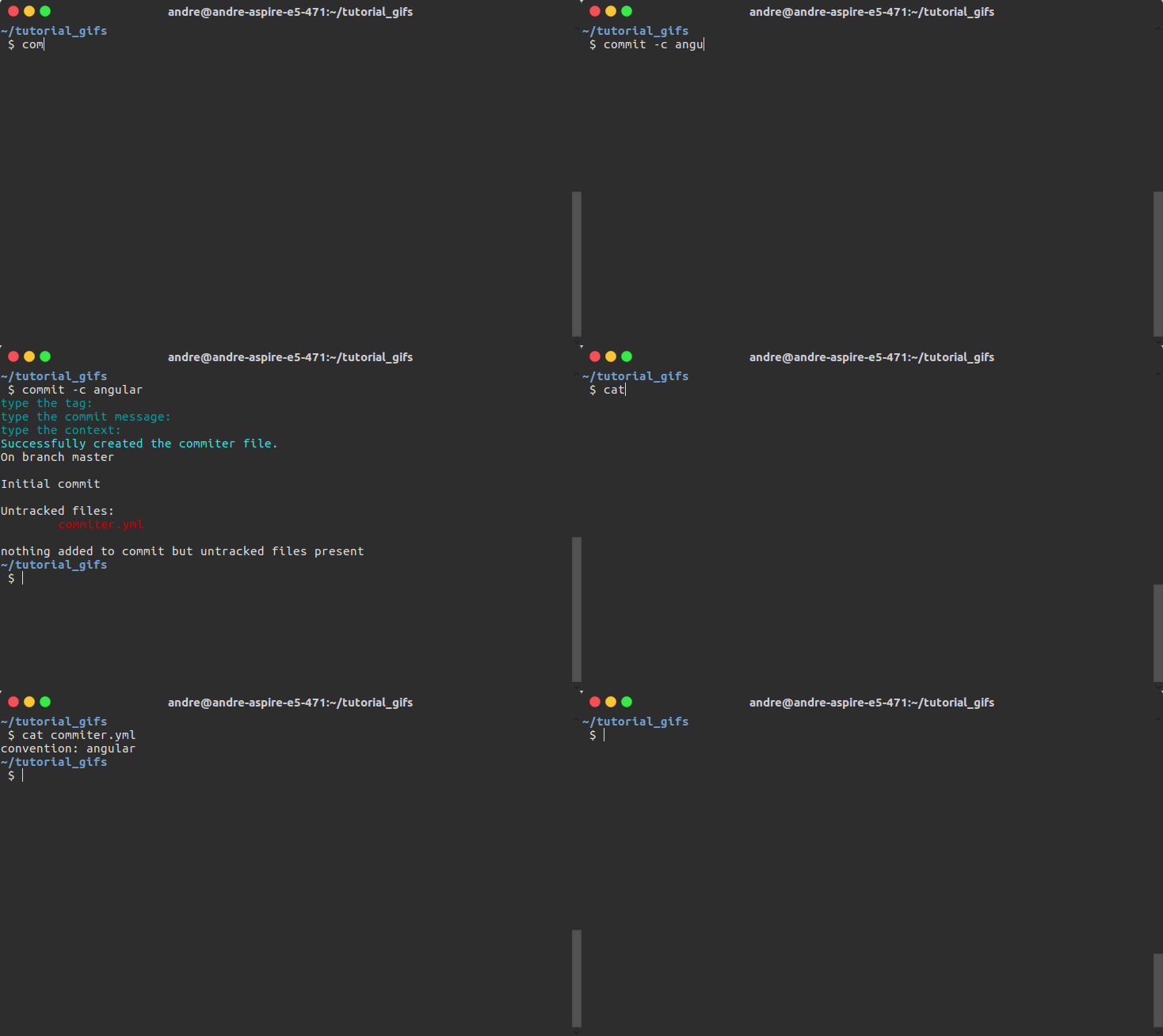
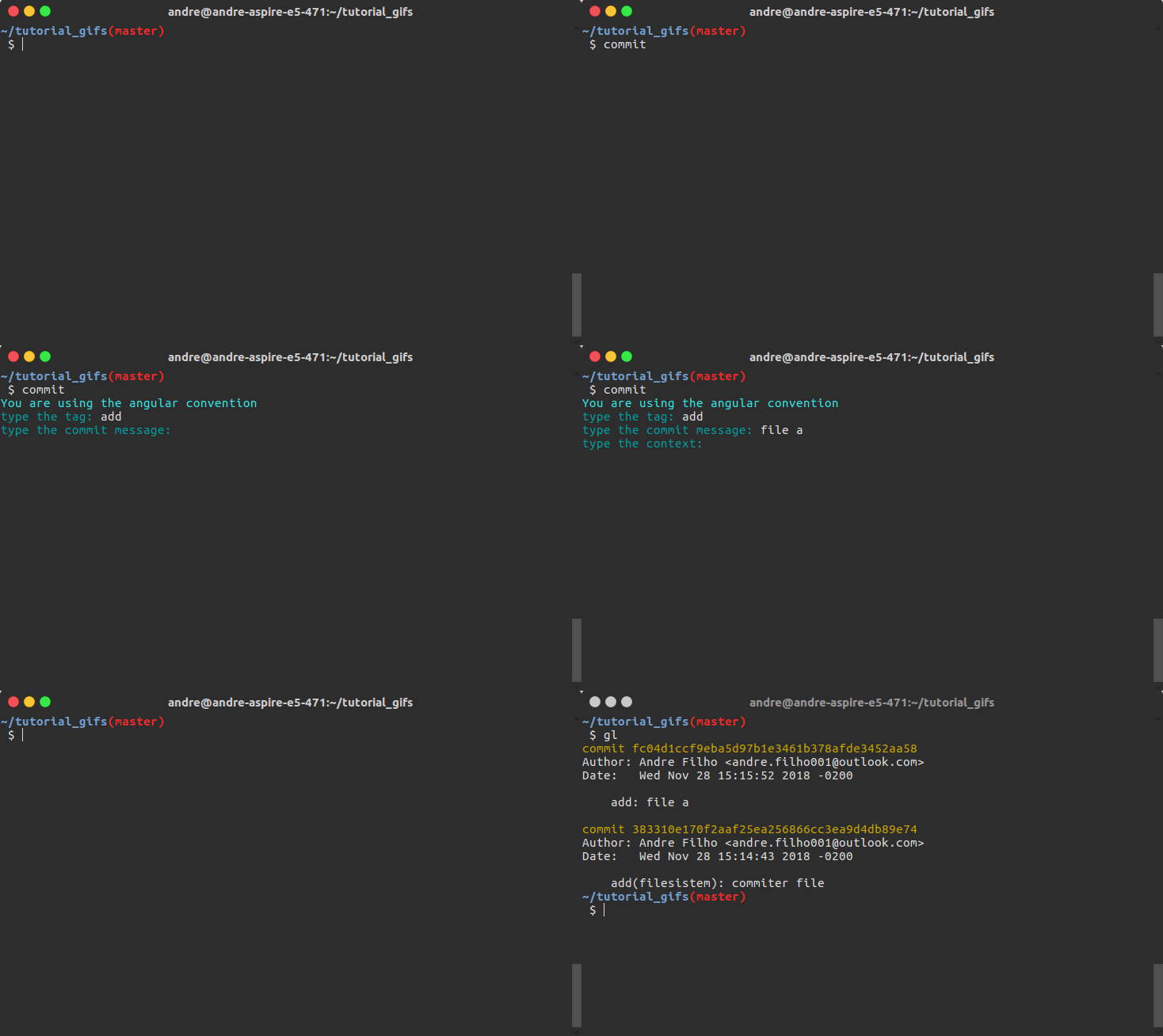
Normal commit
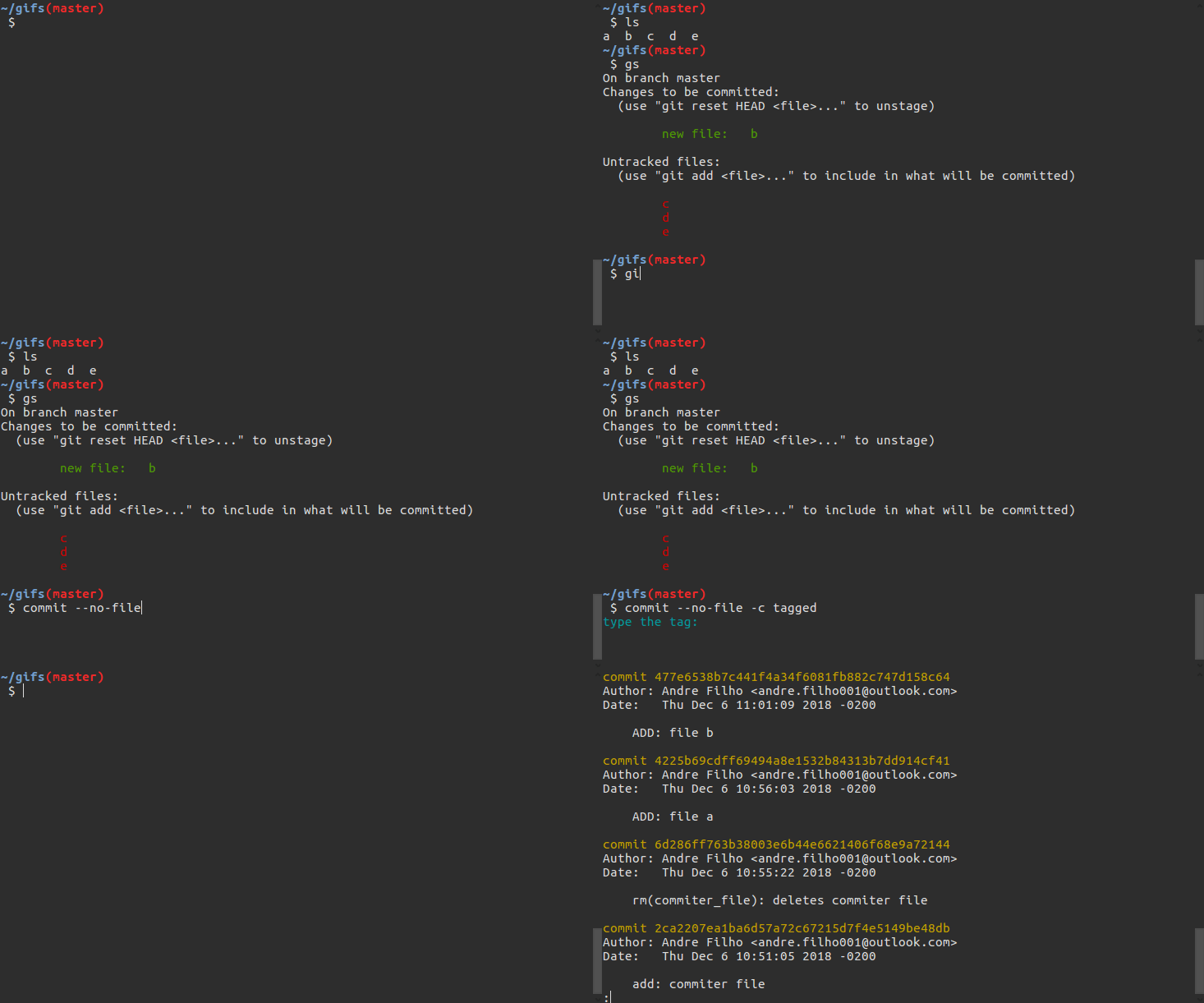
Commit without generating a configuration file
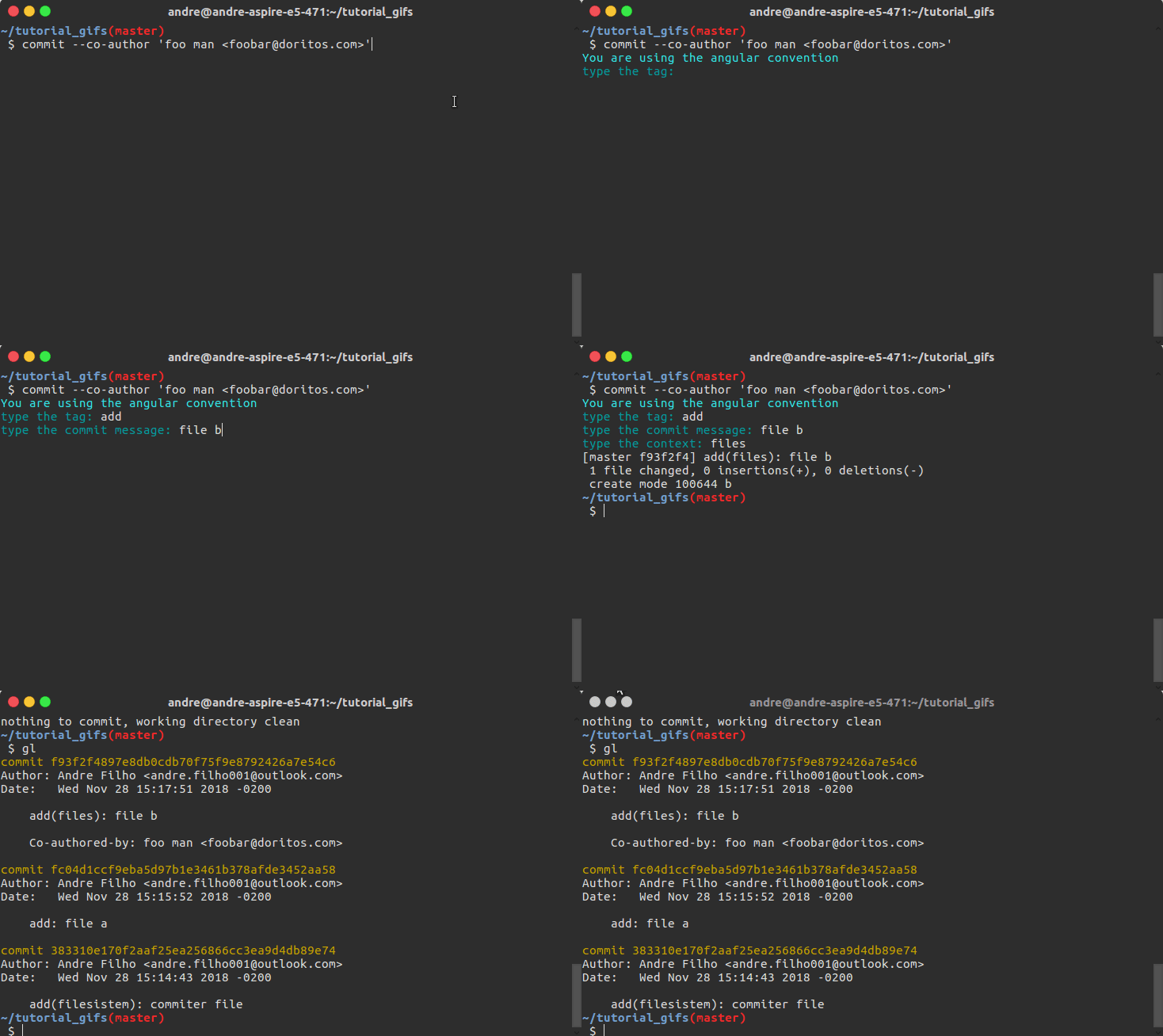
Co-authored commit
Fast commit
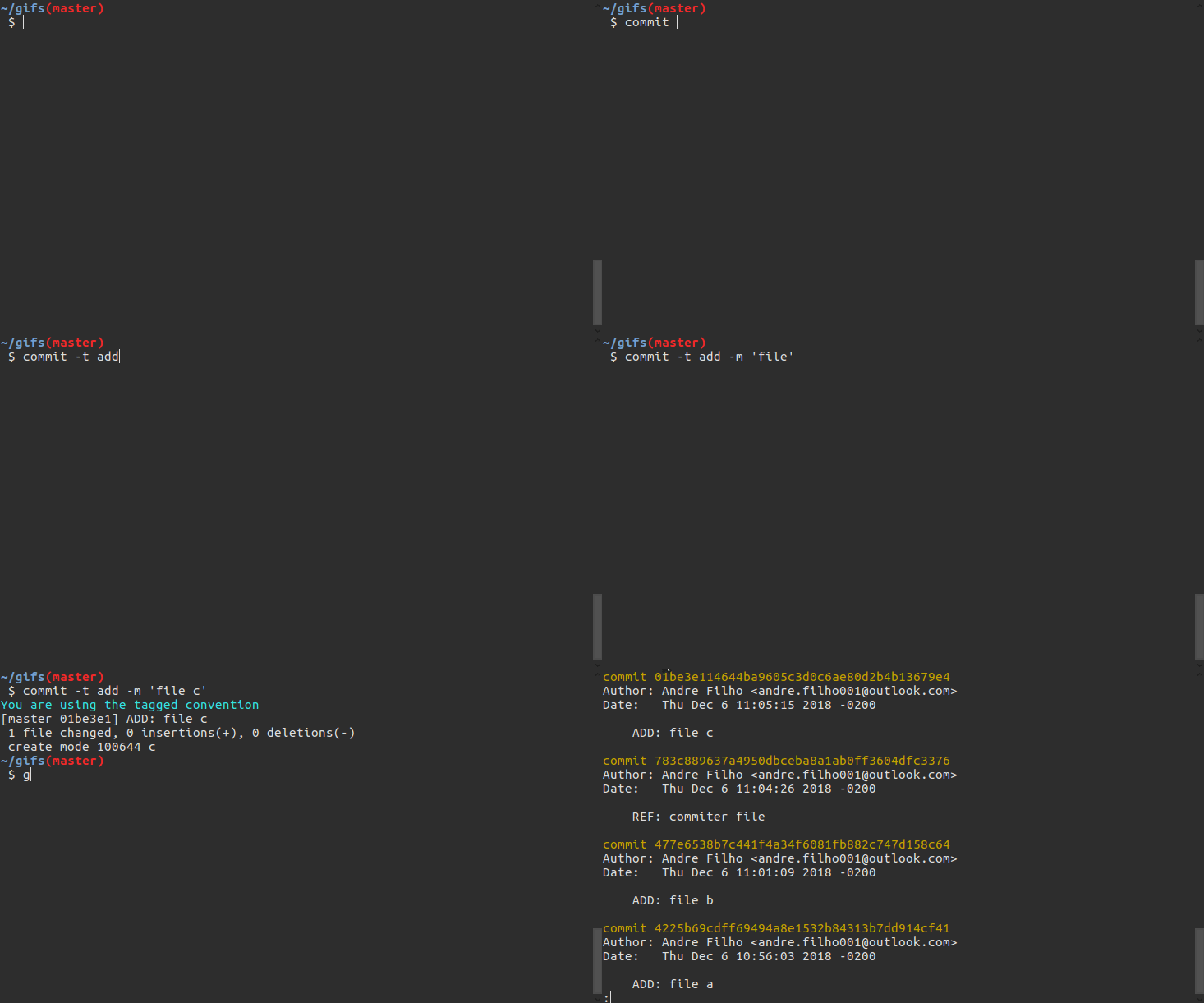
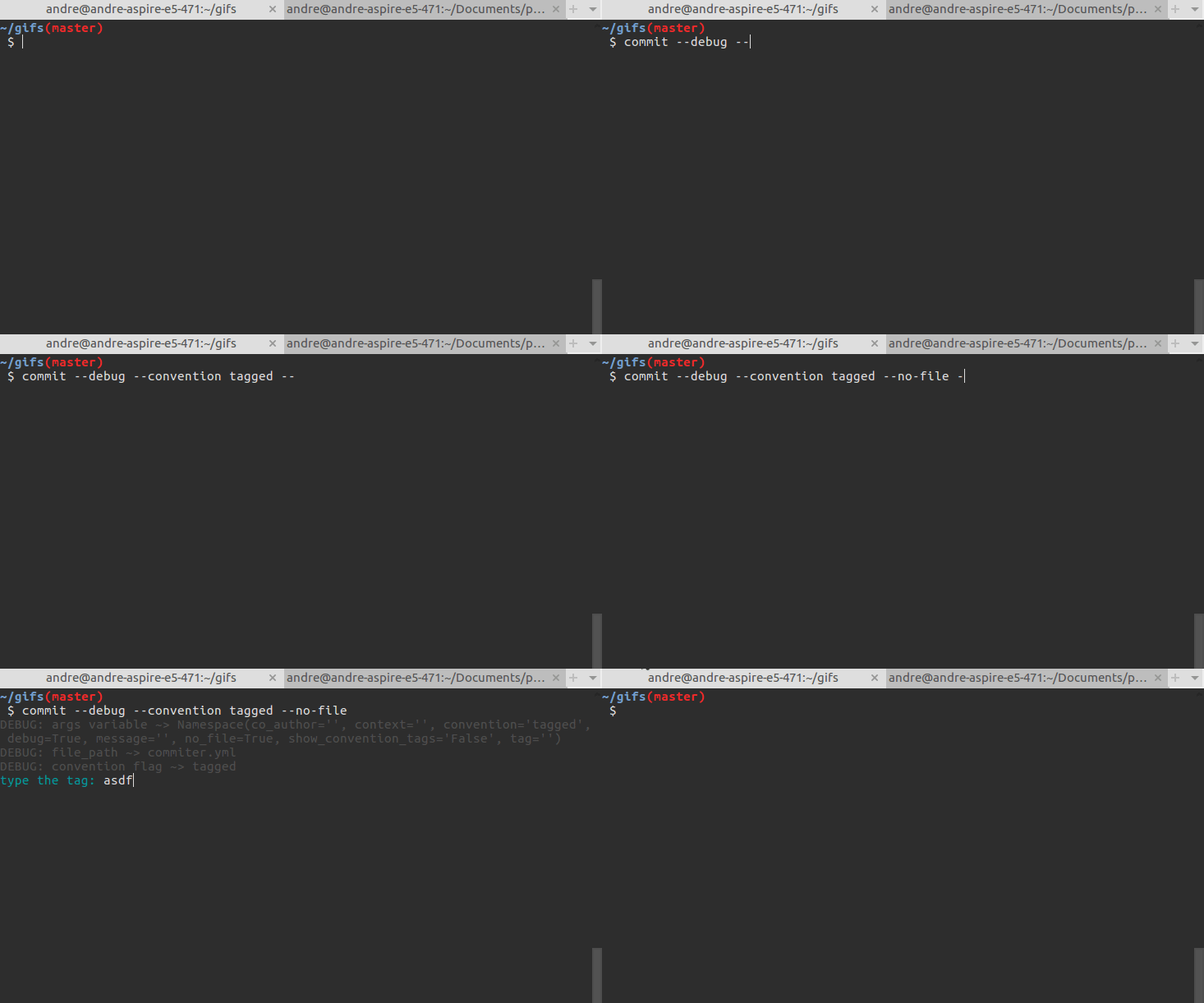
Debugging and commiting
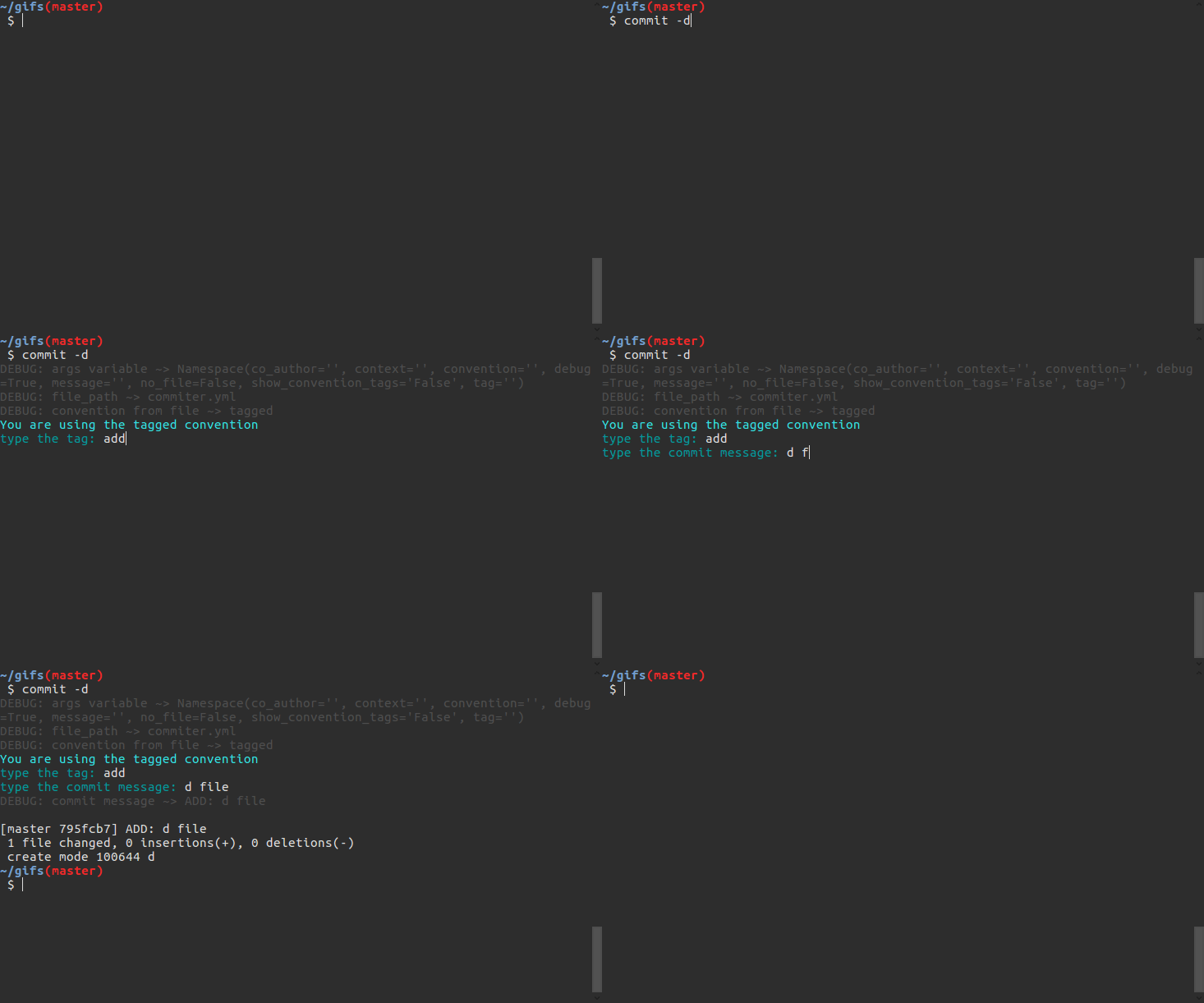
All-in-one commit
Help
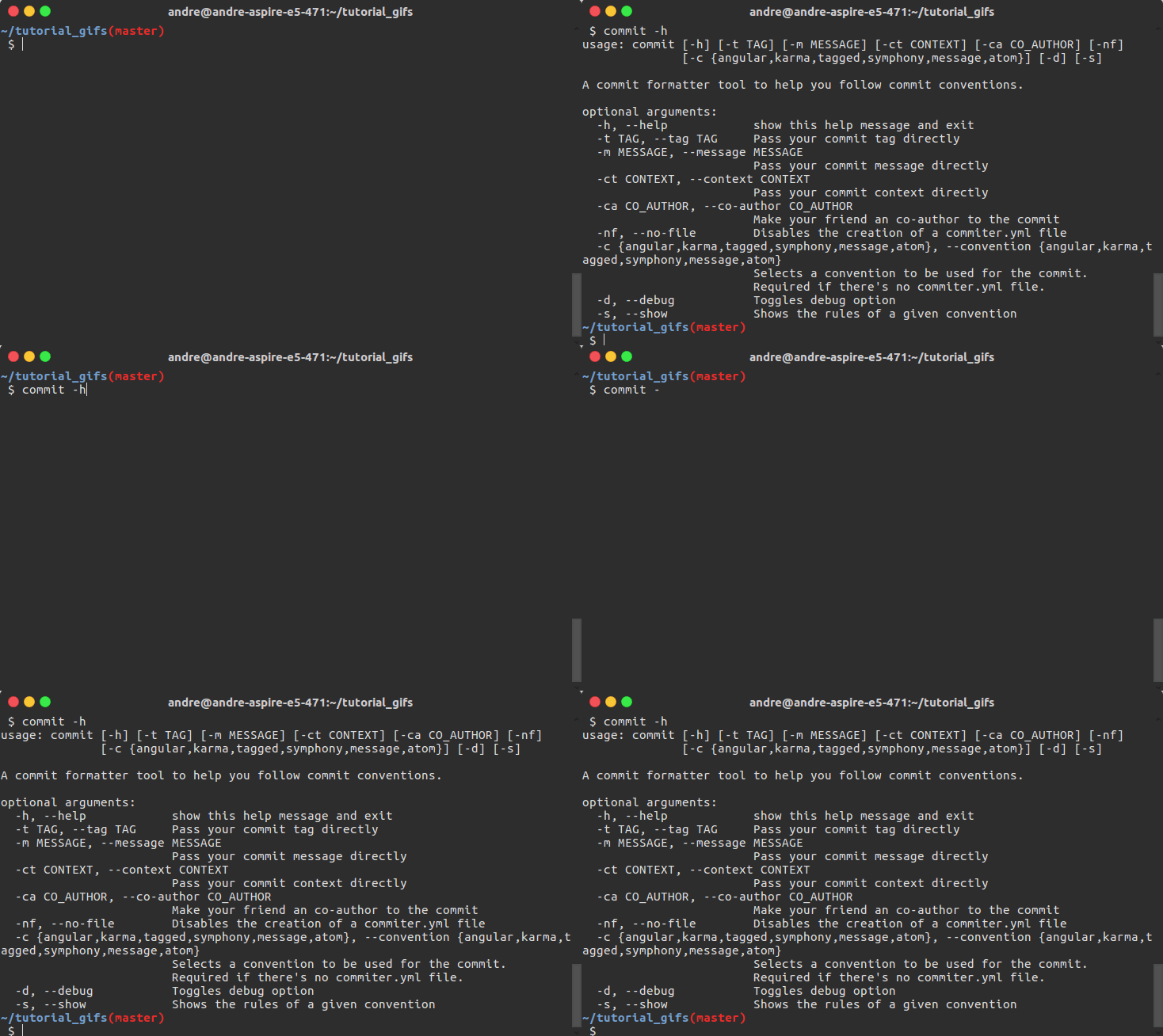
Getting help for writing in a convention
Installation
In order to install one of our older versions, check our previous releases. To install the latest (pip) version, just follow the commands below:
$ pip3 install commit-helper
Updating your current version
If you already have one of our pip releases installed in your machine and want to update to the latest version, use the command:
$ pip3 install --upgrade commit-helper
Usage and configuration
This program has a cli that you can take advantage of. Running commit --help
will show you the usage and options for your commit. All of them are optional
for the sake of not losing your precious time.
 $ commit -h
usage: commit [-h] [-t TAG] [-m MESSAGE] [-ct CONTEXT] [-ca CO_AUTHOR] [-nf]
              [-c {angular,karma,tagged,symphony,message}] [-d]

A commit formatter tool to help you follow commit conventions.

optional arguments:
  -h, --help            show this help message and exit
  -t TAG, --tag TAG     Pass your commit tag directly
  -m MESSAGE, --message MESSAGE
                        Pass your commit message directly
  -ct CONTEXT, --context CONTEXT
                        Pass your commit context directly
  -ca CO_AUTHOR, --co-author CO_AUTHOR
                        Make your friend an co-author to the commit
  -nf, --no-file        Disables the creation of a commiter.yml file
  -c {angular,karma,tagged,symphony,message}, --convention {angular,karma,tagged,symphony,message}
                        Selects a convention to be used for the commit.
                        Required if there's no commiter.yml file.
  -d, --debug           Toggles debug option
So, if you want to write a co-authored commit, you should use:
$ commit --co-author "foo bar doritous <foobar@douritos.com>"
Or if you are using this for the first time in your project:
$ commit --convention tagged
To work even more smoothly, have in your working directory a file named commiter.yml. In this file you must pass the commit convention that you want to use, following the example:
convention: angular   # tag(context): commit message

# or

convention: karma   # tag(context): commit message

# or

convention: tagged # TAG: commit message

# or

convention: symphony  # [Tag] commit message

# and if you're feeling adventurous

convention: none      # Commit message
In case that you or your organization does already have a commit convention that is not listed above, you can configure it in the commiter.yml file as following:
convention: custom
# considering a commit message like '{add} (stuff) ~> in file foo.br'
commit_pattern: '{tag} (context) ~> message'
# tag, message and context are reserved words that will be replaced in your commit message
context: true # this is a must have field! If your pattern doesn't have one, assign false to it
Supported conventions available:
- angular
- karma
- tagged
- symphony
- atom
- only message (no convention)
- a custom one that you may create :)
Troubleshooting
If after you've installed commit-helper the commit or commit-helper commands are not usable at the command line, check if $HOME/.local/bin is on your PATH. If not, add it on your .bashrc file by running:
$ echo "export PATH=$HOME/.local/bin:$PATH" >> .bashrc
Project's maintainers
| Name | Username |
|---|---|
| André de Sousa Costa Filho | @andre-filho |
Our collaborators
| Name | Username |
|---|---|
| Arthur José Benedito de Oliveira Assis | @arthur0496 |
| Matheus Richard Torres Gomes de Melo | @MatheusRich |
1 maintainer

Release files for commit-helper-testing 3.4.8
For a detailed explanation of source distributions (sdists) and built distributions (wheels), please see the package formats documentation.
Source distribution (sdist)
| File | Size | Uploaded | |
|---|---|---|---|
| commit-helper-testing-3.4.8.tar.gz | 13.1 kB | Details |
Built distribution (wheel)
| File | Interpreter | ABI | Platform | Reset |
|---|---|---|---|---|
| commit_helper_testing-3.4.8-py2.py3-none-any.whl | Python 2, Python 3 | none | any | Details |
Total release size: 40.5 kB
Release files / commit-helper-testing-3.4.8.tar.gz
| Download URL | commit-helper-testing-3.4.8.tar.gz |
|---|---|
| Size | 13.1 kB |
| Tags | Source |
|
SHA-256 checksum How to use checksums |
8bee26e4475ffb685dae5d2390102925585d8e43a9d9634edf2bccf2a65dc4bc
|
|
BLAKE2b-256 checksum How to use checksums |
3de88e1e3f2e7ace6649c183e92da5c4fe6f8493b3793d1d119fff496ae436e6
|
| Upload date | |
|
Uploaded using Trusted Publishing? What is trusted publishing? |
No |
| Uploaded via |
twine/1.12.1 pkginfo/1.4.2 requests/2.21.0 setuptools/40.6.2 requests-toolbelt/0.8.0 tqdm/4.28.1 CPython/3.7.1
|
Release files / commit_helper_testing-3.4.8-py2.py3-none-any.whl
| Download URL | commit_helper_testing-3.4.8-py2.py3-none-any.whl |
|---|---|
| Size | 27.4 kB |
| Tags | Python 2 Python 3 |
|
SHA-256 checksum How to use checksums |
6b99c2710d0f0b9391a69b2fe3f71d2d0e2c8cec563fb369a5dac3741dbc9a39
|
|
BLAKE2b-256 checksum How to use checksums |
8b44f0a12ffac21af91c13b6023b6456def8f94e1513c5a5c88b76fab3ffba34
|
| Upload date | |
|
Uploaded using Trusted Publishing? What is trusted publishing? |
No |
| Uploaded via |
twine/1.12.1 pkginfo/1.4.2 requests/2.21.0 setuptools/40.6.2 requests-toolbelt/0.8.0 tqdm/4.28.1 CPython/3.7.1
|













