







Visualise a Git repository's commit history in PDF form via the command-line
Dependencies
GitPython fpdf progressbar pathvalidate
pycairo (used for deprecated PDF generation method, must be installed manually)
Installation
[!IMPORTANT] Installing
commits2pdfrequires Python and pip. If you have Python installed without pip, click here to install it.
If you do not have Python installed, download the installer here, then refer to the previous link on how to install pip.
Additionaly,commits2pdfrequires Git forgitpythonfunctionality. Install it here.
[!TIP] If using
pythonorpipdoesn't work, try usingpython3orpip3.
-
Make a virtual environment and activate it (recommended):
- Before you make a virtual environment, you should change your current directory to the folder of your repository. If you don't know how, read Changing your terminal's directory.
- If you are on Windows and you cannot activate the virtual environment, try running
Set-ExecutionPolicy Unrestricted -Scope Processand try again.
pip install virtualenv
python -m venv venv
MacOS/Unix: source venv/bin/activate
Windows: venv\scripts\activate
- Install the package in your system directory/virtual environment:
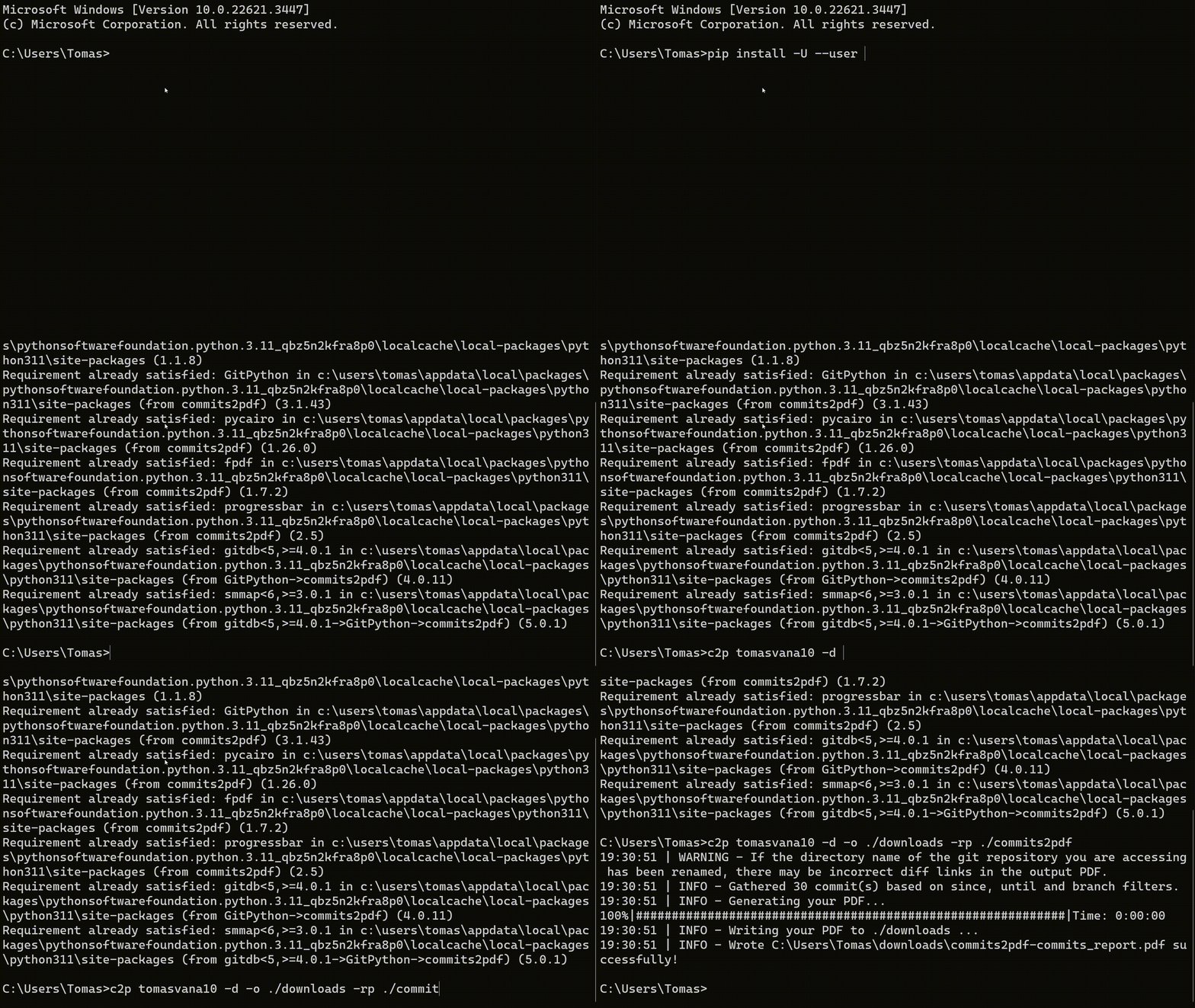
pip install -U commits2pdf
or, install the package in your home directory if you aren't using a virtual environment:
pip install --user -U commits2pdf
- You can deactivate your virtual environment when you are done:
deactivate
[!TIP] If you encounter errors with building
pycairo, click here
Changing your terminal's directory
- Open your terminal
- Find your repository's folder
- (a) On Windows/Linux: Open the folder, press
CTRL+L, then pressCTRL+C. Alternatively, right click on the folder and clickCopy as path. - (b) On MacOS: Right click on the folder, hold
option(⌥) and clickCopy <folder name> as Pathname
Then, in your terminal, run cd <the path you copied> (paste in the path with CTRL+V or CMD+V).
Command-line parameters
There are many ways to configure the process of PDF generation through command line flags. For a brief introduction on how to use these flags, read Usage
Positional Flags
owner : The owner of the git repository. Required.
Optional Flags
-o, --output : Directory path to your PDF output. Set to . (your current directory) by default. Will be created if it does not exist. Example: ./work/my_pdfs
-n, --name : The name of your outputted PDF file. Set to <repo_name>-commit_report by default.
-b, --branch : The repository branch. Set to main by default.
-a, --authors : Filter commits from a comma-separated list of authors. Format: <author@email.com> OR <author1@email.com,author2@email.com> etc. Set to all authors by default.
-s, --start-date : Filter from start date of commits. Format: d/m/YYYY. Example: 5/12/2023
-e, --end-date : Filter to end date of commits. Format: d/m/YYYY. Example: 5/12/2023
-r, --reverse : Output the commits from newest to oldest. Set to oldest to newest by default
-d, --dark : Toggle dark mode for the output PDF. Set to light by default.
-po, --prevent-open : Prevent commits2pdf from automatically opening the directory the PDF was created in.
-sc, --scaling : Set the scaling of the output PDF. Only available with -gen2a and -gen2b.
-in, --include : Include commits with the given string sequences in their title or description. Format: <string1> OR <string1,string2>. Whitespace sensitive and case insensitive. NOTE: This query is performed BEFORE excluding commits.
-ex, --exclude : Exclude commits with the given string sequences in their title or description. Format: <string1> OR <string1,string2>. Whitespace sensitive and case insensitive.
-q, --quiet : Suppress all logger messages except for errors.
-gen1, --pdf-gen-1 : PDF rendering implementation with pycairo.
-gen2a, --pdf-gen-2a : The first PDF rendering implementation with fpdf.
-gen2b, --pdf-gen-2b : The second PDF rendering implementation with fpdf. The default option.
-rp, --repo-path : Path to your repository directory. Set to . (your current directory) by default.
-fc, --repo-from-clone : Clone a repo into the working directory and generate the commits PDF from it automatically. Format: <repo name> (case insensitive).
-nc, --newest-n-commits : Select the newest n number amount of commits to include after filtering.
-oc, --oldest-n-commits : Select the oldest n number amount of commits to include after filtering.
Usage
[!TIP] If the value you are providing for a given argument/flag includes spaces, wrap in it quotations ("") to ensure it is parsed properly.
Usage example #1
c2p tomasvana10
Output a PDF to your current directory (assuming it is a git repository that is owned by
tomasvana10).
Usage example #2
c2p tomasvana10 -o .. -rp ./my_repo -n "new_name.pdf"
Output a PDF (overriding its name to
new_name) to the parent directory, selecting./my_repoas your git repository to access the commits from.
Usage example #3
c2p tomasvana10 -nc 10 -in "javascript,build" -ex "testing"
Output a PDF to the current directory, displaying the newest 10 commits after filtering commits that contain "javascript" and/or "build" in their title or description and do not contain "testing".
Usage example #4
c2p devguarv -fc Yr-12-HSC-SDD-Task-2 -e 28/4/2024
Clone the repo
Yr-12-HSC-SDD-Task-2into the current directory and output a PDF into the same place after filtering commits that were made up to28/4/2024.
PDF generation implementations
pycairo (gen1 - deprecated)
👍 Fast
👎 Cannot write multipage commits
👎 Looks like crap
👎 No hyperlinks, therefore the entire link to a commit's diff is displayed
fpdf (gen2a)
👍 Fast
👍 Can be scaled with the -sc <float> argument<
👍 Sleek design
👍 Information title page
👍 Contains hyperlinks
👍 Stores PDF metadata
👎 Inconsistent page breaks, a general limitation with FPDF when trying to fit as many whole commits on a single page
fpdf (gen2b - Default)
👍 Same as gen2a but with accurate page breaking
👎 Slow when generating large amounts of commits (generally, it is a good idea to enable -gen2a when drawing over 5000 commits)
1 maintainer

Download files
Download the file for your platform. If you're not sure which to choose, learn more about installing packages.
Source Distribution
Built Distribution
Filter files by name, interpreter, ABI, and platform.
If you're not sure about the file name format, learn more about wheel file names.
Copy a direct link to the current filters
File details
Details for the file commits2pdf-1.1.17.tar.gz.
File metadata
- Download URL: commits2pdf-1.1.17.tar.gz
- Upload date:
- Size: 20.4 kB
- Tags: Source
- Uploaded using Trusted Publishing? No
- Uploaded via:
twine/5.1.0 CPython/3.12.4
File hashes
| Algorithm | Hash digest | |
|---|---|---|
| SHA256 |
2fc8ca4348feaec480f658ea1cda9ee340e31864cfb604654e7d61c8389b8334
|
|
| MD5 |
c1993c3ddca57efff4ae7c30fefaf78b
|
|
| BLAKE2b-256 |
06f3fa824f514de601b9a634bda671f5b5a45eef0c43abfd999d1106a1915201
|
File details
Details for the file commits2pdf-1.1.17-py3-none-any.whl.
File metadata
- Download URL: commits2pdf-1.1.17-py3-none-any.whl
- Upload date:
- Size: 20.6 kB
- Tags: Python 3
- Uploaded using Trusted Publishing? No
- Uploaded via:
twine/5.1.0 CPython/3.12.4
File hashes
| Algorithm | Hash digest | |
|---|---|---|
| SHA256 |
552a3c1768a6884125b0bc765dc6f2eda47bad68acd4821a67385eca598c8308
|
|
| MD5 |
3164542a6fa67b5becdbad6262396ac8
|
|
| BLAKE2b-256 |
77e2bbe8b27428bd22518975c090a0c09e5f02eacc8bc740b72be940653616ed
|














