
App Launcher for quick starting applications with conan

Project description

Conan App-Launcher


Quick Overview
The goal of this project is to provide a frontend to start executable contained in packages of the package manager conan. It is intented to be used on Windows and Linux x64 platforms.
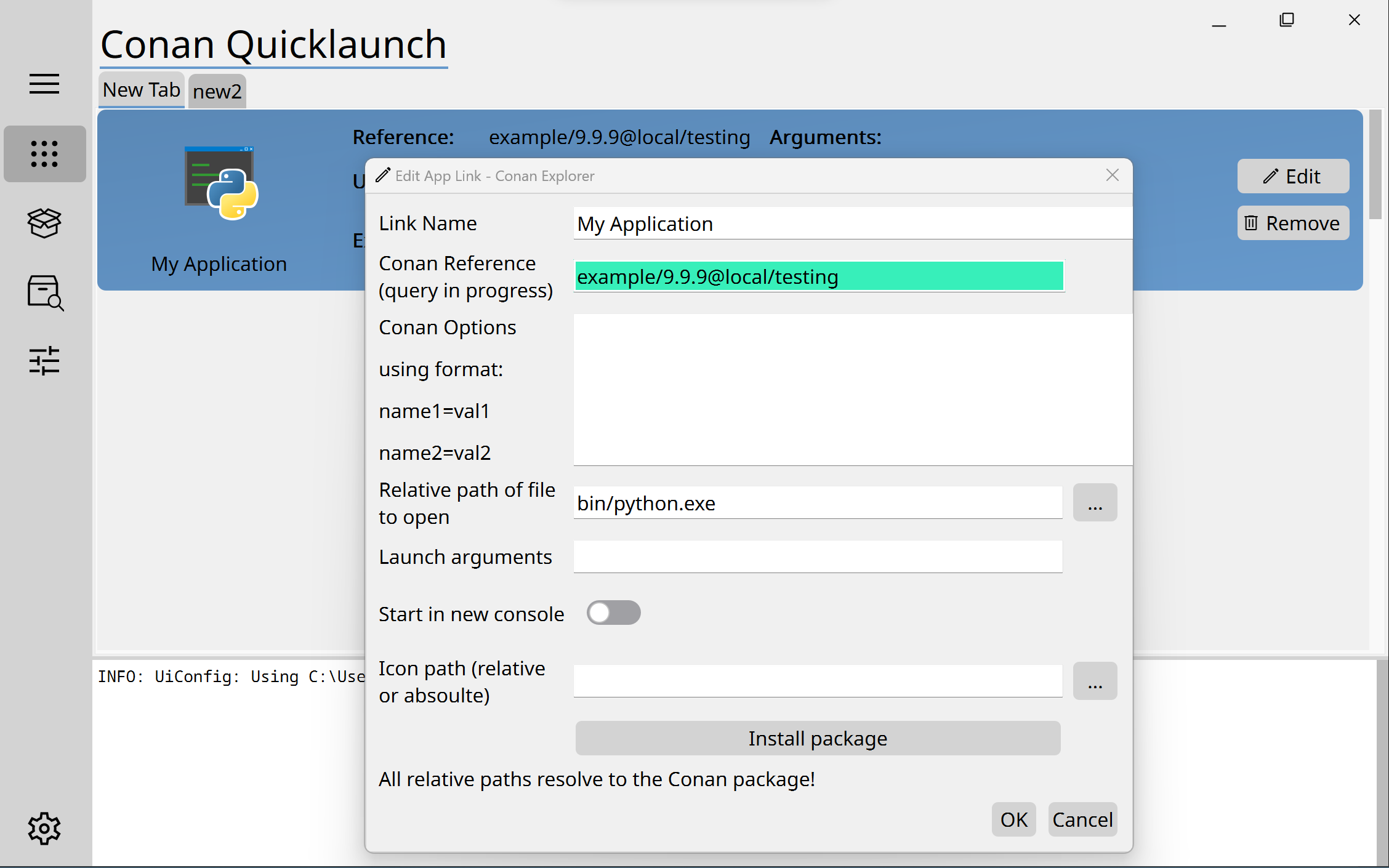
Features:
- configurable layout (tabs and applications) with json file
- installs all referenced packages automatically
- automatic settings resolution for your platform
- integrated console for information an packages and config file
- installable with pip (soon from pypi)
How to install?
From source
After checkout use the command:
pip install .
Call the executable with:
conan_app_launcher -f <config_file_path>, if the Python "scripts" folder is on your system path.
With pip from Pypi
pip install conan-app-launcher
Config File
The config file uses the following exemplary schema:
{
    "version": "0.2.0", // please update the schema manually, no auto update available
    "tabs": [
        {
            "name": "Basics",
            "apps": [
                {
                    "name": "App1 with spaces",
                    "package_id": "app1/0.1.0@user1/stable", // full conan reference
                    "executable": "bin/app1", // relative to conan "package folder"
                    "icon": "MyIcon.png" // relative to this config file,
                    "console_application": true, // start console application in extra window
                    "args": "--version" // args to start the application with
                },
                {
                    "name": "App2",
                    "package_id": "app2/0.2.0@user2/testing",
                    "executable": "bin/app2", // forward slashes are preferred
                    "icon": "C:\\CustomIcon.ico" // but escaped backslashes also work
                }
            ]
        },
        {
            "name": "Extra",
            "apps": [
                {
                    "name": "App3",
                    "package_id": "app3/0.3.0@user3/stable",
                    "console_application": true, // starts in a new console window
                    "executable": "bin/app3", // extension (.exe) can be ommited for windows
                    // Icon can be ommitted
                }
            ]
        }
    ]
}
Toolchain
This project uses Python with Qt as a frontend using the PyQt integration. The IDE integration is done for VsCode.
Release history Release notifications | RSS feed


Download files
Download the file for your platform. If you're not sure which to choose, learn more about installing packages.
Source Distribution
Built Distribution
Filter files by name, interpreter, ABI, and platform.
If you're not sure about the file name format, learn more about wheel file names.
Copy a direct link to the current filters
File details
Details for the file conan-app-launcher-0.2.1.tar.gz.
File metadata
- Download URL: conan-app-launcher-0.2.1.tar.gz
- Upload date:
- Size: 57.3 kB
- Tags: Source
- Uploaded using Trusted Publishing? No
- Uploaded via: twine/3.2.0 pkginfo/1.6.0 requests/2.24.0 setuptools/49.2.1 requests-toolbelt/0.9.1 tqdm/4.50.2 CPython/3.9.0
File hashes
| Algorithm | Hash digest | |
|---|---|---|
| SHA256 |
e39e3c48deddb3ac915f8db0962de5d62214c2232f17d8f986dd3c52fd3e6aa5
|
|
| MD5 |
43df44959a0eaa68ae322fc154fe255e
|
|
| BLAKE2b-256 |
0ddb53e31d70f51781b6c6c206b3278e62f696d76d8a6ccf2292602877a9f4a7
|
File details
Details for the file conan_app_launcher-0.2.1-py3-none-any.whl.
File metadata
- Download URL: conan_app_launcher-0.2.1-py3-none-any.whl
- Upload date:
- Size: 57.0 kB
- Tags: Python 3
- Uploaded using Trusted Publishing? No
- Uploaded via: twine/3.2.0 pkginfo/1.6.0 requests/2.24.0 setuptools/49.2.1 requests-toolbelt/0.9.1 tqdm/4.50.2 CPython/3.9.0
File hashes
| Algorithm | Hash digest | |
|---|---|---|
| SHA256 |
d5798ce7a8717bc45b7bd50ae1fb44fad4407562921d0fbf7c2db884f08be33b
|
|
| MD5 |
17f3a632462684158f4bce29ff78c6e2
|
|
| BLAKE2b-256 |
a0e6ba1de6d4cb23d6f427fbc6b9b2e7552f840d01ff691a733636caad70cdc6
|






