

Conan Explorer: Local Package Explorer and App Launcher







🛈 conan-app-launcher is now conan-explorer 🚀
This package has been renamed from version 2.2.0 onwards. Use pip install conan-explorer instead.
New package: https://pypi.org/project/conan-explorer/
📋 Quick Overview
The goal of this project is to provide a standalone Graphical User Interface (GUI) to
- Start executables contained in packages of the package manager Conan
- Browse the local package cache
- Search Packages in remotes
- Configure Remotes and Profiles
It is end-user oriented and focuses on using packages, rather then developing them. It can be used on Windows and Linux x64 platforms.
Quicklaunch for Applications in Conan Packages
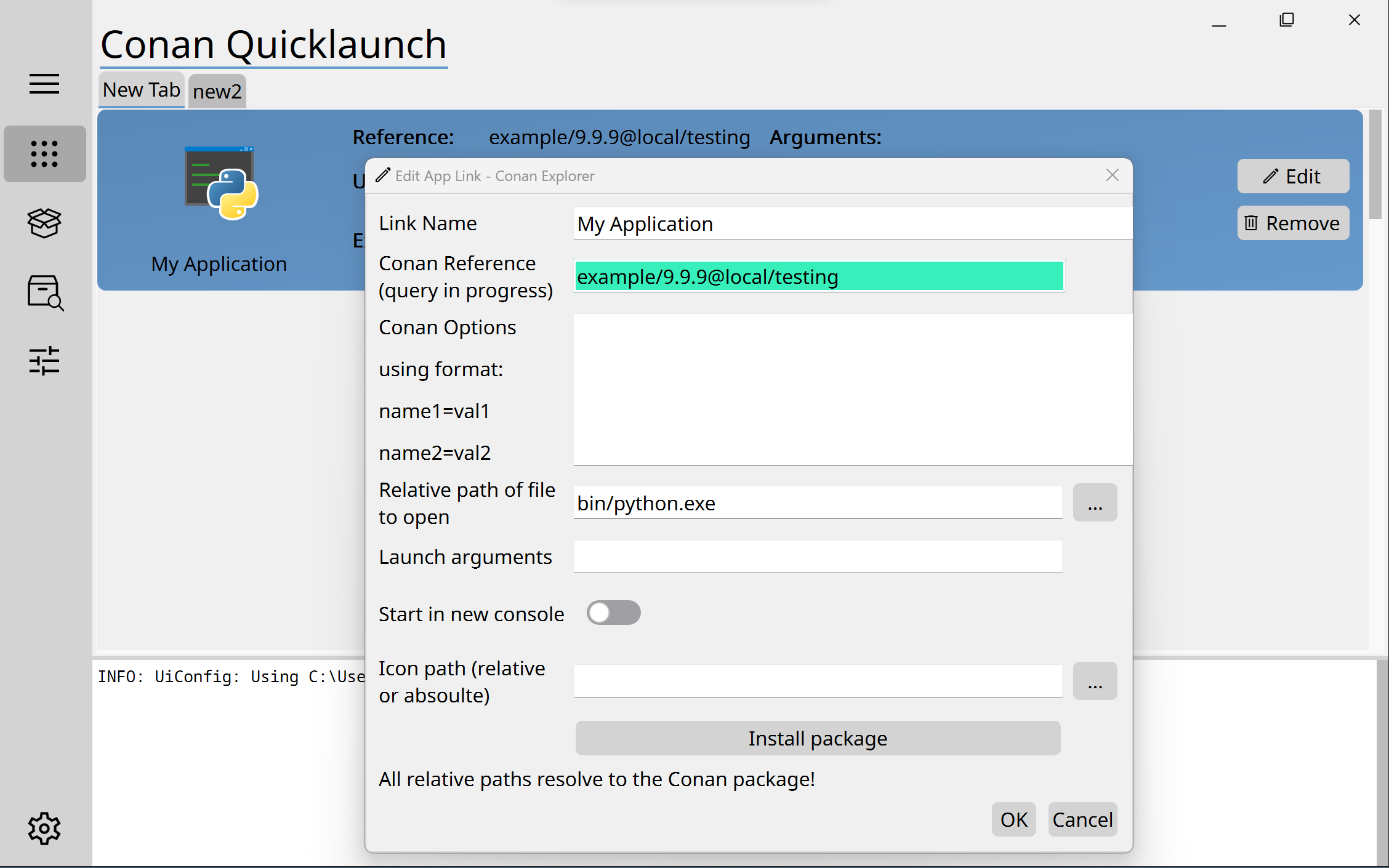
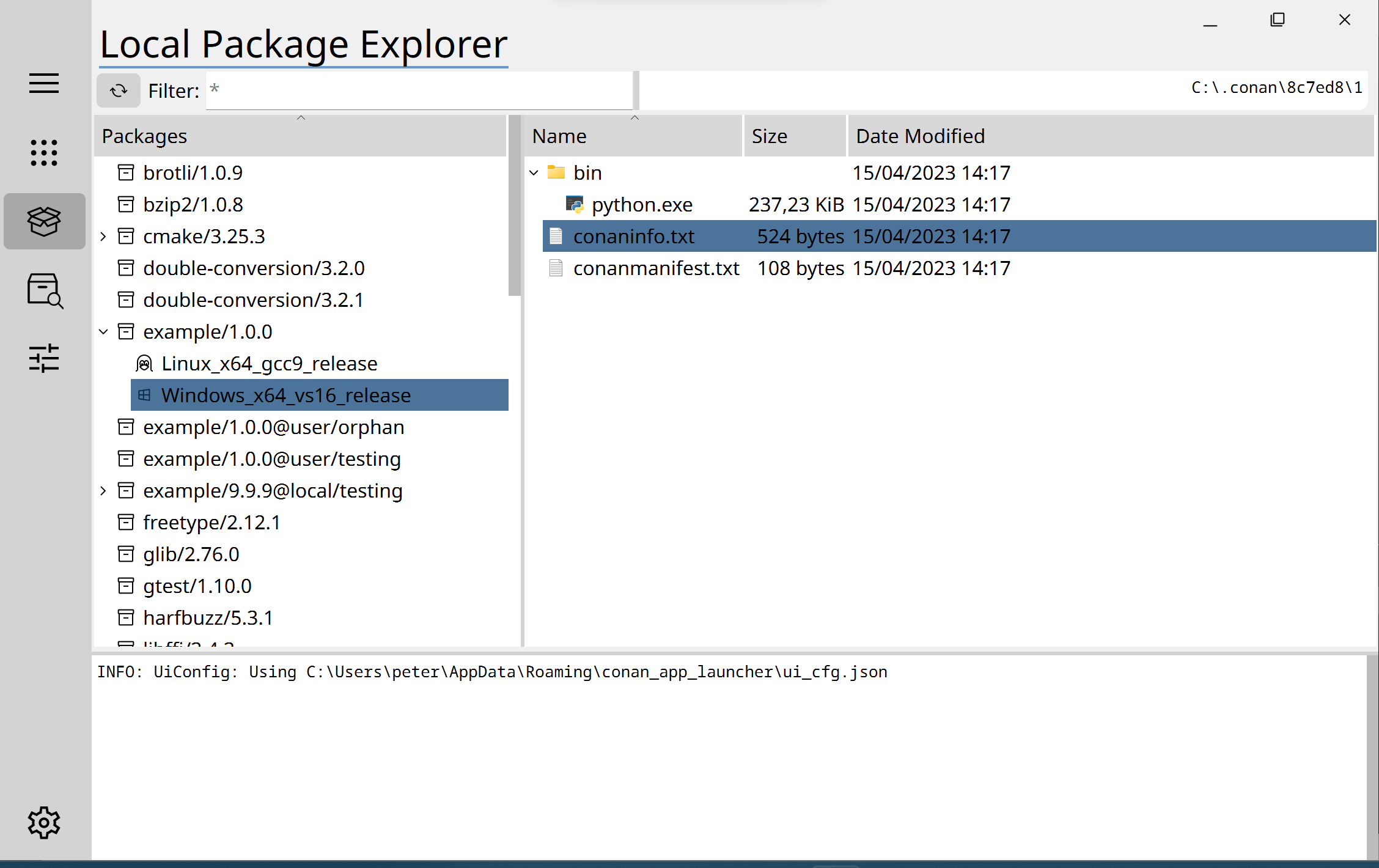
Local Package Manager
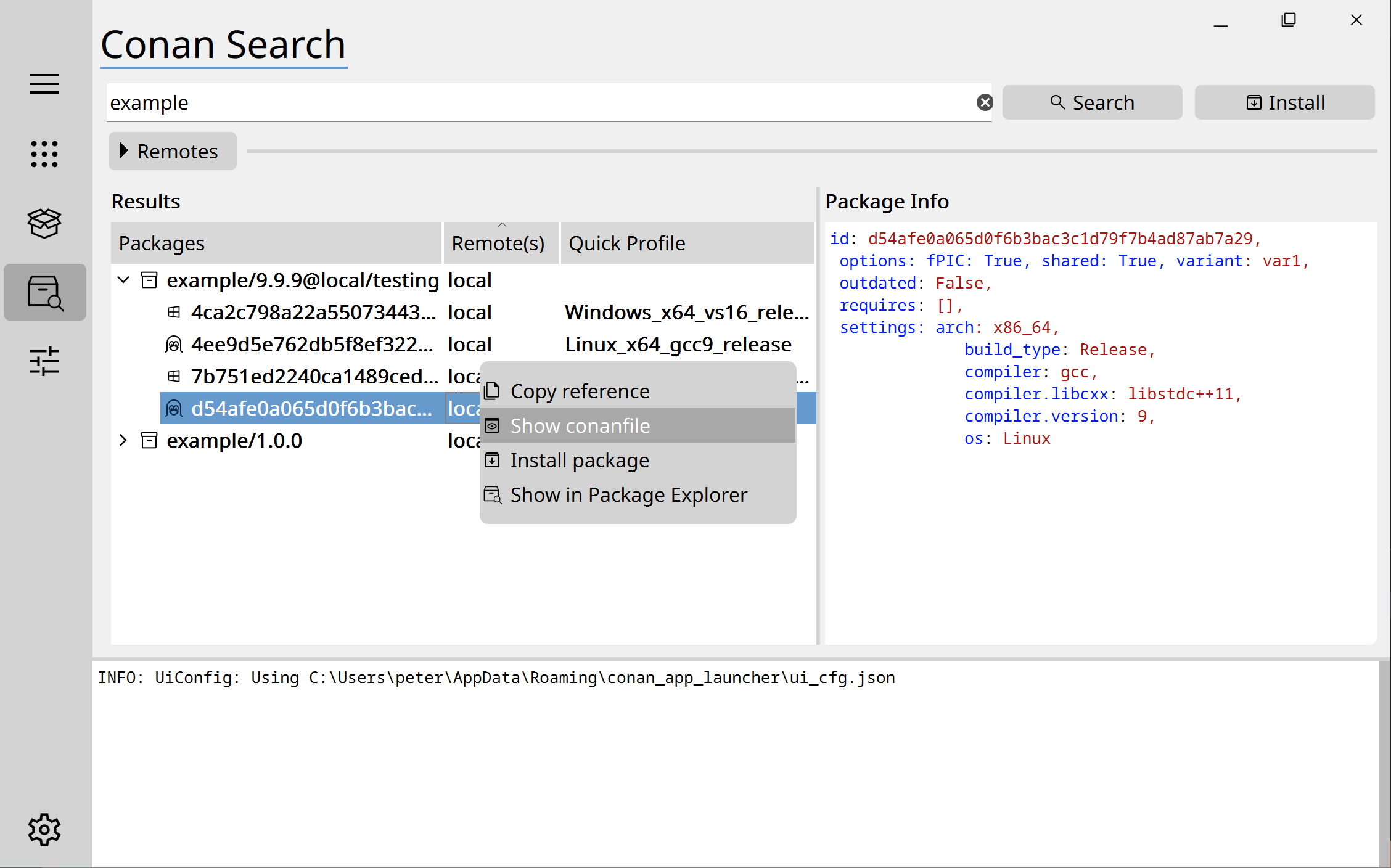
Conan Search
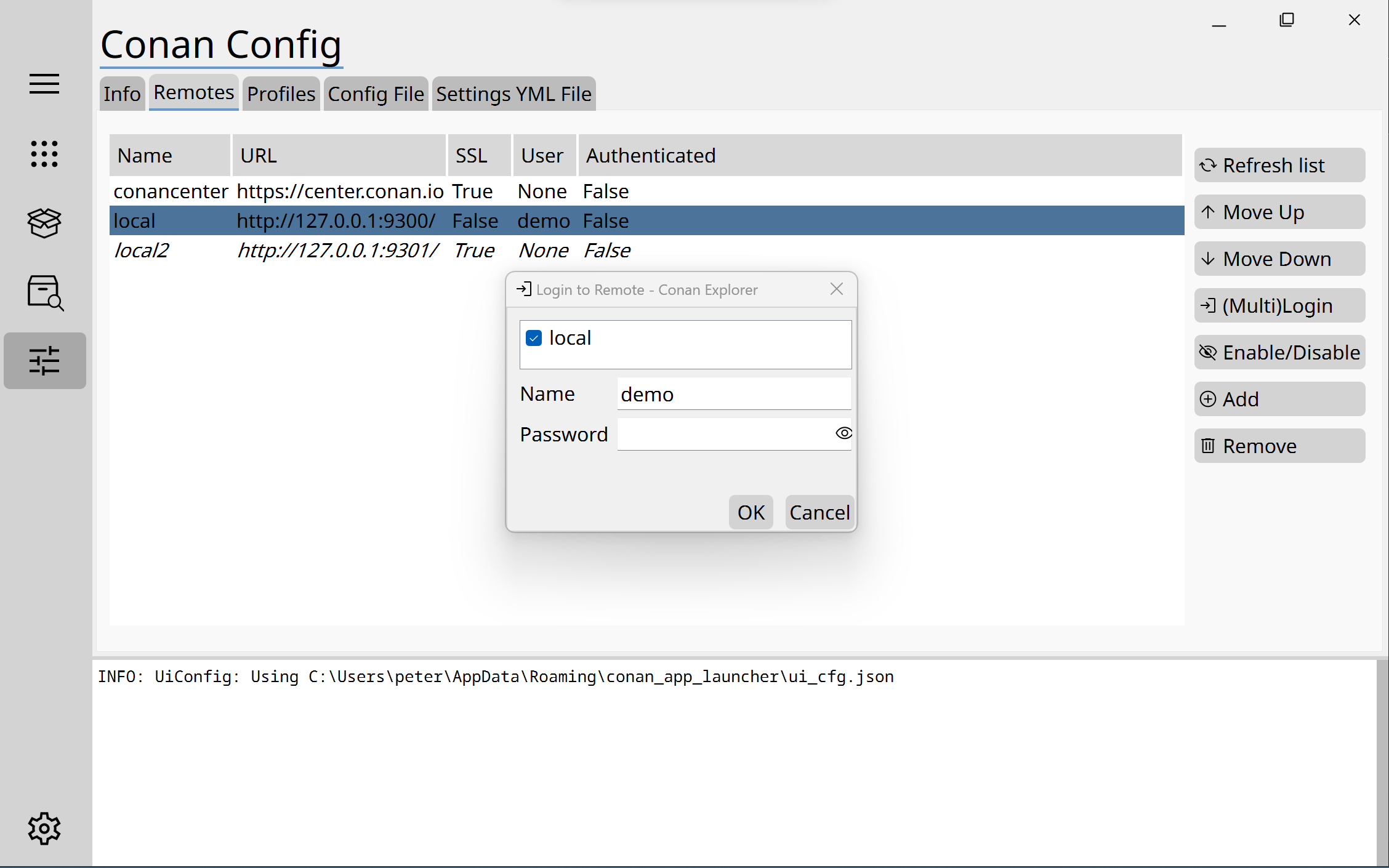
Conan Config
Main Features
- compatible with a wide range of conan versions (from 1.24 onwards)
- integrated console for information an packages and config file
- installable with pip
📑 Quicklaunch
- configurable layout (tabs and applications) in the GUI
- list and grid view
- can also open files with their associated default program
- installs all referenced packages automatically
- automatic conan settings resolution for your platform
- uses the default icons of files or can be configured to use custom ones
- quick controls to switch between versions and channels
📦 Local Package Explorer
- tabbed view for browsing through installed packages
- understand package settings at a glance from a shortened representation, e.g. Linux_x64_ggc7
- supports rename/copy/cut/paste on file, open in file explorer, copy reference, etc. functions which are often needed in daily Conan workflow
🔍 Conan Search
- search for references in selected remotes
- show all existing packages for a reference and their infos
- install package directly via right-click menu
📝 Conan Config
- view and edit your profiles
- view and edit your remotes - with multi-login to the same artifactory server for multiple remotes
- see the most important paths and config at one glance
🔌 Plugin Mechanism
- All views are now plugins, which can be extended by the user
💻 Installation
🐧 Prerequisites on Linux
Currently testing and compatibility is only ensured for Debian based distros, see the section distros, although if Qt6 is working for the plaftorm there should be no problems.
- Pip must be updated to at least pip 20.3, so using a venv like this is recommended:
sudo apt-get install python3-venv
python3 -m venv .venv
source .venv/bin/activate
python3 -m pip install --upgrade pip
pip3 install conan_explorer --use-pep517
-
An x-terminal emulator must be available for "Open Files in cmd" and console based programs for the App Grid. Type
x-terminal-emulatorto get a list of available terminals. -
To open files with its associated program xdg-open is used:
sudo apt install xdg-utilsorsudo dnf install xdg-utils
Distros


Not all Qt6 versions support the Wayland lib of the operating system. Generally the solution is to match the qt6 platform packages to the ones deployed with Pyside6. Minor version match is enough, because patch versions are ABI compatible.
- Ubuntu 18 was last supported in the 1.4.3 release, due to the Qt dependency. Recompiling Qt6 would be necessary.
- For Ubuntu 20.04 please execute
pip install PySide6-Essentials==6.4.3in the same environment as conan_explorer and update pip to latest version! - For Ubuntu 22.04 please ensure that the system Qt6 packages are available. Simply execute
sudo apt-get install qt6-waylandon a wayland system, orsudo apt-get install qt6-base-devfor an X11 based system. - For Ubuntu 24.04 the wayland platform is currently unknown how to get work with PySide6. To force X11 mode on wayland start it with
--platform=xbcand make sure "libxcb-cursor0" is installed. - Fedora 28 (base for RedHat 8.4) - No information
- Fedora 34 (base for RedHat 9.4) and Fedora 40 - runs natively on X11 and wayland without problems with a desktop environment.
Scaling on X11
If the window displays with very small scaling you can increase it by setting the environment variable QT_SCALE_FACTOR to a higher value, e.g. QT_SCALE_FACTOR=2 conan_explorer
With pip from PyPi
pip install conan-explorer --use-pep517
From source
After checkout use the command:
pip install . --use-pep517
🏃 Running
Execute conan_explorer if the Python "scripts" or "bin" folder is on your system path, or look it up manually in the site-packages folder.
You can also assign its icon to it from the site packages folder in conan_explorer/assets/icons/icon.ico.
Main dependencies
- Pyside6 >= 6.4.3
- 1.48.0 <= conan < 2.X
ⓘ Info - Update supported conan version independently From version 2.4.0 the conan-unified-api package provides the compatiblity layer for Conan Explorer. By upgrading it in your Python enviroment, the compatibility will also be ensured. The version number corresponds to the latest conan version supported. Please see https://pypi.org/project/conan-unified-api/ to find the latest version.
⚠ Warning - Deprecation of Python 3.X
From version 2.0.0 Python 3.6 support will be dropped, having reached end-of-life.
From version 2.2.0 Python 3.7 support will be dropped, having reached end-of-life.
🛠 Toolchain

This project uses Python with Qt as a frontend using the PySide6 integration. An IDE configuration is available for VsCode.
The .ui files are created with Qt Designer and automatically converted to .py code when starting the application. The Designer can be installed via the PySide6-Addons pip package.
See https://sonarcloud.io/project/overview?id=goszpeti_conan_explorer for Static Code Analysis.
📒 Licenses of used libraries and code
⚠ Warning - Change of License to LGPL From version 2.0.0 the project will use the LGPL 3.0 license to cleanly comply with PySide6.
Resources
- Conan Package Manager Icon by Conan.io developers under MIT License, via Wikimedia Commons
- Noto Sans and Noto Sans Mono fonts by Google under SIL Open Font License
- Material icons by Google under Apache License 2.0
- Linux icon by Carbon Design under Apache License
- Apple icon by Klever Space under MIT License
- Windows icon by Klever Space under MIT License
- Modified Package icon by Neuicons MIT License
- Modified Open Box icon by wishforge.gamesunder CC Attribution License
PyPi runtime dependencies
- PySide6 by Qt, LGPL V3
- Conan by JFrog LTD under MIT License
- jsonschema by Julian Berman under MIT License
- dictdiffer by Invenio Collaboration under MIT License
- Using a modified version of Toggle Widget from QtWidgets (https://github.com/pythonguis/python-qtwidgets) under MIT License
PyPi backports for older Python versions
- contextlib-chdir by Álvaro Mondéjar Rubio under BSD License (BSD-3-Clause)
- typing-extensions by Guido van Rossum, Jukka Lehtosalo, Łukasz Langa, Michael Lee under Python Software Foundation License(PSF)
1 maintainer

Metadata
1 maintainer
Release files for conan-explorer 2.4.2
For a detailed explanation of source distributions (sdists) and built distributions (wheels), please see the package formats documentation.
Source distribution (sdist)
| File | Size | Uploaded | Provenance | Actions |
|---|---|---|---|---|
| conan_explorer-2.4.2.tar.gz | 1.4 MB | Without provenance | Details for conan_explorer-2.4.2.tar.gz |
Built distribution (wheel)
| File | Interpreter | ABI | Platform | Actions Reset |
|---|---|---|---|---|
| conan_explorer-2.4.2-py3-none-any.whl | Python 3 | none | any | Details for conan_explorer-2.4.2-py3-none-any.whl |
Total release size: 2.9 MB
Release files / conan_explorer-2.4.2.tar.gz
| Download URL | conan_explorer-2.4.2.tar.gz |
|---|---|
| Size | 1.4 MB |
| Tags | Source |
|
SHA-256 checksum How to use checksums |
83cedfb893bd47323c833c22a69e27b452861743eedbfe89083c8ab235a36585
|
|
BLAKE2b-256 checksum How to use checksums |
fe09e1f892f30553a663241e63725f46080b2332c6a6d506ac6c0450ab8c8fbe
|
| Upload date | |
|
Uploaded using Trusted Publishing? What is trusted publishing? |
No |
| Uploaded via |
twine/6.2.0 CPython/3.14.2
|
Release files / conan_explorer-2.4.2-py3-none-any.whl
| Download URL | conan_explorer-2.4.2-py3-none-any.whl |
|---|---|
| Size | 1.5 MB |
| Tags | Python 3 |
|
SHA-256 checksum How to use checksums |
0d1c2bca8156879ea910543c6444b80b0d9efa45ffd15ae02d73b2a3fa5373f5
|
|
BLAKE2b-256 checksum How to use checksums |
6d5a121a7928ff95724a366e8eb69b20d6a1fa868cf0bf36601ab74c69b3dc6d
|
| Upload date | |
|
Uploaded using Trusted Publishing? What is trusted publishing? |
No |
| Uploaded via |
twine/6.2.0 CPython/3.14.2
|
Security for conan-explorer 2.4.2
Provenance
Provenance describes where a file came from. On PyPI, provenance is shared via attestations, which provide a verifiable record of the build or publishing details. View details, limitations and caveats.
No provenance found
None of the files in this release were uploaded with provenance metadata.
A note on package security
PyPI is a repository for distributing packages, not a service for auditing them. While third-party security researchers and our staff do their best to detect and remove malicious packages, PyPI cannot guarantee the quality, security or suitability of any given package.
To learn more about protecting yourself from malicious actors, visit our package security documentation.














