
Module for uploading MD file to the Confluence. Also alowed to uploading/downloading files to the SharePoint.

Project description
Confpoint (Confluence / SharePoint) tools
This module contains a set of CLI utils for working with the Atlassian Confluence and the Microsoft SharePoint. It contains three submodules: publisher, uploader, downloader.
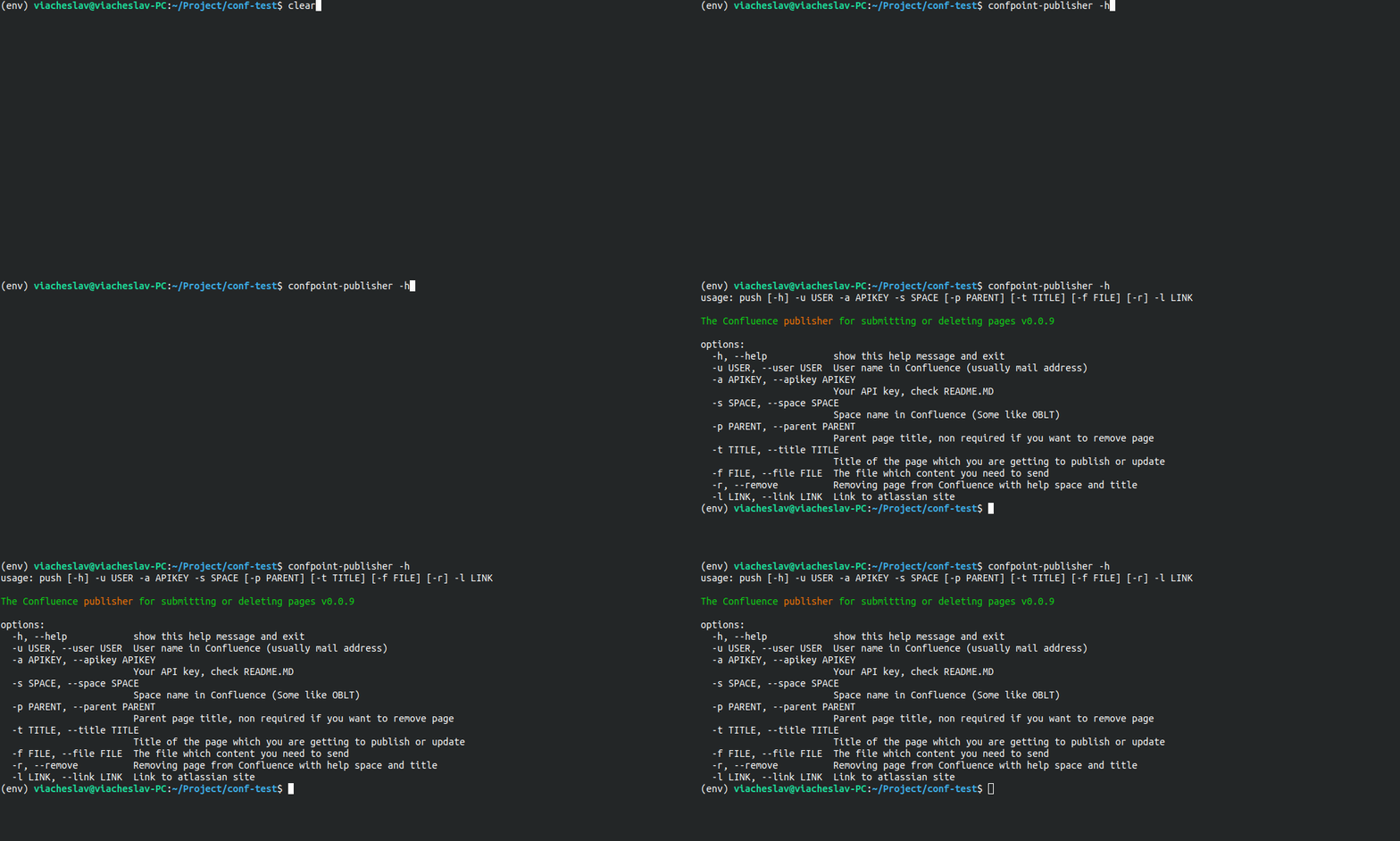
- publisher module allowed to you a public and remove Confluence page. The page creating from markdown file.
Using example (PowerShell script):
py -m confpoint.publisher --user "user@mail.com" --apikey "123abc" `
                          --space "your space" `
                          --parent "parent page (optional)" `
                          --title "title page in Confluence" `
                          --file "*.MD file which will be published" `
                          --link "https://your_domain.atlassian.net"
- uploader module allowed to you upload a file or directory to the SharePoint server.
Using example (PowerShell script):
py -m confpoint.uploader --user "user@mail.com" --password "pass" `
                         --file "path/to/uploading/file" `
                         --remote "remote/path/in/SharePoint/server" `
                         --group "your sharepoint group (somthing like /sites/Team)" `
                         --link "https://your_domain.sharepoint.com" `
                         --timeout 10
- downloader module allowed to you download a file or directory from the SharePoint server. Also support recursive downloading content from directory.
Using example (PowerShell script):
py -m confpoint.downloader --user "user@mail.com" --password "pass" `
                           --outputdir "path/to/local/output/directory" `
                           --remote "remote/path/in/SharePoint/server" `
                           --group "your sharepoint group (somthing like /sites/Team)" `
                           --link "https://your_domain.sharepoint.com" `
                           --recursive
Usefully notes
-
For building .exe file:
./py2exe.ps1
-
Create virtual env and activate it
py -m venv env
.\env\Scripts\activate
-
Install from TestPyPi:
pip install --index-url https://test.pypi.org/simple/ --extra-index-url https://pypi.org/simple confpoint
Usefully notes and links
- Install dependency: pip3 install -r requerments.txt
- Get token for confluence.Check this arcticle or this
- For upload files to SharePoint use your login and password (login == --user; password == --apikey)
- Open file pusher.cmd and write your login, token and etc
- Docker imgage with Confpoint and PowerShell


Download files
Download the file for your platform. If you're not sure which to choose, learn more about installing packages.
Source Distribution
Built Distribution
Filter files by name, interpreter, ABI, and platform.
If you're not sure about the file name format, learn more about wheel file names.
Copy a direct link to the current filters
File details
Details for the file confpoint-1.2.0.tar.gz.
File metadata
- Download URL: confpoint-1.2.0.tar.gz
- Upload date:
- Size: 9.4 kB
- Tags: Source
- Uploaded using Trusted Publishing? No
- Uploaded via: twine/5.1.1 CPython/3.12.7
File hashes
| Algorithm | Hash digest | |
|---|---|---|
| SHA256 |
fc6a0f708e1700e1cc047375c9bece4433851e38ded14ff47d62a596ec1ff6c1
|
|
| MD5 |
63febe1886226490efee4559dd570ebb
|
|
| BLAKE2b-256 |
84220d75d1aee516f455d0a9554918a23b1bd42fbbd678ca83b4ba46b624e73f
|
File details
Details for the file confpoint-1.2.0-py3-none-any.whl.
File metadata
- Download URL: confpoint-1.2.0-py3-none-any.whl
- Upload date:
- Size: 11.6 kB
- Tags: Python 3
- Uploaded using Trusted Publishing? No
- Uploaded via: twine/5.1.1 CPython/3.12.7
File hashes
| Algorithm | Hash digest | |
|---|---|---|
| SHA256 |
4feb2303b70e7edf56ff71f1ceb3dcebdf4066b2e5a6c52cb22ea27517eb218d
|
|
| MD5 |
8cbfece3eca6fe7d7255295814d85857
|
|
| BLAKE2b-256 |
41bb764f3e0d4155c0c42f9633ebabb71c7c06767fed2ed3db28814781e8d5b1
|






