
Contact - A Console UI for Meshtastic
Powered by Meshtastic.org
Install with:
pip install contact
[!NOTE] Windows users must also install:
pip install windows-cursesbecause the built-in curses module is not available on Windows.
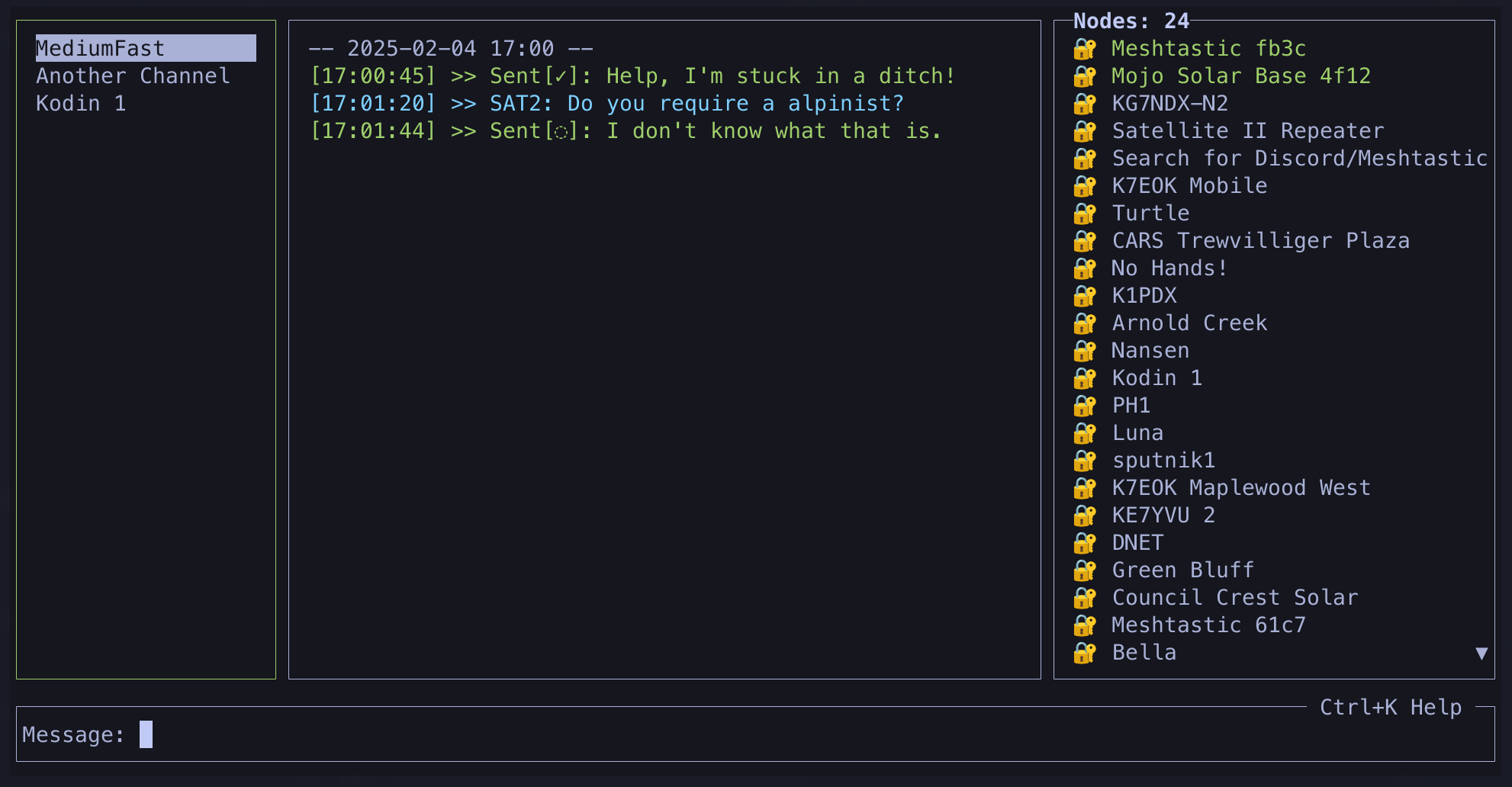
This Python curses client for Meshtastic is a terminal-based client designed to manage device settings, enable mesh chat communication, and handle configuration backups and restores.
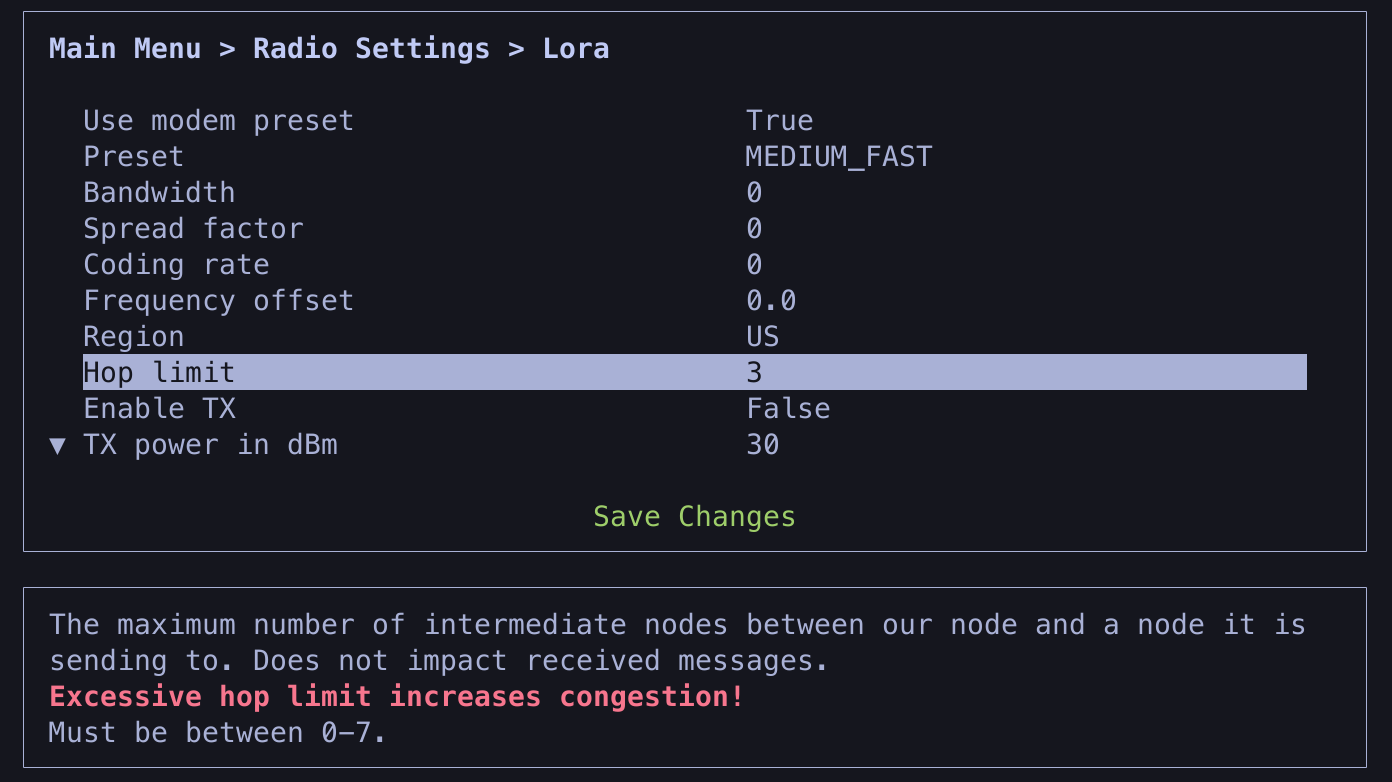
The settings dialogue can be accessed within the client or may be run standalone to configure your node by launching contact --settings or contact -c
Docker install
Install with Docker:
docker build -t contact .

# Change /tmp/data to a directory you'd like to persist the database in
export DATA_DIR="/tmp/contact"

mkdir -p "$DATA_DIR"
docker run -it --rm -v $DATA_DIR:/data --workdir /data --device=/dev/ttyUSB0 contact --port /dev/ttyUSB0
Message Persistence
All messages will saved in a SQLite DB and restored upon relaunch of the app. You may delete client.db if you wish to erase all stored messages and node data. If multiple nodes are used, each will independently store data in the database, but the data will not be shared or viewable between nodes.
Client Configuration
By navigating to Settings -> App Settings, you may customize your UI's icons, colors, and more!
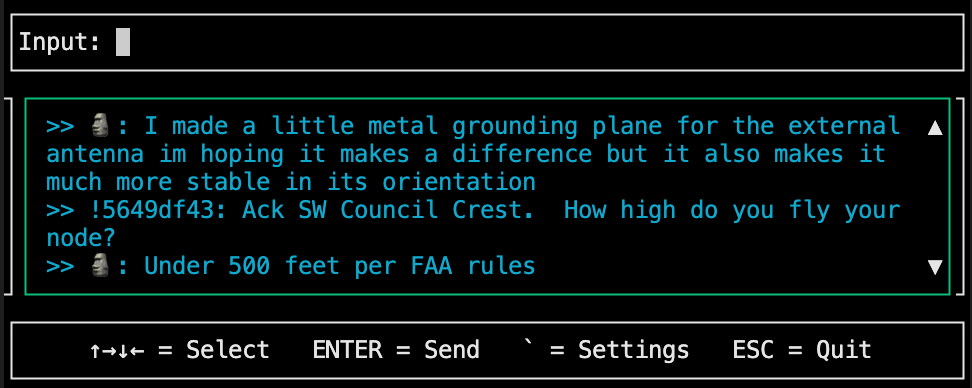
For smaller displays you may wish to enable single_pane_mode:
Commands
CTRL+k= display a list of commands.↑→↓←= Navigate around the UI.F1/F2/F3= Jump to Channel/Messages/NodesENTER= Send a message typed in the Input Window, or with the Node List highlighted, select a node to DM`orF12= Open the Settings dialogueCTRL+p= Hide/show a log of raw received packets.CTRL+torF4= With the Node List highlighted, send a traceroute to the selected nodeF5= Display a node's infoCTRL+f= With the Node List highlighted, favorite the selected nodeCTRL+g= With the Node List highlighted, ignore the selected nodeCTRL+d= With the Channel List hightlighted, archive a chat to reduce UI clutter. Messages will be saved in the db and repopulate if you send or receive a DM from this user.CTRL+d= With the Note List highlghted, remove a node from your nodedb.ESC= Exit out of the Settings Dialogue, or Quit the application if settings are not displayed.
Search
- Press
CTRL+/while the nodes or channels window is highlighted to start search - Type text to search as you type, first matching item will be selected, starting at current selected index
- Press Tab to find next match starting from the current index - search wraps around if necessary
- Press Esc or Enter to exit search mode
Arguments
You can pass the following arguments to the client:
Connection Arguments
Optional arguments to specify a device to connect to and how.
--port,--serial,-s: The port to connect to via serial, e.g./dev/ttyUSB0.--host,--tcp,-t: The hostname or IP address to connect to using TCP, will default to localhost if no host is passed.--ble,-b: The BLE device MAC address or name to connect to.--settings,--set,--control,-c: Launch directly into the settings.
If no connection arguments are specified, the client will attempt a serial connection and then a TCP connection to localhost.
Example Usage
contact --port /dev/ttyUSB0
contact --host 192.168.1.1
contact --ble BlAddressOfDevice
contact --port COM3
To quickly connect to localhost, use:
contact -t
Install in development (editable) mode:
git clone https://github.com/pdxlocations/contact.git
cd contact
python3 -m venv .venv
source .venv/bin/activate
pip install -e .
1 maintainer

Download files
Download the file for your platform. If you're not sure which to choose, learn more about installing packages.
Source Distribution
Built Distribution
Filter files by name, interpreter, ABI, and platform.
If you're not sure about the file name format, learn more about wheel file names.
Copy a direct link to the current filters
File details
Details for the file contact-1.5.14.tar.gz.
File metadata
- Download URL: contact-1.5.14.tar.gz
- Upload date:
- Size: 113.1 kB
- Tags: Source
- Uploaded using Trusted Publishing? Yes
- Uploaded via:
twine/6.1.0 CPython/3.13.14
File hashes
| Algorithm | Hash digest | |
|---|---|---|
| SHA256 |
598d6bda4ed71a2fd6689a5869b26749c1ce275491d55aaaf33a53366bddd7c4
|
|
| MD5 |
db767e9dc8b1696a3c67d633f02b6f4f
|
|
| BLAKE2b-256 |
1dbe9d68b3a9d4693a060cc4a6d21c1960ef634fe0007ddd3a38d2b421a9be6f
|
Provenance
The following attestation bundles were made for contact-1.5.14.tar.gz:
Publisher:
release.yaml on pdxlocations/contact
-
Statement:
-
Statement type:
https://in-toto.io/Statement/v1 -
Predicate type:
https://docs.pypi.org/attestations/publish/v1 -
Subject name:
contact-1.5.14.tar.gz -
Subject digest:
598d6bda4ed71a2fd6689a5869b26749c1ce275491d55aaaf33a53366bddd7c4 - Sigstore transparency entry: 2236259544
- Sigstore integration time:
-
Permalink:
pdxlocations/contact@424e10af1e9cf543302b4319a67a81ddadbfcf0a -
Branch / Tag:
refs/tags/1.5.14 - Owner: https://github.com/pdxlocations
-
Access:
public
-
Token Issuer:
https://token.actions.githubusercontent.com -
Runner Environment:
github-hosted -
Publication workflow:
release.yaml@424e10af1e9cf543302b4319a67a81ddadbfcf0a -
Trigger Event:
push
-
Statement type:
File details
Details for the file contact-1.5.14-py3-none-any.whl.
File metadata
- Download URL: contact-1.5.14-py3-none-any.whl
- Upload date:
- Size: 126.5 kB
- Tags: Python 3
- Uploaded using Trusted Publishing? Yes
- Uploaded via:
twine/6.1.0 CPython/3.13.14
File hashes
| Algorithm | Hash digest | |
|---|---|---|
| SHA256 |
4cd17ea22c71e9ab2e943e66376fb5f5f9946cf746797389b64b347f4b20731e
|
|
| MD5 |
d651f6c3deeac0b6f44f52015e29f2f8
|
|
| BLAKE2b-256 |
66640091770ff1121c61a6ac0f3d234c767015f1f5453d79010976b8957cf313
|
Provenance
The following attestation bundles were made for contact-1.5.14-py3-none-any.whl:
Publisher:
release.yaml on pdxlocations/contact
-
Statement:
-
Statement type:
https://in-toto.io/Statement/v1 -
Predicate type:
https://docs.pypi.org/attestations/publish/v1 -
Subject name:
contact-1.5.14-py3-none-any.whl -
Subject digest:
4cd17ea22c71e9ab2e943e66376fb5f5f9946cf746797389b64b347f4b20731e - Sigstore transparency entry: 2236259747
- Sigstore integration time:
-
Permalink:
pdxlocations/contact@424e10af1e9cf543302b4319a67a81ddadbfcf0a -
Branch / Tag:
refs/tags/1.5.14 - Owner: https://github.com/pdxlocations
-
Access:
public
-
Token Issuer:
https://token.actions.githubusercontent.com -
Runner Environment:
github-hosted -
Publication workflow:
release.yaml@424e10af1e9cf543302b4319a67a81ddadbfcf0a -
Trigger Event:
push
-
Statement type:














