
Build container images faster ⚡️
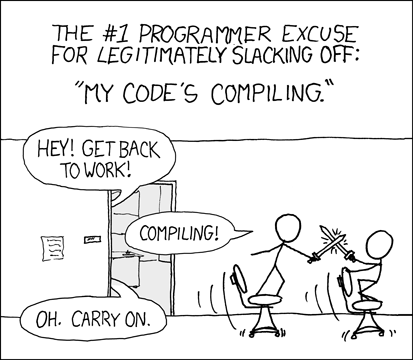





Prefab is a Python-based container image build tool that uses deterministic remote caching to reduce build times. Unlike BuildKit and the Docker CLI, which use build layer caching, Prefab uses whole image caching based on a digest of the Dockerfile in combination with digests of specified files and directory trees. This allows Prefab to check for and pull cached images before resorting to building a new image.
Quickstart
Look at the example directory to see how to build an example app with Prefab.
Installation and usage
Prefab can be installed and run in three different ways:
Local Python package
Docker outside of Docker (DooD) container
Docker in Docker (DinD) container
Use whichever mode works best for the use-case(s) at hand. Each supports the same CLI arguments:
CLI arguments
usage: prefab [-h] [--config PATH] [--dry-run] [--force] [--monochrome]
              [--push TARGET_NAME [TARGET_NAME ...]] --repo URI --target
              TARGET_NAME[:TAG] [TARGET_NAME[:TAG] ...]

Build container images faster ⚡️

optional arguments:
  -h, --help            show this help message and exit
  --config PATH, -c PATH
                        Target build config file to use (default: prefab.yml)
  --dry-run             Show how targets would be built (implies --force)
  --force               Force target(s) to be rebuilt
  --monochrome, -m      Don't colorize log messages
  --push TARGET_NAME [TARGET_NAME ...], -p TARGET_NAME [TARGET_NAME ...]
                        Image target(s) to push to repo after building
  --repo URI, -r URI    Image repo to use (e.g. quay.io/lexsca/prefab)
  --target TARGET_NAME[:TAG] [TARGET_NAME[:TAG] ...], -t TARGET_NAME[:TAG] [TARGET_NAME[:TAG] ...]
                        Image target(s) to build with optional custom image
                        tag
Local Python package
To install Prefab as a local Python package:
pip install container-prefab
To run Prefab as a local Python package to build an push a build target:
prefab --repo repo.tld/org/project --push --target name
Docker outside of Docker (DooD)
To get the Prefab Docker outside of Docker (DooD) image:
docker pull quay.io/lexsca/prefab:dood
To run the Prefab Docker outside of Docker image to build an push a build target:
docker run --rm -it -v $(/bin/pwd):/build -w /build \
    -e REGISTRY_AUTH=$(jq -c . ~/.docker/config.json | base64) \
    -v /var/run/docker.sock:/docker.sock \
    quay.io/lexsca/prefab:dood --repo repo.tld/org/project \
    --push --target name
Docker in Docker (DinD)
To get the Prefab Docker in Docker (DinD) image:
docker pull quay.io/lexsca/prefab:dind
To run the Prefab Docker in Docker image to build an push a build target:
docker run --rm -it -v $(/bin/pwd):/build -w /build --privileged \
    -e REGISTRY_AUTH=$(jq -c . ~/.docker/config.json | base64) \
    quay.io/lexsca/prefab:dind --repo repo.tld/org/project \
    --push --target name
Configuration
Prefab uses a YAML configuration file to determine which container images to build for a given target and in which order. This configuration below is taken from the example directory in this repo.
The prefab.yml file has two build targets, each with a Dockerfile. The app target has a dependency on the packages target, so it’s built or pulled first, before building the app target. This is a simple example, but the dependency graph can be arbitrarily deep or wide for complex build targets.
prefab.yml
targets:

  app:
    dockerfile: Dockerfile.app
    depends_on:
      - packages
    watch_files:
      - app.py

  packages:
    dockerfile: Dockerfile.packages
When building a container image, Prefab populates build arguments for each build target depndency, uppercased by convention, and prefixed with PREFAB_ to avoid conflicts with other build arguments.
Dockerfile.app
ARG PREFAB_PACKAGES

FROM $PREFAB_PACKAGES as packages
Contributing
Bug reports are welcome. Pull requests even more so.
Before making any changes, first ensure the development environment is functional and the extant linting and tests are passing. To start a development environment, clone or fork this source repo and follow the instructions below.
Alternatively, it’s fine to create a virtual environment an install packages from requirements.txt and requirements-dev.txt files. The Python version should be 3.7 or later.
Prerequisites
POSIX Shell (e.g. bash)
Docker
GNU Make
Create environment
To create a development runtime environment:
$ make bootstrap
The above will create a minimal environment that will allow Prefab to build its development environment image. This image can be used to run linting and tests:
$ docker images quay.io/lexsca/prefab:dev
REPOSITORY              TAG                 IMAGE ID            CREATED              SIZE
quay.io/lexsca/prefab   dev                 ddee1cafb775        About a minute ago   429MB
Use environment
Once created, the development image can used via:
$ make shell
docker run --rm -it -v /Users/lexsca/git/prefab:/prefab -w /prefab \
        -v /var/run/docker.sock:/docker.sock -e PYTHONPATH=/prefab/lib \
        --entrypoint /bin/bash quay.io/lexsca/prefab:dev --login -o vi
3053ae861610:/prefab# make test
This will mount the docker socket and current working directory in an environment where tests can be run, dependencies built, or a debugger invoked to aid in iterating.
The make test command should pass before attempting to submit any code changes.
1 maintainer

Release files for container-prefab 21.10.102104
For a detailed explanation of source distributions (sdists) and built distributions (wheels), please see the package formats documentation.
Source distribution (sdist)
| File | Size | Uploaded | |
|---|---|---|---|
| container-prefab-21.10.102104.tar.gz | 30.0 kB | Details |
Built distribution (wheel)
| File | Interpreter | ABI | Platform | Reset |
|---|---|---|---|---|
| container_prefab-21.10.102104-py3-none-any.whl | Python 3 | none | any | Details |
Total release size: 47.7 kB
Release files / container-prefab-21.10.102104.tar.gz
| Download URL | container-prefab-21.10.102104.tar.gz |
|---|---|
| Size | 30.0 kB |
| Tags | Source |
|
SHA-256 checksum How to use checksums |
4f67bb45aa4086378931fe27c0543836bd513d516a9e8901e38a6238949787ae
|
|
BLAKE2b-256 checksum How to use checksums |
0f29b65123cad4634d18fbfc63938f84969d59cffb0685bb0e5d5089dfa436e2
|
| Upload date | |
|
Uploaded using Trusted Publishing? What is trusted publishing? |
No |
| Uploaded via |
twine/3.4.2 importlib_metadata/4.8.1 pkginfo/1.7.1 requests/2.26.0 requests-toolbelt/0.9.1 tqdm/4.62.3 CPython/3.9.7
|
Release files / container_prefab-21.10.102104-py3-none-any.whl
| Download URL | container_prefab-21.10.102104-py3-none-any.whl |
|---|---|
| Size | 17.7 kB |
| Tags | Python 3 |
|
SHA-256 checksum How to use checksums |
f694919106ebc6eabb70959e5052fcb083ad8a0da095749ed5585235da9a2177
|
|
BLAKE2b-256 checksum How to use checksums |
c505cde5c3588c8c140f1c3622f756f625b920855afac8588dd92d42ee3daab9
|
| Upload date | |
|
Uploaded using Trusted Publishing? What is trusted publishing? |
No |
| Uploaded via |
twine/3.4.2 importlib_metadata/4.8.1 pkginfo/1.7.1 requests/2.26.0 requests-toolbelt/0.9.1 tqdm/4.62.3 CPython/3.9.7
|














