
This release is a pre-release and may not be stable for production use.
Container Registry Card Catalog

A Terminal User Interface (TUI) application for browsing and exploring container registries built with Textual.
Screenshots
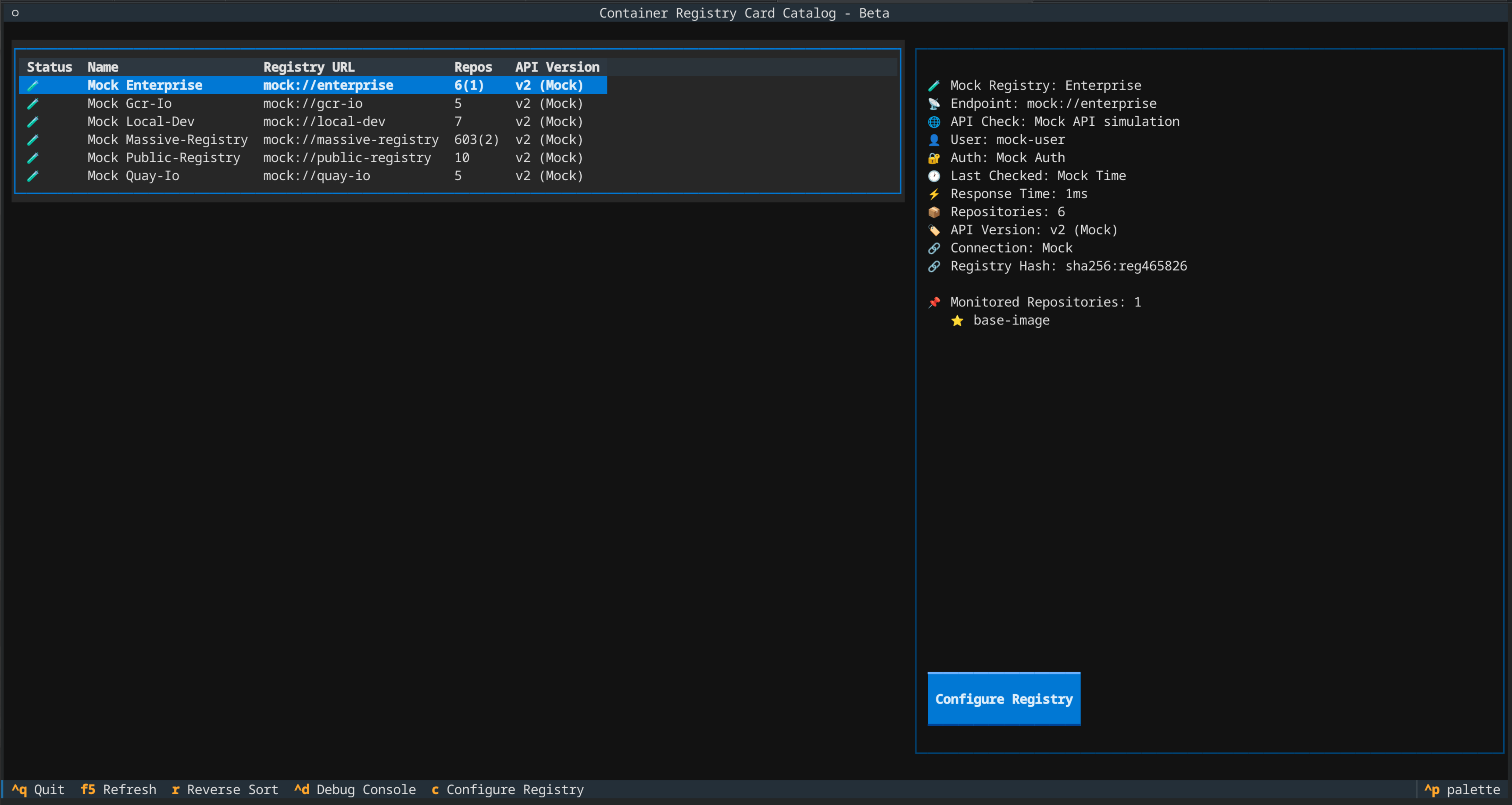
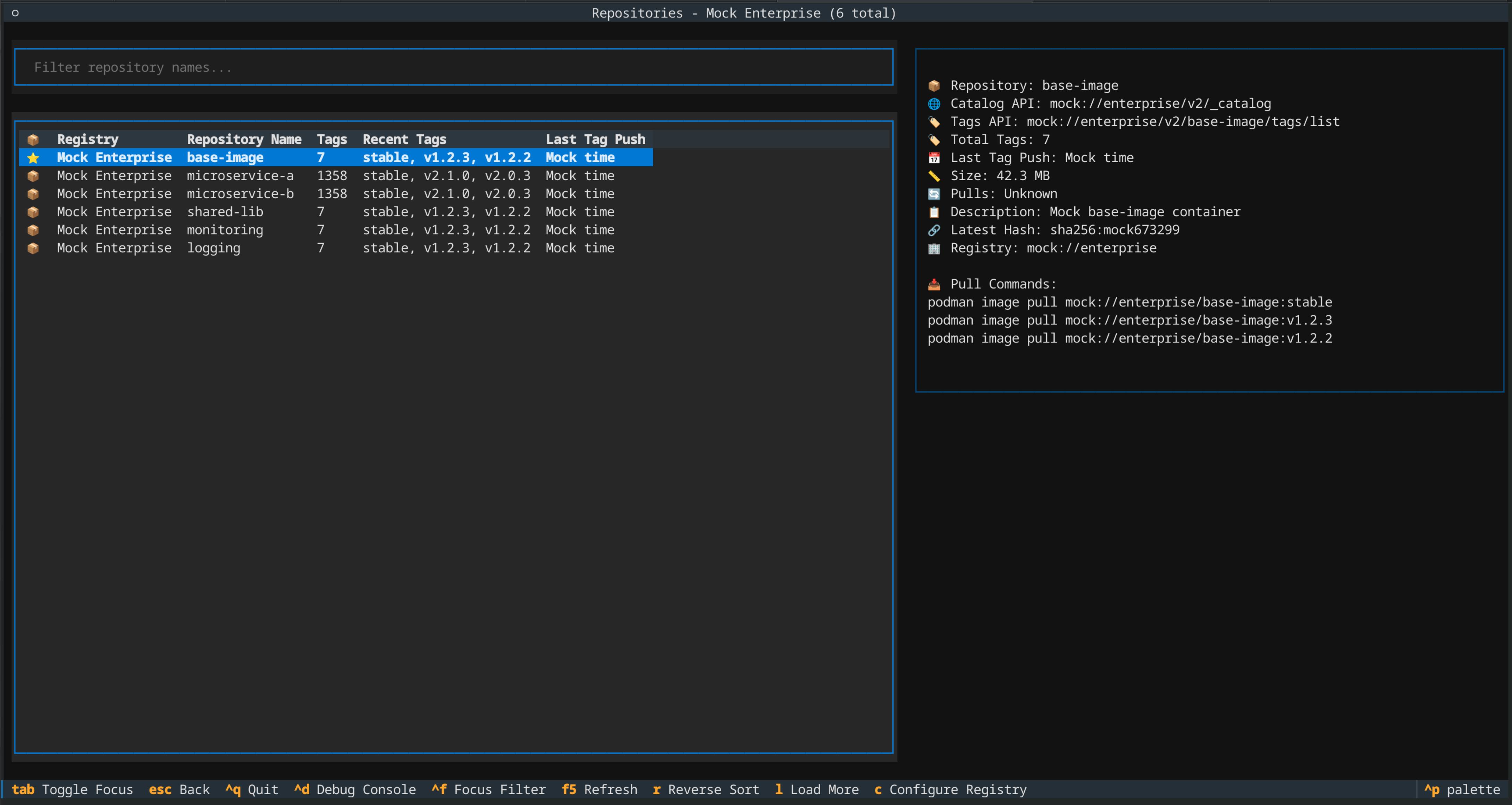
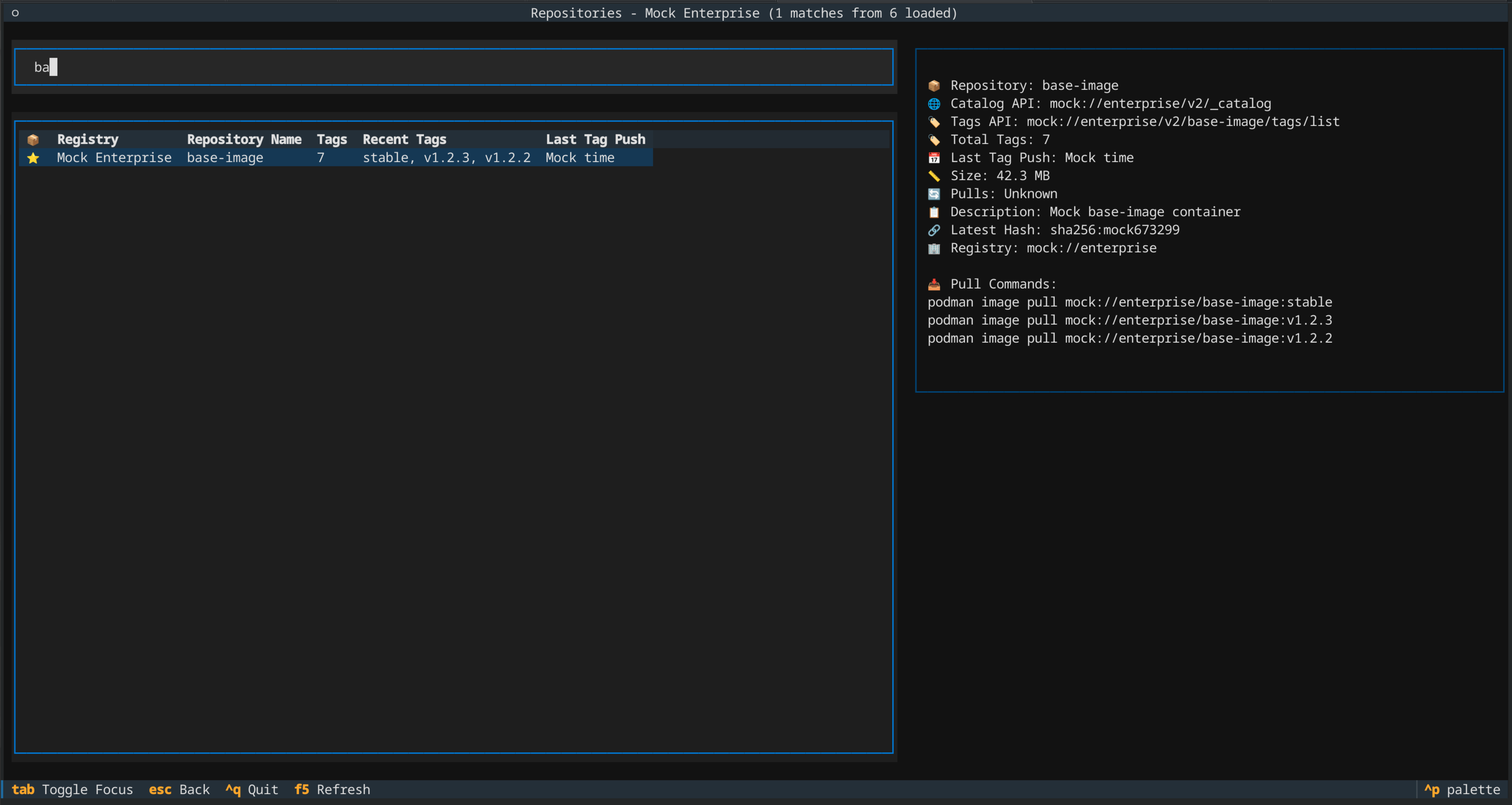
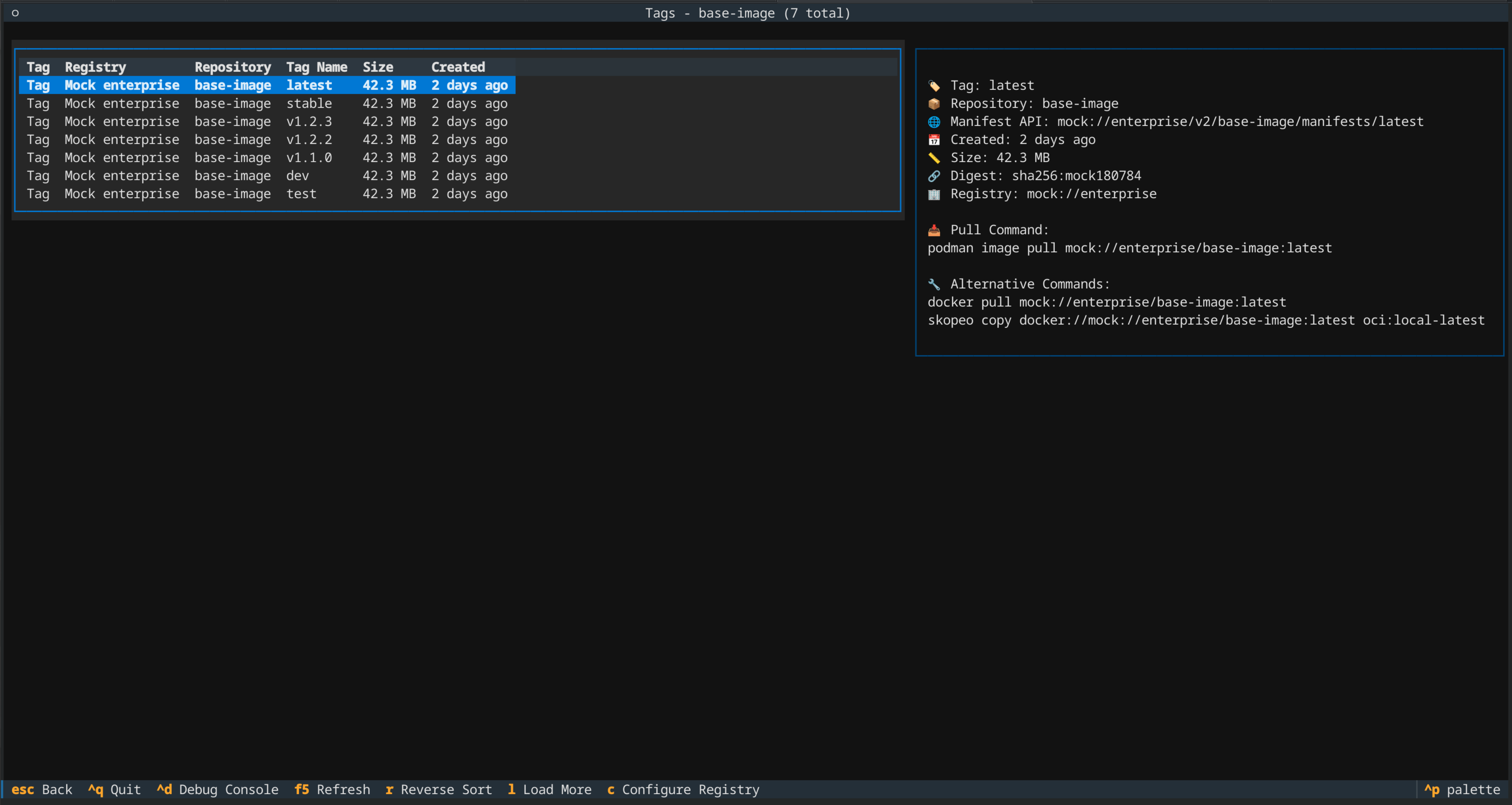
Features
🌐 Multi-Registry Support - Connect to multiple container registries simultaneously
🏠 Local Container Support - Browse local podman/docker containers with full metadata
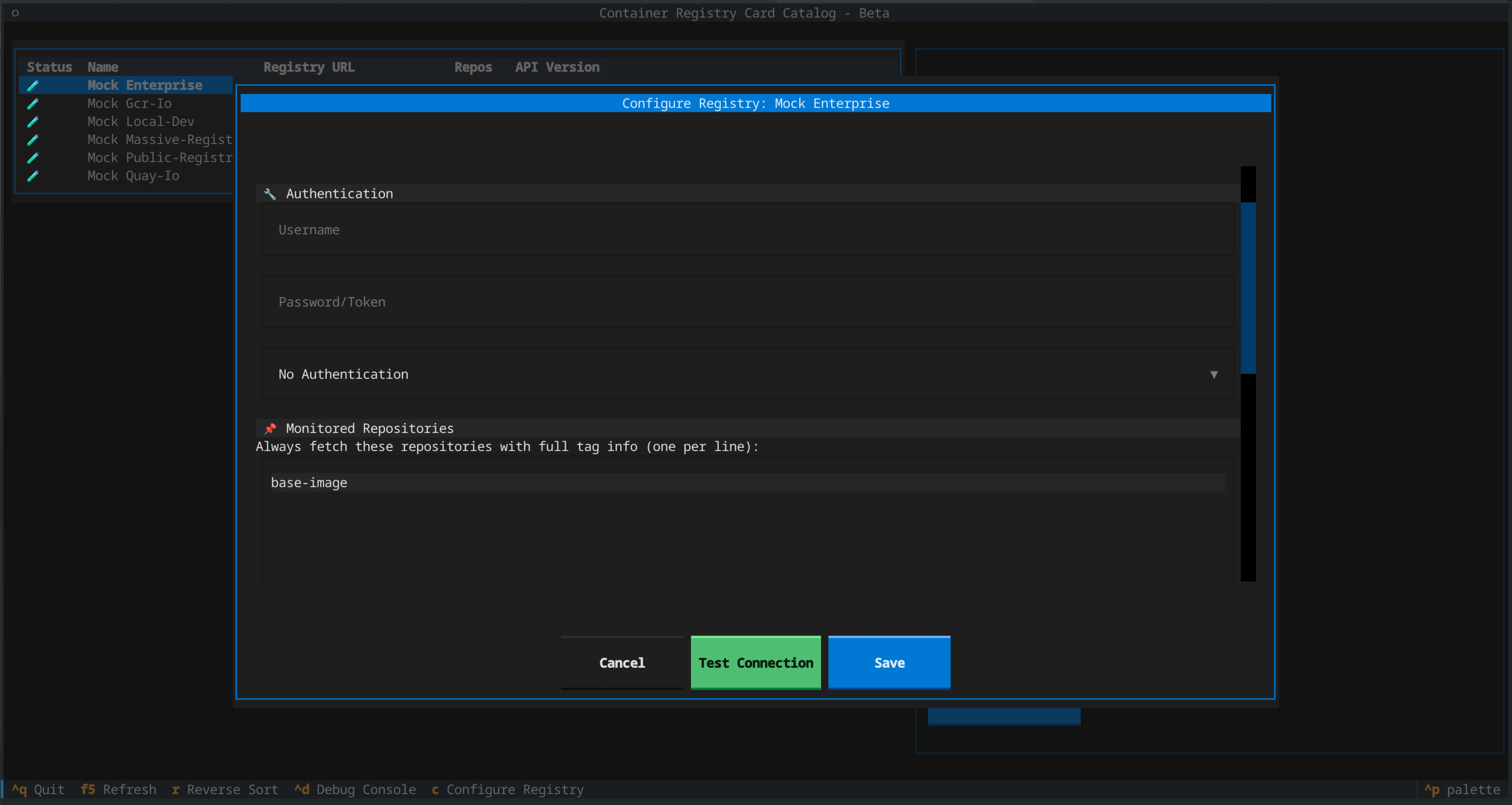
🔐 Authentication Support - Configure credentials for registries (basic, bearer, token auth)
⭐ Monitored Repositories - Priority repositories always fetched first with full tag info and visual indicators
📊 Smart Repository Counts - Display format shows total(monitored) e.g., "1003(3)" for comprehensive status
💾 Persistent Configuration - Registry settings and monitored repositories survive application restarts
📦 Repository Browsing - Navigate through repositories with an intuitive interface
🏷️ Tag Exploration - View and explore container image tags with chronological sorting and real timestamps
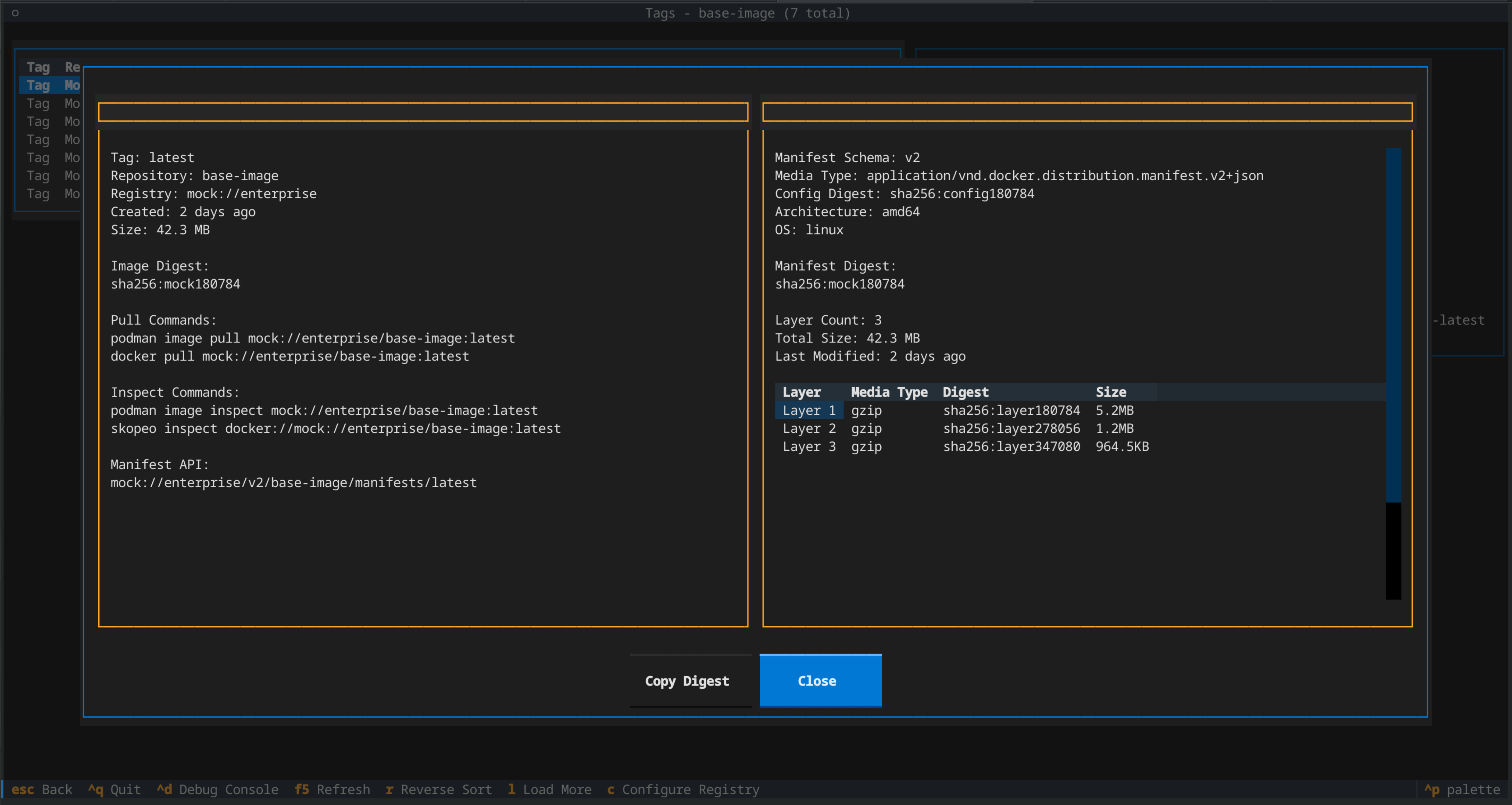
📋 Manifest Details - Deep dive into image manifests, layers, and digests (local & remote)
📋 Layer Inspection - View layer information, media types, and sizes
📎 Clipboard Integration - Copy digests to clipboard with platform detection
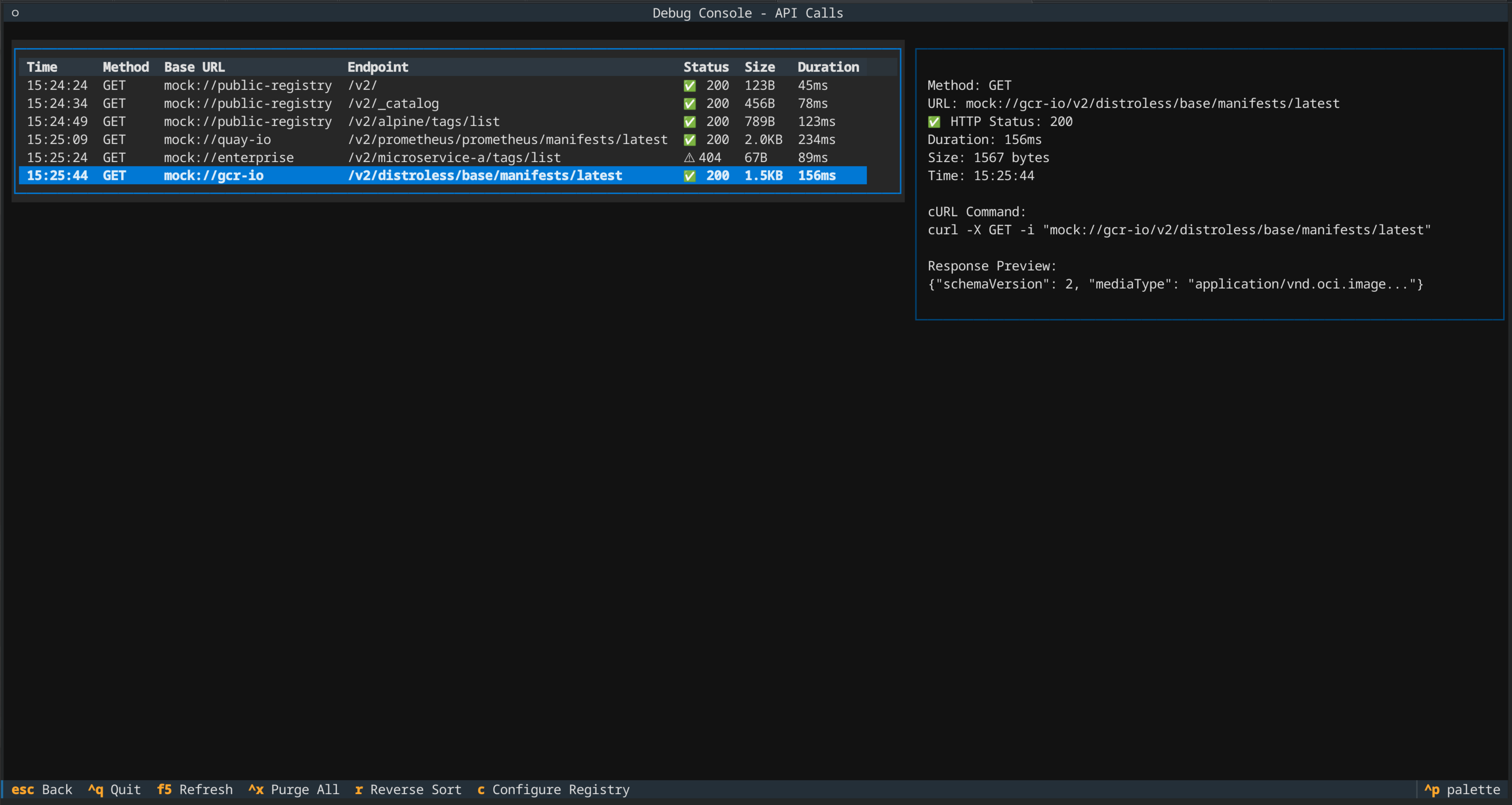
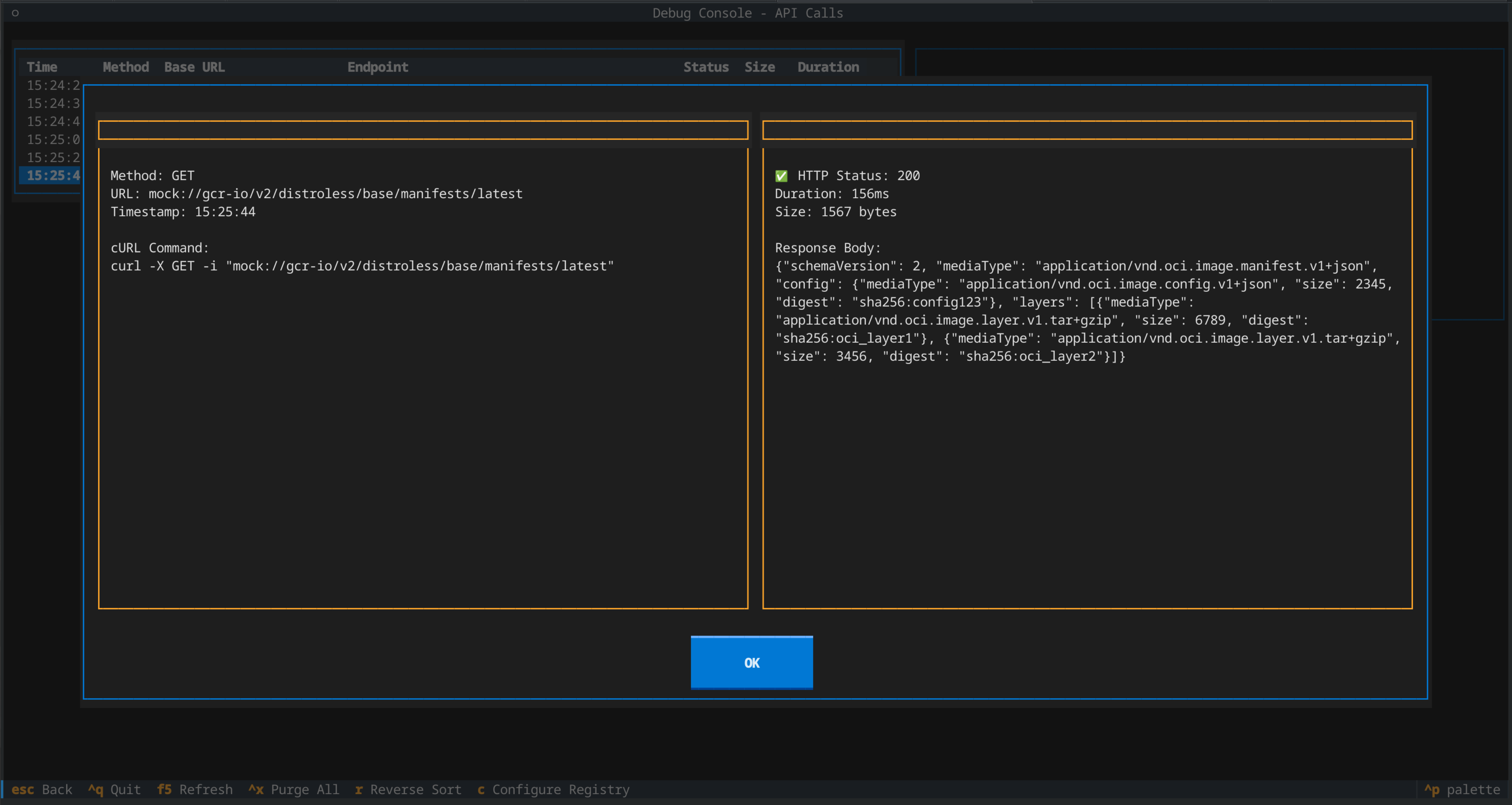
🔍 Debug Console - Monitor API calls and responses for troubleshooting
🧪 Mock Mode - Test with realistic mock data without real registry connections
🚀 Auto-Loading - Smart pagination for datasets over 1000 items with cursor preservation
🖱️ Double-Click Navigation - Double-click any row to navigate or view details
⌨️ Flexible Navigation - Multiple ways to navigate (keyboard, mouse, shortcuts)
Quick Start
Basic Usage
# Run with mock data (no real registry connections)
python container_registry_card_catalog.py --mock

# Browse local podman containers
python container_registry_card_catalog.py --local podman

# Browse local docker containers
python container_registry_card_catalog.py --local docker

# Connect to specific registries
python container_registry_card_catalog.py --registry registry.example.com --registry quay.io

# Mix local and remote registries
python container_registry_card_catalog.py --local podman --registry quay.io

# View help
python container_registry_card_catalog.py --help
Navigation
- Arrow Keys: Navigate through lists
- Enter: Select item or view details
- Double-Click: Navigate or view details (same as Enter)
- Escape/Backspace: Go back or close modals
- Ctrl+Q: Quit application (works everywhere)
- Ctrl+D: Open debug console
- C: Configure registry with authentication and monitored repositories (remote registries only)
- R: Refresh current view
- L: Load more items
- Ctrl+X: Purge debug log (debug console only)
- Ctrl+C: Copy digest to clipboard (tag detail modal)
- Ctrl+F: Focus repository filter
- Tab: Toggle focus between filter and table
Modal Navigation
- Page Up/Down: Navigate between items in modals
- Up/Down: Same as Page Up/Down in modals
- Enter: Close modal
- Escape: Close modal
Visual Indicators
- ⭐: Monitored repositories (always appear first with full tag information)
- 📦: Regular catalog repositories
- ❌: Failed/error repositories
- Repository counts:
total(monitored)format - e.g., "1003(3)" shows 1003 total repositories with 3 monitored
Installation
Preferred Method: Install from PyPI
Optional: Create a virtual environment first
python -m venv container-registry-env
source container-registry-env/bin/activate  # On Windows: container-registry-env\Scripts\activate
Install the package:
pip install container-registry-card-catalog
Then run:
container-registry-card-catalog --help
container-registry-card-catalog --mock
Alternative: Run from Source
Requirements
- Python 3.8+
- For local container support: podman or docker CLI tools
Clone and Run
git clone <repository-url>
cd container-registry-card-catalog
python container_registry_card_catalog.py --mock
Architecture
The application follows a modular architecture:
container_registry_card_catalog.py   # Main application and registry view
├── registry_client.py               # Registry API client and manager
├── local_container_client.py        # Local podman/docker container support
├── mock_data.py                     # Mock registry data for testing
├── debug_console.py                 # Debug console for API monitoring
├── tags_view.py                     # Tags listing and navigation
├── tag_detail_modal.py              # Detailed tag information modal
└── api_detail_modal.py              # API call details modal
Mock Mode
The application includes comprehensive mock data for testing and development:
- 5 Mock Registries: Public, Quay.io, GCR, Local Dev, Enterprise
- Realistic Repository Data: Common base images and application containers
- Diverse Tag Patterns: Version tags, environment tags, architecture variants
- Manifest Compatibility: Both Docker and OCI manifest formats
- Layered Images: Realistic layer sizes and hierarchies
- Full Configuration Support: Mock mode supports all configuration features including monitored repositories with immediate UI updates
- Accurate Repository Counting: Proper de-duplication logic ensures repository counts match real registry behavior
Registry Support
The application supports multiple registry types:
Remote Registries (Docker Registry HTTP API v2)
✅ Authentication Support - Basic, Bearer, and Token authentication implemented
- Docker Hub - Bearer token authentication
- Quay.io - Token auth with robot accounts
- Google Container Registry (GCR) - OAuth token support
- Amazon Elastic Container Registry (ECR) - AWS token support
- Azure Container Registry (ACR) - Standard authentication
- Harbor - Basic auth and robot accounts
- Self-hosted registries - Generic authentication support
Local Container Runtimes
- Podman - Full support with metadata extraction (tested and verified)
- Docker - Full support with metadata extraction ⚠️ (untested - podman-compatible implementation)
- Automatic detection of container runtime capabilities
API Compatibility
- Docker Registry HTTP API v2: Full support for catalog, tags, and manifest endpoints
- OCI Distribution Specification: Compatible with OCI manifest formats
Development
Adding New Features
- Follow the existing patterns in the codebase
- Update mock data in
mock_data.pyfor testing - Add appropriate error handling
- Update this README if needed
Testing
Use mock mode extensively during development:
python container_registry_card_catalog.py --mock
Attribution
This project was generated with AI assistance (Claude by Anthropic) with human guidance and acceptance. All code is provided under the chosen open source license.
AI Attribution (AIA) Notice:
- AIA: EAI Hin R Claude Code v1.0
- Full: AIA Entirely AI, Human-initiated, Reviewed, Claude Code v1.0
- Expanded: This work was entirely AI-generated. AI was prompted for its contributions, or AI assistance was enabled. AI-generated content was reviewed and approved. The following model(s) or application(s) were used: Claude Code.
- Interpretation: https://aiattribution.github.io/interpret-attribution
- More: https://aiattribution.github.io/
- Vibe-Coder: Andrew Potozniak potozniak@redhat.com
- Session Date: 2025-08-15 (Original), 2025-08-16 (Enhanced), 2025-08-27 (Auth & Monitoring)
Licensing
This project is dual-licensed under:
- MIT License - For strict legal certainty
- Vibe-Coder License (VCL-0.1-Experimental) - For those who serve the vibe
See LICENSE and LICENSE-VCL files for full terms.
Contributing
Contributions are welcome! Please feel free to submit a Pull Request.
Roadmap
- Authentication support - Basic, bearer, and token authentication ✅
- Search and filtering capabilities - Repository name filtering ✅
- Monitored repositories - Priority repo configuration ✅
- Configuration file support - Persistent monitored repos and settings storage ✅
- Encrypted credential storage - Secure authentication persistence (Phase 2)
- TLS/HTTPS with certificate validation - Currently disabled for compatibility
- Export functionality - Save repository lists, tag information
- Image comparison features - Compare tags and manifests
- Registry state persistence - Remember pagination/position when navigating
1 maintainer

Metadata
1 maintainer
Release files for container-registry-card-catalog 0.0.0b1
For a detailed explanation of source distributions (sdists) and built distributions (wheels), please see the package formats documentation.
Source distribution (sdist)
| File | Size | Uploaded | |
|---|---|---|---|
| container_registry_card_catalog-0.0.0b1.tar.gz | 73.7 kB | Details |
Built distribution (wheel)
| File | Interpreter | ABI | Platform | Reset |
|---|---|---|---|---|
| container_registry_card_catalog-0.0.0b1-py3-none-any.whl | Python 3 | none | any | Details |
Total release size: 155.5 kB
Release files / container_registry_card_catalog-0.0.0b1.tar.gz
| Download URL | container_registry_card_catalog-0.0.0b1.tar.gz |
|---|---|
| Size | 73.7 kB |
| Tags | Source |
|
SHA-256 checksum How to use checksums |
8587ce15051ff6d9bf68e5f1b1a75916313c20b1c70ea60084f31ce46131acd1
|
|
BLAKE2b-256 checksum How to use checksums |
f66d87115848b378827584bc64b3eabee91550bae23010561fda2b376a151652
|
| Upload date | |
|
Uploaded using Trusted Publishing? What is trusted publishing? |
No |
| Uploaded via |
twine/6.1.0 CPython/3.13.5
|
Release files / container_registry_card_catalog-0.0.0b1-py3-none-any.whl
| Download URL | container_registry_card_catalog-0.0.0b1-py3-none-any.whl |
|---|---|
| Size | 81.8 kB |
| Tags | Python 3 |
|
SHA-256 checksum How to use checksums |
3fcca0b36763843fee50d5738516c5ae2b06c9d69ed18745ab145e019a23c2c6
|
|
BLAKE2b-256 checksum How to use checksums |
8ff8f3a6af5aa91e788c6670af2888a7b9a5a477aa9cd5991ec774c0172a5de6
|
| Upload date | |
|
Uploaded using Trusted Publishing? What is trusted publishing? |
No |
| Uploaded via |
twine/6.1.0 CPython/3.13.5
|













