
ConText


A browser-based concordancer and text analysis application.
ConText is a new tool allowing you to to analyze corpora through a browser-based interface. Rather than separating out reports views, ConText uses hyperlinks to allow you to navigate connections between keywords, collocates, clusters, and specific texts. ConText is relevant for corpus linguistic analysis, data scientists working with text, and academics who want a knew way to engage with their texts.
ConText is in active development and is currently released as a Python package. ConText builds on Conc, a Python library for corpus analysis. ConText can be used as a graphical user interface to analyse corpora with Conc. More updates, including a video tutorial and installers for different operating systems, are coming soon. I welcome your feedback and I'm keen to help if you have problems. The easiest way to make contact about ConText is to raise an issue.
This repository builds on work done in 2020 on a Python library, Jupyter Notebook and Dash application for the Mapping LAWS project. This work prototyped a browser-based alternative to desktop applications for corpus analysis. Ideas for this tool originated during my PhD thesis, which developed a browser-based analysis tool around a corpus of parliamentary discourse enabling rapid queries, new forms of analysis and browseable connections between different levels of analysis. ConText, in the form released, has been rewritten from the ground up, using Flask, flaskwebgui, HTMX, Hyperscript and Conc.
Screenshots and features
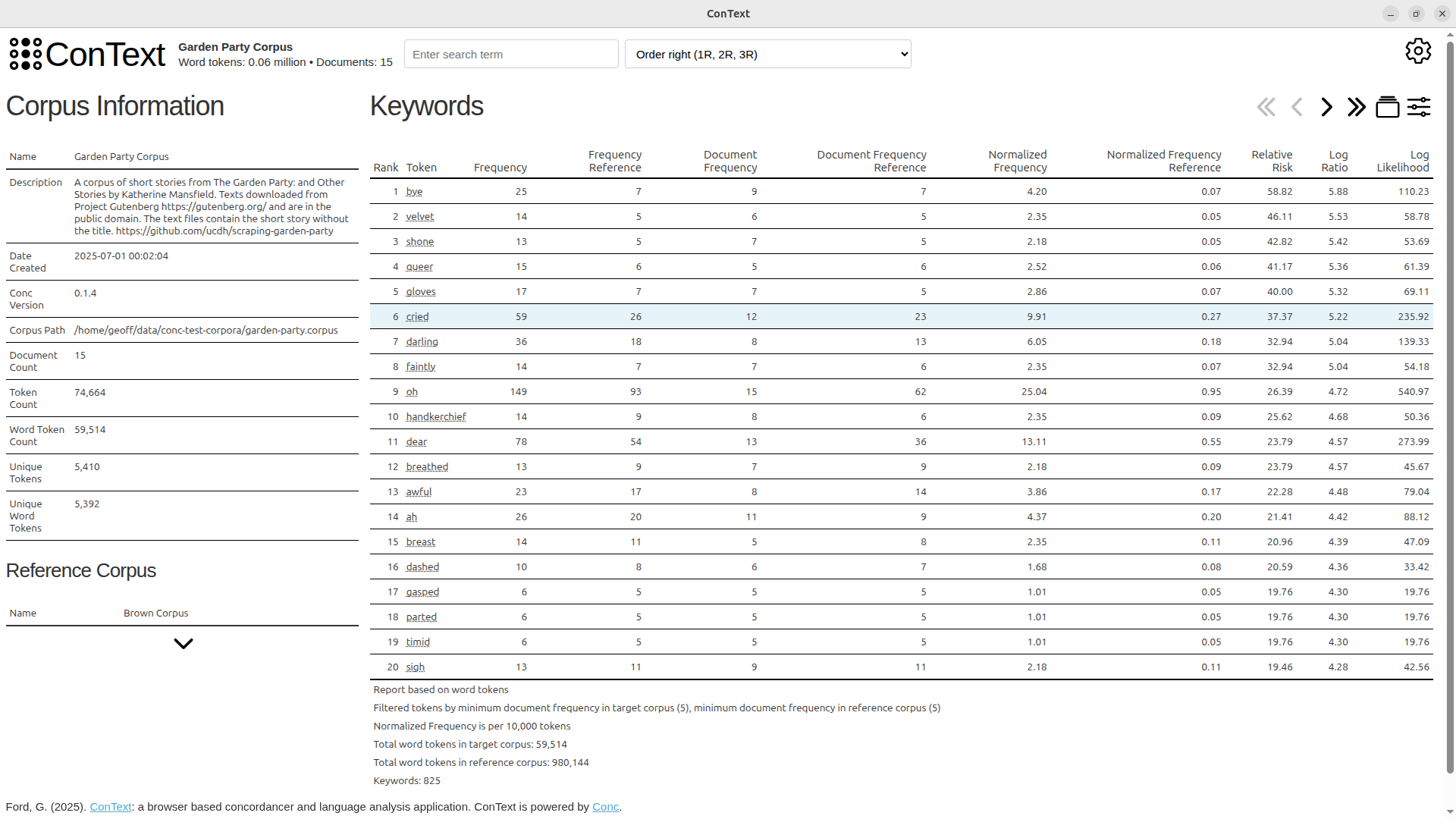 Initial corpus view, with keywords and corpus information prominent Initial corpus view, with keywords and corpus information prominent |
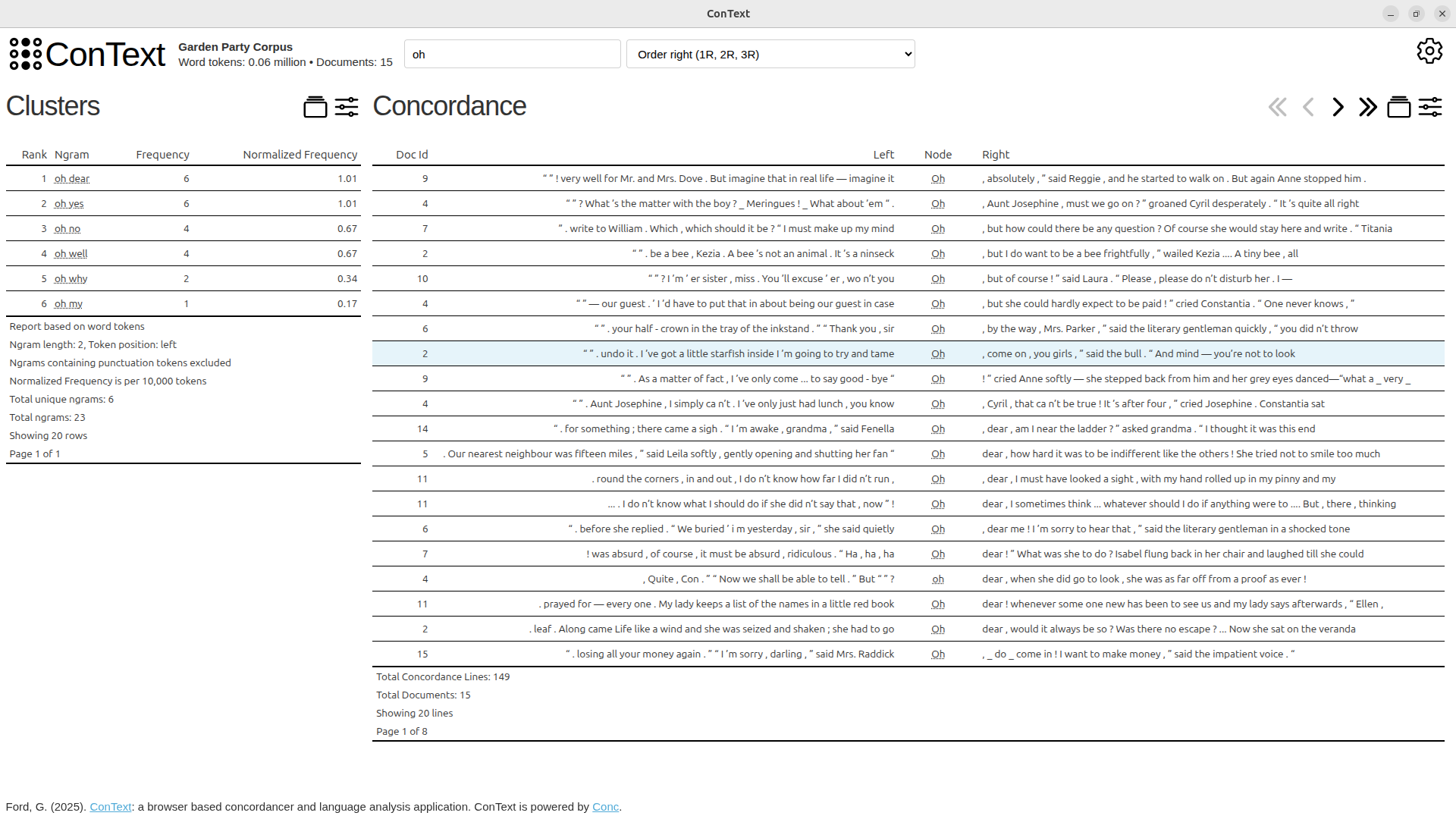 Navigate from keywords to token-based view, with Concordance and Clusters Navigate from keywords to token-based view, with Concordance and Clusters |
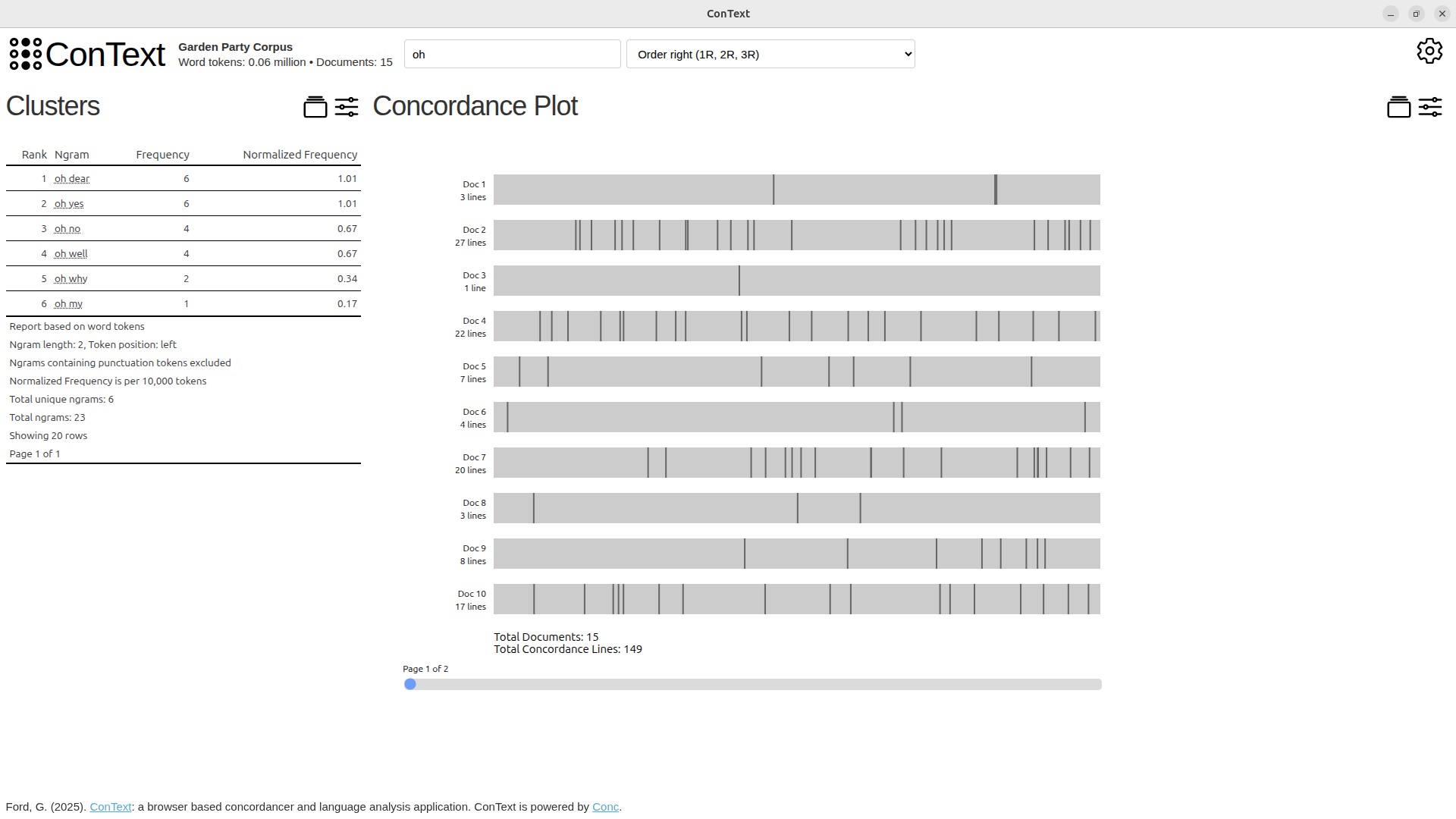 Multiple views of the data are available Multiple views of the data are available |
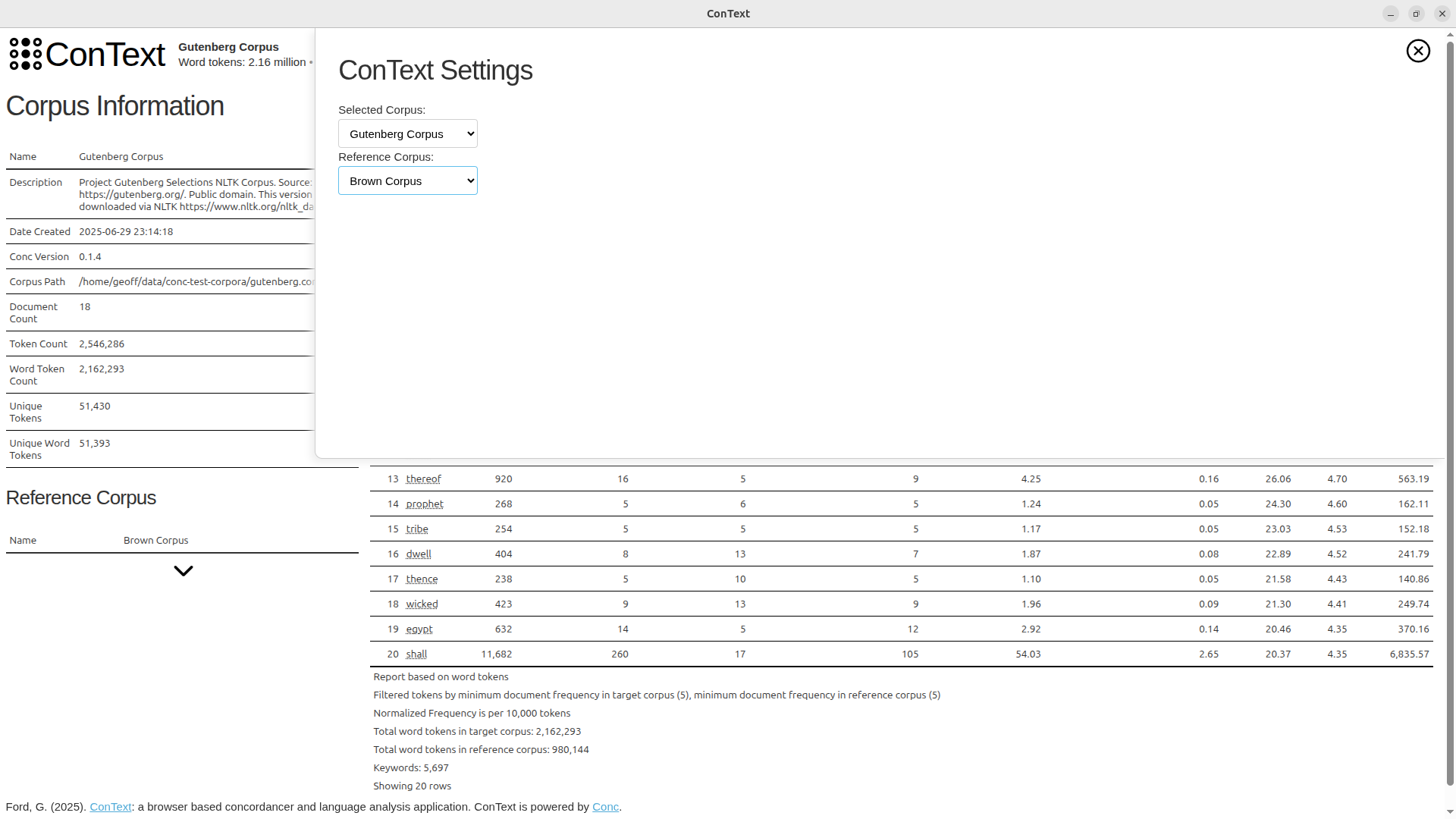 Switching corpora is easy, allowing quick access to different comparisons Switching corpora is easy, allowing quick access to different comparisons |
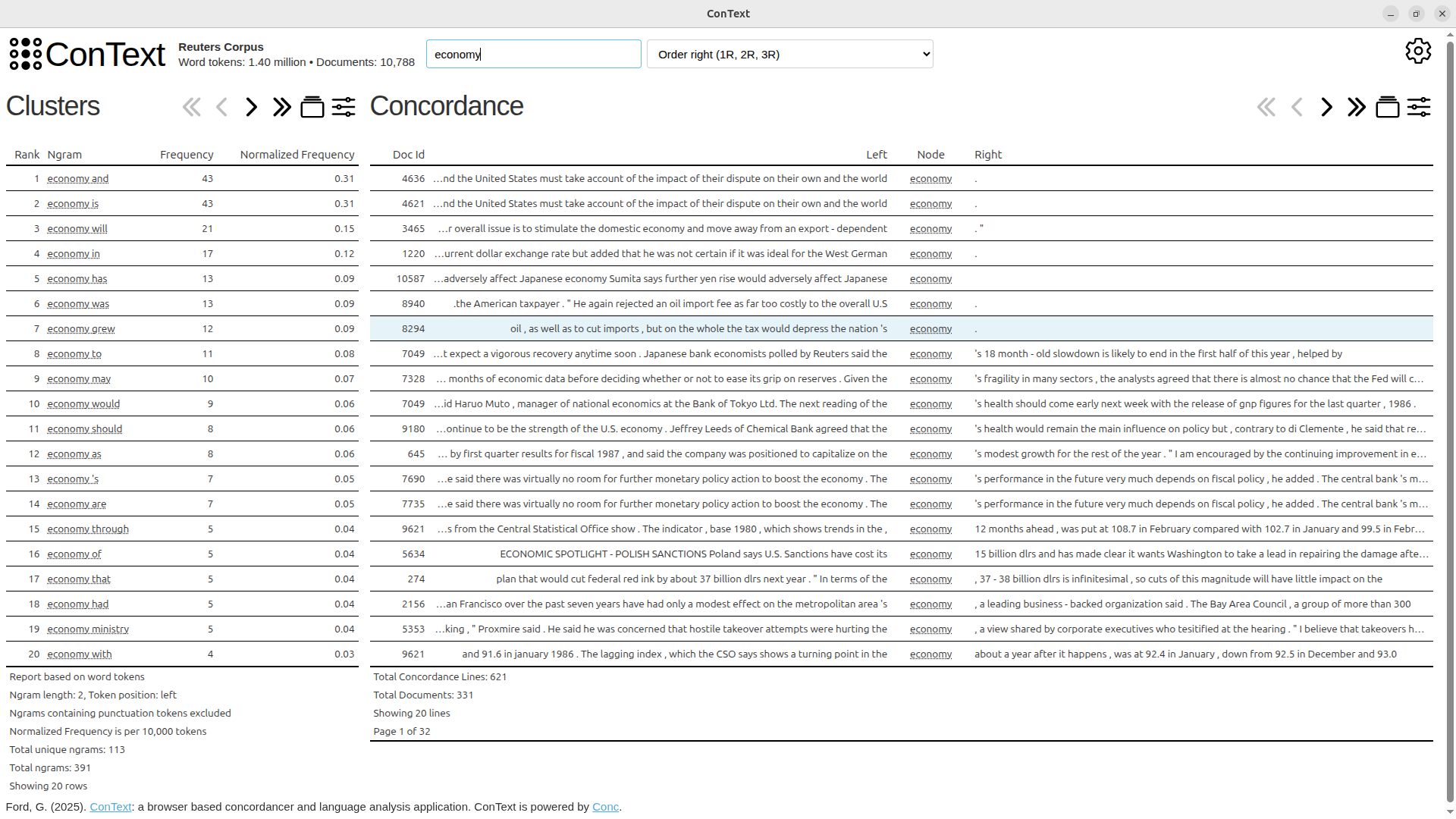 Search and re-ordering is alaways accessible Search and re-ordering is alaways accessible |
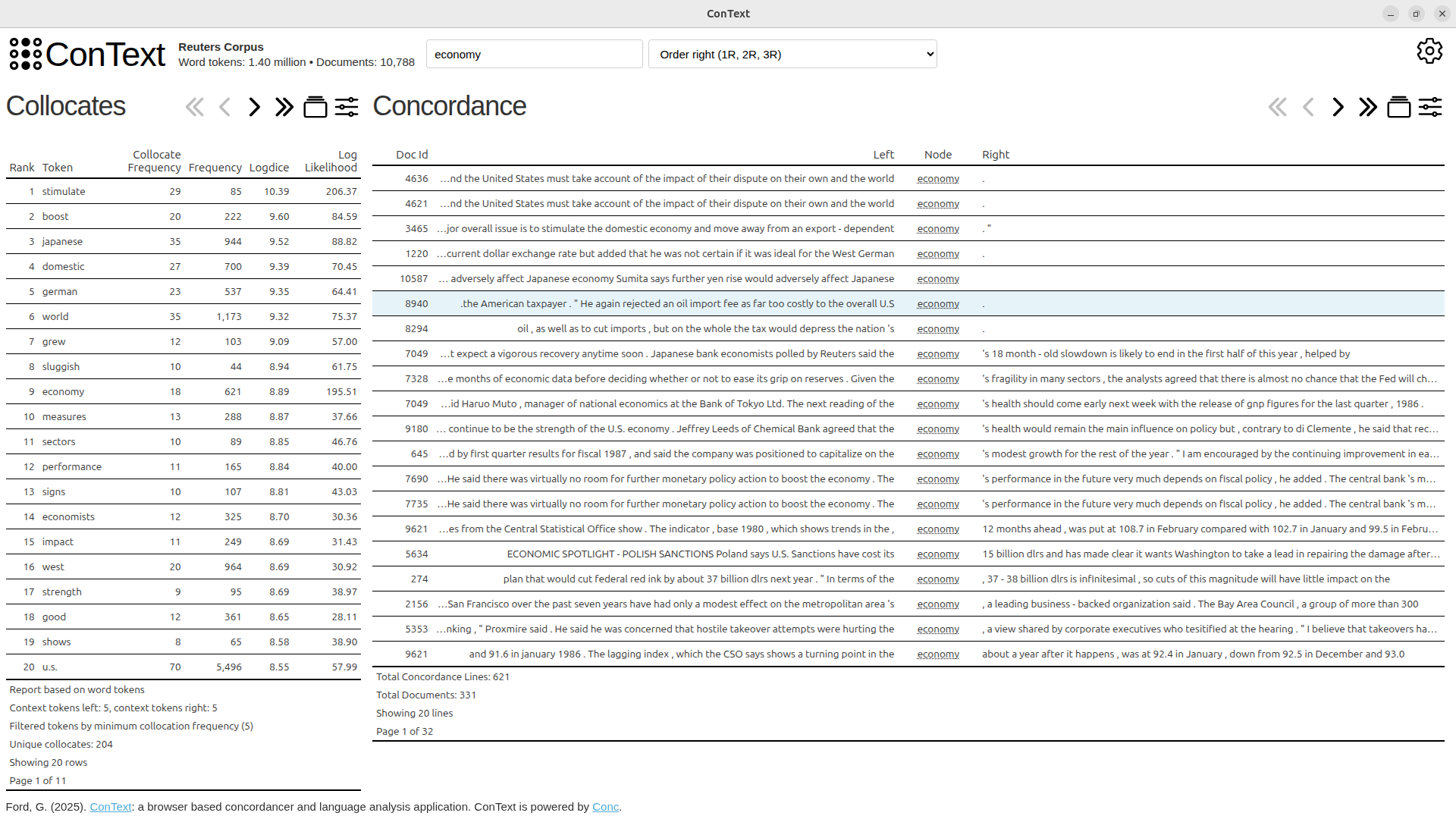 Switch from clusters to collocates Switch from clusters to collocates |
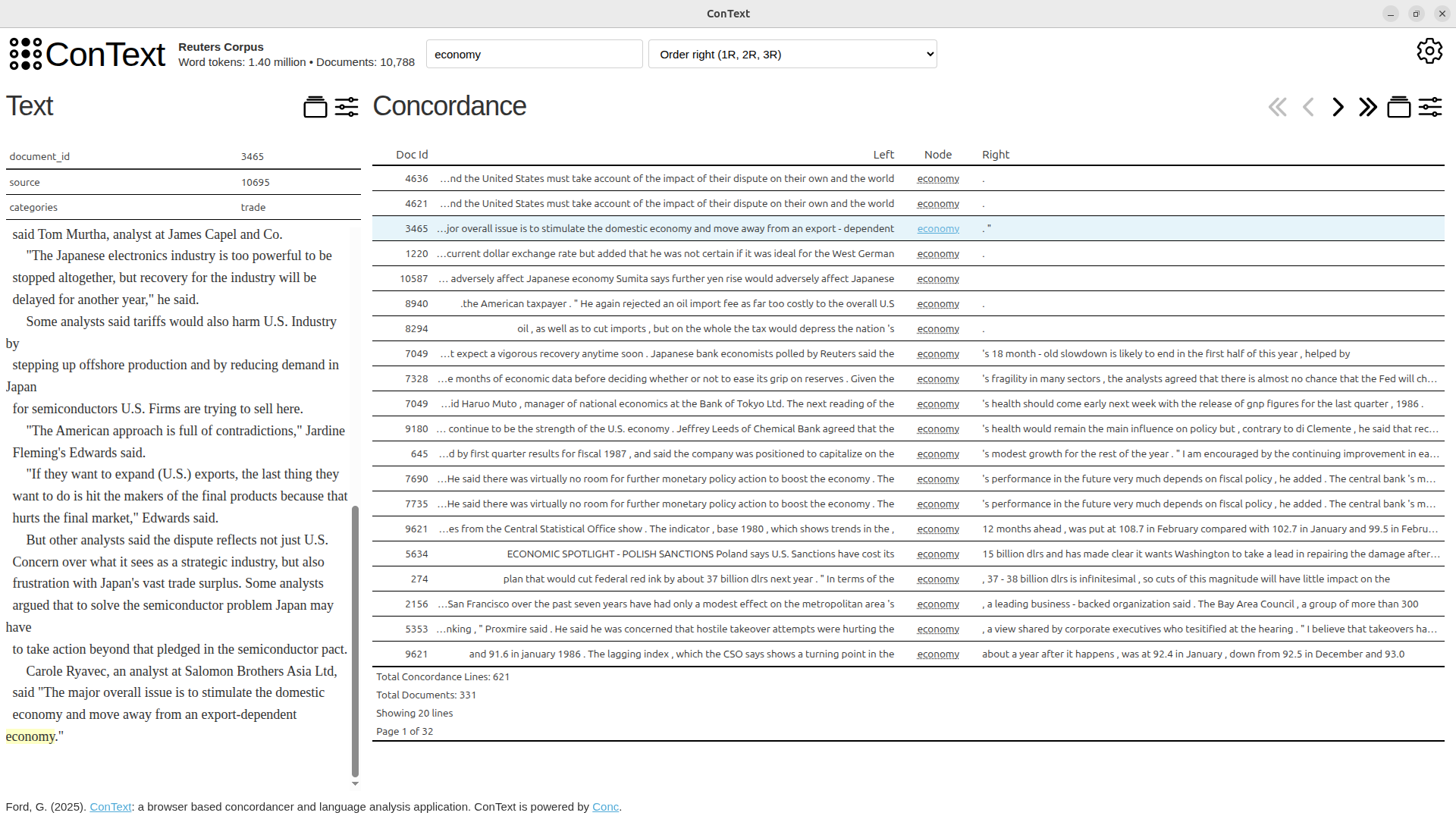 Navigate from concordances and concordance plots to the position within the text Navigate from concordances and concordance plots to the position within the text |
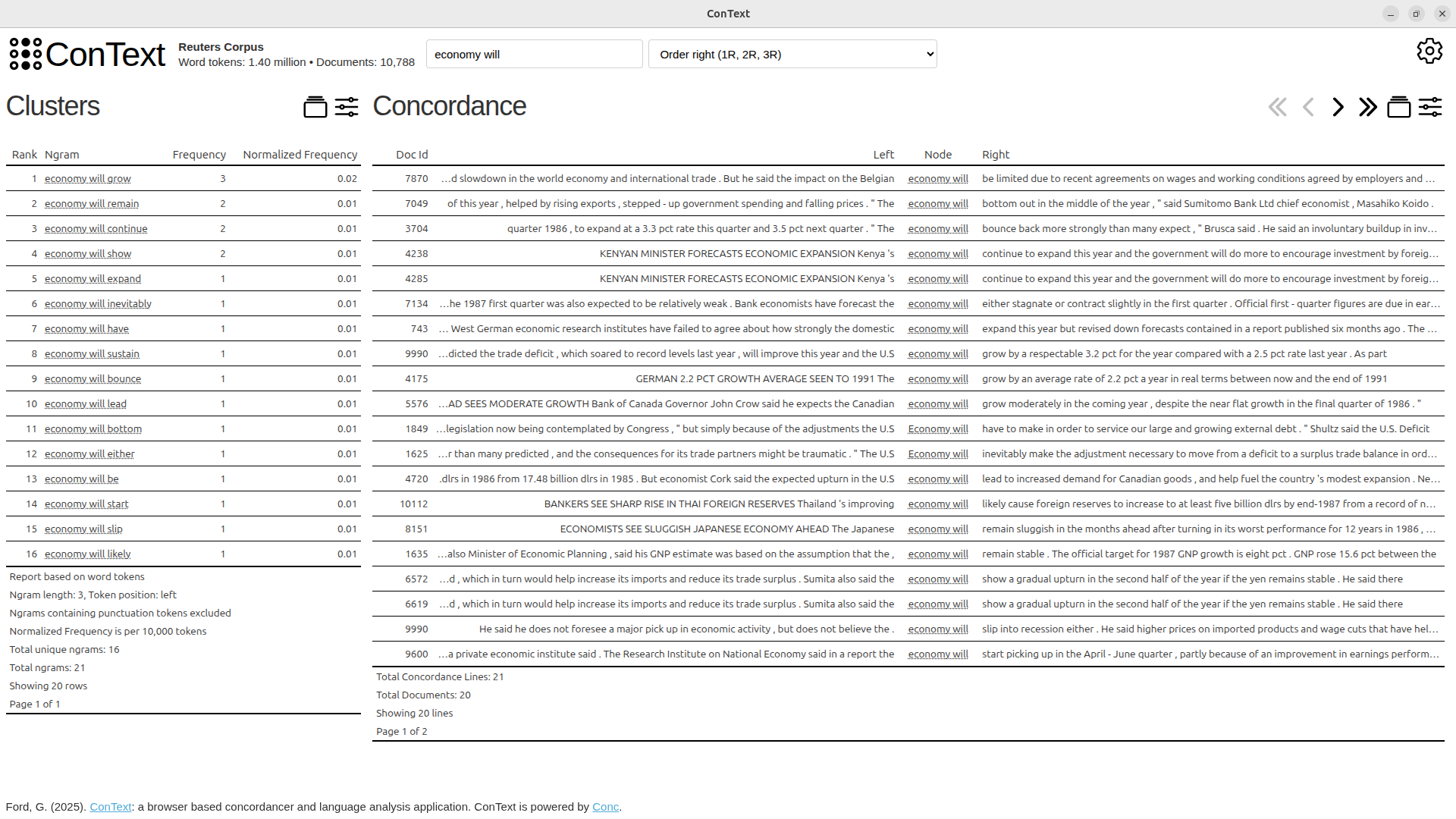 Click on specific clusters to narrow the view Click on specific clusters to narrow the view |
Acknowledgements
Conc is developed by Dr Geoff Ford.
Work to create ConText has been made possible by funding/support from:
- “Mapping LAWS: Issue Mapping and Analyzing the Lethal Autonomous Weapons Debate” (Royal Society of New Zealand’s Marsden Fund Grant 19-UOC-068)
- “Into the Deep: Analysing the Actors and Controversies Driving the Adoption of the World’s First Deep Sea Mining Governance” (Royal Society of New Zealand’s Marsden Fund Grant 22-UOC-059)
- Sabbatical, University of Canterbury, Semester 1 2025.
Thanks to Jeremy Moses and Sian Troath from the Mapping LAWS project team for their support and feedback as first users of ConText.
Dr Ford is a researcher with Te Pokapū Aronui ā-Matihiko | UC Arts Digital Lab (ADL). Thanks to the ADL team and the ongoing support of the University of Canterbury’s Faculty of Arts who make work like this possible.
Above all, thanks to my family for their love, patience and kindness.
Design principles
Embed ConText
A key principle is to embed context from the texts, corpus and beyond into the application. This includes design choices to make the text, metadata and origin of the text visible and accessible. The text corpus can be navigated (and read) via a concordancer that sits alongside the text. To aide the researcher in interpretation, quantifications are directly linked to the texts they relate to.
Efficiency
The software prioritises speed through pre-processing via Conc. Intensive processing (tokenising, creating indexes, pre-computing useful counts) happens when the corpus is first built. This is done once and stored. This speeds up subsequent queries and statistical calculations.
A browseable corpus
The frontend uses web technologies to make different views of the corpus available in an interactive, playful way. The interface is minimal and lightweight. The interface uses hyperlinks to open up pathways for analysis allowing navigation between levels of analysis. You can quickly switch corpora and reference corpora facilitating straightforward comparative analysis.
Installation
ConText is currently released as a pip-installable package. Other installation methods are coming soon.
To install via pip, setup a new Python 3.11+ environment and run the following command:
pip install contextapp
ConText/Conc requires installation of a Spacy model. For example, for English:
python -m spacy download en_core_web_sm
Note: check out additional installation notes if you want information on setting up Python, setting up ConText for "app" mode, if you are using an older machine (pre-2013), or if you are using Windows Subsystem for Linux (WSL).
Using ConText
To use ConText currently you need to build your corpora using Conc from text files or CSV sources. You should have a corpus and reference corpus. Conc provides sample corpora to download and build.
To allow ConText to find them when it starts up store the created corpora in the same parent directory.
Run ConText like this ...
ConText --corpora /path/to/directory/with/processed/corpora/
ConText can be run in different modes:
- "production" mode is the default. This will launch a ConText server. You will see a message to launch a browser and access a specific URL.
- "app" mode - this launches a web browser in "app mode". You will need a browser installed and a default browser set for your operating system.
- "development" mode - this launched ConText as a server with Flask's debug mode enabled. This is intended for development and debugging.
To set the mode add the --mode argument to the command. For example, to set mode to "app", run ConText with:
ConText --corpora /path/to/directory/with/processed/corpora/ --mode app
A video tutorial on how to use ConText is coming soon.
Credit
- Prototype styling is based on a Plotly Dash Stylesheet (MIT License)
- Icons are via Ionicons
Coming soon
- Video tutorial
- run as an application on Windows/Linux/Mac
- allow configuration of settings for all reports
- updates of corpus/reference corpus will only refresh current page to allow comparing token-level results between corpora
- json settings file for context to preserve state between loads
- update html title on url changes
- loading indicator via hx-indicator
- record session in a json file per session
- tooltips for buttons and other functionality
- preferences (e.g. when expand reference corpus - remember that across session and store in json)
- highlighty interface
- make concordance plot lines clickable to text view
- add ngram frequencies
- links in collocation report --> conc: contextual restriction for concordances with +
1 maintainer

Release files for contextapp 0.1.5
For a detailed explanation of source distributions (sdists) and built distributions (wheels), please see the package formats documentation.
Source distribution (sdist)
| File | Size | Uploaded | |
|---|---|---|---|
| contextapp-0.1.5.tar.gz | 26.1 kB | Details |
Built distribution (wheel)
| File | Interpreter | ABI | Platform | Reset |
|---|---|---|---|---|
| contextapp-0.1.5-py3-none-any.whl | Python 3 | none | any | Details |
Total release size: 55.5 kB
Release files / contextapp-0.1.5.tar.gz
| Download URL | contextapp-0.1.5.tar.gz |
|---|---|
| Size | 26.1 kB |
| Tags | Source |
|
SHA-256 checksum How to use checksums |
8ec82cc9287d3cf4681cac0b88edbbf28f2be3354e3bf09ad021e678fc3c2dbb
|
|
BLAKE2b-256 checksum How to use checksums |
5ca55164d8132dca8c3cf7c698657ff414fbb8c38efea0eb966a849e8f226550
|
| Upload date | |
|
Uploaded using Trusted Publishing? What is trusted publishing? |
No |
| Uploaded via |
twine/6.1.0 CPython/3.11.13
|
Release files / contextapp-0.1.5-py3-none-any.whl
| Download URL | contextapp-0.1.5-py3-none-any.whl |
|---|---|
| Size | 29.4 kB |
| Tags | Python 3 |
|
SHA-256 checksum How to use checksums |
1aa1ab4358bc3d74f414866c6edfa0e14425e3ee8fff57bc0b50ff8ddd26bb20
|
|
BLAKE2b-256 checksum How to use checksums |
cf245b326d7acc16a83be8783fc0c74b00e410d941dbe28fcfd48fe540ca3413
|
| Upload date | |
|
Uploaded using Trusted Publishing? What is trusted publishing? |
No |
| Uploaded via |
twine/6.1.0 CPython/3.11.13
|














