
Drive the Contextractor Node crawler/extractor from Python; clean main content in txt/markdown/json/html, plus raw original HTML.
Verified details
These details have been verified by PyPIProject links
GitHub Statistics
Maintainers

Project description
contextractor
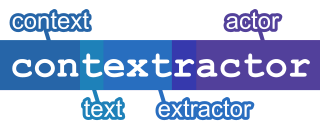



Also available as:Online playground playground, help | Apify Actor actor, help | NPM package CLI & lib package, CLI help, lib help | Source code on GitHubSocial:X (Twitter) |
Drive the Contextractor Node crawler/extractor from Python; clean main content in txt/markdown/json/html, plus raw original HTML.
⚠️ Alpha / experimental. This Python wrapper for Contextractor is currently an alpha, experimental release — not fully tested or officially supported, though still maintained.
Crawl web pages and extract clean main-content text — txt, markdown, json,
html, or raw original HTML — from Python. Built on rs-trafilatura
(extraction) and Crawlee with Playwright or a pure-HTTP
Cheerio crawler (crawling).
This package is a thin, typed wrapper that drives the bundled Node CLI. A
self-contained Node runtime is installed automatically as a dependency
(nodejs-wheel-binaries), so no separate Node.js install is required — but no
Python code touches the extraction engine itself.
Install
pip install contextractor
python -m contextractor install   # one-time: download the browser
Platform wheels are published for macOS (arm64, x86_64), Linux (x86_64, aarch64; glibc ≥ 2.28), and Windows (x64). Requires Python 3.12+.
Quick start
extract_one() fetches exactly one URL (no link-following) and returns the
extracted content directly; the cheerio crawler works before any browser
download:
>>> import contextractor
>>> md = contextractor.extract_one(
...     "https://www.iana.org/help/example-domains",
...     crawler_type="cheerio",
... )
>>> md.splitlines()[0]
'# Example Domains'
With one requested format the return value is a str; with several it is a
dict[str, str]:
>>> contents = contextractor.extract_one(
...     "https://www.iana.org/help/example-domains",
...     formats=["markdown", "json", "original"],
...     crawler_type="cheerio",
... )
>>> sorted(contents)
['json', 'markdown', 'original']
aextract_one() is the async variant.
Crawling multiple pages
extract() crawls one or more URLs (with link-following) and writes extracted
files plus a manifest.json index to output_dir:
import contextractor

summary = contextractor.extract(
    ["https://en.wikipedia.org/wiki/Web_scraping"],
    save=["markdown-kvs"],
    output_dir="./out",
)
print(summary.succeeded, "of", summary.total)
Each save token is <format>-<kvs|dataset> — the format name plus the
destination — so it reads markdown-kvs, not bare markdown (the bare names
like markdown and json are what extract_one(formats=[...]) takes instead).
An async variant, aextract(), takes the same arguments. Partial failures do
not raise — they are reflected in summary.failed; validation and real crawl
failures raise ContextractorError, and a missing browser raises
MissingBrowserError pointing you at python -m contextractor install.
Options
Every crawl option is a typed keyword argument; the ExtractOptions /
ExtractOneOptions TypedDicts are the authoritative list of keywords and
accepted values, surfaced to editors and type checkers. Each snake_case keyword
maps one-to-one onto a flag of the
npm CLI:
max_crawl_depth=3→--max-crawl-depth 3headless=False→--no-headlesssave=["markdown-kvs", "json-dataset"]→--save markdown-kvs --save json-dataset
See the Python documentation for
the full keyword list. Only http, https, socks4, and socks5 proxy URLs
are accepted; credentials are never echoed in errors or logs. Set
CONTEXTRACTOR_NODE_PATH to use a host Node binary instead of the bundled
runtime.
Why Contextractor
Contextractor ships the Rust port of Trafilatura as a native (napi-rs) binding — no Python extraction runtime. On the Scrapinghub article set it scores an F1 of 0.966 (precision 0.942, recall 0.991) — ahead of go-trafilatura (0.960) and the original Python Trafilatura (0.958); see the benchmark write-up for the methodology.
It is free and open source (Apache-2.0), runs locally with no API key and no per-page credits, and its Markdown output is typically 80–90% fewer tokens than the raw HTML — cheap to feed to an LLM.
| Contextractor | Firecrawl | Jina Reader | Crawl4AI | |
|---|---|---|---|---|
| Extraction engine | rs-trafilatura (heuristic + ML routing) | LLM / heuristic | ReaderLM neural model | LLM / heuristic |
| Runtime | Rust + Node (no Python engine) | hosted API / self-host | hosted API | Python |
| Surfaces | Apify Actor · npm CLI · npm library · PyPI | API · SDKs · self-hosted · MCP | API | Python library · crwl CLI · Docker REST API · MCP |
| Output formats | txt · markdown · json · html · original | markdown · html · etc. | markdown · html · text · screenshot · etc. | markdown · etc. |
| Crawling | Crawlee + Playwright (adaptive / browser / HTTP) | built-in | none (single URL) | built-in |
Contributing
Issues and pull requests are welcome at the issue tracker. The extraction engine, npm CLI, and Apify Actor all live in the same source repository.
License
Project details
Verified details
These details have been verified by PyPIProject links
GitHub Statistics
Maintainers
Release history Release notifications | RSS feed


Download files
Download the file for your platform. If you're not sure which to choose, learn more about installing packages.
Source Distribution
Built Distributions
Filter files by name, interpreter, ABI, and platform.
If you're not sure about the file name format, learn more about wheel file names.
Copy a direct link to the current filters
File details
Details for the file contextractor-0.4.14.tar.gz.
File metadata
- Download URL: contextractor-0.4.14.tar.gz
- Upload date:
- Size: 23.2 kB
- Tags: Source
- Uploaded using Trusted Publishing? Yes
- Uploaded via: twine/6.1.0 CPython/3.13.12
File hashes
| Algorithm | Hash digest | |
|---|---|---|
| SHA256 |
efd1a8005569e98997d163772449cb79911b36611467db0d23713498662bceb2
|
|
| MD5 |
80acab1db50152a9e10d27f96c57e368
|
|
| BLAKE2b-256 |
7a79b491d2268736c3de93e0917af87b99812f09a0a6e9b4408ee12b376bdb38
|
Provenance
The following attestation bundles were made for contextractor-0.4.14.tar.gz:
Publisher:
release-pypi.yml on contextractor/contextractor
-
Statement:
-
Statement type:
https://in-toto.io/Statement/v1 -
Predicate type:
https://docs.pypi.org/attestations/publish/v1 -
Subject name:
contextractor-0.4.14.tar.gz -
Subject digest:
efd1a8005569e98997d163772449cb79911b36611467db0d23713498662bceb2 - Sigstore transparency entry: 2082311753
- Sigstore integration time:
-
Permalink:
contextractor/contextractor@983ebae27593b7549f21b7a3dd4a36ce2241ca5e -
Branch / Tag:
refs/heads/main - Owner: https://github.com/contextractor
-
Access:
public
-
Token Issuer:
https://token.actions.githubusercontent.com -
Runner Environment:
github-hosted -
Publication workflow:
release-pypi.yml@983ebae27593b7549f21b7a3dd4a36ce2241ca5e -
Trigger Event:
workflow_dispatch
-
Statement type:
File details
Details for the file contextractor-0.4.14-py3-none-win_amd64.whl.
File metadata
- Download URL: contextractor-0.4.14-py3-none-win_amd64.whl
- Upload date:
- Size: 29.0 MB
- Tags: Python 3, Windows x86-64
- Uploaded using Trusted Publishing? Yes
- Uploaded via: twine/6.1.0 CPython/3.13.12
File hashes
| Algorithm | Hash digest | |
|---|---|---|
| SHA256 |
ffdbf6902e570d029ed56abe2876790e8eb0ceb4be5f96978631f2461e6c7145
|
|
| MD5 |
e6a92ac651a4b2eaa9449c32ef5428ed
|
|
| BLAKE2b-256 |
d9fcc86e1d48e37b2a27d780f2ed902cc3c0a3ec894b9eb5534ac2e2dec72253
|
Provenance
The following attestation bundles were made for contextractor-0.4.14-py3-none-win_amd64.whl:
Publisher:
release-pypi.yml on contextractor/contextractor
-
Statement:
-
Statement type:
https://in-toto.io/Statement/v1 -
Predicate type:
https://docs.pypi.org/attestations/publish/v1 -
Subject name:
contextractor-0.4.14-py3-none-win_amd64.whl -
Subject digest:
ffdbf6902e570d029ed56abe2876790e8eb0ceb4be5f96978631f2461e6c7145 - Sigstore transparency entry: 2082311802
- Sigstore integration time:
-
Permalink:
contextractor/contextractor@983ebae27593b7549f21b7a3dd4a36ce2241ca5e -
Branch / Tag:
refs/heads/main - Owner: https://github.com/contextractor
-
Access:
public
-
Token Issuer:
https://token.actions.githubusercontent.com -
Runner Environment:
github-hosted -
Publication workflow:
release-pypi.yml@983ebae27593b7549f21b7a3dd4a36ce2241ca5e -
Trigger Event:
workflow_dispatch
-
Statement type:
File details
Details for the file contextractor-0.4.14-py3-none-manylinux_2_28_x86_64.whl.
File metadata
- Download URL: contextractor-0.4.14-py3-none-manylinux_2_28_x86_64.whl
- Upload date:
- Size: 29.1 MB
- Tags: Python 3, manylinux: glibc 2.28+ x86-64
- Uploaded using Trusted Publishing? Yes
- Uploaded via: twine/6.1.0 CPython/3.13.12
File hashes
| Algorithm | Hash digest | |
|---|---|---|
| SHA256 |
c6555692fb7baefeacd012b6a181a3f5289af7e6b608972322189c67aada0953
|
|
| MD5 |
afab9dcc4a9b267989a5063f00130b2d
|
|
| BLAKE2b-256 |
736ae8768e4128f38182c9c95e560f630b03527c86ecd97e2e5d3c5308041ac6
|
Provenance
The following attestation bundles were made for contextractor-0.4.14-py3-none-manylinux_2_28_x86_64.whl:
Publisher:
release-pypi.yml on contextractor/contextractor
-
Statement:
-
Statement type:
https://in-toto.io/Statement/v1 -
Predicate type:
https://docs.pypi.org/attestations/publish/v1 -
Subject name:
contextractor-0.4.14-py3-none-manylinux_2_28_x86_64.whl -
Subject digest:
c6555692fb7baefeacd012b6a181a3f5289af7e6b608972322189c67aada0953 - Sigstore transparency entry: 2082311772
- Sigstore integration time:
-
Permalink:
contextractor/contextractor@983ebae27593b7549f21b7a3dd4a36ce2241ca5e -
Branch / Tag:
refs/heads/main - Owner: https://github.com/contextractor
-
Access:
public
-
Token Issuer:
https://token.actions.githubusercontent.com -
Runner Environment:
github-hosted -
Publication workflow:
release-pypi.yml@983ebae27593b7549f21b7a3dd4a36ce2241ca5e -
Trigger Event:
workflow_dispatch
-
Statement type:
File details
Details for the file contextractor-0.4.14-py3-none-manylinux_2_28_aarch64.whl.
File metadata
- Download URL: contextractor-0.4.14-py3-none-manylinux_2_28_aarch64.whl
- Upload date:
- Size: 29.0 MB
- Tags: Python 3, manylinux: glibc 2.28+ ARM64
- Uploaded using Trusted Publishing? Yes
- Uploaded via: twine/6.1.0 CPython/3.13.12
File hashes
| Algorithm | Hash digest | |
|---|---|---|
| SHA256 |
3d943f3ebcaddcad370e1a570659989ea3a9c29a2d7d8c71cd65190ba9da236b
|
|
| MD5 |
3295e474ad17a5729ba1d16417593e6b
|
|
| BLAKE2b-256 |
a909ce3900eec6a9a419d18183ae8658a698804ad8d0cce6656d7a93732e0434
|
Provenance
The following attestation bundles were made for contextractor-0.4.14-py3-none-manylinux_2_28_aarch64.whl:
Publisher:
release-pypi.yml on contextractor/contextractor
-
Statement:
-
Statement type:
https://in-toto.io/Statement/v1 -
Predicate type:
https://docs.pypi.org/attestations/publish/v1 -
Subject name:
contextractor-0.4.14-py3-none-manylinux_2_28_aarch64.whl -
Subject digest:
3d943f3ebcaddcad370e1a570659989ea3a9c29a2d7d8c71cd65190ba9da236b - Sigstore transparency entry: 2082311779
- Sigstore integration time:
-
Permalink:
contextractor/contextractor@983ebae27593b7549f21b7a3dd4a36ce2241ca5e -
Branch / Tag:
refs/heads/main - Owner: https://github.com/contextractor
-
Access:
public
-
Token Issuer:
https://token.actions.githubusercontent.com -
Runner Environment:
github-hosted -
Publication workflow:
release-pypi.yml@983ebae27593b7549f21b7a3dd4a36ce2241ca5e -
Trigger Event:
workflow_dispatch
-
Statement type:
File details
Details for the file contextractor-0.4.14-py3-none-macosx_13_0_x86_64.whl.
File metadata
- Download URL: contextractor-0.4.14-py3-none-macosx_13_0_x86_64.whl
- Upload date:
- Size: 29.0 MB
- Tags: Python 3, macOS 13.0+ x86-64
- Uploaded using Trusted Publishing? Yes
- Uploaded via: twine/6.1.0 CPython/3.13.12
File hashes
| Algorithm | Hash digest | |
|---|---|---|
| SHA256 |
6dc7a2886d88c2fb009a109be22e3c2f8a9fdbf1097593952c8f2a2b31736abc
|
|
| MD5 |
59c381e5edd913d0da7b467f6e3c6093
|
|
| BLAKE2b-256 |
5d046c41583c8be43a65161485a268b872742d33d9bfda9646f0af2b74eb70c2
|
Provenance
The following attestation bundles were made for contextractor-0.4.14-py3-none-macosx_13_0_x86_64.whl:
Publisher:
release-pypi.yml on contextractor/contextractor
-
Statement:
-
Statement type:
https://in-toto.io/Statement/v1 -
Predicate type:
https://docs.pypi.org/attestations/publish/v1 -
Subject name:
contextractor-0.4.14-py3-none-macosx_13_0_x86_64.whl -
Subject digest:
6dc7a2886d88c2fb009a109be22e3c2f8a9fdbf1097593952c8f2a2b31736abc - Sigstore transparency entry: 2082311789
- Sigstore integration time:
-
Permalink:
contextractor/contextractor@983ebae27593b7549f21b7a3dd4a36ce2241ca5e -
Branch / Tag:
refs/heads/main - Owner: https://github.com/contextractor
-
Access:
public
-
Token Issuer:
https://token.actions.githubusercontent.com -
Runner Environment:
github-hosted -
Publication workflow:
release-pypi.yml@983ebae27593b7549f21b7a3dd4a36ce2241ca5e -
Trigger Event:
workflow_dispatch
-
Statement type:
File details
Details for the file contextractor-0.4.14-py3-none-macosx_13_0_arm64.whl.
File metadata
- Download URL: contextractor-0.4.14-py3-none-macosx_13_0_arm64.whl
- Upload date:
- Size: 28.9 MB
- Tags: Python 3, macOS 13.0+ ARM64
- Uploaded using Trusted Publishing? Yes
- Uploaded via: twine/6.1.0 CPython/3.13.12
File hashes
| Algorithm | Hash digest | |
|---|---|---|
| SHA256 |
a198d24d21f4c15a374865375fad17a42b80de1f37c780a7a79cdb32f25045dd
|
|
| MD5 |
ff57b68307a85265405f6e30b068d192
|
|
| BLAKE2b-256 |
73e29d90df6b262ab83b070e5a49554c1d8741f4eec85372ee08fd643923906d
|
Provenance
The following attestation bundles were made for contextractor-0.4.14-py3-none-macosx_13_0_arm64.whl:
Publisher:
release-pypi.yml on contextractor/contextractor
-
Statement:
-
Statement type:
https://in-toto.io/Statement/v1 -
Predicate type:
https://docs.pypi.org/attestations/publish/v1 -
Subject name:
contextractor-0.4.14-py3-none-macosx_13_0_arm64.whl -
Subject digest:
a198d24d21f4c15a374865375fad17a42b80de1f37c780a7a79cdb32f25045dd - Sigstore transparency entry: 2082311809
- Sigstore integration time:
-
Permalink:
contextractor/contextractor@983ebae27593b7549f21b7a3dd4a36ce2241ca5e -
Branch / Tag:
refs/heads/main - Owner: https://github.com/contextractor
-
Access:
public
-
Token Issuer:
https://token.actions.githubusercontent.com -
Runner Environment:
github-hosted -
Publication workflow:
release-pypi.yml@983ebae27593b7549f21b7a3dd4a36ce2241ca5e -
Trigger Event:
workflow_dispatch
-
Statement type:






