
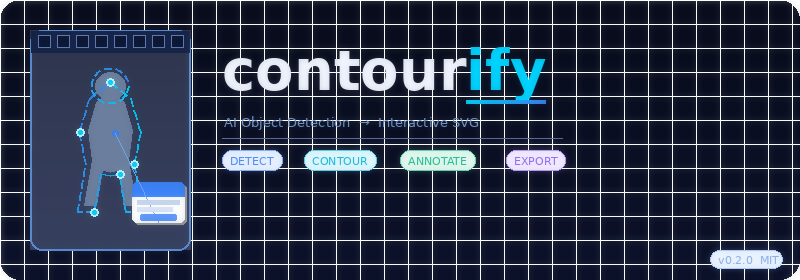
Turn any image into an interactive SVG with AI-powered object detection and clickable hotspots.




What is contourify?
contourify is a Python library that combines AI object detection with
interactive SVG generation. Upload any image, detect the objects inside it,
pick one, attach a description and a link — and get back a single
self-contained .svg file that works in any browser with no external
dependencies.
photo.jpg → contourify → photo_contourify.svg
The output SVG:
- Embeds the original image
- Draws an animated contour around the selected object
- Shows a styled popup card on hover with your description
- Contains a clickable Visit Link button
- Works anywhere SVG is supported — browsers, email, Discord, LinkedIn
Demo
Input → Output
Step 1 — Run
contourify detecton your image
  Detecting objects in: product.jpg
  Model: yolov8n-seg.pt

  Found 3 object(s):

  ID     Label                Confidence
  ──────  ────────────────────  ────────────
  0       Chair                91%
  1       Laptop               85%
  2       Cup                  63%
Step 2 — Run
contourify generateto produce the interactive file
Step 3 — Open the file in any browser and hover over the object
Full pipeline
┌─────────────┐    contourify detect     ┌──────────────────────┐
│  photo.jpg  │ ────────────────────►   │  0: Chair  91%       │
│             │                          │  1: Laptop 85%       │
└─────────────┘                          └──────────────────────┘
                                                    │
                                  contourify generate --object 0
                                                    │
                                                    ▼
                                      ┌─────────────────────────┐
                                      │  photo_contourify.svg   │
                                      │  ┌───────────────────┐  │
                                      │  │ [animated outline] │  │
                                      │  │  ┌─────────────┐  │  │
                                      │  │  │   CHAIR     │  │  │
                                      │  │  │  Oak Chair  │  │  │
                                      │  │  │ Visit Link →│  │  │
                                      │  │  └─────────────┘  │  │
                                      │  └───────────────────┘  │
                                      └─────────────────────────┘
Installation
pip install contourify
Quick Start
CLI
# Show the full getting started guide
contourify help

# Step 1 — detect objects in your image
contourify detect photo.jpg

# Step 2 — generate interactive SVG
contourify generate photo.jpg \
    --object 0 \
    --text "Handcrafted Oak Chair" \
    --link "https://shop.example.com/chair"

# HTML output — no white space when opened locally
contourify generate photo.jpg \
    --object 0 \
    --text "Handcrafted Oak Chair" \
    --link "https://shop.example.com/chair" \
    --format html

# Override a misdetected label
contourify generate photo.jpg \
    --object 0 \
    --text "Beautiful Fallow Deer" \
    --link "https://example.com" \
    --label "Deer"

# Custom color and output path
contourify generate photo.jpg \
    --object 1 \
    --text "Sony A7 Camera" \
    --link "https://shop.example.com/camera" \
    --color "#27c97a" \
    --output camera_hotspot.svg
Python API
from contourify import Contourify

ct = Contourify()

# Step 1 — detect objects
objects = ct.detect("photo.jpg")
for obj in objects:
    print(f"{obj.id}: {obj.label} ({obj.score_pct})")

# Step 2 — generate interactive SVG
svg = ct.generate(
    image_path="photo.jpg",
    object_id=0,
    text="Handcrafted Oak Chair — Free shipping worldwide",
    link="https://shop.example.com/chair",
    color="#3b82f6",
)

# Step 3 — save to file
with open("chair_interactive.svg", "w", encoding="utf-8") as f:
    f.write(svg)
One-call API
objects, svg = ct.detect_and_generate(
    image_path="photo.jpg",
    object_id=0,
    text="Sony A7 Camera",
    link="https://shop.example.com/camera",
    color="#27c97a",
)
HTML output
html = ct.generate(
    image_path="photo.jpg",
    object_id=0,
    text="My Product",
    link="https://example.com",
    fmt="html",   # full-screen, no white space when opened locally
)
Label override
svg = ct.generate(
    image_path="photo.jpg",
    object_id=0,
    text="Beautiful Fallow Deer",
    link="https://example.com",
    label="Deer",   # overrides whatever the model detected
)
Model Management
List available models
contourify models list
  Available models:

  Name                   Size       Speed        Accuracy
  ──────────────────────  ──────────  ────────────  ────────────
  yolov8n-seg.pt         6.7 MB     Fastest      Good         <- default
  yolov8s-seg.pt         22 MB      Fast         Better
  yolov8m-seg.pt         52 MB      Medium       Best
  yolov8l-seg.pt         87 MB      Slow         Excellent
  yolov8x-seg.pt         136 MB     Slowest      Maximum
Set default model
contourify models set yolov8s      # set small as default
contourify models set yolov8m      # set medium as default
contourify models set yolov8n      # reset to nano (fastest)
Pre-download models
contourify models download yolov8s     # download one model
contourify models download all         # download all models
Use a model in Python
ct = Contourify(model="yolov8s-seg.pt")     # small — better accuracy
ct = Contourify(model="yolov8m-seg.pt")     # medium — best accuracy
ct = Contourify(model="/path/to/custom.pt") # custom model path
Models are cached in ~/.contourify/models/ and never redownloaded.
Custom Detectors
contourify supports any detection backend via the BaseDetector adapter pattern.
Plug in TensorFlow, custom trained models, or any other framework.
from contourify import Contourify
from contourify.adapters import BaseDetector
from contourify.core.detector import DetectedObject, BBox

class MyCustomDetector(BaseDetector):

    def detect(self, image_path: str, **kwargs) -> list:
        # Run your model here and return DetectedObject instances
        return [
            DetectedObject(
                id=0,
                label="my_object",
                score=0.95,
                bbox=BBox(x1=0.1, y1=0.1, x2=0.9, y2=0.9),
                contour=[
                    [0.1, 0.1], [0.9, 0.1],
                    [0.9, 0.9], [0.1, 0.9],
                ],
                width=640,
                height=480,
            )
        ]

    @property
    def name(self) -> str:
        return "MyCustomDetector v1.0"


# Use with Contourify — everything else works identically
ct = Contourify(detector=MyCustomDetector())
objects = ct.detect("photo.jpg")
svg = ct.generate(
    image_path="photo.jpg",
    object_id=0,
    text="My detected object",
    link="https://example.com",
)
DetectedObject contract
| Field | Type | Required | Description |
|---|---|---|---|
id |
int | ✅ | Zero-based object index |
label |
str | ✅ | Object class name |
score |
float | ✅ | Confidence 0–1 |
bbox |
BBox | ✅ | Normalised bounding box (0–1 range) |
contour |
list | ✅ | Normalised [[x, y], ...] contour points |
width |
int | ✅ | Natural image width in pixels |
height |
int | ✅ | Natural image height in pixels |
Image Quality Requirements
| Requirement | Minimum |
|---|---|
| File size | 20 KB |
| Resolution | 300 × 300 px |
| Sharpness | Clear, well-focused |
Telemetry
contourify collects anonymous usage data to help improve the library. You are asked once on first run. You can manage this at any time:
contourify --telemetry status
contourify --telemetry off
contourify --telemetry on
Collected (with consent): event type, platform, Python version, approximate country. Never collected: image paths, SVG output, personal data.
Config stored at: ~/.contourify/config.json
API Reference
Contourify(model=None, detector=None)
model— YOLOv8 model name or path. Defaults toyolov8n-seg.pt.detector— CustomBaseDetectorinstance. Overridesmodelif provided.
.detect(image_path) → List[DetectedObject]
Detect all objects. Returns list sorted by confidence descending.
.generate(image_path, object_id, text, link, color, label, fmt) → str
Generate interactive SVG or HTML. fmt is "svg" (default) or "html".
.detect_and_generate(...) → tuple
One-call convenience. Returns (objects, output_string).
DetectedObject
| Attribute | Type | Description |
|---|---|---|
id |
int | Zero-based object index |
label |
str | COCO class label e.g. "chair" |
score |
float | Confidence 0–1 |
score_pct |
str | e.g. "91%" |
bbox |
BBox | Normalised bounding box |
contour |
list | Normalised contour points |
width |
int | Image width in pixels |
height |
int | Image height in pixels |
Requirements
- Python 3.9+
- ultralytics >= 8.0.0
- pillow >= 9.0.0
- opencv-python-headless >= 4.5.0
- click >= 8.0.0
- requests >= 2.28.0
License
MIT — see LICENSE for details.
Author
Victor Chukwuemeka
- GitHub: @vickkykruz
- Portfolio: vickkykruzprogramming.dev
contourify powers the Photo Contour web studio.
1 maintainer

Metadata
1 maintainer
Release files for contourify 0.2.0
For a detailed explanation of source distributions (sdists) and built distributions (wheels), please see the package formats documentation.
Source distribution (sdist)
| File | Size | Uploaded | Provenance | |
|---|---|---|---|---|
| contourify-0.2.0.tar.gz | 33.7 kB | Without provenance | Details |
Built distribution (wheel)
| File | Interpreter | ABI | Platform | Reset |
|---|---|---|---|---|
| contourify-0.2.0-py3-none-any.whl | Python 3 | none | any | Details |
Total release size: 63.2 kB
Release files / contourify-0.2.0.tar.gz
| Download URL | contourify-0.2.0.tar.gz |
|---|---|
| Size | 33.7 kB |
| Tags | Source |
|
SHA-256 checksum How to use checksums |
377caca6ca65872ad2c99bb8a1230dbacfc4883db02a987b0d8b6529aa61eaad
|
|
BLAKE2b-256 checksum How to use checksums |
6d75fc24cf9eb471c1f916a92b3276e6fa0738180e60d49bf626520115649b9a
|
| Upload date | |
|
Uploaded using Trusted Publishing? What is trusted publishing? |
No |
| Uploaded via |
twine/6.2.0 CPython/3.14.4
|
Release files / contourify-0.2.0-py3-none-any.whl
| Download URL | contourify-0.2.0-py3-none-any.whl |
|---|---|
| Size | 29.6 kB |
| Tags | Python 3 |
|
SHA-256 checksum How to use checksums |
ffa66ce5de13bbe8db83b4ac1caea8e84ec67dffa1e1a8cbddb3efed12a4fd7c
|
|
BLAKE2b-256 checksum How to use checksums |
04cb662ad1f547f7ab65fca30b2168aac6a667e93396bc96efe4b6442022ca0a
|
| Upload date | |
|
Uploaded using Trusted Publishing? What is trusted publishing? |
No |
| Uploaded via |
twine/6.2.0 CPython/3.14.4
|
Security for contourify 0.2.0
Provenance
Provenance describes where a file came from. On PyPI, provenance is shared via attestations, which provide a verifiable record of the build or publishing details. View details, limitations and caveats.
No provenance found
None of the files in this release were uploaded with provenance metadata.
A note on package security
PyPI is a repository for distributing packages, not a service for auditing them. While third-party security researchers and our staff do their best to detect and remove malicious packages, PyPI cannot guarantee the quality, security or suitability of any given package.
To learn more about protecting yourself from malicious actors, visit our package security documentation.














