
convoviz
Turn your ChatGPT export into Markdown notes and charts.
Read and search your whole chat history in Obsidian or any Markdown app. Runs on your computer.





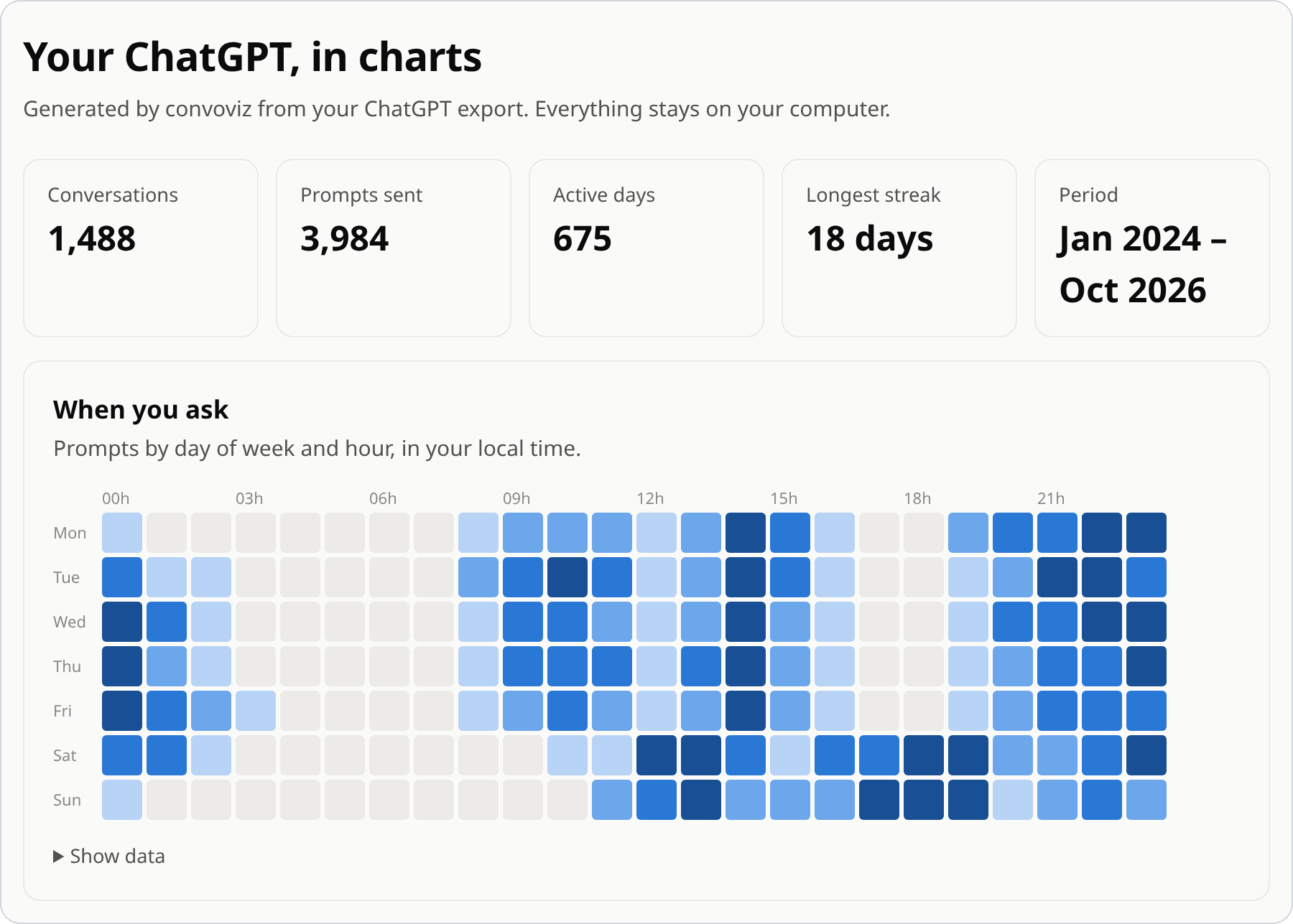
Made from an invented export. Yours never leaves your computer.
Quick start
1. In ChatGPT, open Settings → Data controls → Export data, and download the ZIP from the email.
2. Install convoviz:
# macOS / Linux
curl -LsSf https://raw.githubusercontent.com/mohamed-chs/convoviz/main/install.sh | sh
# Windows (PowerShell)
powershell -ExecutionPolicy ByPass -c "irm https://raw.githubusercontent.com/mohamed-chs/convoviz/main/install.ps1 | iex"
3. Run it:
convoviz
It finds the newest export in Downloads and writes your archive to Documents/ChatGPT Archive.
New to the terminal?
Open Terminal (macOS: ⌘ Space, type Terminal) or PowerShell (Windows: press Windows, type PowerShell). Paste the install line, press Enter, then open a new window and type convoviz.
The installer sets up uv, which handles Python for you. Already have uv? Run uv tool install convoviz.
What you get
| Your export | Your archive |
|---|---|
"n1": {
  "parent": "root",
  "message": {
    "author": {"role": "user"},
    "create_time": 1773480612.0,
    "content": {
      "content_type": "text",
      "parts": [
        "Three days in Kyoto in…"
      ]
    }
  }
},
"n2": {
  "parent": "n1",
  "message": {
    "author": {"role": "assistant"},
    "content": {
      "content_type": "thoughts",
      // … and on, for every message
|
---
created: 2026-03-14T09:30:12
models: ["gpt-5-5-thinking"]
tags: ["chatgpt"]
---

# Planning a trip to Kyoto

## You · 2026-03-14 09:30

Three days in Kyoto in April —
what should I not miss?

## ChatGPT · 2026-03-14 09:30

<details>
<summary>Thought for 8s</summary>…

- **Fushimi Inari** early, before
  the tour groups[^1].
…
|
- One Markdown note per conversation, sorted by year. See a full example.
- Sources as footnotes, reasoning and tool output folded, edited replies kept.
- Images, files and Canvas documents saved next to the notes.
- An index, and a sortable table of every conversation in Obsidian.
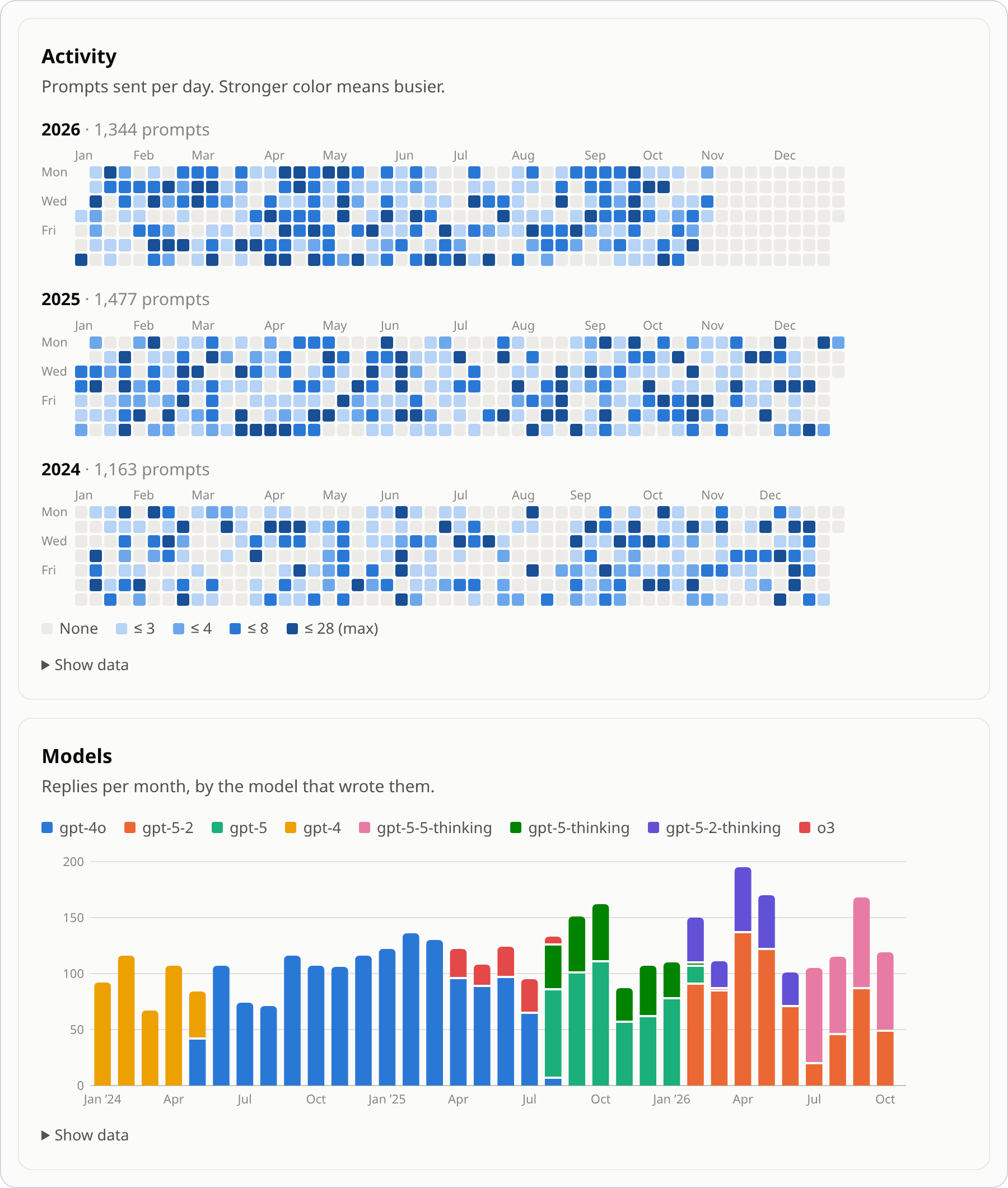
insights.html: charts and word clouds of how you use ChatGPT, offline.
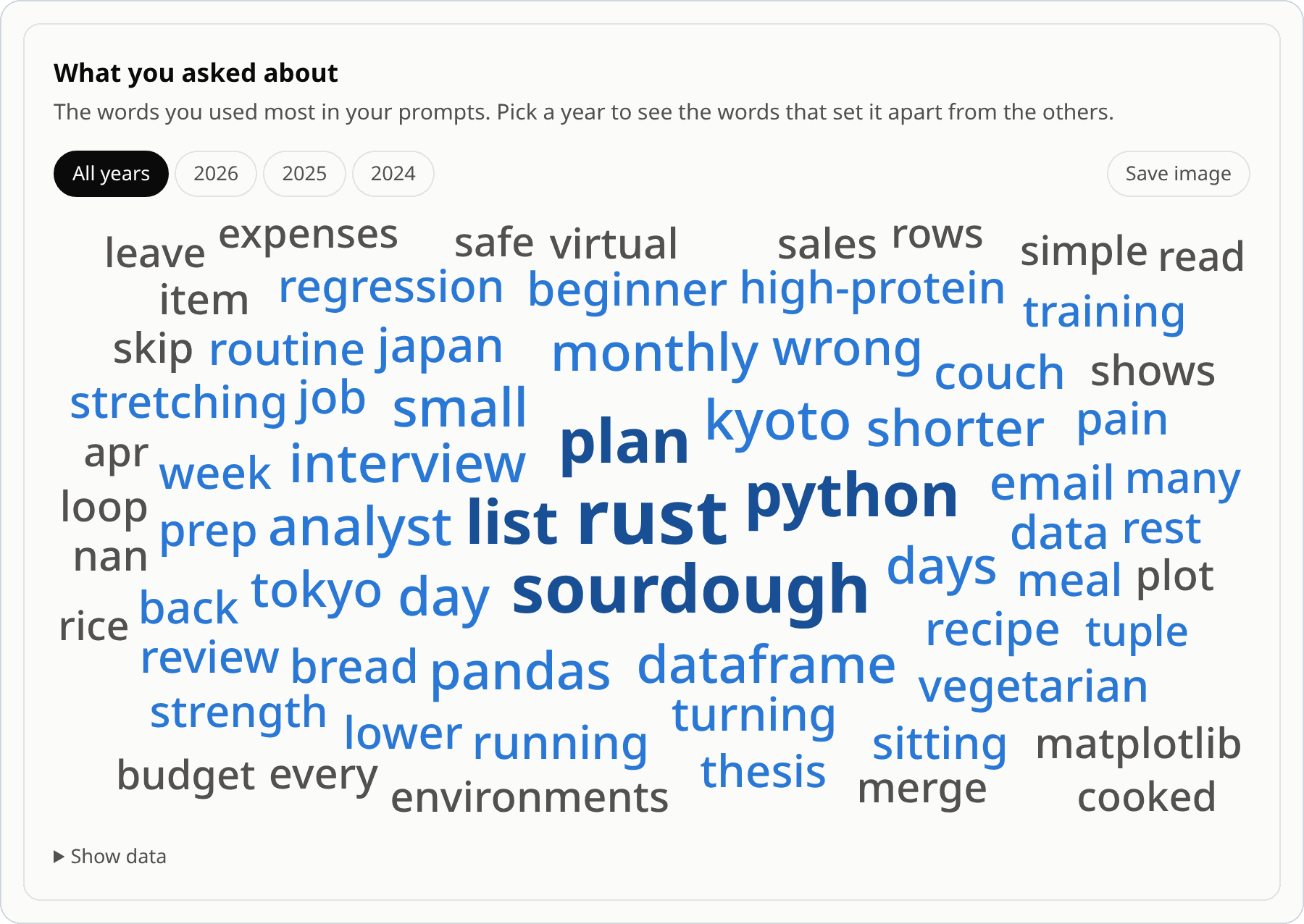
More charts
Updating
Run it again on a newer export. Only new and changed conversations are written. Notes you edited, moved or deleted stay as you left them (--force overrides that).
Options
convoviz ~/Downloads/chatgpt-export.zip -o ~/Notes/ChatGPT
| Flag | |
|---|---|
-o PATH |
Output folder |
--layout flat |
All notes in one folder, not one per year |
--branches active |
Only the replies you last viewed |
--timezone Europe/Paris |
Time zone for dates |
--no-insights |
Skip the charts |
-y |
Don't ask before using the export found in Downloads |
convoviz config init creates a settings file for labels, tags, words to leave out of word clouds, and more.
FAQ
Is my data uploaded anywhere?
No. convoviz makes no network requests, and the charts page loads nothing from the internet.
Do I need Obsidian?
No. The notes are standard Markdown and open in VS Code, on GitHub, or in any Markdown app. Only Conversations.base is Obsidian-specific.
Which exports does it read?
ChatGPT's 2026 format: the ZIP, an extracted folder, or conversations.json, including split and multi-part exports. Business and Enterprise workspaces can't export.
Can I make PDFs?
Yes, with convpdf: convpdf "conversations/**/*.md" -o PDF/.
I used convoviz 0.x.
1.0 writes to a new folder and leaves the old one alone. Run convoviz config init --force to update an old config file.
Something wrong?
Run convoviz inspect --json and paste the output into a bug report. It lists the export's structure only, never your conversations.
If convoviz helped you, a ⭐ helps others find it. To contribute, see CONTRIBUTING.md. MIT license.
1 maintainer

Metadata
1 maintainer
Release files for convoviz 1.0.1
For a detailed explanation of source distributions (sdists) and built distributions (wheels), please see the package formats documentation.
Source distribution (sdist)
| File | Size | Uploaded | Provenance | Actions |
|---|---|---|---|---|
| convoviz-1.0.1.tar.gz | 75.1 kB | With provenance | Details for convoviz-1.0.1.tar.gz |
Built distribution (wheel)
| File | Interpreter | ABI | Platform | Actions Reset |
|---|---|---|---|---|
| convoviz-1.0.1-py3-none-any.whl | Python 3 | none | any | Details for convoviz-1.0.1-py3-none-any.whl |
Total release size: 158.2 kB
Release files / convoviz-1.0.1.tar.gz
| Download URL | convoviz-1.0.1.tar.gz |
|---|---|
| Size | 75.1 kB |
| Tags | Source |
|
SHA-256 checksum How to use checksums |
639fb150ddf97e9225f9e389e22382a1422258ba91358a9053693d409c0627a6
|
|
BLAKE2b-256 checksum How to use checksums |
0f652d46e9d11e1dbafcd14b6e8bd550d0c0e16072f0203d6b4efda9bd3ea4ae
|
| Upload date | |
|
Uploaded using Trusted Publishing? What is trusted publishing? |
Yes |
| Uploaded via |
twine/7.0.0 CPython/3.13.16
|
Provenance
Provenance describes where a file came from. On PyPI, provenance is shared via attestations, which provide a verifiable record of the build or publishing details. View details, limitations and caveats.


PyPI Publish Attestation
PyPI verified that this artifact, at this checksum, originated from the publisher listed below.
Signed by GitHub Actions, verified by PyPI on Nov 4, 2026.
Transparency logRelease files / convoviz-1.0.1-py3-none-any.whl
| Download URL | convoviz-1.0.1-py3-none-any.whl |
|---|---|
| Size | 83.1 kB |
| Tags | Python 3 |
|
SHA-256 checksum How to use checksums |
b62bddc55ad4453731e1ac90b7d0ac1ae6f24803d718bef102bf8e3240ddf888
|
|
BLAKE2b-256 checksum How to use checksums |
5399f4332f6831853c30d94aeb507dad350bb1e5093652d6cbbfa88f9eb35830
|
| Upload date | |
|
Uploaded using Trusted Publishing? What is trusted publishing? |
Yes |
| Uploaded via |
twine/7.0.0 CPython/3.13.16
|
Provenance
Provenance describes where a file came from. On PyPI, provenance is shared via attestations, which provide a verifiable record of the build or publishing details. View details, limitations and caveats.
PyPI Publish Attestation
PyPI verified that this artifact, at this checksum, originated from the publisher listed below.
Signed by GitHub Actions, verified by PyPI on Nov 4, 2026.
Transparency logSecurity for convoviz 1.0.1
Provenance
Provenance describes where a file came from. On PyPI, provenance is shared via attestations, which provide a verifiable record of the build or publishing details. View details, limitations and caveats.
Full provenance
Both files in this release have been uploaded with provenance metadata.
Attestation for convoviz-1.0.1.tar.gz
PyPI Publish Attestation
PyPI verified that this artifact, at this checksum, originated from the publisher listed below.
Signed by GitHub Actions, verified by PyPI on Nov 4, 2026.
Transparency logA note on package security
PyPI is a repository for distributing packages, not a service for auditing them. While third-party security researchers and our staff do their best to detect and remove malicious packages, PyPI cannot guarantee the quality, security or suitability of any given package.
To learn more about protecting yourself from malicious actors, visit our package security documentation.














