
Cookie wheeled biped robot
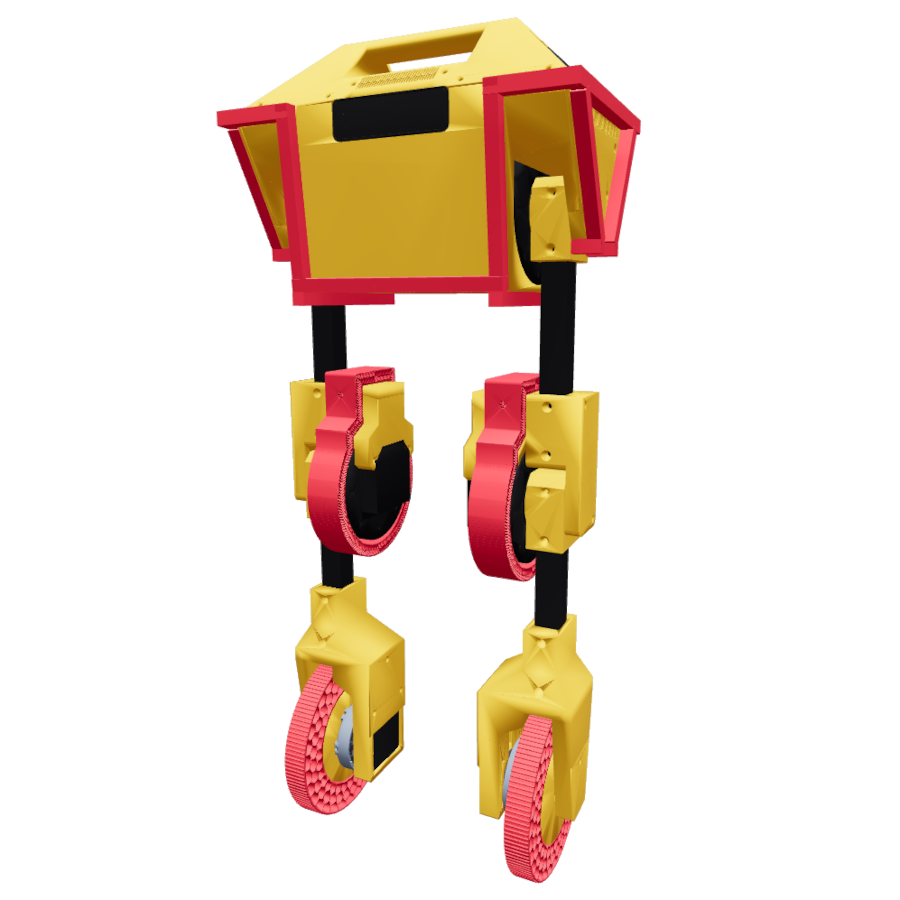



URDF and Xacro descriptions for Cookie, an original redesign of Upkie wheeled bipeds.
Checking it out
You can use pixi to check out the robot description directly from the command line:
# Display a Cookie in Viser
pixi run visualize

# Simulate a Cookie in PyBullet
pixi run load-in-pybullet
Or similarly with uv:
# Display a Cookie in Viser
uvx --with numpy --with pin --with viser --with watchdog --with xacrodoc cookie_description visualize

# Simulate a Cookie in PyBullet
uvx --with loop-rate-limiters --with pybullet cookie_description load-in-pybullet
Loading the description
The cookie_description module helps retrieve the robot description in Python. It can be installed from PyPI:
pip install cookie_description
Start by importing it:
import cookie_description
The module provides the following paths:
-
cookie_description.PATH - Path to the "cookie_description" folder itself.
-
cookie_description.MESHES_PATH - Path to the "meshes" folder.
-
cookie_description.URDF_PATH - Path to the URDF file of the model.
-
cookie_description.XACRO_PATH - Path to the Xacro file of the model.
1 maintainer

Metadata
1 maintainer
Release files for cookie_description 1.2.1
For a detailed explanation of source distributions (sdists) and built distributions (wheels), please see the package formats documentation.
Source distribution (sdist)
| File | Size | Uploaded | |
|---|---|---|---|
| cookie_description-1.2.1.tar.gz | 12.0 MB | Details |
Built distribution (wheel)
| File | Interpreter | ABI | Platform | Reset |
|---|---|---|---|---|
| cookie_description-1.2.1-py3-none-any.whl | Python 3 | none | any | Details |
Total release size: 24.1 MB














