



Streamlit Theme
A fork of the streamlit-theme package. It fixes confusing package name and import name by unifying all names to cool_streamlit_theme.
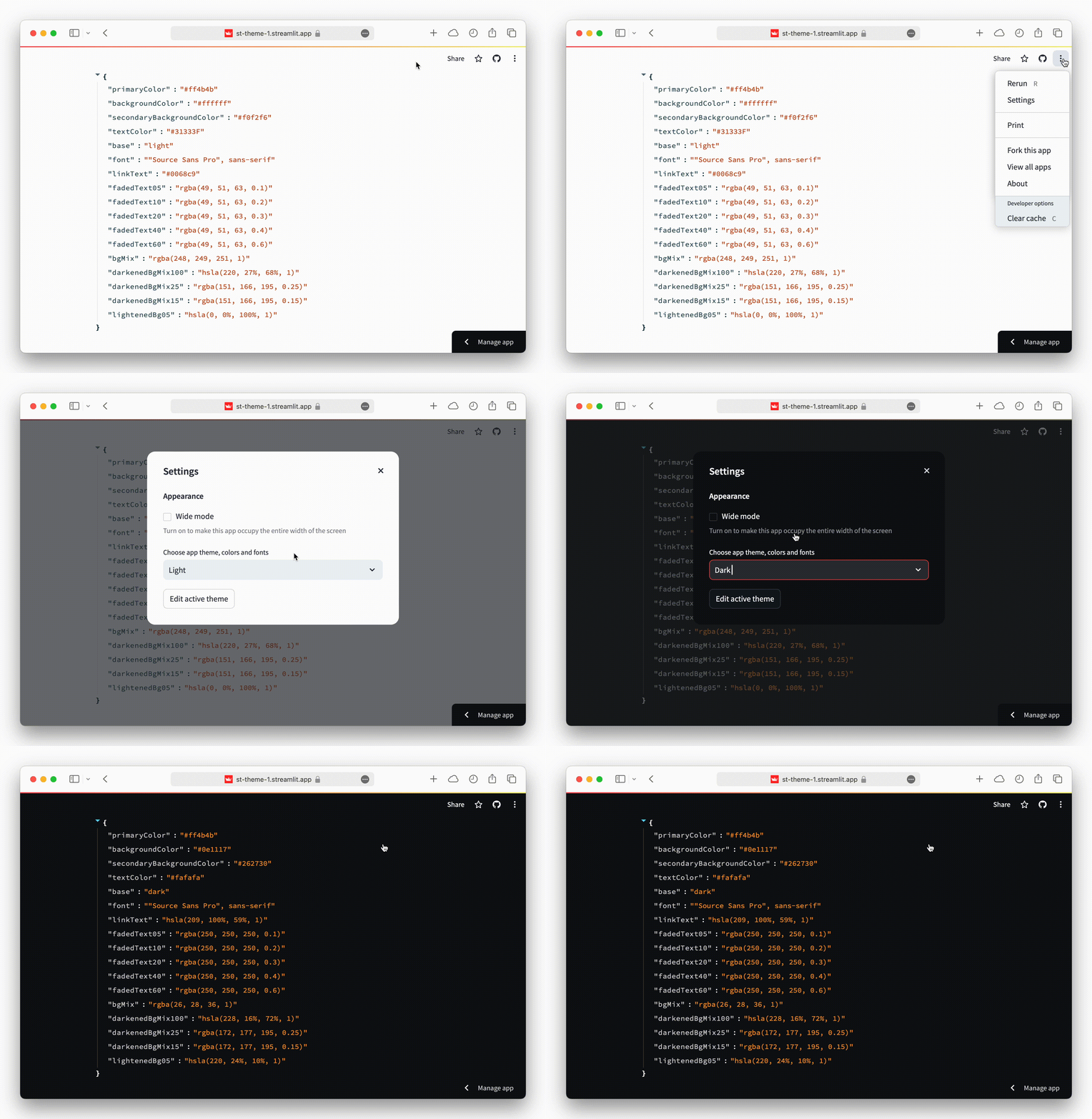
A component that returns the active theme of the Streamlit app.
Installation
pip install cool_streamlit_theme
Usage
The function immediately returns the active theme, when it is called. If the user manually changes the theme, after the web app is already running, it updates the returned value.
Parameters
adjust : bool, default=True
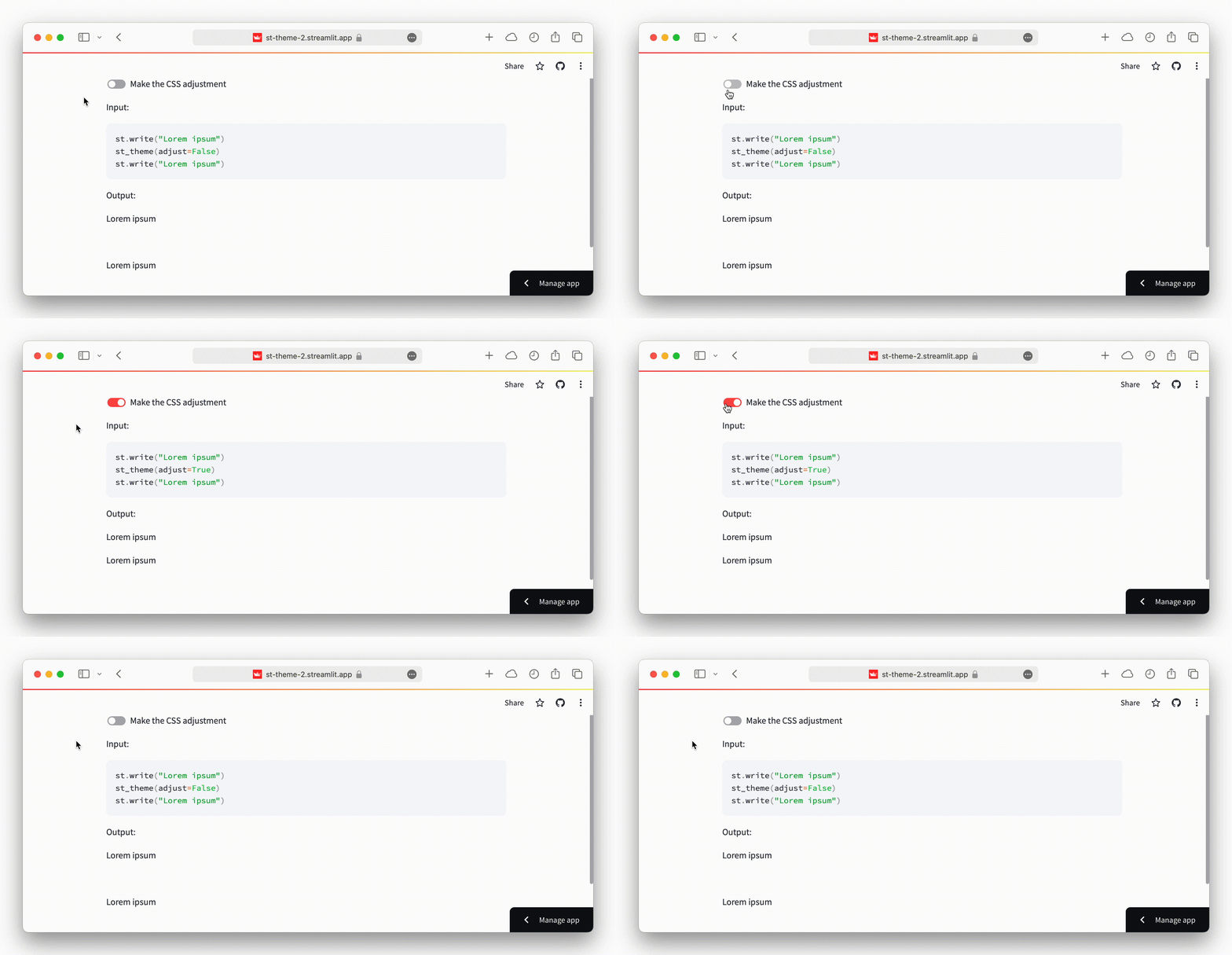
If set to True, which is the default, it makes a CSS adjustment and removes
a space that would otherwise be added to the page by calling the st_theme
function.
Streamlit components are meant to render something in the web app, and
Streamlit adds a space for them even when there is nothing to render. Since
st_theme does not render anything, and only communicates with the frontend
to fetch the active theme, it makes a CSS adjustment to remove this space.
In most cases, the CSS adjustment does not interfere with the rest of the web
app, however there could be some situations where this occurs. If this happens,
or it is desired to disable it, pass False to adjust and, when necessary,
make your own CSS adjustment with st.html.
key : str or int, optional
A string or integer to use as a unique key for the component. Multiple
st_themes may not share the same key. Defaults to None.
Returns
theme : dict of {str : str} or None
A dictionary with the style settings being used by the active theme of the
Streamlit app, or None, if for some reason it could not be fetched.
Notes
There is a known bug, that depends on the browser, where the theme is not returned immediately when the function is called. But it is returned normally when the user changes it.
This can be a problem in determining the initial theme of the web app. Because, by default, Streamlit uses the user's operating system setting (which might be unknown) to automatically apply the light or dark mode to the app, when it is first rendered.
To solve the issue, it is recommended to set a
default theme configuration
for the app, and use its value in case of st_theme returning None.
Examples
A basic example:
import streamlit as st
from streamlit_theme import st_theme
theme = st_theme()
st.write(theme)
An example showing the CSS adjustment made, when set to True:
import streamlit as st
from streamlit_theme import st_theme

adjust = st.toggle("Make the CSS adjustment")

st.write("Input:")
st.code(
    f"""
    st.write("Lorem ipsum")
    st_theme(adjust={adjust})
    st.write("Lorem ipsum")
    """
)

st.write("Output:")
st.write("Lorem ipsum")
st_theme(adjust=adjust)
st.write("Lorem ipsum")
Requirements
To use this Streamlit component in your app, you will need:
- Python 3.8+
- Streamlit 1.33+
- The CSS adjustment depends on the browser compatibility with the :has pseudo-class
Development
Ensure you have Python 3.8+, Node.js and npm installed.
- Clone this repository:
git clone git@github.com:gabrieltempass/streamlit-theme.git
- Go to the
frontenddirectory and initialize and run the component template frontend:
cd streamlit-theme/streamlit_theme/frontend
npm install
npm run dev
- From a separate terminal, go to the repository root directory, create a new Python virtual environment, activate it and install Streamlit and the template as an editable package:
cd streamlit-theme
python3 -m venv venv
. venv/bin/activate
pip install streamlit
pip install -e .
Still from the same separate terminal, run the example Streamlit app:
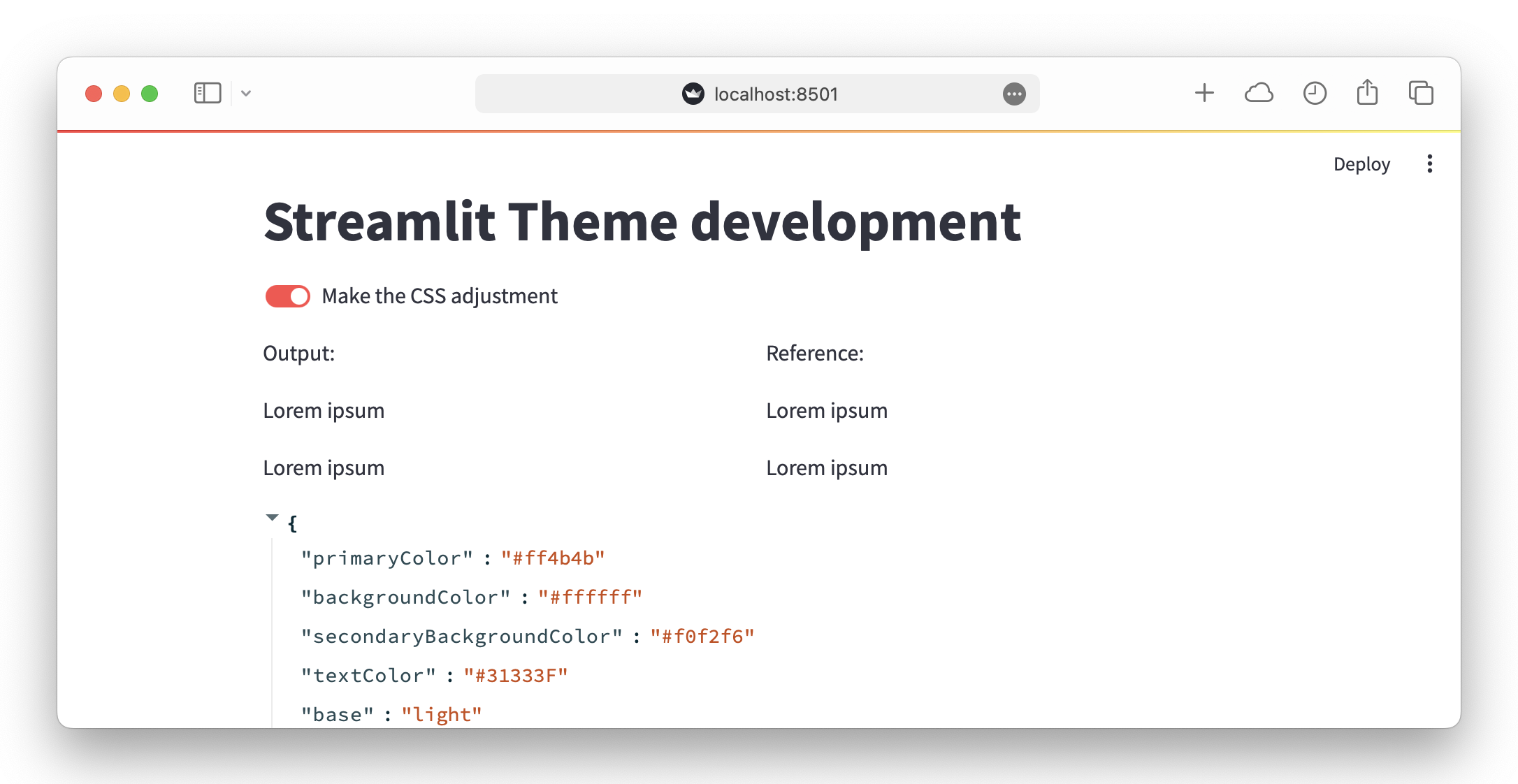
streamlit run streamlit_theme/example.py
If all goes well, you should see something like this:
Modify the frontend code at
streamlit_theme/frontend/src/StTheme.vue.
Modify the Python code at streamlit_theme/__init__.py.
References
This Streamlit component was made with the streamlit-component-vue-vite-template, by @gabrieltempass.
1 maintainer

Metadata
1 maintainer
Release files for cool-streamlit-theme 1.2.4
For a detailed explanation of source distributions (sdists) and built distributions (wheels), please see the package formats documentation.
Source distribution (sdist)
| File | Size | Uploaded | |
|---|---|---|---|
| cool_streamlit_theme-1.2.4.tar.gz | 79.8 kB | Details |
Built distribution (wheel)
| File | Interpreter | ABI | Platform | Reset |
|---|---|---|---|---|
| cool_streamlit_theme-1.2.4-py3-none-any.whl | Python 3 | none | any | Details |
Total release size: 158.4 kB
Release files / cool_streamlit_theme-1.2.4.tar.gz
| Download URL | cool_streamlit_theme-1.2.4.tar.gz |
|---|---|
| Size | 79.8 kB |
| Tags | Source |
|
SHA-256 checksum How to use checksums |
83b19662295c9596eaafb3576bfb8d5ac9c1a09319f06277cc04689d1f58d906
|
|
BLAKE2b-256 checksum How to use checksums |
e1032099fa7ff46172b3e94481c20dc23a5c73e36595d4acc22169009d26a24d
|
| Upload date | |
|
Uploaded using Trusted Publishing? What is trusted publishing? |
No |
| Uploaded via |
twine/6.1.0 CPython/3.11.8
|
Release files / cool_streamlit_theme-1.2.4-py3-none-any.whl
| Download URL | cool_streamlit_theme-1.2.4-py3-none-any.whl |
|---|---|
| Size | 78.6 kB |
| Tags | Python 3 |
|
SHA-256 checksum How to use checksums |
0fcdce963d3e2fb2c5f9d1717160b6b4d5e9af50a766713f4235fb19faf140c0
|
|
BLAKE2b-256 checksum How to use checksums |
ea5a771b7d468abfd67968d99b16eedb6c54d322d401211b1279cbf0e39fc8a7
|
| Upload date | |
|
Uploaded using Trusted Publishing? What is trusted publishing? |
No |
| Uploaded via |
twine/6.1.0 CPython/3.11.8
|














