
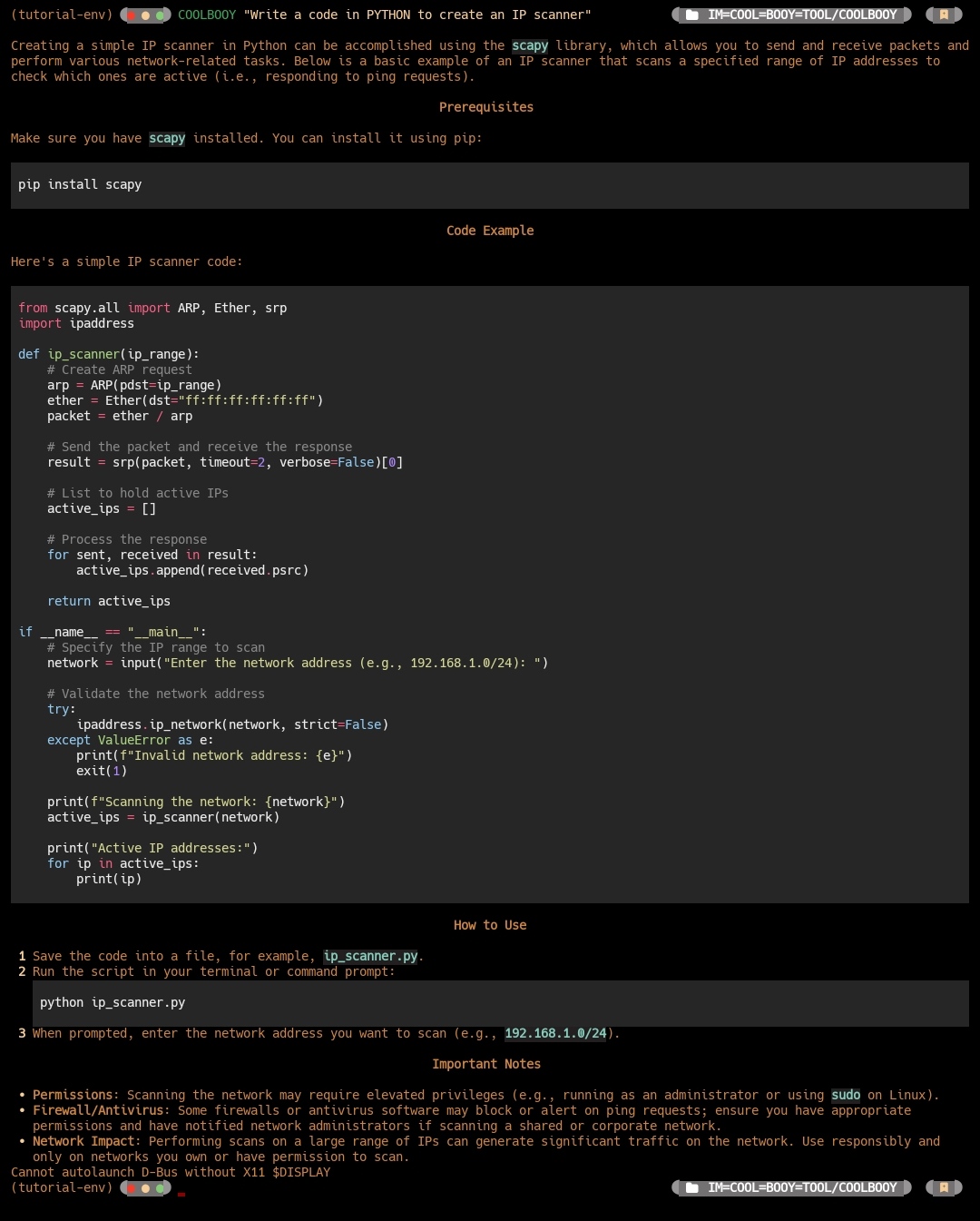
🚀 COOLBOOY Multi Provider AI Assistant
🔰 SL Android Official ™ 🇱🇰
👨💻 Developer: 𝐈𝐌 𝐂𝐎𝐎𝐋 𝐁𝐎𝐎𝐘 𝓢𝓱𝓪𝓭𝓸𝔀 𝓚𝓲𝓷𝓰



🔰📌️ COOLBOOY is an interactive Command-Line Interface (CLI) tool that leverages the AI model for various tasks such as answering questions, executing shell commands, and more.
• A powerful, extensible command-line AI assistant that supports multiple AI providers
• COOLBOOY is designed for developers, system administrators, and power users who want intelligent assistance directly in their terminal It supports OpenAI, Anthropic, Google, and custom APIs.
✨ Features:
🤖 Multi-Provider Support: OpenAI (GPT-4, GPT-4o-mini), Anthropic (Claude), Google (Gemini), and custom APIs
💻 Interactive Shell Commands: Generate and execute shell commands safely with confirmation
🔧 Pure Code Generation: Generate clean code without explanations in markdown format
📝 Text Editor Integration: Use your favorite editor for complex prompt composition
💬 Interactive AI Interface: Continuous chat mode with special commands and context
🎨 Rich Output: Beautiful markdown rendering, syntax highlighting, and formatted panels
⚡ Streaming Responses: Real-time response streaming with live formatting
⚙️ Highly Configurable: Extensive configuration options with elegant status displays
🔐 Secure: Encrypted API key storage and safe command execution
🚀 Fast: Optimized for speed with animated loading indicators
🌐 Cross-Platform: Full support for Windows, macOS, and Linux
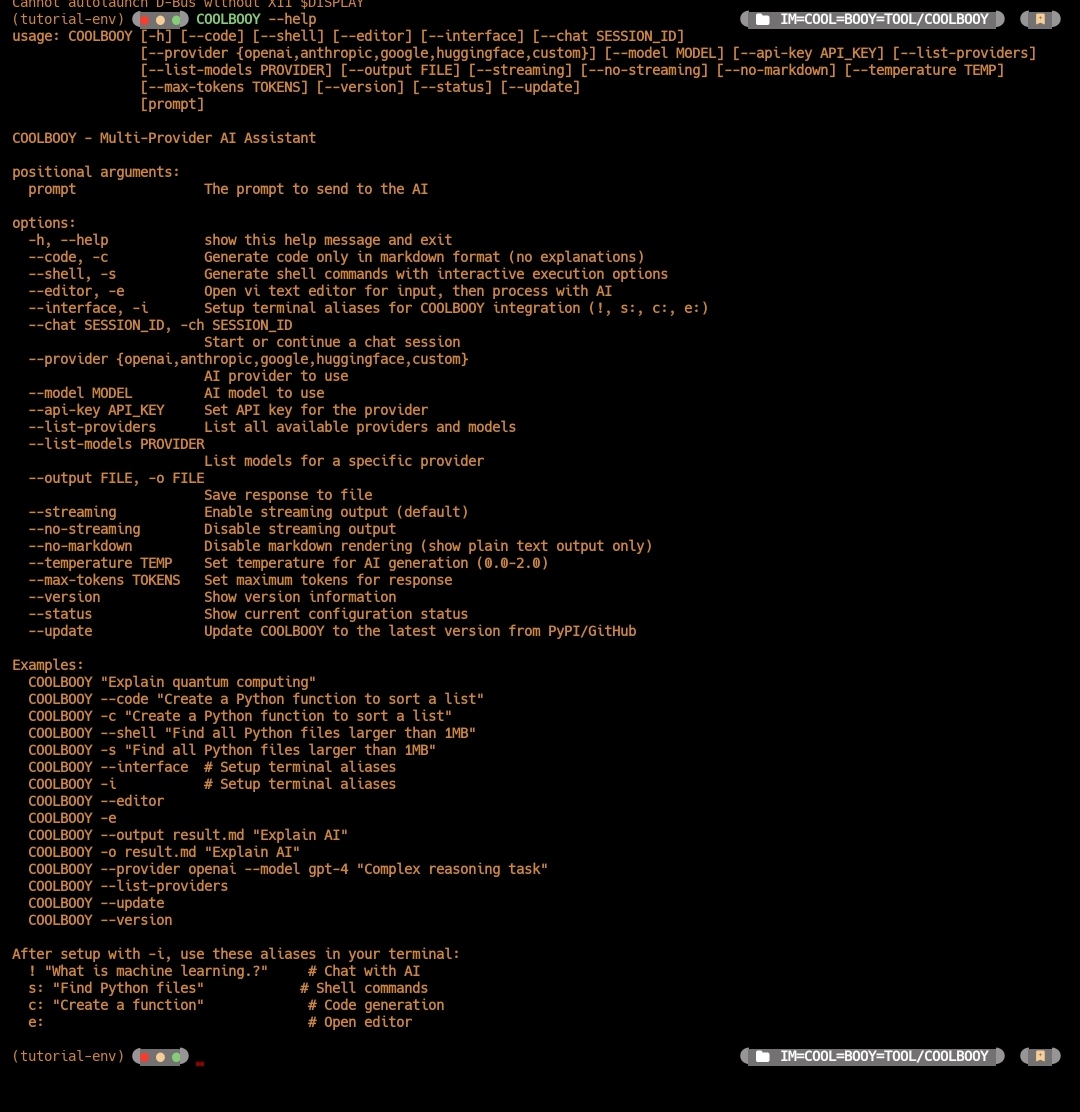
🚀 Quick Start
Install from PyPI (recommended)
pip install COOLBOOY
Update to latest version from GitHub
COOLBOOY --update
Check current version
COOLBOOY --version
COOLBOOY --help
Basic Setup
• Set your API key (choose your preferred provider)
OpenAI (recommended for beginners)
COOLBOOY --provider openai --api-key YOUR_OPENAI_API_KEY
Anthropic (Claude)
COOLBOOY --provider anthropic --api-key YOUR_ANTHROPIC_API_KEY
Google (Gemini)
COOLBOOY --provider google --api-key YOUR_GOOGLE_API_KEY
Start using COOLBOOY
COOLBOOY "Explain how Python decorators work"
Environment Variables
Windows (PowerShell)
$env:OPENAI_API_KEY = "your-api-key-here"
Linux/macOS
export OPENAI_API_KEY="your-api-key-here"
📖 Usage Guide
🤖 Basic AI Queries
General questions with beautiful markdown rendering
COOLBOOY "What is quantum computing?"
Get help with programming (formatted code blocks)
COOLBOOY "How do I implement a binary search in Python?"
System administration
COOLBOOY "How to monitor disk usage on Linux?"
💻 Pure Code Generation
• Generate clean code without explanations
Generate Python function (code only)
COOLBOOY -c "Create a function to calculate fibonacci numbers"
Generate JavaScript code
COOLBOOY -c "Create a React component for user authentication"
Generate SQL query
COOLBOOY -c "Write a query to find top 10 customers by revenue"
🛠️ Interactive Shell Commands
• Generate and execute shell commands safely
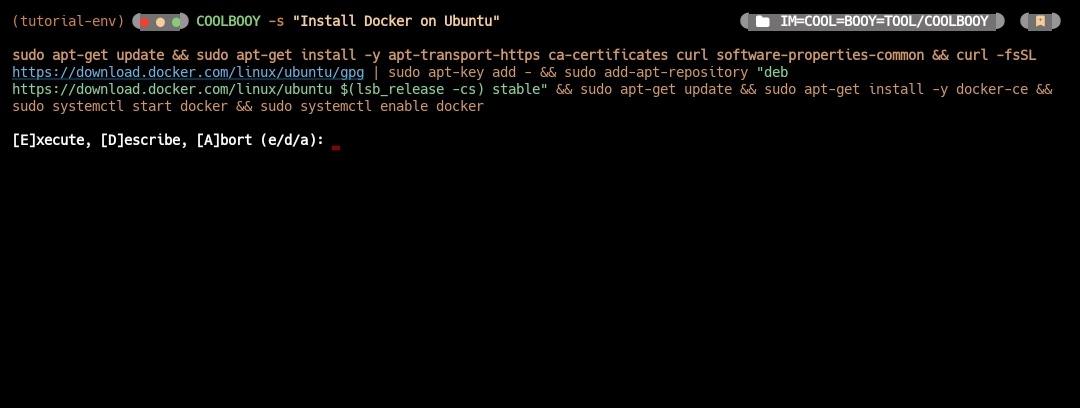
Generate shell command with execution options
COOLBOOY -s "Install Docker on Ubuntu"
Output shows:
Generated Command: sudo apt-get update && sudo apt-get install docker.io
[E]xecute, [D]escribe, [A]bort (e/d/a):
• Options:
[E] xecute: Run the command with confirmation
[D] escribe: Get detailed explanation
[A] bort: Cancel safely
📝 Text Editor Integration
• Use your preferred text editor for complex prompts
Open editor for input composition
COOLBOOY -e
Supports: VS Code, nano, vim, notepad, gedit
Respects EDITOR and VISUAL environment variables
🔰 Terminal Integration
• Setup COOLBOOY aliases in your terminal for seamless AI assistance
Setup terminal aliases (one-time setup)
COOLBOOY -i
After setup, use these shortcuts directly in your terminal
! "What is machine learning?" # Chat with AI
s: "Install Docker on Ubuntu" # Shell commands with execution
c: "Create a Python sorting function" # Code generation only
e:
• How it works
! prefix - Direct AI chat responses
s: prefix - Generate shell commands with execution options
c: prefix - Generate clean code without explanations
e: - Open your default editor for complex prompt composition Platform Support
• Windows: PowerShell profile integration
• macOS/Linux: Bash/Zsh profile integration
• Fish Shell: Native function support
• Setup is automatic - just run COOLBOOY -i once and restart your terminal
🎛️ Output Options
Disable streaming for immediate formatted output
COOLBOOY --no-streaming "Explain machine learning concepts"
Get plain text output (no markdown formatting)
COOLBOOY --no-markdown "Simple explanation without formatting"
Save response to file
COOLBOOY -o response.md "Generate API documentation"
🔧 Provider Management
List all available providers and models
COOLBOOY --list-providers
Switch providers and models
COOLBOOY --provider anthropic --model claude-3-sonnet
Check current status
COOLBOOY --status
⚙️ Advanced Usage
Custom temperature (creativity level)
COOLBOOY --temperature 0.8 "Write a creative story about AI"
Limit response length
COOLBOOY --max-tokens 500 "Summarize machine learning"
Combine multiple options
COOLBOOY -c --no-streaming -o functions.py "Create utility functions for file operations" # With shortcuts
Chat session
COOLBOOY -ch session_1 "Let's discuss Python programming"
🛡️ Security Features
Safe Command Execution
• Confirmation Required: All shell commands require user confirmation
• Timeout Protection: Commands timeout after 5 minutes
• Error Handling: Safe execution with proper error reporting
• Abort Option: Easy cancellation for any command
Secure Configuration
• Encrypted API Keys: Secure local storage
• Environment Variables: Support for env-based configuration
• No Data Logging: No transmission beyond chosen AI provider
⚙️ Configuration
Configuration File
• COOLBOOY stores configuration in
~/.config/COOLBOOY/config.
Supported Providers
OpenAI gpt-4, gpt-4o, gpt-4o-mini, gpt-3.5-turbo Yes
Anthropic claude-3-haiku, claude-3-sonnet Yes
Google gemini-pro, gemini-pro-vision Yes
Custom User-defined Optional
⚡ CLI Shortcuts
• COOLBOOY provides convenient shortcuts for frequently used options
Instead of: COOLBOOY --code "Create a Python function"
COOLBOOY -c "Create a Python function"
Instead of: COOLBOOY --shell "List all processes"
COOLBOOY -s "List all processes"
Instead of: COOLBOOY --editor
COOLBOOY -e
Instead of: COOLBOOY --interface
COOLBOOY -i # Setup terminal aliases
Instead of: COOLBOOY --output result.md "Explain AI"
COOLBOOY -o result.md "Explain AI"
Combine shortcuts:
COOLBOOY -c -o code.py "Create a web scraper"
🎯 Use Cases
• For Developers
Code generation workflow
COOLBOOY -e

COOLBOOY -c "Implement user authentication with JWT"

COOLBOOY -c "Create database migration for user roles"
• For System Administrators
System management workflow
COOLBOOY -s "Setup nginx with SSL certificate"

COOLBOOY -s "Configure automatic backups"

COOLBOOY -s "Monitor system performance"
• For Learning and Exploration
Interactive learning session
COOLBOOY -i

! What is Kubernetes.?

! code: Show me a simple Kubernetes deployment

! shell: Install kubectl on my system
🎉 What's New in v1.2.1
• Enhanced Code Mode: Pure code generation without explanations
• Interactive Shell: Safe command execution with confirmations
• Editor Integration: Use any text editor for prompt composition
• Interactive Interface: Continuous chat with special commands
• Cross-Platform: Full Windows, macOS, and Linux support
• Security Features: Safe command execution and secure configuration
- COOLBOOY v1.2.1 - The most advanced command-line AI assistant for developers and power users.! 🚀
1 maintainer

Release files for COOLBOOY 1.2.1
For a detailed explanation of source distributions (sdists) and built distributions (wheels), please see the package formats documentation.
Source distribution (sdist)
| File | Size | Uploaded | |
|---|---|---|---|
| coolbooy-1.2.1.tar.gz | 1.3 MB | Details |
Built distribution (wheel)
| File | Interpreter | ABI | Platform | Reset |
|---|---|---|---|---|
| coolbooy-1.2.1-py3-none-any.whl | Python 3 | none | any | Details |
Total release size: 2.7 MB
Release files / coolbooy-1.2.1.tar.gz
| Download URL | coolbooy-1.2.1.tar.gz |
|---|---|
| Size | 1.3 MB |
| Tags | Source |
|
SHA-256 checksum How to use checksums |
172c6de41464ee093ecbcfc055dcfb06fdf60856a8f9396fcf1a0bf828619f70
|
|
BLAKE2b-256 checksum How to use checksums |
9694f1157d7dd63fa5352ee6e8ed9400528b5665d9b6448cd6bfbdd3a753e3a2
|
| Upload date | |
|
Uploaded using Trusted Publishing? What is trusted publishing? |
No |
| Uploaded via |
twine/6.1.0 CPython/3.12.12
|
Release files / coolbooy-1.2.1-py3-none-any.whl
| Download URL | coolbooy-1.2.1-py3-none-any.whl |
|---|---|
| Size | 1.3 MB |
| Tags | Python 3 |
|
SHA-256 checksum How to use checksums |
7f654258ee57d26dad335777b70de8d1b2fd0848ee91c273b8aabc931f9d2c38
|
|
BLAKE2b-256 checksum How to use checksums |
33cf3ef37c489112d5406d515b5d2204de9ee31f5b542bccb7876be5d46adf82
|
| Upload date | |
|
Uploaded using Trusted Publishing? What is trusted publishing? |
No |
| Uploaded via |
twine/6.1.0 CPython/3.12.12
|













