






What it is
coomplexer splits your monitors into a grid and opens one independent mpv player per tile, dealing your media across them. It also scrapes video sites into playlists, keeps a searchable index of everything it has seen, and lets you drive a running wall from the terminal.
coomplexer grid ~/videos          # a 3x1 wall of everything in a folder
coomplexer ctl pause              # ...pause all of it
coomplexer stop                   # ...and close it
https://github.com/user-attachments/assets/e5b7ca7e-7773-4f3a-a2d5-d2eb27a61e32
[!NOTE] Everything below the Basics section is optional. You can use this tool forever with three commands and never touch a config file.
Install
pipx install coomplexer # recommended: isolated, and puts `coomplexer` on your PATH
No pipx? pip install coomplexer works too.
Then check your environment — this tells you exactly what is missing and what each missing piece would have done:
coomplexer doctor
You need mpv on your PATH. That is the only hard requirement. Everything else is optional: yt-dlp for URLs and scraping, and ffprobe or pillow/av for faster media probing.
From source — clone and install
git clone https://github.com/kpg-anon/coomplexer.git
cd coomplexer
pipx install .            # or: pip install .
For a live checkout where edits take effect immediately:
pip install -e .
Without installing — run straight from a clone
git clone https://github.com/kpg-anon/coomplexer.git
cd coomplexer
pip install -r requirements.txt
python -m coomplexer --help
Every command works the same way, python -m coomplexer standing in for coomplexer.
Optional extras — faster probing, better scraping
pip install "coomplexer[probe]"   # pillow + av: faster orientation probing for -p/-L
pip install "coomplexer[net]"     # curl_cffi: browser-TLS fetching for the scraper
pip install "coomplexer[tui]"     # prompt_toolkit: tab completion in the playlists picker
pip install "coomplexer[all]"     # everything
None of these are required — coomplexer falls back to ffprobe for probing and to stdlib HTTP for scraping. coomplexer doctor reports which are present.
Requires Python 3.11+. Windows, Linux and macOS; the pixel-exact window pinning and taskbar handling are Windows-specific, elsewhere placement is left to your window manager.
Basics
Four commands cover almost everything.
1. Build a wall
coomplexer grid ~/videos                  # 3x1 wall (the default)
coomplexer grid ~/videos -g 2x2           # 2 across, 2 down
coomplexer grid ~/videos -g 3x2 -v 30     # 6 tiles at 30% volume
coomplexer grid ~/pics -t images -d 5     # image slideshow, 5s per picture
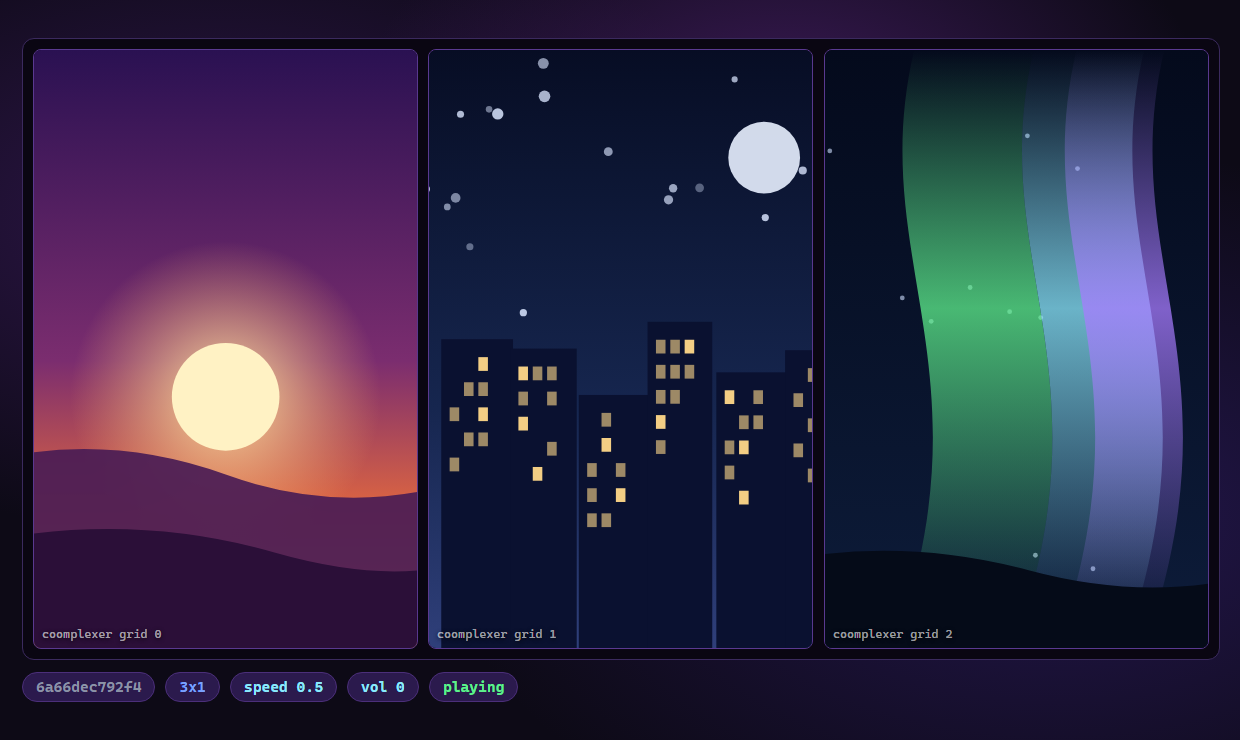
Point it at anything: folders, individual files, .m3u playlists, URLs, or a mix. Files are shuffled and dealt round-robin, so no two tiles play the same thing.
| Flag | Does |
|---|---|
-g 3x1 |
layout, as COLSxROWS |
-s 0.5 |
playback speed |
-v 30 |
volume (0–100, default muted) |
-t videos |
only videos (or images, mixed) |
-r |
search folders recursively |
-p / -L |
portrait-only / landscape-only |
-n |
dry run — list what would play |
2. Drive it while it runs
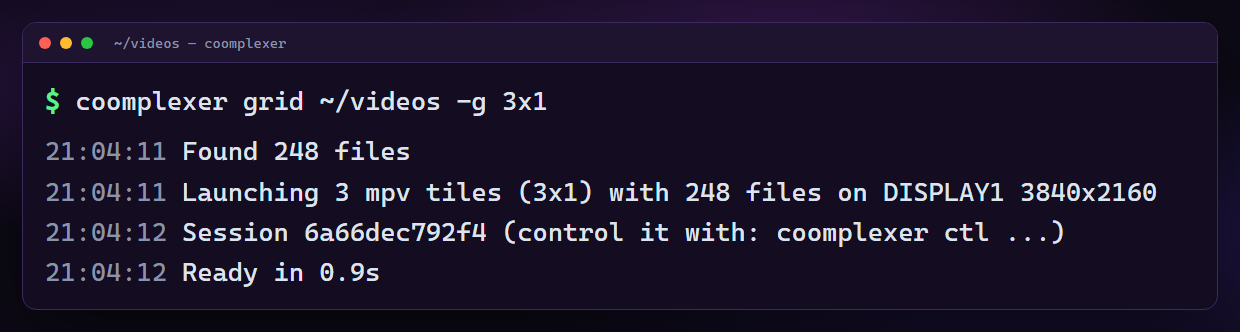
coomplexer ctl pause          # also: resume, toggle, next, prev
coomplexer ctl speed 1.5      # also: volume 40, mute, unmute
coomplexer ctl list           # what's running, and on which display
Commands reach every tile at once, over mpv's own IPC channel. Name a wall
(grid --name office) and several of them become a group you can drive or
close together:
coomplexer ctl pause -S office   # every wall named "office"
coomplexer ctl stop  -S office   # close them all at once
3. Close it
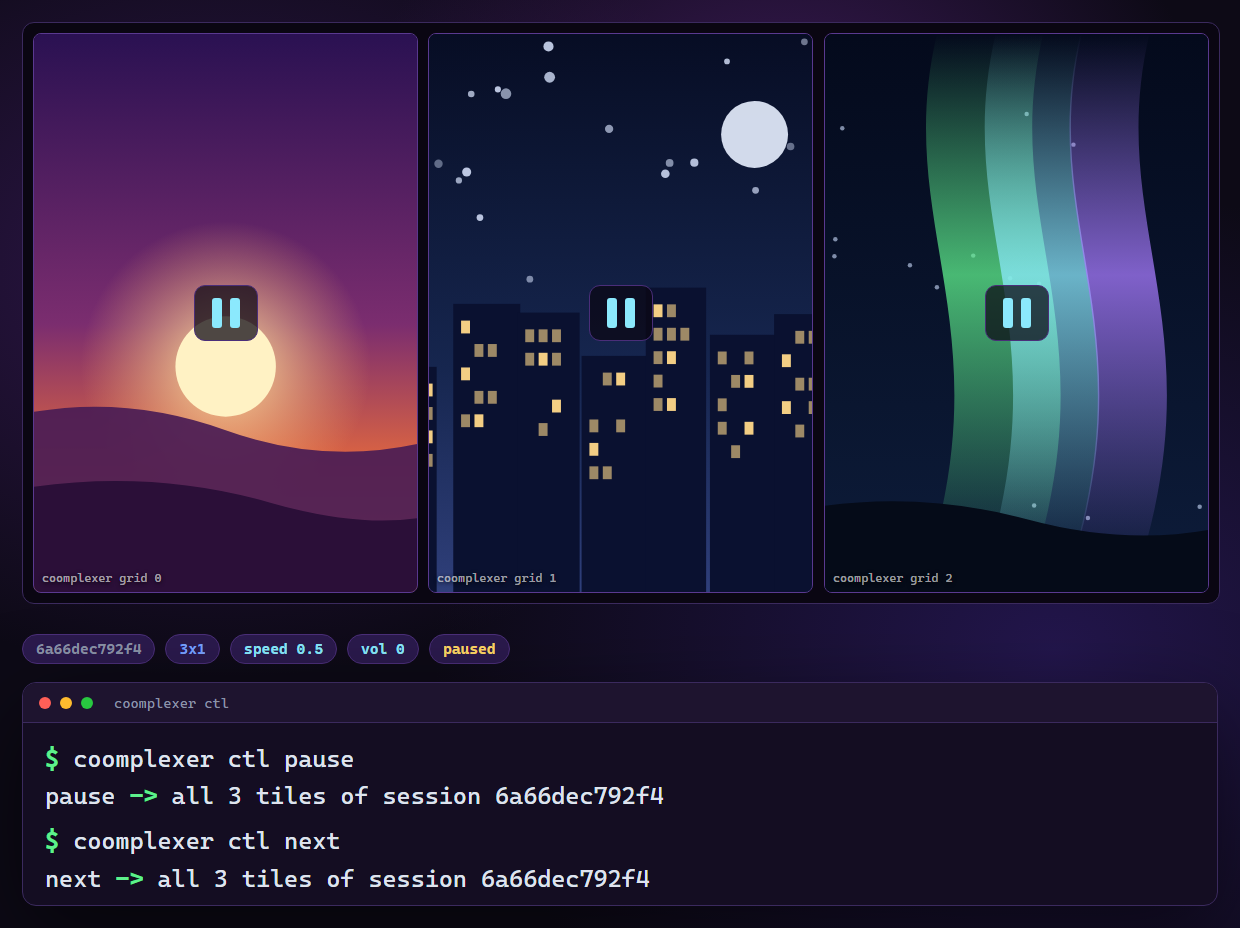
coomplexer stop               # closes the wall you opened most recently
coomplexer stop --list        # what's running?
coomplexer stop --all         # close every wall
Open two walls on two monitors and stop only closes the newest — the other keeps playing.
4. Find things again
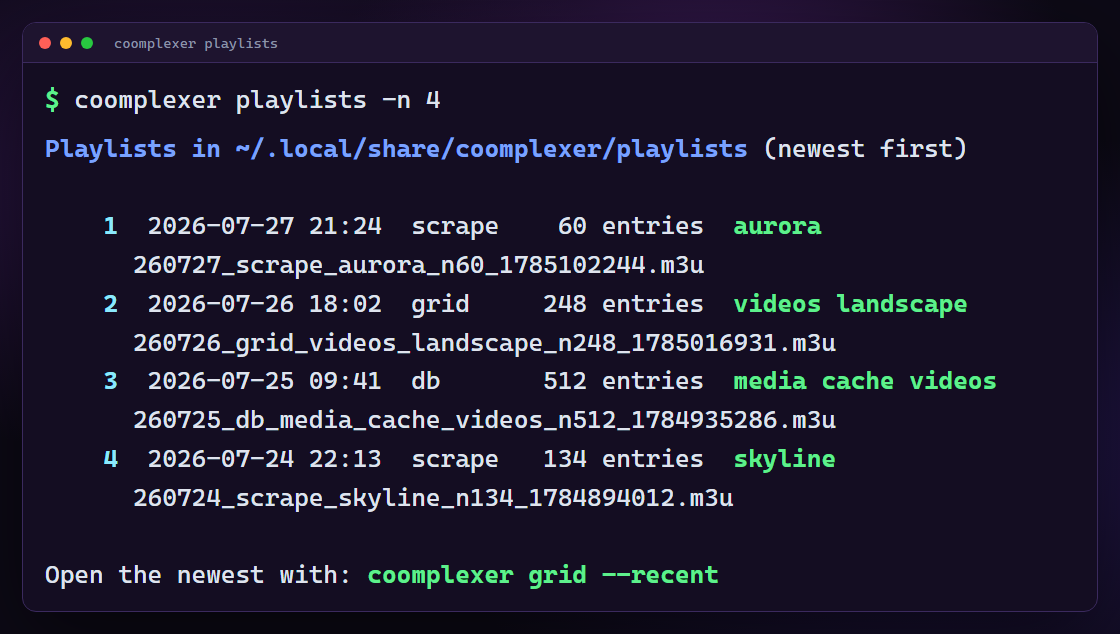
coomplexer playlists          # every playlist you've made, newest first
coomplexer grid --recent      # reopen the newest one
coomplexer grid --recent kazuha   # newest one matching "kazuha"
playlists then asks which one to open. Answer with a number, plus any grid
flags you want for this launch:
open> 2 -g 2x2 -s 0.5
Tab completes at every position — the numbers, then the flag names, then a
flag's own values (-t offers images videos mixed, -g offers the usual
layouts). q or Ctrl-C backs out. Add --no-interactive to just list and
exit.
[!TIP] Stuck? Two commands answer almost every question:
coomplexer doctorchecks your environment, and adding--verboseto any command explains every failure it would otherwise handle silently.
Advanced
Multiple monitors — spanning, per-screen layouts, hiding the taskbar
coomplexer grid ~/videos -D 2            # second monitor
coomplexer grid ~/videos -D all          # every monitor
coomplexer grid ~/videos -D 1,2 -g 3x1,2x2   # a different layout per monitor
-D takes a 1-based index, a comma list, or all. One -g layout repeats on every screen; a comma list of layouts pairs one per monitor in -D order. Files are dealt across the whole combined wall.
The taskbar. By default tiles are measured against the work area, so nothing hides behind the taskbar. To use the full screen instead:
coomplexer grid ~/videos --hide-taskbar
The taskbar comes back when you coomplexer stop. If one ever gets stranded — a wall closed some other way — coomplexer stop --all always restores it. Set hide-taskbar = true under [grid] in your config to make it the default. Windows only.
Scraping — subreddits, Korean gif boards, translation, downloads
coomplexer scrape karina                     # newest matches -> a playlist
coomplexer scrape karina -g                  # ...and open it as a wall
coomplexer scrape karina -d                  # ...or download it instead
coomplexer scrape -n 99 --limit-mode live karina   # keep going until 99 live URLs
Results are resolved to live direct media URLs and written to a self-describing .m3u.
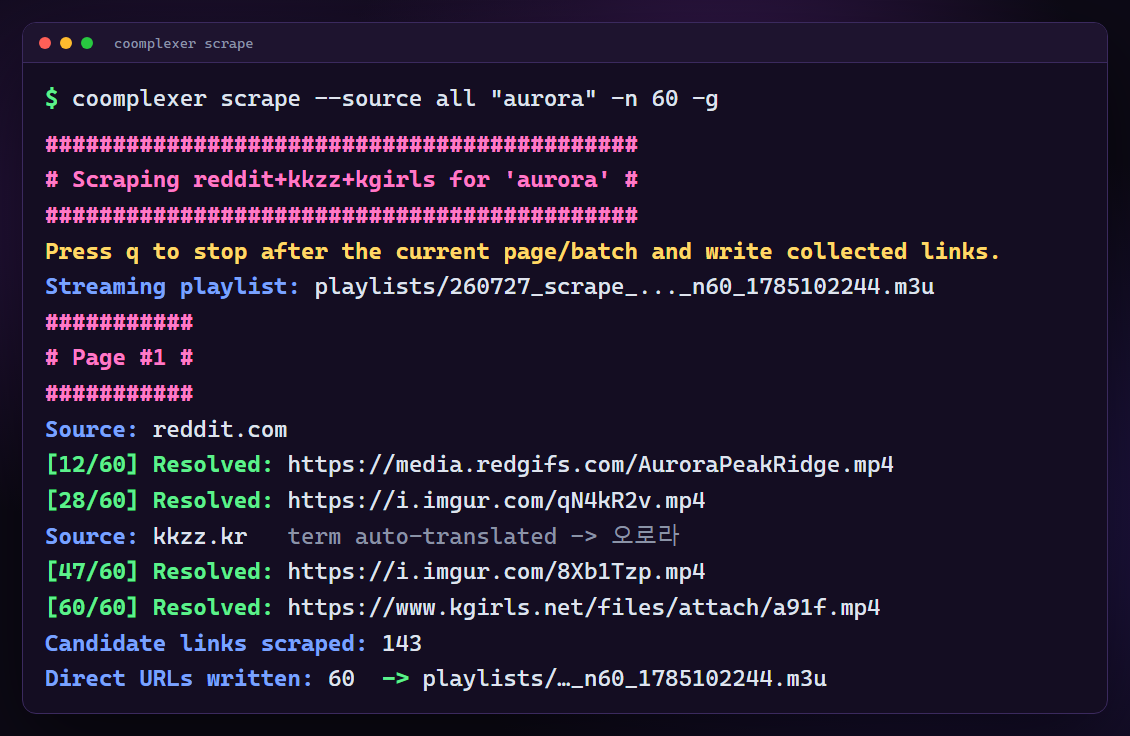
Sources — --source reddit (default), kkzz, kgirls, youtube, or all:
coomplexer scrape --source all shuhua
coomplexer scrape --source youtube 카즈하      # YouTube Shorts by #hashtag
youtube searches youtube.com/hashtag/<term>/shorts. Its links go into the
playlist as YouTube page URLs, deliberately unresolved — YouTube's direct
media URLs expire quickly and are tied to the client that requested them, so a
resolved playlist would be dead on arrival. mpv's own yt-dlp hook opens each
one when a tile reaches it, and coomplexer keeps that hook enabled whenever a
playlist contains such links.
-n is split between the sources, and the term is auto-translated per source: reddit searches shuhua, the Korean boards search 슈화. Name both scripts yourself with a piped term ("iroha|이로하"), or turn it off with --no-translate.
reddit's JS bot-wall is cleared headlessly (install Deno for the robust solver, or pass --cookies firefox). kgirls.net sits behind Cloudflare and needs a FlareSolverr endpoint: --flaresolverr http://host:8191/v1.
Incremental scraping. Every URL a run collects is remembered, so:
coomplexer scrape karina --new-only -n 25 -d --download-archive
only fetches what previous runs never saw, and skips videos already downloaded.
Merging. -a/--append folds existing playlists, folders and files into a combined playlist alongside the fresh results:
coomplexer scrape -g 3x1 --source all "iroha|이로하" -a old.m3u -a ~/pics/iroha -t videos -p
The media index — search, filter and export without rescanning
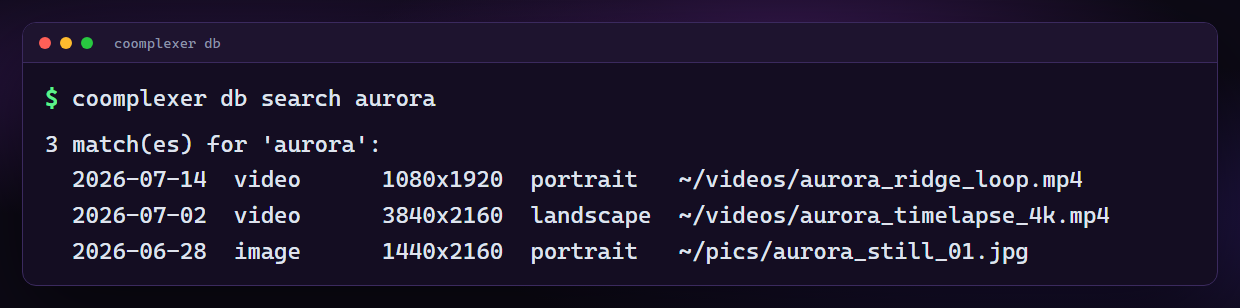
Every local file a grid scan touches is indexed automatically (path, type, orientation, dimensions), so it grows into a catalog of your libraries.
coomplexer db                              # what's in there
coomplexer db index ~/pics ~/videos -r     # add a library explicitly
coomplexer db search kazuha                # where is that file?
coomplexer db prune -n                     # preview dead entries, then drop the -n
Export new playlists from it instantly — no rescanning, no re-probing:
coomplexer db export -t videos -p                 # portrait videos
coomplexer db export --order random --limit 50    # 50 at random
coomplexer db export --min-height 1080            # 1080p and up
coomplexer db export -L --db other.db             # from a secondary index
--order takes path, random, newest, oldest, largest, smallest.
Add -g to any export to open it as a wall straight away:
coomplexer db export -t videos -p -g 3x1 -D all
Master playlists keep one file per set of filters and rewrite it in place, so you can point at it forever instead of collecting timestamped exports:
coomplexer db master -t videos -p        # -> playlists/master_videos_portrait.m3u
coomplexer db master -t videos -g -D all # refresh it, then shuffle it everywhere
Re-running reports the drift — 642 entries (+12 new, -3 gone).
Stacking, in a row or a column
coomplexer stack clip.webm                 # one clip, tripled across the row
coomplexer stack -r 1 a.mp4 b.mp4 c.mp4    # three clips, each rotated 90°
coomplexer stack -V -D 3 a.mp4 b.mp4 c.mp4 # a column of three, filling portrait monitor 3
coomplexer stack https://youtu.be/XXXX     # a URL, resolved by mpv
coomplexer stack -z 1.2 clip.webm          # zoomed 20% into the centre
Uses mpv's filtergraph to stack the panes in a single window: hstack into a row by default, or vstack into a column with -V/--vertical. Panes are normalized to one height for a row and one width for a column, so mixed resolutions can be stacked together. Three 16:9 clips make a 16:27 column, which is close enough to fill a portrait monitor. Panes without an audio track are handled automatically. -D 3 fills a chosen monitor, and -z zooms into the centre of the source without changing the layout.
Config file — defaults and named profiles
coomplexer config --init    # generate a fully commented starter
coomplexer config --edit    # open it in your editor
coomplexer config --path    # where is it?
config.example.toml in the repo root is exactly what
--init writes: every key, commented, with its default. Read it there without
installing anything.
[grid]
grid = "3x1"
volume = 20
hide-taskbar = true

[scrape]
subreddit = "kpopfap"
solver = "deno"

[profiles.default]          # applied automatically to: coomplexer grid PLAYLIST.m3u
grid = "3x1"
speed = 0.5

[profiles.wall]             # applied with: --profile wall
grid = "4x2"
portrait = true
type = "videos"
Precedence, lowest to highest: built-in defaults → [command] table → [profiles.default] for grid → --profile NAME → explicit CLI flags. Unknown keys are rejected with a suggestion rather than ignored.
The file lives in the repo root from a checkout, or your per-user config dir (%APPDATA%\coomplexer, ~/.config/coomplexer, ~/Library/Application Support/coomplexer) when installed.
Sessions — how walls are tracked
Each launch records a session: its tiles, their process ids, and their mpv IPC endpoints. That is what lets stop close one wall without touching another, and what ctl talks to.
coomplexer stop --list        # ids, live tile counts, layouts, start times
coomplexer ctl next -S 6a66dec        # target one wall explicitly
coomplexer stop -S 6a66dec
Records are cleaned up once their processes are gone. Walls launched before v1.9 have no IPC channel and must be relaunched to be controllable.
Troubleshooting
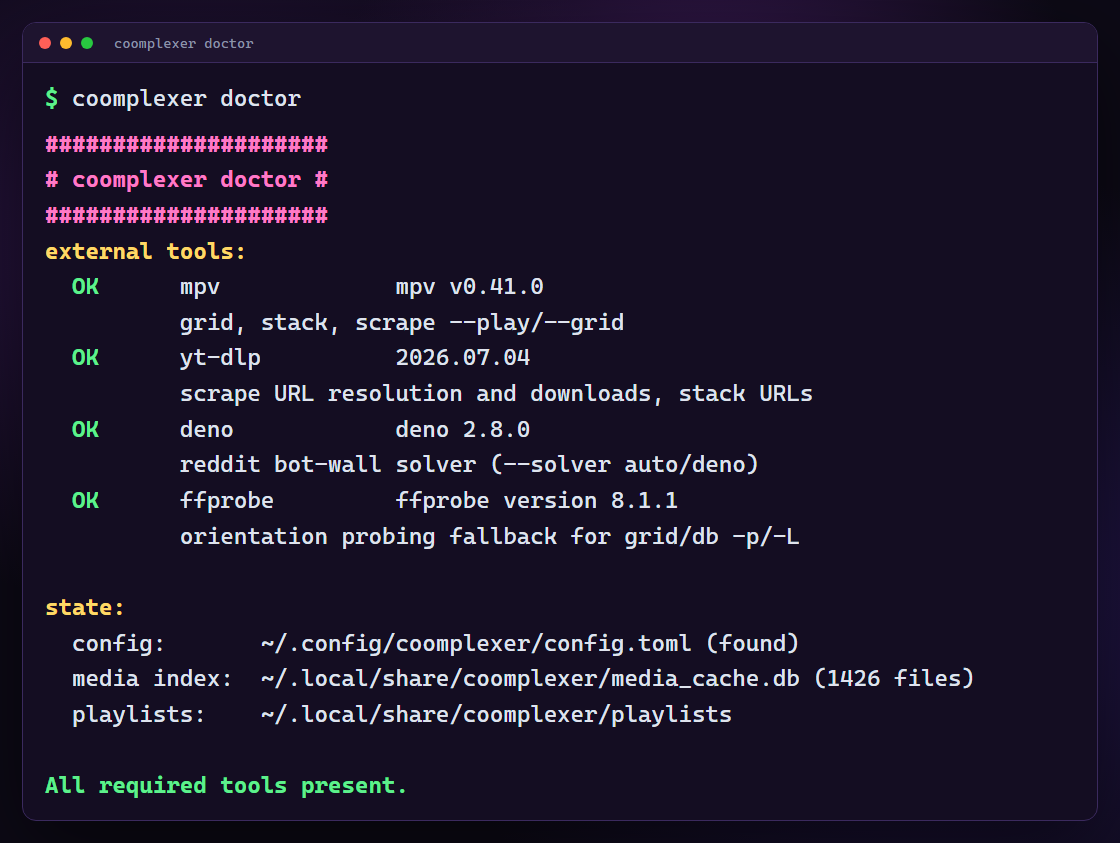
Start with coomplexer doctor. Then re-run the failing command with --verbose — every failure the tool handles quietly (a source falling back, a retried request, an unreadable file, a URL yt-dlp gave up on) is reported there with its cause.
| Symptom | Fix |
|---|---|
mpv not found on PATH |
install mpv, make sure its folder is on PATH |
-p/-L filters everything out |
probing failed — install pillow/av or ffprobe, then coomplexer db prune and retry |
| tiles on the wrong monitor | -D is 1-based; the error message lists what was detected |
| gaps along the bottom of the wall | that strip is the taskbar — try --hide-taskbar |
| scrape returns 0 links | try a broader term or a higher -n; --verbose shows which source refused |
| scrape stops early | you pressed q, or a source ran out — links collected so far are already flushed to the playlist |
Full reference for every flag and config key: USAGE.md.
Documentation
| USAGE.md | complete reference — every command, flag and config key |
| CHANGELOG.md | what changed, and why |
coomplexer --help |
colorized help, with examples, for any command |
Development
pip install -e . pytest ruff
pytest          # 386 tests, no mpv or network required
ruff check .
License
MIT.
1 maintainer

Download files
Download the file for your platform. If you're not sure which to choose, learn more about installing packages.
Source Distribution
Built Distribution
Filter files by name, interpreter, ABI, and platform.
If you're not sure about the file name format, learn more about wheel file names.
Copy a direct link to the current filters
File details
Details for the file coomplexer-1.10.0.tar.gz.
File metadata
- Download URL: coomplexer-1.10.0.tar.gz
- Upload date:
- Size: 132.1 kB
- Tags: Source
- Uploaded using Trusted Publishing? No
- Uploaded via: twine/6.2.0 CPython/3.14.5
File hashes
| Algorithm | Hash digest | |
|---|---|---|
| SHA256 |
7088cd8b2814ae13aa23573fbdcac10b8a2e760da317e0841083424618cdcd09
|
|
| MD5 |
c97311fac6631da8245c7b1691e1a3a1
|
|
| BLAKE2b-256 |
23577e1f5d236dffb19df43a8f4f4ad542c57b012c3e3578307ad332281b6637
|
File details
Details for the file coomplexer-1.10.0-py3-none-any.whl.
File metadata
- Download URL: coomplexer-1.10.0-py3-none-any.whl
- Upload date:
- Size: 100.0 kB
- Tags: Python 3
- Uploaded using Trusted Publishing? No
- Uploaded via: twine/6.2.0 CPython/3.14.5
File hashes
| Algorithm | Hash digest | |
|---|---|---|
| SHA256 |
73f87118d063c98b5eb5142042dfffca84f26a40819b13e6ef90810522b4c1df
|
|
| MD5 |
2a0654446bef2c4d4645d46221aefd82
|
|
| BLAKE2b-256 |
f70128401b599f5a420fd8fb0b9797d71eb9d6e176c644cad5365dff58a2539a
|







