

The AI for PCB design, in your terminal.








CopperPilot in your terminal: a thin, open-source client for CopperPilot electronics design agent, the best AI for PCB Design.
Prerequisites
- Python 3.11 or newer
- A CopperPilot account for login
- KiCad 10 on
PATHonly if you runexamples/001_esp32orexamples/002_cm5_camera
Install and run
pip install copper-pilot-cli
copper-pilot
The first interactive launch opens a browser for CopperPilot device login. With no path argument, the current directory is the workspace and a new chat starts immediately. Any existing directory is valid.
copper-pilot ./my-board
copper-pilot --resume
copper-pilot threads list
copper-pilot -n -m "Review this board" --json
copper-pilot --mode plan --effort intelligence -m "Survey and plan this board"
Both copper-pilot and copper-pilot-cli run the same program.
copper-pilot --help lists flags; docs/cli.md is the full
command reference.
Balanced effort is the default. Paid-plan users can select Intelligence with
--effort intelligence or interactive /effort. Intelligence uses
server-owned survey subagents and shows their lifecycle through the existing
Deep Agents task rows; Intelligence Plan turns survey before writing a plan.
Use from Claude Code, Cursor, or Codex
CopperPilot stays the electronics agent. Copy
skills/copper-pilot-review/SKILL.md into
your harness, or expose the same agent over MCP:
claude mcp add copper-pilot -- copper-pilot mcp
Claude Code can also install the in-repo plugin:
/plugin marketplace add CopperPilot/copper-pilot-cli
/plugin install copper-pilot
That plugin starts copper-pilot mcp and adds @copper-pilot plus
/copper-pilot-review. Setup for Cursor, Codex, and approvals:
docs/harness.md.
Configuration
- Production API:
https://copperpilot.ai - Development override:
COPPER_PILOT_API_URL - User state:
~/.copper-pilot/.state - Project artifacts:
.copperpilot/
Credentials are stored in a private, atomically replaced auth.json; on POSIX
the parent directory is mode 0700 and the file is mode 0600.
LangChain
from copper_pilot_cli.copper_protocol import CopperEffort, CopperMode
from copper_pilot_cli.langchain import CopperPilotAgent
from helper import drc_violations, erc_errors, render_pcb, run

PLAN = CopperMode.PLAN

copper_pilot = CopperPilotAgent(
    workspace="esp32",
    effort=CopperEffort.INTELLIGENCE,
)

run(copper_pilot, "Build me an ESP32 dev board.", PLAN)
run(copper_pilot, "Let us build this plan.")
run(copper_pilot, "Inspect the PCB, check for any missing 3D models, and apply them accordingly.")

assert erc_errors() == 0
assert drc_violations() == 0
render_pcb("esp32.png")
CopperPilotAgent is a Runnable, not a chat model. It represents a complete
hosted agent run, including local tool requests. Use as_langgraph() for graph
composition or as_compiled_subagent() for explicit delegation from an outer
Deep Agent. The compatible deepagents runtime is installed and pinned by this
package.
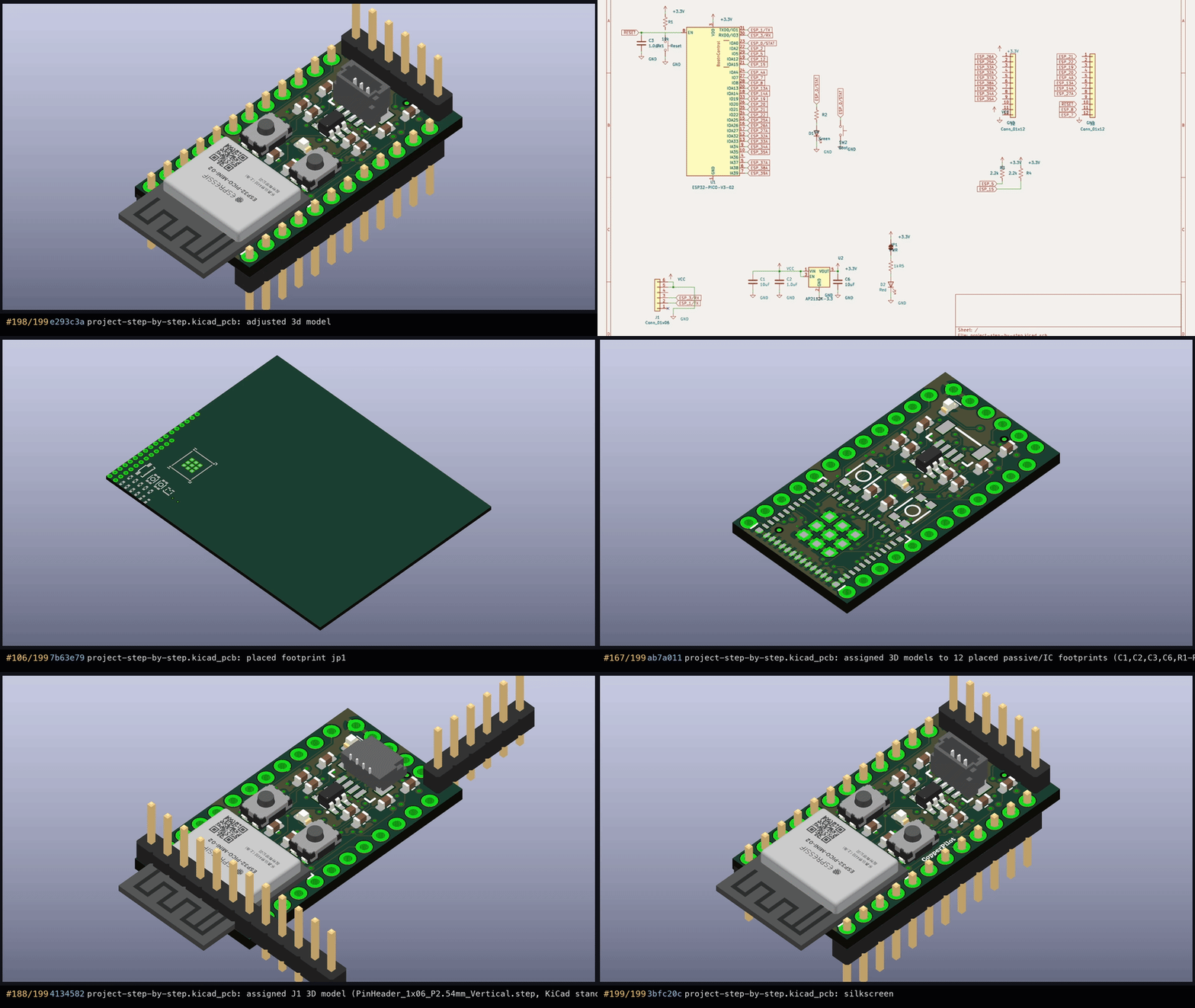
That snippet is the runnable example in
examples/001_esp32. A phased CM5 camera carrier lives in
examples/002_cm5_camera.
Security boundary
The hosted agent may request local filesystem and shell tools. Reads and searches run freely. Writes, edits, deletes, and shell commands are gated by Manual approval by default. Auto permits only deterministic routine actions; unknown actions still ask. YOLO must be selected explicitly.
Filesystem, search, edit, and shell execution use Deep Agents' native
FilesystemMiddleware tools and LocalShellBackend; CopperPilot's adapter only
normalizes hosted tool names, approval decisions, and result envelopes.
Computer use, model/provider selection, local model execution, LangSmith
tracing, content telemetry, MCP host/plugin-runtime controls, and server
implementation code are not part of this package. A thin MCP server
(copper-pilot mcp) that delegates to the hosted agent is.
See UPSTREAM.md and NOTICE for the retained Textual client attribution.
To report a vulnerability, see SECURITY.md.
Development
pip install -e ".[dev]"
make fmt
make lint
make test
make test runs pytest -m "not live". Live tests skip unless a CopperPilot
credential is stored. Release tagging is make release. Details:
docs/development.md.
Contributing
Bug reports, features, and pull requests are welcome. Please read CONTRIBUTING.md and the Code of Conduct. Use the bug report form so we can reproduce the problem.
License
MIT.
1 maintainer

Metadata
1 maintainer
Release files for copper-pilot-cli 0.1.8
For a detailed explanation of source distributions (sdists) and built distributions (wheels), please see the package formats documentation.
Source distribution (sdist)
| File | Size | Uploaded | |
|---|---|---|---|
| copper_pilot_cli-0.1.8.tar.gz | 7.3 MB | Details |
Built distribution (wheel)
| File | Interpreter | ABI | Platform | Reset |
|---|---|---|---|---|
| copper_pilot_cli-0.1.8-py3-none-any.whl | Python 3 | none | any | Details |
Total release size: 7.4 MB
Release files / copper_pilot_cli-0.1.8.tar.gz
| Download URL | copper_pilot_cli-0.1.8.tar.gz |
|---|---|
| Size | 7.3 MB |
| Tags | Source |
|
SHA-256 checksum How to use checksums |
6e19095172e802b3d03050483f6384c0a51a5bc879c8525ab395fb5a16747b82
|
|
BLAKE2b-256 checksum How to use checksums |
b867a977c276161b83a08695717510d25f4510341a9a2f8aacb2d88cea02bb0b
|
| Upload date | |
|
Uploaded using Trusted Publishing? What is trusted publishing? |
Yes |
| Uploaded via |
twine/7.0.0 CPython/3.13.14
|
Provenance
Provenance describes where a file came from. On PyPI, provenance is shared via attestations, which provide a verifiable record of the build or publishing details. View details, limitations and caveats.


PyPI Publish Attestation
PyPI verified that this artifact, at this checksum, originated from the publisher listed below.
Signed by GitHub Actions, verified by PyPI on Oct 14, 2026.
Transparency logRelease files / copper_pilot_cli-0.1.8-py3-none-any.whl
| Download URL | copper_pilot_cli-0.1.8-py3-none-any.whl |
|---|---|
| Size | 105.5 kB |
| Tags | Python 3 |
|
SHA-256 checksum How to use checksums |
3dd281a4ecbde9c6914ffecdc4f5c61114dda60fd9bb90c98bbbdc98ea6ed48b
|
|
BLAKE2b-256 checksum How to use checksums |
45dc8de16440548d28dc7cf98adca9db365a18dd0110619da1362dc45e683b98
|
| Upload date | |
|
Uploaded using Trusted Publishing? What is trusted publishing? |
Yes |
| Uploaded via |
twine/7.0.0 CPython/3.13.14
|
Provenance
Provenance describes where a file came from. On PyPI, provenance is shared via attestations, which provide a verifiable record of the build or publishing details. View details, limitations and caveats.
PyPI Publish Attestation
PyPI verified that this artifact, at this checksum, originated from the publisher listed below.
Signed by GitHub Actions, verified by PyPI on Oct 14, 2026.
Transparency log













