
Tools for annotating and developing ML models for benthic imagery

Project description
CoralNet-Toolbox 🪸🧰
AI-Powered Annotation for Coral Reef Analysis. An unofficial toolkit to supercharge your CoralNet workflows.








⚡ Get Started
1. Create Conda Environment (Recommended)
# Create and activate custom environment
conda create --name coralnet10 python=3.10 -y
conda activate coralnet10

# Install uv
pip install uv
2. (Optional) GPU Acceleration
If you have an NVIDIA GPU with CUDA, install PyTorch with CUDA support for full acceleration.
# Example for CUDA 12.8; use your version of CUDA
uv pip install torch torchvision --index-url https://download.pytorch.org/whl/cu128
3. Install
# Use UV for the fastest installation
uv pip install coralnet-toolbox
Fallback: If UV fails, use regular pip:
pip install coralnet-toolbox
4. Launch
coralnet-toolbox
To remove a problematic package, type the following:
uv pip uninstall package-name-here
To delete an old environment and restart, type the following:
# Deactivate if already in the environment
conda deactivate coralnet10

# Delete by name
conda env remove --name coralnet10

# Confirm when prompted
y
See the Installation Guide for details on other versions.
🎯 GPU Status Indicators
- 🐢 CPU only
- 🐇 Single GPU
- 🚀 Multiple GPUs
- 🍎 Mac Metal (Apple Silicon)
Click the icon in the bottom-left to see available devices
🔄 Upgrading
# When updates are available
uv pip install -U coralnet-toolbox==[latest_version]
Note: If you have
torchinstalled withCUDA, adding-Umay trigger an regression to the CPU version. If this occurs, usepipto uninstalltorchandtorchvision, and re-installCUDAversion.
MacOS Users
Version 1.0.0 and greater relies heavily on a package (PyQtADS) that cannot be installed on your operating system. Please do not upgrade from 0.0.105 until this is resolved.
📚 Resources & Advanced Details
- Installation Guide: Detailed setup for CUDA, Windows, and Mac.
- User Manual: A complete guide to all tools and features.
- Hot Keys: Keyboard shortcuts to accelerate your workflow.
- AI Tutorial: Learn to train your own classification models.
📺 Watch the Demo Videos
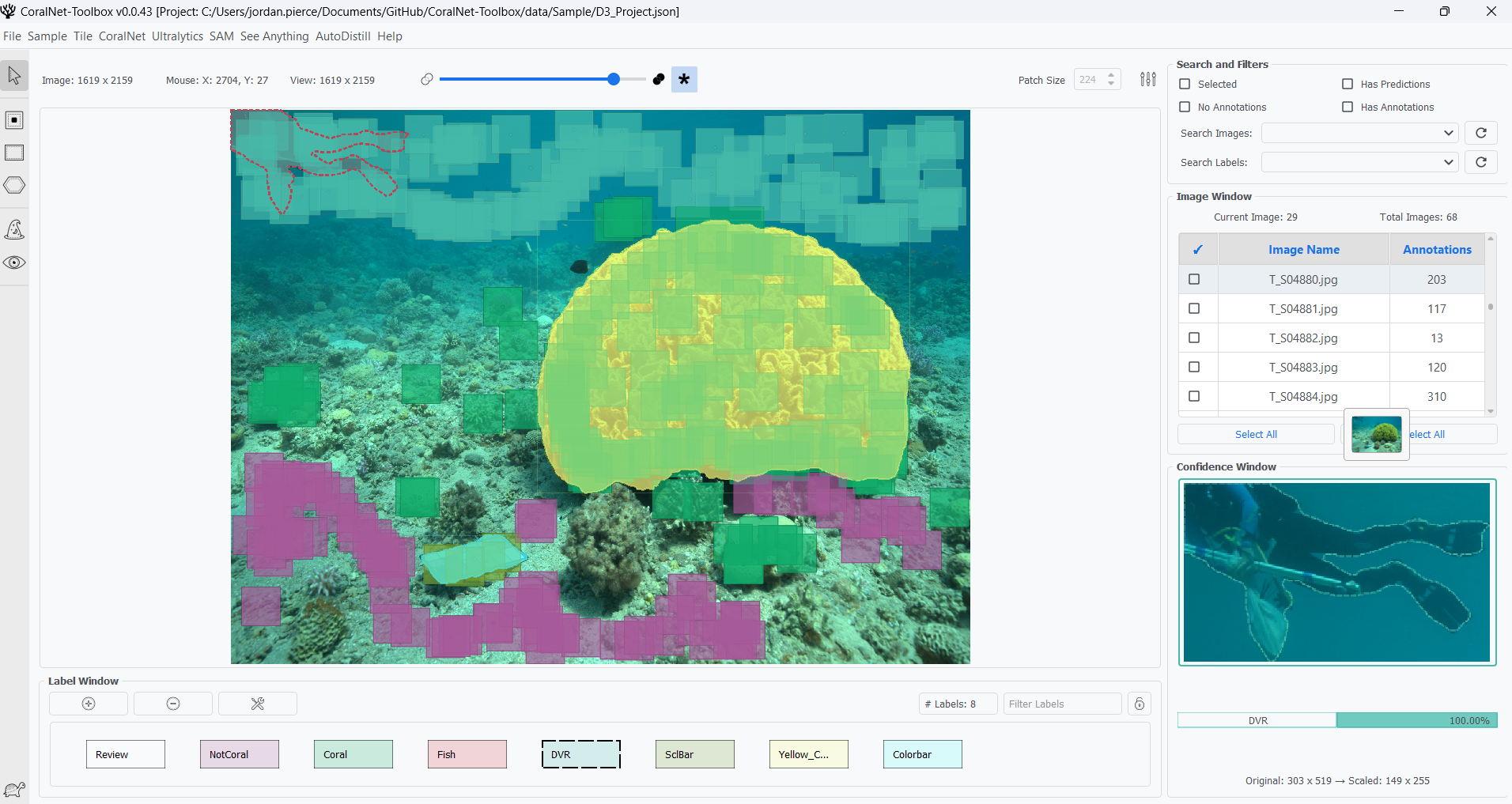
🎬 Complete playlist covering all major features and workflows
From Bottleneck to Pipeline
Traditional benthic imagery analysis is time-consuming. Manual annotation, data management, and model training are often separate, complex tasks. CoralNet-Toolbox unifies this process, turning a research bottleneck into an integrated, AI-accelerated pipeline.
📝 Core Annotation Tools
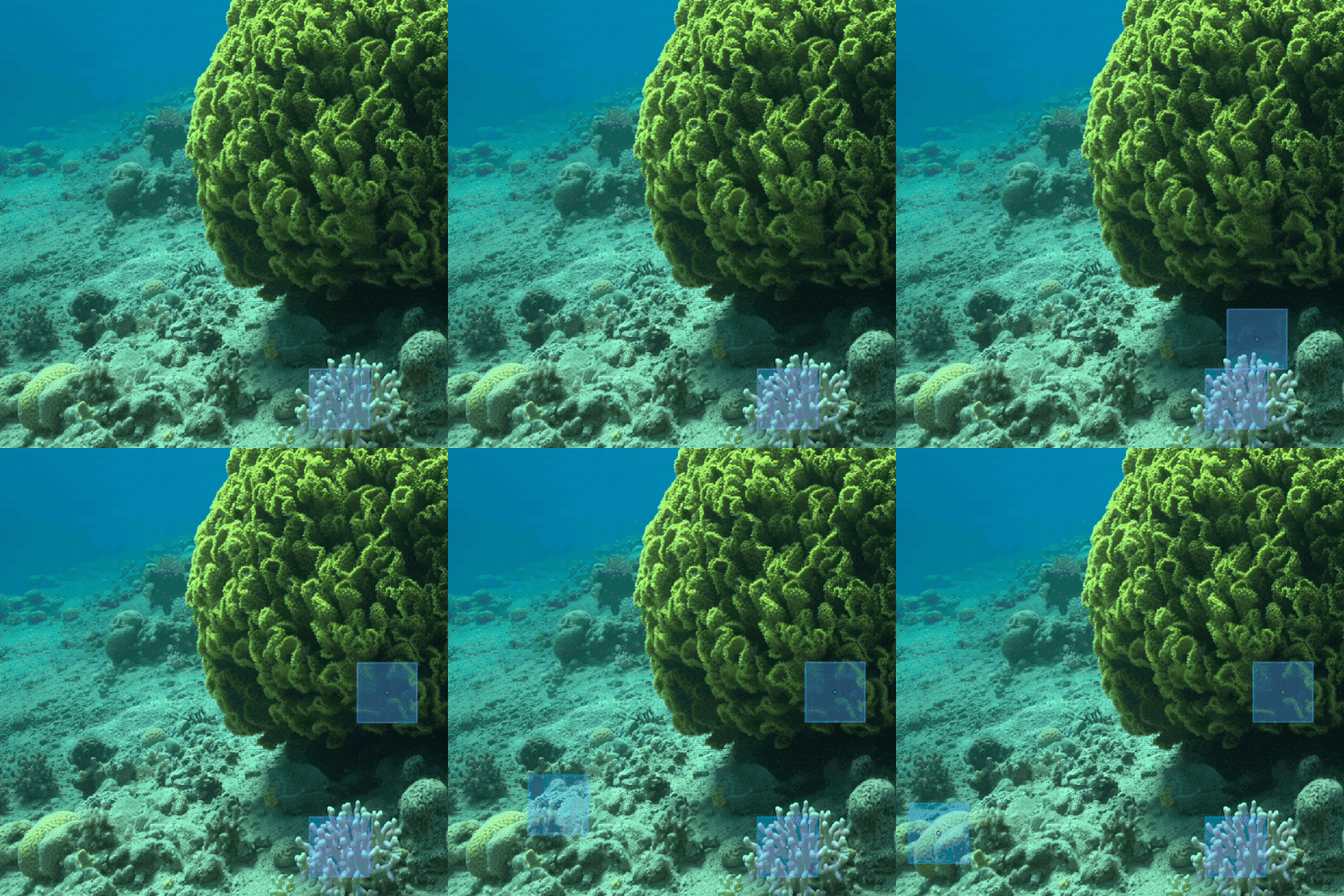 🎯 Patch Annotation |
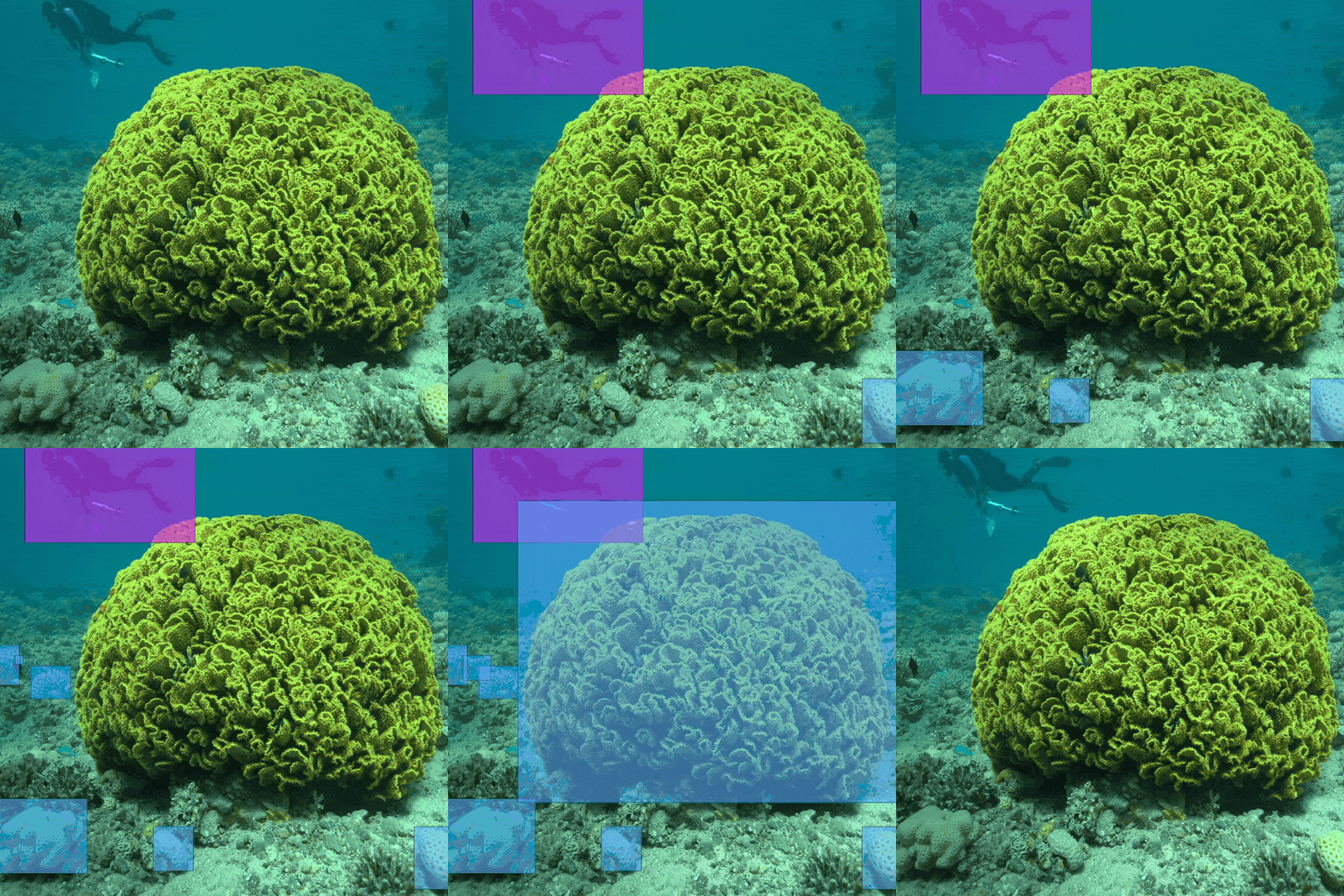 📐 Rectangle Annotation |
 🔷 Multi-Polygon Annotation |
|---|
🤖 AI-Powered Analysis
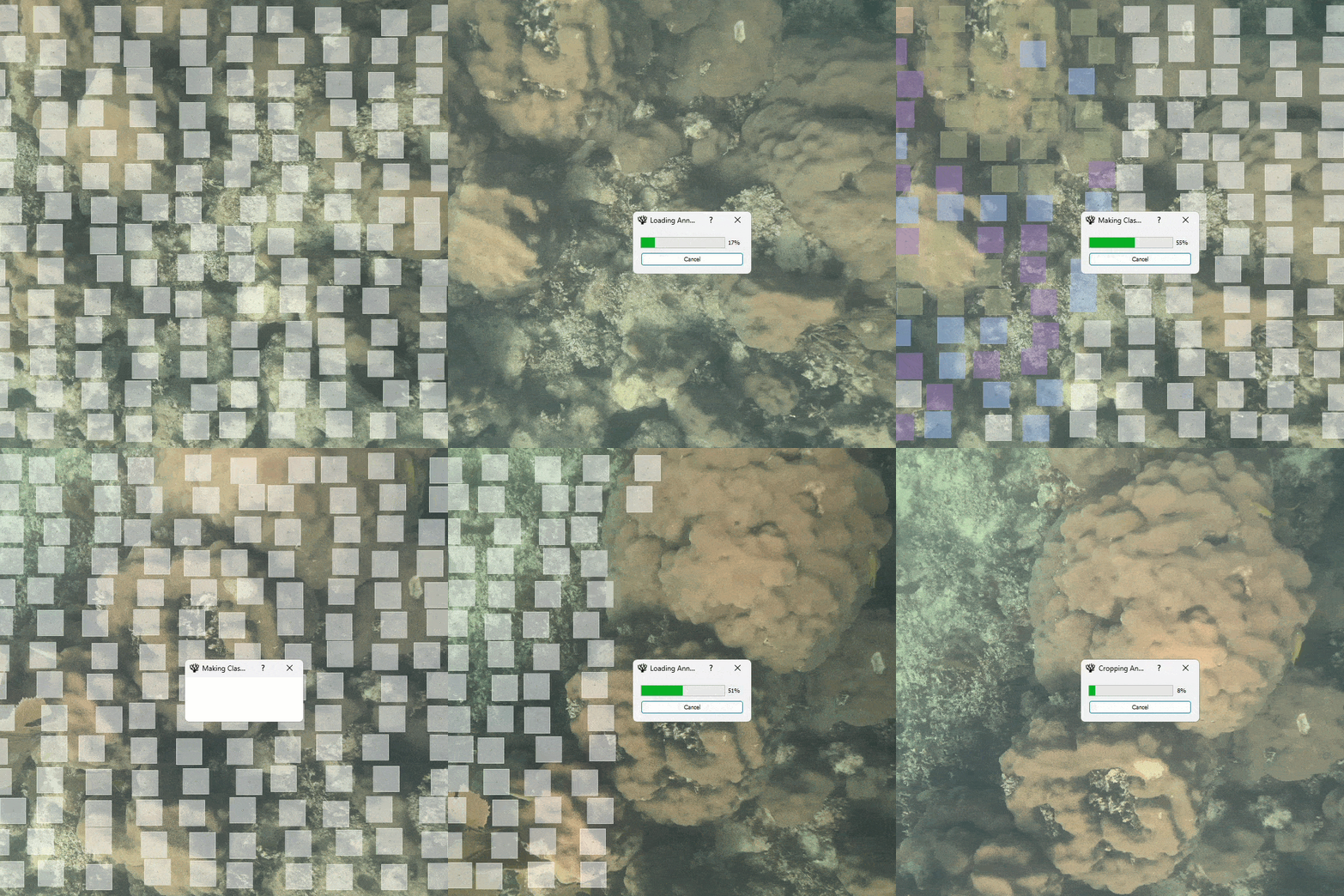 🧠 Image Classification |
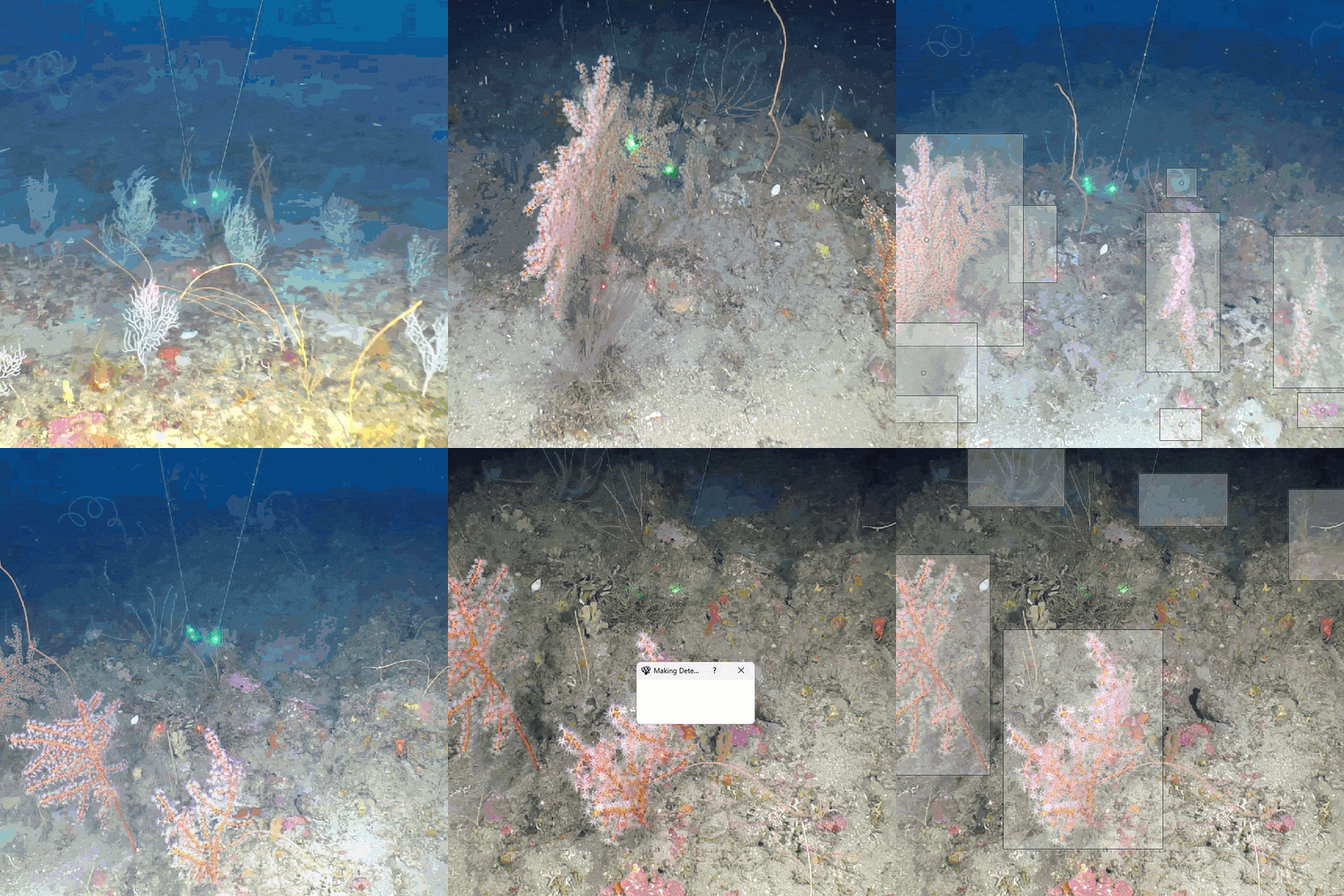 🎯 Object Detection |
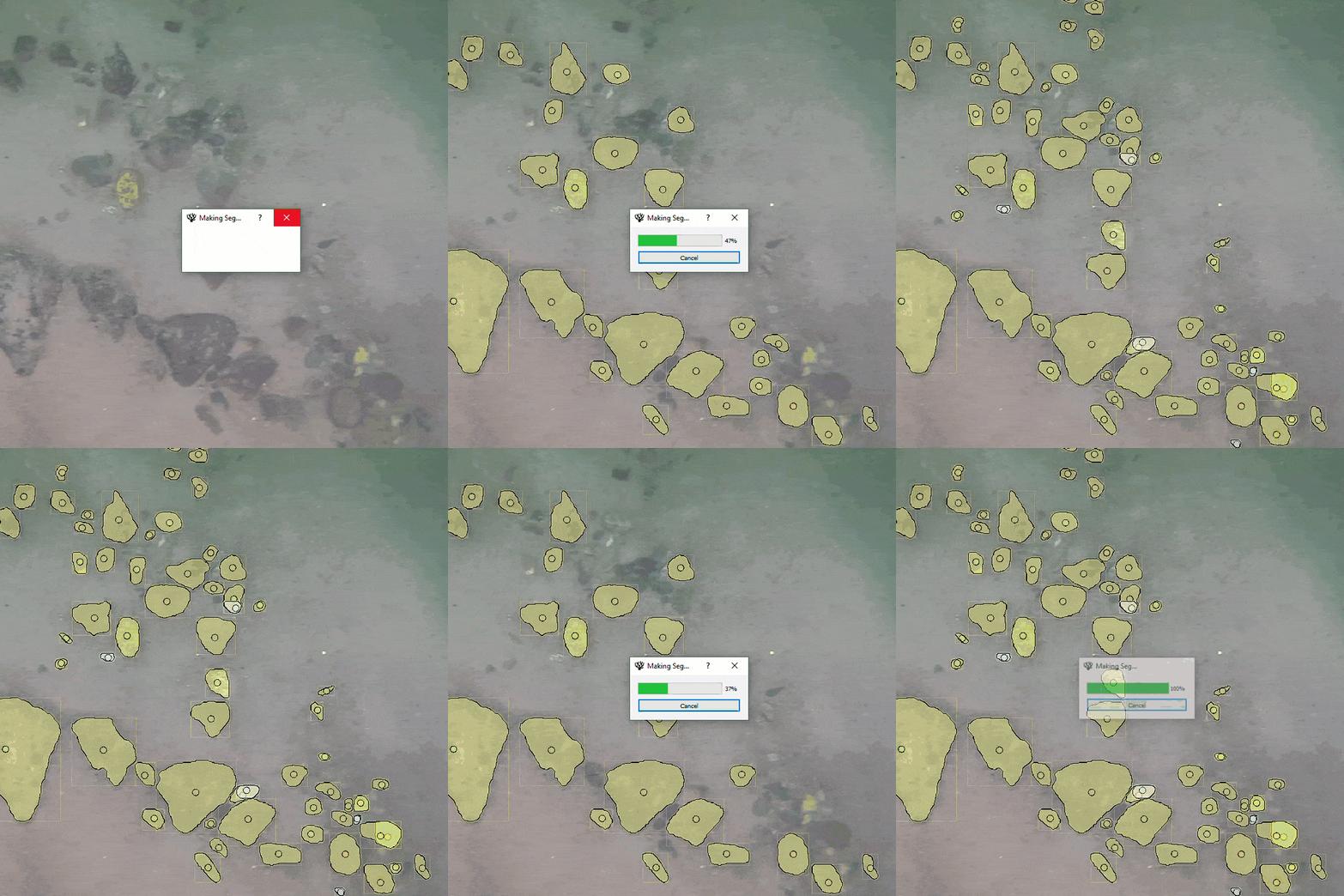 🎭 Instance Segmentation |
|---|
🔬 Advanced Capabilities
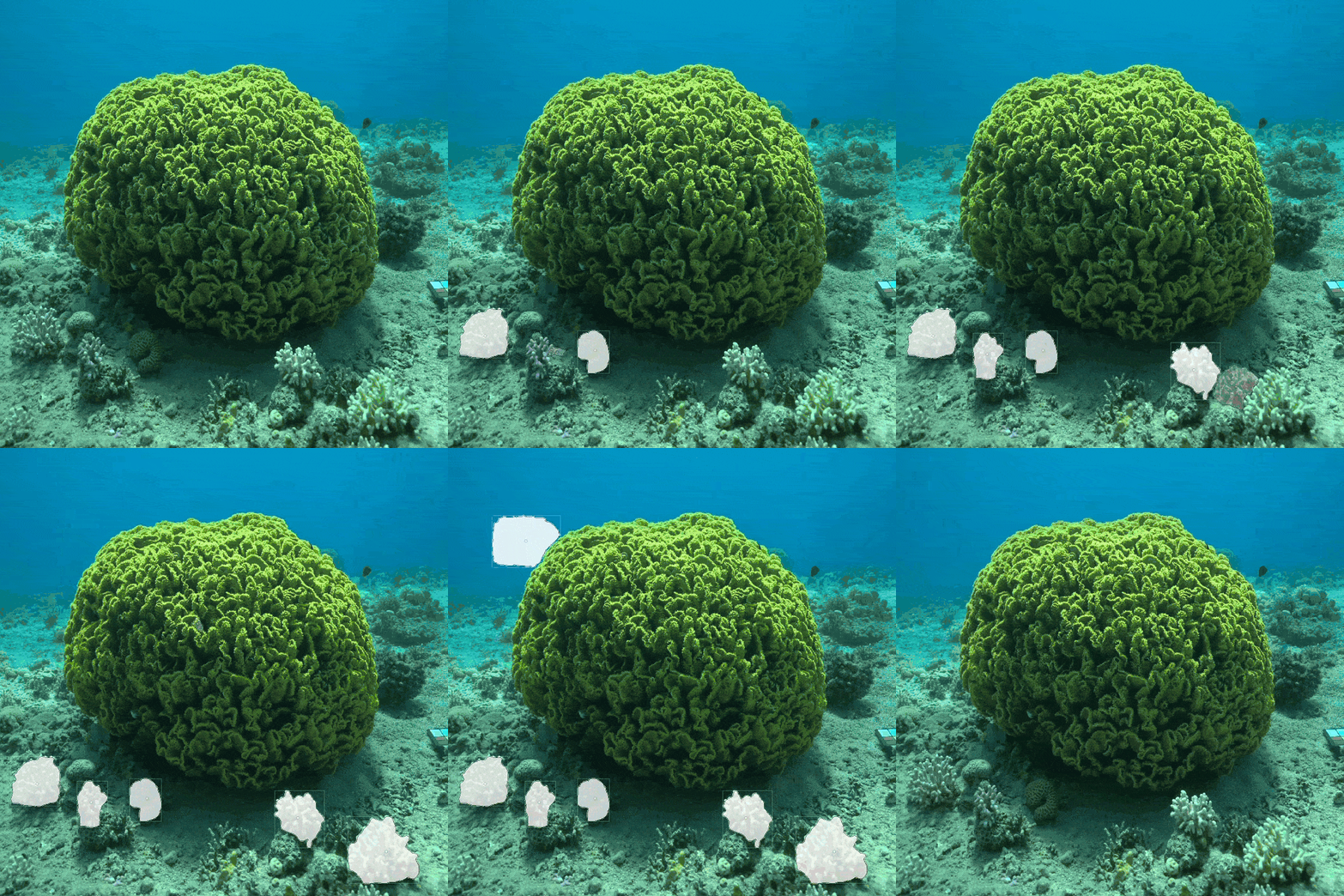 🪸 Segment Anything (SAM) |
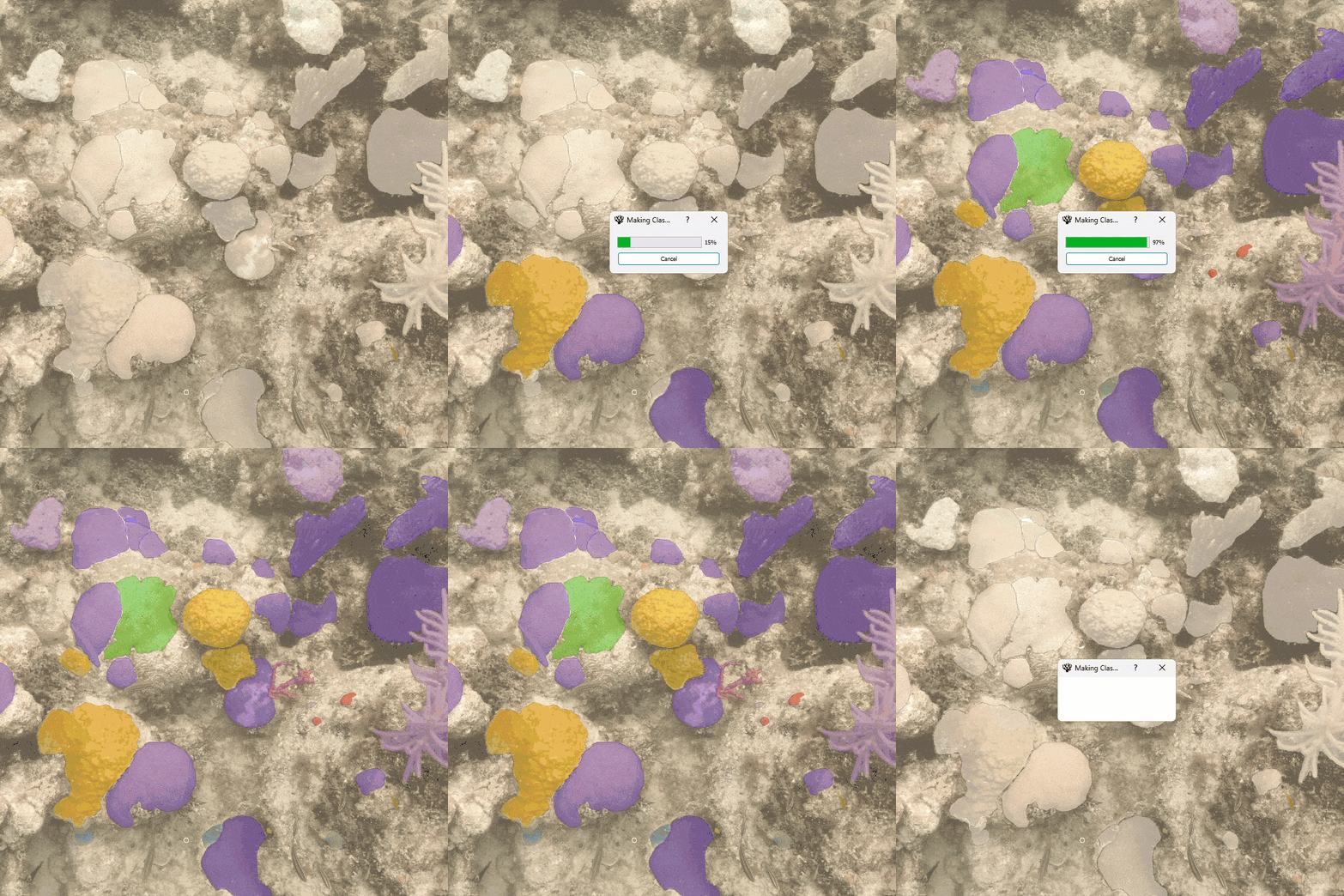 🔍 Polygon Classification |
 📍 Region-based Detection |
|---|
✂️ Editing & Processing Tools
 ✂️ Cut |
 🔗 Combine |
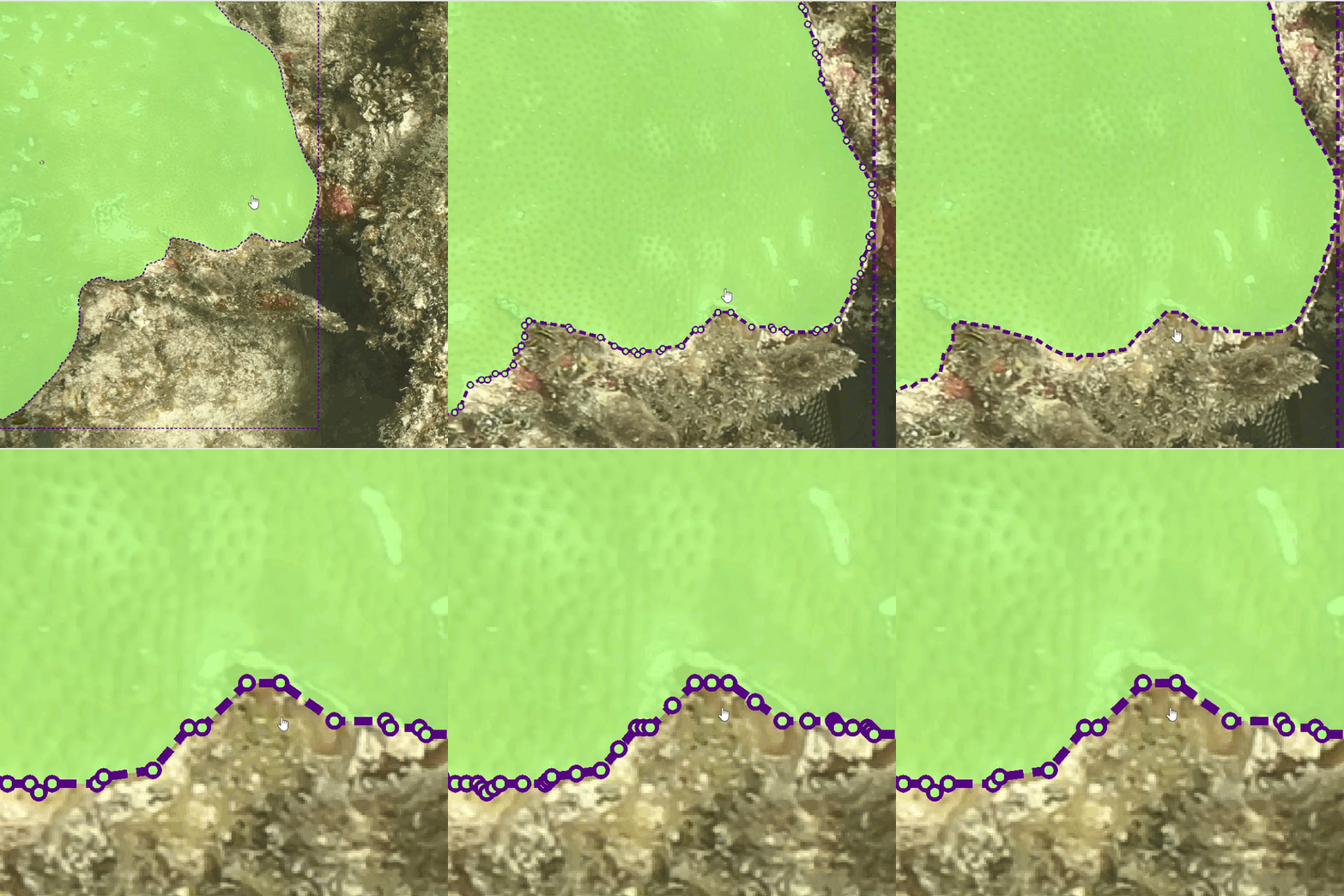 🎨 Simplify |
|---|
🌊 Success Stories
Using CoralNet-Toolbox in your research?
We'd love to feature your work! Share your success stories to help others learn and get inspired.
🏗️ Repository Structure
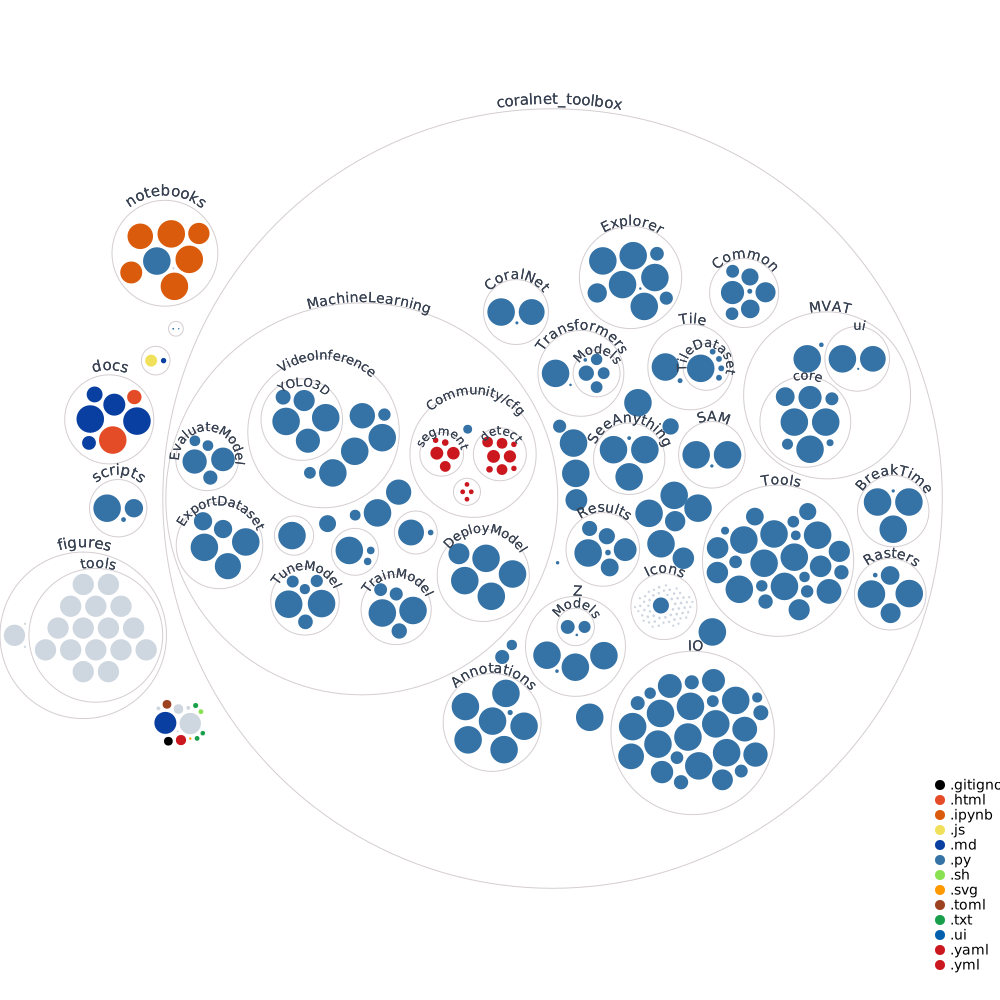
🌍 About CoralNet
Coral reefs are among Earth's most biodiverse ecosystems, supporting marine life and coastal communities worldwide. However, they face unprecedented threats from climate change, pollution, and human activities.
CoralNet is a revolutionary platform enabling researchers to:
- Upload and analyze coral reef photographs
- Create detailed species annotations
- Build AI-powered classification models
- Collaborate with the global research community
The CoralNet-Toolbox extends this mission by providing advanced AI tools that accelerate research and improve annotation quality.
📄 Citation
If you use CoralNet-Toolbox in your research, please cite:
@misc{CoralNet-Toolbox,
  author = {Pierce, Jordan and Battista, Tim and Kuester, Falko},
  title = {CoralNet-Toolbox: Tools for Annotating and Developing Machine Learning Models for Benthic Imagery},
  year = {2025},
  howpublished = {\url{https://github.com/Jordan-Pierce/CoralNet-Toolbox}},
  note = {GitHub repository}
}
⚖️ Legal & Licensing
⚠️ Disclaimer
This is a scientific product and not official communication of NOAA or the US Department of Commerce. All code is provided 'as is' - users assume responsibility for its use.
📋 License
Software created by US Government employees is not subject to copyright in the United States (17 U.S.C. §105). The Department of Commerce reserves rights to seek copyright protection in other countries.
Empowering researchers • Protecting ecosystems • Advancing science
Release history Release notifications | RSS feed


Download files
Download the file for your platform. If you're not sure which to choose, learn more about installing packages.
Source Distribution
Built Distribution
Filter files by name, interpreter, ABI, and platform.
If you're not sure about the file name format, learn more about wheel file names.
Copy a direct link to the current filters
File details
Details for the file coralnet_toolbox-1.0.3.tar.gz.
File metadata
- Download URL: coralnet_toolbox-1.0.3.tar.gz
- Upload date:
- Size: 954.7 kB
- Tags: Source
- Uploaded using Trusted Publishing? No
- Uploaded via: twine/6.2.0 CPython/3.14.6
File hashes
| Algorithm | Hash digest | |
|---|---|---|
| SHA256 |
36297203d8a0c5a042f2b7b28cb9a0529ab7671b6677406e12fcae9b4bfe02b2
|
|
| MD5 |
dfedb012096527fd650ef0fe7766a531
|
|
| BLAKE2b-256 |
22c41d348ab9f4971e19d3c41d71558647e289d7f9c0dabaf40dd3fde0b4d1dd
|
File details
Details for the file coralnet_toolbox-1.0.3-py2.py3-none-any.whl.
File metadata
- Download URL: coralnet_toolbox-1.0.3-py2.py3-none-any.whl
- Upload date:
- Size: 1.1 MB
- Tags: Python 2, Python 3
- Uploaded using Trusted Publishing? No
- Uploaded via: twine/6.2.0 CPython/3.14.6
File hashes
| Algorithm | Hash digest | |
|---|---|---|
| SHA256 |
7658ca114aef6edc4f513418ae07cc65eecb952fe30925f9df830412833bbd74
|
|
| MD5 |
ec24c37bfbeab11cb672cf9ed1a3bbef
|
|
| BLAKE2b-256 |
04d1933dbc4602da6e7df650b805bf2fdd9b44e317ac68251b885923c650cfff
|






