





coronagraphoto
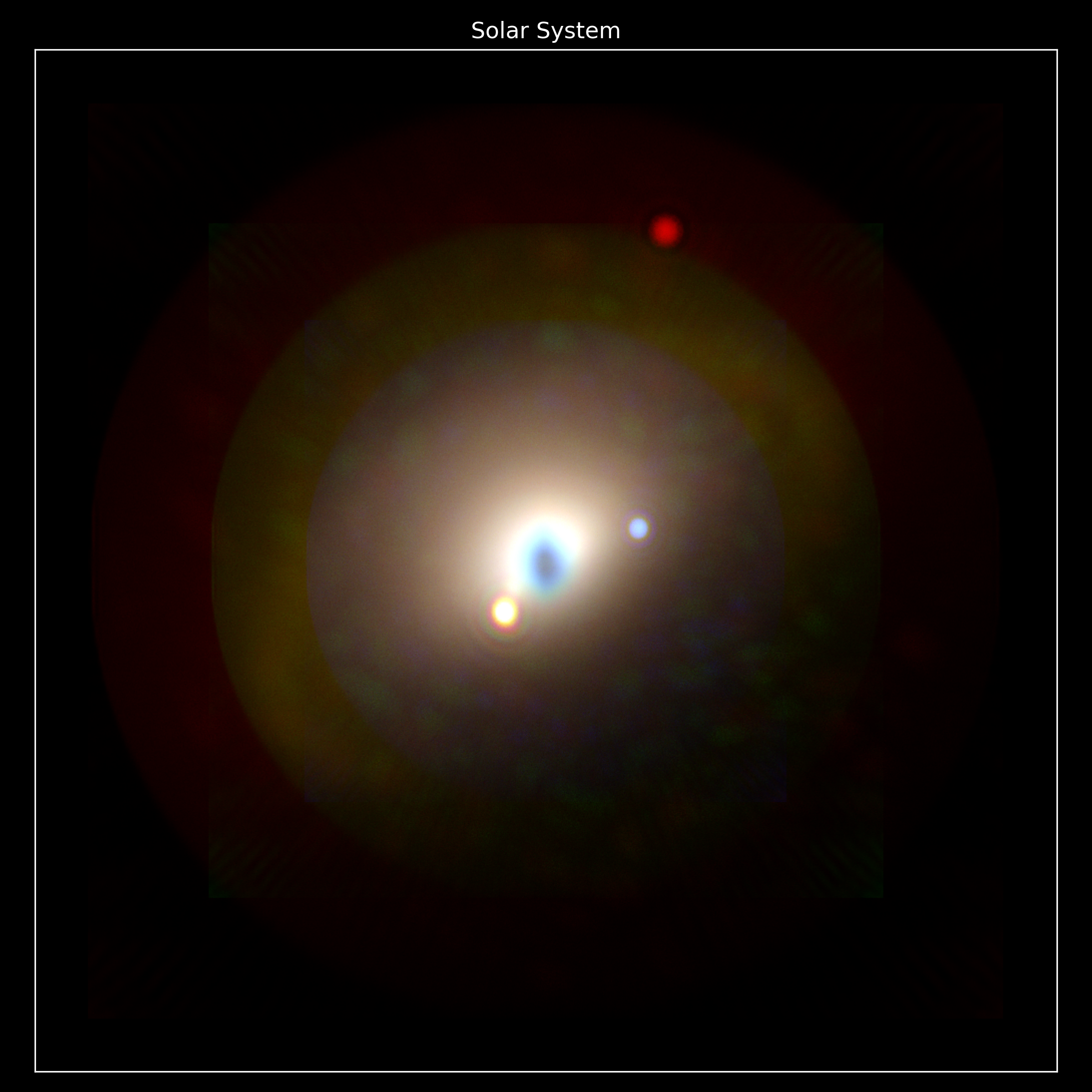
coronagraphoto is a Python library designed to simulate coronagraphic observations of exoplanetary systems. The base "thing" it produces are images/photos, hence the name. It has been designed to bridge the gap between yield calculations and concrete image generation for missions like the Habitable Worlds Observatory (HWO).
The library integrates high-fidelity coronagraph models from the standard format used for yield calculations (dubbed a "Yield Input Package" and loaded via yippy) with detailed planetary system simulations (via ExoVista) to produce realistic detector images.
Built on JAX, coronagraphoto is fully JIT-compilable, differentiable, and GPU-accelerated, making it suitable for large-scale optimization and high-performance simulation.
Key Features
- End-to-End Simulation: From astrophysical scenes to detector readouts.
- JAX & JIT Compatible: High-performance simulations using functional programming patterns.
- Modular Design: flexible optical paths, easily swappable coronagraphs and detectors.
- HWO Ready: Specifically designed to support yield modeling for future direct imaging missions.
Installation
pip install coronagraphoto
(Note: You may need to install JAX separately to match your specific hardware acceleration requirements (CUDA/TPU/CPU).)
Design philosophy: "Bring your own physics"
coronagraphoto does not provide a single, black-box run_simulation() function. It provides per-source simulation functions and a thin orchestrator that sums them. Scene primitives (Star, Planet, Disk, System, Scene, backgrounds) live in skyscapes, and hardware primitives (OpticalPath, primaries, detectors, throughput elements) live in optixstuff. The convention:
- Noiseless rates:
<source>_rate(source, optical_path, *, observation_kwargs)returns the deterministic photo-electron rate map (electrons/s/pixel) for one source. These are differentiable, so they serve as the forward model for fitting and retrievals. - Noisy readouts:
<source>_readout(source, optical_path, prng_key, *, observation_kwargs)adds photon Poisson and quantum-efficiency noise to produce one detector readout. - Whole-scene orchestrators:
system_rate(scene, optical_path, *, ...)andsystem_readout(scene, optical_path, prng_key, *, ...)sum the star, every planet, the optional disk, the optional zodi, and the optional speckle field from askyscapes.Scene.
This keeps the pipeline transparent (you know exactly which sources contributed), flexible (drop in custom noise, return spectral cubes, difference two scenes), and fast (each per-source kernel is JIT-cached at its natural shape boundary).
Quick start
import jax

jax.config.update("jax_enable_x64", True)  # Preserve absolute Julian Date precision.

from optixstuff import ConstantThroughput, IdealDetector, OpticalPath, SimplePrimary
from yippy import EqxCoronagraph

from coronagraphoto import load_scene_from_exovista, system_readout
from coronagraphoto.datasets import fetch_coronagraph, fetch_scene

# 1. Load a skyscapes.Scene (system + default zodi) from an ExoVista file.
#    load_disk=False because this example skips the PSF datacube the disk
#    pipeline would need (set ensure_psf_datacube=True and drop the flag
#    to render the disk too).
scene = load_scene_from_exovista(fetch_scene(), load_disk=False)

# 2. Build the optical path from optixstuff hardware primitives + a yippy coronagraph.
coronagraph = EqxCoronagraph(fetch_coronagraph(), ensure_psf_datacube=False)
optical_path = OpticalPath(
    primary=SimplePrimary(diameter_m=6.0),
    attenuating_elements=(ConstantThroughput(throughput=0.9),),
    coronagraph=coronagraph,
    detector=IdealDetector(pixel_scale_arcsec=0.01, shape=coronagraph.psf_shape),
)

# 3. Simulate one detector readout. The epoch must lie inside the ExoVista
#    file's time grid (this demo scene covers JD 2451544.5 to 2455205.0);
#    epochs outside the grid return NaN flux.
image = system_readout(
    scene,
    optical_path,
    jax.random.PRNGKey(0),
    start_time_jd=2_452_000.0,
    exposure_time_s=3600.0,
    wavelength_nm=550.0,
    bin_width_nm=50.0,
    telescope_pa_deg=0.0,
    ecliptic_lat_deg=0.0,
    solar_lon_deg=135.0,
)

# Or the noiseless, differentiable forward model of the same scene:
from coronagraphoto import system_rate

rate = system_rate(
    scene,
    optical_path,
    start_time_jd=2_452_000.0,
    wavelength_nm=550.0,
    bin_width_nm=50.0,
    telescope_pa_deg=0.0,
    ecliptic_lat_deg=0.0,
    solar_lon_deg=135.0,
)
For broadband / IFS simulations, jax.vmap over wavelength_nm (and sum or stack the result) -- the kwarg-only signature is designed so the wavelength axis is a clean vmap target.
Speckles
Time-varying residual-speckle fields plug in through OpticalPath.speckle (any optixstuff.AbstractSpeckleField). When set, system_rate / system_readout add the speckle contribution automatically: the field's realize(wavelength_nm=..., time_s=...) contrast map is multiplied by the host-star flux and resampled to the detector, with evolution driven deterministically by time so that temporal correlation survives across a roll sequence.
1 maintainer

Metadata
1 maintainer
Release files for coronagraphoto 4.1.0
For a detailed explanation of source distributions (sdists) and built distributions (wheels), please see the package formats documentation.
Source distribution (sdist)
| File | Size | Uploaded | |
|---|---|---|---|
| coronagraphoto-4.1.0.tar.gz | 3.0 MB | Details |
Built distribution (wheel)
| File | Interpreter | ABI | Platform | Reset |
|---|---|---|---|---|
| coronagraphoto-4.1.0-py3-none-any.whl | Python 3 | none | any | Details |
Total release size: 3.0 MB
Release files / coronagraphoto-4.1.0.tar.gz
| Download URL | coronagraphoto-4.1.0.tar.gz |
|---|---|
| Size | 3.0 MB |
| Tags | Source |
|
SHA-256 checksum How to use checksums |
4d8c89dbbc3d0c9c5490e684b1f53b0be331d31d9e8a130e3c65c79f49925de8
|
|
BLAKE2b-256 checksum How to use checksums |
101d7091eace1bcaf1bf716b9a067639309d6eb073b5b88a4f6dde62148e0669
|
| Upload date | |
|
Uploaded using Trusted Publishing? What is trusted publishing? |
Yes |
| Uploaded via |
twine/7.0.0 CPython/3.13.14
|
Provenance
Provenance describes where a file came from. On PyPI, provenance is shared via attestations, which provide a verifiable record of the build or publishing details. View details, limitations and caveats.


PyPI Publish Attestation
PyPI verified that this artifact, at this checksum, originated from the publisher listed below.
Signed by GitHub Actions, verified by PyPI on Oct 13, 2026.
Transparency logRelease files / coronagraphoto-4.1.0-py3-none-any.whl
| Download URL | coronagraphoto-4.1.0-py3-none-any.whl |
|---|---|
| Size | 13.9 kB |
| Tags | Python 3 |
|
SHA-256 checksum How to use checksums |
3558154e612ab36e8c080da424179b20d90d7c6e084b8cce51f7652397def3ab
|
|
BLAKE2b-256 checksum How to use checksums |
79d9342e93a4c819cfdbc3784a821ca9fa77eca4483069c35d57750b6f81ca30
|
| Upload date | |
|
Uploaded using Trusted Publishing? What is trusted publishing? |
Yes |
| Uploaded via |
twine/7.0.0 CPython/3.13.14
|
Provenance
Provenance describes where a file came from. On PyPI, provenance is shared via attestations, which provide a verifiable record of the build or publishing details. View details, limitations and caveats.
PyPI Publish Attestation
PyPI verified that this artifact, at this checksum, originated from the publisher listed below.
Signed by GitHub Actions, verified by PyPI on Oct 13, 2026.
Transparency log













