
A python library to simulate coronagraphic observations of exoplanets.
Verified details
These details have been verified by PyPIProject links
GitHub Statistics
Maintainers

Project description




coronagraphoto
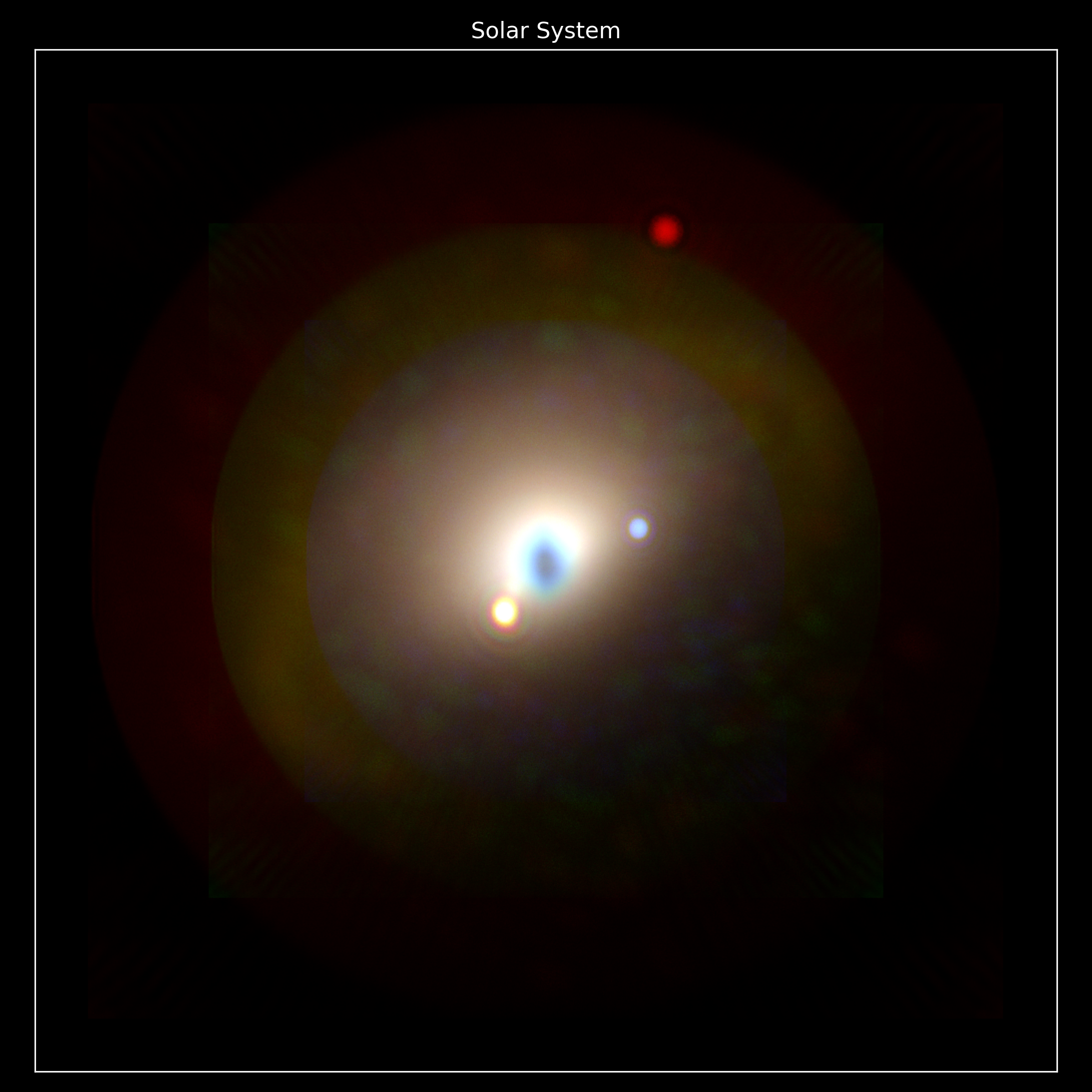
coronagraphoto is a Python library designed to simulate coronagraphic observations of exoplanetary systems. The base "thing" it produces are images/photos, hence the name. It has been designed to bridge the gap between yield calculations and concrete image generation for missions like the Habitable Worlds Observatory (HWO).
The library integrates high-fidelity coronagraph models from the standard format used for yield calculations (dubbed a "Yield Input Package" and loaded via yippy) with detailed planetary system simulations (via ExoVista) to produce realistic detector images.
Built on JAX, coronagraphoto is fully JIT-compilable, differentiable, and GPU-accelerated, making it suitable for large-scale optimization and high-performance simulation.
Key Features
- End-to-End Simulation: From astrophysical scenes to detector readouts.
- JAX & JIT Compatible: High-performance simulations using functional programming patterns.
- Modular Design: flexible optical paths, easily swappable coronagraphs and detectors.
- HWO Ready: Specifically designed to support yield modeling for future direct imaging missions.
Installation
pip install coronagraphoto
(Note: You may need to install JAX separately to match your specific hardware acceleration requirements (CUDA/TPU/CPU).)
Core Concepts
The simulation is structured around three hierarchical levels:
- Observation: A series of exposures over time (e.g., for orbit characterization).
- Exposure: A single integration reading the detector over a full bandpass.
- Band: The propagation of a single spectral bin (monochromatic).
Design Philosophy: "Bring Your Own Physics"
You might notice that coronagraphoto does not provide a single, black-box run_simulation() function. This is intentional.
We provide primitives (e.g. functions like sim_planets or sim_star and objects to hold standard data like OpticalPath or Exposure), but we require you to compose them yourself. This ensures:
- Transparency: You know exactly what is in your image (e.g., did you include zodi? read noise? which sources are being simulated?).
- Flexibility: You can easily modify the pipeline (e.g., add a custom noise model, return spectral cubes instead of summed images, or simulate only specific sources).
- Control: You have full control over the simulation flow and can optimize it for your specific science case. You can define your observation function to roll between each exposure, or observe a second star for RDI and subtract the frames, or return each source separately. If you don't need any spectral data you can speed up your simulations by only calculating the exposure for the central wavelength with the full bandwidth.
The goal is to provide the building blocks, not a rigid pre-built structure, allowing you to construct exactly the images you need, at the fidelity you need.
Quick Start
Here is a basic example of composing a simulation for a single exposure integrating 5 spectral bands:
import equinox as eqx
import jax
import jax.numpy as jnp
from coronagraphoto import (
    Exposure, OpticalPath, load_scene_from_exovista,
    conversions
)
from coronagraphoto.optical_elements import (
    PrimaryAperture, SimpleDetector, ConstantThroughputElement, from_yippy
)
from coronagraphoto.core.simulation import sim_star, sim_planets, sim_disk
from yippy import Coronagraph as YippyCoronagraph

# 1. Define the Physics (Simulate all bands and sum)
def sim_band(exposure, optical_path, scene, key):
    """Simulate a single wavelength band."""
    # Split keys for different sources
    k1, k2, k3 = jax.random.split(key, 3)

    # Unpack scalar params for this band
    args = (
        exposure.start_time_jd, exposure.exposure_time_s,
        exposure.central_wavelength_nm, exposure.bin_width_nm,
    )

    # Use the sim_* methods to calculate incident electrons from each
    # astrophysical source. Scene primitives (star, planets, disk, zodi,
    # and future background fields) come from skyscapes.
    star_electrons = sim_star(*args, scene.star, optical_path, k1)
    planet_electrons = sim_planets(*args, exposure.position_angle_deg, scene.planets, optical_path, k2)
    disk_electrons = sim_disk(*args, exposure.position_angle_deg, scene.disk, optical_path, k3)
    # Background fields (scene.zodi today, scene.galaxy_field / etc.
    # later) get their own named simulators with type-specific kernels.
    # That API is being designed; today this snippet ignores them.

    return star_electrons + planet_electrons + disk_electrons

def sim_exposure(exposure, optical_path, scene, prng_key):
    """Simulate a single exposure/readout of the detector."""
    # Vectorize sim_band over the wavelength axis (axis 0)
    # We use Exposure.in_axes to specify which fields are vectors
    keys = jax.random.split(prng_key, exposure.central_wavelength_nm.shape[0])
    spectral_electrons = jax.vmap(
        sim_band,
        in_axes=(Exposure.in_axes(central_wavelength_nm=0, bin_width_nm=0), None, None, 0)
    )(exposure, optical_path, scene, keys)

    # Sum all spectral bins
    all_source_electrons = jnp.sum(spectral_electrons, axis=0)

    # Generate noise electrons
    noise_electrons = optical_path.detector.readout_noise_electrons(exposure.exposure_time_s, prng_key)

    return all_source_electrons + noise_electrons

# 2. Load the Scene (ExoVista) and Coronagraph (yippy)
# Returns a skyscapes.Scene with the planetary system + a default zodi background
scene = load_scene_from_exovista("path/to/exovista_system.fits")
yippy_coro = YippyCoronagraph("path/to/coronagraph_data")
coronagraph = from_yippy(yippy_coro)

# 3. Define the Optical Path
optical_path = OpticalPath(
    primary=PrimaryAperture(diameter_m=6.0),
    attenuating_elements=(ConstantThroughputElement(throughput=0.9),),
    coronagraph=coronagraph,
    detector=SimpleDetector(pixel_scale=1/512, shape=(512, 512))
)

# 4. Define the Exposure data
exposure = Exposure(
    start_time_jd=conversions.decimal_year_to_jd(2025.0),
    exposure_time_s=3600.0,
    central_wavelength_nm=jnp.linspace(500, 600, 5), # 5 spectral bins
    bin_width_nm=jnp.full(5, 20.0),
    position_angle_deg=0.0
)

# 5. Compile and run simulation
key = jax.random.PRNGKey(0)
jit_sim_exposure = eqx.filter_jit(sim_exposure)
image = jit_sim_exposure(exposure, optical_path, scene, key)
For more advanced usage, including time-series animations, check the documentation (which I promise will exist eventually). test
Project details
Verified details
These details have been verified by PyPIProject links
GitHub Statistics
Maintainers
Release history Release notifications | RSS feed


Download files
Download the file for your platform. If you're not sure which to choose, learn more about installing packages.
Source Distribution
Built Distribution
Filter files by name, interpreter, ABI, and platform.
If you're not sure about the file name format, learn more about wheel file names.
Copy a direct link to the current filters
File details
Details for the file coronagraphoto-2.3.0.tar.gz.
File metadata
- Download URL: coronagraphoto-2.3.0.tar.gz
- Upload date:
- Size: 3.0 MB
- Tags: Source
- Uploaded using Trusted Publishing? Yes
- Uploaded via: twine/6.1.0 CPython/3.13.12
File hashes
| Algorithm | Hash digest | |
|---|---|---|
| SHA256 |
c08e023ac31c7b5ed7192b13270ca45cfec40ef0d70cc4167080b2a0f4cb140f
|
|
| MD5 |
a8643bb9776d1c893420bff8b00c4416
|
|
| BLAKE2b-256 |
1b9beaf93a7883782704f3abf0ee9df1e1589d6163a4b8c0f8413e501bbf6fa7
|
Provenance
The following attestation bundles were made for coronagraphoto-2.3.0.tar.gz:
Publisher:
publish-to-pypi.yml on CoreySpohn/coronagraphoto
-
Statement:
-
Statement type:
https://in-toto.io/Statement/v1 -
Predicate type:
https://docs.pypi.org/attestations/publish/v1 -
Subject name:
coronagraphoto-2.3.0.tar.gz -
Subject digest:
c08e023ac31c7b5ed7192b13270ca45cfec40ef0d70cc4167080b2a0f4cb140f - Sigstore transparency entry: 1595244552
- Sigstore integration time:
-
Permalink:
CoreySpohn/coronagraphoto@a1049b6944e45b02df0fe1d2648dd6efb2158d64 -
Branch / Tag:
refs/tags/v2.3.0 - Owner: https://github.com/CoreySpohn
-
Access:
public
-
Token Issuer:
https://token.actions.githubusercontent.com -
Runner Environment:
github-hosted -
Publication workflow:
publish-to-pypi.yml@a1049b6944e45b02df0fe1d2648dd6efb2158d64 -
Trigger Event:
push
-
Statement type:
File details
Details for the file coronagraphoto-2.3.0-py3-none-any.whl.
File metadata
- Download URL: coronagraphoto-2.3.0-py3-none-any.whl
- Upload date:
- Size: 22.0 kB
- Tags: Python 3
- Uploaded using Trusted Publishing? Yes
- Uploaded via: twine/6.1.0 CPython/3.13.12
File hashes
| Algorithm | Hash digest | |
|---|---|---|
| SHA256 |
a5fc8c61be75b62feb3351677676a81f365b664ce1e48e381e688d5d26fed1a6
|
|
| MD5 |
f660b0d8ed22b3c9fbc1a867410a24ed
|
|
| BLAKE2b-256 |
ac8f74e131fd81a5f935d1a366bace175e3cb7efd0c528f4a16d731d10ed0667
|
Provenance
The following attestation bundles were made for coronagraphoto-2.3.0-py3-none-any.whl:
Publisher:
publish-to-pypi.yml on CoreySpohn/coronagraphoto
-
Statement:
-
Statement type:
https://in-toto.io/Statement/v1 -
Predicate type:
https://docs.pypi.org/attestations/publish/v1 -
Subject name:
coronagraphoto-2.3.0-py3-none-any.whl -
Subject digest:
a5fc8c61be75b62feb3351677676a81f365b664ce1e48e381e688d5d26fed1a6 - Sigstore transparency entry: 1595244692
- Sigstore integration time:
-
Permalink:
CoreySpohn/coronagraphoto@a1049b6944e45b02df0fe1d2648dd6efb2158d64 -
Branch / Tag:
refs/tags/v2.3.0 - Owner: https://github.com/CoreySpohn
-
Access:
public
-
Token Issuer:
https://token.actions.githubusercontent.com -
Runner Environment:
github-hosted -
Publication workflow:
publish-to-pypi.yml@a1049b6944e45b02df0fe1d2648dd6efb2158d64 -
Trigger Event:
push
-
Statement type:






