
corr_vars_widget
A collection of AnyWidgets for the corr_vars package.
Widgets
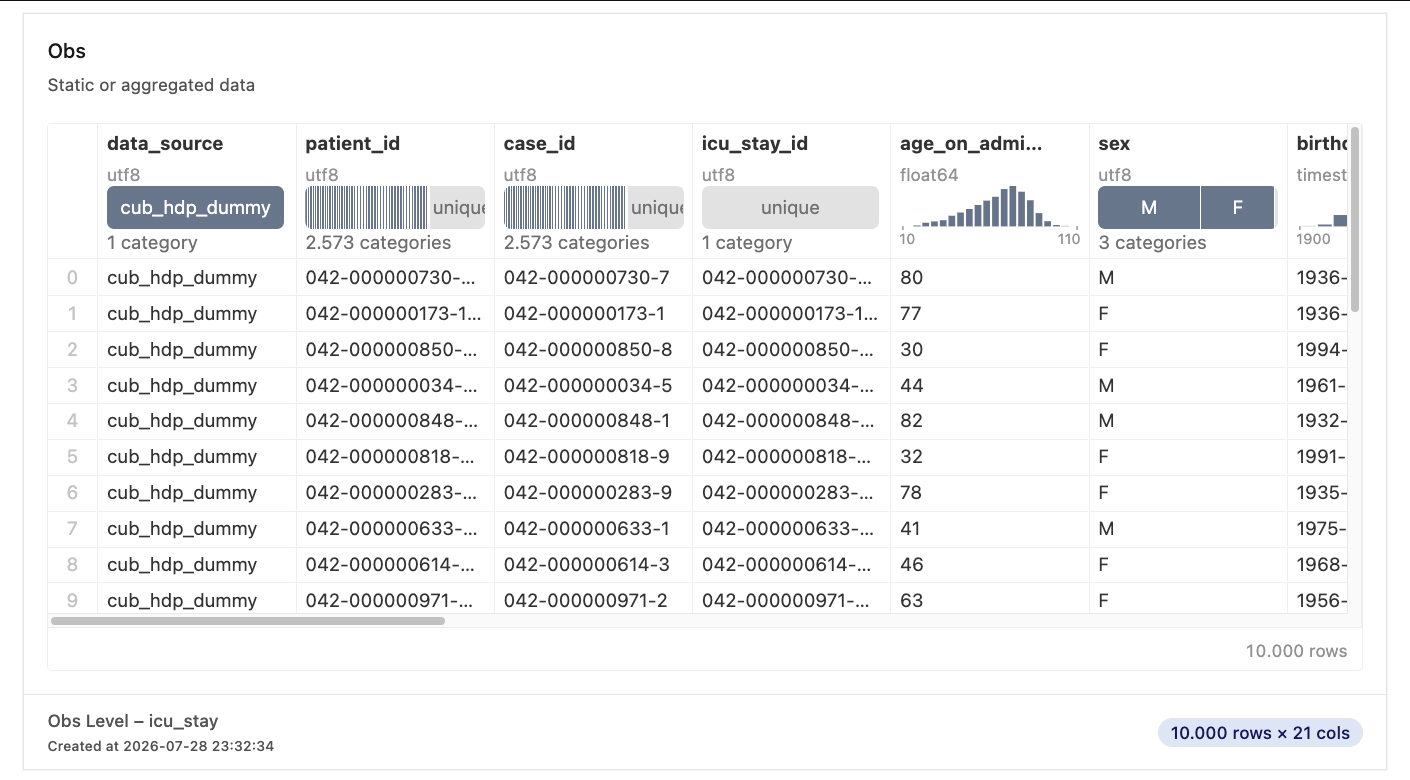
ObsWidget
Displays a polars.DataFrame in a Quak Widget with additional infos about the shape and the observation level.
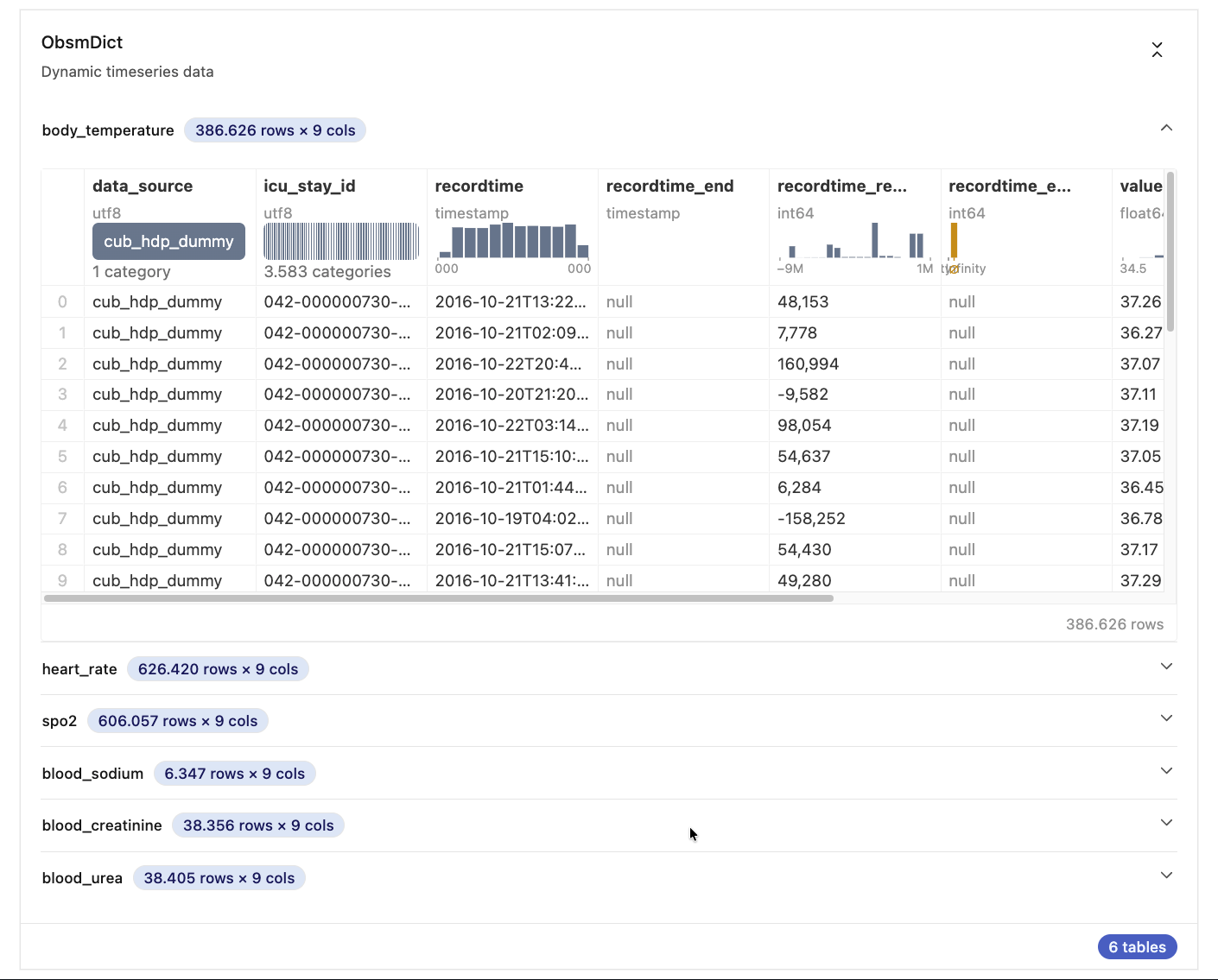
ObsmWidget
Displays a list of polars.DataFrame in Quak Widgets within collapsible accordions with additional infos about the shape of the respective polars.DataFrame.
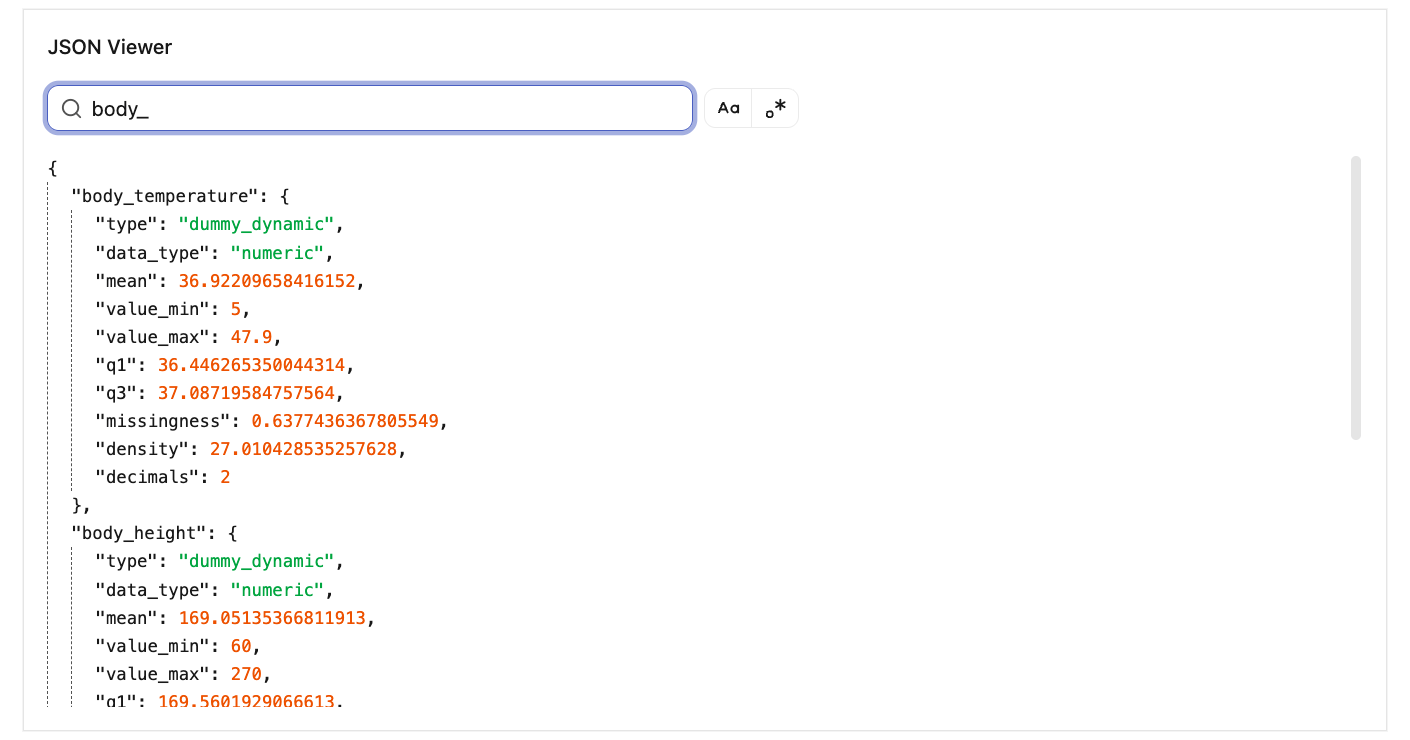
JsonWidget
Displays a searchable JSON viewer (filtering the keys of the first level). The JSON object is displayed in a collapsible view.
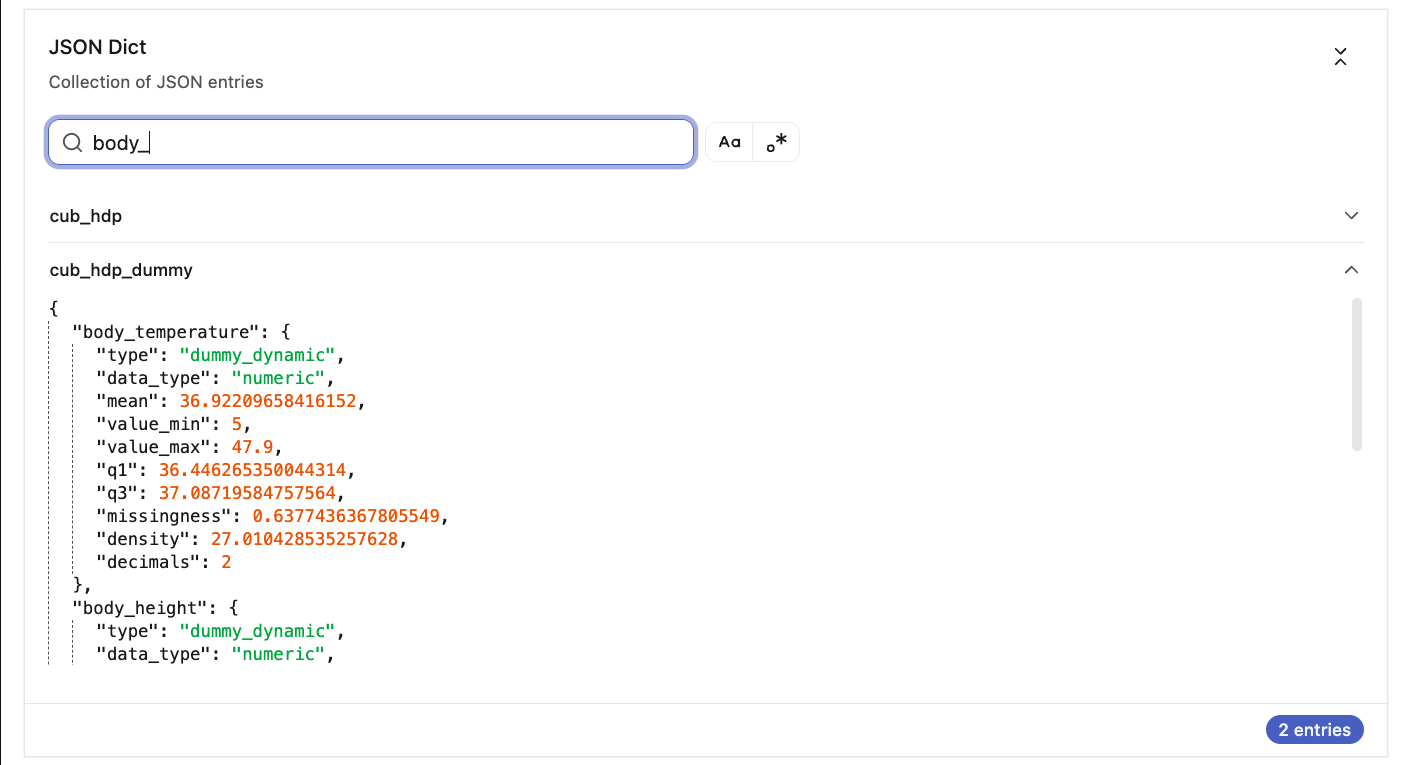
JsonmWidget
Displays a dict of JSON objects in collapsible accordions. A shared search bar filters the first-level keys across all JSON views.
TimeseriesWidget
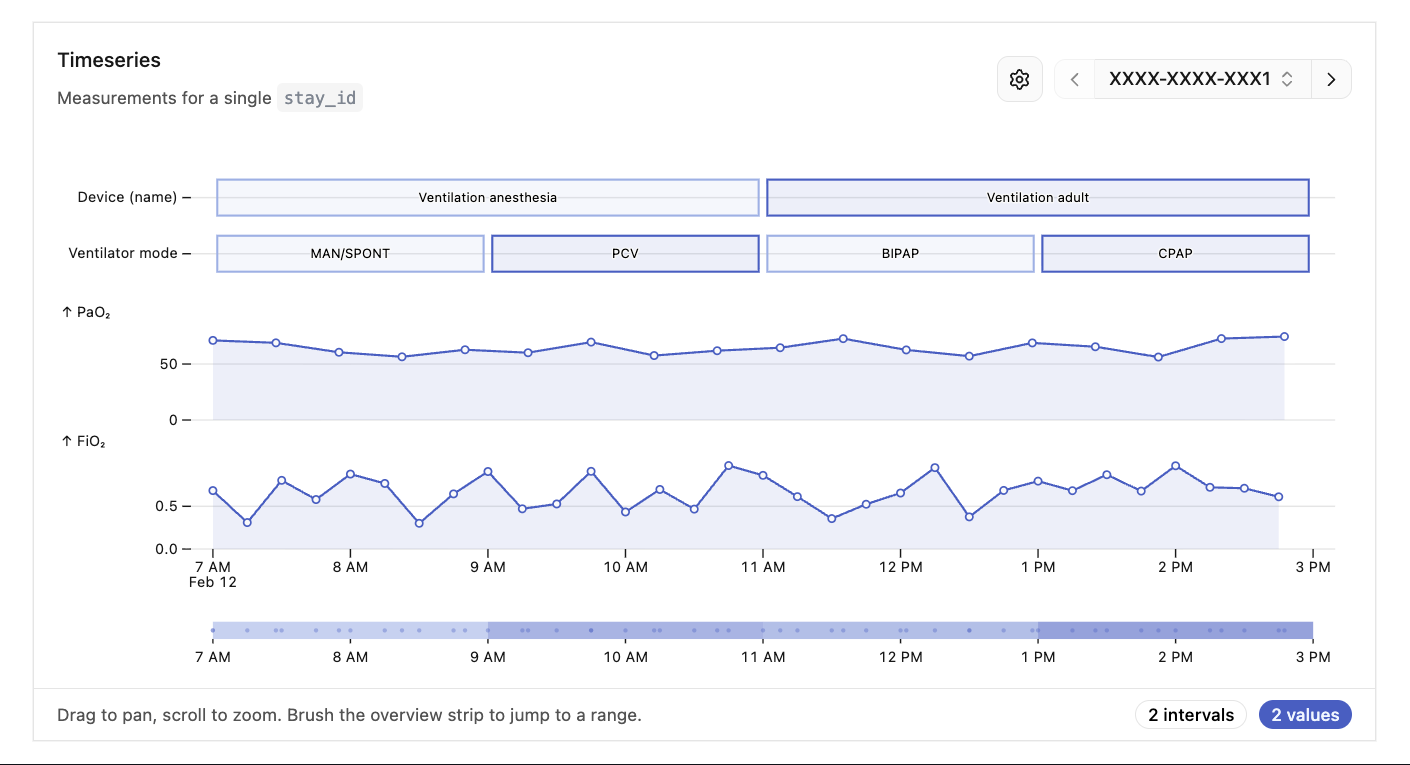
Displays per-ID clinical timeseries over a shared, synchronized time axis, backed by DuckDB. It combines three lane types in one view: interval lanes (Gantt-style bars), event lanes (point-in-time dots), and value charts (line/area). Pick an ID with the searchable combobox, pan/zoom via the overview strip, and toggle labels from the settings popover. Provide a color_col (any CSS color or shadcn CSS variable) to colour rows explicitly.
Windows and anchors annotate the timeline rather than occupying a lane of their own. A window is a shaded band between two timestamps — an admission, an ICU stay; an anchor is a vertical rule at one — a death, a transfer. Both are drawn across the lanes, every value chart and the overview strip, so a reading can be placed against them at a glance. Each is named by its dict key, shown once on the topmost plot and toggleable from the settings popover.
TimeseriesWidget(
    intervals={"Device": devices},
    values={"PaO₂": pao2},
    windows={"Admission": admissions},   # needs start and end, no value
    anchors={"Death": deaths},           # needs start only
    id_col="stay_id",
)
They are deliberately quiet: neutral grey unless color_col names a colour for
them, so a red death line is opt-in rather than assumed.
deaths.with_columns(color=pl.lit("var(--destructive)"))
Because they annotate data rather than being data, they do not widen the time range fitted when you pick an ID — a year-long admission would otherwise squeeze a few hours of measurements into a sliver — and they contribute no IDs to the menu.
A fluent Timeseries builder is available as the primary API:
(
    Timeseries(id_col="stay_id", start_col="start", end_col="end", value_col="value")
    .interval("Device", devices)
    .event("Sedation", sedation)
    .value("PaO₂", pao2)
    .window("Admission", admissions)
    .anchor("Death", deaths)
)
Theming
Every widget takes a theme of "auto" (the default), "light" or "dark".
ObsWidget(df, theme="dark")

w = ObsWidget(df)
w.theme = "dark"   # live: re-themes a widget that is already on screen
auto infers the host notebook's theme, which is guesswork — there is no
standard way for a host to announce it, so a host that paints nothing readable
will be guessed wrong. Pin it when that happens, when a notebook will be read by
someone whose OS setting you do not know, or simply because you prefer one.
In VS Code, the widget output area is painted white whatever the editor theme
is. That area lies outside the widget, so a dark widget sits on a white surround
there; theme="light" avoids the mismatch.
The Timeseries builder takes it as a step, like the other options:
Timeseries(id_col="stay_id").interval("Device", devices).theme("dark")
The trait is declared once, in _ThemeMixin, and every widget inherits it; the
frontend mirrors that as the Themed type in src/lib/theme.svelte.ts, which
each widget's own model intersects with. Adding another shared trait means
editing those two places, not ten.
Development
Development requires uv and npm.
uv venv
uv pip install -e . --group dev
npm ci
npm run dev # rebuild every widget on change
uv run jupyter lab notebooks/example.ipynb
npm run dev and npm run build write to the same directories. The dev bundles
carry an inline sourcemap and are several times the size of a build, so run
npm run build before measuring anything — and note that uv build always
rebuilds from source, so a dev bundle cannot reach a release.
Both gates are expected to pass before a change lands:
npm run check   # svelte-check, then tsc over the vite configs
npm run lint    # prettier --check
Continuous integration
ci.yml typechecks and lints the frontend, builds the distribution, and installs
that wheel on the oldest and newest supported Python to exercise every widget.
Keep the matrix floor in step with requires-python: 3.9 is the version that
catches both syntax a newer interpreter accepts silently and a dependency that
has quietly stopped publishing wheels for it.
.github/scripts/verify_dist.py holds the release guards, and each corresponds
to a failure this project or its template actually produced:
- The wheel must contain the package and all ten built assets. The sdist
flattens
py/corr_vars_widget/tocorr_vars_widget/and the wheel is built from the unpacked sdist, so wrong paths give a wheel that installs cleanly and contains nothing. - No bundle may carry a sourcemap, or be implausibly large — that is a dev bundle, invisible until someone loads the widget.
- No stylesheet may contain base64, which is how a bundled webfont adds a few hundred KB to every widget on the page.
The expected contents are derived from ensured-targets in pyproject.toml, so
adding a sixth widget extends the guards automatically.
Releasing
Publishing runs on a v* tag, through PyPI's Trusted Publishing, so there is no
API token to store. Before the first release, on PyPI add a publisher for this
repository naming the workflow file release.yml and the environment pypi —
then create that environment in the repository settings. A mismatch in any of
the three fails at the OIDC exchange.
# bump the version in pyproject.toml and package.json, add a CHANGELOG entry
npm install --package-lock-only   # keep the lockfile's version in step
git tag v0.0.11 && git push origin v0.0.11
The tag version must match pyproject.toml, and the version must have a
CHANGELOG.md entry — both are checked before anything is uploaded, so a
mismatch fails the release rather than putting a version nobody can find on
PyPI. PyPI is upload-once: a version can be superseded but never replaced, which
is why the GitHub release is created after the upload rather than before.
1 maintainer

Metadata
1 maintainer
Release files for corr-vars-widget 0.0.11
For a detailed explanation of source distributions (sdists) and built distributions (wheels), please see the package formats documentation.
Source distribution (sdist)
| File | Size | Uploaded | |
|---|---|---|---|
| corr_vars_widget-0.0.11.tar.gz | 937.1 kB | Details |
Built distribution (wheel)
| File | Interpreter | ABI | Platform | Reset |
|---|---|---|---|---|
| corr_vars_widget-0.0.11-py3-none-any.whl | Python 3 | none | any | Details |
Total release size: 1.9 MB
Release files / corr_vars_widget-0.0.11.tar.gz
| Download URL | corr_vars_widget-0.0.11.tar.gz |
|---|---|
| Size | 937.1 kB |
| Tags | Source |
|
SHA-256 checksum How to use checksums |
ed43edddc8c155f849b19d8fd579a22cb7677a1d6e65402cd0e487de60dad320
|
|
BLAKE2b-256 checksum How to use checksums |
89cab828c05994d754604451a4830e45d5b15493ef15f7aeff74b8609f87746e
|
| Upload date | |
|
Uploaded using Trusted Publishing? What is trusted publishing? |
Yes |
| Uploaded via |
twine/7.0.0 CPython/3.13.14
|
Provenance
Provenance describes where a file came from. On PyPI, provenance is shared via attestations, which provide a verifiable record of the build or publishing details. View details, limitations and caveats.


PyPI Publish Attestation
PyPI verified that this artifact, at this checksum, originated from the publisher listed below.
Signed by GitHub Actions, verified by PyPI on Aug 31, 2026.
Transparency logRelease files / corr_vars_widget-0.0.11-py3-none-any.whl
| Download URL | corr_vars_widget-0.0.11-py3-none-any.whl |
|---|---|
| Size | 945.6 kB |
| Tags | Python 3 |
|
SHA-256 checksum How to use checksums |
37c2b6cf97919dd706913f1fa4640023c79ef50d5312de0945dd5bb7cb3ca672
|
|
BLAKE2b-256 checksum How to use checksums |
e0a63034a205ad7d658baa9304ca1d96893aa0b34d462bb2ba519c854a86ccad
|
| Upload date | |
|
Uploaded using Trusted Publishing? What is trusted publishing? |
Yes |
| Uploaded via |
twine/7.0.0 CPython/3.13.14
|
Provenance
Provenance describes where a file came from. On PyPI, provenance is shared via attestations, which provide a verifiable record of the build or publishing details. View details, limitations and caveats.
PyPI Publish Attestation
PyPI verified that this artifact, at this checksum, originated from the publisher listed below.
Signed by GitHub Actions, verified by PyPI on Aug 31, 2026.
Transparency log













