
C++ manual pages for Linux/MacOS

Project description


cppman
C++ manual pages for Linux, with source from cplusplus.com and cppreference.com, supporting all C++ versions provided by the sources.
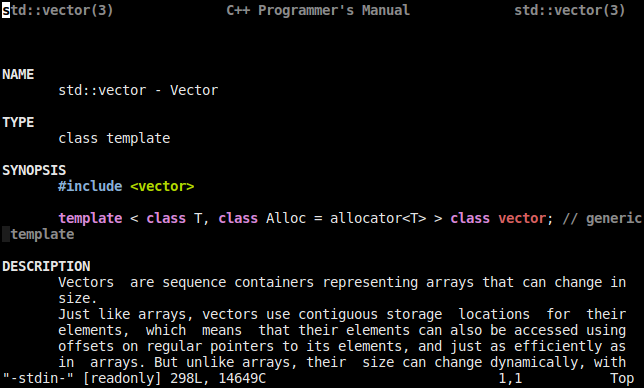
Features
Supports two backends (switch it with cppman -s):
Syntax highlighting support for sections and example source code.
Usage/Interface similar to the ‘man’ command
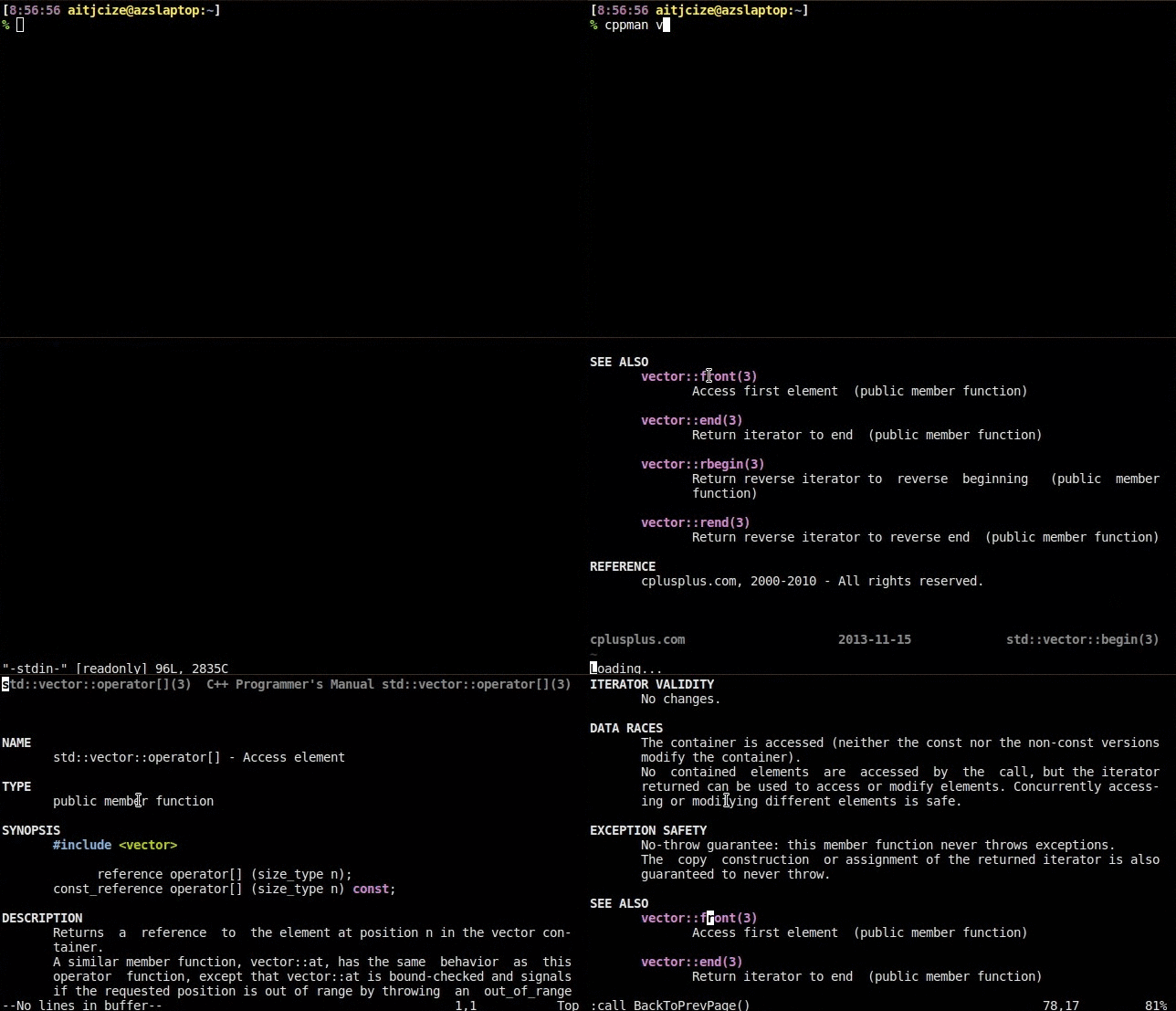
Hyperlink between manpages (only available when pager=vim)
Press Ctrl-] when cursor is on keyword to go forward and Ctrl-T to go backward.
You can also double-click on keyword to go forward and right-click to go backward.
Frequently update to support cplusplus.com.
Demo
Using vim as pager
Installation
Install from PyPI:
$ pip install cppmanNote that cppman requires Python 3. Make sure that either pip is configured for Python 3 installation, your default Python interpreter is version 3 or just use pip3 instead.
Arch Linux users can find it on AUR or using Trizen:
$ trizen -S cppmanor install the git version
$ trizen -S cppman-gitDebian / Ubuntu: cppman is available in Debian sid/unstable and Ubuntu vivid.
$ sudo apt-get install cppmanMacOS X: cppman is available in Homebrew and MacPorts.
$ brew install cppmanor
$ sudo port install cppmanPackage Maintainers
FAQ
Q: Can I use the system man command instead of cppman?
A: Yes, just execute cppman -m true and all cached man pages are exposed to the system man command. Note: You may want to download all available man pages with cppman -c.
Q: Why is bash completion is not working properly with ::?
A: It is because bash treats : like a white space. To fix this add export COMP_WORDBREAKS="${COMP_WORDBREAKS//:}" to your ~/.bashrc.
Bugs
Please report bugs / mis-formatted pages to the github issue tracker.
Contributing
Fork it
Create your feature branch (git checkout -b my-new-feature)
Commit your changes (git commit -am 'Add some feature')
Push to the branch (git push origin my-new-feature)
Create new Pull Request
Support
If you find this project useful, consider buying me a coffee! ☕

Notes
manpages-cpp is renamed to cppman since September 19, 2012
Release history Release notifications | RSS feed


Download files
Download the file for your platform. If you're not sure which to choose, learn more about installing packages.
Source Distribution
Built Distribution
Filter files by name, interpreter, ABI, and platform.
If you're not sure about the file name format, learn more about wheel file names.
Copy a direct link to the current filters
File details
Details for the file cppman-0.6.2.tar.gz.
File metadata
- Download URL: cppman-0.6.2.tar.gz
- Upload date:
- Size: 1.6 MB
- Tags: Source
- Uploaded using Trusted Publishing? No
- Uploaded via: twine/6.2.0 CPython/3.14.6
File hashes
| Algorithm | Hash digest | |
|---|---|---|
| SHA256 |
ba316e254a88da2eeb64d1276cbf638e980792626042ef0f2278ecd2c92d1561
|
|
| MD5 |
756bb6f5f011a116a197b79844a1edda
|
|
| BLAKE2b-256 |
84bd0b449aa0e2b98f93b1a945cd90eba4d8f829f902633f503f22b102d7010f
|
File details
Details for the file cppman-0.6.2-py3-none-any.whl.
File metadata
- Download URL: cppman-0.6.2-py3-none-any.whl
- Upload date:
- Size: 1.7 MB
- Tags: Python 3
- Uploaded using Trusted Publishing? No
- Uploaded via: twine/6.2.0 CPython/3.14.6
File hashes
| Algorithm | Hash digest | |
|---|---|---|
| SHA256 |
e08f15a8a1f022f90b6ecf73aae3c81a728f5c8cdb0361999949604ab7dbe907
|
|
| MD5 |
cfc1bab17bc2e7f433929c81a2e5891c
|
|
| BLAKE2b-256 |
1cf70eb67a953900e257e1c860d3b704b578989ab0da15b0aba6742672ee83f6
|






