
Colorful Print
彩色文本格式化, 彩色文本输出, 控制打印字符颜色样式!
安装
pip install -U cprint-jianjun
简介
让你的终端输出各式各样的彩色文本, 以一种非常简便的方式嵌入到程序中!
# default
print("{0}  {1}".format("Hello", "World!"))

# cformat
import cprint
print("@56056{0}@45031{1}".cformat("Hello ", " World!"))

# iformat
import cprint
cprint.custom_style = {1: 612, 2: 1224}
print("@1{0}@2{1}".iformat("Hello ", " World!"))

# [] format
print("@56056{0}@45031[ World!]".cformat("Hello "))
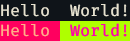
只需要在 {} 前加上@样式id, 然后把 format 改为 cformat 就可以按照样式id输出彩色文本
查看颜色样式ID
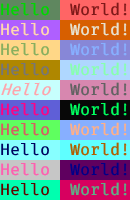
命令行输入 cpshow 查看所有的样式id
颜色样式ID为 @ 后面的数字, 现在一共有 70943 个不同的样式可以选择, 不同的终端效果不一样, 有些终端可能不支持, 请自行测试.

其他命令行
cpshoww: 显示各个 id 的详细信息cpdemo: Hello World! 样例cpdemoid: Hello World! 样例并显示样式ID
可以多次调用 cpdemoid 查看样式配色, 选择喜欢的ID.
iformat
可以通过赋值 cprint.custom_style 来自定义配置自己的id映射表, 这样可以提前配置几套不同的 id theme id主题, 然后可以根据喜好或者根据不同的终端配色切换主题配色
# iformat
import cprint

# theme 1
cprint.custom_style = {1: 612, 2: 1224}
print("@1{0}@2{1}".iformat("Hello ", " World!"))

# theme 2
cprint.custom_style = {1: 5547, 2: 66795}
print("@1{0}@2{1}".iformat("Hello ", " World!"))
也可以提前把配色序列写入 .py 文件中, 然后在程序启动的时候导入赋值就行.
固定常量
在字符串中使用 @NOW, @DATE, @TIME 可以获取到对应的时间字符串
print(" NOW: @NOW ".cformat())
print("DATE: @DATE ".cformat())
print("TIME: @TIME ".cformat())
 NOW: 2023-02-23 10:23:35
DATE: 2023-02-23
TIME: 10:23:35
实现方式
How to Print Colored Text in Python
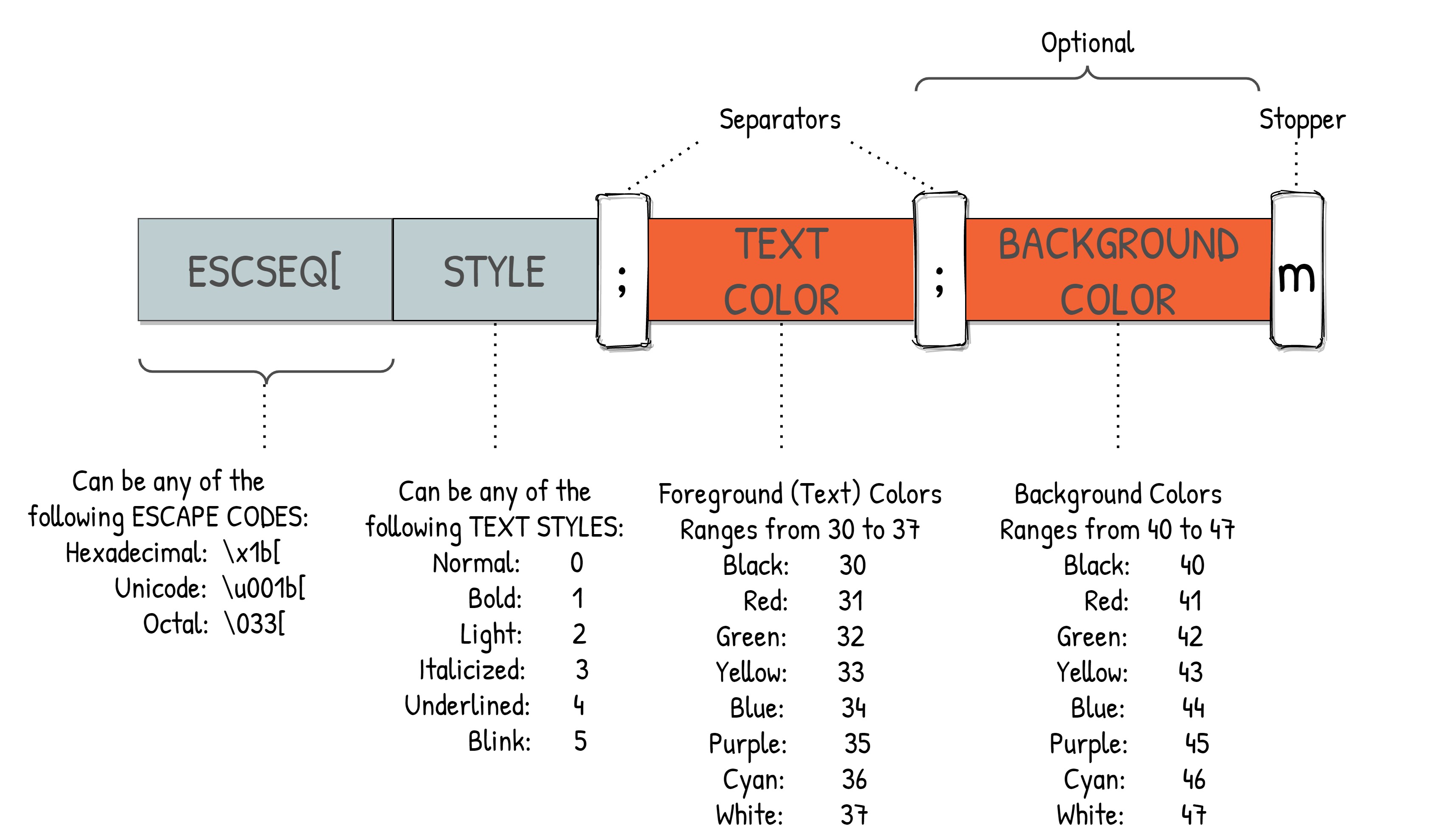
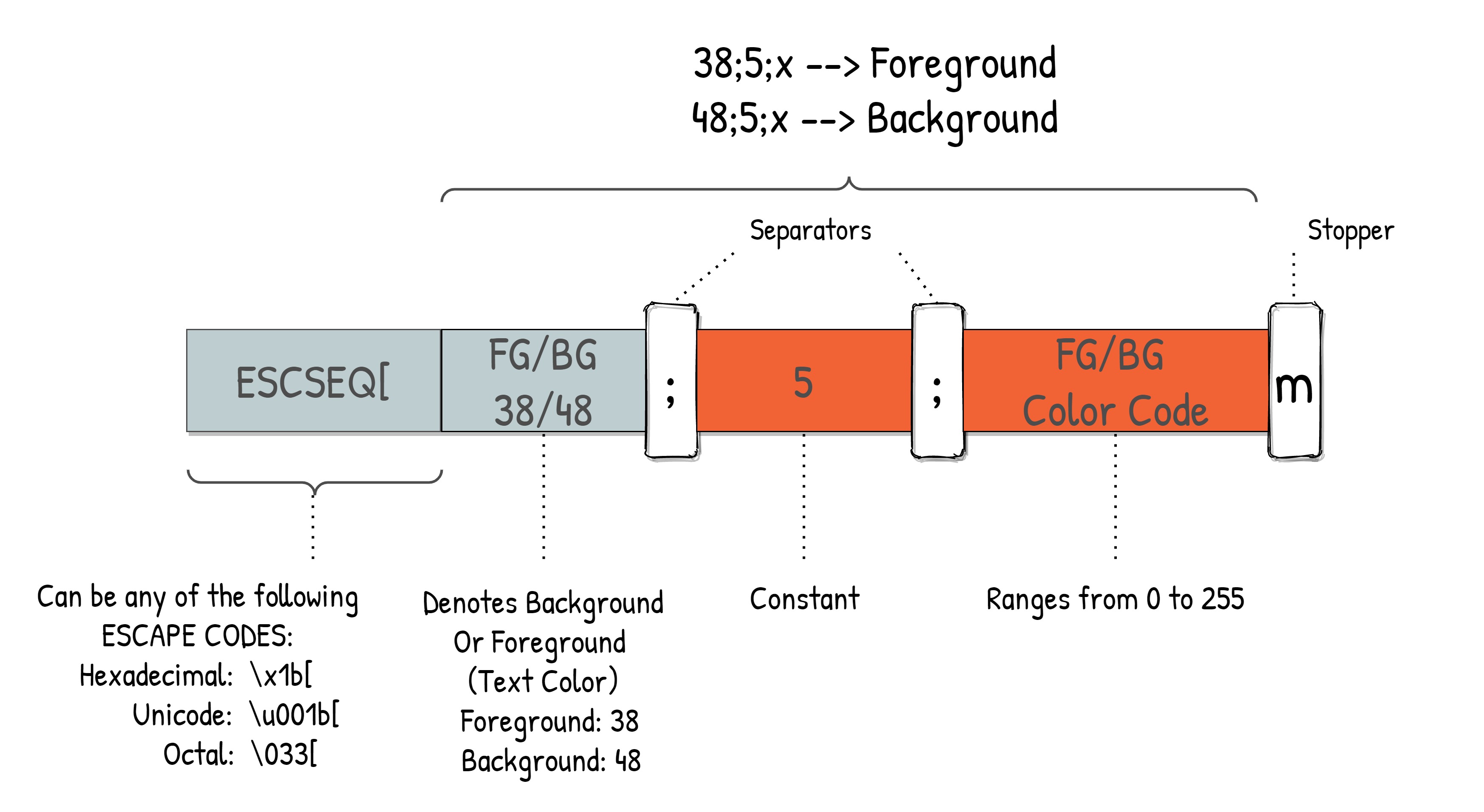
除了输出颜色字符外, 这种方式还可以控制光标移动、清屏、控制终端更改背景颜色等操作.
更新记录
最新版本: cprint-jianjun v1.3.0
- 20221116: 1.更新新的常量
@NOW,@DATE,@TIME的功能 2.更新文档 - 20230223: 1.更新文档 2.增加
cpdemoid命令行. - 20230303: 1.更新
iformat函数. - 20230315: 1.更新
[]功能. - 20241129: 1.
cpshoww显示详细的转义序列信息
1 maintainer

Metadata
1 maintainer
Release files for cprint-jianjun 1.8.0
For a detailed explanation of source distributions (sdists) and built distributions (wheels), please see the package formats documentation.
Source distribution (sdist)
| File | Size | Uploaded | |
|---|---|---|---|
| cprint_jianjun-1.8.0.tar.gz | 13.3 kB | Details |
Built distribution (wheel)
| File | Interpreter | ABI | Platform | Reset |
|---|---|---|---|---|
| cprint_jianjun-1.8.0-py3-none-any.whl | Python 3 | none | any | Details |
Total release size: 27.3 kB
Release files / cprint_jianjun-1.8.0.tar.gz
| Download URL | cprint_jianjun-1.8.0.tar.gz |
|---|---|
| Size | 13.3 kB |
| Tags | Source |
|
SHA-256 checksum How to use checksums |
076f9a4077c45086070bb633f8c8f857041b854aa6c05be142d70fc6096a6078
|
|
BLAKE2b-256 checksum How to use checksums |
1c325fd747708a9c88b08b11f41c406264fb20b644c253d0d0018ae413c7e935
|
| Upload date | |
|
Uploaded using Trusted Publishing? What is trusted publishing? |
No |
| Uploaded via |
twine/6.0.1 CPython/3.10.11
|
Release files / cprint_jianjun-1.8.0-py3-none-any.whl
| Download URL | cprint_jianjun-1.8.0-py3-none-any.whl |
|---|---|
| Size | 14.0 kB |
| Tags | Python 3 |
|
SHA-256 checksum How to use checksums |
d74f38898c90863e230c4f404b1211d1118e1fedd41a10733cff94f4673deba8
|
|
BLAKE2b-256 checksum How to use checksums |
8787e4f683863bb791157608e24cd2928653619d5500d6b692191abdaa15e0c8
|
| Upload date | |
|
Uploaded using Trusted Publishing? What is trusted publishing? |
No |
| Uploaded via |
twine/6.0.1 CPython/3.10.11
|














