
Tool to automatically add, update, or delete multi-format copyright headers

Project description



cr-manager -- the Copyright Header Manager
A tool to automatically add, update, or delete multi-format copyright headers in source files.
Features
- Add: Insert copyright headers for multiple file types.
- Update: Force update or insert headers if missing.
- Check: Verify the presence and correctness of headers.
- Delete: Remove detected copyright headers from files.
- Supports recursive directory traversal and filetype auto-detection or override.
- Supports combined author-info and copyright headers.
How to Contribute
Action Modes
without any action mode specified, the default action is to add copyright headers.
| OPTION | DESCRIPTION |
|---|---|
| Add mode: Automatically adds copyright headers to files (default). | |
--add |
Add mode: Automatically adds copyright headers to files (default). |
--check |
Check mode: Verifies file copyright status (match, mismatch, or not found). |
--delete |
Delete mode: Removes detected copyright headers from files. |
--update |
Update mode: Forces replacement of copyright or adds it if missing. |
Add New Copyright Headers
# single file
$ cr-manager /path/to/file
# or
$ cr-manager --add /path/to/file

# files recursively in directories
$ cr-manager --recursive /path/to/directory
# or
$ cr-manager --add --recursive /path/to/directory

# add to non-supported suffixes with supplied filetype
# -- e.g. add to .txt files as python files --
$ cr-manager --filetype python /path/to/file.txt
# or
$ cr-manager --add --filetype python /path/to/file.txt
Update Existing Copyright Headers
--filetype <TYPE>can be used to force a specific filetype for the update action, overriding auto-detection.
# single file
$ cr-manager --update /path/to/file

# files recursively in directories
$ cr-manager --update --recursive /path/to/directory
Delete Existing Copyright Headers
--filetype <TYPE>can be used to force a specific filetype for the delete action, overriding auto-detection.
# single file
$ cr-manager --delete /path/to/file

# files recursively in directories
$ cr-manger --delete --recursive /path/to/directory
Debug Mode
# *add* without modifying files
$ cr-manager --debug /path/to/file
# or
$ cr-manager --add --debug /path/to/file

# *update* without modifying files
$ cr-manager --update --debug /path/to/file

# *delete* without modifying files
$ cr-manager --delete --debug /path/to/file
Supported File Types and Formats
- check Running as CLI tool
| FILETYPE | SUFFIXES |
|---|---|
python, shell, bash, sh, dockerfile |
.py, .sh, .dockerfile |
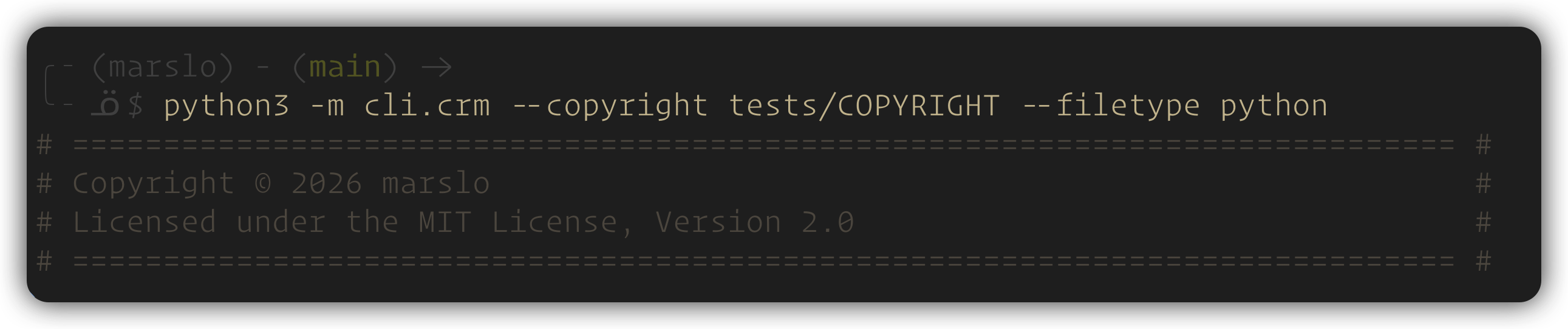
$ cr-manager --filetype python
# ============================================================================ #
# Copyright © 2026 marslo                                                      #
# Licensed under the MIT License, Version 2.0                                  #
# ============================================================================ #
| FILETYPE | SUFFIXES |
|---|---|
jenkinsfile, groovy, gradle, java |
.groovy, .java |
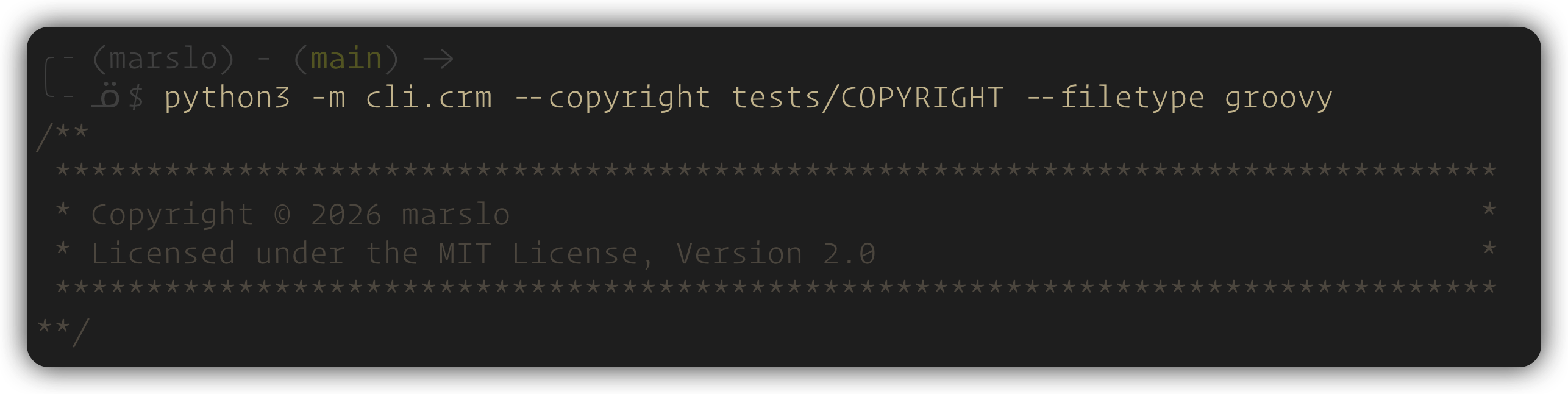
$ cr-manager --filetype groovy
/**
 *******************************************************************************
 * Copyright © 2026 marslo                                                     *
 * Licensed under the MIT License, Version 2.0                                 *
 *******************************************************************************
**/
| FILETYPE | SUFFIXES |
|---|---|
c, cpp, c++, cxx, h, hpp, hxx |
.c, .cpp, .cxx, .h, .hpp, .hxx |
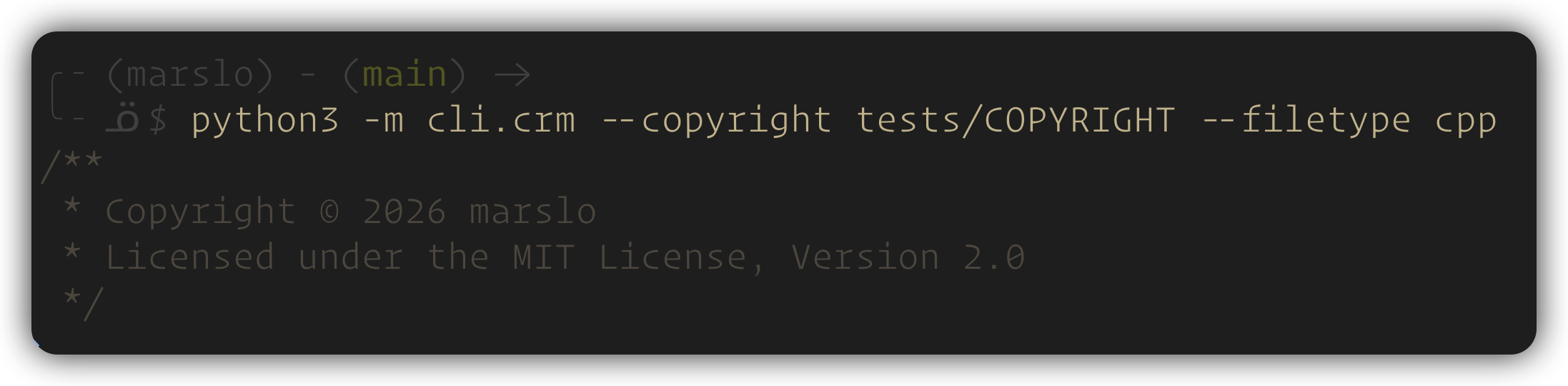
$ cr-manager --filetype cpp
/**
 * Copyright © 2026 marslo
 * Licensed under the MIT License, Version 2.0
 */
pre-commit hook
# if `COPYRIGHT` file can be found in the root directory of this repository
---
repos:
  - repo: https://github.com/marslo/cr-manager
    rev: v3.2.1
    hooks:
      - id: cr-manager
        args: ["--update"]
# specify the path to the COPYRIGHT file
---
repos:
  - repo: https://github.com/marslo/cr-manager
    rev: v3.2.1
    hooks:
      - id: cr-manager
        args: ["--update", "--copyright", "/path/to/COPYRIGHT"]
        files: ^(jenkinsfile/|.*\.(groovy|py|sh)$)
# only check the copyright headers without modifying files after commit
---
repos:
  - repo: https://github.com/marslo/cr-manager
    rev: v3.2.1
    hooks:
      - id: cr-manager
        args: ["--check"]
        stages: [post-commit]
Install
Binary
- pipx installation ( how to install pipx )
$ python3 -m pip install pipx $ python3 -m pipx ensurepath- enable the ansicolor in Windows terminal for better output experience.
> reg add HKCU\Console /v VirtualTerminalLevel /t REG_DWORD /d 1
# via pipx
$ pipx install --force "git+https://github.com/marslo/cr-manager"
# via pip
$ python3 -m pip install cr-manager

# with binary
$ VERSION="$(curl -fsSL https://api.github.com/repos/marslo/cr-manager/releases/latest | jq -r .tag_name)"
# -- linux --
$ curl -fsSL -o cr-manager https://github.com/marslo/cr-manager/releases/download/${VERSION}/cr-manager-linux
# macos
$ curl -fsSL -o cr-manager https://github.com/marslo/cr-manager/releases/download/${VERSION}/cr-manager-macos
# Windows - running in cmd
> powershell -NoProfile -Command "$v=(Invoke-WebRequest -Uri 'https://api.github.com/repos/marslo/cr-manager/releases/latest' -UseBasicParsing | ConvertFrom-Json).tag_name; Invoke-WebRequest -Uri ('https://github.com/marslo/cr-manager/releases/download/'+$v+'/cr-manager.exe') -OutFile 'cr-manager.exe'; Write-Host ('Downloaded '+$v)"
bash completion
automatically detect the OS and install bash completion to the appropriate directory:
- macos: $(brew --prefix)/etc/bash_completion.d → $XDG_DATA_HOME/.local/share → ~/.bash_completion.d
- linux: $XDG_DATA_HOME/.local/share → ~/.bash_completion.d → /usr/share/bash-completion/completions → /etc/bash_completion.d
# macos
$ cr-manager --install-completion
# or install manually
$ cr-manager --completion | tee "$(brew --prefix)/etc/bash_completion.d/cr-manager"
# linux user folder
$ cr-manager --install-completion
# or install manually
$ cr-manager --completion | tee ~/.bash_completion.d/cr-manager

# linux system folder (requires sudo)
$ sudo cr-manager --install-completion
# or install manually
$ cr-manager --completion | sudo tee /etc/bash_completion.d/cr-manager
# uninstall
test -f ~/.bash_completion.d/cr-manager && rm -rf ~/.bash_completion.d/cr-manager
test -f /etc/bash_completion.d/cr-manager && sudo rm -rf /etc/bash_completion.d/cr-manager
[[ 'Darwin' = "$(uname -s)" ]] && test -f "$(brew --prefix)/etc/bash_completion.d/cr-manager" && rm -rf "$(brew --prefix)/etc/bash_completion.d/cr-manager"
Help Message
$ cr-manager --help
USAGE:
  cr-manager [--add | --check | --delete | --update] [--copyright FILE] [--filetype TYPE] [--recursive]
             [--debug] [--verbose] [--completion] [--install-completion] [--help] [--version]
             FILES ...

A tool to automatically add, update, or delete multi-format copyright headers.

POSITIONAL ARGUMENTS:
  FILES ...                 List of target files or directories to process.

ACTION MODES:
  -a, --add                 Add mode: Adds copyright header to files that are missing it (default).
  -c, --check               Check mode: Verifies file copyright status (match, mismatch, or not found).
  -d, --delete              Delete mode: Removes detected copyright headers from files.
  -u, --update              Update mode: Forces replacement of copyright or adds it if missing.

OPTIONS:
  --copyright FILE          Specify the copyright template file path (default: COPYRIGHT).
  -t, --filetype TYPE       Force override a filetype instead of auto-detection.
                            If provided, displays a formatted preview for that type. Supported: bash, c,
                            c++, cpp, cxx, dockerfile, gradle, groovy, h, hpp, hxx, java, jenkinsfile,
                            python, sh, shell
  -r, --recursive           If FILES includes directories, process their contents recursively.
  --debug                   Debug mode: Preview the result of an action without modifying files.
  --verbose                 Show a detailed processing summary.
  --completion              Print the bash completion script to stdout.
  --install-completion      Install bash completion to the OS-appropriate directory (auto-detected, no
                            root needed by default).
  -h, --help                Show this help message and exit.
  -v, --version             Show program's version number and exit.
Project details
Release history Release notifications | RSS feed


Download files
Download the file for your platform. If you're not sure which to choose, learn more about installing packages.
Source Distribution
Built Distribution
Filter files by name, interpreter, ABI, and platform.
If you're not sure about the file name format, learn more about wheel file names.
Copy a direct link to the current filters
File details
Details for the file cr_manager-3.2.1.tar.gz.
File metadata
- Download URL: cr_manager-3.2.1.tar.gz
- Upload date:
- Size: 22.2 kB
- Tags: Source
- Uploaded using Trusted Publishing? No
- Uploaded via: poetry/2.4.0 CPython/3.14.4 Linux/6.17.0-1010-azure
File hashes
| Algorithm | Hash digest | |
|---|---|---|
| SHA256 |
5e122ef723051087c402f0d089cf8a9bb9a9fe543291b5c60c8465e3ec32ed29
|
|
| MD5 |
97a024c187ec0aafb9e8e10fee22d557
|
|
| BLAKE2b-256 |
bb10fdb2c86e4e3d1f5d01ef9b8983c3b22810e47f1e177ca89c523f1bbebc3a
|
File details
Details for the file cr_manager-3.2.1-py3-none-any.whl.
File metadata
- Download URL: cr_manager-3.2.1-py3-none-any.whl
- Upload date:
- Size: 23.2 kB
- Tags: Python 3
- Uploaded using Trusted Publishing? No
- Uploaded via: poetry/2.4.0 CPython/3.14.4 Linux/6.17.0-1010-azure
File hashes
| Algorithm | Hash digest | |
|---|---|---|
| SHA256 |
94e60b8e355151325318c84101eda87e7e7db997a1a9d5f09f7127a65d97a132
|
|
| MD5 |
78099919a4594a77477098680d303aa1
|
|
| BLAKE2b-256 |
1e4e9fcbc0030f7ba2497ac12cffb7eb4499a1fd9a8b7cf63fdd2d9657d21cd4
|






