





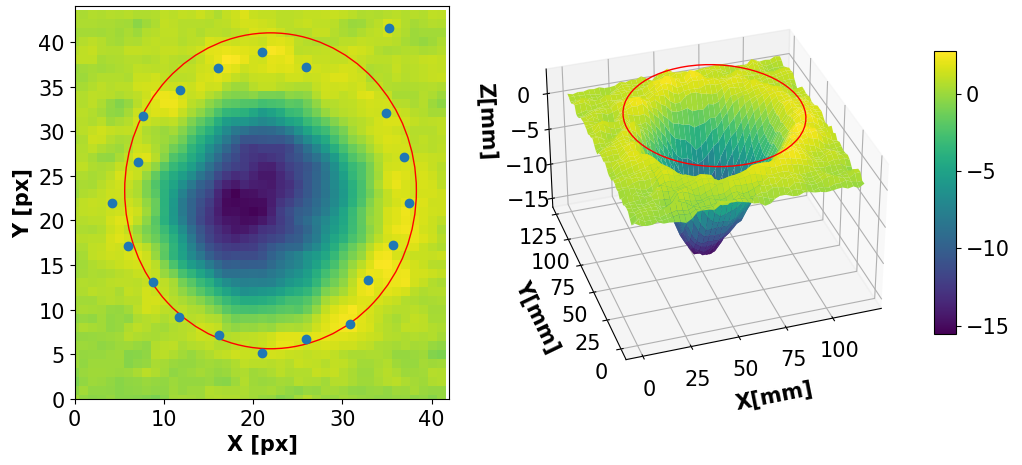
Installation
Craterslab requires Python 3.11+ for functioning. Make sure you have a compliant version of python installed in your system.
Installing craterslab from pypi using pip (Recommended)
Craterslab is also available from pypi. You can install it by running:
$ pip install craterslab
We strongly encourage users using this method to create a virtual environment before installing the library.
Automatic classification
The core install has no machine learning dependencies. To classify surfaces with the bundled CNN, install the optional extra:
$ pip install 'craterslab[classification]'
It works on Python 3.11 to 3.13, because TensorFlow has no wheels for newer versions yet.
Installing craterslab from the repository using uv
Make sure you have uv in your system and then run:
$ git clone https://github.com/gvieralopez/craterslab.git
$ cd craterslab
$ uv sync
These will create an isolated virtual environment with craterslab installed on it. Run commands inside it with uv run.
Usage
from craterslab import DepthMap, Surface, SurfaceType

depth_map = DepthMap.load("examples/data/fluidized_1.npz")
depth_map.auto_crop()

crater = Surface.from_depth_map(depth_map, SurfaceType.SIMPLE_CRATER)
print(crater)
You can find some examples on how to use the library in this repository:
$ git clone https://github.com/gvieralopez/craterslab.git
$ cd craterslab/examples
Before executing any example, you will need to download data from actual craters using the provided scripts:
$ python download_data.py
Then, you can execute any given example as:
$ python example1.py
See software documentation for more details.
Troubleshooting
Error running the examples
If you get a warning as such
UserWarning: FigureCanvasAgg is non-interactive, and thus cannot be shown
You may need to install tk on your operative system.
Development
Setup, QA, docs and releases: DEVELOPMENT.md.
Contributing
Issues and pull requests are welcome; make qa must pass.
License
MIT: see LICENSE.
🚀 Project starter provided by Cookie Pyrate v1.1.2
1 maintainer

Metadata
1 maintainer
Release files for craterslab 1.0.0
For a detailed explanation of source distributions (sdists) and built distributions (wheels), please see the package formats documentation.
Source distribution (sdist)
| File | Size | Uploaded | Provenance | Actions |
|---|---|---|---|---|
| craterslab-1.0.0.tar.gz | 24.4 MB | Without provenance | Details for craterslab-1.0.0.tar.gz |
Built distribution (wheel)
| File | Interpreter | ABI | Platform | Actions Reset |
|---|---|---|---|---|
| craterslab-1.0.0-py3-none-any.whl | Python 3 | none | any | Details for craterslab-1.0.0-py3-none-any.whl |
Total release size: 47.6 MB
Release files / craterslab-1.0.0.tar.gz
| Download URL | craterslab-1.0.0.tar.gz |
|---|---|
| Size | 24.4 MB |
| Tags | Source |
|
SHA-256 checksum How to use checksums |
f48d9d4b0b5664d5e66ef0e507244b2d8148bbf9c645e63e4122f8cda16ca6f8
|
|
BLAKE2b-256 checksum How to use checksums |
b569dca79617e68a638c4d3f18ca87eac6065bb647b0abb90ab243377ce780a8
|
| Upload date | |
|
Uploaded using Trusted Publishing? What is trusted publishing? |
Yes |
| Uploaded via |
uv/0.13.5 {"installer":{"name":"uv","version":"0.13.5","subcommand":["publish"]},"python":null,"implementation":{"name":null,"version":null},"distro":{"name":"Ubuntu","version":"26.04","id":"resolute","libc":null},"system":{"name":null,"release":null},"cpu":null,"openssl_version":null,"setuptools_version":null,"rustc_version":null,"ci":true}
|
Release files / craterslab-1.0.0-py3-none-any.whl
| Download URL | craterslab-1.0.0-py3-none-any.whl |
|---|---|
| Size | 23.2 MB |
| Tags | Python 3 |
|
SHA-256 checksum How to use checksums |
f67a7ca822e8cde7dcfab6378e2f082e7244f10be65cccc8eef3d64d796e154c
|
|
BLAKE2b-256 checksum How to use checksums |
9fd2062cfbad3be2e56e8922fcef469656eda29f8774619d7801f7176cd754a7
|
| Upload date | |
|
Uploaded using Trusted Publishing? What is trusted publishing? |
Yes |
| Uploaded via |
uv/0.13.5 {"installer":{"name":"uv","version":"0.13.5","subcommand":["publish"]},"python":null,"implementation":{"name":null,"version":null},"distro":{"name":"Ubuntu","version":"26.04","id":"resolute","libc":null},"system":{"name":null,"release":null},"cpu":null,"openssl_version":null,"setuptools_version":null,"rustc_version":null,"ci":true}
|
Security for craterslab 1.0.0
Provenance
Provenance describes where a file came from. On PyPI, provenance is shared via attestations, which provide a verifiable record of the build or publishing details. View details, limitations and caveats.
No provenance found
None of the files in this release were uploaded with provenance metadata.
A note on package security
PyPI is a repository for distributing packages, not a service for auditing them. While third-party security researchers and our staff do their best to detect and remove malicious packages, PyPI cannot guarantee the quality, security or suitability of any given package.
To learn more about protecting yourself from malicious actors, visit our package security documentation.














