





crdb-sql-audit
A powerful CLI tool to extract, deduplicate, and analyze SQL logs for CockroachDB compatibility using a flexible, rule-based engine.
🚀 Features
- Works with any SQL dialect (PostgreSQL, MySQL, Oracle, etc.)
- Extracts SQL and function calls using customizable search terms (e.g.
execute,pg_) - Deduplicates repeated SQL statements from logs
- Analyzes SQL using a YAML-based rule engine
- Supports default compatibility rules (PostgreSQL ➜ CockroachDB)
- Allows custom rule sets via
--rules - Logs analysis output to both terminal and
crdb_sql_audit.log - Automatically detects SQL statement types (e.g. SELECT, DELETE)
- Friendly CLI with
--helpand--version - Export full reports in multiple formats:
.sql: Deduplicated queries.csv: Raw compatibility issue list.md: Developer-friendly Markdown report.html: Interactive browser report with sorting/filtering.png: Visual bar chart of issues
🖼 Sample Output
| Report Type | Preview |
|---|---|
| HTML | 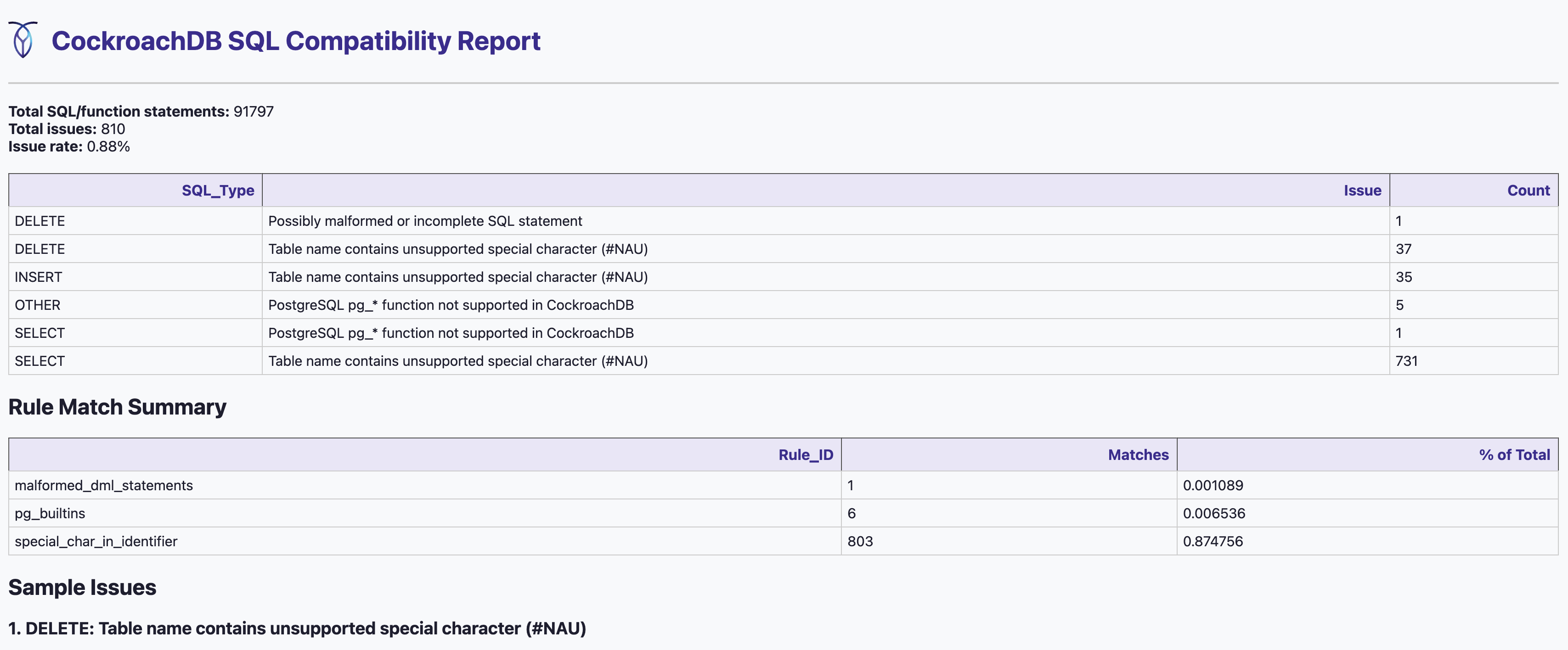 |
| Chart | 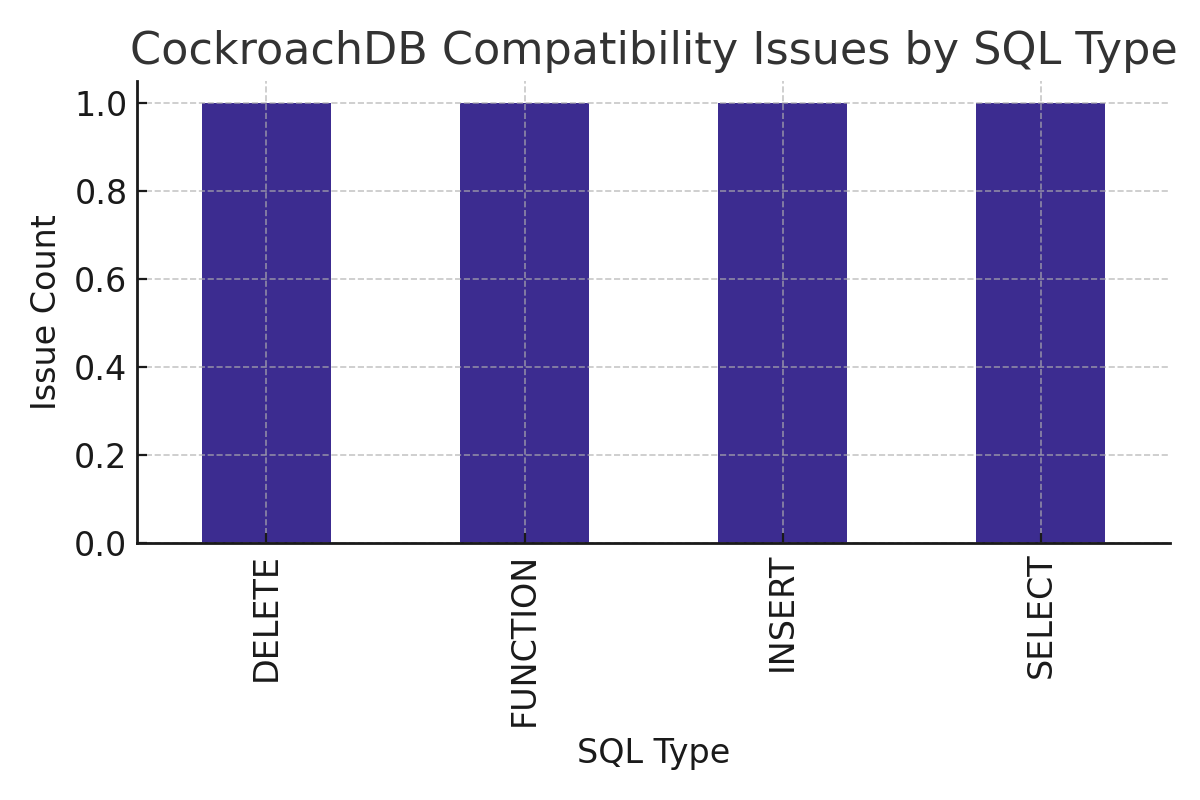 |
| CSV | 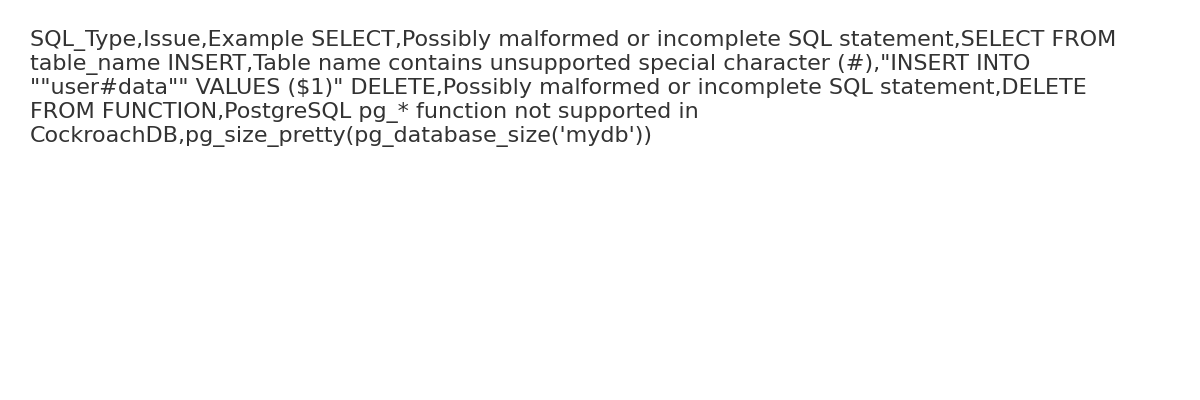 |
| SQL | 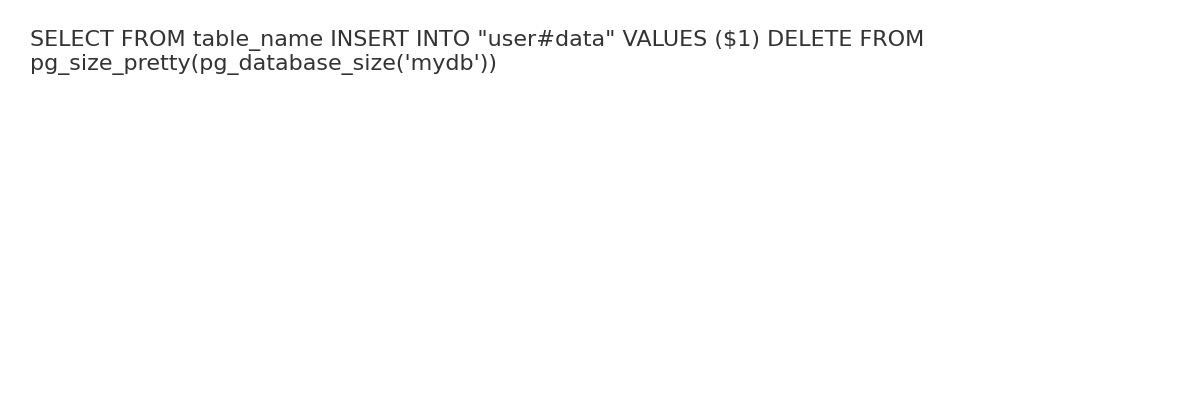 |
| Markdown | 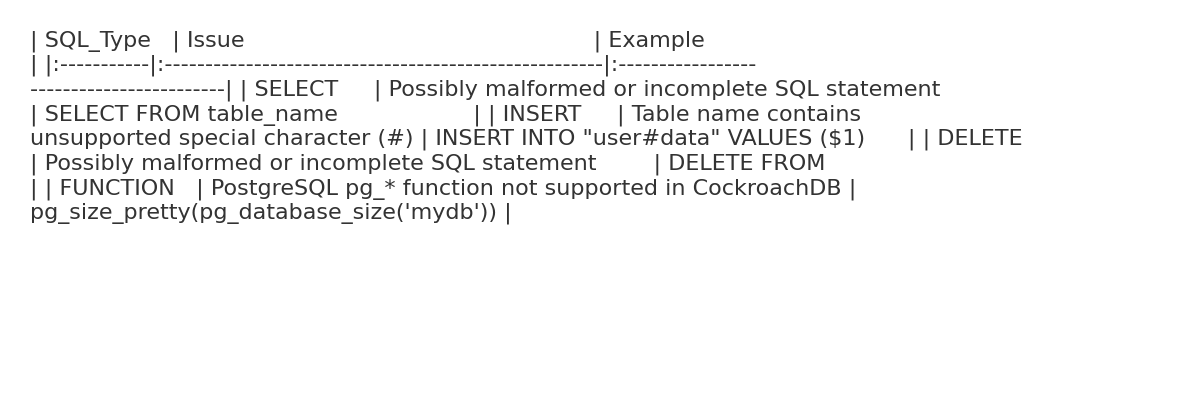 |
📦 Installation
Option A: Quick Install from PyPI
pip install crdb-sql-audit
Option B: Local Dev Install
git clone https://github.com/your-org/crdb-sql-audit.git
cd crdb-sql-audit
python -m venv venv
source venv/bin/activate
pip install .
Option C: Build via pyproject.toml
python -m build
pip install dist/crdb_sql_audit-0.2.0-py3-none-any.whl
🧪 Usage
crdb-sql-audit \
  --dir /path/to/logs \
  --filters execute,pg_ \
  --out output/report
You can also analyze a single file:
crdb-sql-audit \
  --file /path/to/logfile.log \
  --filters SELECT,INSERT \
  --raw \
  --out output/single_file_report
⚠️ You must provide either
--diror--file, but not both.
🔧 Additional Options
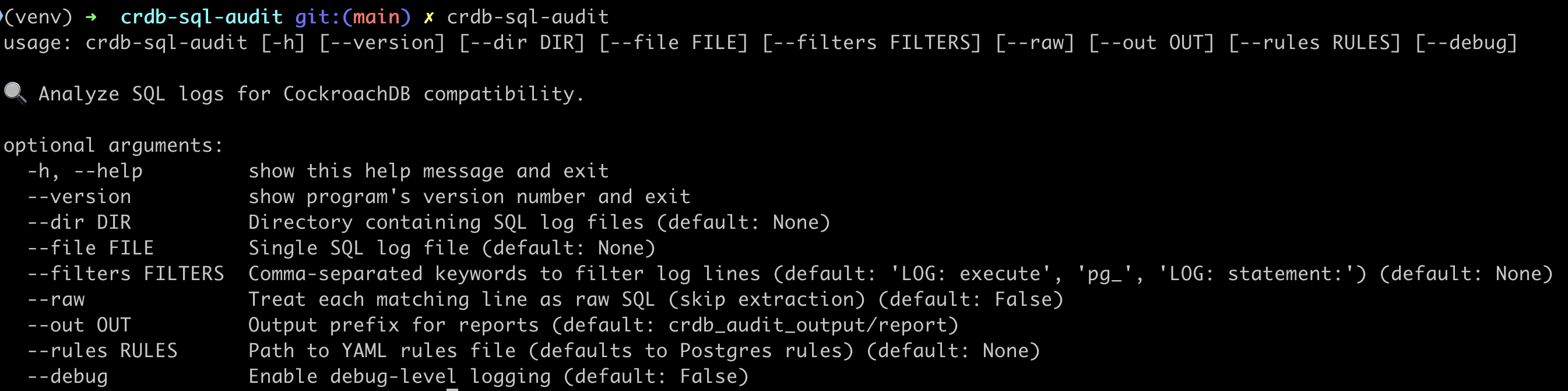
--dir       Directory containing SQL log files (mutually exclusive with --file)
--file      Single SQL log file (mutually exclusive with --dir)
--filters     Comma-separated search keywords to extract SQL (default: 'LOG:  execute', 'pg_', 'LOG:  statement:')
--raw       Treat each matching line as a raw SQL statement (default: False)
--rules     Path to YAML rules file (optional, default: built-in PostgreSQL rules)
--out       Output file prefix (default: crdb_audit_output/report)
--debug     Enable debug-level logging
--help      Show usage help
--version   Show current version
📘 CLI Help Example
crdb-sql-audit --help
Custom Rules Example
crdb-sql-audit \
  --dir ./logs \
  --filters execute,pg_ \
  --rules ./rules/mysql_to_crdb.yaml \
  --out output/mysql_report
💡 This tool supports auditing any SQL dialect — just provide a rule set for your source database (e.g., PostgreSQL, MySQL, Oracle).
📁 Output
output/
├── report.sql          # Deduplicated SQL
├── report.csv          # Compatibility issues
├── report.md           # Markdown summary
├── report.html         # Interactive dashboard
├── report_chart.png    # Visual chart of issues
├── crdb_sql_audit.log  # Full run log
🧹 Preparing Your Log Files
To analyze SQL logs effectively, we recommend the following preprocessing steps:
1. Extract SQL-related Lines
grep "execute" app.log > sql_only.log
# or to include pg_ built-in function usage:
grep -E "execute|pg_" app.log > sql_only.log
2. Split Into Manageable Chunks (Optional but Recommended)
split -b 50M sql_only.log chunks/sql_chunk_
3. Run the Audit
crdb-sql-audit --dir chunks --filters execute,pg_ --out output/report
🗜 Supported Log Formats
This tool automatically supports reading:
- ✅ Regular
.logor.txtfiles - ✅ Compressed files:
.gz,.xz - ✅ Folders with mixed log formats
You can pass these directly using --file or --dir:
crdb-sql-audit --file logs/app.log.gz --out output/report_from_gz
🧪 Raw Mode vs. Filtered Mode
This tool supports two modes of SQL log analysis:
| Mode | Behavior |
|---|---|
--filters (default) |
Filters log lines using keywords like LOG: execute, pg_, etc. |
--raw |
Analyzes every line as a potential SQL statement — no filtering applied |
✅ Use
--rawif you want the most complete coverage, especially for mixed-format or unknown logs. ⚠️ Warning: large logs +--raw+--debugmay generate gigabytes of audit output.
📚 Rule Engine Format
Rules are written in YAML and matched against each SQL line. Example:
💡 This is also the default rule if you don't provide
--rulesparam.
# postgres_to_crdb.yaml — Comprehensive CRDB Compatibility Rules based on https://www.cockroachlabs.com/docs/v25.2/sql-feature-support

- id: malformed_dml_statements
  match: '^(SELECT|INSERT|UPDATE|DELETE FROM)\s*$'
  message: "Possibly malformed or incomplete SQL statement"
  level: warning
  tags: [syntax]

- id: special_char_in_identifier
  match: '"[^\"]*#\w*"'
  message: "Table name contains unsupported special character (#)"
  level: error
  tags: [table, identifier]

- id: pg_builtins
  match: '^.*\bpg_\w+\s*\(.*$'
  message: "PostgreSQL pg_* function not supported in CockroachDB"
  level: error
  tags: [function]

- id: with_cte
  match: '^\s*WITH\s+'
  message: "CTE (WITH clause) detected"
  level: warning
  tags: [cte, syntax]

- id: upsert_syntax
  match: '^\s*UPSERT\s+'
  message: "UPSERT syntax (CockroachDB supports but should be reviewed)"
  level: info
  tags: [upsert, insert]

- id: json_ops
  match: '->|->>|::json[b]?'  # Look for JSON navigation or cast
  message: "JSON/JSONB usage detected"
  level: info
  tags: [json]

- id: row_values
  match: '\(.*\).*IN\s*\('  # e.g., WHERE (a, b) IN ((1, 2))
  message: "ROW VALUES in IN clause"
  level: warning
  tags: [rowvalues, comparison]

- id: window_function
  match: '\bOVER\s*\('
  message: "Window function usage (e.g., RANK, ROW_NUMBER)"
  level: info
  tags: [window, analytics]

- id: set_ops
  match: '\s+(UNION|INTERSECT|EXCEPT)\s+'
  message: "Set operation (UNION, INTERSECT, EXCEPT)"
  level: info
  tags: [setops]

- id: case_expr
  match: '\bCASE\b.*\bWHEN\b.*\bTHEN\b'
  message: "CASE expression detected"
  level: info
  tags: [case, conditional]

- id: time_interval
  match: 'INTERVAL\s+[''\"]'
  message: "TIME INTERVAL expression"
  level: info
  tags: [interval, time]

- id: group_by_rollup
  match: 'GROUP BY ROLLUP\('
  message: "ROLLUP clause used"
  level: warning
  tags: [aggregation, rollup]

- id: filter_clause
  match: 'FILTER\s*\(\s*WHERE'
  message: "FILTER clause used in aggregation"
  level: warning
  tags: [aggregation, filter]
📦 Multiple rule sets can be created to target different SQL dialects (e.g.,
postgres_to_crdb.yaml,mysql_to_crdb.yaml, etc.)
🧪 Validate Your Regex Rules
🔍 Online (Recommended)
Use regex101.com to test your patterns:
- Set the flavor to Python
- Paste your rule into the regex field
- Paste a sample SQL line into the test area
🐍 In Python
You can also test your rules directly:
import re
pattern = re.compile(r'^.*\bpg_\w+\s*\(.*$', re.IGNORECASE)
sql = "SELECT pg_backend_pid()"
print(bool(pattern.search(sql)))  # ✅ True
🛠 Validate with Shell
You can use basic Unix commands to check for patterns like pg_ functions directly in your log chunks:
| Task | Command |
|---|---|
| Total matches across chunks | grep -oE '\bpg_[a-zA-Z0-9_]+\(' chunks/* | wc -l |
| Unique function names | grep -oE '\bpg_[a-zA-Z0-9_]+\(' chunks/* | sort | uniq |
| Count occurrences of each function | grep -oE '\bpg_[a-zA-Z0-9_]+\(' chunks/* | sort | uniq -c | sort -nr |
| Full SQL lines containing pg_* | grep -E '\bpg_[a-zA-Z0-9_]+\(' chunks/* |
🧪 Running Tests
This project includes a test suite using sample logs and rules to validate behavior.
🔧 To run locally:
python tests/test_runner.py
🧪 What it does:
- Runs
crdb-sql-auditon a small sample of PostgreSQL-style logs - Uses
tests/rules/test_rules.yaml - Verifies that a CSV report is created with expected issues
✅ This runs automatically in GitHub Actions on every commit to main.
1 maintainer

Release files for crdb-sql-audit 0.2.8
For a detailed explanation of source distributions (sdists) and built distributions (wheels), please see the package formats documentation.
Source distribution (sdist)
| File | Size | Uploaded | |
|---|---|---|---|
| crdb_sql_audit-0.2.8.tar.gz | 84.7 kB | Details |
Built distribution (wheel)
| File | Interpreter | ABI | Platform | Reset |
|---|---|---|---|---|
| crdb_sql_audit-0.2.8-py3-none-any.whl | Python 3 | none | any | Details |
Total release size: 165.6 kB
Release files / crdb_sql_audit-0.2.8.tar.gz
| Download URL | crdb_sql_audit-0.2.8.tar.gz |
|---|---|
| Size | 84.7 kB |
| Tags | Source |
|
SHA-256 checksum How to use checksums |
d25c085982b20b66cf2dffd2bc0fd73ab696b11877b3b78ad2435269dff95c9b
|
|
BLAKE2b-256 checksum How to use checksums |
f99a3fa50356f34f4c92df7257f7ec91edc4ef9b7d102305ff03666265387113
|
| Upload date | |
|
Uploaded using Trusted Publishing? What is trusted publishing? |
No |
| Uploaded via |
twine/6.1.0 CPython/3.9.6
|
Release files / crdb_sql_audit-0.2.8-py3-none-any.whl
| Download URL | crdb_sql_audit-0.2.8-py3-none-any.whl |
|---|---|
| Size | 81.0 kB |
| Tags | Python 3 |
|
SHA-256 checksum How to use checksums |
516c6df92fb6be96ee3083fc36a84cf5c4778e7de946be9a966aab3cac5ecbfe
|
|
BLAKE2b-256 checksum How to use checksums |
0bc620c7f0e0ec7ba68958c4a80271c9eb4b5821a23129643f997106817eb8f1
|
| Upload date | |
|
Uploaded using Trusted Publishing? What is trusted publishing? |
No |
| Uploaded via |
twine/6.1.0 CPython/3.9.6
|














