
createrington-skin-api
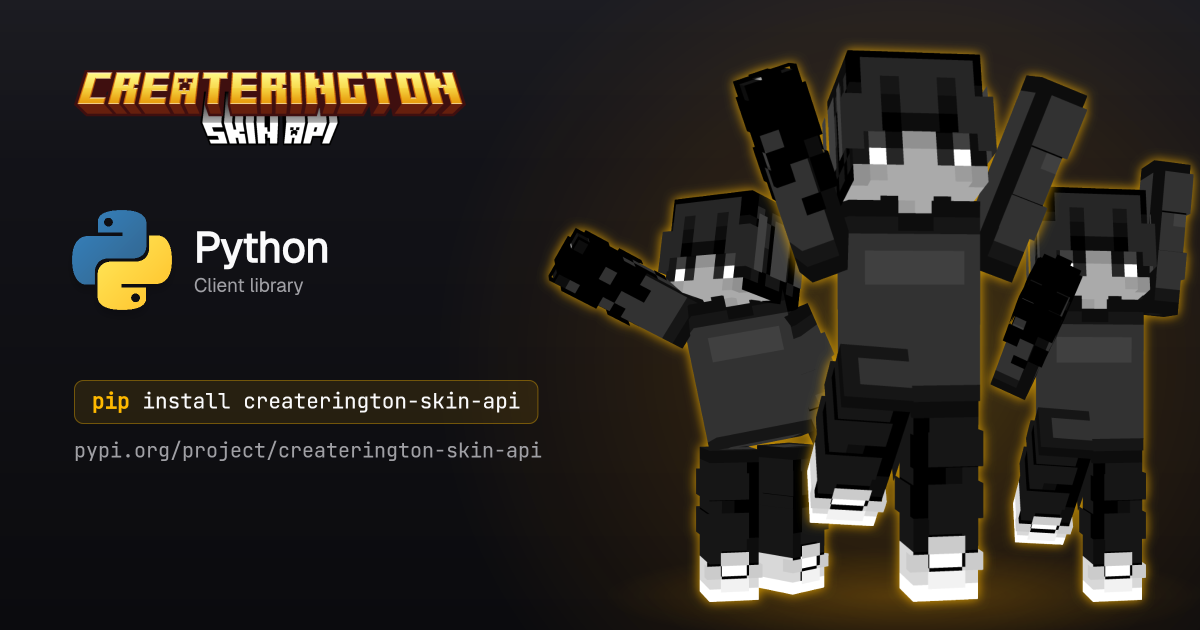
Official Python client for the Createrington Skin API. Renders Minecraft player skins into named poses and returns PNG bytes. Sync and async clients, fully typed.
pip install createrington-skin-api
Access is invite-only. Request an API key at https://api.createrington.com.
Quickstart
from createrington_skin_api import SkinApiClient

client = SkinApiClient(api_key="sk_...")  # or set SKIN_API_KEY

# Render a known pose for a Minecraft account by UUID.
png = client.render("wave", uuid="069a79f444e94726a5befca90e38aaf5")

# `png` is `bytes` of a PNG image.
with open("notch-waving.png", "wb") as f:
    f.write(png)
Async
import asyncio
from createrington_skin_api import AsyncSkinApiClient


async def main() -> None:
    async with AsyncSkinApiClient(api_key="sk_...") as client:
        png = await client.render("wave", username="Notch", slim=True)
        with open("notch-waving.png", "wb") as f:
            f.write(png)


asyncio.run(main())
Client
SkinApiClient(
    api_key=None,          # required; falls back to the SKIN_API_KEY env var
    base_url="https://api.createrington.com",
    timeout=30.0,          # seconds
    retries=2,             # retries 429/502/503/504 and network errors
    user_agent="createrington-skin-api",
)
AsyncSkinApiClient takes the same arguments. Both are usable as context
managers (with / async with) and expose close() / aclose() for
explicit cleanup of the underlying connection pool.
render
client.render(
    pose,                  # a pose name (e.g. "wave"), or any pose string
    *,
    # exactly one skin source:
    uuid=None,             # Mojang UUID, resolved server-side
    username=None,         # Mojang username, resolved server-side
    skin_url=None,         # public URL to a 64x64 PNG
    skin_base64=None,      # base64-encoded 64x64 PNG (data URL prefix optional)
    png=None,              # raw 64x64 PNG bytes, sent as multipart/form-data
    # options:
    slim=None,             # override slim/Alex arm geometry; default uses skin metadata
    outline=False,         # draw an outline around the skin; default off
    width=None,            # default 400 (64..2048)
    height=None,           # default 600 (64..2048)
) -> bytes
Exactly one skin source must be supplied; passing none or more than one
raises ValueError.
Poses exposes every pose known to the SDK at publish time as a named
constant, so you can reference one by name instead of a bare string:
from createrington_skin_api import Poses

png = client.render(Poses.wave, uuid="069a79f444e94726a5befca90e38aaf5")
pose accepts any string, so server-side poses added after this release work
without an SDK upgrade; fetch GET /v1/poses directly if you need the live
catalogue with descriptions.
random_pose() returns a uniformly random known pose name:
from createrington_skin_api import random_pose

png = client.render(random_pose(), uuid="069a79f444e94726a5befca90e38aaf5")
avatar
client.avatar(
    *,
    # exactly one skin source (same as render):
    uuid=None,             # Mojang UUID, resolved server-side
    username=None,         # Mojang username, resolved server-side
    skin_url=None,         # public URL to a 64x64 PNG
    skin_base64=None,      # base64-encoded 64x64 PNG (data URL prefix optional)
    png=None,              # raw 64x64 PNG bytes, sent as multipart/form-data
    # options:
    size=None,             # output edge length in px; default 64 (8..512), square
    overlay=None,          # composite the hat layer; on by default
) -> bytes
Returns a flat 2D front-view avatar: a square PNG of the skin's face with the
hat layer composited on top. Exactly one skin source must be supplied, the same
way as render; passing none or more than one raises ValueError. overlay
is on by default and the request omits the parameter unless you pass
overlay=False.
png = client.avatar(uuid="069a79f444e94726a5befca90e38aaf5", size=128)
The async client exposes await client.avatar(...) with the same arguments.
resolve
client.resolve(
    *,
    # exactly one identifier:
    uuid=None,             # player UUID, dashed or compact
    username=None,         # Minecraft username, case-insensitive
) -> ResolvedPlayer
Resolves a player identity in either direction: pass uuid to get the current
username, or username to get the UUID. Exactly one identifier must be
supplied; passing none or both raises ValueError. Returns a ResolvedPlayer
dataclass: uuid is always the canonical dashed lowercase form and username
carries the canonical casing (None only when a degraded fallback provider
could not supply the name). An unknown player raises SkinApiError with
code == "not_found".
player = client.resolve(username="Notch")
print(player.uuid)      # "069a79f4-44e9-4726-a5be-fca90e38aaf5"
print(player.username)  # "Notch"
Lookups share the server's resolution cache, so a recent name change can take up to a day to appear. Resolutions do not count toward the image volume quota.
The async client exposes await client.resolve(...) with the same arguments.
Errors
Every non-2xx response (and network/timeout failures) raises SkinApiError:
from createrington_skin_api import SkinApiError

try:
    client.render("wave", uuid="bad-uuid")
except SkinApiError as err:
    print(err.code, err.status, err)
    if err.code == "rate_limited" and err.retry_after_ms:
        ...  # back off and retry
err.code is one of "bad_request", "unauthorized", "forbidden",
"not_found", "conflict", "unsupported_media_type", "rate_limited",
"internal", "render_failed", "upstream_unavailable", "timeout",
"aborted", "network_error", "unknown". err.status is the HTTP status
(or 0 for network/timeout failures). err.retry_after_ms is populated on
429 responses when the server reports it.
The client retries 429, 502, 503, 504, and network errors up to
retries times with exponential backoff; 429 responses honour the server's
retryAfterMs when present.
Building
pip install -e ".[dev]"
pytest
mypy
_poses.py is generated from the published OpenAPI document (fetched live, not
committed):
python scripts/generate_poses.py
render accepts any pose string, so a new server-side pose works without an
SDK change; Poses and KNOWN_POSES only provide names known at build time.
Contributing
Issues and pull requests are welcome. By submitting a contribution you agree it is licensed under the project's Apache-2.0 terms (section 5 of the license); no separate CLA is required.
License
Apache-2.0. See LICENSE.
1 maintainer

Release files for createrington-skin-api 2.8.0
For a detailed explanation of source distributions (sdists) and built distributions (wheels), please see the package formats documentation.
Source distribution (sdist)
| File | Size | Uploaded | |
|---|---|---|---|
| createrington_skin_api-2.8.0.tar.gz | 20.9 kB | Details |
Built distribution (wheel)
| File | Interpreter | ABI | Platform | Reset |
|---|---|---|---|---|
| createrington_skin_api-2.8.0-py3-none-any.whl | Python 3 | none | any | Details |
Total release size: 40.9 kB
Release files / createrington_skin_api-2.8.0.tar.gz
| Download URL | createrington_skin_api-2.8.0.tar.gz |
|---|---|
| Size | 20.9 kB |
| Tags | Source |
|
SHA-256 checksum How to use checksums |
93e0dce7e9496a30d571e90d2538b6141f3080255a1315245ffc0a1c7ffc5ce7
|
|
BLAKE2b-256 checksum How to use checksums |
1efef672e66b54ef44b025e581a8392ea1e46517e3f618cbc9bda8da414eca8c
|
| Upload date | |
|
Uploaded using Trusted Publishing? What is trusted publishing? |
No |
| Uploaded via |
twine/7.0.0 CPython/3.12.13
|
Release files / createrington_skin_api-2.8.0-py3-none-any.whl
| Download URL | createrington_skin_api-2.8.0-py3-none-any.whl |
|---|---|
| Size | 20.0 kB |
| Tags | Python 3 |
|
SHA-256 checksum How to use checksums |
3f1192aa661e10e46a371af2e6ddaebacb027195fc9c8d32345844254f42880c
|
|
BLAKE2b-256 checksum How to use checksums |
5b5d2f2c326946c6874de51429569e8e7b4c0f1c2ff1c893b0064f4a322acd2d
|
| Upload date | |
|
Uploaded using Trusted Publishing? What is trusted publishing? |
No |
| Uploaded via |
twine/7.0.0 CPython/3.12.13
|














