
creatorloop
Open-source AI content studio for Instagram creators, built on Claude and the official Instagram API.
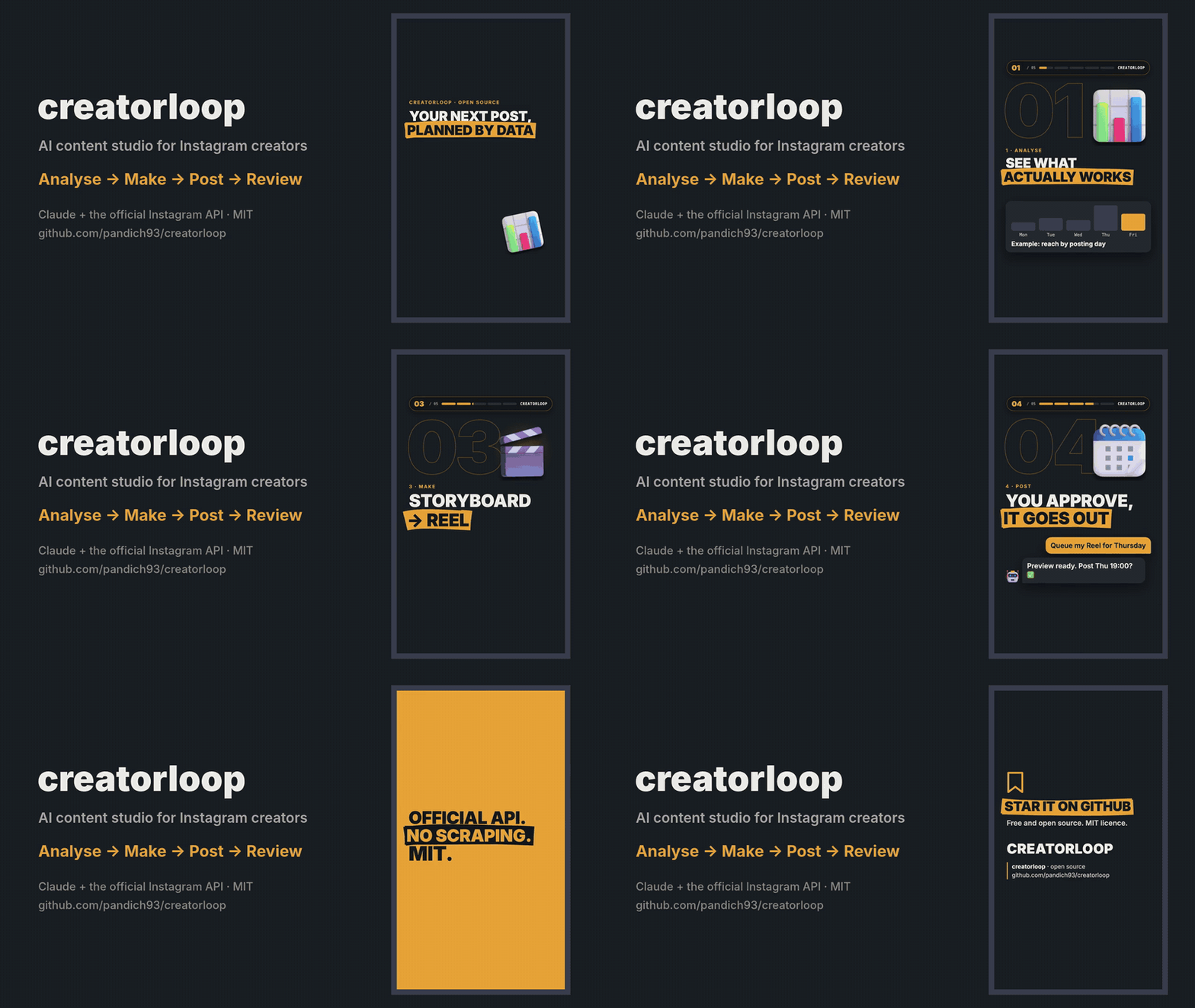
Analyse what works → make Reels and carousels → publish or queue them → review how they did. All from a chat with Claude.




Why
There are plenty of "Instagram API for Claude" servers. creatorloop is built for the creator's loop instead:
- Learn from data, not vibes. Best and worst posts with their hooks, format comparison, follows per 1,000 reach, Reels watch time, best day and hour — and which captions (language, question hook, CTA, length) actually work.
- Spy on competitors legally. Track professional accounts, keep their follower history, and get alerted to the posts that did N× better than their median. Analyse any public post by URL, slides included.
- Make the content. A Remotion Reel template with automatic checks (first-second rule, safe zones, "not a copy of the carousel"), original music and licensed 3D objects.
- Publish safely. Two-step publishing with a preview, a queue with fingerprints (a changed file blocks the post), 24 h / 72 h post reviews and comment replies — every public action needs your explicit OK.
- Official API only. No scraping, no browser automation, no risk to your account.
Quick start
You need uv, Claude Desktop, an Instagram Business or Creator account linked to a Facebook Page, and your own Meta app (5-minute guide).
uvx --from creatorloop creatorloop-setup
It connects Claude Desktop and opens a setup page in your browser: enter your app's App ID and App Secret, press Continue with Facebook, done. Then ask Claude: "How did my last 10 posts do, and what should I post next?"
Already in Claude? Ask "connect my Instagram": Claude opens the same page (open_setup). Your App Secret and
token are typed only into that local page, never into the chat.
Installing uv
| System | Command |
|---|---|
| Windows | powershell -ExecutionPolicy ByPass -c "irm https://astral.sh/uv/install.ps1 | iex" |
| macOS | brew install uv or curl -LsSf https://astral.sh/uv/install.sh | sh |
| Linux | curl -LsSf https://astral.sh/uv/install.sh | sh |
uv downloads Python 3.14 by itself if you don't have it.
creatorloop-setup finds the Claude Desktop config on Windows (including the Microsoft Store build), macOS and Linux,
keeps your other servers, makes a backup and creates your settings file. Claude Desktop rewrites its config while it
runs, so on macOS the command quits and reopens it for you; on Windows and Linux it asks you to quit it first.
Running in Docker instead of uv
Build the image straight from GitHub and keep your settings in a folder on your computer:
docker build -t creatorloop https://github.com/pandich93/creatorloop.git
mkdir "$HOME/creatorloop"
If you use the post queue, first create .env in that folder with IG_TIMEZONE=Europe/Berlin (your zone): the container
runs in UTC.
Connect your account (the setup page runs in the container; open the printed link in your browser). Keep all three
8765 the same; to use another port change all three:
docker run --rm -it -p 127.0.0.1:8765:8765 -v "$HOME/creatorloop:/data" --entrypoint creatorloop-auth creatorloop \
  login --no-browser --port 8765 --bind 0.0.0.0
creatorloop-setup doesn't run inside Docker, so add the server to claude_desktop_config.json yourself, with the
full path to the folder:
{
  "mcpServers": {
    "creatorloop": {
      "command": "docker",
      "args": ["run", "-i", "--rm", "-v", "/Users/you/creatorloop:/data", "creatorloop"]
    }
  }
}
Post folders for prepare_post and queue_post go into creatorloop/content/. The image includes cloudflared for
publishing carousels.
The open_setup tool does not work inside Docker; use the command above to reconnect.
What you can ask
- "Make a report on my content for the last 60 days. Reels or carousels — what works better, and when should I post?"
- "Compare me with @competitor1 and @competitor2. Who has the higher engagement and why?"
- "Analyse this post https://www.instagram.com/p/… and write my own version of it."
- "Track @competitor and tell me every week which of their posts took off."
- "Check the hashtags #ai, #productivity and #startup. Check the quota first."
- "Queue the post from folder
my-first-reelfor the next free slot." → preview → "yes" → it goes out on time. - "Which new comments haven't I answered? Draft replies." → you approve each reply.
Ready-made prompts in Claude Desktop's + menu: Weekly Instagram report, Competitor brief, Data-driven content ideas.
Tools
| Area | Tools |
|---|---|
| Your account | get_my_profile, get_my_media, get_media_insights, get_account_insights, get_audience_demographics |
| Content analysis | get_my_content_report, get_caption_insights, get_post_history, post_reviews |
| Competitors | get_competitor, compare_accounts, get_follower_history, track_competitor, untrack_competitor, list_tracked_competitors, update_tracked_competitors, find_viral_posts, get_competitor_post |
| Hashtags | search_hashtag, compare_hashtags, plan_hashtag_research |
| Publishing | prepare_post, get_post_job, publish_media, list_publications |
| Queue | queue_post, list_queue, cancel_queued |
| Comments | get_new_comments, reply_comment |
| Service | get_api_status, open_setup, clear_cache, restart_server |
34 tools in total. Tools that change something on Instagram are annotated as such for Claude, and their descriptions
tell it to act only after you approve: publish_media and reply_comment after you OK the preview or the exact
text, queue_post only with confirm=true after you saw the preview.
Publishing
Put the files into a folder inside your content folder (<creatorloop home>/content/<name>/):
my-carousel/                   my-reel/
  slide_01.png … slide_10.png    reel.mp4        # H.264/HEVC, 23–60 fps, ≤1920 px wide, 3 s–15 min, ≤300 MB
  caption.txt                    caption.txt
                                 reel.json       # optional: {"cover_ms": 1667, "share_to_feed": true, "trial": "SS_PERFORMANCE"}
- Slides: 1–10 PNG/JPG (API limit), aspect ratio 4:5 to 1.91:1, ordered by file name. Everything below a
---line incaption.txtis notes and is not published. - Then: "prepare the post from folder
my-carousel" → preview → "publish". Or queue it for a slot. - Carousels: Instagram downloads images from a public URL, so creatorloop opens a temporary
Cloudflare Quick Tunnel
for that minute. Install
cloudflaredonce:winget install --id Cloudflare.cloudflared -e(Windows),brew install cloudflared(macOS) or a package from pkg.cloudflare.com (Linux). - Reels upload directly to Meta (no tunnel). The MP4 header is checked before upload (duration, size, width,
moovfirst) with the exactffmpegfix if something is off. - Queue slots default to Tue/Thu/Sun 19:00 in your timezone — an example, change
QUEUE_SLOTSin the settings file. A queued post is blocked if its files or caption change after you approved it, and is marked missed if your computer was asleep for more than 3 hours past the slot. - Meta's limit is 100 posts per rolling 24 hours;
list_publicationsshows what is left. Publishing is never retried automatically, so there are no duplicates.
Making the content itself: see examples/ and the content pipeline —
a sample carousel, a sample Reel storyboard and the Remotion Reel template.
What the Instagram API allows (and doesn't)
| Possible | Not possible | |
|---|---|---|
| Your account | Reach, views, likes, comments, saves, shares, profile visits, follows per post, Reels average watch time, audience demographics, account totals | Data older than 2 years; insights per carousel slide; Stories after 24 h |
| Competitors (Business Discovery) | Public data of Business/Creator accounts: followers, posts, bio, likes, comments, Reels views per post | Personal or private accounts; their reach, saves, shares, demographics; Stories |
| Hashtags | Top posts and posts from the last 24 h | More than 30 unique hashtags per rolling 7 days; post authors; keyword, audio or trend search |
| Follower growth | creatorloop saves a daily snapshot for you and every competitor you look at | History before the first snapshot |
Engagement rate for your posts = Σ(likes + comments + saves + shares) / Σreach × 100 (weighted, so tiny posts don't skew it). Posts younger than 72 h are reported separately as "still growing". Competitors' ER is per follower — the API does not expose their reach.
Settings
creatorloop-setup creates .env in your creatorloop home folder:
| System | Home folder |
|---|---|
| Windows | %APPDATA%\creatorloop |
| macOS | ~/Library/Application Support/creatorloop |
| Linux | ~/.local/share/creatorloop (or $XDG_DATA_HOME/creatorloop) |
Set CREATORLOOP_HOME to use another folder. The home folder holds .env, the creatorloop.db database and the
content/ folder.
| Variable | Required | Meaning |
|---|---|---|
IG_ACCESS_TOKEN |
yes | Long-lived (60 days) or System User (never expires) token — see Meta setup |
IG_USER_ID |
yes | Your Instagram professional account ID (1784…), not the username |
GRAPH_API_VERSION |
no | Default v26.0 |
META_APP_ID, META_APP_SECRET |
no | Filled by the setup page; also used to check the token expiry |
IG_TIMEZONE |
no | IANA name, e.g. Europe/Berlin. Default: your computer's timezone |
QUEUE_SLOTS |
no | e.g. Mon,Wed,Fri 20:00 |
IG_DB_PATH, CACHE_TTL_*_MIN |
no | Database location, cache lifetime in minutes |
The token expiry shows up in get_api_status, and every tool answer carries a token_warning 14 days before expiry.
FAQ
Does it work with a personal Instagram account?
No. Meta's API only serves Business and Creator accounts linked to a Facebook Page. Switching is free: Instagram → Settings → Account type and tools.Do I need Meta App Review?
Not for your own account: keep the app in Development mode, you are its admin. Hashtag search may require the "Instagram Public Content Access" feature for some accounts — creatorloop tells you if Meta refuses it.Can it get my account banned?
creatorloop uses only the official Graph API with your own app and token, within Meta's rate limits. It does no scraping and no browser automation.Which AI clients does it work with?
It is a standard MCP server (stdio). It is developed and tested with Claude Desktop; other MCP clients that support stdio servers should work too.A metric is missing in the answer.
Meta regularly removes metrics (e.g. `impressions` and `plays` in April 2025, replaced by `views`). creatorloop moves a refused metric to `unavailable` instead of failing and stops asking for it for 7 days. Insights can lag up to 48 h.Data & privacy
- Your token, settings, database and content stay on your computer in the creatorloop home folder.
- creatorloop talks to Meta only: the Instagram Graph API (
graph.facebook.com,rupload.facebook.comfor video uploads) and Instagram's media servers when it downloads the slides of a post you asked it to analyse. - To publish carousels (and Reels, if the direct upload is refused) it opens a temporary Cloudflare Quick Tunnel to your local files for the minute Meta needs to fetch them, then closes it and deletes the temporary copies.
- No analytics, telemetry or third-party services.
Development
git clone https://github.com/pandich93/creatorloop && cd creatorloop
uv sync
uv run pytest            # offline: mocked Graph API and captured response shapes
uv run creatorloop-setup # points Claude Desktop at this checkout instead of the PyPI package
See CONTRIBUTING.md. Security issues: SECURITY.md.
Disclaimer
creatorloop is an independent open-source project. Not affiliated with, endorsed or sponsored by Meta or Instagram. "Instagram" is a trademark of Meta Platforms, Inc. You are responsible for complying with the Meta Platform Terms and Instagram's policies when you use it.
License
MIT. The Reel template in examples/reel-template uses Remotion, which has
its own licence; bundled assets and fonts are listed in
examples/reel-template/public/assets/LICENSES.md.
1 maintainer

Metadata
1 maintainer
Release files for creatorloop 0.2.0
For a detailed explanation of source distributions (sdists) and built distributions (wheels), please see the package formats documentation.
Source distribution (sdist)
| File | Size | Uploaded | Provenance | Actions |
|---|---|---|---|---|
| creatorloop-0.2.0.tar.gz | 113.8 kB | With provenance | Details for creatorloop-0.2.0.tar.gz |
Built distribution (wheel)
| File | Interpreter | ABI | Platform | Actions Reset |
|---|---|---|---|---|
| creatorloop-0.2.0-py3-none-any.whl | Python 3 | none | any | Details for creatorloop-0.2.0-py3-none-any.whl |
Total release size: 202.6 kB
Release files / creatorloop-0.2.0.tar.gz
| Download URL | creatorloop-0.2.0.tar.gz |
|---|---|
| Size | 113.8 kB |
| Tags | Source |
|
SHA-256 checksum How to use checksums |
344c2f7989d485d87570f926b02f42e0861e0c7d47f75f25108d4925ca81f8fe
|
|
BLAKE2b-256 checksum How to use checksums |
48d418b294ca6d7f5b3b3c866be3bcf09fbae8f3d43568a08f22c8f7c60a8b0b
|
| Upload date | |
|
Uploaded using Trusted Publishing? What is trusted publishing? |
Yes |
| Uploaded via |
twine/7.0.0 CPython/3.13.14
|
Provenance
Provenance describes where a file came from. On PyPI, provenance is shared via attestations, which provide a verifiable record of the build or publishing details. View details, limitations and caveats.


PyPI Publish Attestation
PyPI verified that this artifact, at this checksum, originated from the publisher listed below.
Signed by GitHub Actions, verified by PyPI on Oct 13, 2026.
Transparency logRelease files / creatorloop-0.2.0-py3-none-any.whl
| Download URL | creatorloop-0.2.0-py3-none-any.whl |
|---|---|
| Size | 88.8 kB |
| Tags | Python 3 |
|
SHA-256 checksum How to use checksums |
dfbdb01c7a3512345aed01c2e957979abaab2ed8dcab792bb3b893b8410c4568
|
|
BLAKE2b-256 checksum How to use checksums |
3af71f95c7eddc984e324dca22278360a21d48efe96b8429676ba038d7f5d3ec
|
| Upload date | |
|
Uploaded using Trusted Publishing? What is trusted publishing? |
Yes |
| Uploaded via |
twine/7.0.0 CPython/3.13.14
|
Provenance
Provenance describes where a file came from. On PyPI, provenance is shared via attestations, which provide a verifiable record of the build or publishing details. View details, limitations and caveats.
PyPI Publish Attestation
PyPI verified that this artifact, at this checksum, originated from the publisher listed below.
Signed by GitHub Actions, verified by PyPI on Oct 13, 2026.
Transparency logSecurity for creatorloop 0.2.0
Provenance
Provenance describes where a file came from. On PyPI, provenance is shared via attestations, which provide a verifiable record of the build or publishing details. View details, limitations and caveats.
Full provenance
Both files in this release have been uploaded with provenance metadata.
Attestation for creatorloop-0.2.0.tar.gz
PyPI Publish Attestation
PyPI verified that this artifact, at this checksum, originated from the publisher listed below.
Signed by GitHub Actions, verified by PyPI on Oct 13, 2026.
Transparency logA note on package security
PyPI is a repository for distributing packages, not a service for auditing them. While third-party security researchers and our staff do their best to detect and remove malicious packages, PyPI cannot guarantee the quality, security or suitability of any given package.
To learn more about protecting yourself from malicious actors, visit our package security documentation.














