
Find the guardrails your AI agent prompt forgot: which of eight failure modes - prompt injection, hallucination, runaway cost, missing human approval and more - the text never guards against. Offline, deterministic, explainable per-rule findings, with a CI gate.
Verified details
These details have been verified by PyPIProject links
GitHub Statistics
Maintainers

Project description
CrewScore
What did you forget to tell your AI agent?
Find the guardrails your agent prompt never mentions — prompt injection, hallucination, runaway cost, missing human approval, no stop condition.




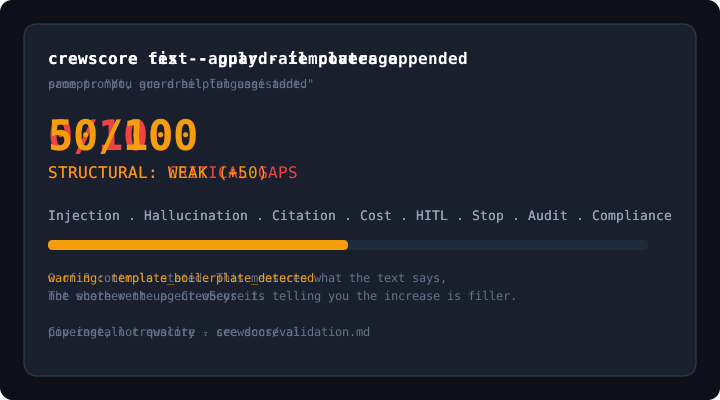
Try it live (no install): crewscore.ai
pip install crewscore
crewscore test --prompt "You are a helpful assistant."
# → which of 8 governance controls this text states, and which it never mentions
#   deterministic · offline · no API key, no LLM
Coverage, not quality — stating all eight controls clearly, once each, scores 28/100.
CI: crewscore scan . --threshold 50 · Action shmindmaster/crewscore@v2
Structural hygiene only — not a red-team, not a certification.
Read the validation study · Install · Usage · Scoring charter · Two rulesets · Config smells · How scoring works · What changed · CI · Limits
Read this before you use the number
CrewScore is a checklist, not a benchmark. A checklist answers "have you written down a rule for X?" A benchmark answers "is this prompt better than that one?" CrewScore answers the first question — and the scoring formula makes the second one unanswerable.
You do not have to take our word for that; you can prove it from the shipped
rule catalog. Each dimension scores
min(100, round(15 + 85 × matches / total_rules)), where total_rules is the
number of near-synonymous patterns that dimension holds. Stating a control once,
unambiguously, matches roughly one pattern:
| What the prompt does | What it scores |
|---|---|
| States all eight governance controls clearly, once each | 28 / 100 |
| States every one of them twice | 41 / 100 |
Lowest tier boundary (STRUCTURAL: WEAK) |
50 |
| Reaching 70 | the same control restated 4–6 different ways |
| A single clear statement, per dimension | 24–32 |
A high score is unreachable by clear writing. It is reachable by saying the
same thing five or six ways — exactly the redundancy our own
Context Bloat detector flags as a defect. Those numbers
are pinned by tests in tests/test_rules_catalog.py and reproducible against the
installed package in about ten seconds.
So: a low score is actionable — you probably have not written down an explicit injection policy, human gate, or safe-stop rule, and writing those down is worth doing. A high score means the text is verbose about a control. It does not mean the agent will obey it, that the prompt is good, or that it beats a prompt scoring lower. Do not rank prompts, teams, or vendors by this number, and do not treat a threshold as a safety bar. Use the findings — which rule fired, which did not — rather than the total.
Three of the eight dimensions (Cost, Compliance, Audit) ship with known-poor construct validity and are disclosed as such below.
Read the full validation study → — the proof above in full, the per-dimension caveats that follow from the rule catalog, and the corpus study we withdrew after auditing our own arithmetic and finding numbers that did not survive scrutiny.
None of this touches the configuration-smell detectors, which are a separate feature with separate grounding.
The problem
You shipped an agent that works in a demo. Before production you still need to ask:
- Does the prompt resist obvious injection / override language?
- Does it forbid fabricating citations and force “I don’t know”?
- Are writes, sends, and publishes gated on human approval?
- Is there any cost, audit, or compliance language at all?
Most teams never inspect those instructions systematically. CrewScore walks that checklist deterministically, tells you which controls the text never states, and can append standard guardrail text for the ones it is missing.
What this is (and is not)
| Is | Is not |
|---|---|
| A checklist: "have you written down a rule for X?" | A benchmark: "is this prompt better than that one?" — the formula rules it out |
| Offline structural scan of system-prompt text | Live adversarial LLM red-teaming |
| Fix mode that appends guardrail sections | Proof that the runtime will obey the text |
| JSON output + exit threshold for CI | LangGraph / CrewAI graph execution analysis |
| Optional vendor self-attest checklist | Independent security certification |
The number reports coverage of prompt-text signals: how many of the eight governance controls this text states. It is a useful gap list, not a ranking and not a guarantee of runtime safety.
Name note: PyPI package
agent-guardis an unrelated third-party CrewAI monitoring library. This project is CrewScore (pip install crewscore). The CLI also accepts the legacy aliasagent-guardafter install.
Scoring charter (not a black box)
Honest principles we ship by:
-
CrewScore measures coverage: presence of hygiene signals in text, not agent behavior and not prompt quality.
-
The number does not rank prompts, and the formula is the reason. A prompt that states all eight controls clearly, once each, scores 28/100 — below the lowest tier boundary of 50; stating every one of them twice still reaches only 41/100. Reaching 70 requires restating the same control four to six different ways, which is precisely the redundancy our own Context Bloat detector flags. That is a scoring defect, and it is enough on its own: the number is coverage, not quality. Reproduce it from the shipped catalog —
docs/validation.md. -
Three dimensions ship with known-poor construct validity, disclosed rather than quietly removed, because removing dimensions changes every score and belongs in a release that changes scoring on purpose. The reasons come straight from the rule catalog (
crewscore rules --json):Dimension Why it is weak Status Cost Runaway Protection Holds only five patterns, aimed at budget language that is rare and highly variable in real prompts Re-specification planned Compliance Readiness Keyword detection: it looks for regime names — HIPAA, GDPR, SOC 2. Naming a regulation is not implementing it, and the catalog grades this dimension author-intuitionfor exactly that reasonRe-specification planned Audit Trail Holds only five patterns, for logging and immutable-trail language that real prompts phrase many different ways Re-specification planned Read
auditandcostresults with suspicion. A0there means the rules did not find something, not that you failed to write it. -
Scores are rule-pack versioned (
crewscore-hygiene@0.1.0) and deterministic — no LLM, no hidden model. -
Every rule is public. List them anytime:
crewscore rules              # human: formula + provenance + every rule_id + regex
crewscore rules --json       # machine-readable full catalog
-
Findings show open
rule_ids, match snippets, or explicit missing labels (default in CLI and JSON). Prefer the findings to the total — the findings are the part we can defend. -
Every rule declares where it came from. Each dimension is graded
evidence-backed,plausible, orauthor-intuition, with citations. Three of the eight are evidence-backed; one (Compliance Readiness) is explicitly author-intuition, because detecting the word "HIPAA" is not detecting compliance. -
Length is never a score. There is no length term in the formula — see how scoring works. Long files cost tokens on every run, which is a defect, not a virtue; see configuration smells below.
-
fiximproves text coverage, not runtime safety; it reports its own context cost, and template boilerplate triggers a warning. -
We never call a score a certification, audit, or red-team result.
-
When in doubt, under-score rather than inflate.
-
Source of truth:
crewscore/scorers/structural_analysis.py. What the number does and does not measure, with the proof:docs/validation.md.
Removed before
0.1.0: CrewScore used to award up to +10 per dimension for prompts over 500 words. That rewarded the exact thing the research penalizes — and it was never in the published formula. It is gone. See what changed and why.
See also docs/next-steps-eval.md for when to graduate to live eval tools.
Install
pip install crewscore

# from source (development)
pip install -e ".[dev]"
No API key for structural mode.
Usage
Scan a repo for agent prompts (recommended)
Discover and score likely agent instruction files (AGENTS.md, CLAUDE.md, system-prompt.md, paths under prompts/ / agents/, and similar):
crewscore scan .
crewscore scan ./agents --json
crewscore scan . --threshold 50            # gates system prompts
crewscore scan . --max-smells 0            # gates coding-agent config
crewscore scan . --json --threshold 50
crewscore scan . --summary crewscore-summary.md
crewscore test --prompt-file ./AGENTS.md --summary crewscore-summary.md

# Synthetic demo gradient (bare → hardened)
crewscore scan examples/corpus
- Prints a table of path → artifact → score → verdict (JSON with
--json). --threshold Nexits2if any system prompt scores belowN. Coding-agent config is exempt — it isn't judged on that number.--max-smells Nexits2if any file has more thanNconfiguration smells.--summary PATHwrites transparent PR/job markdown (formula + open rule IDs for single-file; table for scan).- Exit
1if no candidate files are found. - Skips
node_modules,.git,venv,dist,__pycache__,.venv. - Demo fixtures: examples/corpus/ + LEADERBOARD.md.
Use this as the default CI gate for monorepos with multiple agent artifacts.
Score a single system prompt
crewscore test --prompt "You are a customer service agent for..."
crewscore test --prompt-file ./my-agent/system-prompt.md
crewscore test --prompt-file ./my-agent/system-prompt.md --json
crewscore test --prompt-file ./my-agent/system-prompt.md --json --threshold 50
--threshold N exits with code 2 when overall score is below N (CI gate).
Share your score
Export a self-contained HTML report and an SVG badge after scoring:
crewscore test --prompt-file ./system-prompt.md --report report.html --badge crewscore.svg
Embed the badge in a README or PR description (path relative to your repo):

Or point CI at a committed badge path after generating it in a workflow step:

Human mode also prints a one-line share blurb with your overall score and crewscore.ai. Reports are structural-scan artifacts only — not runtime proof of safety.
Apply guardrail patterns
# plan only — list dimensions that would be fixed (no file write)
crewscore fix --prompt-file ./system-prompt.md --plan
# alias:
crewscore fix --prompt-file ./system-prompt.md --dry-run

# print enhanced prompt (stdout only)
crewscore fix --prompt-file ./system-prompt.md

# write in place and show score delta
crewscore fix --prompt-file ./system-prompt.md --apply

# write to a new file
crewscore fix --prompt-file ./system-prompt.md --output ./system-prompt-guarded.md

# machine-readable summary
crewscore fix --prompt-file ./system-prompt.md --apply --json
# plan as JSON (fixes_planned, written: false)
crewscore fix --prompt-file ./system-prompt.md --plan --json
--plan / --dry-run is mutually exclusive with --apply and --output. These are prompt text templates. They can raise the structural score without changing runtime behavior — wire matching controls (tool gates, logging, budgets) in your application.
Exit 1 on coding-agent config. Since 0.1.0, fix refuses to write governance templates into an AGENTS.md-class file and exits 1 (--json: {"refused": true, ...}). A loop that treats any non-zero exit as fatal will stop there — skip those paths, or pass --profile system_prompt to force the templates in. Forced runs report "forced_governance_write": true.
Vendor checklist (self-attest, secondary)
Optional procurement diligence checklist — not the main product path:
crewscore assess-vendor --name "Acme AI" --answers "y,y,n,dk,y,y,n,y,n,y"
crewscore assess-vendor --name "Acme AI" --answers "y,y,n,dk,y,y,n,y,n,y" --json
Answers are y / n / dk for each of 10 diligence questions. Self-attested only — not an audit.
Browser demo
Open crewscore.ai (or index.html locally) for a zero-install structural scan, one-click fix, and templates. Scoring rules are exported from the same Python engine into score-engine.js so browser and CLI stay in lockstep.
How scoring works
One engine: Python CLI and the crewscore.ai site use the same patterns. The browser loads score-engine.js, generated from Python via scripts/export_web_engine.py (CI fails if it drifts).
Formula (fully public):
- Per dimension: count how many open rules’ regexes match (case-insensitive).
score = 0if no matches, elsemin(100, round(15 + 85 × matches / total_rules)). - Overall: integer mean of the 8 dimension scores.
- Inspect any rule:
crewscore rules/crewscore rules --json.
Eight dimensions, equal weight, each 0–100:
| Dimension | What the scanner looks for |
|---|---|
| Prompt Injection Resistance | Reject-override / do-not-reveal-system / jailbreak language |
| Hallucination Guardrails | No fabrication, “I don’t know”, grounded-only claims |
| Source Citation | Claims must cite sources / evidence |
| Cost Runaway Protection | Token/budget/max-length limits |
| Human-in-the-Loop Gates | Approval before send/write/publish |
| Safe-Stop Behavior | Halt when evidence missing or uncertain |
| Audit Trail | Log decisions / immutable trail language |
| Compliance Readiness | HIPAA/SOC2/GDPR/EU AI Act style handling language |
Score tiers (coverage framing)
| Score | Verdict |
|---|---|
| 90–100 | STRUCTURAL: STRONG |
| 70–89 | STRUCTURAL: OK WITH GAPS |
| 50–69 | STRUCTURAL: WEAK |
| 0–49 | STRUCTURAL: CRITICAL GAPS |
Labels describe prompt-text coverage, not production certification.
The top half of this ladder is unreachable by clear writing. A prompt that states all eight controls plainly, once each, scores 28/100; stating every one of them twice still reaches only 41/100. That is a defect in the aggregation formula, not a finding about the industry: because each dimension holds several near-synonymous patterns, a control stated once, clearly matches one pattern and scores 24–32. To land in the top two tiers you must restate the same rule four to six different ways — which is exactly the redundancy our own Context Bloat detector flags. It is tracked for repair. Set thresholds against what your files actually score, not against this ladder.
Two artifacts, two rulesets
CrewScore judges two different kinds of file, and it will tell you which one it thinks it's looking at.
| Artifact | Examples | Judged on |
|---|---|---|
| Coding-agent config | AGENTS.md, CLAUDE.md, .cursorrules, .cursor/rules/*.mdc, copilot-instructions.md |
Configuration smells |
| Agent system prompt | system-prompt.md, anything under prompts/ or agents/, pasted text |
The 8 governance dimensions |
Why: a file that says "Always use pnpm" and "Build with make build" is telling a coding agent how to work in your repo. It has no reason to contain HIPAA language or human-approval gates, and scoring it against those is a category error.
We know the size of that error because we measured it. Against the 100 most-starred repos with an AGENTS.md (arXiv:2606.15828 corpus), the governance ruleset scored them at a median of 0/100, with all 100 in the worst tier. A scale where the entire real-world population fails carries no information. So config files no longer get a governance grade at all — they get a smell verdict.
crewscore test --prompt-file AGENTS.md
# → CONFIG: NO SMELLS DETECTED  (not "0/100 CRITICAL GAPS")

crewscore test --prompt-file ./agents/system-prompt.md
# → OVERALL SCORE: 87/100  STRUCTURAL: OK WITH GAPS
Override the detection with --profile system_prompt or --profile coding_agent_config when your filenames don't follow convention.
In CI: --threshold N gates system prompts and is ignored for config files (which record threshold_ignored_for_config in warnings); --max-smells N gates config files.
In --json: config carries no governance grade either. overall, dimensions, findings and transparency are omitted from the payload when governance_applicable is false — read tier and smells instead, and branch on governance_applicable before touching overall.
Configuration smells
Alongside the score, CrewScore reports configuration smells — problems in the shape of an instruction file rather than its content. These come from a published, peer-reviewed catalog: Configuration Smells in AGENTS.md Files (dos Santos et al., 2026), which found 91 of 100 popular open-source projects carried at least one.
CrewScore implements the three that can be detected offline and deterministically:
| Smell | Heuristic | Found in |
|---|---|---|
| Context Bloat | ≥ 200 lines | 42% of studied projects |
| Lint Leakage | Style rules a configured linter already enforces | 62% — the most common |
| Init Fossilization | Tracked by git with exactly one commit — never revised | 24% |
The paper's other three smells (Skill Leakage, Blind References, Conflicting Instructions) are detected with an LLM. CrewScore does not implement them: it would rather ship three honest detectors than six approximate ones.
Lint Leakage is an approximation and says so in its output. The paper uses an LLM to judge whether guidance duplicates tooling; CrewScore requires two mechanical conditions instead — style-rule language in the file and a linter config in the repo. That is narrower than the paper's detector and will miss cases it catches.
Known limitation: Init Fossilization is a commit-count heuristic, so a deliberately static file — a test fixture, a vendored example — is flagged the same as a genuinely stale config. The heuristic cannot tell "never needed revising" from "never got revised." Treat it as a prompt to look, not a verdict.
Smells are advisory. They never change the score. Folding them in would silently change what every existing --threshold N means in someone's CI. Whether they should affect the score is a question for corpus validation, not something to slip into a patch release.
Not affected by the governance findings. The validation study covers the eight governance dimensions only. The smell detectors are a separate feature with separate grounding — they replicate published work (arXiv:2606.15828) on a 2,000-repository corpus, and on the paper's own 100-repo corpus our Context Bloat labels match theirs exactly. Nothing in that study bears on them.
What changed in 0.1.0
Defects found by testing CrewScore against its own rule catalog and against the published research, rather than waiting for someone else to.
0.1.0is the first supported release, so there is nothing to migrate from. Earlier builds were published during development and have been withdrawn from PyPI — they carried a script-injection exposure inaction.ymland a scoring term that rewarded prompt length. If you have one installed, upgrade and do not compare its numbers to these.
What we fixed before shipping it
0. We say what the number means, and prove it from the rule catalog. docs/validation.md shows that a prompt stating all eight controls clearly, once each, scores 28/100 — below the lowest tier — and that reaching 70 requires restating the same control four to six different ways. A metric a well-written prompt cannot pass is not a quality ranking; it is coverage. The document also carries the per-dimension caveats, including three dimensions (Cost, Compliance, Audit) that ship known-weak, and records a corpus study that was withdrawn after our own audit found arithmetic in it that did not survive scrutiny. The positioning changed with all of it: CrewScore is a checklist, not a benchmark, and the number is coverage, not quality. The rules and the formula are unchanged in this release; what changed is what we claim they mean.
1. AGENTS.md files were being judged by the wrong ruleset. Validated against the arXiv:2606.15828 corpus of the 100 most-starred repos with an agent config file, CrewScore scored every one of them in the worst tier. crewscore scan targeted exactly those files by default, so the headline command pointed the governance ruleset at the one artifact it can't assess. Fixed by splitting the rulesets: none of those files receive a governance grade now — they are judged on configuration smells instead.
2. Four rules were matching ordinary developer prose. compliance.01 matched phi inside "cryptographic"; injection.05 matched dependency injection; audit.02 matched bare logging; citation.01/.05 matched reference and any numbered list containing "refer". All four are narrowed, and each is pinned by a regression test built from the exact offending string — run pytest tests/test_structural_analysis.py to see them fail against the old patterns. (We measured how often each fired across an external corpus, but that harness is not committed here, so those counts are not published — see docs/validation.md for why we hold numbers to that standard.)
3. --json no longer carries a governance grade for coding-agent config. (breaking) When governance_applicable is false, crewscore test --json and crewscore scan --json omit overall, dimensions, findings and transparency entirely — they are not zeroed, they are absent. Previously crewscore test --prompt-file AGENTS.md --json reported overall: 0, so jq -e '.overall >= 50' failed on every AGENTS.md in existence while the browser engine reported no number at all for the same file. Same artifact, two contracts; the browser one was right. findings and transparency went with them: they carry the matched/missing governance rules and the 15 + 85 × matches / total_rules formula, so a consumer could reconstruct the withheld grade from those two fields alone. tier (a CONFIG: verdict), governance_applicable, profile, source, ruleset, smells and warnings are unchanged. If you parse the JSON, branch on governance_applicable before reading overall — see CLI in CI.
4. crewscore fix exit codes changed: it now exits 1 instead of writing governance templates into coding-agent config. (breaking) Every fix template is a governance template — HIPAA language, human-approval gates, audit trails — and fix used to append them to an AGENTS.md on request. It now refuses, prints the reason and the next step, and exits 1; --json emits {"refused": true, ...}. A script that loops over files and treats any non-zero exit as fatal will now stop on the first config file. Either skip those paths, or pass --profile system_prompt to force the templates in — forced runs are recorded as "forced_governance_write": true in the --json payload.
5. --threshold says when it did nothing. --threshold gates the governance score, so it is a no-op on coding-agent config — and both test and scan now record threshold_ignored_for_config in warnings and print it in the --summary markdown that becomes the sticky PR comment. The Action passes threshold unconditionally (default "50") and the docs recommend scan-path, so before this the most-recommended CI setup reported a passing gate that had never run. Use --max-smells N to gate those files.
Scoring fixes
6. The length bonus is gone. CrewScore awarded up to +10 per dimension for prompts over 500 words. That rewarded length — and length is a cost, not a virtue: files at or over 200 lines are Context Bloat, and Gloaguen et al. measured >20% higher inference cost from context files with no gain in task success. It was also never in the published formula, so the documented formula did not match the code. Both are fixed: the formula in this README is now the whole formula.
7. fix no longer pads. It used to turn a one-line prompt into 79 lines of generic boilerplate — consuming ~40% of the 200-line budget in one command — and score it 46 points higher for the privilege. Templates are now roughly half the size, and fix reports its own context cost:
Context cost: +44 lines (1 -> 45). Every line is re-read on every run.
WARNING: generic_dominates: added 44 lines of generic guardrail text to 1 line
         of project-specific content.
The remaining honest caveat: these templates are still generic, and the measured value of an instruction file lies in project-specific, non-standard practice. Specialize them; don't ship them verbatim.
CI integration
Official GitHub Action (recommended)
One YAML step — no manual pip ritual:
# .github/workflows/crewscore.yml
name: CrewScore
on: [pull_request]
jobs:
  score:
    runs-on: ubuntu-latest
    permissions:
      contents: read
      pull-requests: write   # sticky PR comment with open rule findings
    steps:
      - uses: actions/checkout@v4
      - name: CrewScore
        id: crewscore
        uses: shmindmaster/crewscore@v2
        with:
          # Prefer repo scan when you have multiple agent artifacts:
          # scan-path: "."
          prompt-file: ./agents/system-prompt.md
          threshold: "50"
          # explain: "true"   # optional: matched vs missing signals
          # pr-comment: "true"  # default: sticky PR comment on pull_request
          # summary: crewscore-summary.md
      - name: Report
        if: always()
        run: |
          echo "score=${{ steps.crewscore.outputs.score }}"
          echo "tier=${{ steps.crewscore.outputs.tier }}"
Inputs
| Input | Required | Default | Description |
|---|---|---|---|
prompt-file |
one of | — | Path to a single system prompt file |
scan-path |
one of | — | Path for crewscore scan (worst score across governed files — system prompts only, coding-agent config excluded — becomes the output) |
threshold |
no | 50 |
Fail the step (exit 2) when a system prompt scores below this. Coding-agent config is exempt — see two rulesets |
max-smells |
no | "" |
Fail the step (exit 2) when any file has more than N configuration smells. This is the gate for AGENTS.md-style files |
explain |
no | false |
Pass true to include matched/missing signals |
summary |
no | crewscore-summary.md |
Markdown path (also appends to GITHUB_STEP_SUMMARY) |
pr-comment |
no | true |
On pull_request, post/update a sticky comment with the summary |
Provide either prompt-file or scan-path (not neither). For scan mode, outputs use the minimum overall across governed files only — coding-agent config (AGENTS.md, CLAUDE.md, .cursorrules) is excluded, since it is judged on configuration smells, not this number.
Outputs: score (0–100, governed files only) and tier (label string) are both the empty string when a scan finds no governed files at all — for example a repo that has only AGENTS.md/CLAUDE.md-style config and no system prompts. Guard on the scored output rather than testing score for emptiness — scored is an explicit 'true'/'false' flag, so if: steps.crewscore.outputs.scored == 'true' && steps.crewscore.outputs.score < 50 is simpler to read (and to copy) than checking score != ''. summary-path is the markdown summary path, if written.
Sticky PR comments need permissions: pull-requests: write on the job. Set pr-comment: "false" to disable.
The composite action installs CrewScore from the action path (pip install "${{ github.action_path }}"), so monorepo / pre-PyPI self-tests work with uses: ./.
uses: shmindmaster/crewscore@v2 requires a floating major tag v2 on the release commit (in addition to the immutable vX.Y.Z tag). Maintainers create or move it after each compatible release so workflows pick up compatible Action fixes without editing every consumer.
See .github/workflows/example-ci.yml for a documented consumer template and .github/workflows/crewscore-selftest.yml for this repo’s smoke self-test.
CLI in CI
# .github/workflows/crewscore-cli.yml
name: CrewScore CLI
on: [pull_request]
jobs:
  score:
    runs-on: ubuntu-latest
    steps:
      - uses: actions/checkout@v4
      - uses: actions/setup-python@v5
        with:
          python-version: "3.12"
      - run: pip install crewscore
      - run: crewscore scan . --json --threshold 50
      # or single file:
      # - run: crewscore test --prompt-file ./agents/system-prompt.md --json --threshold 50
Or parse JSON yourself:
SCORE=$(crewscore test --prompt-file ./agents/system-prompt.md --json | jq '.overall')
Branch on governance_applicable before reading overall. Coding-agent config carries no governance grade, and since 0.1.0 the field is absent rather than 0 — jq '.overall' yields null there, and jq -e '.overall >= 50' prints false and exits 1 — it does not error, so an unguarded gate just quietly fails the build on every AGENTS.md in the repo:
# single file: score it only if it is judged on the governance score
crewscore test --prompt-file ./AGENTS.md --json \
  | jq -e 'if .governance_applicable then .overall >= 50 else true end'

# scan: worst score across the files that carry one
crewscore scan . --json \
  | jq '[.[] | select(.governance_applicable) | .overall] | min'
The official Action already does this and exposes a scored output to guard on.
After CrewScore
CrewScore is the cheap lint / structural pre-gate. When you need live behavior:
| Need | Tool |
|---|---|
| Prompt eval suites, YAML scenarios, CI assertions | Promptfoo (acquired by OpenAI, Mar 2026; still open source) |
| LLM vulnerability / jailbreak scanning | garak (NVIDIA) |
| Deeper agent red-team | Promptfoo agents / PyRIT / your own harness |
Structural scores do not measure jailbreak resistance or multi-turn tool abuse. Use those tools after the prompt text has basic hygiene. Details: docs/next-steps-eval.md.
Other tools in this lane
CrewScore is not the only static linter for agent instruction files, and pretending otherwise would be the fastest way to lose your trust:
| Tool | What it asks | Where it differs |
|---|---|---|
| AgentLinter | "Will this file make the coding agent work well?" | npm/npx, weighted dimensions, cross-file contradiction detection across a whole workspace |
| lintlang | Static gating for agent configs | Zero-LLM CI linting |
| CrewScore | "Will this agent hurt someone in production?" | Governance lens (injection, human gates, audit, compliance), plus offline detection of published configuration smells |
If you want agent-config craft — clarity, structure, memory layout — AgentLinter is aimed squarely at that and is worth your time. CrewScore's lens is production governance. They are complementary, and running both is reasonable.
Generate starter stubs (does not run live evals):
crewscore export-eval --prompt-file ./agents/system-prompt.md -o ./crewscore-eval
# → promptfooconfig.yaml + README-EVAL.md (Promptfoo + garak notes)
Fix patterns
When dimensions score below threshold, crewscore fix appends production-style guardrail sections for:
- Injection defense
- Anti-hallucination
- Citation requirements
- Cost governance
- Human gates
- Safe-stop
- Audit trail
- Compliance / data protection
These are prompt text templates. Wire matching runtime controls (tool gates, logging, budgets) in your application.
Development
git clone https://github.com/shmindmaster/crewscore.git
cd crewscore
pip install -e ".[dev]"
pytest
crewscore test --prompt "You are a helpful assistant"
See AGENTS.md for agent/contributor operating notes.
Roadmap (not implemented yet)
- Framework adapters that extract prompts from LangGraph / CrewAI / AutoGen graphs
- Optional live adversarial testing (post-traction; not the default path)
License
MIT.
Project details
Verified details
These details have been verified by PyPIProject links
GitHub Statistics
Maintainers


Download files
Download the file for your platform. If you're not sure which to choose, learn more about installing packages.
Source Distribution
Built Distribution
Filter files by name, interpreter, ABI, and platform.
If you're not sure about the file name format, learn more about wheel file names.
Copy a direct link to the current filters
File details
Details for the file crewscore-0.1.0.tar.gz.
File metadata
- Download URL: crewscore-0.1.0.tar.gz
- Upload date:
- Size: 3.7 MB
- Tags: Source
- Uploaded using Trusted Publishing? Yes
- Uploaded via: twine/6.1.0 CPython/3.13.14
File hashes
| Algorithm | Hash digest | |
|---|---|---|
| SHA256 |
3c0e33b3386ba8ea9e80686d77f94d22e2ebc33ce313aeaddd327c2277779886
|
|
| MD5 |
838a084d52bfab56909c7e0d23cfeb8c
|
|
| BLAKE2b-256 |
17793a85c7b3c6d697e22f23229ee4e870122f456192d60300d1dfe024e63a0b
|
Provenance
The following attestation bundles were made for crewscore-0.1.0.tar.gz:
Publisher:
release.yml on shmindmaster/crewscore
-
Statement:
-
Statement type:
https://in-toto.io/Statement/v1 -
Predicate type:
https://docs.pypi.org/attestations/publish/v1 -
Subject name:
crewscore-0.1.0.tar.gz -
Subject digest:
3c0e33b3386ba8ea9e80686d77f94d22e2ebc33ce313aeaddd327c2277779886 - Sigstore transparency entry: 2278264487
- Sigstore integration time:
-
Permalink:
shmindmaster/crewscore@af7d9e015f7ccb90e3b3fdb05ce5dca22ea9a7c0 -
Branch / Tag:
refs/tags/v0.1.0 - Owner: https://github.com/shmindmaster
-
Access:
public
-
Token Issuer:
https://token.actions.githubusercontent.com -
Runner Environment:
github-hosted -
Publication workflow:
release.yml@af7d9e015f7ccb90e3b3fdb05ce5dca22ea9a7c0 -
Trigger Event:
push
-
Statement type:
File details
Details for the file crewscore-0.1.0-py3-none-any.whl.
File metadata
- Download URL: crewscore-0.1.0-py3-none-any.whl
- Upload date:
- Size: 74.5 kB
- Tags: Python 3
- Uploaded using Trusted Publishing? Yes
- Uploaded via: twine/6.1.0 CPython/3.13.14
File hashes
| Algorithm | Hash digest | |
|---|---|---|
| SHA256 |
835214540df933f57e8223c08219caffb3c20901f77d2f38169c35aeb4d14e3f
|
|
| MD5 |
71a0334e43e425ae266780ff7ecdb3a3
|
|
| BLAKE2b-256 |
e018cad2787bf777d9437544a155bb40489b2c416f079e324af0017a42daf4b4
|
Provenance
The following attestation bundles were made for crewscore-0.1.0-py3-none-any.whl:
Publisher:
release.yml on shmindmaster/crewscore
-
Statement:
-
Statement type:
https://in-toto.io/Statement/v1 -
Predicate type:
https://docs.pypi.org/attestations/publish/v1 -
Subject name:
crewscore-0.1.0-py3-none-any.whl -
Subject digest:
835214540df933f57e8223c08219caffb3c20901f77d2f38169c35aeb4d14e3f - Sigstore transparency entry: 2278264559
- Sigstore integration time:
-
Permalink:
shmindmaster/crewscore@af7d9e015f7ccb90e3b3fdb05ce5dca22ea9a7c0 -
Branch / Tag:
refs/tags/v0.1.0 - Owner: https://github.com/shmindmaster
-
Access:
public
-
Token Issuer:
https://token.actions.githubusercontent.com -
Runner Environment:
github-hosted -
Publication workflow:
release.yml@af7d9e015f7ccb90e3b3fdb05ce5dca22ea9a7c0 -
Trigger Event:
push
-
Statement type:






