
CrumbCutter
- Template ONE gist file.
- Nothing else!
pip install crumbcutter -U
crumbcutter <username>/<gist-name>
Example Gist
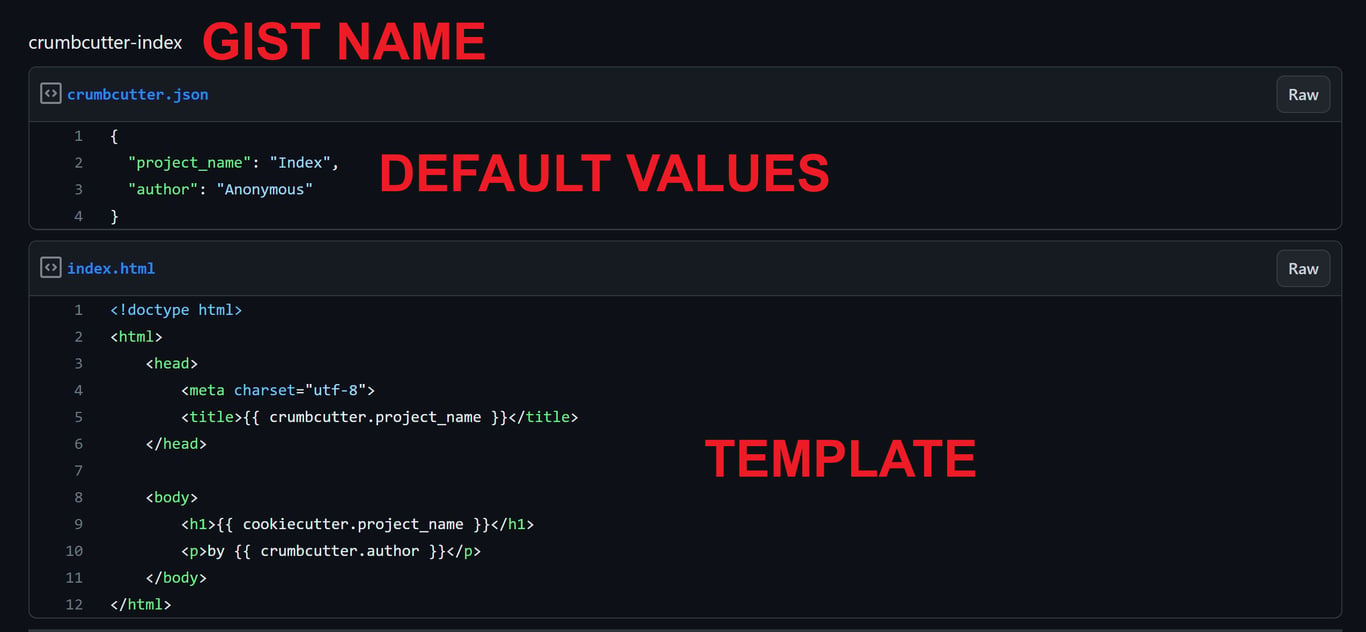
crumbcutter.json
{
  "project_name": "Crumbcutter Website Simple",
  "author": "Anonymous"
}
index.html
<!doctype html>
<html>
    <head>
        <meta charset="utf-8">
        <title>{{ crumbcutter.project_name }}</title>
    </head>

    <body>
        <h1>{{ cookiecutter.project_name }}</h1>
        <p>by {{ crumbcutter.author }}</p>
    </body>
</html>
Output
foo@bar:~$ crumbcutter octocat/crumbcutter-index
  [1/2] project_name (Index): My Project
  [2/2] author (Anonymous): Me
foo@bar:~$ cat index.html
<!doctype html>
<html>
    <head>
        <meta charset="utf-8">
        <title>My Project</title>
    </head>

    <body>
        <h1>My Project</h1>
        <p>by Me</p>
    </body>
</html>
TIP: Use -x For eXtremely Fast Rendering
foo@bar:~$ crumbcutter jonathanagustin/crumbcutter-template -x
foo@bar:~$ cat index.html
<!doctype html>
<html>
    <head>
        <meta charset="utf-8">
        <title>Index</title>
    </head>

    <body>
        <h1>Index</h1>
        <p>by Anonymous</p>
    </body>
</html>
Flags
-o, --output-dir : Directory where file will render to. Defaults to current directory.
-x, --no-input   : eXtremely fast rendering. No user input. Use default values.
-v, --verbose    : Verbose output for debugging.
Use cookiecutter to template more files or folders.
1 maintainer

Metadata
1 maintainer
Release files for crumbcutter 0.1.16
For a detailed explanation of source distributions (sdists) and built distributions (wheels), please see the package formats documentation.
Source distribution (sdist)
| File | Size | Uploaded | |
|---|---|---|---|
| crumbcutter-0.1.16.tar.gz | 92.9 kB | Details |
Built distribution (wheel)
| File | Interpreter | ABI | Platform | Reset |
|---|---|---|---|---|
| crumbcutter-0.1.16-py3-none-any.whl | Python 3 | none | any | Details |
Total release size: 98.9 kB
Release files / crumbcutter-0.1.16.tar.gz
| Download URL | crumbcutter-0.1.16.tar.gz |
|---|---|
| Size | 92.9 kB |
| Tags | Source |
|
SHA-256 checksum How to use checksums |
b2e51c1d0d90b8fb49f2fe81c650ca71ae7f02933941421caf9b3c6605980a3f
|
|
BLAKE2b-256 checksum How to use checksums |
502ed8937c744e7afd13f29cd5f5d7391facf9ea4c610a60559ce0d8ab050868
|
| Upload date | |
|
Uploaded using Trusted Publishing? What is trusted publishing? |
No |
| Uploaded via |
twine/4.0.2 CPython/3.11.5
|
Release files / crumbcutter-0.1.16-py3-none-any.whl
| Download URL | crumbcutter-0.1.16-py3-none-any.whl |
|---|---|
| Size | 6.0 kB |
| Tags | Python 3 |
|
SHA-256 checksum How to use checksums |
57a98b2766c38fc8a1f0e997b3fd653c81c510eb30ffbfcefa8c6c96d88b07f5
|
|
BLAKE2b-256 checksum How to use checksums |
f9cbec34461a5a284e1616e2581b91ef2ac69c94db4415dc3dc2beed87adfe31
|
| Upload date | |
|
Uploaded using Trusted Publishing? What is trusted publishing? |
No |
| Uploaded via |
twine/4.0.2 CPython/3.11.5
|













