
This release is a pre-release and may not be stable for production use.


Table of Contents
- Specter Desktop
Specter Desktop
"A specter is haunting the modern world, the specter of crypto anarchy."
The Crypto Anarchist Manifesto - Timothy C. May - Sun, 22 Nov 92 12:11:24 PST
DISCLAIMER
This software might be ready to be used but at your own risk.
If something doesn't work open an issue here or ask a question in our Telegram group.
Documentation and Video Walkthrough

Why?
Bitcoin Core has a very powerful command line interface and a wonderful daemon. Using PSBT and HWI it can also work with hardware wallets, but at the moment it is too linux-way. The same applies to multisignature setups.
The goal of this project is to make a convenient and user-friendly User Interface around Bitcoin Core with a focus on multisignature setup with airgapped signing devices (aka hardware wallets).
At the moment Specter-Desktop is working with all major hardware wallets including:
- SeedSigner
- Specter DIY (optionally airgapped, using QR codes)
- Blockstream Jade
- ColdCard (optionally airgapped, using an SD card)
- BitBox02
- Passport
- Electrum (optionally airgapped, if running Electrum on an airgapped computer/phone)
- Keystone (airgapped, using QR codes)
- Trezor
- Ledger
- KeepKey
- Keycard Shell
We also support using the Bitcoin Core as a hot wallet, by importing or generating a random BIP39 mnemonic, but this feature is experimental and we do not recommend using it at this stage. We plan to add support for other hardware wallets as they come up. If you are interested in using Specter with a hardware wallet currently unsupported, let us know by opening an issue here or asking in our Telegram group.
Help wanted: Do you like Specter?
Please help us to push forward, fix bugs, refine FAQs and please help each other in the support channel. As a small team on a tiny budget we are working hard to make Specter better every day – for Bitcoin, for you and for us.
How to run
Using the Specter Desktop app
The easiest way to run Specter Desktop is by installing the Specter Desktop app, which you can find on the GitHub release page. With this method, all you need to do is just download the right file for your operating system and install it like a normal desktop app (Debian buster is only partially supported). But there are a bunch of other option which you can read up in the installation guide.
Installing Specter from Pip
- Specter requires Python version 3.9 to 3.10.
- Bitcoin Core node should be at least v0.19+, better if it's the latest one from bitcoincore.org.
- HWI support requires
libusb- Ubuntu/Debian:
sudo apt install libusb-1.0-0-dev libudev-dev python3-dev - macOS:
brew install libusb - Windows: follow instructions in
windows.md - Arch:
sudo pacman -Syu && sudo pacman -S libusb - Fedora/CentOS:
sudo yum -y install libusb libudev-devel python3-devel
- Ubuntu/Debian:
- Install Specter
pip3 install cryptoadvance.specter
- Run Specter
python3 -m cryptoadvance.specter server
- Upgrade Specter
pip3 install cryptoadvance.specter --upgrade
After that, Specter will be available at http://127.0.0.1:25441/.
The above installation-method is quite easy but you have to trust pypi. If you want to verify the software completely yourself while still installing via pip3, you can do something like this (adjust yourself for other versions):
wget https://github.com/cryptoadvance/specter-desktop/releases/download/v1.7.0/cryptoadvance.specter-1.7.0.tar.gz
wget https://github.com/cryptoadvance/specter-desktop/releases/download/v1.7.0/SHA256SUMS
sha256sum --ignore-missing --check SHA256SUMS
wget https://github.com/cryptoadvance/specter-desktop/releases/download/v1.7.0/SHA256SUMS.asc
gpg --verify SHA256SUMS.asc
# Now, let's extract the requirements-file and install all requirements with require-hashes
tar -xvzf cryptoadvance.specter-1.7.0.tar.gz cryptoadvance.specter-1.7.0/requirements.txt
# create your ususal virtualenv
virtualenv --python=python3 .env
# activate
pip3 install -r cryptoadvance.specter-1.7.0/requirements.txt --require-hashes --upgrade
# The package cryptoadvance.specter itself cannot be included into requirements.txt
# But we have checked the checksum before so it's safe to install without checking it's hash
pip3 install cryptoadvance.specter-1.7.0.tar.gz
You can also run it using Tor, provide SSL certificates to run over https. Https is especially important because browsers don't allow the website to access the camera without secure connection, and we need camera access to scan QR codes.
An example how to run Specter server with SSL certificates (--key, --cert) over Tor (make sure to walk through the Tor-document ):
python3 -m cryptoadvance.specter server --tor --cert=./cert.pem --key=./key.pem
Connect Specter to Bitcoin Core
If your Bitcoin Core is using a default data folder the app should detect it automatically. If not, consider setting rpcuser and rpcpassword in the bitcoin.conf file or set in directly in the specter-app settings.
If you are using Bitcoin Core with GUI, set server=1 in bitcoin.conf. This setting allows other programs to talk to the rpc server of Bitcoin Core. It's automatically enabled when you are using bitcoind, but disabled in bitcoin-qt.
If you use Specter from a remote machine and want to use it with hardware wallets connected via USB, please read this guide on setting up HWIBridge to facilitate such connection to hardware wallets.
Have a look at development.md for further information about hacking on Specter-desktop.
Tips and tricks (detailed instructions)
- Setting up Specter over Tor: docs/tor.md
- Using self-signed certificates in local network or Tor: docs/self-signed-certificates.md
- Running Specter as a service on a linux machine: docs/daemon.md
- Beyond local network - how to forward your node through a cheap VPS: docs/reverse-proxy.md
Errors, doubts.. Read our FAQ!
If you're stuck while installing/configuring Specter or you're looking for more informations about the project, read our FAQ!
Setting up Specter Desktop
Select how to connect to Bitcoin network
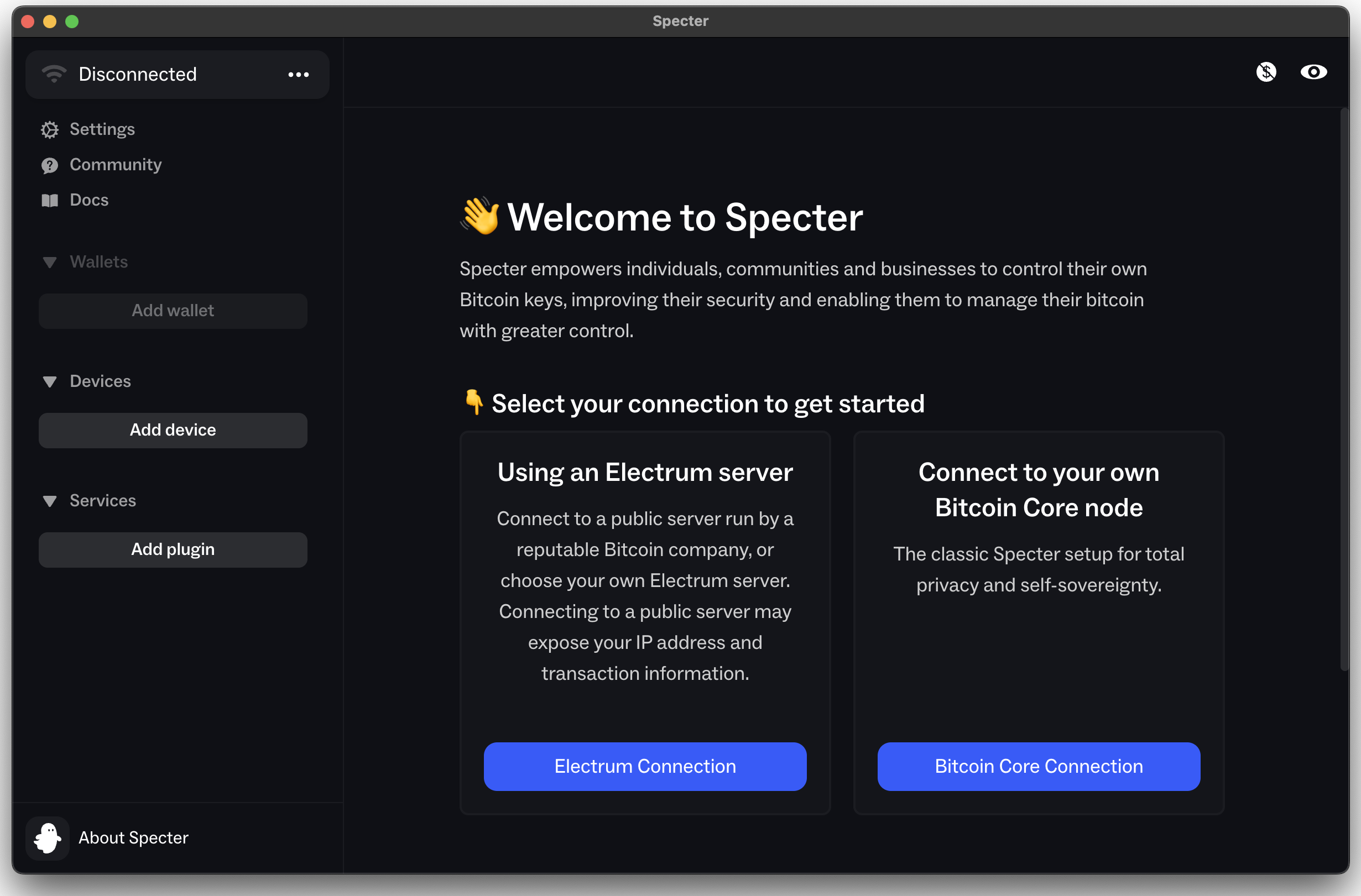
Electrum server or...
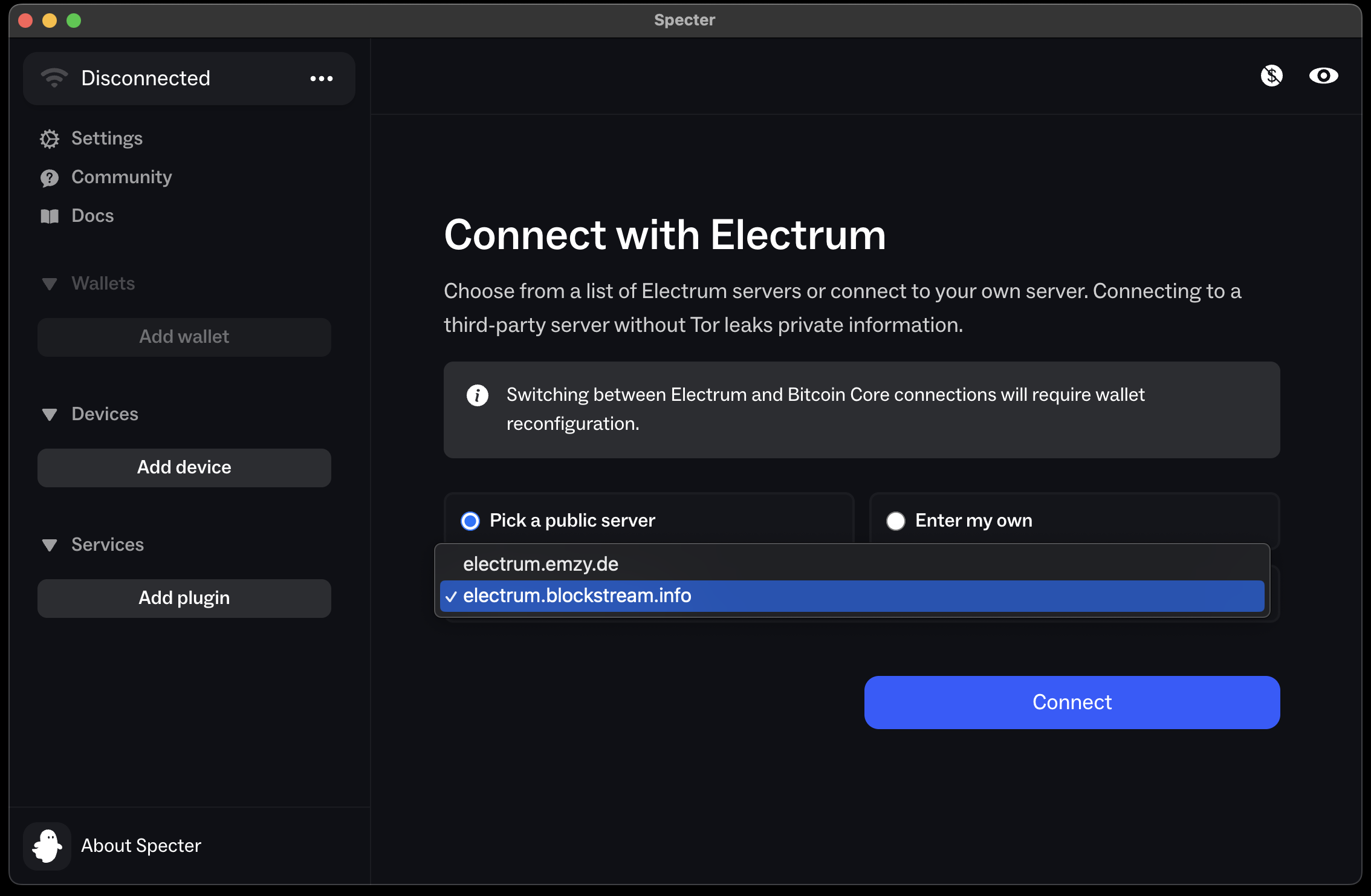
...via Bitcoin Core node.
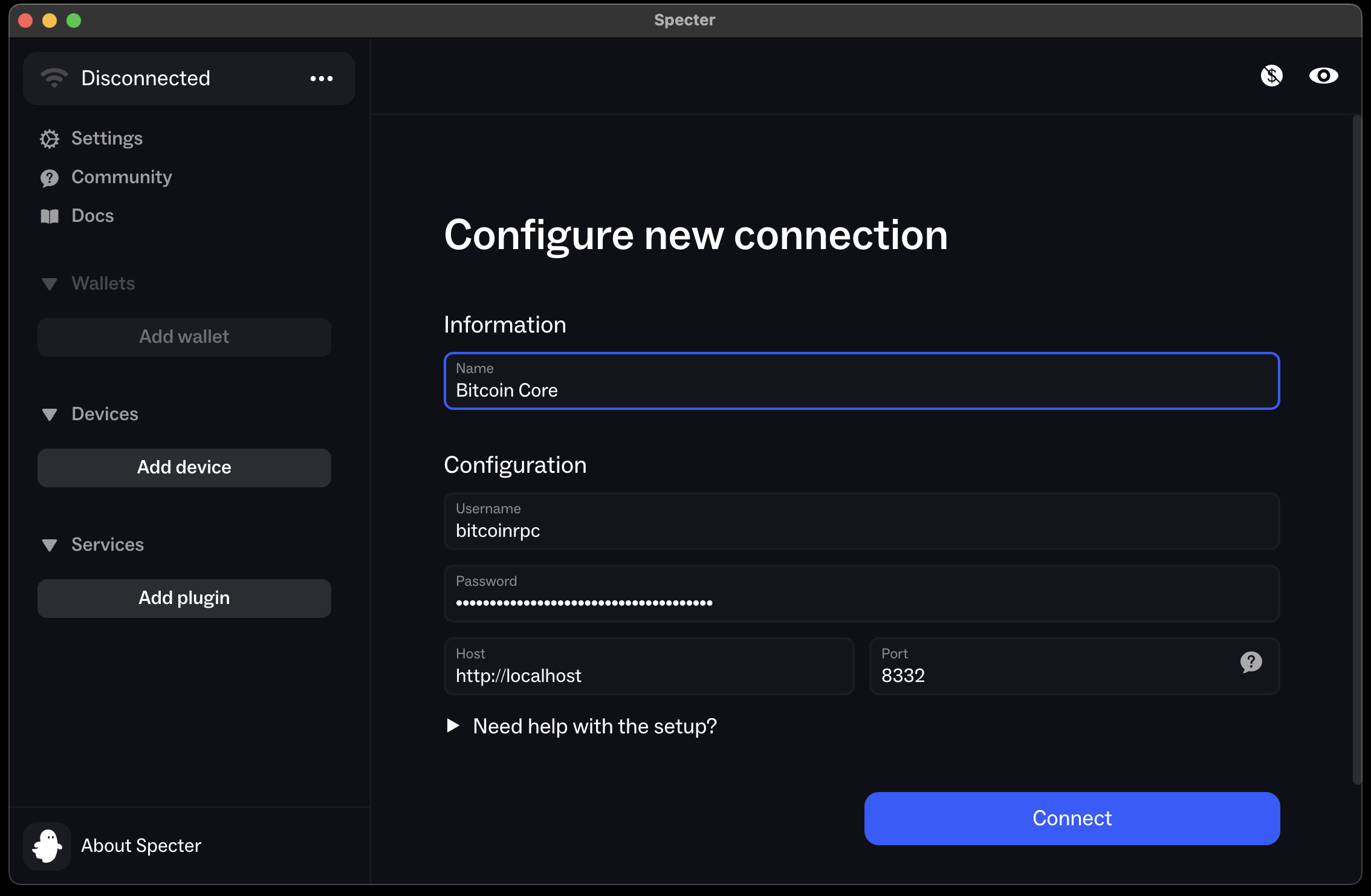
Add a new device
Select signing device
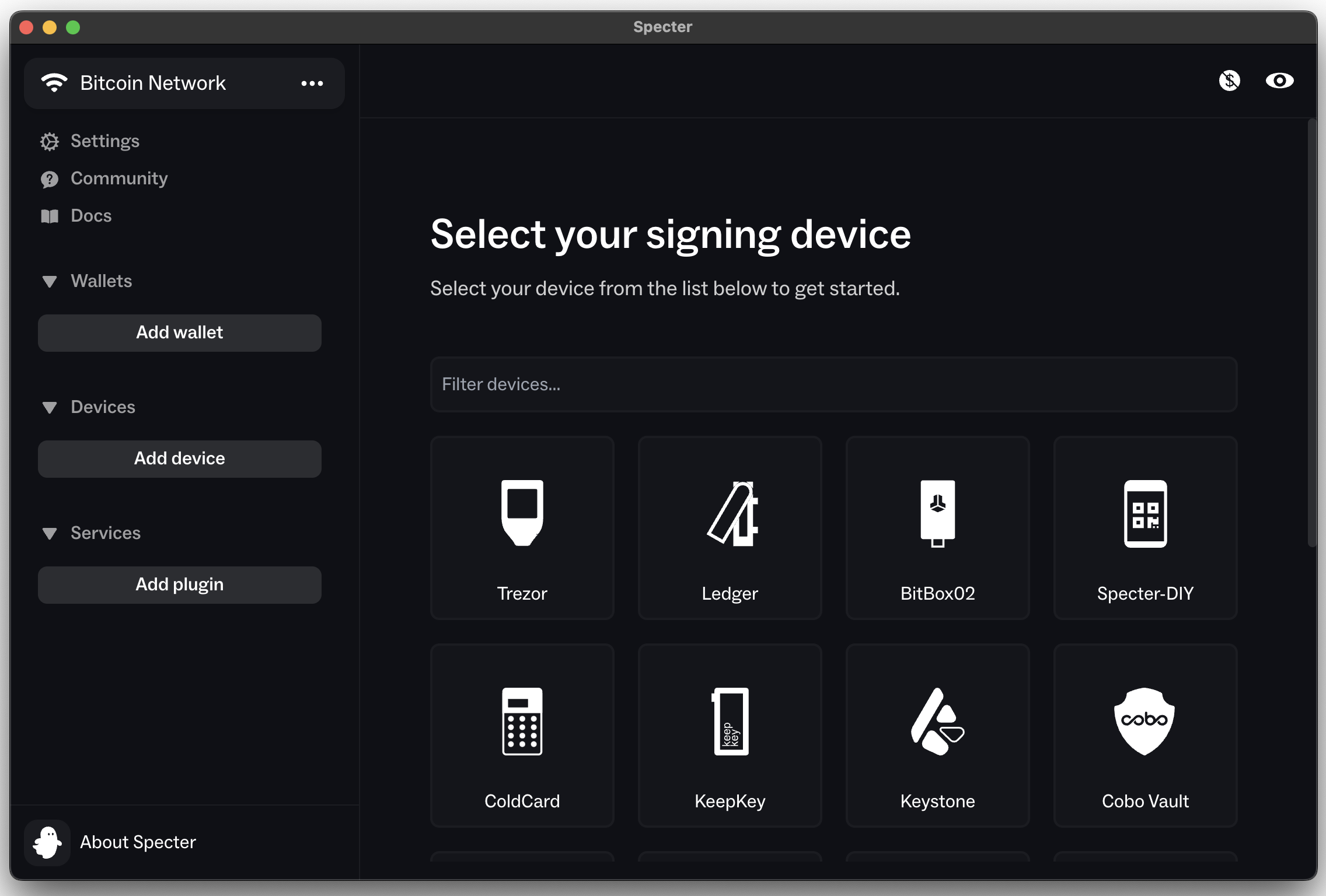
Upload public keys
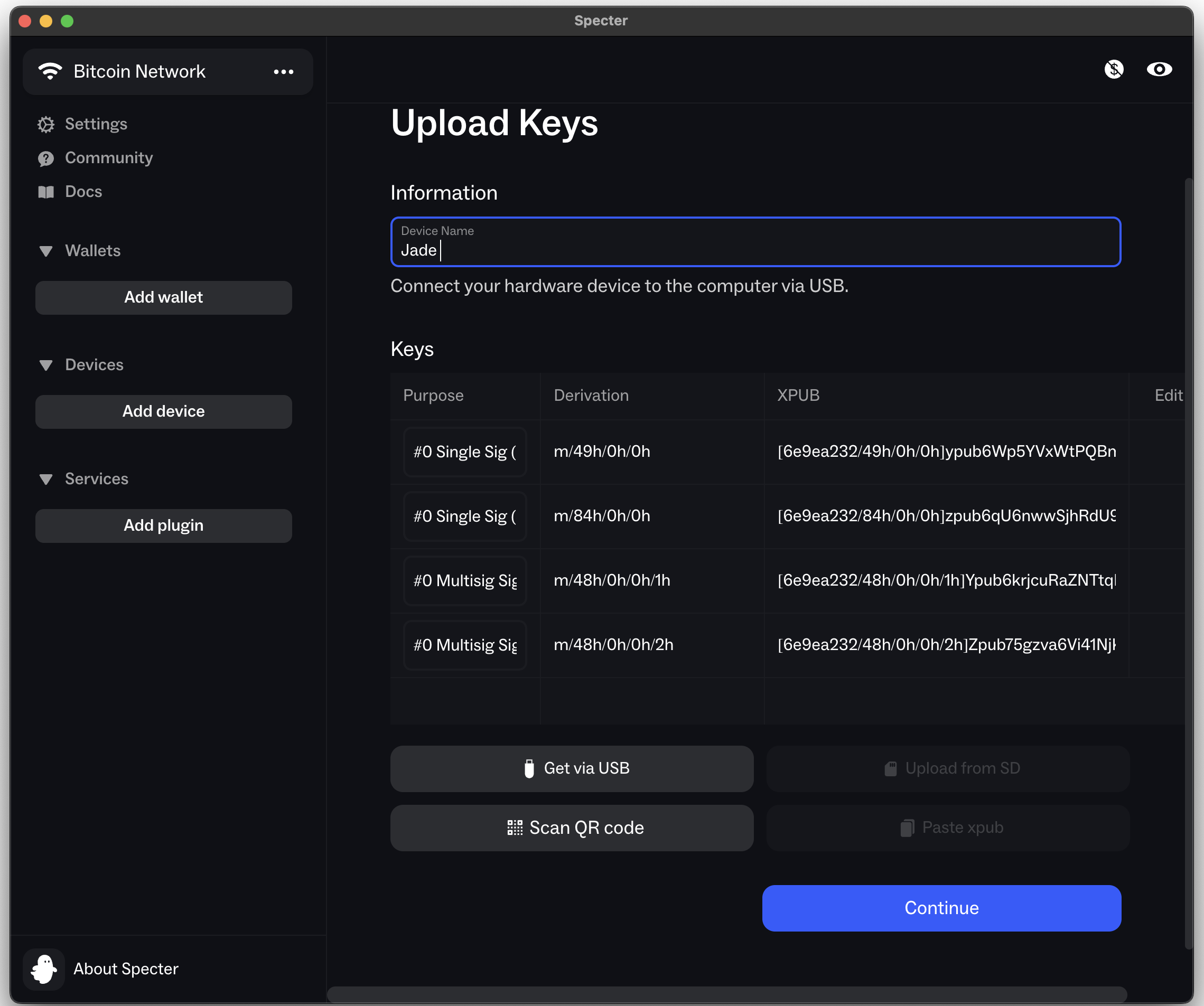
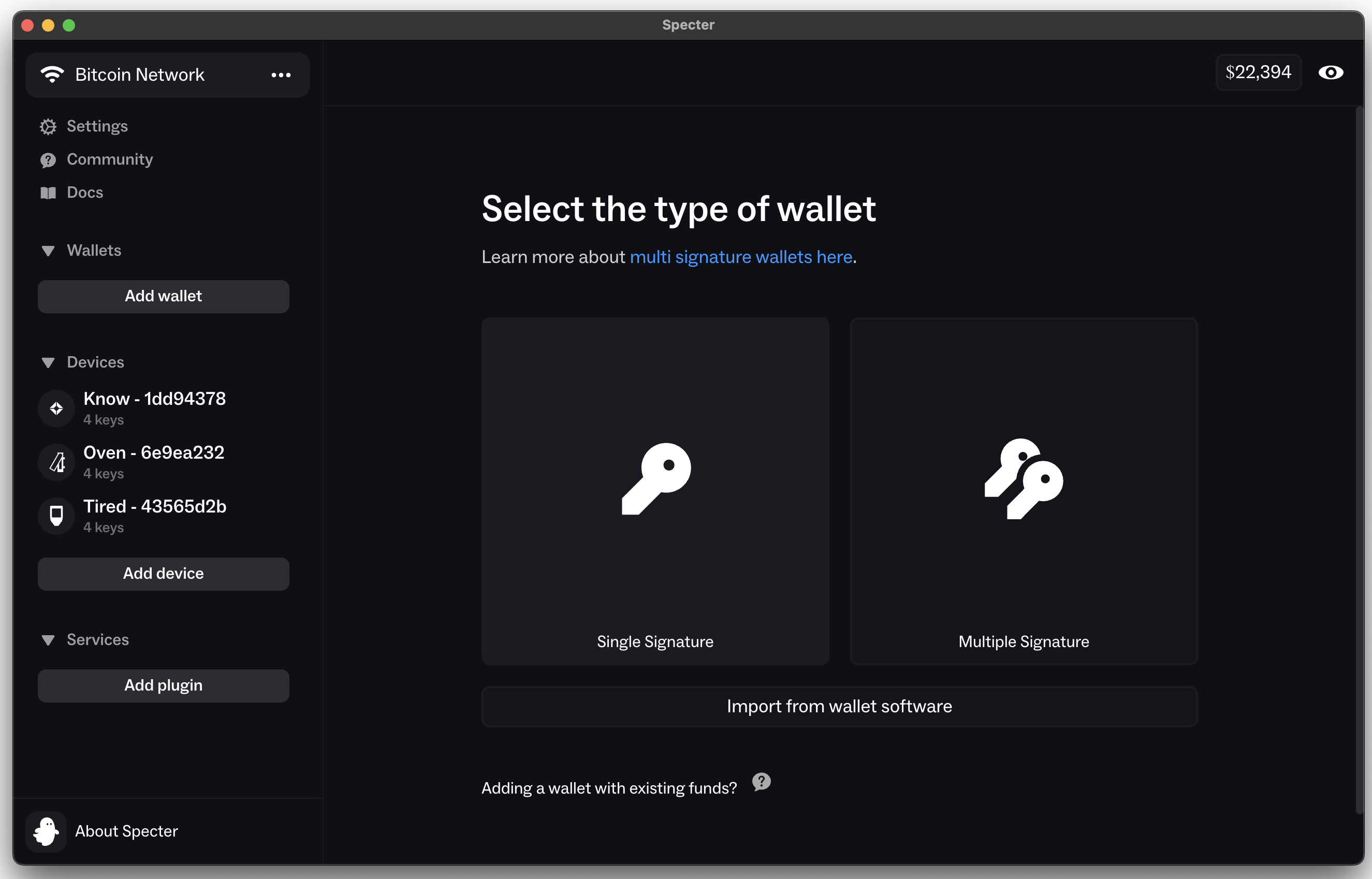
Create a new wallet
Select the type of wallet
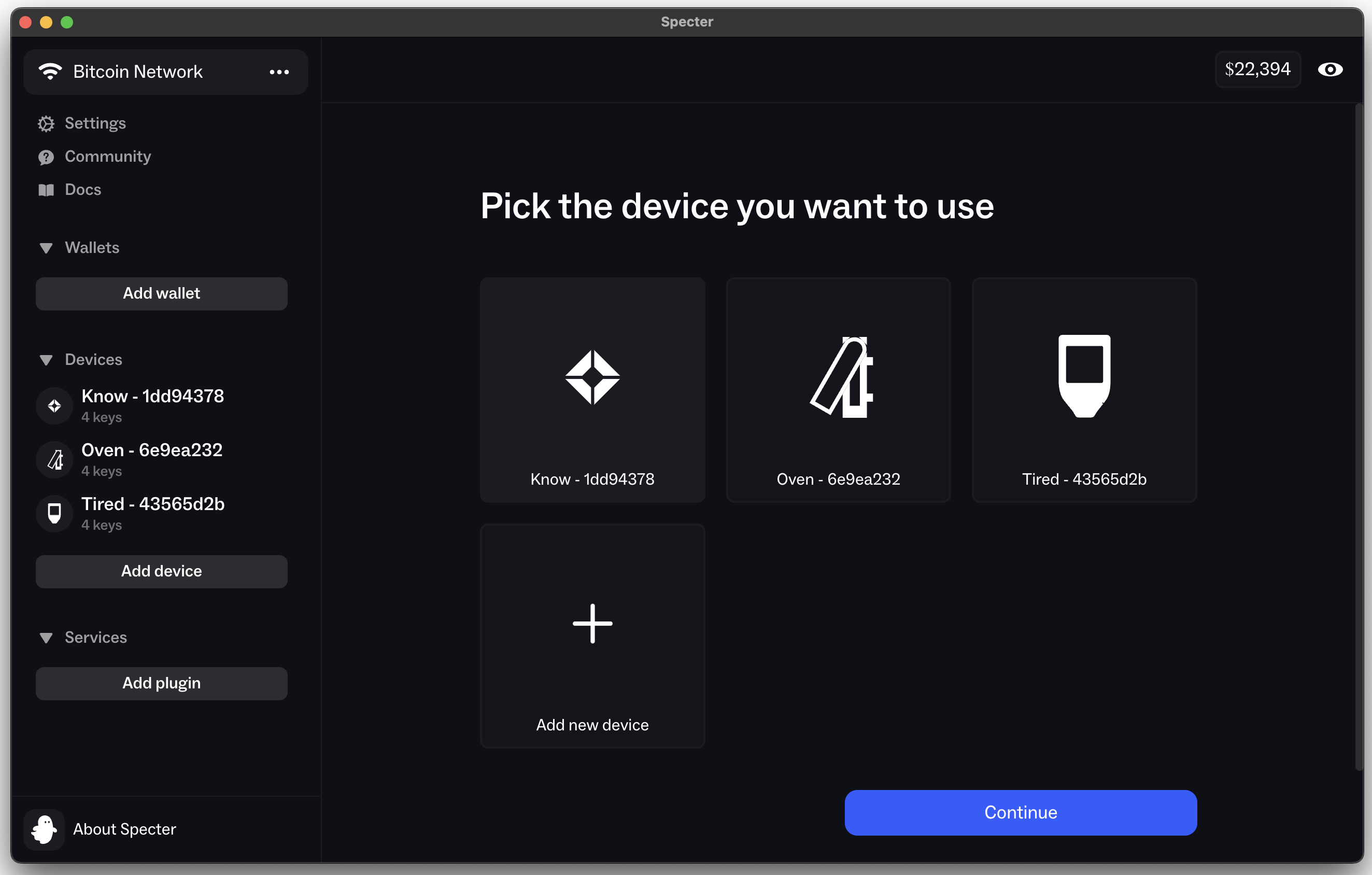
Pick the device you want to use
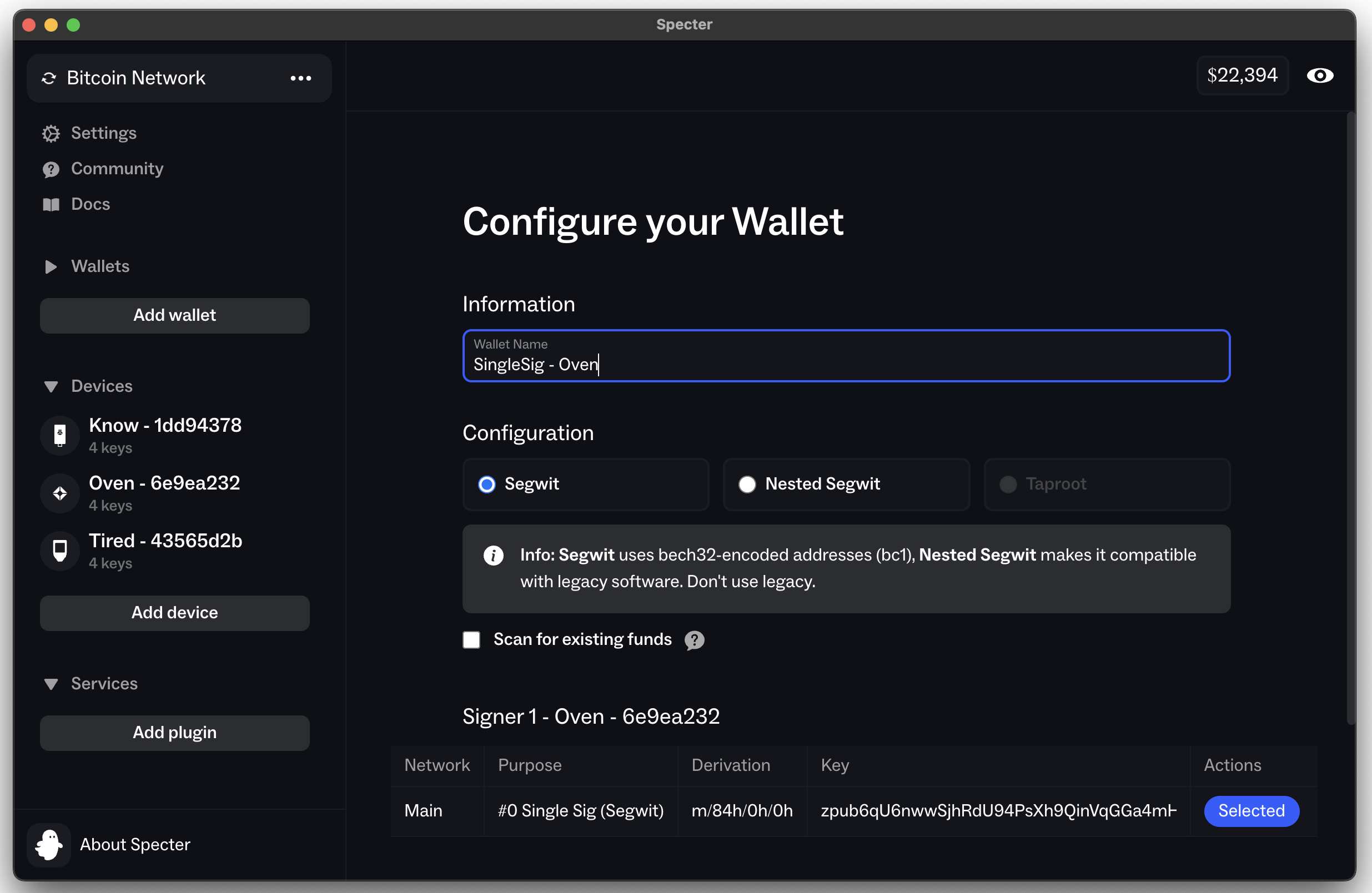
Configure the wallet
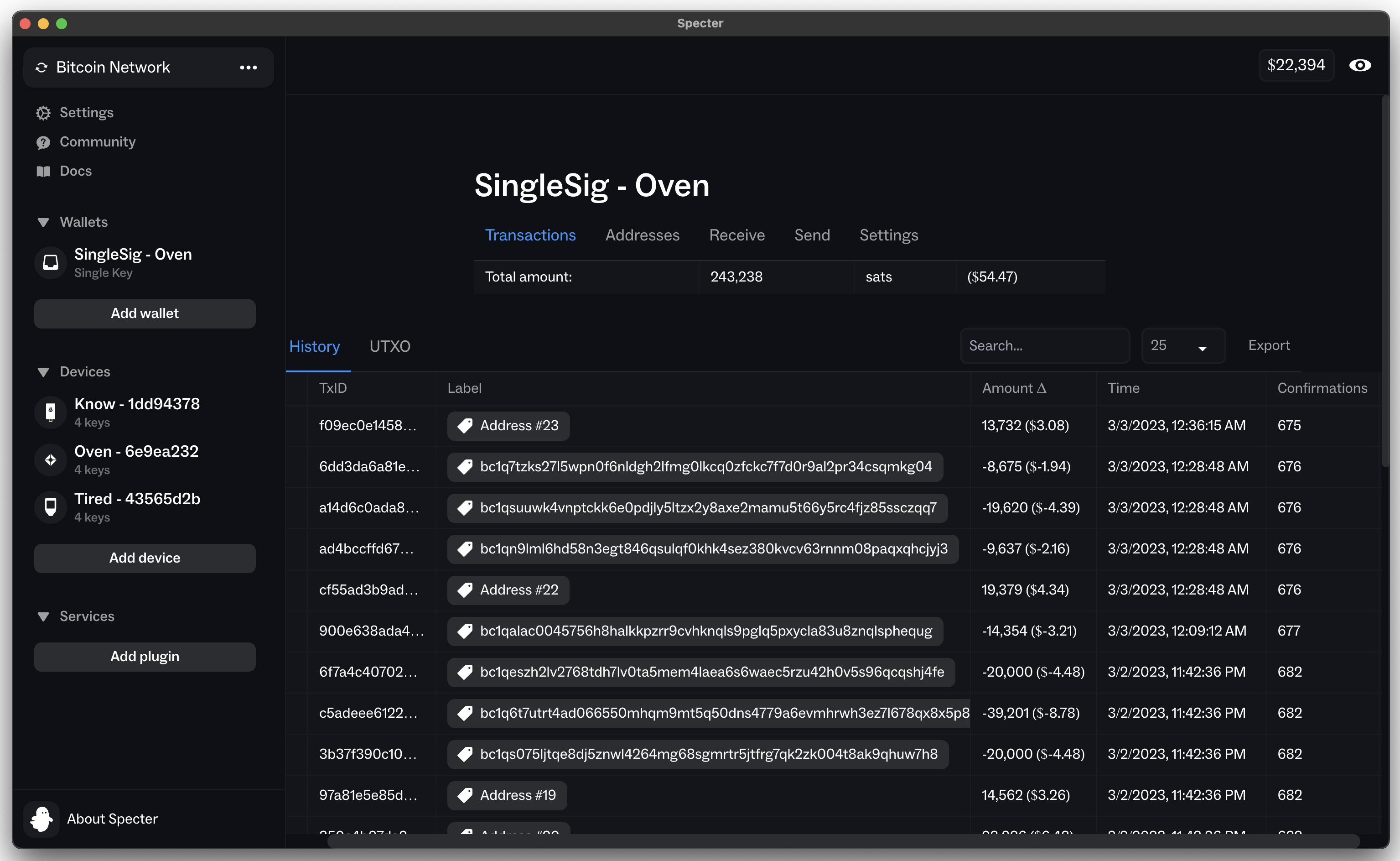
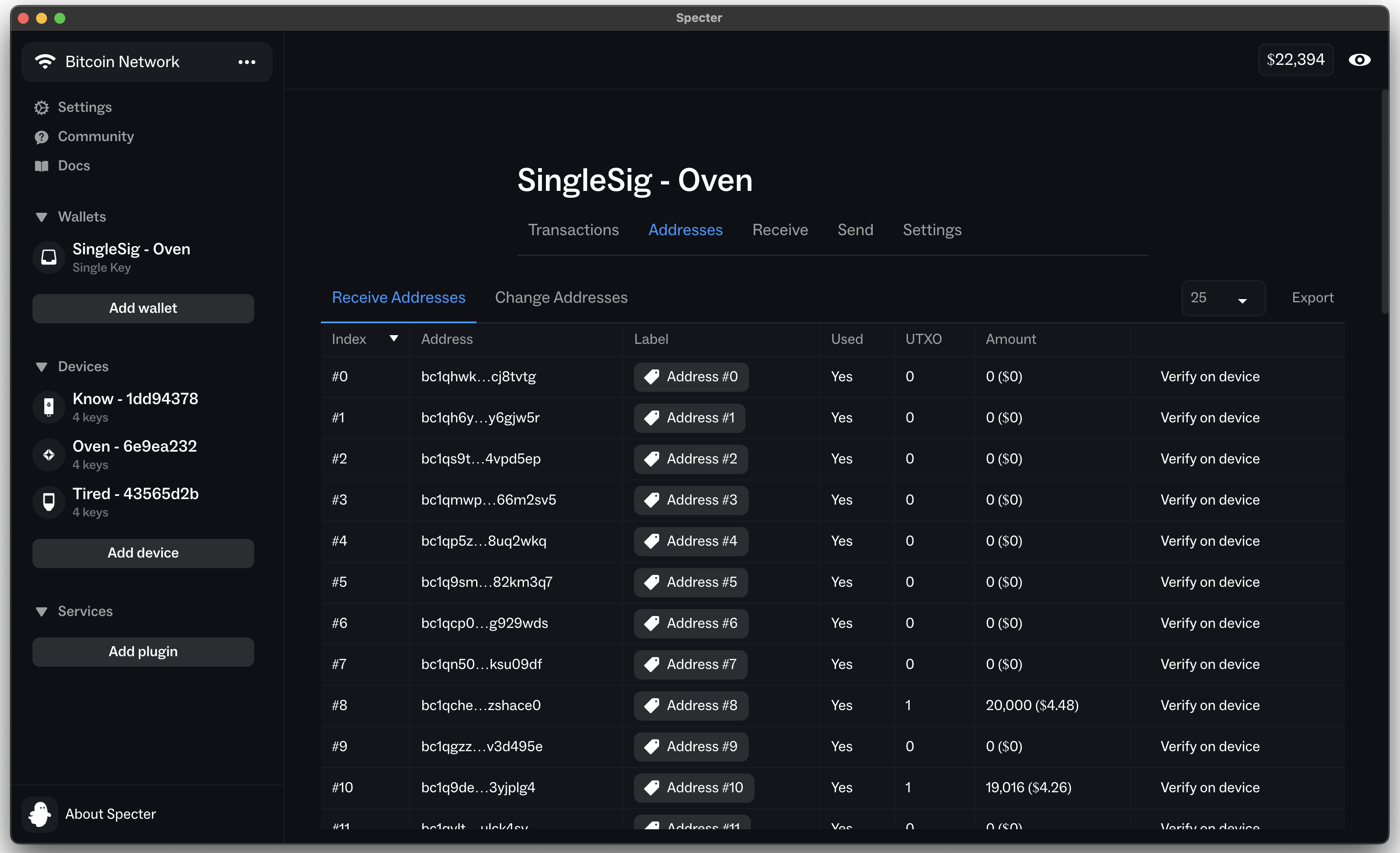
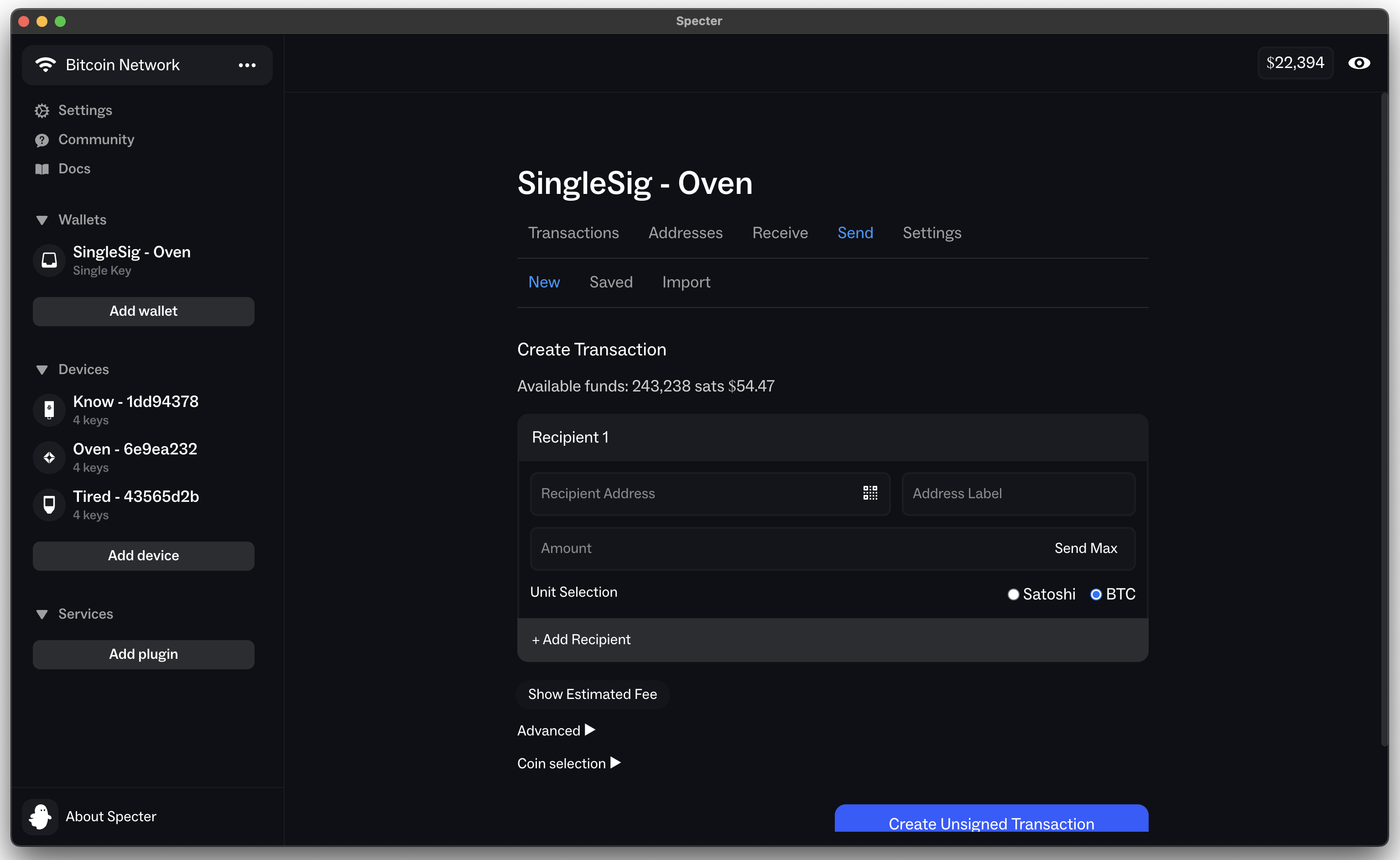
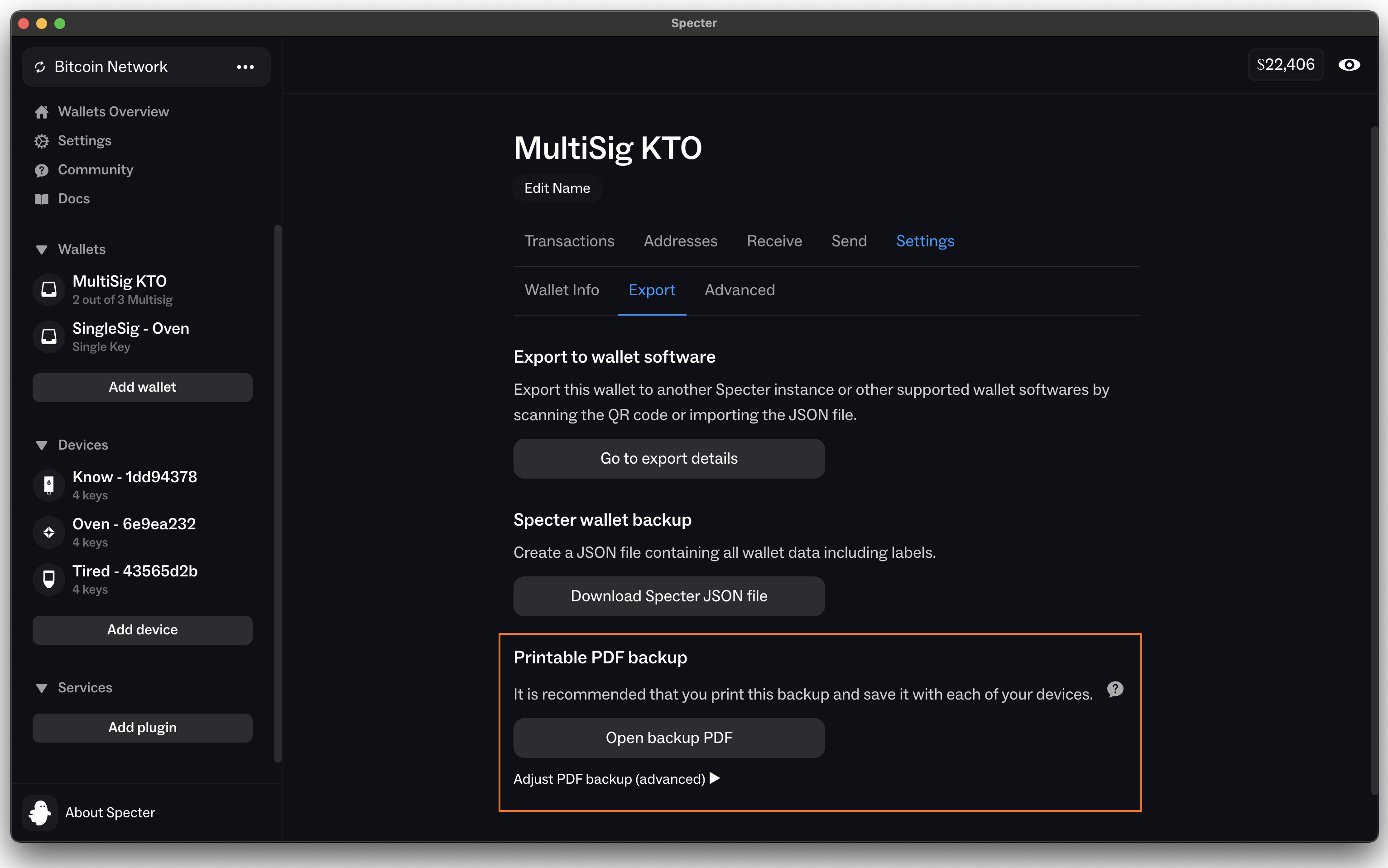
Wallet interface
Transactions & UTXOs
Receive & Change Addresses
Send
Settings -> Important for multi-signature wallets. Export printable PDF backup.
2 maintainers


Metadata
2 maintainers
Release files for cryptoadvance-specter 2.3.0rc1
For a detailed explanation of source distributions (sdists) and built distributions (wheels), please see the package formats documentation.
Source distribution (sdist)
| File | Size | Uploaded | Provenance | Actions |
|---|---|---|---|---|
| cryptoadvance_specter-2.3.0rc1.tar.gz | 12.6 MB | With provenance | Details for cryptoadvance_specter-2.3.0rc1.tar.gz |
Built distribution (wheel)
| File | Interpreter | ABI | Platform | Actions Reset |
|---|---|---|---|---|
| cryptoadvance_specter-2.3.0rc1-py3-none-any.whl | Python 3 | none | any | Details for cryptoadvance_specter-2.3.0rc1-py3-none-any.whl |
Total release size: 17.7 MB
Release files / cryptoadvance_specter-2.3.0rc1.tar.gz
| Download URL | cryptoadvance_specter-2.3.0rc1.tar.gz |
|---|---|
| Size | 12.6 MB |
| Tags | Source |
|
SHA-256 checksum How to use checksums |
e47e3cdbb559ed8ee2d56c47cc7994e92eee9e6079a313c45e803c0b0c121ad0
|
|
BLAKE2b-256 checksum How to use checksums |
23b5b048005a907923bcb4531d4402863c59f3c8a77a28fdf8498968e248eaf6
|
| Upload date | |
|
Uploaded using Trusted Publishing? What is trusted publishing? |
Yes |
| Uploaded via |
twine/7.0.0 CPython/3.13.16
|
Provenance
Provenance describes where a file came from. On PyPI, provenance is shared via attestations, which provide a verifiable record of the build or publishing details. View details, limitations and caveats.


PyPI Publish Attestation
PyPI verified that this artifact, at this checksum, originated from the publisher listed below.
Signed by GitHub Actions, verified by PyPI on Nov 6, 2026.
Transparency logRelease files / cryptoadvance_specter-2.3.0rc1-py3-none-any.whl
| Download URL | cryptoadvance_specter-2.3.0rc1-py3-none-any.whl |
|---|---|
| Size | 5.1 MB |
| Tags | Python 3 |
|
SHA-256 checksum How to use checksums |
f91e17c21e5f115c7ca6cb52290d95b42f101887f0dac0a70163ab90b76bd4bf
|
|
BLAKE2b-256 checksum How to use checksums |
cece131322943b42ad2532c38c1a97d026acfc757b4aa237fcdd3381f715ebe3
|
| Upload date | |
|
Uploaded using Trusted Publishing? What is trusted publishing? |
Yes |
| Uploaded via |
twine/7.0.0 CPython/3.13.16
|
Provenance
Provenance describes where a file came from. On PyPI, provenance is shared via attestations, which provide a verifiable record of the build or publishing details. View details, limitations and caveats.
PyPI Publish Attestation
PyPI verified that this artifact, at this checksum, originated from the publisher listed below.
Signed by GitHub Actions, verified by PyPI on Nov 6, 2026.
Transparency logSecurity for cryptoadvance-specter 2.3.0rc1
Provenance
Provenance describes where a file came from. On PyPI, provenance is shared via attestations, which provide a verifiable record of the build or publishing details. View details, limitations and caveats.
Full provenance
Both files in this release have been uploaded with provenance metadata.
Attestation for cryptoadvance_specter-2.3.0rc1.tar.gz
PyPI Publish Attestation
PyPI verified that this artifact, at this checksum, originated from the publisher listed below.
Signed by GitHub Actions, verified by PyPI on Nov 6, 2026.
Transparency logA note on package security
PyPI is a repository for distributing packages, not a service for auditing them. While third-party security researchers and our staff do their best to detect and remove malicious packages, PyPI cannot guarantee the quality, security or suitability of any given package.
To learn more about protecting yourself from malicious actors, visit our package security documentation.














