
🍓 A beautiful CLI tool for ingesting CSV files into PostgreSQL and serving data via GraphQL

Project description
🍓 GraphQL CSV Ingest
  ____                 _      ____  _        ____ ______     __  ___                 _
 / ___|_ __ __ _ _ __ | |__  / __ \| |      / ___/ ___\ \   / / |_ _|_ __   __ _  __| |_
| |  _| '__/ _` | '_ \| '_ \| |  | | |     | |   \___ \\ \ / /   | || '_ \ / _` |/ _` (_)
| |_| | | | (_| | |_) | | | | |__| | |___  | |___ ___) |\ V /    | || | | | (_| | (_| |_
 \____|_|  \__,_| .__/|_| |_|\___\_\_____|  \____|____/  \_/    |___|_| |_|\__, |\__,_(_)
                |_|                                                         |___/
Transform your CSV data into powerful GraphQL APIs in minutes!





📖 Documentation • 🚀 Quick Start • 💻 Examples • 🤝 Contributing
✨ Features
🔥 Professional Data Pipeline in Your Terminal
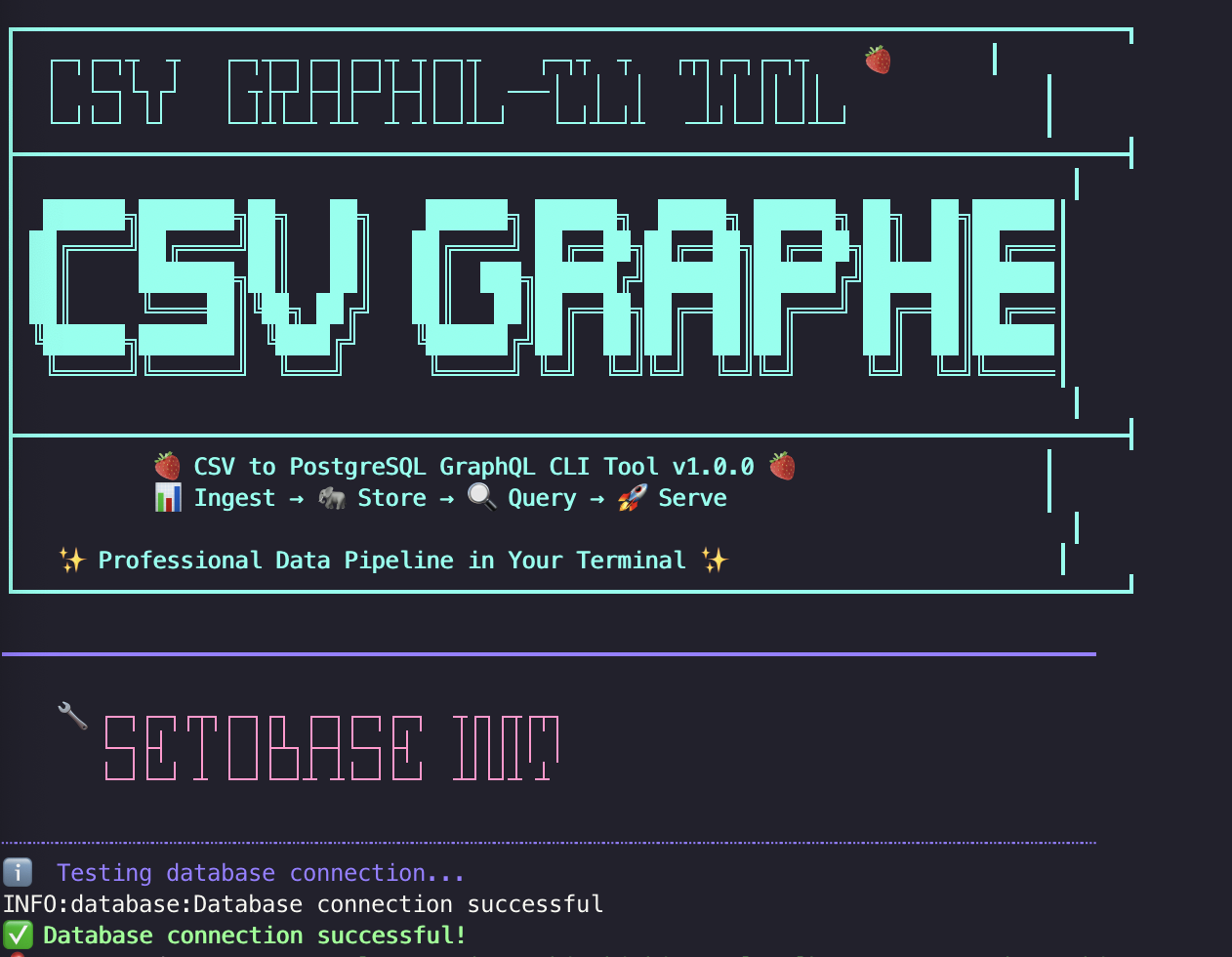
- 🍓 Beautiful CLI: Fun ASCII art and colorful interface
- 📊 Smart CSV Ingestion: Automatic schema detection and type inference
- 🐘 PostgreSQL Integration: Seamless database operations
- 🔍 GraphQL API: Modern, flexible data querying
- 🚀 FastAPI Server: High-performance async web server
- 🎯 Multiple Entry Points: Multiple CLI commands for convenience
- 🛠️ Developer Friendly: Type hints, comprehensive error handling
- 📦 Easy Installation: Available on PyPI with all dependencies
🚀 Quick Start
Installation
# 🎉 Install from PyPI (Recommended)
pip install csv-graphql-cli

# 🔧 Or install in a virtual environment
python3 -m venv venv
source venv/bin/activate  # On Windows: venv\Scripts\activate
pip install csv-graphql-cli

# 🛠️ Development installation from source
git clone https://github.com/cjanowski/graphql-ingest.git
cd graphql-ingest
pip install -e ".[dev]"
Quick Start - Method 1: Using Installed Commands (Recommended)
After running pip install csv-graphql-cli:
# 1️⃣ Show the main interface and available commands
csvgql

# 2️⃣ Initialize database connection
csvgql init-db

# 3️⃣ Ingest your CSV data
csvgql ingest -f data/sample_data.csv -t employees

# 4️⃣ Preview your data
csvgql preview -t employees

# 5️⃣ Start GraphQL server
csvgql serve

# 6️⃣ Query at http://localhost:8000/graphql
Quick Start - Method 2: Using Wrapper Script
Use the convenient wrapper script (csvgql.py) if you prefer not to install:
# Navigate to project directory
cd graphql-ingest

# 1️⃣ Show the main interface and available commands
python csvgql.py

# 2️⃣ Initialize database connection
python csvgql.py init-db

# 3️⃣ Ingest your CSV data
python csvgql.py ingest -f data/sample_data.csv -t employees

# 4️⃣ Preview your data
python csvgql.py preview -t employees

# 5️⃣ Start GraphQL server
python csvgql.py serve

# 6️⃣ Query at http://localhost:8000/graphql
Quick Start - Method 3: Direct Module Usage
For development, you can also run directly from source:
# Navigate to project directory
cd graphql-ingest

# Run CLI directly from source
python -m src.cli

# Or individual commands
python -m src.cli init-db
python -m src.cli ingest -f data/sample_data.csv -t employees
python -m src.cli serve
🎬 Demo
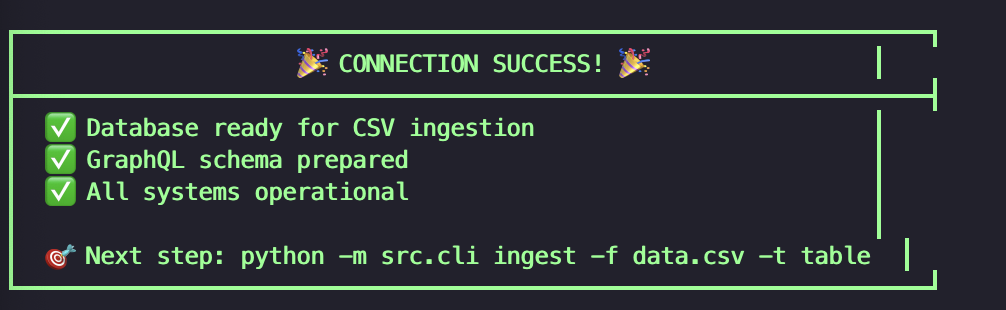
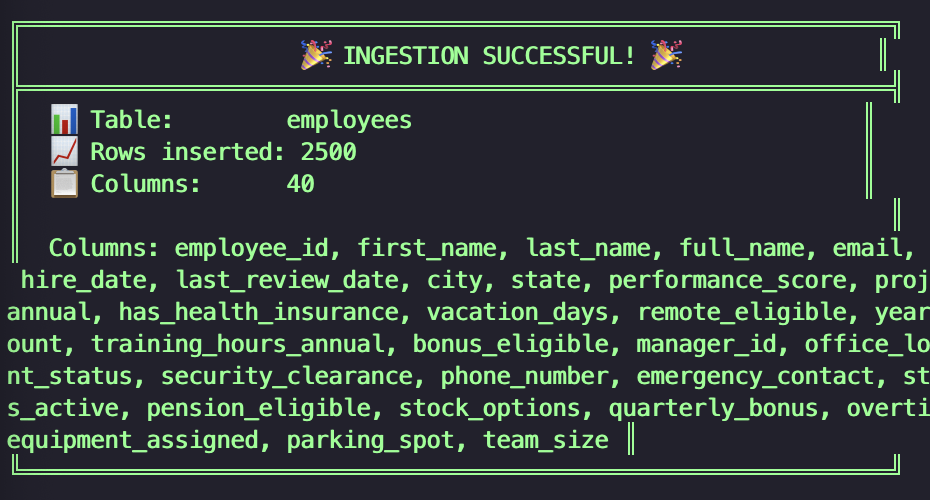
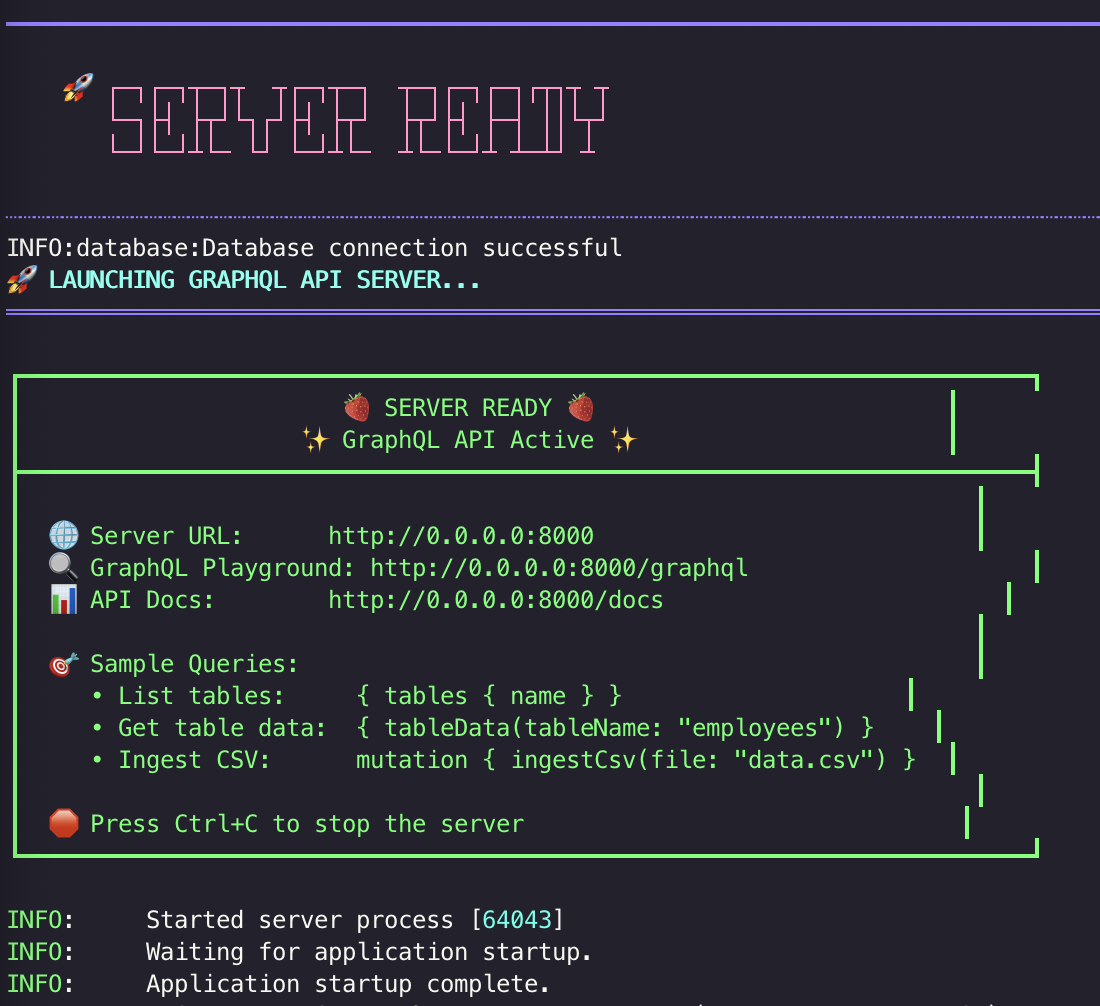
Demo video coming soon - showing the CLI interface in action!
📊 Example Workflow
# Using installed package (after pip install csv-graphql-cli)
csvgql                                    # Show main interface
csvgql init-db                           # Initialize database
csvgql ingest -f data.csv -t users       # Ingest CSV data
csvgql preview -t users                  # Preview the data
csvgql serve                             # Start GraphQL server

# OR using wrapper script (development)
python csvgql.py                         # Show main interface
python csvgql.py init-db                 # Initialize database
python csvgql.py ingest -f data.csv -t users  # Ingest CSV data
python csvgql.py preview -t users        # Preview the data
python csvgql.py serve                   # Start GraphQL server
🔧 CLI Commands
Method 1: Using Installed Package (Recommended)
After running pip install csv-graphql-cli:
csvgql                               # Show main interface
csvgql init-db                       # Initialize database
csvgql ingest -f data.csv -t table   # Ingest CSV
csvgql serve                         # Start GraphQL server
csvgql preview -t table              # Preview table data
csvgql tables                        # List tables
csvgql config-info                   # Show configuration
Method 2: Using the Wrapper Script
If you prefer not to install the package:
# Navigate to project directory
cd graphql-ingest

# Use the wrapper script
python csvgql.py                    # Show main interface
python csvgql.py init-db            # Initialize database
python csvgql.py ingest -f data.csv -t table  # Ingest CSV
python csvgql.py serve              # Start GraphQL server
python csvgql.py preview -t table   # Preview table data
python csvgql.py tables             # List tables
python csvgql.py config-info        # Show configuration
Method 3: Direct Module Execution (Development)
| Command | Description |
|---|---|
python -m src.cli |
Main CLI interface |
python -m src.cli init-db |
Initialize database |
python -m src.cli ingest |
Ingest CSV files |
python -m src.cli serve |
Start GraphQL server |
python -m src.cli preview |
Preview table data |
python -m src.cli tables |
List available tables |
python -m src.cli config-info |
Show current configuration |
All Available Commands Summary
| Method | Command | Description |
|---|---|---|
| PyPI Package | csvgql |
Main CLI interface (shows all commands) |
| PyPI Package | csvgql init-db |
Initialize database |
| PyPI Package | csvgql ingest |
Ingest CSV files |
| PyPI Package | csvgql serve |
Start GraphQL server |
| PyPI Package | csvgql preview |
Preview table data |
| PyPI Package | csvgql tables |
List available tables |
| PyPI Package | csvgql config-info |
Show current configuration |
| Development | python csvgql.py |
Main CLI interface |
| Development | python csvgql.py init-db |
Initialize database |
| Development | python -m src.cli |
Main CLI interface |
| Development | python -m src.cli init-db |
Initialize database |
🔍 GraphQL Queries
List Tables
{
  tables {
    name
    columns {
      name
      type
    }
  }
}
Query Data
{
  tableData(tableName: "employees", limit: 10) {
    data
    total
  }
}
Ingest CSV via API
mutation {
  ingestCsv(file: "new_data.csv", tableName: "products") {
    success
    message
    rowsInserted
  }
}
🛠️ Configuration
Create .env file in the project root:
# Database Configuration
DB_HOST=localhost
DB_PORT=5432
DB_NAME=your_database
DB_USER=your_username
DB_PASSWORD=your_password

# Server Configuration
SERVER_HOST=0.0.0.0
SERVER_PORT=8000
DEBUG=false
You can also copy the example configuration:
cp config/env.example .env
📁 Project Structure
graphql-ingest/
├── 📦 src/                    # Main application code
│   ├── cli.py                 # Command-line interface
│   ├── config.py              # Configuration management
│   ├── database.py            # Database operations
│   ├── graphql_schema.py      # GraphQL schema definition
│   └── server.py              # FastAPI server
├── 🧪 tests/                  # Test suite
│   ├── test_basic.py          # Basic functionality tests
│   └── integration_test_examples.py
├── 📋 examples/               # Usage examples
├── 📚 docs/                   # Documentation
├── 🐳 docker/                 # Docker configuration
├── 📊 data/                   # Sample data files
│   ├── sample_data.csv        # Test data
│   └── test_data_large.csv    # Larger test dataset
├── ⚙️ config/                 # Configuration files
│   ├── env.example            # Environment template
│   ├── setup.cfg              # Setup configuration
│   └── MANIFEST.in            # Package manifest
├── 🛠️ tools/                  # Build and development tools
│   ├── setup.py               # Package setup script
│   └── coverage.xml           # Coverage reports
├── 🐙 .github/                # GitHub workflows
├── 📋 requirements/           # Dependency management
├── 📄 CONTRIBUTE.md           # Contribution guidelines
├── 📋 CHANGELOG.md            # Change log
├── 🚀 QUICKSTART.md           # Quick start guide
└── 📖 README.md               # Project overview
🧪 Testing
Setup Testing Environment
# Create virtual environment (recommended)
python3 -m venv venv
source venv/bin/activate

# Install with development dependencies
pip install -e ".[dev]"
Run Tests
# Run all tests
pytest

# Run with coverage
pytest --cov=src

# Run with verbose output
pytest -v

# Run specific test file
pytest tests/test_basic.py
🐳 Docker Support
# Build and run with Docker
docker-compose up

# Or use the Dockerfile directly
docker build -t csv-graphql-cli .
docker run -p 8000:8000 csv-graphql-cli
🚀 Installation Options
Option 1: Install from PyPI (Recommended) 🎉
pip install csv-graphql-cli
Option 2: Install in Virtual Environment
python3 -m venv venv
source venv/bin/activate  # On Windows: venv\Scripts\activate
pip install csv-graphql-cli
Option 3: Development Setup
git clone https://github.com/cjanowski/graphql-ingest.git
cd graphql-ingest
pip install -e ".[dev]"
📋 Requirements
- Python 3.9 or higher
- PostgreSQL database
- Modern terminal with Unicode support
🤝 Contributing
We welcome contributions! Please see our Contributing Guide for details.
📝 License
This project is licensed under the MIT License - see the LICENSE file for details.
🎉 Acknowledgments
- Built with Strawberry GraphQL
- Powered by FastAPI
- CLI beauty by Click
- Data processing by Pandas
Made with ❤️ and lots of 🍓🍓🍓!


Download files
Download the file for your platform. If you're not sure which to choose, learn more about installing packages.
Source Distribution
Built Distribution
Filter files by name, interpreter, ABI, and platform.
If you're not sure about the file name format, learn more about wheel file names.
Copy a direct link to the current filters
File details
Details for the file csv_graphql_cli-1.0.0.tar.gz.
File metadata
- Download URL: csv_graphql_cli-1.0.0.tar.gz
- Upload date:
- Size: 240.4 kB
- Tags: Source
- Uploaded using Trusted Publishing? No
- Uploaded via: twine/6.1.0 CPython/3.13.3
File hashes
| Algorithm | Hash digest | |
|---|---|---|
| SHA256 |
5a7397ba319d492cf6109a29631501db5a346f50cbfb89160a970158af6a067a
|
|
| MD5 |
4821da0a6ca2699178a00db5bfdb2ae1
|
|
| BLAKE2b-256 |
1eb09f0bfe40b5bbd5d6acd1b17f9f2208a9678aef48a2fc96f229aeae8f7925
|
File details
Details for the file csv_graphql_cli-1.0.0-py3-none-any.whl.
File metadata
- Download URL: csv_graphql_cli-1.0.0-py3-none-any.whl
- Upload date:
- Size: 6.7 kB
- Tags: Python 3
- Uploaded using Trusted Publishing? No
- Uploaded via: twine/6.1.0 CPython/3.13.3
File hashes
| Algorithm | Hash digest | |
|---|---|---|
| SHA256 |
0668d9b2a855a20de055f9339739d37ea4517385ad8fca6aabc59e31a31d4f40
|
|
| MD5 |
d6387ad3f0ffc26a49ed032c85c7aeb8
|
|
| BLAKE2b-256 |
a8222ad00e13ea8f38f2988997d546914f0fc4552ef5b6e21ec00be595aaf4dc
|






