
Elegant and sophisticated prompts to inquire and ask questions at the command line.

Project description
Cues






Elegant and sophisticated prompts to inquire and ask questions at the command line.
Compatibility
| Windows | macOS | Linux |
|---|---|---|
| ✔ | ✔ | ❌ |
Installation
You can install Cues by using pip:
pip install cues
Examples
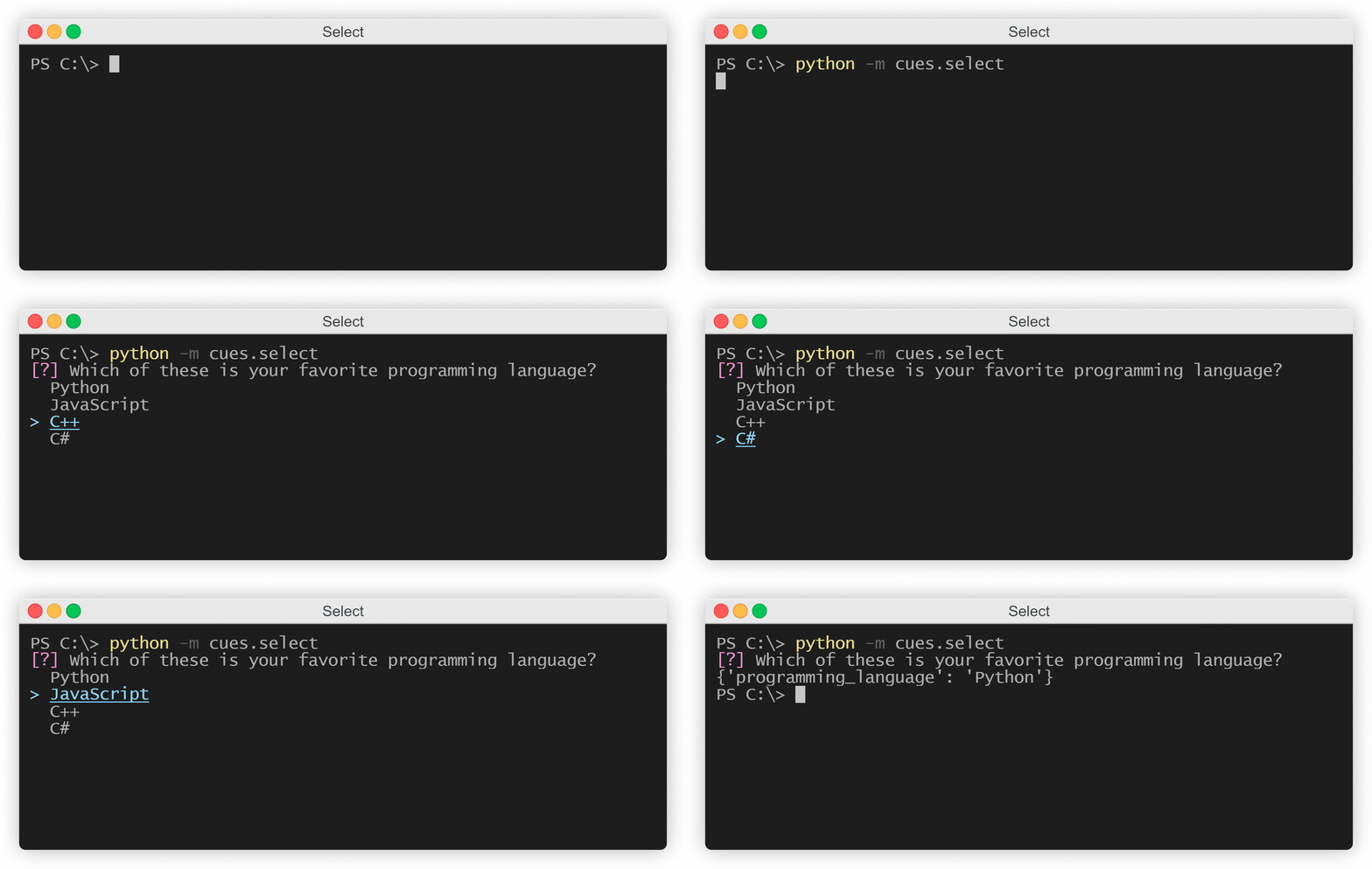
Select
from cues import Select


name = 'programming_language'
message = 'Which of these is your favorite programming language?'
options = ['Python', 'JavaScript', 'C++', 'C#']

cue = Select(name, message, options)
answer = cue.send()
print(answer)
This produces the following output:
Confirm
from cues import Confirm


name = 'continue'
message = 'Are you sure you want to continue?'

cue = Confirm(name, message)
answer = cue.send()
print(answer)
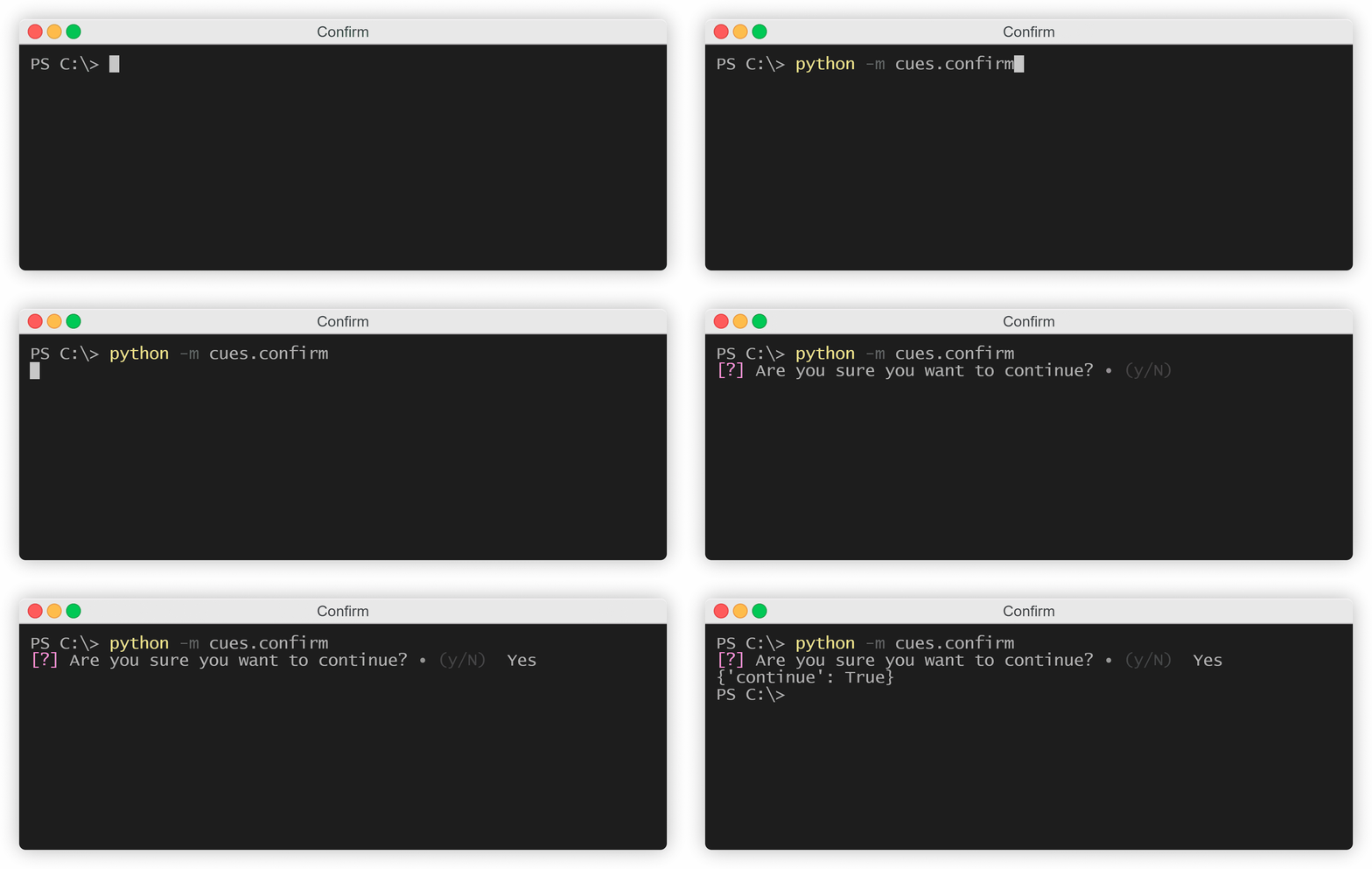
This produces the following output:
Form
from cues import Form


name = 'basic_info'
message = 'Please fill out the following form:'
fields = [
    {
        'name': 'first_name',
        'message': 'What is your first name?',
        'default': 'Giovanni'
    },
    {
        'name': 'last_name',
        'message': 'What is your last name?',
        'default': 'Salinas'
    },
    {
        'name': 'birthday',
        'message': 'What is your favorite programming language?'
    }
]

cue = Form(name, message, fields)
answer = cue.send()
print(answer)
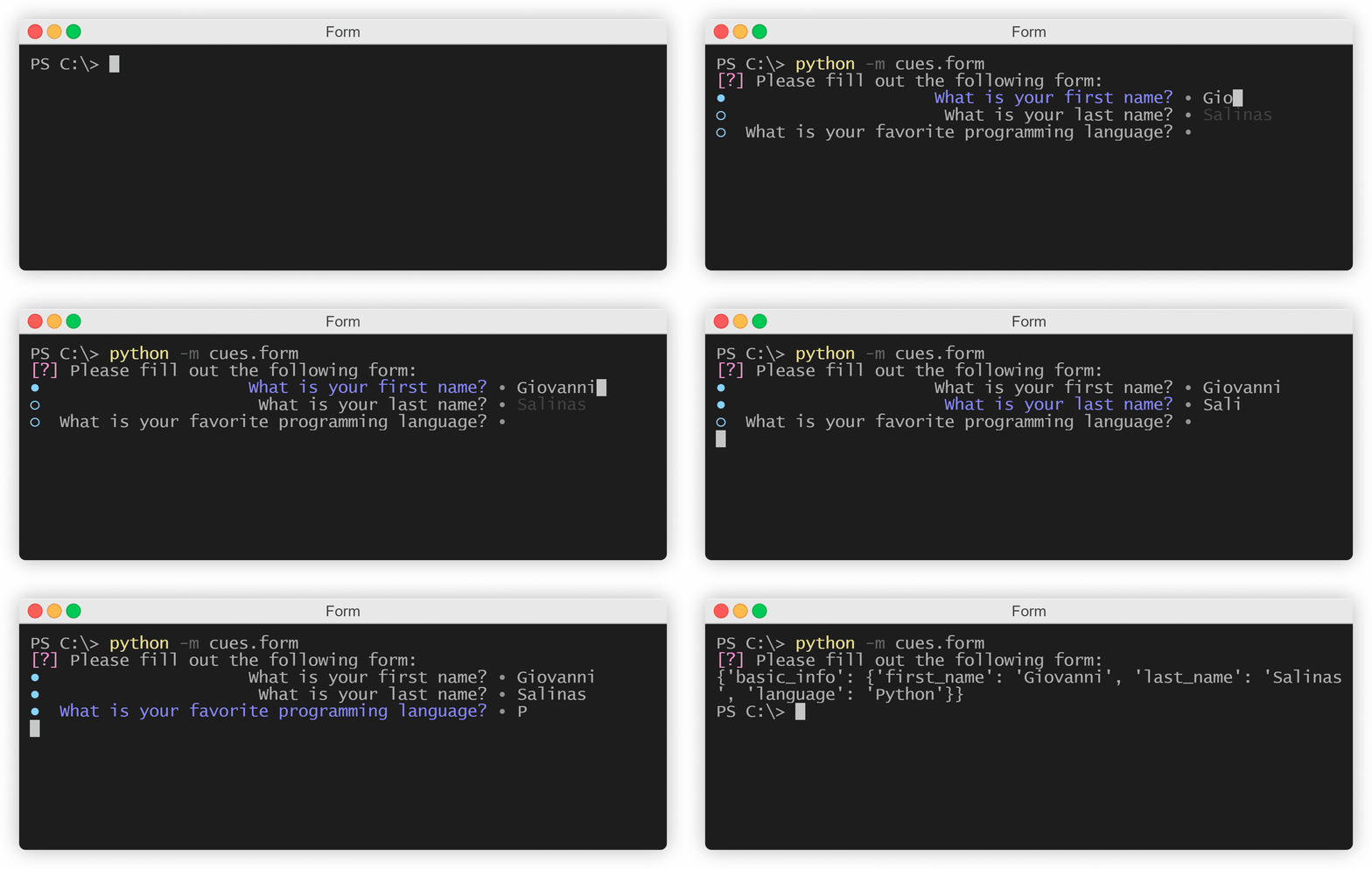
This produces the following output:
Survey
from cues import Survey


name = 'customer_satisfaction'
message = 'Please rate your satisfaction with the following areas:'
scale = [1, 2, 3, 4, 5]
fields = [
    {
        'name': 'customer_service',
        'message': 'Customer service'
    },
    {
        'name': 'restaurant_service',
        'message': 'Restaurant service'
    },
    {
        'name': 'bar_service',
        'message': 'Bar service'
    },
    {
        'name': 'room_service',
        'message': 'Room service'
    }
]

cue = Survey(name, message, scale, fields)
answer = cue.send()
print(answer)
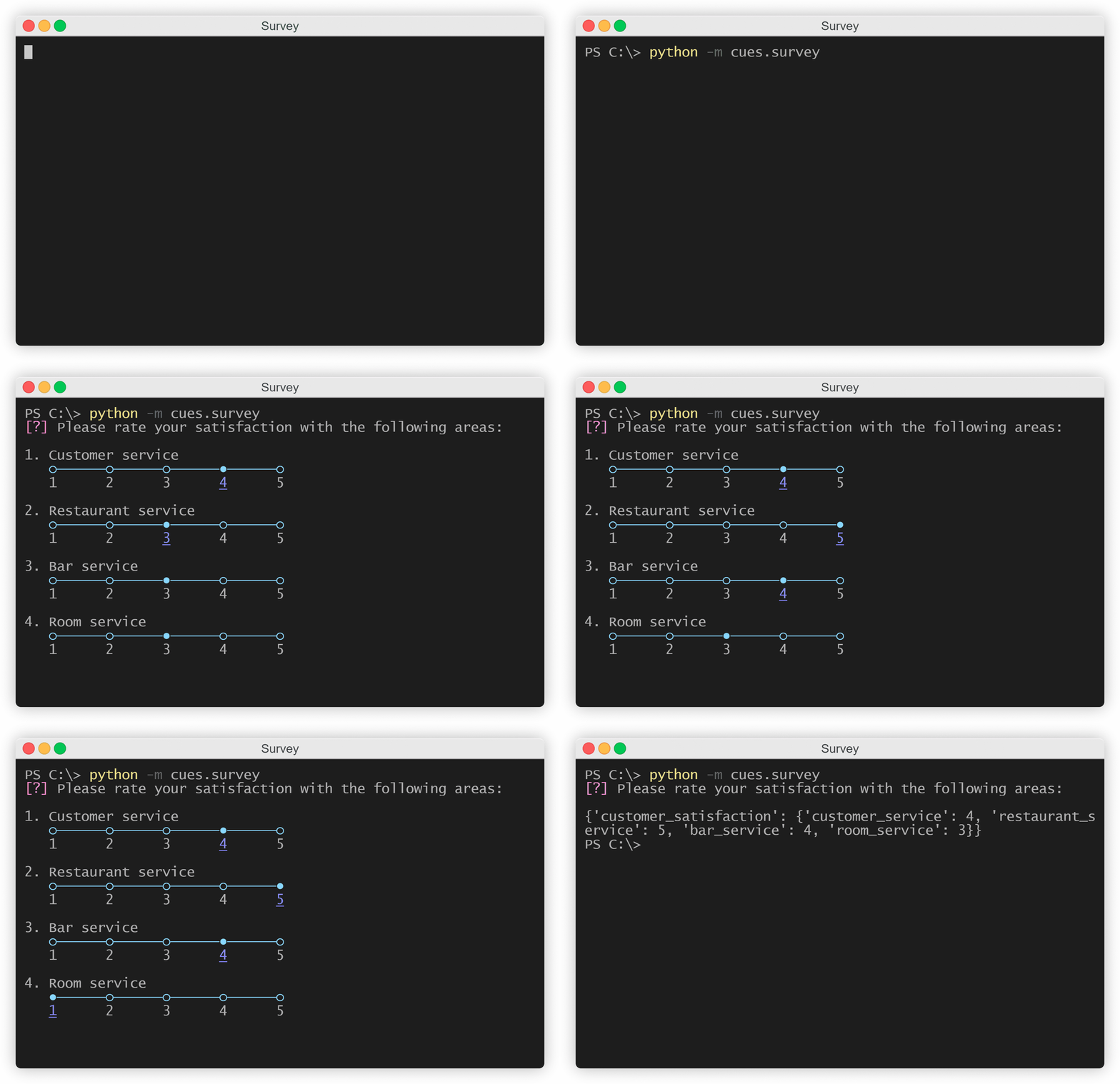
This produces the following output:
To Do
- Bring support to macOS
- Bring support to Linux
- JSON prompt
- Checkbox prompt
...amongst other things!


Download files
Download the file for your platform. If you're not sure which to choose, learn more about installing packages.
Source Distribution
Built Distribution
Filter files by name, interpreter, ABI, and platform.
If you're not sure about the file name format, learn more about wheel file names.
Copy a direct link to the current filters
File details
Details for the file cues-0.1.1.tar.gz.
File metadata
- Download URL: cues-0.1.1.tar.gz
- Upload date:
- Size: 18.5 kB
- Tags: Source
- Uploaded using Trusted Publishing? No
- Uploaded via: twine/3.3.0 pkginfo/1.7.0 requests/2.25.1 setuptools/49.2.1 requests-toolbelt/0.9.1 tqdm/4.55.2 CPython/3.9.1
File hashes
| Algorithm | Hash digest | |
|---|---|---|
| SHA256 |
d5e8fe6d5f934b1b79d84c12abb22c2572c59c6df0fa72a38cf801989bd0efd1
|
|
| MD5 |
f42b9db78f9b128205c876951292c7bb
|
|
| BLAKE2b-256 |
cdf55a0a89253c52b6f0b893957beebf17466b1b44d05a90eb77dab8d4697d5e
|
File details
Details for the file cues-0.1.1-py3-none-any.whl.
File metadata
- Download URL: cues-0.1.1-py3-none-any.whl
- Upload date:
- Size: 22.5 kB
- Tags: Python 3
- Uploaded using Trusted Publishing? No
- Uploaded via: twine/3.3.0 pkginfo/1.7.0 requests/2.25.1 setuptools/49.2.1 requests-toolbelt/0.9.1 tqdm/4.55.2 CPython/3.9.1
File hashes
| Algorithm | Hash digest | |
|---|---|---|
| SHA256 |
9a789986d2f0366a18f8e4e0ad57370e2e3f1e7c77b2cb6d8c7e11b897f8f442
|
|
| MD5 |
885d64712b4a5a75aa505a2491e6958d
|
|
| BLAKE2b-256 |
afe8fb7b22acb8062a871766f7d4620f6630a1bab58baa26aeabd935507ea60f
|






