
Cupcake Editor 🧁



The Cupcake Editor is an embeddable text editor with autocompletions and the fully featured code editor from Biscuit. Scroll down to see some of the supported features.
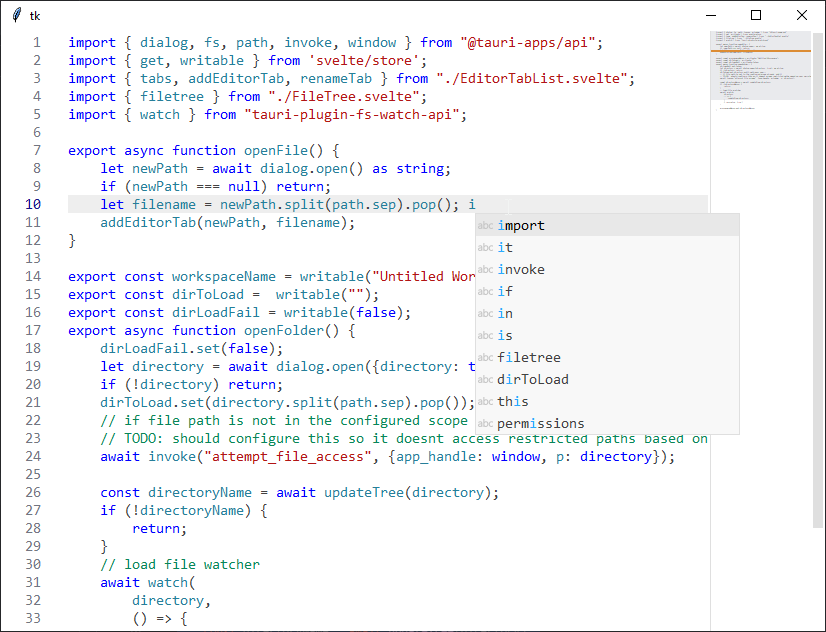
Cupcake has syntax highlighting support for over 500+ programming languages, autocompletions, minimap, and many editing features included. Written in Python using the Tkinter library.
Installing
pip install cupcake-editor
Note You need python 3.10 or above.
To integrate the editor into your app, here's a quick start!
import tkinter as tk
from cupcake import Editor, Languages

root = tk.Tk()
root.minsize(800, 600)

e = Editor(root, language=Languages.TYPESCRIPT)
e.pack(expand=1, fill=tk.BOTH)

e.content.insert("end", """
// check this out
import "./global.css";
import App from './App.svelte';

const app = new App({
	target: document.body
});

export default app;
""")

root.mainloop()
See these complete samples for instructions on Diff viewer, Image viewer and Theming.
Note You can run the examples from the project directory like
python examples/basic.py
The Editor Component
Picks the right editor based on the path, path2, diff values passed. Supports showing diff, images, text files. If no arguments are passed, empty text editor is opened.
Attributes
| option | type | description | field type |
|---|---|---|---|
| master | tk.Widget |
The parent tkinter widget | mandatory |
| path | str |
Absolute path to the file to be opened | optional |
| path2 | str |
Absolute path to be opened in right hand side (if diff) | optional |
| diff | bool |
Whether to be opened in diffviewer | optional |
| language | cupcake.Language |
This is given priority while picking suitable highlighter. If not passed, guesses from file extension. | optional |
| dark_mode | bool |
Sets the editor theme to cupcake dark if True, or cupcake light by default. This is ignored if custom config_file path is passed | optional |
| config_file | str |
Absolute path to the custom config (TOML) file, uses theme defaults if not passed. see examples | optional |
| showpath | bool |
Whether to show the breadcrumbs for editor or not | optional |
| font | str/tk.font.Font |
Font used in line numbers, text editor, autocomplete. defaults to Consolas(11) | optional |
| uifont | str/tk.font.Font |
Font used for other UI components (breadcrumbs, trees) | optional |
| preview_file_callback | function/lambda |
Called when files in breadcrumbs-pathview are single-clicked. MUST take an argument (path) | optional |
| open_file_callback | function/lambda |
Called when files in breadcrumbs-pathview are double clicked. MUST take an argument (path) | optional |
Methods
| function | description |
|---|---|
Editor.save |
If the content is editable writes to the specified path. |
Editor.focus |
Gives focus to the content. |
Additionally, All the tk.Text widget methods are available under Editor.content (eg. Editor.content.insert, Editor.content.get)
Features
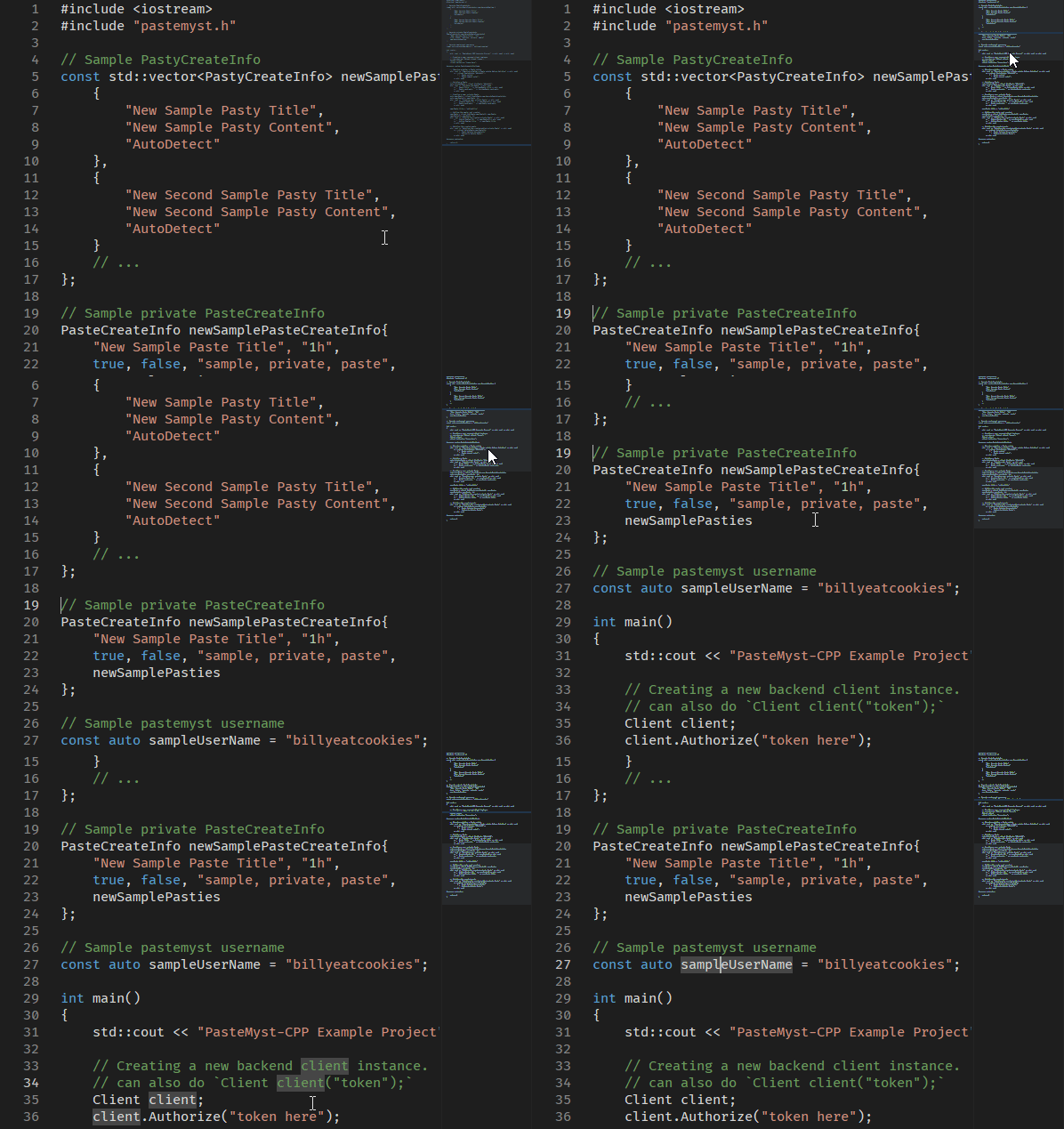
Syntax Highlighting & Minimap (over 500+ languages supported)
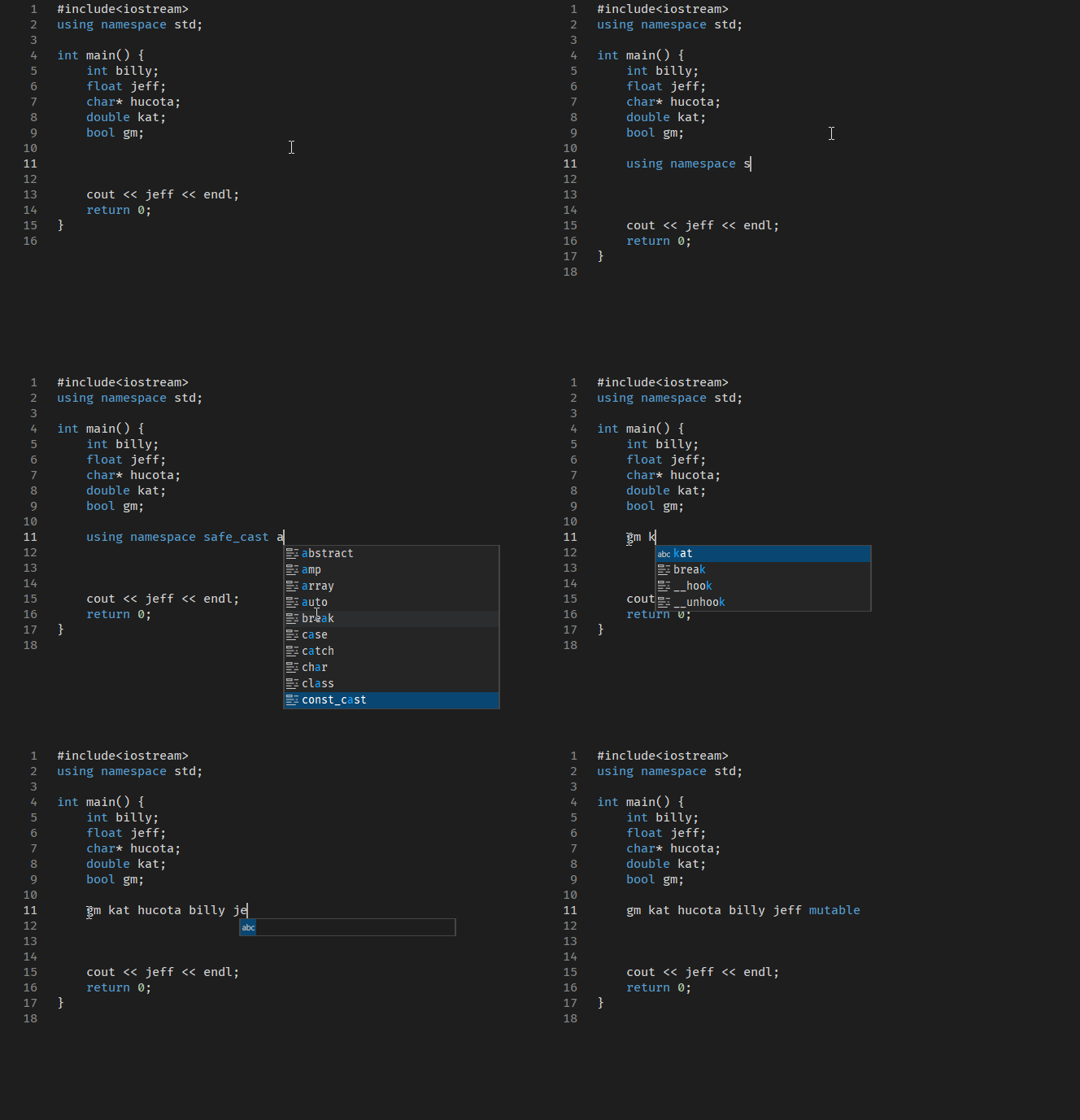
Auto completions (words + keywords)
other features
- Auto Indentation
- Diff Viewer
- Minimap
- Breadcrumbs and Pathview tree
- Image Viewer
- Fully Customizable and themable configurations
- Language Detection from File Extensions
- Default dark/light mode themes
Contributing
Your contributions and support are greatly appreciated! 🧡 See contributing for further details such as coding guidelines and tools used.
2 maintainers


Metadata
2 maintainers
Release files for cupcake-editor 0.25.8
For a detailed explanation of source distributions (sdists) and built distributions (wheels), please see the package formats documentation.
Source distribution (sdist)
| File | Size | Uploaded | |
|---|---|---|---|
| cupcake_editor-0.25.8.tar.gz | 32.9 kB | Details |
Built distribution (wheel)
| File | Interpreter | ABI | Platform | Reset |
|---|---|---|---|---|
| cupcake_editor-0.25.8-py3-none-any.whl | Python 3 | none | any | Details |
Total release size: 75.7 kB
Release files / cupcake_editor-0.25.8.tar.gz
| Download URL | cupcake_editor-0.25.8.tar.gz |
|---|---|
| Size | 32.9 kB |
| Tags | Source |
|
SHA-256 checksum How to use checksums |
3f588896f98e934ea64b83b471de245e32cb6961f217d728dbe7a521d87a0e2a
|
|
BLAKE2b-256 checksum How to use checksums |
d707fc958fed825de8767ac51ff415b9d3cb8b36e2c2b5c275fd5815a8a05b92
|
| Upload date | |
|
Uploaded using Trusted Publishing? What is trusted publishing? |
No |
| Uploaded via |
poetry/1.4.2 CPython/3.11.4 Windows/10
|
Release files / cupcake_editor-0.25.8-py3-none-any.whl
| Download URL | cupcake_editor-0.25.8-py3-none-any.whl |
|---|---|
| Size | 42.8 kB |
| Tags | Python 3 |
|
SHA-256 checksum How to use checksums |
2be9c8850b101f6d1a9910d6273eb9382cff2592d5e227a543c8076a8b357f0c
|
|
BLAKE2b-256 checksum How to use checksums |
3ddb85938075658208b2a4a0d7987160e0235f7f9123a232dc84e26f51a3d005
|
| Upload date | |
|
Uploaded using Trusted Publishing? What is trusted publishing? |
No |
| Uploaded via |
poetry/1.4.2 CPython/3.11.4 Windows/10
|














