
Small project for aiding in research and development

Project description
curious-me
Installation
- Clone the repository
git clone
- Create virtual environment and activate it
python -m venv venv
In Windows
venv\Scripts\activate
In Linux
source venv/bin/activate
- Install package
cd curious_me/curious_me
pip install .
- Run the application, first open python then run the following commands
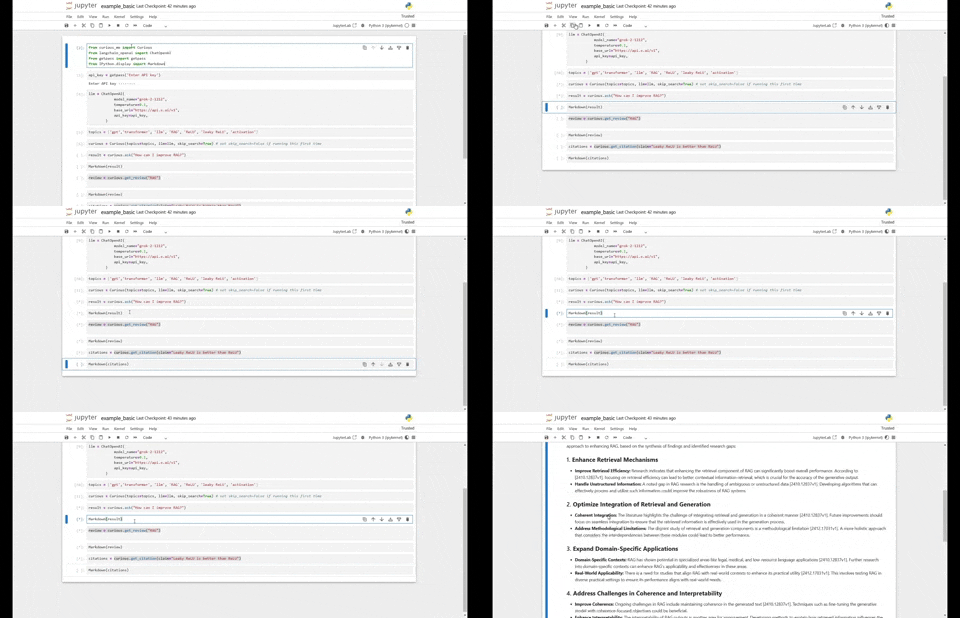
from curious_me import Curious
from langchain_openai import ChatOpenAI

llm = ChatOpenAI(
            model_name="grok-2-1212",
            temperature=0.1,
            base_url="https://api.x.ai/v1",
            api_key=<your api key>,
        )

topics = ['GPT', 'LLM', 'Decoder', 'Artificial generative Intelligence']
curious = Curious(topics=topics, llm=llm)
curious.ask("What are recent advances in GPT?")
curious.get_review("RAG")
curious.get_citation(claim="Leaky ReLU is better than ReLU")
Release history Release notifications | RSS feed


Download files
Download the file for your platform. If you're not sure which to choose, learn more about installing packages.
Source Distribution
curious_me-0.1.0.tar.gz
(10.4 kB
view details)
Built Distribution
Filter files by name, interpreter, ABI, and platform.
If you're not sure about the file name format, learn more about wheel file names.
Copy a direct link to the current filters
File details
Details for the file curious_me-0.1.0.tar.gz.
File metadata
- Download URL: curious_me-0.1.0.tar.gz
- Upload date:
- Size: 10.4 kB
- Tags: Source
- Uploaded using Trusted Publishing? No
- Uploaded via: twine/6.0.1 CPython/3.11.9
File hashes
| Algorithm | Hash digest | |
|---|---|---|
| SHA256 |
f45b42d2a440ba43d70d3217b41b96e10deb5af330c834d220ac79d6b5055da9
|
|
| MD5 |
01e0c6cd0779f35599ff7cb8dd0c88da
|
|
| BLAKE2b-256 |
5e51acf059b3f4e94a0b67ed74c113128c1132968736989a2c2a2861a1350a5b
|
File details
Details for the file curious_me-0.1.0-py3-none-any.whl.
File metadata
- Download URL: curious_me-0.1.0-py3-none-any.whl
- Upload date:
- Size: 12.6 kB
- Tags: Python 3
- Uploaded using Trusted Publishing? No
- Uploaded via: twine/6.0.1 CPython/3.11.9
File hashes
| Algorithm | Hash digest | |
|---|---|---|
| SHA256 |
69f22ec1337bade5bec8f51c3baa94020e5c7fccd0cd1c1cfbb1d8d5fc2a510e
|
|
| MD5 |
de0e7debdee04cc7dffeaeb035ed9dfb
|
|
| BLAKE2b-256 |
d8d7d81a37dfb66d6845244a716189e8fed212630b7238d6a31d0d4964dce8a5
|






