
📊 cursor-usage
See your Cursor usage, spend, and per-event logs — right from your terminal.





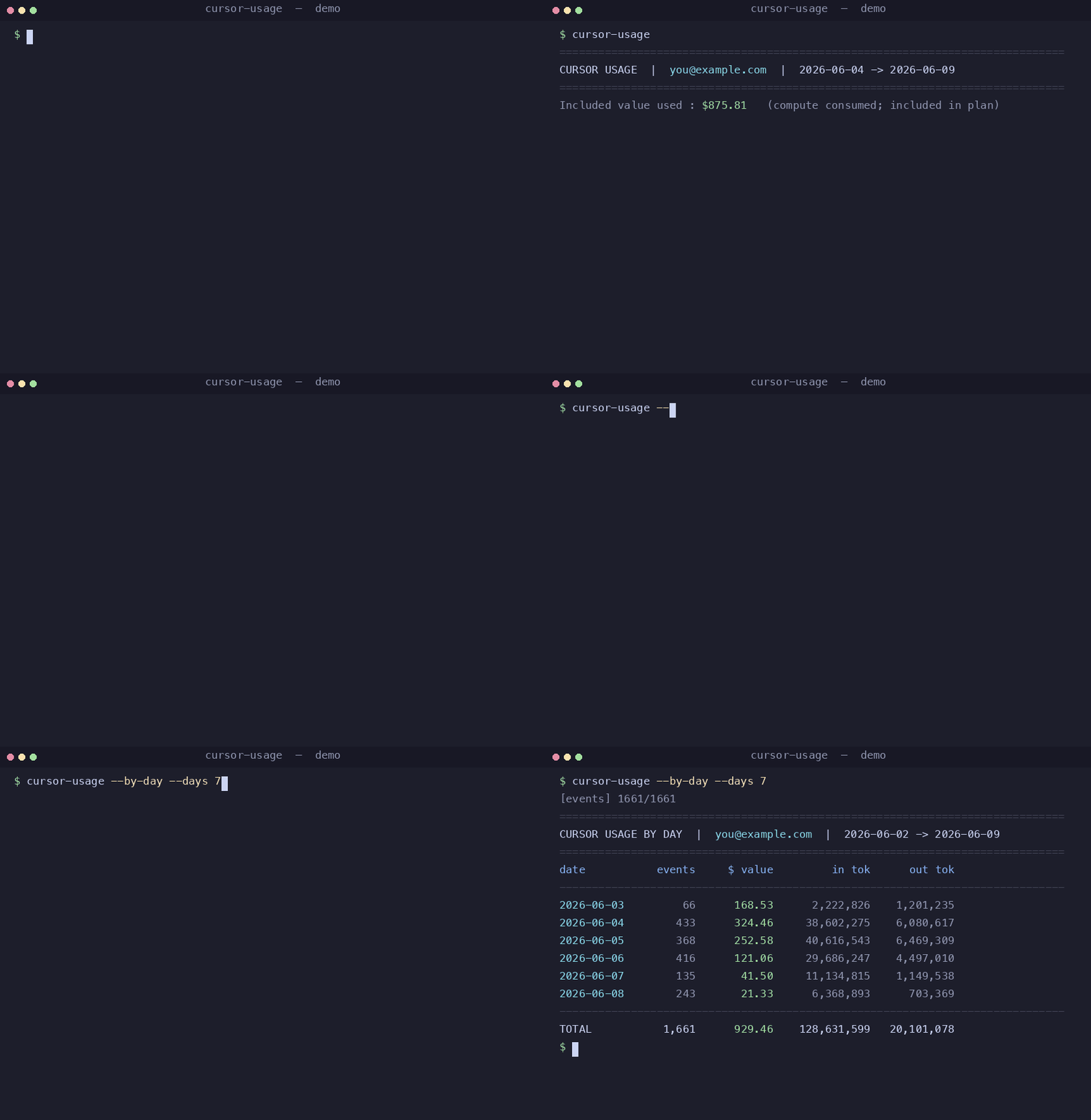
Cursor shows your usage on its web dashboard, but there's no official way to get
it from the command line. cursor-usage gives you that — a clean summary, a
per-day breakdown, and a full per-event CSV export — using the session your
Cursor app already has. No API key to manage, nothing to configure.
==============================================================================
CURSOR USAGE  |  you@example.com  |  2026-06-04 -> 2026-06-09
==============================================================================
Included value used : $875.81   (compute consumed; included in plan)
Tokens   in=126,033,860  out=18,989,068
         cacheRead=2,492,781,450  cacheWrite=8,322,520
------------------------------------------------------------------------------
model                                  $ value        in tok     out tok
------------------------------------------------------------------------------
composer-2.5                            460.14    95,638,983  13,315,470
claude-4.6-opus-high                    233.71       786,434   1,059,451
gemini-3.5-flash                         45.77    16,097,065   1,075,904
gpt-5.4-high                             43.65     4,069,043   1,041,967
...

==============================================================================
CURSOR CYCLE LIMITS  |  resets 2026-07-04
==============================================================================
Composer / Auto [###########...................]   36.7% used,   63.3% left
Other models    [####..........................]   12.4% used,   87.6% left
Included usage  $146.80 of $400.00 used  ($253.20 left)
✨ Features
- One command, real numbers — per-model tokens and compute value for the current billing month.
- 📊 Cycle limits — the default summary also shows % used / % left before hitting your plan's rate limit, split into Composer / Auto (composer-2.5, composer-2.5-fast, Auto) vs Other models.
- 📅 Per-day breakdown —
--by-dayshows how much you burned each day. - 🧾 CSV export —
--csvdumps every usage event (timestamp, model, tokens, cost) for your own spreadsheets and charts. - 🌍 Cross-platform — macOS, Linux, and Windows.
- 🔋 Zero dependencies — pure Python standard library.
- 🔒 Local & private — reads the session your Cursor app already stored;
talks only to
cursor.com. No telemetry, no third parties.
🚀 Quickstart
pip install cursor-usage      # or: pip install . from a clone
cursor-usage                      # summary for the current billing month
That's it — if you're signed in to Cursor on this machine, it just works.
🧑💻 Usage
| Command | What it does |
|---|---|
cursor-usage |
Summary for the current billing month |
cursor-usage --by-day |
Add a per-day breakdown |
cursor-usage --csv usage.csv |
Export every usage event to CSV |
cursor-usage --days 7 |
Window: the last 7 days |
cursor-usage --month 2026-05 |
Window: a specific month |
cursor-usage --start 2026-06-01 --end 2026-06-07 |
Window: an explicit range |
cursor-usage --json |
Raw aggregated JSON (for scripting) |
cursor-usage --limits-json |
Raw cycle-limits JSON (for scripting) |
cursor-usage -v |
Also print which session source was used |
Flags combine — e.g. cursor-usage --by-day --csv june.csv --month 2026-06.
📅 Example: --by-day
==============================================================================
CURSOR USAGE BY DAY  |  you@example.com  |  2026-06-02 -> 2026-06-09
==============================================================================
date           events     $ value         in tok      out tok
------------------------------------------------------------------------------
2026-06-04        433      324.46     38,602,275    6,080,617
2026-06-05        368      252.58     40,616,543    6,469,309
2026-06-06        416      121.06     29,686,247    4,497,010
------------------------------------------------------------------------------
TOTAL           1,661      929.46    128,631,599   20,101,078
🧾 CSV columns
datetime_local, timestamp_ms, date, model, kind, input_tokens, output_tokens, cache_read_tokens, cache_write_tokens, value_cents, charged_cents, requests_costs, is_headless, owning_user — one row per usage event, sorted by
time.
🤔 How it works
A Cursor API key (crsr_…) can't read usage — that data lives behind your
web session, the same one your browser/app uses on cursor.com. This tool
finds that session locally and asks Cursor's dashboard API for your numbers.
It looks for the session in this order (all local-only):
CURSOR_SESSION_TOKENenvironment variable (manual override)- macOS Keychain (written by the
cursor-agentCLI) - Your OS keyring, if the optional
keyringpackage is installed - The Cursor app's local state database (works on every OS)
If it can't find one, sign in to the Cursor app and run it again.
🔍 Where exactly the session lives (per OS)
The Cursor IDE stores the session token in a small SQLite file
(state.vscdb → key cursorAuth/accessToken), in the same place on every OS:
| OS | Path |
|---|---|
| macOS | ~/Library/Application Support/Cursor/User/globalStorage/state.vscdb |
| Linux | ~/.config/Cursor/User/globalStorage/state.vscdb |
| Windows | %APPDATA%\Cursor\User\globalStorage\state.vscdb |
Want the full reverse-engineering story (and a recipe to rebuild this tool)? See docs/HOW_THIS_WAS_BUILT.md.
Manual override
On any OS you can skip auto-detection entirely:
# cursor.com → DevTools → Application → Cookies → copy WorkosCursorSessionToken
export CURSOR_SESSION_TOKEN='user_…::eyJhbGci…'
cursor-usage
🔒 Privacy & security
- The tool only reads your existing local session — it never writes,
refreshes, or sends it anywhere except
cursor.com. - No telemetry. No third-party calls.
- CSV exports contain your own usage data; they're git-ignored by default so you don't commit them by accident.
⚠️ Good to know
$ valueis compute consumed, not money owed. On plans where usage-based pricing is off, your bill is just the flat subscription — these figures show the value of the compute included in your plan.- This uses Cursor's internal, undocumented dashboard API. It works great today, but Cursor could change it at any time. If something breaks, please open an issue.
- If your session has expired, sign back in to Cursor and run the command again.
🛠️ Install options
pip install cursor-usage                 # from PyPI (once published)
pip install .                                # from a local clone
pip install "cursor-usage[keyring]"      # + OS-keyring lookup on Linux/Windows
Requires Python 3.8+.
🤝 Contributing
Issues and PRs are welcome. Run the tests with:
pip install pytest && pytest -q
📄 License
MIT — do whatever you like.
1 maintainer

Download files
Download the file for your platform. If you're not sure which to choose, learn more about installing packages.
Source Distribution
Built Distribution
Filter files by name, interpreter, ABI, and platform.
If you're not sure about the file name format, learn more about wheel file names.
Copy a direct link to the current filters
File details
Details for the file cursor_usage-0.2.0.tar.gz.
File metadata
- Download URL: cursor_usage-0.2.0.tar.gz
- Upload date:
- Size: 19.4 kB
- Tags: Source
- Uploaded using Trusted Publishing? No
- Uploaded via: twine/6.2.0 CPython/3.9.6
File hashes
| Algorithm | Hash digest | |
|---|---|---|
| SHA256 |
e804d7980b456c64c1ea5039fdfb86371ac2df9ecbe9e0830e54ab0f40a5612c
|
|
| MD5 |
1aed7b2fda2f322e752274ef695151c6
|
|
| BLAKE2b-256 |
58467ba1f566d80f69347df14b77a5cf6963bfd28d007b39a7a0221d16a425b5
|
File details
Details for the file cursor_usage-0.2.0-py3-none-any.whl.
File metadata
- Download URL: cursor_usage-0.2.0-py3-none-any.whl
- Upload date:
- Size: 15.9 kB
- Tags: Python 3
- Uploaded using Trusted Publishing? No
- Uploaded via: twine/6.2.0 CPython/3.9.6
File hashes
| Algorithm | Hash digest | |
|---|---|---|
| SHA256 |
e2da6adb1b46a3152dce63218e3bd933f020e731793ade6db25a288a7023cfb5
|
|
| MD5 |
6fe0cb9327e71cd945ba813adc514332
|
|
| BLAKE2b-256 |
4b2d0f982a86c91fd09517d208ef0156c1a147bb6e1b4b23f77df2c04d11a456
|







