
Drop-in AI chat for any web app. Powered by the Cursor SDK — the agent reads your source code to understand your data.

Project description
cursorfy
A recursive, self-aware dashboard built on the Cursor SDK and FastAPI.
The app reads its own source code, queries its own data, and edits itself when you ask it to.
from fastapi import FastAPI
import cursorfy

app = FastAPI()
cursorfy.mount(app)
<script defer src="/cursorfy/static/chat.js"></script>
An [ ASK ] button appears in lower right corner. Users ask questions about the data, ask how the app works, or ask for changes. The agent reads app.py, queries
the data, edits the file, and tells the user to refresh.
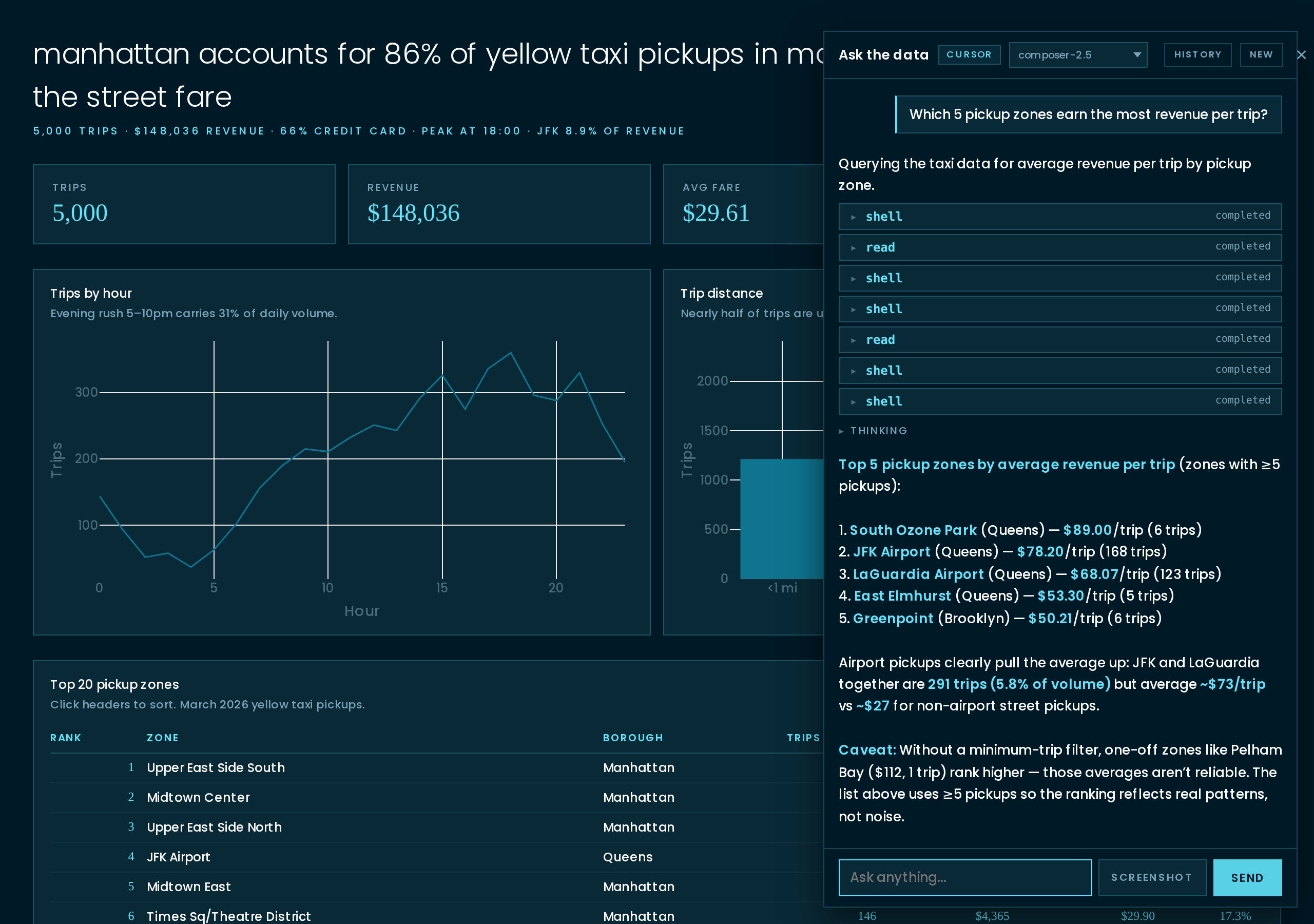
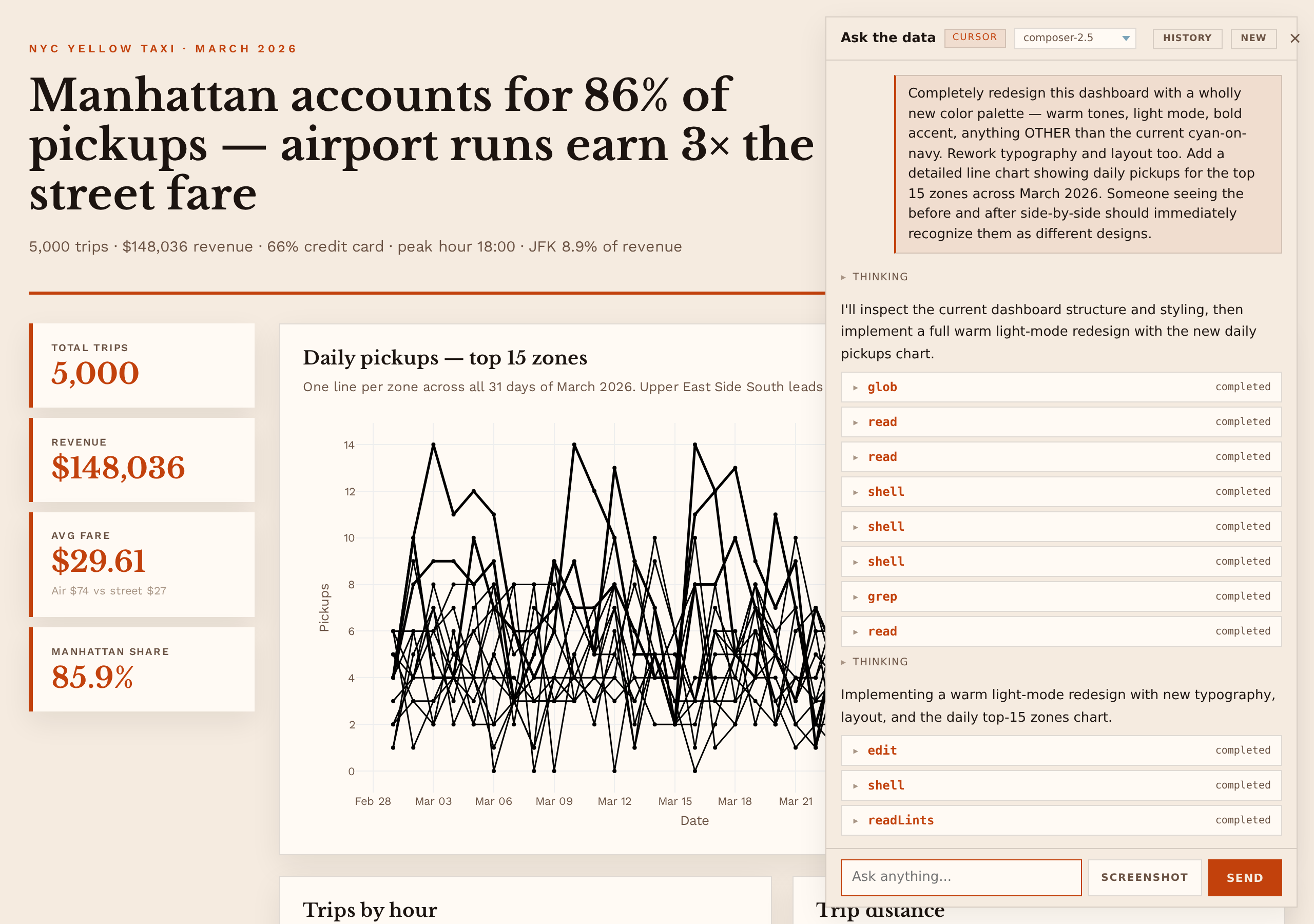
Ask for a redesign and the agent edits app.py. Refresh, the dashboard changes.
Install
uv add cursorfy   # or: pip install cursorfy
export CURSOR_API_KEY=crsr_...   # https://cursor.com/dashboard/integrations
.env in the project root is loaded automatically.
cursorfy init
Point it at any folder of data and get a working dashboard:
$ ls
yellow_taxi_2026_03.parquet  taxi_zones.csv

$ cursorfy init
[cursorfy] scaffolding dashboard in . (model=composer-2.5)…
[cursorfy] done in 42.4s
[cursorfy] agent: Built dashboard: Manhattan accounts for 86% of yellow
                  taxi pickups in March 2026; airport runs earn 3× the
                  street fare — 2 charts + sortable zone leaderboard
                  from yellow_taxi_2026_03.parquet (5,000 trips) joined
                  to taxi_zones.csv (265 zones).

$ uvicorn app:app --port 8086
The scaffolder reads every file, joins fact tables to dimension tables when they coexist, computes real aggregates, and picks the strongest finding before writing a line of code. The page leads with the finding, four KPI tiles, two or three Tufte-correct charts, and a sortable leaderboard. Theme inherits the cursorfy CSS variables. The agent then has full context for follow-up edits.
Iterate from the chat: "add a histogram of tip_pct", "color the bars by
borough", "drop the last chart". The agent edits app.py; you refresh.
Examples
Six dashboards ship in examples/, each scaffolded by the same cursorfy init
prompt over a different real, public dataset. Click a tile to jump to its
source.
git clone https://github.com/crowdcent/cursorfy
cd cursorfy
uv pip install -e ".[examples]"
export CURSOR_API_KEY=crsr_...
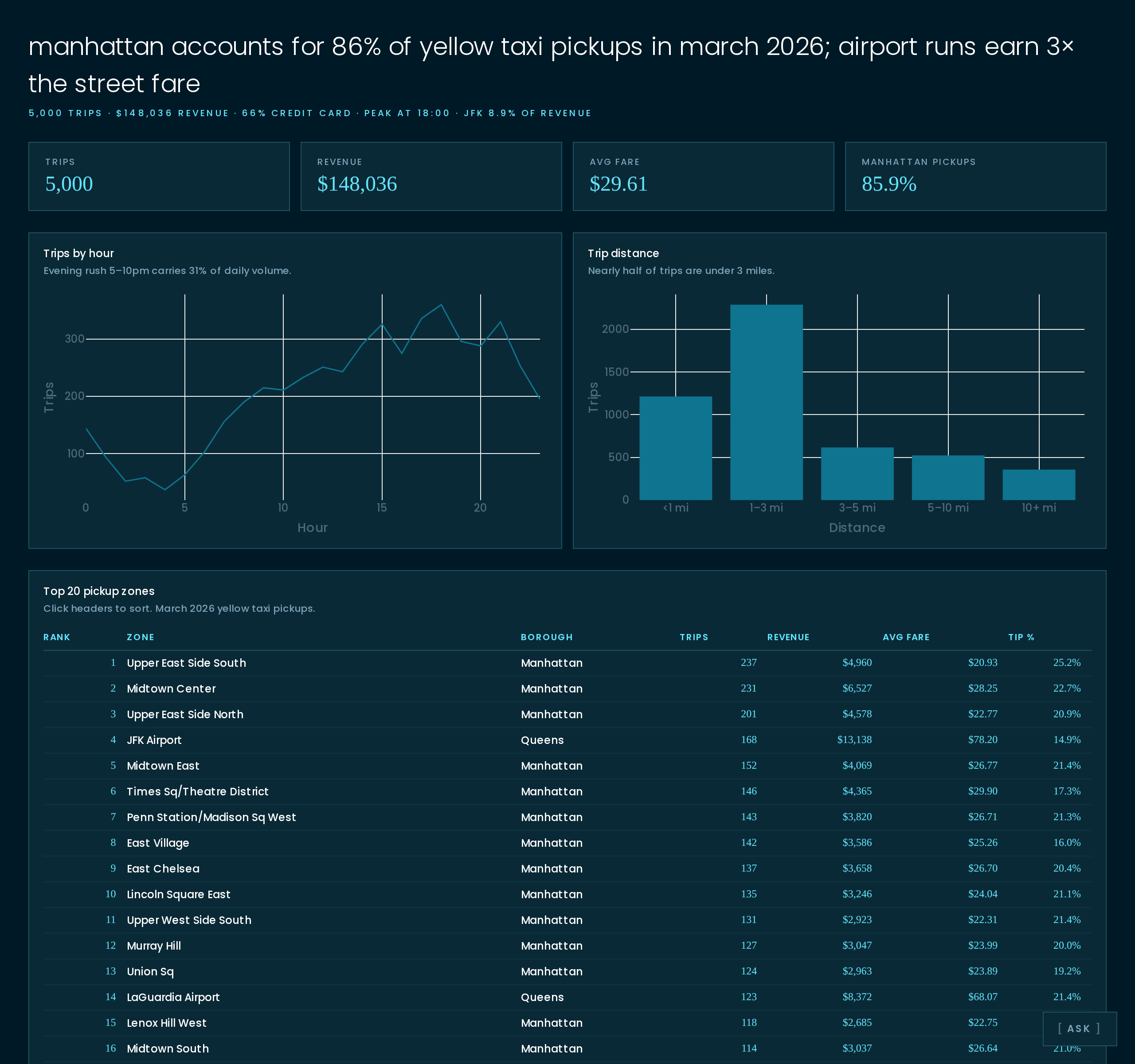
NYC Yellow Taxi |
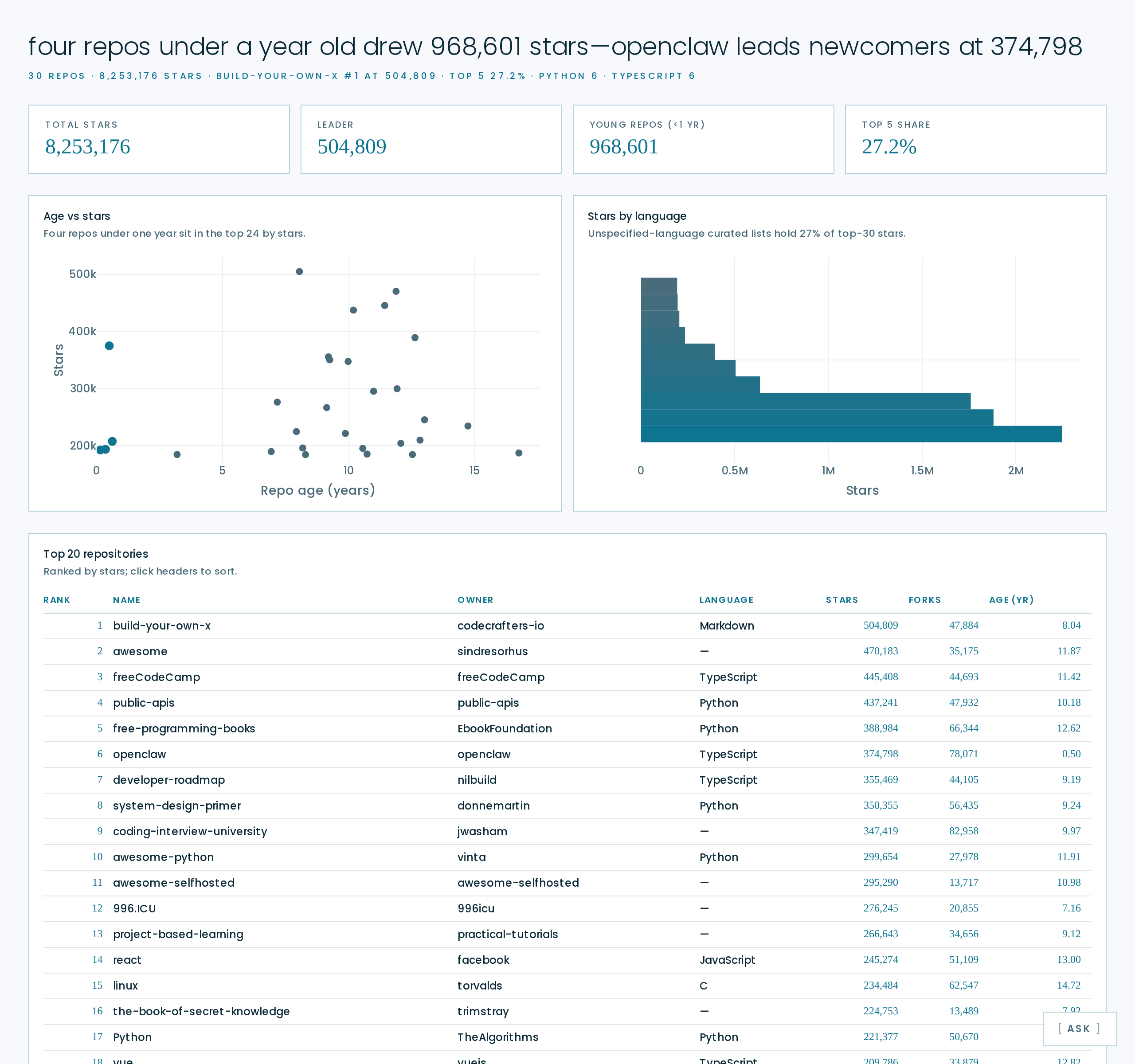
Top GitHub repos |
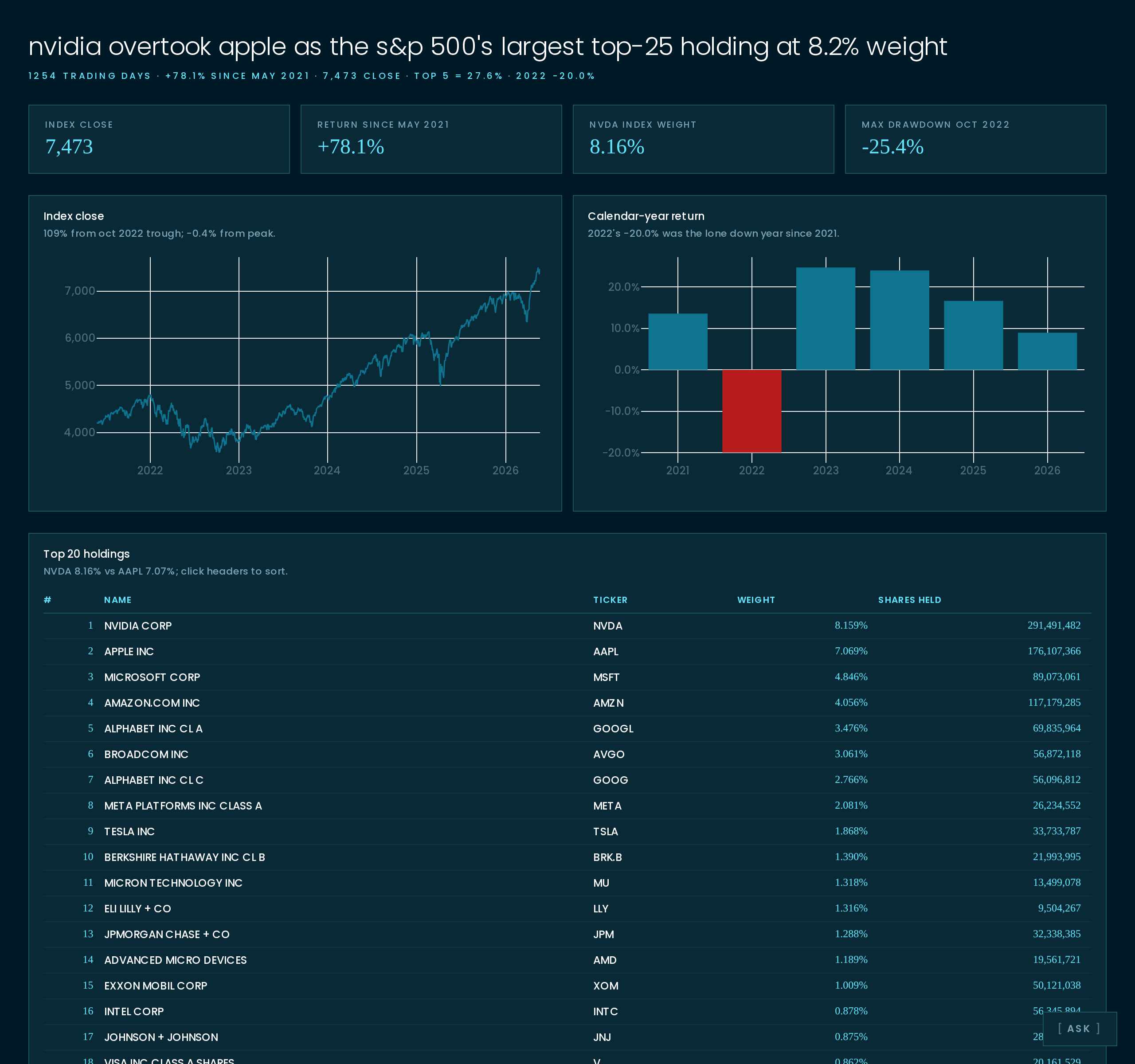
S&P 500 |

Global CO2 emissions |

Olympic medals |
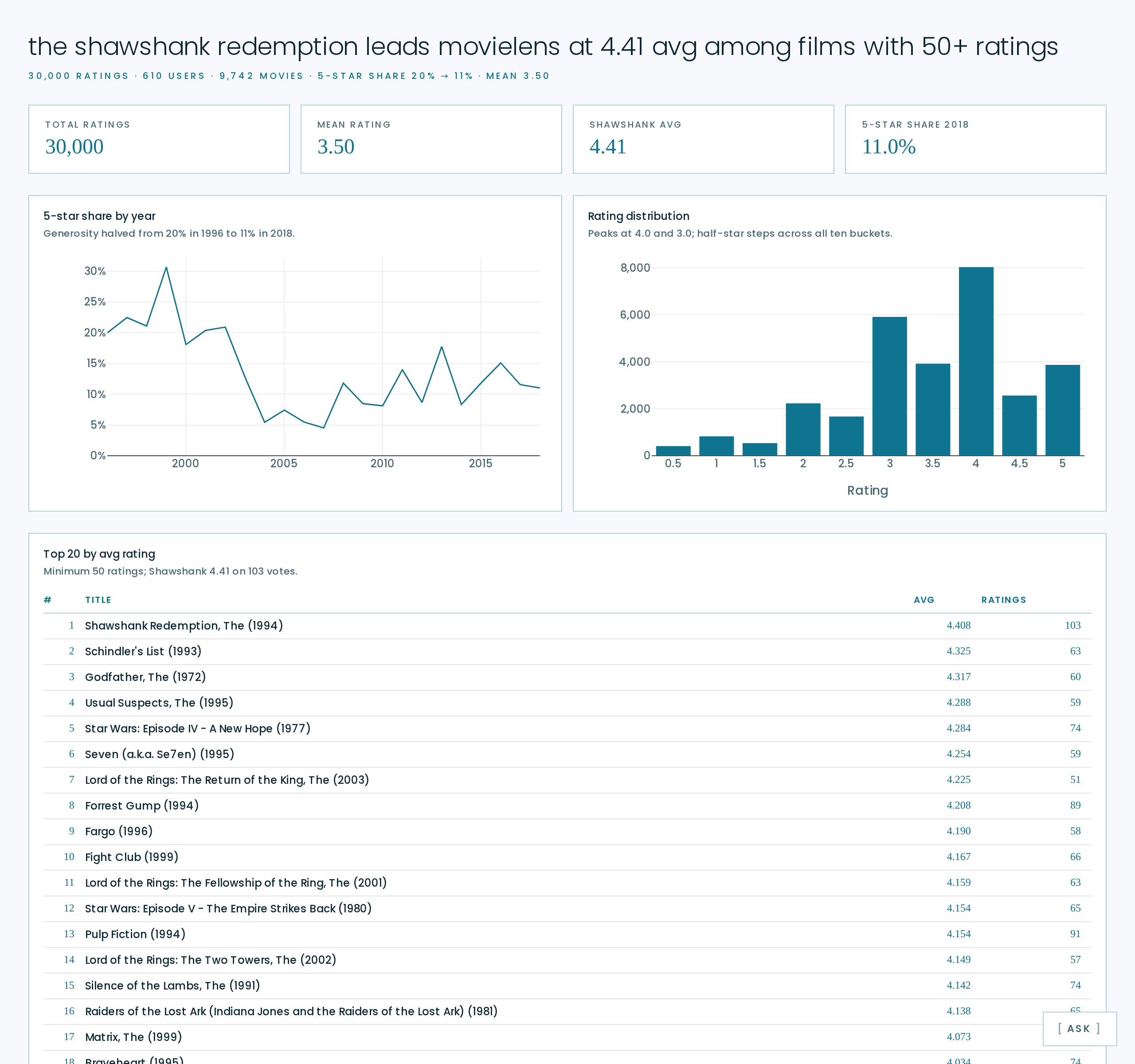
MovieLens |
Each example boots on its own port (see the docstring at the top of its
app.py). Each ships an AGENTS.md with the data schema, the findings worth
referencing, common questions, and the chart conventions. The chat agent
reads that file on every session.
Add to an existing FastAPI app
from fastapi import FastAPI
from fastapi.responses import HTMLResponse
import cursorfy

app = FastAPI()
cursorfy.mount(app)              # POST /api/chat + /cursorfy/static/*

@app.get("/", response_class=HTMLResponse)
def index():
    return """<!DOCTYPE html>
    <html><body>
      <h1>My dashboard</h1>
      <script defer src="/cursorfy/static/chat.js"></script>
    </body></html>"""
uvicorn app:app --reload
mount() adds one POST route and one static-files mount. It does not touch
your existing routes, middleware, or templates. The agent's working directory
defaults to the caller's file directory.
API
Three ways to wire it up:
cursorfy.mount(app)
@cursorfy.enable
def create_app(): return FastAPI()
app = cursorfy.attach(FastAPI())
All take the same kwargs (cwd, model, valid_models, preamble,
api_key, prefix, static_path). See AGENTS.md for
defaults and descriptions.
What the agent gets
- The full project directory via standard Cursor tools (
read_file,grep,terminal,edit_file, etc). Format doesn't matter — CSV, parquet, JSON, sqlite, Excel. For SQL across mixed formats the agent uses DuckDB. It also seesapp.pyitself, so it can explain how anything on the page was built. - Any SQL database whose URL you export as
CURSORFY_DB_<NAME>in.env(Postgres, MySQL, Snowflake, BigQuery, etc.). Cursorfy lists each one in the agent's preamble; the agent picks the driver (uv add sqlalchemy psycopg[binary]) and queries it with sqlalchemy + polars or DuckDB ATTACH. Passwords are masked in the preamble. Read-only by default. - A screenshot of the page the user is looking at, captured client-side and
attached as an image. The agent sees the actual dashboard, not just the
text prompt. Opt out with
data-screenshot="false"on the script tag. AGENTS.mdat the project root, appended to the system prompt in full. Put project-specific rules, data descriptions, and chart conventions here. The scaffolder writes one for you.
# .env
CURSOR_API_KEY=crsr_...
CURSORFY_DB_USERS=postgresql://user:pass@localhost:5432/users
CURSORFY_DB_WAREHOUSE=snowflake://user:pass@account/analytics
Script-tag configuration
<script defer src="/cursorfy/static/chat.js"
        data-endpoint="/api/chat"
        data-title="Ask the data"
        data-model="composer-2.5"
        data-models="auto,composer-2.5,claude-opus-4-7"
        data-theme="auto"
        data-screenshot="true"
        data-starters='["What columns are here?", "Plot Y over time"]'></script>
data-theme: auto (default, follows OS), dark, or light.
data-screenshot: true by default; "false" skips the capture.
Theming
Built-in light and dark modes — follows prefers-color-scheme automatically
and the floating T toggle lets users flip on demand. Override the eight
--cursorfy-* CSS variables in your own stylesheet to retheme everything;
every tint, border, and hover state is derived via color-mix(), so
changing one accent color cascades. See AGENTS.md for
the variable list.
Production
/api/chatis unauthenticated by default. The agent it spawns has full shell + read/write access to the project directory. Treat the endpoint as privileged: bind uvicorn to--host 127.0.0.1for local dev, and put it behind your own auth (reverse proxy, FastAPI dependency, etc.) before exposing it publicly.- The agent has read/write access to your project directory. Don't deploy it next to secrets. Use a service account that owns just the dashboard.
- Set
CURSOR_API_KEYvia your platform's secret manager. Never commit it. - First message in a new session takes 2-5s (agent cold start). Follow-ups resume the agent and are faster.
- Each session holds one agent process. Default cap is 50. Override with
cursorfy.mount(app, max_sessions=...).
License
MIT. See LICENSE.
Built on the Cursor SDK by Cursor, at CrowdCent.
If you think this README could be better, cursorfy init in this repo and
ask the agent to rewrite it.
Release history Release notifications | RSS feed

Download files
Download the file for your platform. If you're not sure which to choose, learn more about installing packages.
Source Distribution
Built Distribution
Filter files by name, interpreter, ABI, and platform.
If you're not sure about the file name format, learn more about wheel file names.
Copy a direct link to the current filters
File details
Details for the file cursorfy-0.1.0.tar.gz.
File metadata
- Download URL: cursorfy-0.1.0.tar.gz
- Upload date:
- Size: 3.2 MB
- Tags: Source
- Uploaded using Trusted Publishing? No
- Uploaded via: uv/0.7.13
File hashes
| Algorithm | Hash digest | |
|---|---|---|
| SHA256 |
a7fa2fbf5fb6420e12ac897b3838c3243a516a28cca0afb888968db07d5c05d1
|
|
| MD5 |
2d5651f5fdcd69d8a9ba3a7c7c1a4a86
|
|
| BLAKE2b-256 |
8295f7c24b07a15fd1b8ef726f2f3381299f6a0ecba1dd9c7bd4fd26d50cf2f9
|
File details
Details for the file cursorfy-0.1.0-py3-none-any.whl.
File metadata
- Download URL: cursorfy-0.1.0-py3-none-any.whl
- Upload date:
- Size: 34.9 kB
- Tags: Python 3
- Uploaded using Trusted Publishing? No
- Uploaded via: uv/0.7.13
File hashes
| Algorithm | Hash digest | |
|---|---|---|
| SHA256 |
a696e3ea395a78749d873c4dd70a90ef9666a4846aa20611cac11f7b8cd37c1e
|
|
| MD5 |
7f5fab26061e77916181f8b0f15a8547
|
|
| BLAKE2b-256 |
44f7668acad96c9b04a0b487aa26b31fa23fcb35ab9f63c17c564c51d2f54041
|






