
CV Aid is a set of helpers for computer vision tasks.

Project description
cv-aid
CV Aid is a set of helpers of computer vision tasks.
Installation
pip install cv-aid
From source
git clone https://github.com/khalidelboray/cv-aid
cd cv-aid
poetry install
poetry run python setup.py install
Tests
poetry run test
all tests are in tests/ directory.
Examples
-
Basic Frame Functions
from cv_aid import Frame

frame = Frame.load('/path/to/image.jpg')
# or
import cv2
frame = Frame(cv2.imread('/path/to/image.jpg'))

# Grayscale image
gray = frame.gray()

# Resize image
small = frame.resize(width=100, height=100)

# Crop image
cropped = frame.crop(x=100, y=100, width=100, height=100)

# All methods return a new Frame object, so you can chain them
new_frame = frame.resize(width=100, height=100).crop(x=100, y=100, width=100, height=100)

# Save image
frame.save('/path/to/image.jpg')
-
Basic Video Functions
from cv_aid import VideoStream, Frame
import cv2
import numpy as np


def on_frame(frame: Frame) -> Frame:
    """
    A function that is called when a frame is read from the video stream.

    :param frame: The frame that was read.
    :return: The frame that was read.
    """
    orig = frame
    canny = frame.gray().canny(50, 100)
    line_image = Frame(np.copy(orig.frame) * 0)
    lines = cv2.HoughLinesP(
        canny.frame, 1, np.pi / 180, 50, np.array([]), minLineLength=10, maxLineGap=5
    )
    if lines is not None:
        for line in lines:
            line = line[0]
            line_image = line_image.line(
                (line[0], line[1]), (line[2], line[3]), (0, 255, 0), 3
            )
    lines_edges = cv2.addWeighted(orig.frame, 0.8, line_image.frame, 1, 1)
    return Frame(lines_edges)


stream = VideoStream(src=0, on_frame=on_frame).start()
stream.start_window()
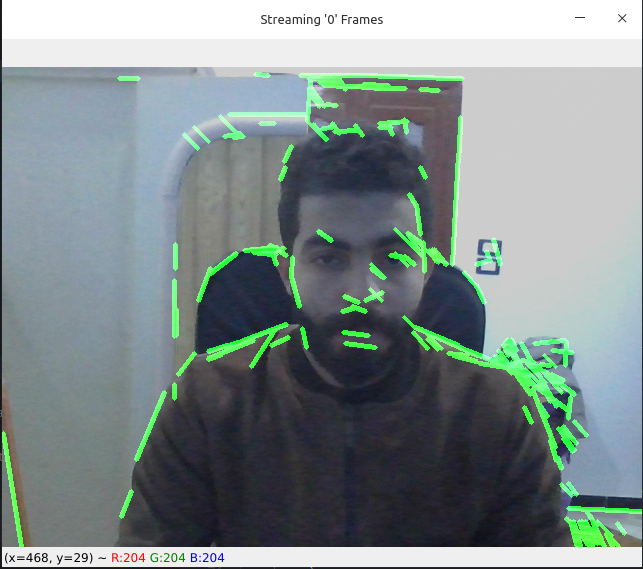
Output Demo:
-
Haar Cascade Functions
from cv_aid import VideoStream, Frame

def on_frame(frame: Frame) -> Frame:
    """
    A function that is called when a frame is read from the video stream.

    :param frame: The frame that was read.
    :return: The frame that was read.
    """
    boxes = frame.haarcascades.detect_faces(frame.frame, scaleFactor=1.1, minNeighbors=5, minSize=(30, 30))
    frame = frame.boxes(boxes, color=(0, 255, 0))
    return frame


if __name__ == "__main__":

    stream = VideoStream(src=0, on_frame=on_frame).start()
    stream.start_window()
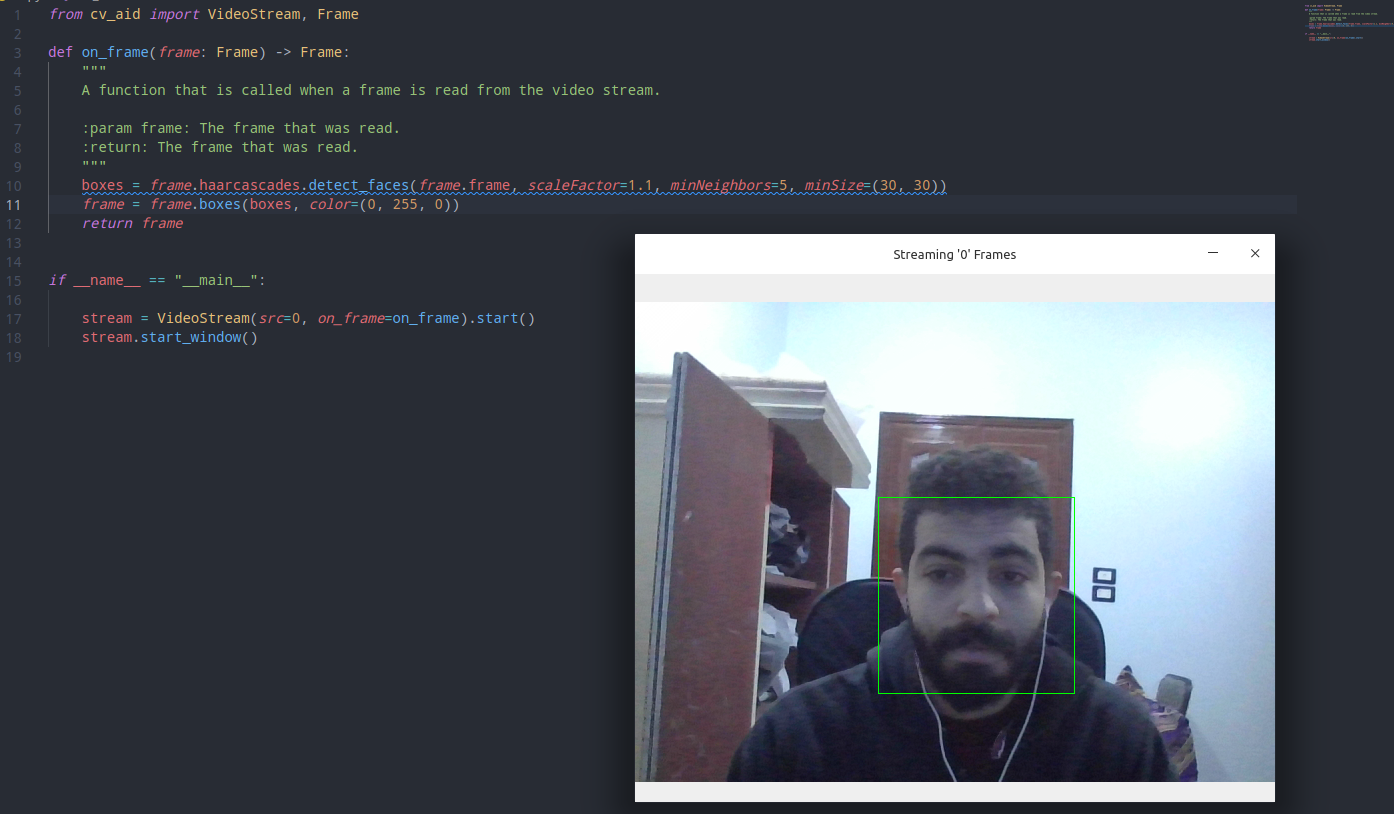
Output Demo:
-
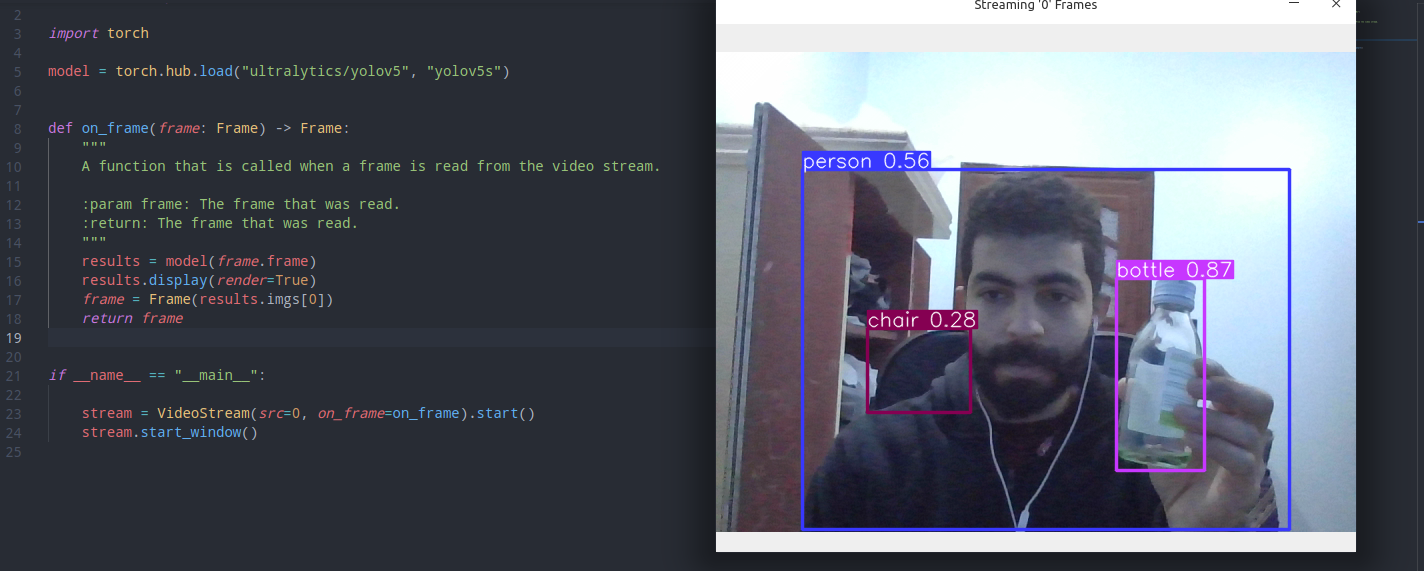
Tourch Hub (Yolov5)
from cv_aid import VideoStream, Frame
import torch

model = torch.hub.load('ultralytics/yolov5', 'yolov5s')

def on_frame(frame: Frame) -> Frame:
    """
    A function that is called when a frame is read from the video stream.

    :param frame: The frame that was read.
    :return: The frame that was read.
    """
    results = model(frame.frame)
    results.display(render=True)
    frame = Frame(results.imgs[0])
    return frame


if __name__ == "__main__":

    stream = VideoStream(src=0, on_frame=on_frame).start()
    stream.start_window()
-
Dlib (
Download model)from cv_aid._dlib import Dlib saved_model = Dlib.download_landmark_detector(path='/dir/to/download/model/at/') dlib = Dlib(landmark_predictor_path=saved_model) face_recognetion_model = Dlib.download_face_recognition_model_v1(path='/dir/to/download/model/at/')
-
Dlib (Face landmark)
Give it a try!# pylint: disable=C0103 import math import cv2 import numpy as np from skimage.draw import disk, polygon, set_color from cv_aid import Frame, VideoStream RIGHT_EYE_POINTS = list(range(36, 42)) LEFT_EYE_POINTS = list(range(42, 48)) def get_poly_data(desired, landmarks, shape): points = [] for i in desired: points.append((landmarks.part(i).x, landmarks.part(i).y)) points = np.array(points, dtype=np.int32) rr, cc = polygon(points[:, 1], points[:, 0], shape) return points, rr, cc def on_frame(frame: Frame) -> Frame: """ A function that is called when a frame is read from the video stream. :param frame: The frame that was read. :return: The frame that was read. """ faces = frame.dlib.detect_faces(frame.frame) for face in faces: face_landmarks = frame.dlib.detect_landmarks(frame.frame, face) left_eye, *_ = get_poly_data(LEFT_EYE_POINTS, face_landmarks, frame.shape) right_eye, *_ = get_poly_data(RIGHT_EYE_POINTS, face_landmarks, frame.shape) left_eye_center = left_eye.mean(axis=0).astype("int") right_eye_center = right_eye.mean(axis=0).astype("int") left_eye_radius = ( int( math.sqrt( (left_eye[3][0] - left_eye[0][0]) ** 2 + (left_eye[3][1] - left_eye[0][1]) ** 2 ) ) - 10 ) right_eye_radius = ( int( math.sqrt( (right_eye[3][0] - right_eye[0][0]) ** 2 + (right_eye[3][1] - right_eye[0][1]) ** 2 ) ) - 10 ) frame = ( # Glasses connection line frame.line( (left_eye_center[0] - left_eye_radius, left_eye_center[1]), (right_eye_center[0] + right_eye_radius, right_eye_center[1]), (0, 0, 0), 4, ) # Glasses circle 1 *Border* .circle( left_eye_center, left_eye_radius, (0, 0, 0), 4, ) # Glasses circle 1 .circle( left_eye_center, left_eye_radius, (0, 0, 255), 2, ) # Glasses circle 2 *Border* .circle( right_eye_center, right_eye_radius, (0, 0, 0), 4, ) # Glasses circle 2 .circle( right_eye_center, right_eye_radius, (0, 0, 255), 2, ) # Ears connection line 1 .line( (face_landmarks.part(0).x, face_landmarks.part(0).y), (right_eye_center[0] - right_eye_radius, right_eye_center[1]), (0, 0, 255), 2, ) # Ears connection line 1 .line( (face_landmarks.part(16).x, face_landmarks.part(16).y), (left_eye_center[0] + left_eye_radius, left_eye_center[1]), (0, 0, 255), 2, ) ) # Overlay the frame with the image of the glasses colored in transparent black overlay = frame.frame.copy() alpha = 0.5 # Get first circle rows and columns (pixel coordinates) rr, cc = disk(right_eye_center[::-1], right_eye_radius) # Set the color of the circle set_color(overlay, (rr, cc), (0, 0, 0)) # Get second circle rows and columns (pixel coordinates) rr, cc = disk(left_eye_center[::-1], left_eye_radius) # Set the color of the circle set_color(overlay, (rr, cc), (0, 0, 0)) # Overlay the image with the overlay image frame.frame = cv2.addWeighted(overlay, alpha, frame.frame, 1 - alpha, 0) return frame if __name__ == "__main__": stream = VideoStream(src=0, on_frame=on_frame).start() stream.start_window()
Release history Release notifications | RSS feed


Download files
Download the file for your platform. If you're not sure which to choose, learn more about installing packages.
Source Distribution
Built Distribution
Filter files by name, interpreter, ABI, and platform.
If you're not sure about the file name format, learn more about wheel file names.
Copy a direct link to the current filters
File details
Details for the file cv-aid-1.0.1.tar.gz.
File metadata
- Download URL: cv-aid-1.0.1.tar.gz
- Upload date:
- Size: 1.3 MB
- Tags: Source
- Uploaded using Trusted Publishing? No
- Uploaded via: poetry/1.1.12 CPython/3.8.10 Linux/5.13.0-28-generic
File hashes
| Algorithm | Hash digest | |
|---|---|---|
| SHA256 |
202e3cdbb4da360c9c3a0c962b05ae1dec5813fb3a567a5294ba1303d504c8c8
|
|
| MD5 |
b91e8e34faa57b11127fb19270c05d3a
|
|
| BLAKE2b-256 |
88f20676c3dce15ef9eec7cf5cd41b169c05fe88f1284e9faf35d613bfa8d758
|
File details
Details for the file cv_aid-1.0.1-py3-none-any.whl.
File metadata
- Download URL: cv_aid-1.0.1-py3-none-any.whl
- Upload date:
- Size: 1.3 MB
- Tags: Python 3
- Uploaded using Trusted Publishing? No
- Uploaded via: poetry/1.1.12 CPython/3.8.10 Linux/5.13.0-28-generic
File hashes
| Algorithm | Hash digest | |
|---|---|---|
| SHA256 |
f7d311b4f5ee1341d5cbe16f03e129d1195d714a36f5722a851bf05bb8f262b6
|
|
| MD5 |
4133b283297dcb67a39382378729f23e
|
|
| BLAKE2b-256 |
986334790bd4fd05583df05bad13609bc94be8c4fbc18aab69eaaf12d4b1174d
|






