
Puts watermark on images using relative or absolute coordinates.
from cv2watermark import (
    merge_image_percentage_height,
    merge_image_percentage_width,
    merge_image_percentage_height_position,
    merge_image_percentage_width_position,
    merge_image,
)

# Allowed image formats: url/path/buffer/base64/PIL/np
i2 = r"https://www.python.org/static/img/psf-logo.png"  # Transparent image from URL doesn't work! You have to download it before
i2 = r"F:\neuedownloads\psf-logo.png"
i1 = r"https://github.com/hansalemaos/screenshots/raw/main/splitted1.png"

merg1 = merge_image(
    back=i1, front=i2, x=10, y=30, save_path="f:\\cv2mergepics\\merg1.png"
)
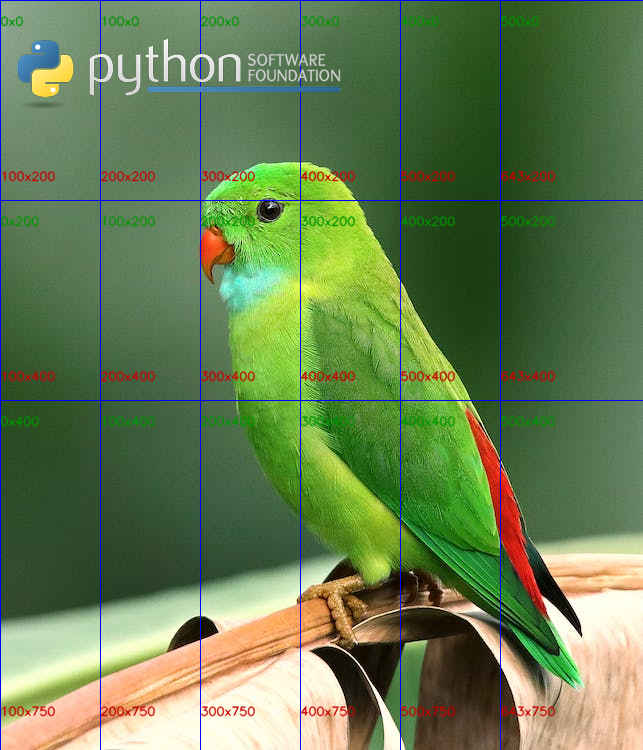
merg2 = merge_image_percentage_width(
    back=i1,
    front=i2,
    x=10,
    y=30,
    front_percentage_width=80,
    save_path="f:\\cv2mergepics\\merg2.png",
)
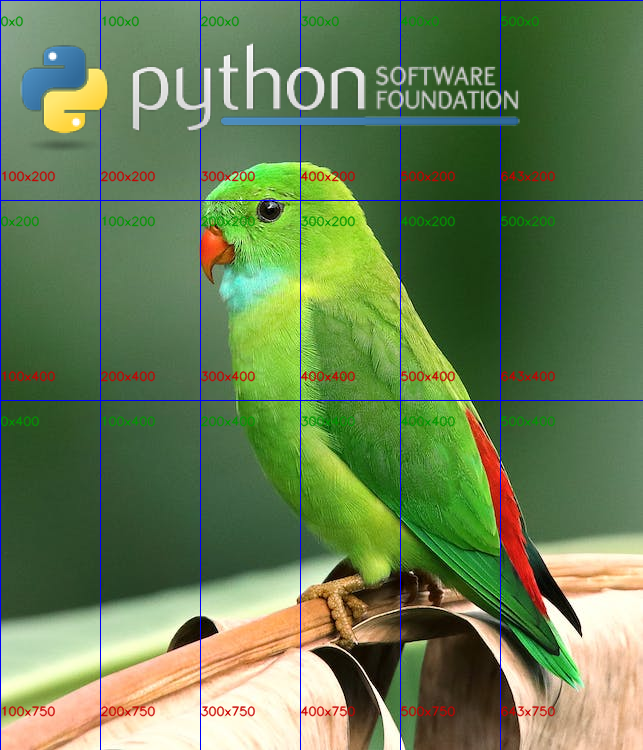
merg3 = merge_image_percentage_width_position(
    back=i1,
    front=i2,
    percentx=50,
    percenty=60,
    front_percentage_width=30,
    save_path="f:\\cv2mergepics\\merg3.png",
)
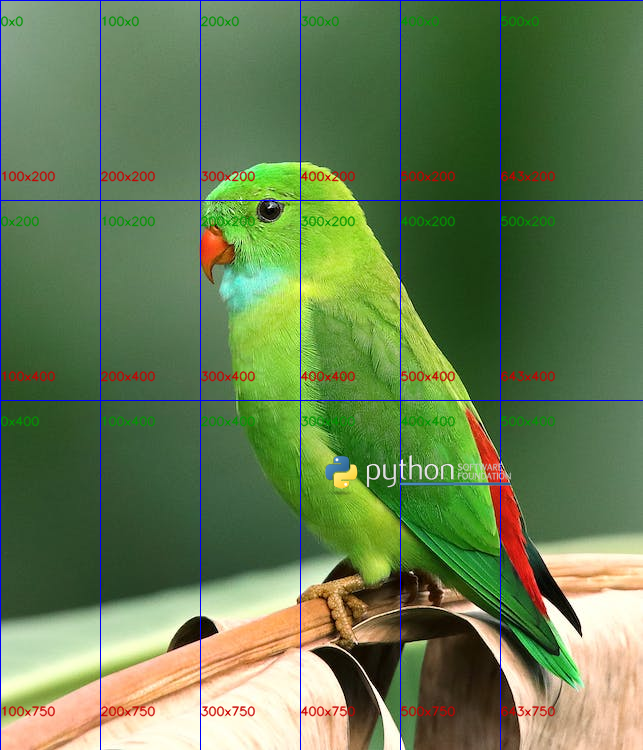
merg4 = merge_image_percentage_width(
    back=i1,
    front=i2,
    x=110,
    y=10,
    front_percentage_width=60,
    save_path="f:\\cv2mergepics\\merg4.png",
)
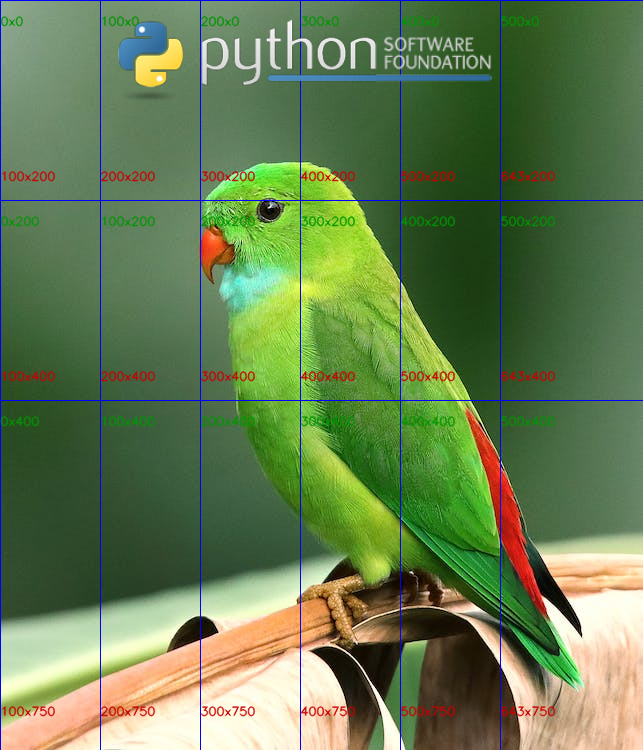
merg5 = merge_image_percentage_width_position(
    back=i1,
    front=i2,
    percentx=50,
    percenty=10,
    front_percentage_width=40,
    save_path="f:\\cv2mergepics\\merg5.png",
)
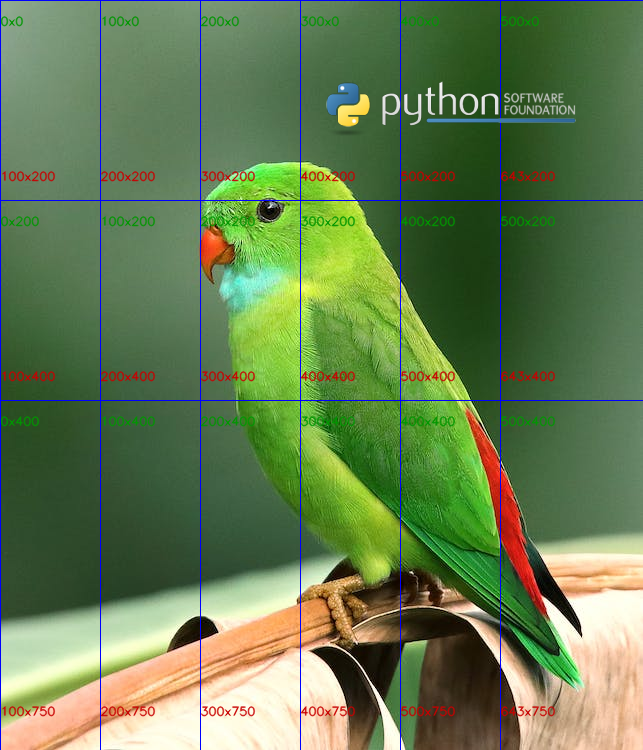
merg6 = merge_image_percentage_height(
    back=i1,
    front=i2,
    x=20,
    y=50,
    front_percentage_height=40,
    save_path="f:\\cv2mergepics\\merg6.png",
)
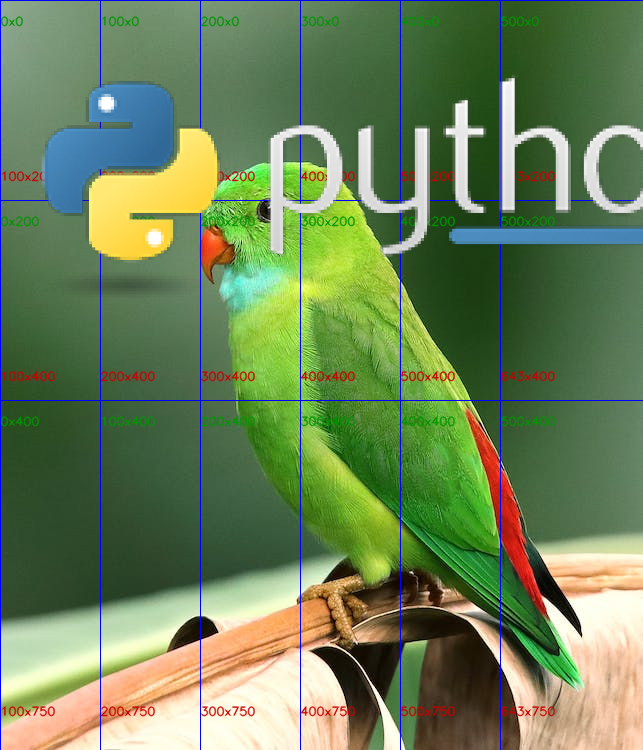
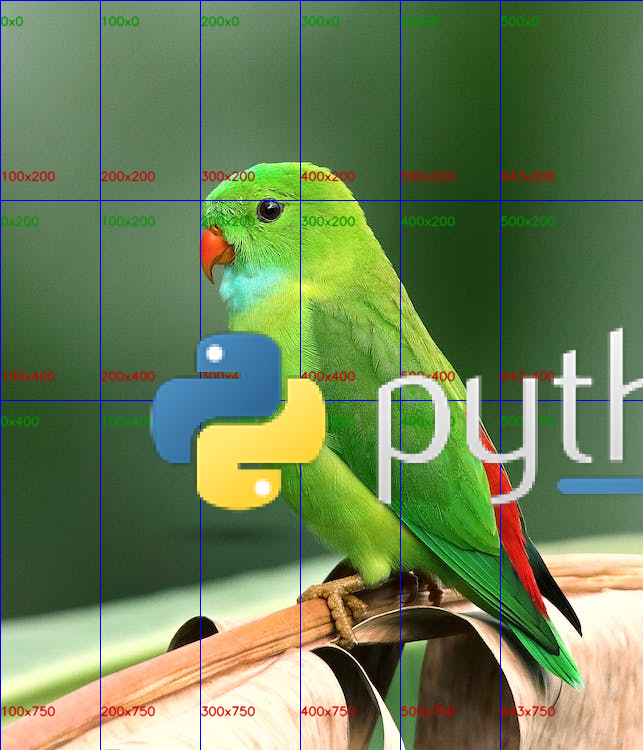
merg7 = merge_image_percentage_height_position(
    back=i1,
    front=i2,
    percentx=20,
    percenty=40,
    front_percentage_height=40,
    save_path="f:\\cv2mergepics\\merg7.png",
)
1 maintainer

Download files
Download the file for your platform. If you're not sure which to choose, learn more about installing packages.
Source Distribution
cv2watermark-0.10.tar.gz
(4.2 kB
view details)
Built Distribution
Filter files by name, interpreter, ABI, and platform.
If you're not sure about the file name format, learn more about wheel file names.
Copy a direct link to the current filters
File details
Details for the file cv2watermark-0.10.tar.gz.
File metadata
- Download URL: cv2watermark-0.10.tar.gz
- Upload date:
- Size: 4.2 kB
- Tags: Source
- Uploaded using Trusted Publishing? No
- Uploaded via:
twine/4.0.1 CPython/3.9.13
File hashes
| Algorithm | Hash digest | |
|---|---|---|
| SHA256 |
e625d33de90454be296f309b89a0a22d96708d0caeb36cebd09bd5878c226cdf
|
|
| MD5 |
99cde83cb3096598c4a784a114d9d3f4
|
|
| BLAKE2b-256 |
0706b7a9709265f91396a769f21942e6530afef854d963c6cc0e6875a0cae7d8
|
File details
Details for the file cv2watermark-0.10-py3-none-any.whl.
File metadata
- Download URL: cv2watermark-0.10-py3-none-any.whl
- Upload date:
- Size: 5.5 kB
- Tags: Python 3
- Uploaded using Trusted Publishing? No
- Uploaded via:
twine/4.0.1 CPython/3.9.13
File hashes
| Algorithm | Hash digest | |
|---|---|---|
| SHA256 |
fdb62f9279d77f1497a71253852382421caa309d3090e0e1e990c94f764b5b98
|
|
| MD5 |
d0e3b495eebe18ae7de53899e8d2e23f
|
|
| BLAKE2b-256 |
34cfd320310047b0c60bb53e1d87aac5d8759159e80e73962d18fa55c4a7973d
|













