
CVLearn
An easy-to-use package that helps with hand tracking, face detection, and more using OpenCV and Mediapipe.
Features
Core Features
- Hand Tracking - Real-time hand pose detection and tracking
- Face Detection - Multi-face detection and bounding boxes
- Face Mesh - Detailed facial landmarks
- Finger Counting - Single and dual-hand finger detection
- Pose Detection - Full body pose estimation
- Gesture Recognition - Gesture recognition with combo detection and velocity-based gestures
Installation
- Use Python 3.6+
- Open your terminal or command prompt and run:
pip install cvlearn
Install Dependencies (if needed)
pip install mediapipe opencv-python numpy
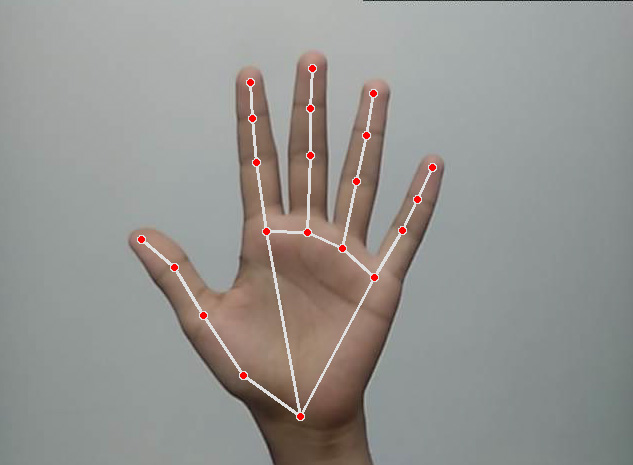
Hand Tracking
from cvlearn import HandTrackingModule as handTracker
import cv2

cap = cv2.VideoCapture(0)
detector = handTracker.handDetector()

while True:
    ret, img = cap.read()
    img = detector.findHands(img)

    cv2.imshow("Result", img)
    cv2.waitKey(1)
Result:
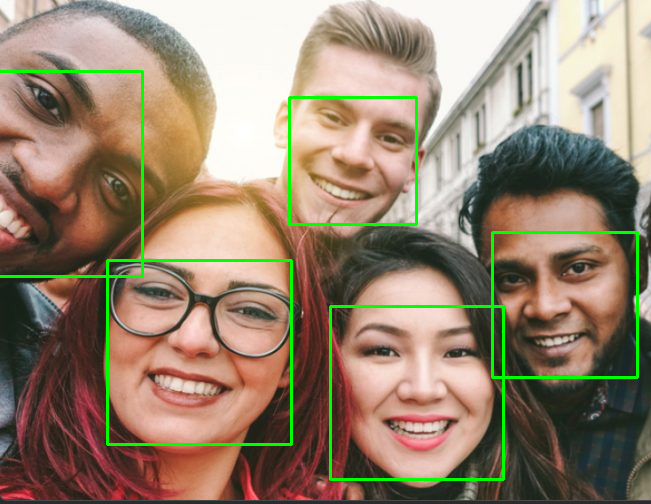
Face Detection
from cvlearn import FaceDetection as faceDetector
import cv2

cap = cv2.VideoCapture(0)
detector = faceDetector.FaceDetector()

while True:
    ret, img = cap.read()
    img = detector.findFaces(img)

    cv2.imshow("Result", img)
    cv2.waitKey(1)
Result:
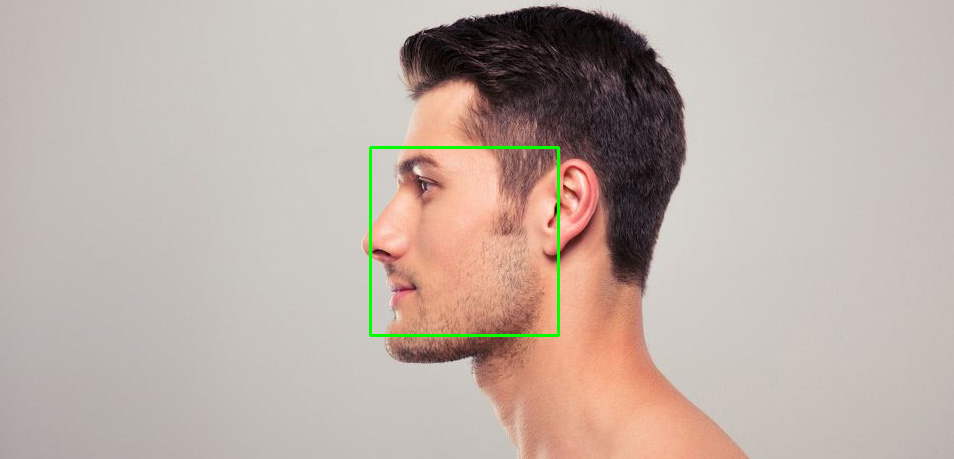
Side View:
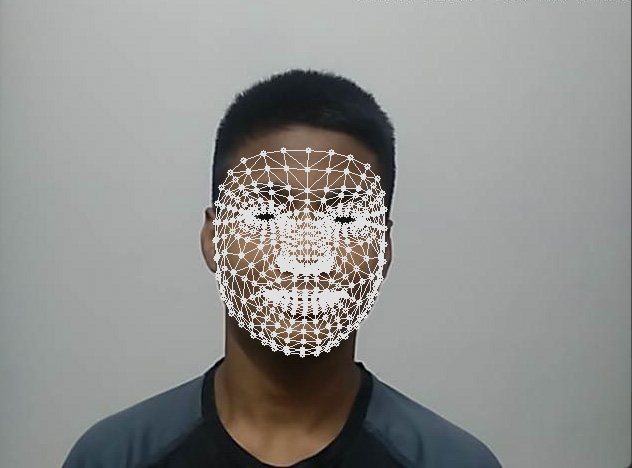
Face Mesh
from cvlearn import FaceMesh as fms
import cv2

cap = cv2.VideoCapture(0)
detector = fms.FaceMeshDetector()

while True:
    ret, img = cap.read()
    img, face = detector.findFaceMesh(img)

    cv2.imshow("Result", img)
    cv2.waitKey(1)
Result:
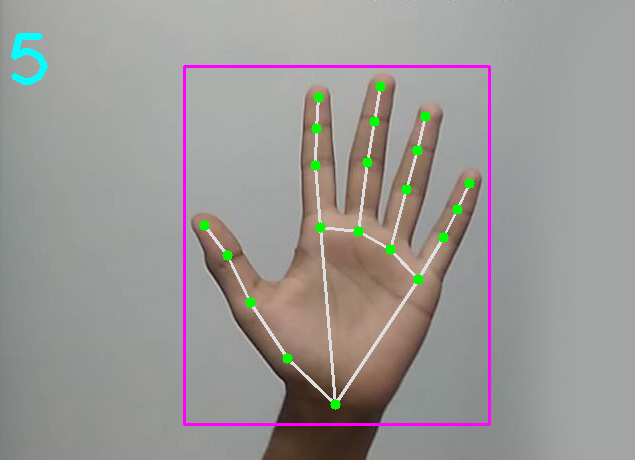
Finger Counting
from cvlearn import FingerCounter as fc
import cvlearn.HandTrackingModule as handTracker
import cv2

cap = cv2.VideoCapture(0)
detector = handTracker.handDetector(maxHands=1)
counter = fc.FingerCounter()

while True:
    ret, frame = cap.read()
    frame = cv2.flip(frame, 180)

    frame = detector.findHands(frame)
    lmList, bbox = detector.findPosition(frame)

    if lmList:
        frame = counter.drawCountedFingers(frame, lmList, bbox)

    cv2.imshow("res", frame)
    key = cv2.waitKey(1)
    if key == 27:
        break

cv2.destroyAllWindows()
Result:
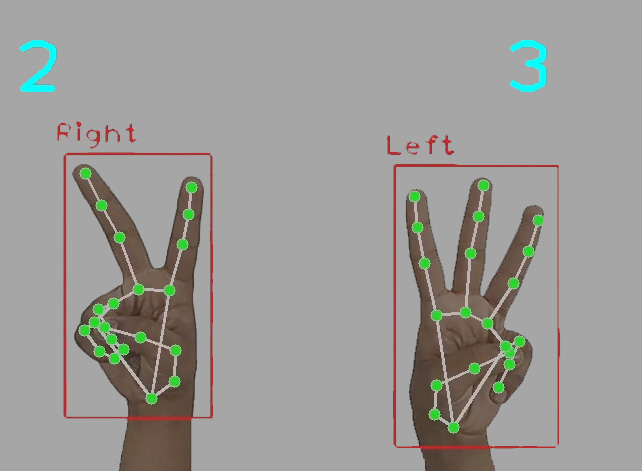
Two Hands Finger Counting
from cvlearn import TwoHandsFingerCounter as fc
import cv2

cap = cv2.VideoCapture(0)
counter = fc.FingerCounter()

while True:
    ret, frame = cap.read()
    frame = counter.drawCountedFingers(frame)

    cv2.imshow("res", frame)
    key = cv2.waitKey(1)
    if key == 27:
        break

cv2.destroyAllWindows()
Result:
Pose Detection
import cv2
import cvlearn
from cvlearn import PoseDetector, Utils
Gesture Recognition
import cv2
from cvlearn import GestureRecognizer

cap = cv2.VideoCapture(0)
detector = GestureRecognizer(maxHands=2)

while True:
    ret, frame = cap.read()
    frame = detector.findHands(frame)

    gesture, confidence = detector.recognizeGesture(frame)
    frame = detector.drawGestureInfo(frame, gesture, confidence)

    cv2.imshow("Result", frame)
    key = cv2.waitKey(1)
    if key == 27:
        break

cv2.destroyAllWindows()
1 maintainer

Release files for cvlearn 0.5.3
For a detailed explanation of source distributions (sdists) and built distributions (wheels), please see the package formats documentation.
Source distribution (sdist)
| File | Size | Uploaded | |
|---|---|---|---|
| cvlearn-0.5.3.tar.gz | 11.0 kB | Details |
Built distribution (wheel)
| File | Interpreter | ABI | Platform | Reset |
|---|---|---|---|---|
| cvlearn-0.5.3-py3-none-any.whl | Python 3 | none | any | Details |
Total release size: 26.0 kB
Release files / cvlearn-0.5.3.tar.gz
| Download URL | cvlearn-0.5.3.tar.gz |
|---|---|
| Size | 11.0 kB |
| Tags | Source |
|
SHA-256 checksum How to use checksums |
bf7ac125a9a684d80a1f758ce15af5ca700a8c24626b66d63ed43b4324844d44
|
|
BLAKE2b-256 checksum How to use checksums |
2a06c6a31cc1c39bc098b4a2eb67e4ff4529010430e263c51a9b41182d85d69e
|
| Upload date | |
|
Uploaded using Trusted Publishing? What is trusted publishing? |
No |
| Uploaded via |
twine/6.2.0 CPython/3.14.0
|
Release files / cvlearn-0.5.3-py3-none-any.whl
| Download URL | cvlearn-0.5.3-py3-none-any.whl |
|---|---|
| Size | 14.9 kB |
| Tags | Python 3 |
|
SHA-256 checksum How to use checksums |
7737a32c334f130894aec0886a76e726e326c0610120971ccbdceb62a760ed63
|
|
BLAKE2b-256 checksum How to use checksums |
50380cf88c399a00570bf854aafef599e800443299c6ad46cd8e68c167e0909b
|
| Upload date | |
|
Uploaded using Trusted Publishing? What is trusted publishing? |
No |
| Uploaded via |
twine/6.2.0 CPython/3.14.0
|














